Which Remote Browser Isolation Service Actually Fits a SASE Stack?
Choosing the best remote browser isolation service for secure SASE comes down to where the isolation runs and how it is licensed. If your web traffic already crosses a SASE tenant, isolation embedded in that tenant is usually the cheapest to operate. If you need isolate-everything coverage or hardware-enforced separation, pure-play vendors still win. Policy granularity, latency and per-user bandwidth caps settle the rest.
📌 TL;DR Executive Summary
- Core Takeaway: Isolation is now mostly a policy action inside an SSE or SASE platform — Zscaler, Palo Alto Networks, Cloudflare, Forcepoint and Broadcom all ship it — rather than a standalone purchase. Buy standalone when you need isolate-everything rendering or hardware-enforced separation.
- Key Risk/Challenge: Most vendors publish no list price, isolation often sits in an upper tier or add-on, and reseller-delivered seats are frequently non-refundable. Bandwidth allowances decide the real bill.
- Recommended Solution: Pilot selective isolation on four rule sets — uncategorized sites, personal webmail, newly registered domains and email links — and baseline latency and helpdesk tickets before you widen it. Where the isolation you need is separate client identities rather than untrusted code, a profile manager such as Send.win covers that at a fixed plan price.
How Remote Browser Isolation Works Inside a SASE Stack
Remote browser isolation executes the page somewhere other than the user’s device. The session runs in a remote container, and only pixels or a reconstructed DOM travel back to the local browser. An exploit that fires lands in the container, and the container is destroyed when the session ends. That is why isolation still protects you when the endpoint is unpatched, unmanaged or simply not yours.
What changed is packaging. Isolation is now a feature inside SSE and SASE platforms rather than a product you buy on its own, and it often sits in an upper bundle or an add-on rather than the base subscription. One forecast puts the remote browser isolation market at USD 6.53 billion by 2031. That is convenient if you already run the platform, and awkward if isolation is the only thing you need.
The Three Architectures You Will Be Comparing
- Pixel or stream-based: the remote browser renders the page and streams an image. Garrison, WEBGAP and Authentic8 work this way. Highest fidelity against page-level attacks, highest bandwidth cost.
- DOM or vector reconstruction: the remote browser sends a sanitized DOM or drawing instructions and the local browser rebuilds the page. Cloudflare’s Network Vector Rendering, Menlo and Ericom use this. Lower bandwidth, more rendering quirks.
- Platform-embedded: isolation is a policy action inside your secure web gateway or SSE tenant. Zscaler, Palo Alto Networks and Forcepoint take this route. Fewest moving parts, but the policy vocabulary is the platform’s.
Architecture matters less than where the policy decision is made. If traffic already traverses a PoP, adding a second agent or a second console creates duplicate policy that drifts within a quarter. If you are still mapping the boundary between the two categories, this SASE vs browser isolation comparison lays out the overlap.
RBI vs SWG, Enterprise Browsers and VDI
These four technologies get sold against each other and do different jobs. A secure web gateway filters traffic and blocks categories without executing code remotely. An enterprise browser enforces policy locally at near-zero latency, which makes it the better tool on managed devices. VDI gives a full remote operating system, not just a browser. Isolation’s real advantage is the unmanaged endpoint: a contractor’s laptop, a BYOD phone, a finance user clicking an emailed link.
| Approach | What runs remotely | Latency profile | Best fit |
|---|---|---|---|
| Secure web gateway | Nothing — traffic is filtered at the PoP | Low | Category blocking, TLS inspection, baseline policy |
| Remote browser isolation | The browser session and the page itself | Adds per-session overhead | Unmanaged devices, unknown sites, high-risk roles |
| Enterprise browser | Nothing — policy is enforced on the endpoint | Near-zero | Managed fleets you fully control |
| VDI | A full desktop and its applications | Highest | Legacy apps and thick clients, not web pages |
| Browser profile isolation | Nothing — separate cookie jars and fingerprints | Native | Keeping work identities apart, not blocking code |
How to Judge a Service Before You Take a Demo
Six criteria separate the best remote browser isolation service for secure SASE from one that fights it — and from one you switch off after the pilot.
- Isolation efficacy for your threat model. Does it stop the attacks you actually see — credential phishing, malicious documents, drive-by scripts on newly registered domains?
- Document and SaaS coverage. Downloads, uploads, file previews and the SaaS apps people live in, not just HTML pages.
- Performance. Page-load delta, video handling, and how the product treats heavy internal apps.
- Policy granularity. URL category, user risk, device posture and app — ideally as conditions on rules you already maintain.
- Identity and platform integration. SSO, IdP groups, existing agents, and whether managed users are isolated without a second login prompt.
- Total deployment cost. Per-user licence plus bandwidth plus the seats you will true up at renewal.
Work through those six in order and half the shortlist disappears. There is a longer checklist in this guide on how to choose an RBI solution.
7 Remote Browser Isolation Services for Secure SASE, Ranked by Fit
1. Zscaler Cloud Browser Isolation
Isolation is a policy action inside the Zero Trust Exchange (ZIA), not a separate console. Cyber Isolation Standard ships in both the Essentials and Zscaler Platform bundles and isolates unknown destinations with 100 MB of isolation traffic per user. The Zero Trust Browser Advanced add-on raises that to 1.5 GB per user per month, upgradeable to unlimited, and adds native local rendering, upload/download and copy/paste/print controls, a mobile browser, smart isolation and browser-in-browser. The service is also sold as a per-user subscription SKU through resellers such as CDW.
- Pros: one policy engine for filtering and isolation; per-user SKU available; PeerSpot put Zscaler at 26.0% mind share among buyers researching RBI solutions as of October 2026.
- Cons: bandwidth-tiered; the useful controls sit in the add-on; reseller SKUs are generally non-refundable.
Run Best Remote Browser Isolation Service For Secure Sase in the Cloud With Send.win
Send.win’s cloud browser runs isolated browser profiles on a server in the EU — open a clean session from any device without installing anything:
- Instant cloud sessions – launch an isolated browser in seconds, no local install
- Isolated profiles – separate cookies, storage and fingerprint settings per session
- Cloud sync & profile sharing – pick up the same profiles on the desktop app (Windows, macOS, Linux) or share them with your team
- Residential proxies included – on Pro and Team, with timezone and locale matched to the proxy
You can try it right now: the Send.win demo browser opens an isolated cloud session directly in this browser tab. Paid plans start at $19/month, with a 7-day money-back guarantee on your first card purchase — see pricing.
Best for: organisations already running ZIA that want isolation as one more rule.
2. Palo Alto Prisma Access RBI
Isolation profiles attach to existing security policy rules inside Prisma Access, so you isolate a URL category the same way you block one. Managed users on GlobalProtect, Explicit Proxy or Remote Networks browse isolated without an extra authentication step. A profile can disable the keyboard to block credential phishing, and XSS prevention, Advanced URL Filtering, WildFire, DNS Security and DLP keep applying to isolated sessions. You need Prisma Access 5.0 Innovation plus an RBI licence — the Palo Alto RBI admin docs list the profile options.
- Pros: reuses rules you already maintain; keyboard disable; security subscriptions keep working on isolated traffic.
- Cons: Prisma Access prerequisite; RBI licence on top; profile tuning takes real testing.
Best for: teams standardised on Prisma Access and GlobalProtect.
3. Cloudflare Browser Isolation
Cloudflare runs a headless browser at its edge close to the user and rebuilds the page with Network Vector Rendering instead of streaming video, which keeps bandwidth down. Clientless links isolate a single URL — a suspect link in an email, a contractor’s first visit — without any agent on the device. It ships inside Cloudflare One rather than as a standalone product, so the cost arrives as part of that subscription.
- Pros: edge rendering close to users; clientless link isolation; one vendor for gateway and isolation.
- Cons: tied to Cloudflare One; no standalone SKU; DOM reconstruction occasionally breaks unusual apps.
Best for: Cloudflare One shops that want link-level isolation for unmanaged users.
4. Menlo Security
Menlo is the pure-play isolate-everything option: all web content runs in its cloud and renders clientless in the local browser, with document sanitization and DLP layered on top. There are no list prices — the number depends on which products you deploy (Protect, Secure and/or Manage) and your user count. A self-service budgetary pricing tool now produces an estimate online without a sales call, and basic support is included in every deal.
- Pros: no agent for clientless rendering; covers documents and SaaS, not just HTML; budgetary estimate before you talk to sales.
- Cons: isolate-everything consumes more capacity than selective rules; three product lines to map; quote-only.
Best for: organisations that want unknown and known content treated the same way.
5. Forcepoint RBI
Forcepoint ties isolation to risk-adaptive policy: a risky user touching sensitive data on an unknown site gets an isolated session with paste blocked. It lives inside the Forcepoint web security and DLP stack rather than as a standalone console, and licensing is per user by quote.
- Pros: user-risk plus data-sensitivity logic; paste blocking; DLP applied to isolated sessions.
- Cons: value depends on running Forcepoint web security; quote-only pricing; policy design needs DLP maturity.
Best for: existing Forcepoint customers with DLP-driven policy.
6. Garrison (Everfox)
Garrison enforces isolation in hardware: SAVI appliances deliver pixel-only output from on-premises or cloud instances, so no DOM, script or file reaches the endpoint. It holds government and defence accreditation, and it now sits inside Everfox after standalone isolation vendors consolidated. Appliances and subscriptions are quoted, not listed.
- Pros: pixel-only, hardware-enforced separation; on-premises option; built for accredited environments.
- Cons: appliance footprint and cost; capacity planning is physical; not a per-seat SaaS toggle.
Best for: defence, government and regulated buyers who need provable separation at the hardware layer.
7. Authentic8 Silo
Authentic8 sells pixel-based isolation as managed workspaces rather than a SASE module, which suits investigations, OSINT and any team that needs a controlled browsing identity kept apart from the corporate one. Third-party comparisons report a 4.7/5 G2 rating, from a review base small enough to read as a signal rather than a verdict. Expect a per-user subscription quoted through sales.
- Pros: pixel-based rendering; workspace model separated from the corporate identity; fits investigation workflows.
- Cons: not an SSE module, so it is a second console; quote-only; narrower fit than platform-embedded isolation.
Best for: investigation and OSINT teams that need a separate, controlled browsing environment.
How the Seven Compare
| Service | Architecture | Where policy lives | Licensing model | Best fit |
|---|---|---|---|---|
| Zscaler Cloud Browser Isolation | Platform-embedded | ZIA policy rules | Bundle tier plus per-user add-on; reseller SKUs | Existing ZIA tenants |
| Palo Alto Prisma Access RBI | Platform-embedded | Prisma Access security rules | RBI licence on Prisma Access 5.0 Innovation | GlobalProtect estates |
| Cloudflare Browser Isolation | DOM/vector rendering at the edge | Cloudflare One | Inside the Cloudflare One subscription | Link-level isolation for unmanaged users |
| Menlo Security | DOM reconstruction, isolate everything | Menlo cloud | Product modules plus user count; budgetary tool | Full isolation of all content |
| Forcepoint RBI | Platform-embedded | Web security and DLP policy | Per-user quote | Risk-adaptive, DLP-led policy |
| Garrison (Everfox) | Pixel-only, hardware-enforced | SAVI appliances | Appliance and subscription quote | Defence and accredited environments |
| Authentic8 Silo | Pixel-based workspaces | Authentic8 cloud | Per-user subscription, quoted | Investigations and OSINT |
Read the table as a routing decision, not a ranking. In practice, the best remote browser isolation service for secure SASE is the row whose policy surface you already log into. Two rows can apply to the same organisation: platform-embedded isolation for untrusted web content, plus identity separation for the authenticated accounts staff operate all day.
Four More Names You Will See in RFPs
- Broadcom (Symantec) Web Isolation — tied to the Symantec proxy stack at enterprise scale. Check Broadcom-era licensing and support before assuming an old review describes a buyable SKU.
- Ericom — DOM reconstruction, now under Cradlepoint (Ericsson) after standalone isolation vendors consolidated.
- Kasm Workspaces — self-hosted containers with a free Community edition and paid tiers that third-party comparisons put from $10/user; confirm on the vendor site before budgeting.
- Parallels Browser Isolation — agentless access to internal web apps for contractors and BYOD, listed in comparisons from $19/month on an annual plan.
SASE vendors are building browser-side policy themselves too: Versa added Inbound SSE and a browser-native security layer in March 2026, and Aryaka shipped Unified SASE as a Service 2.0 in November 2025. For a wider sweep, this rundown of remote browser isolation vendors covers the field.
Rolling Out Isolation Without Duplicate Agents
Most disappointing rollouts isolate too much and then blame the product for latency they created. Even the best remote browser isolation service for secure SASE will fail that way. Sequence the work instead.
Baseline Before You Switch Anything On
Record page-load times for a sample of sites, and count helpdesk tickets per 100 users per week, before the pilot starts. Without that baseline you cannot tell whether complaints are about isolation or about the site behind it. Run the pilot on one group — contractors or finance — for four weeks.
Decide What Stays Local
Managed devices are usually better served by an enterprise browser or native rendering; reserve isolation for unmanaged devices, unknown destinations and high-risk roles. Map the rule set onto the tenant you already run so users do not end up with a second agent and a second login prompt.
Match Clipboard and Download Rules to Roles
Copy/paste, upload/download and print controls are where users feel isolation most. Start restrictive for finance and support, looser for engineering, and review exceptions monthly rather than setting one global policy nobody dares change. Keyboard disable is worth enabling for any profile exposed to credential phishing.
When the Isolation You Need Is Identity, Not Code
RBI solves one half of a common problem. The other half shows up in agencies, support desks and QA teams: staff operating a dozen client accounts, storefronts or test users from one machine, where the risk is not a malicious page but two identities bleeding into each other through shared cookies, storage and a single browser fingerprint.
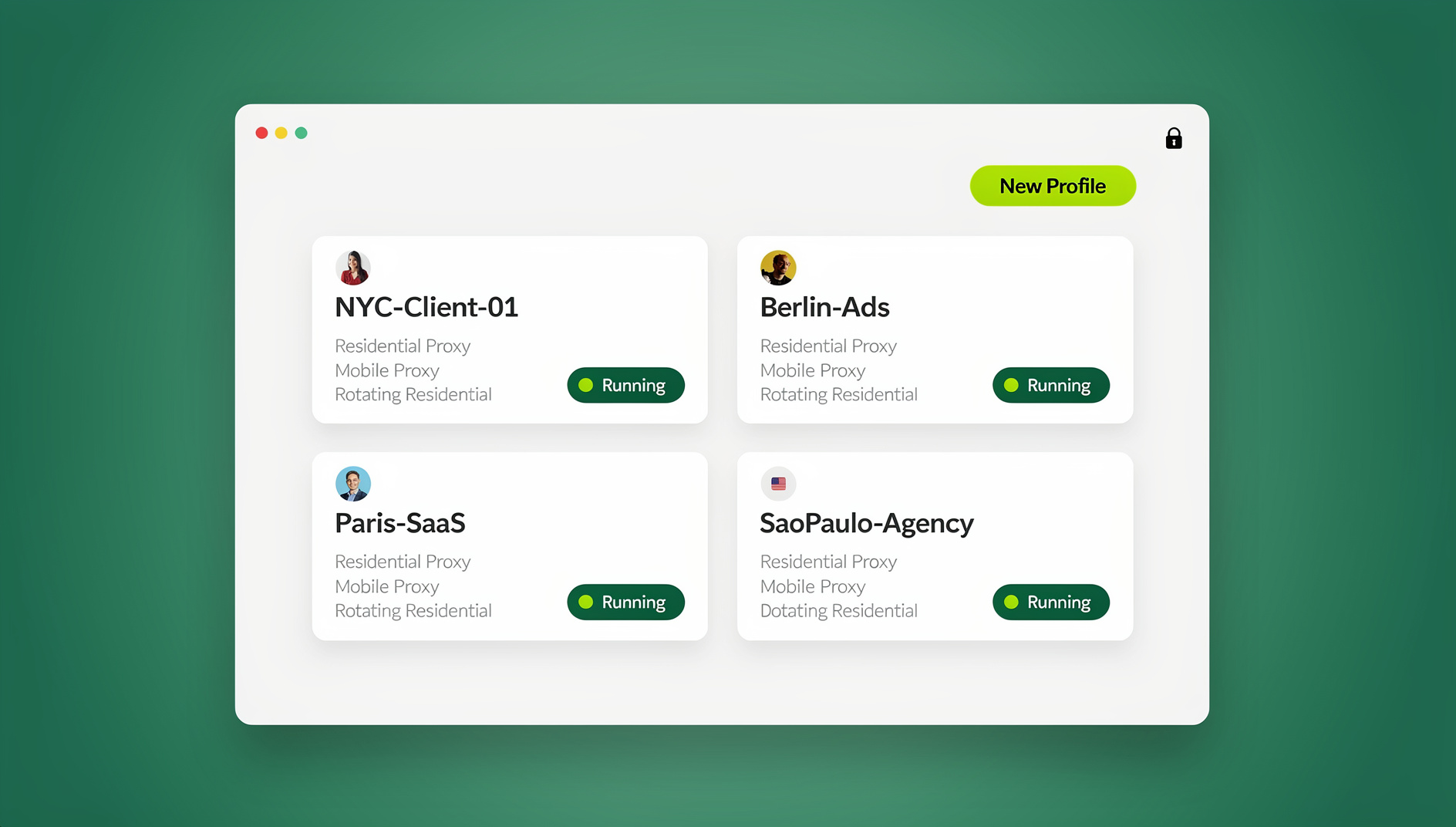
Sendwin Browser addresses that with a different mechanism. Each profile keeps its own cookies, storage, sessions, per-profile fingerprint protection and proxy, so a social media manager handling twelve client accounts works in twelve separate browser identities, and a QA team can test as different users and regions from one machine. The desktop app runs on Windows, macOS and Linux; the cloud browser runs profiles on Send.win’s server in Helsinki and works from any device with nothing to install, with a free demo giving 10 minutes a day. Sharing a profile with a paid teammate opens it already signed in — secure session sharing without a password changing hands.
It is not a substitute for isolation. Pages still execute, so it does nothing about malicious code, and there is no API, SDK or automation on any plan. Use RBI for untrusted content on unmanaged devices and a profile manager for the authenticated accounts your team runs all day — then explain the difference to whoever owns the security budget, because they are two line items, not one.
🏆 Send.win Verdict
Send.win is not an isolation engine and does not pretend to be one — pages are not executed remotely and malicious code is not neutralised. It earns a place beside RBI for the second problem teams hit after rollout: the authenticated accounts staff operate every day. Sendwin Browser keeps each client, storefront or test identity in its own profile with its own cookies, storage, fingerprint settings and proxy, shares a profile with a paid teammate so it opens already signed in, and includes residential proxies on Pro and Team, with timezone, locale, WebRTC and geolocation following the proxy’s exit IP. Run it on the desktop app for Windows, macOS and Linux, or in the EU-hosted cloud browser from any device.
See Send.win plans — Pro from $19/mo (150 profiles, 6 seats, 5 GB/month of proxy bandwidth) or $6.99/mo billed annually, Team at $49/mo with 500 profiles and 20 GB/month, a 7-day money-back guarantee on your first card purchase, and a free cloud demo if you want to look first.
Frequently Asked Questions
What is remote browser isolation in a SASE stack?
It is a policy action that moves the web session into a remote container so the page never executes on the user’s device. Inside SASE, the same tenant that filters traffic decides which destinations get isolated. Only pixels or a reconstructed DOM reach the endpoint, and the container is destroyed when the session ends.
Is RBI included in SASE or an add-on?
Both patterns exist. Zscaler includes Cyber Isolation Standard in its Essentials and Platform bundles and sells advanced browser controls as an add-on. Palo Alto requires an RBI licence alongside Prisma Access 5.0 Innovation. Menlo and Garrison sell isolation as the core product with no SASE platform required. Whether the best remote browser isolation service for secure SASE is a bundle tier you already own or a separate licence depends on how much isolation you need.
RBI vs enterprise browser — which should I deploy?
Enterprise browsers enforce policy locally and add almost no latency, which makes them the right default for managed fleets. RBI’s strongest case is unmanaged devices, unknown destinations and high-risk roles such as finance and executives. Many organisations end up running both and routing by device posture.
Should I isolate all web traffic or only risky categories?
Selective isolation of uncategorized sites, personal webmail, newly registered domains and email links captures most of the risk at a fraction of the cost of isolating everything. Isolate-everything makes sense for small high-risk groups, or where a regulator expects uniform treatment.
How is RBI priced per user?
Usually as a per-user subscription or an add-on tier, sometimes metered by isolation bandwidth — Zscaler’s advanced add-on allows 1.5 GB per user per month, for example. Menlo prices by product module and user count with a budgetary tool online, and appliance vendors such as Garrison quote per deployment. Most vendors publish no list price.
Do I need a separate RBI product if I already use Zscaler?
Usually not. Isolation is already a policy action in ZIA, so the question becomes whether you need the advanced browser controls and the extra bandwidth. Check which bundle you own first — the standard allowance may cover selective rules without any new SKU.
Which option fits government high-assurance needs?
Hardware-enforced, pixel-only products such as Garrison are built for accredited environments and can run on-premises. Verify accreditation status directly with the vendor rather than relying on marketing claims, and check that the deployment model matches your classification level.
Can a browser profile manager replace remote browser isolation?
No. Profile isolation separates identities — cookies, storage, sessions, fingerprint settings, proxies — and does nothing to stop malicious code, because the page still executes locally or in the cloud browser you control. Use RBI for untrusted web content on unmanaged devices, and a profile manager such as Send.win for keeping client accounts and test users genuinely separate.