Browserlol Alternatives: Quick Answer
Send.win is the best all-around Browser.lol alternative in 2026 because it covers what Browser.lol’s single disposable-tab model can’t: persistent multi-account profiles, per-session proxy assignment, password-free team sharing, and a genuine choice between running sessions in the cloud or on a native desktop app. Browser.lol is still fine for a one-off throwaway tab, but if you manage more than a handful of logins across social, ad, or e-commerce accounts, you need session isolation and collaboration tools that a single disposable browser was never built to provide.
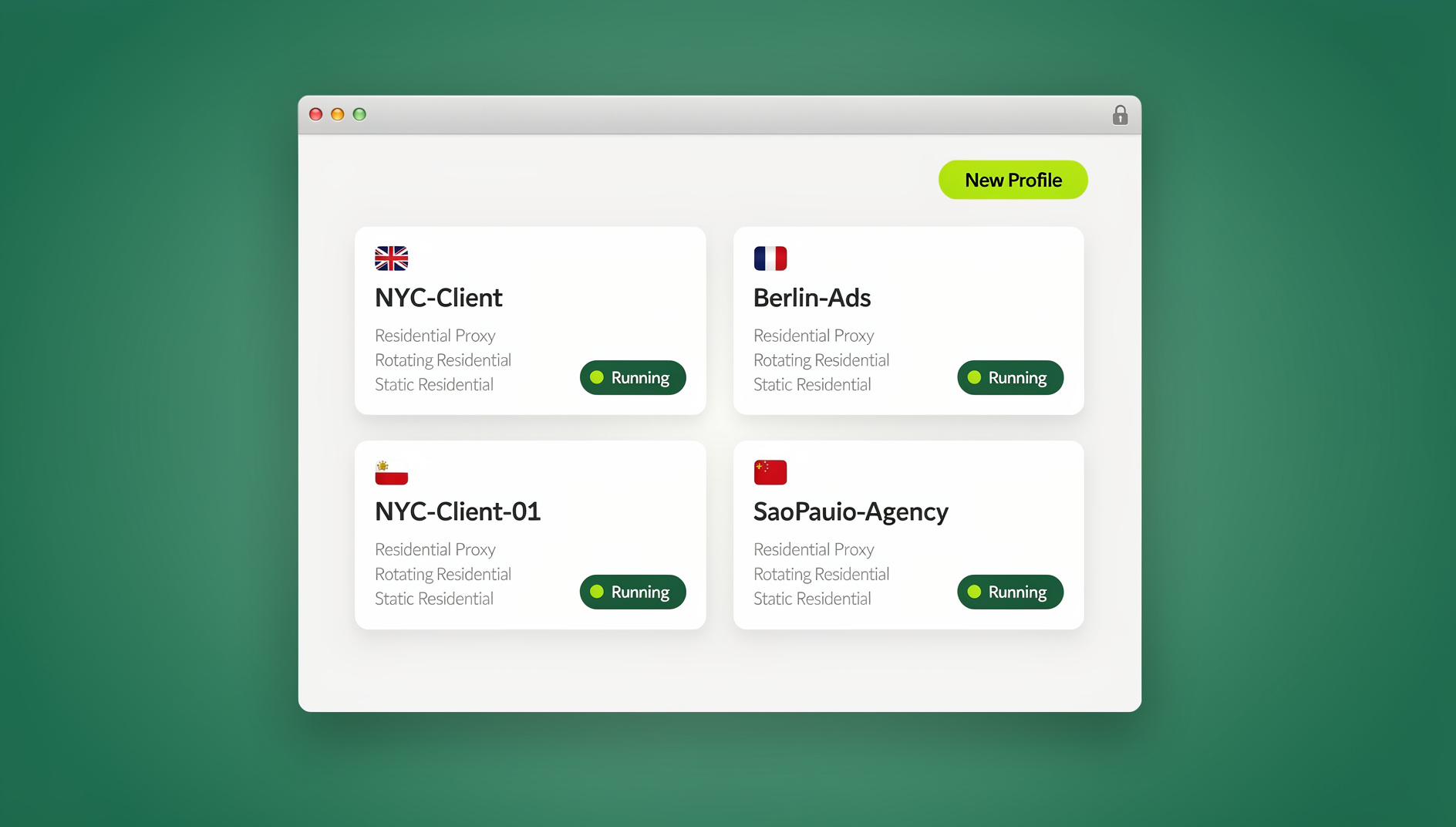
Browser.lol earned its fans by solving one problem extremely well: giving you a clean, disposable browser tab in the cloud so you never have to touch a sketchy link or a one-time login from your real machine. That’s a genuinely useful trick. But “one disposable tab” and “a workspace for managing 20 client accounts across five platforms” are very different jobs, and a lot of people who tried Browser.lol for the first job eventually go looking for a tool built for the second. This guide walks through why that search happens, what to actually evaluate in a browserlol alternative, and where Send.win — plus a shortlist of anti-detect and enterprise options — fits into the picture.
TL;DR: Browser.lol vs. the Best Alternatives
| Tool | Best For | Session Isolation | Team Sharing | Install Required | Starting Price |
|---|---|---|---|---|---|
| Browser.lol | Quick disposable tabs | Single session only | No | No (cloud) | Free / limited paid tiers |
| Send.win | Multi-account teams, agencies, e-commerce | Per-profile, persistent | Yes, password-free | No (cloud) or optional desktop app | Free 30-day trial, then $19/mo |
| Multilogin / GoLogin / AdsPower | Deep fingerprint control, automation | Per-profile | Limited/paid add-on | Yes (desktop-first) | ~$20-100+/mo |
| Kasm Workspaces / enterprise RBI | Corporate policy-based isolation | Per-session, centrally managed | Yes (admin-controlled) | No (browser-based streaming) | Enterprise pricing |
What Browser.lol Does Well
Before picking an alternative, it’s worth being honest about what Browser.lol actually does right, because it does a few things well: it spins up a remote, disposable browser instance in seconds, keeps your real IP and device untouched, and requires zero setup. For a single sketchy link, a one-time account creation, or testing a page you don’t fully trust, that’s genuinely useful and arguably overkill to replace with anything heavier.
Where It Falls Short for Daily Multi-Account Work
- No persistent profiles. Every session tends to be throwaway by design, so there’s no clean way to keep a stable, long-lived identity for a specific account.
- No real collaboration layer. There’s no built-in way to hand a live session to a teammate without also handing over credentials.
- No proxy assignment per session. Geo-specific ad verification, localized SEO checks, and region-locked account work need a proxy tied to that exact profile — not just an anonymized default connection.
- Limited scale. Running 15-20 client accounts through disposable sessions means re-configuring everything from scratch, every time.
If any of that sounds familiar, you’re not alone — it’s the single most common reason people search for a browser lol alternative in the first place: they outgrew the disposable-tab model somewhere around account number six.
How to Evaluate Any Browser.lol Alternative
Not every “cloud browser” or “multi-login browser” solves the same problem. Before you commit, run each candidate against these six criteria.
- Isolation model. Does each profile get its own cookies, cache, and local storage, or is isolation just a single incognito-style tab?
- Cloud vs. local vs. both. Cloud removes local setup and device risk. A native desktop app gives you a persistent local install with no per-minute cloud usage. The best tools let you choose per situation rather than forcing one model.
- Security fundamentals. Look for standard, audited cryptography (AES-256, RSA-2048) rather than a vague “encrypted” claim.
- Proxy workflows. Can you assign a residential or datacenter proxy to one specific profile, independent of the others?
- Team collaboration. Can you share a session without sharing the password, and revoke access instantly?
- Automation support. If you’re scripting logins or scraping with Selenium, Puppeteer, or Playwright, does the tool expose a real automation layer, or only manual clicking?
The Three Categories of Browser.lol Alternatives
Almost every tool that comes up in a “Browser.lol alternative” search falls into one of three buckets, and knowing which bucket you actually need saves a lot of trial-and-error.
1. Cloud, Privacy-First Multi-Account Browsers
This is where Send.win lives. These tools give you persistent, isolated profiles that run in the cloud — no local install, no VM, no juggling multiple physical browsers. Best for people who want Browser.lol’s zero-footprint convenience but with actual account management on top of it.
2. Anti-Detect / Multi-Profile Browsers
Multilogin, GoLogin, AdsPower, Incogniton, and Kameleo specialize in granular fingerprint control — spoofing canvas, WebGL, fonts, and more at a very fine level. Most are desktop-first tools with optional cloud sync, aimed at users running heavy automation or needing precise identity simulation across dozens of platforms simultaneously. If you’ve compared this category before, our best antidetect browser breakdown covers the tradeoffs in more depth.
3. Enterprise Browser Isolation (RBI) & Enterprise Browsers
Tools like Kasm Workspaces and other remote browser isolation platforms target IT/security teams protecting an entire organization from malware and phishing via centrally managed, policy-driven streaming browsers. Powerful, but usually priced and configured for enterprise deployments rather than an individual marketer or seller managing their own accounts.
Send.win: The Full Picture — Desktop, Cloud, and Automation
Where Send.win differs from a lot of the field is that it isn’t locked into a single delivery model. It genuinely supports three distinct ways of running profiles, and picking the right one for the job matters more than defaulting to whichever one marketing pages mention first.
Cloud Browser Sessions (the direct Browser.lol replacement)
For anyone coming from Browser.lol specifically, this is the mode that matters most: Send.win can run isolated browser profiles entirely in the cloud, with no desktop client to install. You open a profile from your dashboard in any standard browser and it streams to you — the same “no local footprint” convenience Browser.lol offers, but backed by persistent, named profiles instead of a single throwaway tab. Cloud sessions are metered by monthly cloud browsing time on paid plans, alongside cloud sync, profile sharing, and team seats — similar in spirit to how proxy bandwidth is metered, and clearly disclosed rather than buried. If “access from anywhere with nothing to install” is the whole reason you’re leaving Browser.lol, this is the feature you actually want, not the desktop client.
Native Desktop App
For users who run profiles daily and prefer a local, persistent install, Send.win also ships a native desktop app for Windows, macOS, and Linux. This is the primary way most heavy users run day-to-day profiles — faster for constant switching, and it doesn’t draw down your cloud browsing time allotment. It’s a genuinely separate mode from the cloud sessions above, not a rebrand of the same thing, so if your workflow depends on zero local footprint, the cloud sessions — not the desktop app — are the correct comparison point against Browser.lol.
Automation API (Team Plan)
Teams running scripted logins, scraping, or QA testing across many accounts can connect Selenium, Puppeteer, or Playwright directly to Send.win profiles through the Automation API, included on the Team plan. This is the feature that separates Send.win from a purely manual cloud browser and puts it in the same conversation as the anti-detect tools built primarily for automation — without needing a separate desktop install to run scripts against.
Everything Else That Comes With It
- Session isolation on every profile: separate cookies, cache, and storage per account — no cross-contamination between logins.
- Built-in proxy support: assign a proxy per profile for geo-specific ad checks, localized SEO audits, or region-locked account access.
- Share account, not password: invite a teammate into a live session without ever exposing the credentials, and set access-window timers (30 minutes, 1 hour, 1 day).
- Unique fingerprint per profile: each profile presents its own consistent, distinct browser fingerprint, reducing the chance platforms link separate accounts back to you.
- Sensitive-page protection: blur or block specific pages (billing, account settings) before sharing a session with a collaborator.
- AES-256 / RSA-2048 encryption protecting data in transit and at rest.
For a deeper look at how this compares to running everything on a single machine, see our breakdown of a cloud browser with no local footprint, and if you’re weighing whether to go fully cloud-based or stick with local profiles, our virtual browser with zero-install access guide walks through that decision in detail.
Head-to-Head: Feature Comparison
| Feature | Browser.lol | Send.win | Anti-Detect Tools (Multilogin/GoLogin/AdsPower) | Enterprise RBI (Kasm etc.) |
|---|---|---|---|---|
| Persistent named profiles | No | Yes | Yes | Sometimes (session-based) |
| Cloud sessions (no install) | Yes | Yes | Rare / optional | Yes |
| Native desktop app | No | Yes (optional) | Yes (primary) | No |
| Automation API (Selenium/Puppeteer/Playwright) | No | Yes (Team plan) | Yes | Limited |
| Per-profile proxy assignment | No | Yes | Yes | Admin-managed |
| Password-free session sharing | No | Yes | Limited | Yes (admin policy) |
| Best suited for | Single throwaway tabs | Individuals, agencies, e-commerce teams | Heavy fingerprint/automation users | Large IT/security orgs |
The anti-detect category has real strengths worth naming honestly: if your entire workflow is scripted automation across dozens of platform-specific fingerprints, Multilogin, GoLogin, and AdsPower have years of specialization there, and their desktop-first model can be faster for power users who never need to work from a second machine. Where they trade off is price (most start meaningfully higher than Send.win’s entry tier) and setup overhead — you’re managing local software and updates rather than opening a dashboard tab.
Migrating From Browser.lol to Send.win: Step-by-Step
- Map your existing sessions. List every account, platform, and proxy you currently juggle through Browser.lol’s disposable tabs.
- Sign up for the free trial. Send.win offers a 30-day free trial with no credit card required, so you can test cloud sessions against your real workflow before paying anything.
- Create a named profile per account. Instead of a fresh disposable tab each time, create one persistent profile per login you manage.
- Assign proxies where geo-matching matters. Attach a residential or datacenter proxy to each profile that needs a specific location or IP consistency.
- Decide cloud vs. desktop per use case. Use cloud sessions for anything you need to access from a shared or unfamiliar machine; install the desktop app if you’re switching between the same profiles daily from your main device.
- Set up team sharing if needed. Invite collaborators into specific sessions with access-window timers instead of handing out passwords.
- Retire the old disposable-tab habit. Once your profiles are stable in Send.win, there’s no reason to keep spinning up one-off Browser.lol sessions for repeat logins.
Pricing: Browser.lol Alternatives Compared
Send.win keeps pricing simple and transparent, which is worth comparing directly against the anti-detect category’s typically higher entry points.
| Plan | Price | Includes |
|---|---|---|
| Free Trial | $0 for 30 days | No credit card required — full access to test cloud sessions and profiles |
| Pro | $19/mo | 150 profiles, 5GB proxy bandwidth, cloud sync, cloud browsing time |
| Team | $49/mo | 500 profiles, 20GB bandwidth, Automation API, 16 team seats, profile sharing |
Compare that against the anti-detect category, where entry-level plans commonly start around $20-30/mo and scale quickly once you need more profiles or team seats, and Send.win’s free trial plus $19/mo starting price makes it an easy tool to actually test before switching your whole workflow over.
Real-World Use Cases
Agencies and Freelancers Managing Client Accounts
Agencies juggling multiple clients’ ad accounts, social profiles, and analytics logins need clean separation between clients — not just between tabs. Persistent profiles with per-client proxies prevent any cross-account bleed that could get a client’s ad account flagged for association with another.
E-Commerce Sellers Running Multiple Storefronts
Sellers running several storefronts on the same marketplace need consistent, isolated identities per store to avoid triggering linked-account flags — a single disposable Browser.lol tab can’t maintain that consistency session to session.
Marketers Testing Geo-Specific Ad Creative
Verifying how an ad renders in a specific country or checking localized SEO rankings both require a proxy tied to a stable profile, not a fresh anonymous session every time.
QA Teams Reproducing Bugs Across Environments
QA testers benefit from disposable, clean sessions for one-off bug reproduction — this is genuinely closer to what Browser.lol does well — but teams that need to share a reproduction session with a developer without exposing test credentials get more value from Send.win’s password-free sharing.
🏆 Send.win Verdict
Browser.lol is a solid pick for a single disposable tab, but it was never built for managing dozens of persistent accounts, assigning proxies per profile, or sharing sessions with a team. Send.win covers all of that while still matching Browser.lol’s core appeal — cloud sessions with no local install required — and adds an optional native desktop app plus a Team-plan Automation API for anyone scripting logins with Selenium, Puppeteer, or Playwright. For anyone who’s outgrown a single disposable browser tab, it’s the more complete replacement.
Try Send.win free today — start your 30-day trial, no credit card required, and migrate your first profile in minutes.
Frequently Asked Questions
Is Send.win a direct replacement for Browser.lol?
Yes, for anyone using Browser.lol as more than a one-off tab. Send.win’s cloud browser sessions match the same “no local install” convenience, but add persistent named profiles, per-profile proxies, and team sharing that Browser.lol doesn’t offer.
Do I need to install anything to use Send.win?
No, not if you use cloud browser sessions — they run entirely in the cloud and stream to any standard browser. Send.win also offers an optional native desktop app for Windows, macOS, and Linux if you prefer a local, persistent install for daily use, but it’s not required.
Does Send.win support automation tools like Selenium or Playwright?
Yes. The Automation API, included on the Team plan ($49/mo), lets you connect Selenium, Puppeteer, or Playwright scripts to Send.win profiles for scripted logins, scraping, or automated QA testing.
How is Send.win different from anti-detect browsers like Multilogin or GoLogin?
Anti-detect browsers specialize in deep, granular fingerprint spoofing and are mostly desktop-first tools built for heavy automation. Send.win covers session isolation and unique per-profile fingerprints too, but leads with cloud accessibility, simpler pricing, and password-free team sharing — a better fit for individuals, agencies, and e-commerce teams who don’t need the deepest fingerprint customization.
Can I share a Send.win session with a teammate without giving them my password?
Yes. Send.win lets you invite collaborators into a specific session without exposing your credentials, set access-window timers, and blur or block sensitive pages before sharing.
Is Browser.lol still good enough for professional multi-account work?
It depends on scale. For a single throwaway session, Browser.lol works fine. Once you’re managing more than a handful of persistent accounts across platforms, its lack of profile persistence, proxy assignment, and team sharing becomes a real limitation.
What does Send.win’s “cloud browsing time” actually mean?
Paid plans include a monthly allotment of cloud browsing time — similar to how proxy bandwidth is metered — alongside cloud sync, profile sharing, and team seats. Running profiles through the native desktop app instead doesn’t draw down this allotment.
How much does Send.win cost compared to other Browser.lol alternatives?
Send.win starts with a 30-day free trial (no credit card required), then $19/mo for the Pro plan (150 profiles, 5GB proxy bandwidth) or $49/mo for the Team plan (500 profiles, 20GB bandwidth, Automation API, 16 seats) — generally lower than entry-level anti-detect browser plans, which commonly start around $20-30/mo.
Final Take
Browser.lol solved a narrow, real problem — a disposable browser tab for one-off risky links — and it’s still worth using for exactly that. But most people who search for a browserlol alternative have already outgrown that use case: they’re managing real accounts, need proxies tied to specific profiles, and want to share access with a team without handing out passwords. Send.win covers that gap directly, keeps Browser.lol’s core “no install required” convenience through its cloud sessions, and adds an optional desktop app plus a Team-plan Automation API for anyone ready to script their workflows. If you manage more than one or two accounts seriously, it’s worth the 30-day free trial to see the difference for yourself.