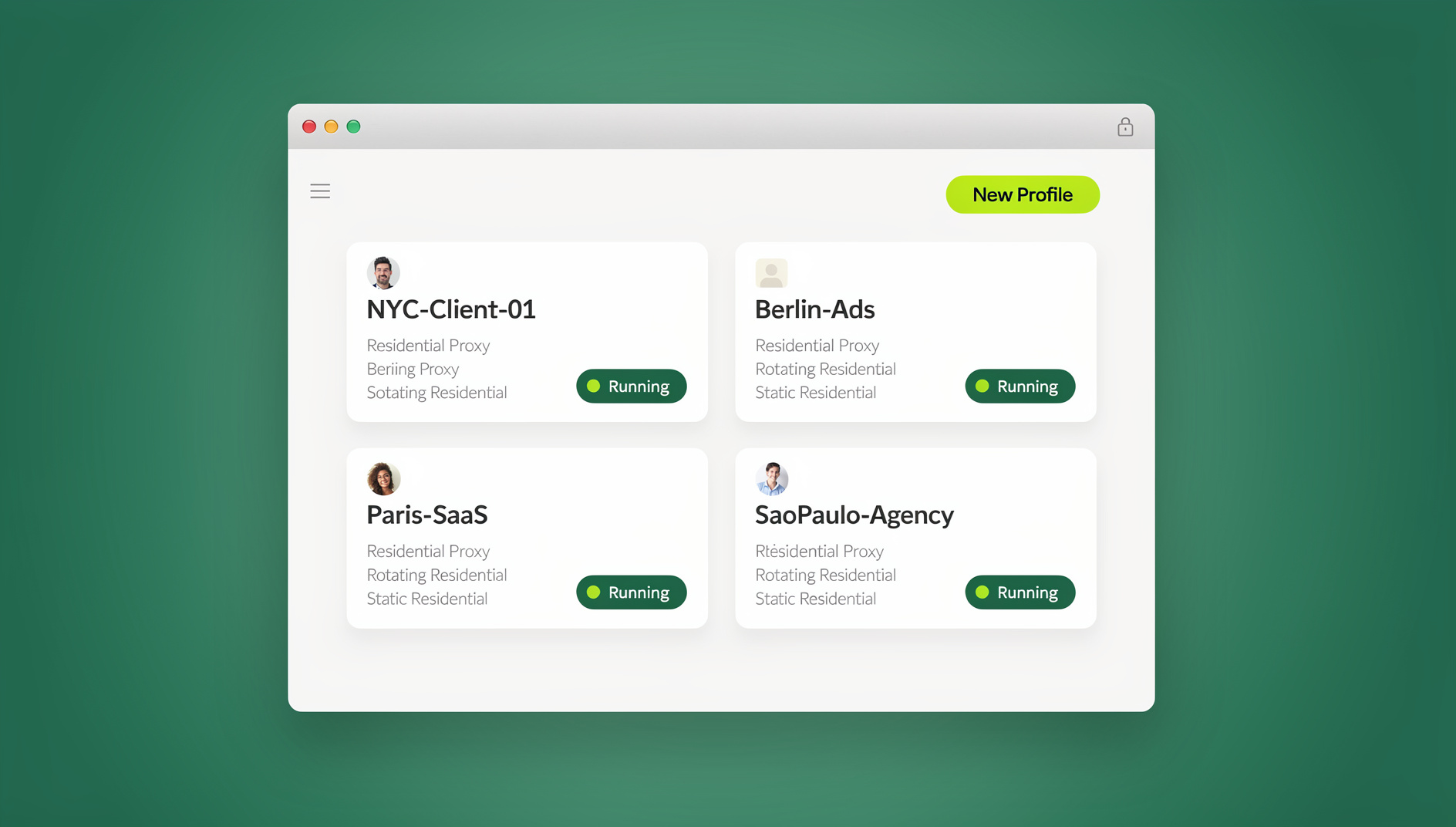
Multi-login profiles for teams work by running each account in its own isolated browser session — separate cookies, cache, and network identity — so agencies and ops teams can open dozens of logins at once without password sharing or cross-contaminated data. Send.win delivers this through Sendwin Browser, a native desktop app with encrypted cloud sync, or through fully cloud-hosted sessions billed by cloud browsing time, whichever mode fits how your team actually works.
Why “One Browser, One Login” Falls Apart for Teams
The moment a team manages more than a handful of accounts — ad platforms, marketplaces, client dashboards, social channels — the standard browser stops scaling. Logging out and back in wastes minutes that add up across a day. Cookies and local storage bleed between tabs, so an A/B test or an ad account can quietly pick up signals from whatever you were logged into a moment earlier. And when someone needs access to a shared account, the default move is usually to hand over a plaintext password, which is slow, insecure, and impossible to revoke cleanly once it’s out.
None of this is a discipline problem. It’s an architecture problem. Incognito windows, extra local Chrome profiles, and a second browser installed “just for client X” all still run on the same machine, often the same underlying browser engine, and none of them were built for a team to hand off access safely. What actually fixes it is true session isolation — each login getting its own cookie jar, cache, and (ideally) its own network identity — combined with a way to share access to an account without ever sharing the credential that unlocks it.
Two Ways to Run Isolated Profiles With Send.win
Send.win is built around two distinct modes, and picking the right one for a given workflow matters more than most teams realize.
Sendwin Browser: the native desktop app
Sendwin Browser is a real, downloadable application for Windows, macOS, and Linux. It’s local-first: your profiles run on your own machine using your own hardware, so long-running sessions, heavy automation, and day-long ad management stay fast and responsive. Everything you build — saved logins, proxy assignments, named profiles — syncs to the cloud in encrypted form, so a teammate can pick up the exact same profile from a different machine without you having to export or hand over anything manually.
This is also the mode that supports Send.win’s Automation API, available starting on the Pro plan. Teams that already script against Selenium, Puppeteer, or Playwright can point their existing automation at a local Sendwin Browser profile the same way they’d drive any other Chromium-based browser, rather than rebuilding their tooling around a new framework. If your team runs scheduled scraping, QA regression suites, or bulk account actions, this is the mode to build on.
Cloud browser sessions: nothing to install
The second mode runs entirely on Send.win’s cloud infrastructure. There’s no download, no admin rights needed on a locked-down work laptop, and nothing left behind on the device when the session ends. Usage is metered by cloud browsing time rather than a flat seat fee, which makes it a good fit for occasional, ad hoc, or hand-off work: giving a client a one-time logged-in view for approvals, letting a contractor use an account for an afternoon, or opening a session from a machine you don’t fully control (a shared workstation, a borrowed laptop, an internet café).
Most teams end up using both: the desktop app for the accounts they touch every day and want to automate, and cloud sessions for everything short-lived or one-off.
The Features That Actually Keep Profiles Clean
Whichever mode you use, the underlying mechanics are the same. A handful of features are doing most of the real work day to day.
Session isolation on every profile
Each profile keeps its own cookies, cache, and local storage. Nothing bleeds between a Meta Ads profile and a Google Ads profile, or between Client A’s Amazon seller account and Client B’s. That’s the difference between a clean session isolation setup and the kind of cross-contamination that quietly skews A/B tests and attribution data without anyone noticing for weeks.
Share the account, not the password
Instead of typing a password into a group chat, you generate an encrypted, time-boxed session link. A teammate or client opens it and lands directly in the logged-in account — no credential ever changes hands, and you can share access without handing over credentials at all. Revoke the link the moment the work is done, and the password behind it was never exposed in the first place.
Blur sensitive panels and set an auto-revoke timer
Before you hand off a session, you can blur or fully block billing pages, payment details, or account settings so a reviewer sees only what they need to see. Add an auto-expiry — 30 minutes, an hour, a day — so access ends on its own schedule instead of relying on someone remembering to revoke it.
A proxy per profile
Each Pro or Team profile can carry its own bandwidth-metered proxy, so IP and location stay consistent for a given ad account, marketplace store, or SEO check without a system-wide VPN muddying every other tab on the machine.
Encryption that matches the risk
Sessions and synced profile data are protected with AES-256 for symmetric operations and RSA-2048 for asymmetric operations, so credentials and session state stay encrypted both in transit and at rest — whether the profile lives on your desktop app or in a cloud session.
Who Actually Uses Multi-Login Team Profiles
The teams that get the most out of this pattern tend to fall into a few recognizable groups:
- Marketers and advertisers — run dozens of ad accounts side by side, switch between them in one click during a launch, and hand a client a reviewable, logged-in view without ever emailing a password.
- E-commerce sellers and marketplace operators — manage several storefronts on the same platform without cookie collisions muddying attribution, and preview regional pricing or promos in parallel.
- SEO professionals — compare rankings and SERP features across regions from consistent, proxy-backed profiles instead of chasing noisy, inconsistent results.
- Developers and QA teams — spin up disposable, isolated profiles for regression testing and bug reproduction, then hand a clean session to a teammate for verification.
- Agencies managing multiple clients — keep every client’s accounts, proxies, and shared links cleanly separated under one team plan instead of juggling a pile of local Chrome profiles.
Multi-Login Profiles vs. the Alternatives
Local Chrome profiles and incognito windows still run on the same endpoint and the same browser engine, so signals and storage can bleed between them more easily than people expect. VPNs only reroute traffic for the browser you already have — they don’t isolate cookies or give you a way to hand off an account without the password. Generic antidetect browsers usually solve isolation but rarely offer both a native desktop app and a zero-install cloud option in the same product. Here’s how the common approaches actually compare for a team, not just a solo user; for a deeper breakdown, see this comparison of cloud browsers versus extensions for multi-login teams.
| Approach | True session isolation | Share without password | Automation support | Install required |
|---|---|---|---|---|
| Chrome profiles / incognito | Partial — same engine, same device | No | Manual scripting only | None, but no isolation benefit |
| VPN | No — reroutes traffic only | No | No | Client software |
| Sendwin Browser (desktop app) | Yes, per profile | Yes, via encrypted link | Yes — Selenium / Puppeteer / Playwright on Pro+ | One-time download, Windows/macOS/Linux |
| Sendwin cloud sessions | Yes, per session | Yes, via encrypted link | Not applicable (cloud-only) | None — browser-based |
If your team is still deciding between products entirely, it’s worth reading a direct comparison of Send.win against other multi-login browsers before committing a whole team to one workflow.
Send.win Pricing for Teams
Send.win offers a 30-day free trial with no credit card required, so a team can test both the desktop app and cloud sessions before committing to a plan.
| Plan | Monthly | Billed annually | Profiles | Proxy bandwidth | Automation API | Seats |
|---|---|---|---|---|---|---|
| Pro | $19/mo | $6.99/mo | 150 | 5GB | Included | 1 |
| Team | $49/mo | $20.99/mo | 500 | 20GB | Included | 16 |
Note that the Automation API isn’t a Team-only perk — it’s included starting on Pro, so a small team or a single power user can already script against local profiles before paying for extra seats. Team simply adds more profiles, more proxy bandwidth, and room for 16 people to work from the same plan.
Setting Up Clean, Parallel Sessions in Minutes
- Sign up. Create an account and start the 30-day free trial — no credit card needed.
- Choose your mode. Download Sendwin Browser for daily-driver, automated, or long-running accounts; use a cloud session for one-off or hand-off work where you don’t want to install anything.
- Create a profile per login. Name it clearly (Brand A | Meta Ads | US, Brand B | Google Ads | EU) and attach a proxy if location consistency matters.
- Share instead of handing over passwords. Generate an encrypted session link, blur sensitive panels, set an expiry timer, and send it to whoever needs access.
- Revoke when the work is done. Kill the link (or the whole profile, for disposable/one-off research) and move on.
A Playbook for Calmer Multi-Account Ops
1) Name profiles the same way every time
A simple, consistent naming convention — brand, platform, region — prevents the single most common mistake: editing the wrong account because two tabs looked identical.
2) Keep network identity stable per profile
Assign a proxy to a profile once and leave it there. Bouncing IPs mid-session introduces exactly the kind of noise that makes ad reviews and SEO checks unreliable.
3) Default to sharing access, not credentials
Make session links with a timer and blur the default way anyone on the team hands off an account, whether that’s to a colleague, a client, or a contractor.
4) Use disposable cloud sessions for anything risky
Unknown links, unfamiliar tools, and one-off research belong in a cloud session you can throw away afterward — not on a machine that also holds your daily-driver profiles.
5) Reserve the desktop app for automation and daily accounts
If a profile gets touched every day or driven by a script, it belongs in Sendwin Browser, where the Automation API and local performance make repeated, scheduled work practical.
🏆 Send.win Verdict
For teams juggling more accounts than one browser can cleanly handle, Send.win’s split between a native desktop app and metered cloud sessions covers both the daily-driver and the ad hoc use case — and doing it with real session isolation and password-free sharing beats stitching together local Chrome profiles, a VPN, and a shared password doc.
Try Send.win free today — start the 30-day trial, no credit card required.
Frequently Asked Questions
What’s the difference between Sendwin Browser and cloud sessions?
Sendwin Browser is a native app you download for Windows, macOS, or Linux; it’s local-first with encrypted cloud sync, so profiles run on your own machine and support the Automation API. Cloud sessions run entirely on Send.win’s infrastructure with nothing to install, and usage is metered by cloud browsing time.
Do I need to install anything to use Send.win?
Not necessarily. Cloud browser sessions require no download at all. If you want automation support or prefer sessions to run locally, you’d install the Sendwin Browser desktop app instead.
Can a whole team share one Send.win plan?
Yes. The Team plan supports 16 seats, 500 profiles, and 20GB of proxy bandwidth, so an agency or ops team can spread multiple client accounts across the same subscription.
Does Send.win support automation tools like Selenium or Playwright?
Yes, through the Automation API, available starting on the Pro plan. Existing Selenium, Puppeteer, or Playwright scripts can drive a local Sendwin Browser profile the same way they’d drive any other Chromium-based browser.
How many profiles can I run at once?
Pro includes 150 profiles and Team includes 500. Each profile keeps fully isolated cookies, cache, and storage, so you can open as many as your plan allows simultaneously.
Is there a free trial?
Yes — a 30-day free trial with no credit card required, covering both the desktop app and cloud sessions.
How is shared session data protected?
Sessions use AES-256 for symmetric encryption and RSA-2048 for asymmetric operations, with each profile fully isolated from every other one.
Can I revoke a shared session after sending the link?
Yes. Every shared session link can be revoked at any time, and you can also set an automatic expiry timer so access ends on its own even if you forget.