The best Chrome extensions for productivity in 2026 cluster around a handful of jobs: tab management (Workona, OneTab), focus and site-blocking (StayFocusd, LeechBlock NG), text expansion (Text Blaze), full-page screenshots (GoFullPage), and email scheduling (Boomerang, Right Inbox). None of them, however, solve multi-account logins, session isolation, or safe credential sharing — that gap is exactly where a cloud browser like Sendwin picks up the slack.
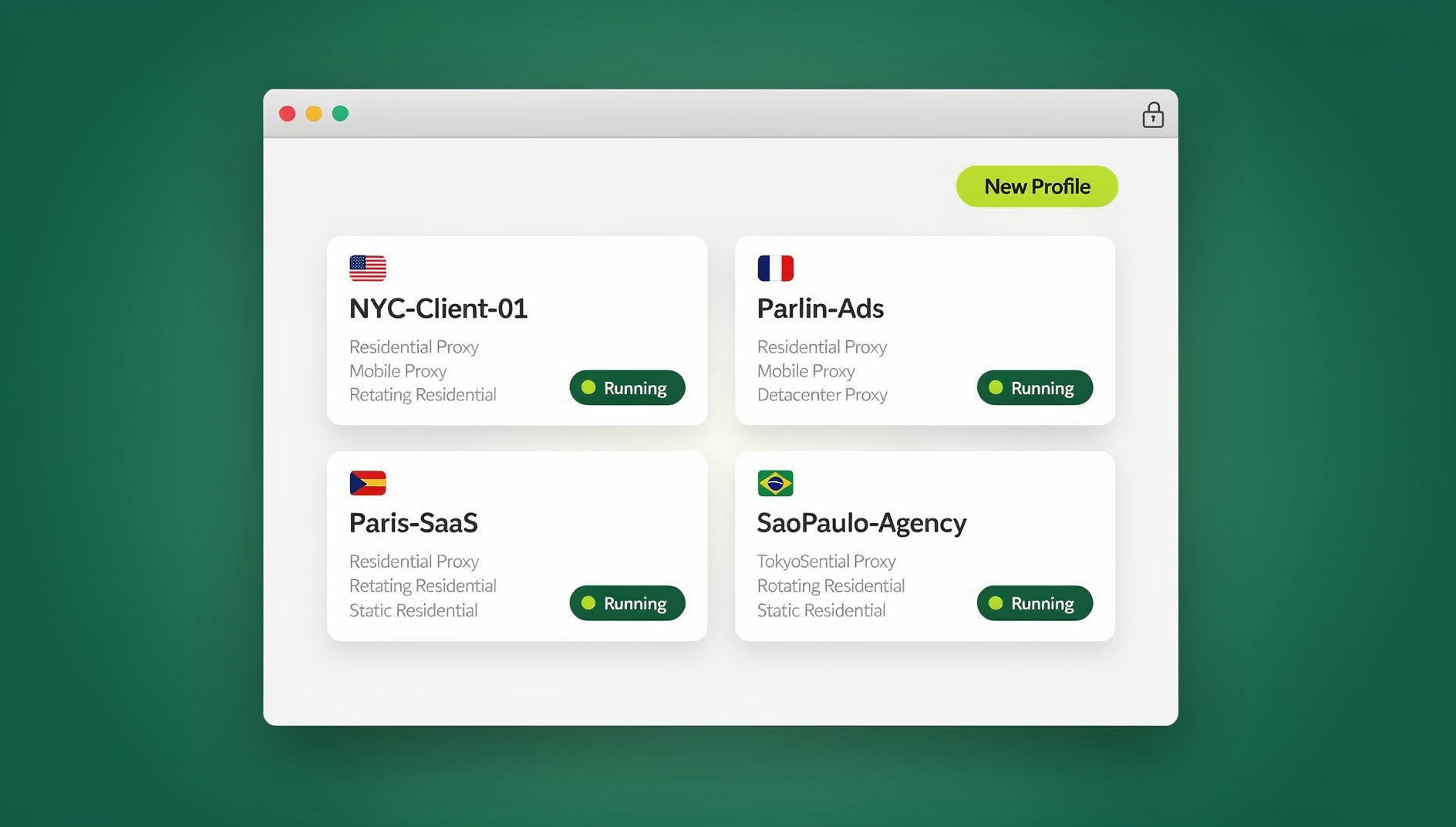
This guide walks through the extensions actually worth installing, organized by the job they do, and then digs into why a growing number of marketers, agencies, and e-commerce sellers pair a lean extension stack with Sendwin instead of trying to force a browser add-on to do a job it was never built for.
Why extensions hit a ceiling (and what picks up from there)
Extensions are fantastic for micro-wins: saving a page, grabbing a screenshot, expanding a snippet, or turning an email into a task. What they don’t change is how your browser handles sessions, account isolation, or risk. Every extension you install runs inside your one browser profile, shares your one cookie jar, and adds to your one attack surface — which is fine until you need to run five ad accounts side-by-side, hand a client temporary access to a dashboard, or open a suspicious link without it touching your actual machine.
That’s the gap Sendwin is built to close. Sendwin ships in two forms: a native, downloadable desktop app for Windows, macOS, and Linux that keeps your sessions local-first with encrypted cloud sync, and fully cloud-hosted browser sessions that run entirely on remote servers and are metered by cloud browsing time, with nothing to install at all. You either run the real desktop app or you stream a session from the cloud, and either way every login gets its own isolated profile.
The best Chrome extensions for productivity
How we picked: official Chrome Web Store listings and vendor documentation where possible, a bias toward long-running and actively maintained projects, and a focus on tools that deliver outsized time savings rather than novelty.
Tab management and memory savers
Workona is a polished workspace manager for heavy browsers: group tabs by project, restore sessions instantly, and keep client work or research tidy across dozens of open tabs. It’s ideal for fast context-switching between accounts and projects.
OneTab collapses every open tab into a single list with one click, reclaiming memory instantly — then lets you restore just what you need. It’s the fastest fix when your tab count spirals mid-project.
Toby gives you a visual, bookmark-like board for tab sets you revisit often, such as “daily ops,” “client A,” or “reference material” — useful for anyone who reopens the same 15 tabs every morning.
Auto Tab Discard automatically suspends inactive tabs to cut RAM usage and stretch battery life, which matters on laptops and during long focus blocks with dozens of background tabs.
Focus, blocking, and timeboxing
StayFocusd lets you set hard limits on distracting sites to protect deep-work blocks. Once the clock runs out, the site is blocked until the next day — no negotiating with yourself.
LeechBlock NG is the more granular option: custom time windows, exceptions, and rules for exactly when and how sites get blocked, which suits people who need different rules on weekdays versus weekends.
Notes, clippers, and research capture
Notion Web Clipper sends articles and snippets straight into Notion with tags and workspace routing, which is handy for building a personal knowledge base while you browse.
Evernote Web Clipper saves pages, articles, and simplified reading views into notebooks, with annotation as you clip.
Google Keep Chrome Extension is the fastest “save this for later” capture tool, syncing instantly across web and mobile.
Instapaper strips pages down to clean, distraction-free text for offline reading later.
Raindrop.io offers visual collections, full-text search, and cross-platform apps for people who bookmark seriously and need to find things again months later.
Readwise Reader saves and highlights what you read, then resurfaces it with spaced-repetition-style review so it actually sticks.
Screenshots and quick screen recording
Loom gives you one-click screen-plus-camera recording with instant share links — ideal for async video updates, bug walkthroughs, or quick stakeholder reviews without a meeting.
Awesome Screenshot captures full-page or region shots, then lets you annotate and share — a staple for bug reports and content reviews.
GoFullPage is the simplest way to capture an entire, scrollable page in one shot without stitching images together — great for before/after proofs and long landing pages.
Clipboard, snippets, and text expansion
Text Blaze turns a short shortcut into a full template, complete with variables, formulas, and form-fill macros. This one is a genuine time multiplier for support replies, sales notes, recruiting outreach, and repetitive data entry.
Clipboard History Pro is a robust clipboard manager that saves everything you copy, syncs across devices, and doubles as a lightweight text expander.
Email tracking, scheduling, and follow-ups
Mailtrack adds lightweight read receipts and tracking inside Gmail, popular for sales and outreach teams where timing matters.
Right Inbox handles scheduled sends, open tracking, notes, and templates — small quality-of-life boosts that keep follow-ups on autopilot.
Boomerang is the classic for send-later scheduling, reminders, inbox pause, and calendar scheduling directly inside Gmail.
Keyboard shortcuts and automation helpers
Shortkeys lets you map custom hotkeys for navigation, tab actions, and even custom JavaScript snippets — for people who want Chrome to work exactly their way.
Todoist for Chrome quick-adds tasks from any page, turns quotes into to-dos, and lets you plan your day from the extension pane without switching apps.
Zapier triggers multi-app workflows from whatever page you’re on, connecting to thousands of apps for actions like “save this lead,” “log this to a sheet,” or “send this to Slack.”
Scribe auto-generates step-by-step guides with screenshots while you click through a process — a fast way to produce SOPs, onboarding docs, and client handoffs.
Passwords, passkeys, and writing quality
Bitwarden is a trusted open-source password manager with passkey support, cross-platform sync, and team-friendly sharing.
Grammarly for Chrome adds real-time grammar, tone, and AI drafting help across email, docs, and most of the web.
Where the extension model breaks down
Extensions are single-purpose add-ons bolted onto one browser profile. That works until your job requires more than one identity in the browser at the same time. Ad accounts, client dashboards, marketplace storefronts, and social profiles all want to own the same cookie jar, and no combination of tab managers or clipboard tools changes that. If you’ve ever needed to log into the same platform as two different clients without constantly signing out, you’ve already felt this limit — and it’s a big part of why teams start looking at Chrome extensions for managing multiple login sessions in the first place, before eventually moving to something built for the job.
Sharing access is the second wall. Handing a contractor or client your actual password to preview something is a security habit worth breaking, but most extension-based workarounds (a second profile, a shared password manager entry) still leak the credential itself. And running a link from an unfamiliar source — a cold outreach email, a vendor trial, a file from an unknown sender — means the page executes on your actual laptop no matter how many extensions you’ve installed to catch malware after the fact.
Meet Sendwin: multi-login, isolation, and safe sharing done right
Sendwin comes in two forms, and it’s worth being precise about both because they solve slightly different problems.
The Sendwin Browser is a native, downloadable desktop application for Windows, macOS, and Linux. It’s local-first — your sessions and profiles live on your machine — with encrypted cloud sync so your setup follows you across devices. Each profile inside it is fully isolated: separate cookies, separate storage, separate fingerprint surface, so logging into ten ad accounts or twenty marketplace stores doesn’t create cross-contamination between them.
The second option is a cloud browser session: a real desktop browser running entirely on Sendwin’s cloud infrastructure, streamed to your screen. Nothing installs locally, nothing executes on your device — you’re just watching a video-like stream of a browser that lives somewhere else. This is billed by cloud browsing time rather than a flat seat price, which makes it a good fit for occasional heavy-isolation needs (opening a risky link, giving a client a one-time look at a dashboard) without committing to a permanent desktop setup.
Both modes give you the same core capabilities:
- Unlimited parallel logins — open dozens of accounts side-by-side without the sign-out, sign-in shuffle.
- Session isolation on every profile — no cookie bleed across campaigns, storefronts, or client accounts.
- Share access, not passwords — send a live session link instead of a credential, with expiring timers so access shuts off automatically.
- Blur sensitive pages — mask account or billing details on a shared session without revoking access entirely.
- Bring-your-own proxy support — control IP and location per profile, more precisely than a single blanket VPN connection.
- An Automation API — run local automation against the desktop app using Selenium, Puppeteer, or Playwright, so QA and repetitive workflows can be scripted instead of clicked through by hand.
Compared to stitching together a tab manager, a clipboard tool, and a password vault to fake multi-account support, this is a considerably more direct route. If you’ve been comparing approaches, the trade-offs are laid out well in this cloud browser vs. extensions comparison, which walks through where each model scales and where it doesn’t.
Chrome extensions vs. Sendwin: what each actually solves
| Need | Best solved by an extension | Best solved by Sendwin |
|---|---|---|
| Save a page, note, or screenshot | Yes — Raindrop.io, GoFullPage, Notion Web Clipper | No |
| Block distracting sites | Yes — StayFocusd, LeechBlock NG | No |
| Expand repetitive text | Yes — Text Blaze | No |
| Run 10+ accounts on one platform at once | Poor fit — one cookie jar per profile | Yes — isolated profile per login |
| Share a live session without sharing a password | Not really possible | Yes — expiring share links with blur/block controls |
| Open a risky or unknown link safely | Limited — extensions run in your browser | Yes — cloud sessions execute remotely |
| Automate repetitive browser tasks at scale | Partial — Zapier for app-to-app triggers | Yes — Automation API (Selenium/Puppeteer/Playwright) on Pro+ |
Who uses Sendwin
Sendwin serves marketers and advertisers managing multiple ad accounts, e-commerce sellers running several storefronts without risking cross-account bans, SEO professionals testing rankings from different regions, developers and QA teams running clean repro sessions, and agencies that need to share accounts without passwords across a growing client roster. It’s the layer that sits underneath your whole browsing workflow.
Pricing, trial, and getting started
Sendwin offers a 30-day free trial with no credit card required, so you can test both the desktop app and cloud sessions before committing to a plan.
| Plan | Monthly | Billed annually | Profiles | Proxy bandwidth | Automation API | Seats |
|---|---|---|---|---|---|---|
| Pro | $19/mo | $6.99/mo | 150 | 5GB | Included | 1 |
| Team | $49/mo | $20.99/mo | 500 | 20GB | Included | 16 |
Both plans include the Automation API, so scripting against Selenium, Puppeteer, or Playwright isn’t locked behind the top tier — it’s available as soon as you’re on Pro. For the most current pricing details, check the live page at send.win/pricing.
Getting started takes three steps: create an account at portal.send.win, choose either the native Sendwin Browser desktop app or a cloud browser plan, and launch your first session from the dashboard. If you want a walkthrough of the actual interface, this guide on creating sessions in Sendwin’s cloud browser covers the setup end to end.
Extension stacks that pair well with Sendwin
Creative and campaign testing (marketers and advertisers)
- Sendwin to open Client A’s ad account and Client B’s ad account side-by-side in fully isolated profiles, with a one-hour share link for a reviewer and blur enabled on billing pages.
- Workona for client workspaces that bundle briefs, assets, and analytics dashboards.
- Loom to record quick “why we picked Variant C” walkthroughs for stakeholders.
- Text Blaze to expand campaign naming conventions, UTM templates, and standard replies.
Storefront operations (e-commerce)
- Sendwin to run multiple marketplace accounts at once, share a 30-minute link with support when needed, and use a bring-your-own proxy for geolocation testing.
- GoFullPage to capture full product pages for QA or before/after comparisons.
- Todoist to convert page-level findings into actionable tasks immediately.
SEO and content
- Sendwin to check SERPs from different regions and IPs without touching local network settings.
- Raindrop.io to organize competitor research and content briefs with full-text search.
- Grammarly to polish outreach emails and drafts before publishing.
Dev, QA, and support
- Sendwin for disposable, clean repro sessions shared without ever exposing credentials, plus the Automation API for scripted regression checks.
- Scribe to auto-generate step-by-step bug repros and SOPs.
- Awesome Screenshot to annotate UI glitches with arrows and callouts.
Safety first: keeping Chrome clean and fast
Extensions are powerful, but each one adds attack surface. A few practical habits make a real difference:
- Install from trusted listings only and keep the list lean — fewer extensions mean less risk and better performance.
- Audit permissions regularly and remove anything you no longer use. Dormant add-ons quietly become liabilities over time.
- Stay alert after updates. Even long-standing, trusted extensions occasionally ship a bad update; if something looks off, disable it and investigate before re-enabling.
- Route risky browsing through an isolated session — cold outreach links, vendor trials, and unfamiliar downloads are safer opened in a Sendwin cloud session, since the page executes remotely instead of on your actual laptop.
🏆 Send.win Verdict
A handful of well-chosen Chrome extensions will make you faster at individual tasks — tab management, text expansion, screenshots, email scheduling. But none of them solve multi-account logins, session isolation, or safe credential sharing, because that’s not what a browser extension is built to do. Sendwin fills that gap with a native desktop app or fully isolated cloud sessions, unlimited parallel logins, password-free sharing, and an Automation API for scripting repetitive work — all without adding another extension to your attack surface.
Try Send.win free today — start your 30-day free trial, no credit card required.
Frequently asked questions
What are the best Chrome extensions for productivity in 2026?
For most people, a lean stack covers it: Workona or OneTab for tabs, Text Blaze for text expansion, GoFullPage or Loom for visual capture, Bitwarden for credentials, and Grammarly for writing. Add Boomerang or Right Inbox if email scheduling matters to your role, and Zapier or Scribe if you need lightweight automation and documentation.
Do I still need separate browser profiles if I use a lot of extensions?
Not for parallel logins. Extensions all share one browser profile and one cookie jar, so running several accounts on the same platform still requires either manual profile-switching or a tool built for isolation, like Sendwin’s per-login profiles.
What’s the difference between the Sendwin Browser and a cloud browser session?
The Sendwin Browser is a native, downloadable desktop app for Windows, macOS, and Linux that keeps profiles local-first with encrypted cloud sync. A cloud browser session runs entirely on Sendwin’s servers and streams to your screen with nothing to install, billed by cloud browsing time. Both give you isolated profiles per login — the difference is where the browsing actually happens.
Is Sendwin like a VPN?
Not exactly. A VPN tunnels your existing traffic through a different exit point. Sendwin’s cloud sessions run the actual browser remotely and stream it to you, and with bring-your-own proxy support you can set IP and location on a per-profile basis without installing a separate VPN client.
Can I share an account without handing over my password?
Yes. Sendwin lets you share a live session link with an expiring timer, and you can blur sensitive sections of the page before sharing. Access can be revoked at any time, and the recipient never sees the underlying credentials.
Does Sendwin support automation tools like Selenium or Playwright?
Yes. Sendwin’s Automation API supports local automation against the desktop app using Selenium, Puppeteer, or Playwright, and it’s available starting on the Pro plan rather than being locked to a higher tier.
How much does Sendwin cost?
Pro is $19/month ($6.99/month billed annually — 63% savings) with 150 profiles, 5GB of proxy bandwidth, and the Automation API. Team is $49/month ($20.99/month billed annually — 57% savings) with 500 profiles, 20GB of bandwidth, the Automation API, and 16 seats. Both come with a 30-day free trial and no credit card required to start.
Are too many Chrome extensions bad for performance?
Yes, generally. Each extension adds background memory usage and, more importantly, additional permissions and attack surface. Keep only the extensions you use weekly, audit permissions periodically, and route anything risky (unfamiliar links, vendor trials) through an isolated session instead of your main browser.