Privacy-first productivity tools are apps and services that keep your data local, encrypted, or fully under your control by default — no ad-funded tracking, no vendor lock-in, no surprise data mining. This guide builds a complete no-tracking stack for notes, tasks, email, storage, and passwords, anchored by Send.win’s native desktop browser and cloud sessions for isolated, tracker-free multi-account work.
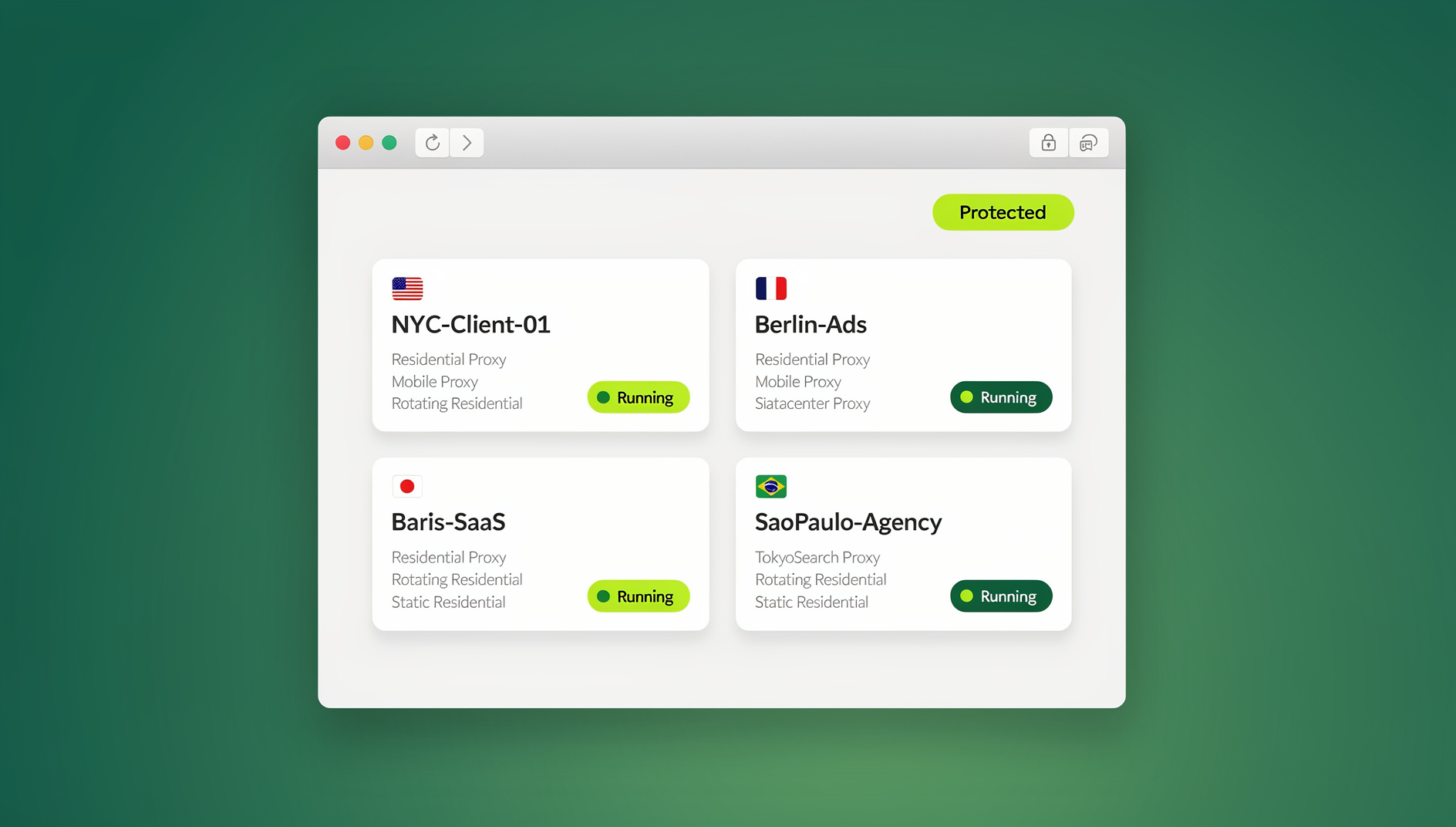
If your workday lives in the browser, you already know the pain: constant logouts, cookie clashes, “one account per profile,” surprise trackers, and that uneasy feeling that you’re feeding someone else’s analytics. This guide lays out a calm, no-tracking productivity stack built around local-first apps, end-to-end encryption (E2EE), and a browser layer that makes multi-account work effortless without the data-harvesting side effects. By the end, you’ll have a simple setup for tasks, notes, email, calendars, storage, and safe multi-account browsing that respects your time and your data.
What “privacy-first” means in daily life
Privacy-first isn’t about paranoia. It’s about control over five things:
- Local-first by design. Your device (or an encrypted local profile) is the source of truth. Sync happens on your terms, and you can keep working offline.
- End-to-end encryption. Only you — and the people you explicitly share with — can decrypt your stuff, not the service you use.
- No trackers or ads. No engagement farming, no creepy pop-ups, no telemetry siphoning your behavior.
- Open formats and portability. You can export and leave whenever you want. No lock-in.
- Self-hosting options. If you’d rather run it yourself, that option exists.
The sections below cover each category, starting with the layer most people ignore until it breaks: the browser itself.
The browser layer: how Send.win keeps multi-account work private
Two ways to browse privately with Send.win
When your browser is the center of your work, small frictions compound into real time loss. Send.win offers two ways to work without the tracking baggage of one overstuffed browser profile. The first is Sendwin Browser, a native desktop app for Windows, macOS, and Linux. It’s local-first: your profiles and session data live on your machine, so the app runs at native speed and keeps working offline, while encrypted cloud sync backs everything up and makes it available if you switch computers. The second option is a cloud browser session that runs entirely on Send.win’s infrastructure with zero local install — nothing executes on your device, which is metered by cloud browsing time and ideal for a quick disposable check or for a teammate who shouldn’t need any setup at all. Both approaches rest on the same idea: every profile or session gets its own cookies, cache, and local storage, and optionally its own proxy, so logins never bleed into each other — a concept covered in more depth in this guide to session isolation for multi-account work.
Why this matters for a privacy-first stack
- Multiple logins, zero collisions. Open the same site twice under different accounts, side by side, with no cookie bleed or surprise logouts.
- Isolation on every profile. Test copy, run experiments, and compare variants without cross-contamination.
- Blur or block sensitive pages. Hide account and billing details before you hand a session to someone else.
- Timed, revocable access. Share a session for 30 minutes, an hour, or a day — then it expires or you revoke it on demand.
- Per-profile or per-session proxies. Attach a dedicated proxy for region checks or account separation, instead of flipping your whole machine’s network.
- Strong encryption underneath. AES-256 for symmetric operations and RSA-2048 for asymmetric ones, applied per session.
- Real browser engines, nightly patched. Sites behave as expected because these are genuine browser builds, not emulators.
Instead of pasting a password into a group chat or a shared spreadsheet, hand a teammate a live, timed session and pull access the moment the task is done — the approach broken down in this walkthrough on how to share sessions without sharing passwords.
Automation without extra scripting headaches
If part of your privacy-first workflow includes QA testing, monitoring your own properties, or scripted account checks, Send.win does not offer an automation interface — there is no API, SDK, headless mode, or Selenium/Puppeteer/Playwright support on any plan. You can still keep using the isolated profiles you already built, each with its own cookies, storage, and fingerprint, and run your scripts against a standard browser instance instead.
Who benefits most
- Marketers and advertisers managing multiple ad platforms or creative tests
- E-commerce sellers running several shops without risking account bans
- SEO professionals checking rankings and experiences from different regions
- Developers, testers, and remote teams who need isolated environments for QA and multitasking
- Everyday power users who live in the browser and are done with login gymnastics
Send.win plans and pricing
Send.win’s pricing is simple, and there is no free trial — the only free option is the cloud demo at send.win/demo-browser:
| Plan | Monthly | Billed annually | Profiles | Proxy bandwidth | Seats | |
|---|---|---|---|---|---|---|
| Pro | $19/mo | $6.99/mo | 150 | 5GB | Included | 1 |
| Team | $49/mo | $20.99/mo | 500 | 20GB | Included | 16 |
Both tiers include the full session-isolation, sharing, and encryption feature set described above. Team simply raises the ceiling on profiles, bandwidth, and seats for agencies and larger teams that need everyone working from the same account without stepping on each other.
Getting started in three steps
- Try the free cloud demo. Visit send.win/demo-browser for a 3-minute preview without signup, or 10 minutes a day with a free account.
- Pick your mode. Download Sendwin Browser for local-first desktop work, or launch a cloud session straight from your dashboard for zero-install browsing.
- Isolate your first account. Create a profile or session for each login you juggle, attach a proxy if you need one, and get to work.
Notes and knowledge: encrypted, local-first, or both
Your notes are often your most sensitive data. Choose tools that keep them private by default.
Standard Notes (E2EE, open-source mindset)
A steel-vault approach to ideas. End-to-end encrypted by default, cross-platform, and exportable — a simple, secure notebook that just works without you having to configure anything.
Joplin (E2EE with flexible sync)
Open source, end-to-end encrypted notes that can sync via Dropbox, OneDrive, or WebDAV. A good pick if you want control over exactly where your data physically lives.
Notesnook (open source, zero-knowledge)
Strong on-device encryption with a zero-knowledge approach, striking a nice balance between convenience and privacy for everyday note-taking.
Obsidian + Sync (local-first Markdown with optional E2EE)
Obsidian stores notes as local Markdown files you own outright. Add Obsidian Sync for end-to-end encrypted syncing across devices, or lean on one of several community self-hosting options if you’d rather not pay for sync at all.
Logseq (privacy-first, local-first graph)
Open source and local-first, Logseq builds a knowledge graph from Markdown or Org files. Ideal if you like outlines, backlinks, and plain text you can read without any special software.
Tasks and projects: simple, portable, and private
Tasks.org (Android, ad-free, CalDAV/EteSync)
An open source to-do app that works offline, carries no ads, and syncs via CalDAV or EteSync for encrypted sync. Your tasks stay under your control, not a vendor’s.
Nextcloud Tasks / Kanban (self-hosted)
If you run Nextcloud, add Tasks for CalDAV to-dos or a Kanban board (Kanboard, for example) for project workflows. Everything stays on your own server.
Pro tip: pair Tasks.org on mobile with a CalDAV server such as Nextcloud for a minimal, private, cross-device task system with no third party in the middle.
Email and calendars: end-to-end where it counts
Proton Mail + Proton Calendar
Zero-access encrypted email — meaning the provider itself can’t read your stored mail — plus an encrypted calendar. Add Proton Drive for files and you have a cohesive, private suite from a single provider.
Tuta (formerly Tutanota)
End-to-end encrypted email paired with a zero-knowledge calendar. A good fit if you want set-and-forget private scheduling with minimal configuration.
Mailfence
If you live in the OpenPGP world and want a classic webmail suite with encryption and signing built in, Mailfence is a solid choice.
Files and collaboration: encrypted clouds and private docs
Proton Drive (E2EE)
Encrypts files, filenames, and metadata both at rest and in transit, with easy sharing that never exposes your content to the provider.
Tresorit (client-side, zero-knowledge)
A highly regarded, zero-knowledge storage service where encryption happens on your device before anything is uploaded.
Sync.com (zero-knowledge)
A straightforward, privacy-focused cloud drive with simple clients, easy sharing, and a strong security model out of the box.
pCloud + Crypto (client-side encryption add-on)
Use pCloud normally, then add the Crypto add-on to encrypt files before they ever leave your device. You hold the key, not the provider.
CryptPad (E2EE office suite)
Collaborative documents, spreadsheets, kanban boards, and forms, all end-to-end encrypted so only you and your collaborators can read them.
Passwords and secrets: open source or zero-knowledge
Bitwarden (open source, E2EE)
Excellent value for individuals and teams. Open source, end-to-end encrypted, and supportive of modern features like passkeys.
1Password (zero-knowledge, audited)
A polished option with a strong security design: client-side keys, a zero-knowledge architecture, and a long track record of independent audits.
Native app or cloud session? A quick comparison
For situations where you don’t want anything to touch the endpoint at all — a shared kiosk, a suspicious link, or a contractor’s laptop — the cloud session mode functions as full remote browser isolation, a pattern explained further in this guide to remote browser isolation. The table below compares the two Send.win modes against a typical local browser profile setup.
| Aspect | Sendwin Browser (native desktop app) | Send.win cloud session | Typical local browser profile |
|---|---|---|---|
| Install | Downloadable app for Windows, macOS, Linux | None — runs entirely in the cloud | Built into your existing browser |
| Isolation | Per-profile cookies, cache, and storage | Full remote execution; nothing touches your device | Shares the same underlying browser engine and OS |
| Performance | Native speed; works offline | Depends on network quality; no offline mode | Native speed, but shared risk surface |
| Sync | Encrypted cloud sync across devices | Always available from any device with a browser | Manual, or tied to one browser vendor’s account |
| Best for | Daily multi-account work, agencies, teams | Disposable checks, guest or contractor access | Light personal browsing only |
How it all fits: a calm, privacy-first workflow
Here’s a simple way to assemble these pieces into a daily routine that cuts noise and keeps control in your hands.
- Browse safely, work in parallel. Make Sendwin Browser your daily work browser, or spin up cloud sessions for quick tasks. Give each client, shop, or project its own isolated profile, optionally with a dedicated proxy, for a form of anonymous browsing that keeps every account’s fingerprint separate — see this practical walkthrough on anonymous browsing for the details. Share a live session with a timer and blur or block controls when a teammate needs access, with no password exchanged.
- Keep notes local or encrypted. Use Standard Notes for vault-style E2EE notes, or go Obsidian or Logseq for local-first Markdown. If you need cloud sync, pick an E2EE option.
- Use a tracker-free task system. Run Tasks.org on Android and sync via CalDAV to Nextcloud or another server you trust. Minimal setup, fully portable data.
- Protect communications. Route email through Proton Mail or Tuta, and schedule with Proton Calendar or Tuta’s zero-knowledge calendar. For team chat, Signal is a strong default for E2EE messaging.
- Store and share privately. Keep files in Proton Drive, Tresorit, Sync.com, or pCloud plus Crypto for client-side encryption. For collaborative docs, CryptPad keeps the provider blind to your content.
- Lock down credentials. Use Bitwarden (open source) or 1Password (zero-knowledge). Turn on 2FA, rotate passwords regularly, and use passkeys where they’re supported.
A sample day with Send.win at the center
8:30 — Open your profiles. Launch Sendwin Browser and open three isolated profiles: Client A’s ads, Client B’s analytics, and your own shop’s dashboard. No logouts, no cookie collisions — everything stays in its lane.
9:15 — Share, don’t reveal. Your designer needs to tweak a creative. Share your live session with a 60-minute timer, blur the billing page, and let them work without ever handing over credentials.
10:30 — Test safely. A suspicious link comes in. Launch a disposable cloud session, check it, and discard it. Your laptop never executes the page’s code.
11:00 — Draft and send securely. Write campaign notes in an E2EE notebook, drop assets into an encrypted drive, and send the brief through your private email provider.
2:00 — Geo-specific checks. Attach a per-profile proxy to view US, EU, and Asia results side by side. Capture screenshots with no cross-mixing of sessions.
4:00 — Tasks, on your server. Update tasks on mobile with Tasks.org, synced to your Nextcloud instance via CalDAV. Your data, your rules.
🏆 Send.win Verdict
A genuinely privacy-first stack needs a browser layer that matches the rest of it: local-first where possible, encrypted in transit, and isolated by design. Send.win covers that gap with Sendwin Browser for daily desktop work and cloud sessions for anything you don’t want touching your device at all — both built on per-profile encryption, timed sharing, and no cross-tab tracking. Pair it with the E2EE notes, task, email, storage, and password tools above and you get a workflow that stops feeding someone else’s analytics.
Try the Send.win cloud demo — a 3-minute preview without signup, 10 minutes a day with a free account.
FAQs
What makes a tool “privacy-first” instead of just “privacy-friendly”?
Privacy-friendly tools reduce tracking as an add-on feature. Privacy-first tools are architected around it: local-first storage, end-to-end encryption by default, no ad-funded business model, and export options so you’re never locked in. Every tool in this guide meets that higher bar.
Is a native desktop app more private than a cloud browser session?
They solve different problems. Sendwin Browser keeps your profiles and data on your own machine with encrypted cloud sync, so nothing has to leave your device unless you choose to sync it. A cloud session runs entirely on remote infrastructure with zero local install, which is better when you specifically don’t want any code executing on your endpoint at all, such as checking a suspicious link or giving a contractor one-off access.
Do I still need a VPN if I’m using Send.win?
Sometimes, for general home network privacy. But for work tasks, per-profile or per-session proxies are usually more precise — you can give one account its own IP and location without changing your entire machine’s network route.
Can I automate testing without exposing my real browser to risk?
No. Send.win has no automation interface — no API, SDK, headless mode, or Selenium/Puppeteer/Playwright support on any plan. You can still use isolated profiles, each with its own cookies, storage, and fingerprint, so your automated scripts never touch your primary browsing session.
What’s the safest way to share an account with a teammate or client?
Don’t share the password. Share a live, timed session instead, with sensitive pages blurred or blocked, and revoke access the moment the task is finished.
How much does Send.win cost, and is there a free trial?
Pro runs $19/mo or $83.88/yr with 150 profiles and 5GB of proxy bandwidth. Team runs $49/mo or $251.88/yr with 500 profiles, 20GB of bandwidth, and 16 seats. Neither plan includes an automation interface. The first card purchase is covered by a 7-day money-back guarantee.
Are Sendwin Browser sessions “real” browsers?
Yes. Sendwin Browser runs genuine, nightly patched browser engines rather than emulators, so sites render and behave exactly as they would in any standard browser.
Which privacy-first notes app should I start with?
If you want something that just works with zero setup, start with Standard Notes. If you prefer owning plain Markdown files on your own disk, start with Obsidian or Logseq instead.
Final thoughts
A privacy-first stack isn’t about making life harder; it’s about tools that don’t sell your attention, mine your data, or fight your workflow. Keep your notes and tasks local or E2EE, your email and files zero-knowledge, and your browsing isolated with Send.win. Once your tools stop tracking you, and stop tripping over each other, you get your time back.
If you’re done with login gymnastics and hidden tracking, start where the friction is highest: your browser. Open Send.win, run an isolated profile or session for every account, and get back to work without the drama.