Remote browser isolation (RBI) runs web pages on a remote server instead of your laptop, then streams back only a safe, interactive view — so malware, phishing kits, and drive-by exploits never touch your actual device. That matters most on BYOD laptops, contractor machines, and any endpoint IT doesn’t fully control. Send.win delivers this protection two ways: zero-install cloud browser sessions for the strictest isolation, and a native Sendwin Browser desktop app for teams that want local speed with encrypted cloud sync.
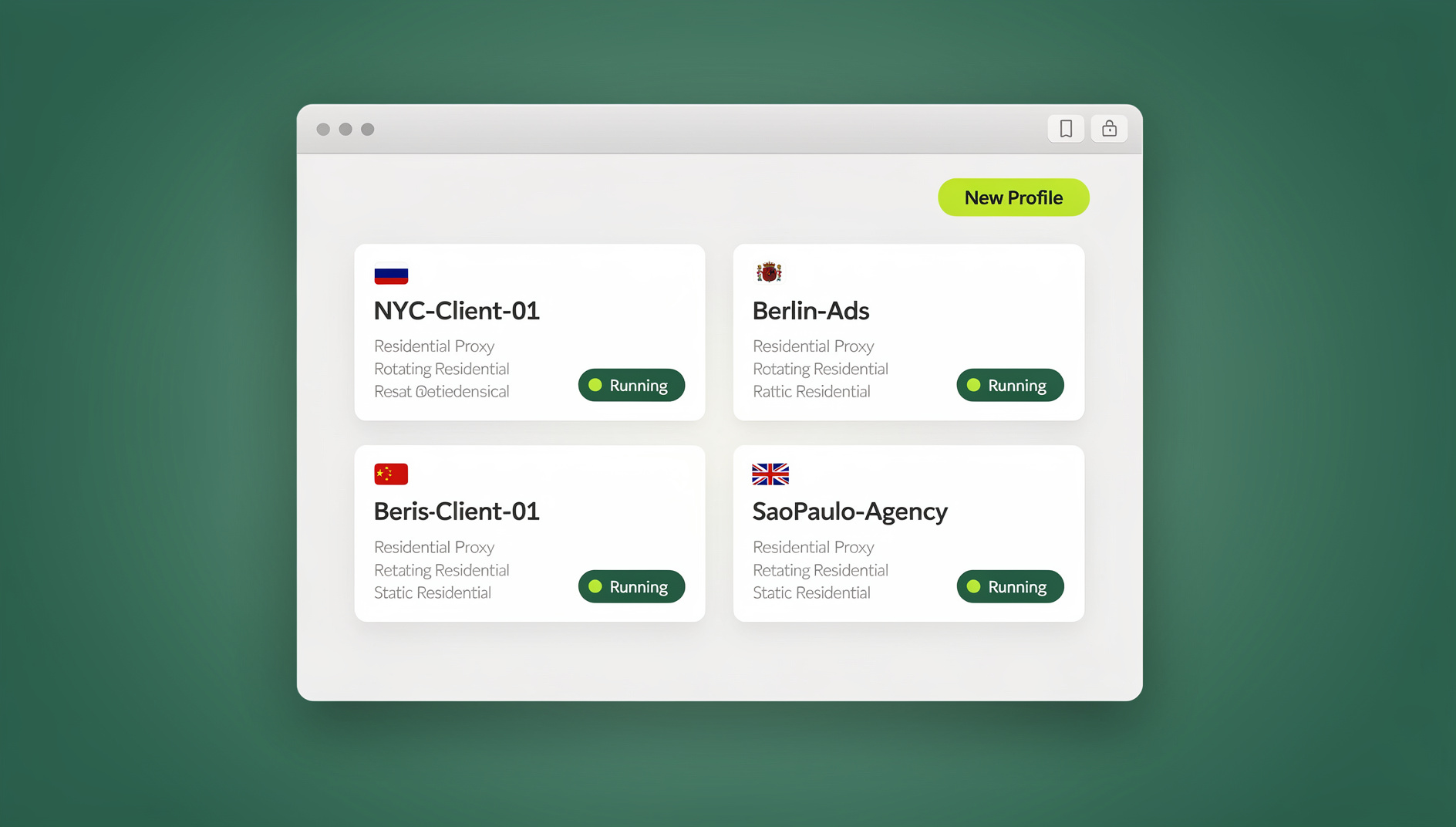
What Is Remote Browser Isolation (RBI)?
RBI keeps risky web code off your endpoint entirely. Instead of your browser fetching and executing a page’s HTML, JavaScript, and embedded scripts locally, a remote server does that work and sends back a safe representation of the session — either a video-like stream or a reconstructed, sanitized view. Because nothing from the original site ever executes on your machine, a compromised ad script, a malicious iframe, or a browser-engine exploit has nowhere to land.
RBI also pairs naturally with zero-trust security models. Because isolation happens at the session layer, you can enforce policy right there: disable form fields on pages you don’t trust, restrict uploads and downloads, redact sensitive data before it’s even rendered, or gate permissions by how risky a destination looks.
How RBI Works: Pixel Streaming vs. DOM Mirroring
Providers typically implement RBI one of two ways:
- Pixel streaming (“pixel pushing”). A real browser runs remotely and streams the visuals back to you, similar to watching a responsive video feed of a remote desktop. Every byte of the original page’s code stays off your device.
- DOM mirroring (reconstruction). The provider rebuilds a sanitized version of the page locally, based on a cleaned-up model of what the remote browser rendered. This can feel snappier for some content types.
Both approaches isolate risk. Pixel streaming maximizes separation because literally nothing from the source page executes on the endpoint, while DOM mirroring can feel marginally faster for text-heavy pages. Which one matters more depends on your threat model, your latency tolerance, and how strict your data-exfiltration controls need to be.
Why Remote Browser Isolation Matters for BYOD and Unmanaged Devices
Modern teams are fluid — agencies, freelancers, and remote hires frequently work from their own laptops. Heavy-handed controls like mandatory MDM enrollment or always-on VPNs are intrusive, hard to deploy consistently, and sometimes simply not an option when the device isn’t yours to manage.
RBI sidesteps that problem because the risky part — the browser session itself — never touches the endpoint. You can grant temporary, policy-controlled access from literally any machine without leaving behind cookies, auth tokens, or downloaded files.
- Malware and phishing kits stay off endpoints. Active content executes remotely, and your device only ever sees a safe, interactive view.
- Built-in phishing friction. You can disable form fields on suspicious pages or require extra confirmation before credentials get typed anywhere.
- Smaller compliance footprint. With no local artifacts to audit on personal hardware, security reviews get simpler.
- Faster onboarding and offboarding. You provision access to a session, not to a device. When a contract ends, revoking session access is instant.
Remote Browser Isolation vs. Legacy Approaches (VPN, Profiles, VDI)
If you’ve tried to solve multi-login and safe browsing with older tactics, you’ve probably felt the friction:
| Approach | Where the page’s code actually runs | Works well on BYOD/unmanaged devices | Setup effort | Best for |
|---|---|---|---|---|
| Browser profiles/incognito | Locally, in the same browser engine | Partially — separates identities, not execution risk | Low | Keeping logins apart, not stopping malware |
| VPN | Locally; VPN only encrypts network traffic | Yes for network privacy, no for browser isolation | Medium | Hiding traffic in transit |
| Full VDI (virtual desktop) | Remote virtual machine | Yes | High — licensing, provisioning, image management | Regulated, high-security environments |
| Cloud browser (RBI) | Remote server, streamed back | Yes, zero install | Low | Multi-login, BYOD, contractor access, quick isolation |
A cloud browser built around RBI principles gives you an easier middle ground than full VDI: agentless isolation that spins up in seconds, keeps the endpoint clean, and lets every login live in its own tab. For multi-account work and BYOD scenarios specifically, that combination is hard to beat.
Send.win’s Two Ways to Deliver Remote Browser Isolation
Send.win doesn’t force you into a single model. Depending on who needs access and from where, you can run it two ways.
The first is the Sendwin Browser — a native, downloadable desktop app for Windows, macOS, and Linux. It’s local-first, so your profiles and sessions live on your own machine for fast, everyday browsing, with encrypted cloud sync keeping everything available if you switch computers. This is the mode most people reach for when they’re personally managing dozens of ad accounts, storefronts, or client logins day to day.
The second is a cloud browser session, which embodies classic remote browser isolation: the entire session runs on Send.win’s infrastructure, and you connect through a browser tab with zero local install. Cloud sessions are metered by cloud browsing time on paid plans. Reach for this mode when you need to grant access to a contractor’s unmanaged laptop, review a session on a locked-down machine, or make sure nothing from a specific browsing task ever touches your own device. It’s the closest thing to textbook browser isolation technology that a small or mid-sized team can turn on in minutes rather than months.
Both modes share the same underlying identity model: every session gets its own separate cookies, cache, and local storage — and, optionally, its own proxy — so logins never bleed into each other regardless of which mode you’re using.
Key Features That Make Send.win Useful for Isolated, Multi-Login Browsing
Multiple logins, no relogging
Run many accounts on the same site side by side, whether that’s five ad accounts, ten storefronts, or a dozen client dashboards. Skip the constant sign-out/sign-in cycle that eats up a workday.
Session isolation on every tab
Each session runs with independent cookies, cache, and storage, so identities never cross-contaminate — the same discipline behind session isolation for teams juggling many accounts on the same platforms.
Share access, not passwords
Invite a teammate or contractor into a live, already-authenticated session with a timer and one-click revoke. They work as if logged in themselves, without ever seeing your username, password, or MFA code — the pattern covered in our guide to sharing access without passwords.
Blur and block sensitive pages
Blur billing or account-settings screens before sharing a session for review or training, or block specific URLs outright so a collaborator can’t open them during a shared session.
Bring your own proxy
Attach a proxy per session to keep identity and geography consistent — useful for ad verification, region-specific SEO checks, and marketplace operations where a stable exit IP matters.
Session timers
Set a 30-minute, one-hour, or custom expiry window on any session so temporary access closes itself automatically, without anyone needing to remember to revoke it.
Send.win for Remote Browser Isolation: Isolated Profiles and Cloud Browsing
Send.win has no automation interface: there is no API, SDK, headless mode or Selenium/Puppeteer/Playwright support on any plan. Instead, each profile keeps its own cookies, storage, sessions and fingerprint settings, so you can run repeatable manual workflows against isolated profiles.
This matters most for QA and engineering teams reproducing bugs in disposable sessions, or ad ops teams that want a scheduled script checking campaign dashboards without a person babysitting a manual login every morning. Because each automated session still gets its own cookies, storage, and optional proxy, scripted runs don’t pollute or get flagged by whatever else is running in your other sessions.
Who Uses Send.win for Remote Browser Isolation
Send.win serves a productivity-and-privacy audience across several roles, each leaning on isolation for a different reason.
Marketers & Advertisers
Manage multiple ad accounts across Meta, Google, TikTok, and X without credential sprawl. Attach a per-client proxy, switch accounts in one click, and share time-boxed review access without ever handing over a password. A zero-trust browser model means an outside reviewer never touches your actual credentials or device.
E-Commerce Sellers
Operate across marketplaces and storefronts with a clean identity per shop, avoiding accidental cross-account signals that can trigger platform bans, while keeping billing pages protected during handoffs and audits.
SEO Professionals
Test SERPs from different regions in genuinely isolated sessions, monitor rankings without polluting local cookies, and validate page variants across parallel, disposable browsers.
Developers, Testers & QA
Reproduce bugs in disposable sessions and share a live session link for fast triage, keeping test accounts and environment state cleanly separated per profile.
Remote Workers & Everyday Power Users
Use any device — managed or unmanaged — without leaving sensitive traces behind. Add a short timer to an approval session, revoke it when the task is done, and keep personal and work identities genuinely separate.
Security and Privacy Model in Plain English
What executes where? In a cloud browser session, all page code runs inside Send.win’s infrastructure; your device only receives an interactive stream from a real browser running elsewhere, so no active web code ever touches your local machine. In the Sendwin Browser desktop app, the browser itself runs locally for speed and offline resilience, but every profile still keeps its own cookies, storage, and optional proxy, with everything backed up through encrypted cloud sync.
What gets stored locally? Cloud sessions leave nothing behind on the connecting device once you’re done. Desktop-app sessions live on your machine, siloed per profile, so one session can’t read another’s cookies or local storage even though both run on the same computer.
Why BYOD teams like this model. You can grant a contractor access to a cloud session without installing anything on their laptop or trusting their endpoint. When the engagement ends, you revoke access — no awkward “please wipe your device” conversation required.
Send.win Pricing at a Glance
Send.win has no free trial. Paid plans start at Pro $19/mo or $83.88/yr, and the first card purchase is covered by a 7-day money-back guarantee. The only free option is the cloud demo at send.win/demo-browser/, so you can test real workflows before paying anything.
| Plan | Price | Profiles | Proxy bandwidth | Seats | |
|---|---|---|---|---|---|
| Pro | $19/mo ($6.99/mo billed annually — 63% off) | 150 | 5 GB | Included | Individual |
| Team | $49/mo ($20.99/mo billed annually — 57% off) | 500 | 20 GB | Included | 16 |
Neither tier includes an automation interface, so scripted access via Selenium, Puppeteer, or Playwright isn’t available on any plan — Team’s advantage is more profiles, more proxy bandwidth, and enough seats for an entire team or agency to work from shared, isolated sessions. Pricing can change, so check the current details at send.win/pricing.
Getting Started in Minutes
Step 1 — Sign up
Create your account at send.win and choose a paid plan — Pro $19/mo or $83.88/yr, Team $49/mo or $251.88/yr — with the first card purchase covered by a 7-day money-back guarantee. You can also preview the cloud demo at send.win/demo-browser/.
Step 2 — Choose your mode
Install the Sendwin Browser desktop app if you’ll be managing sessions yourself day to day, or launch a cloud browser session when you need zero-install, BYOD-friendly access for yourself or someone you’re sharing with.
Step 3 — Start browsing
Open your first isolated session from the dashboard, log in, and you’re working with real multi-login separation from minute one — no relogging, no cross-contaminated cookies, no local install required for the cloud mode.
🏆 Send.win Verdict
Remote browser isolation isn’t just a security concept — it’s a workflow you can turn on today. Send.win delivers it two ways: zero-install cloud browser sessions for the strictest isolation on BYOD and contractor devices, and a native Sendwin Browser desktop app for teams that want local speed with encrypted cloud sync. Add per-session proxies, blur/block controls, password-free sharing, and isolated profiles with their own cookies, storage and fingerprint settings, and you get real RBI benefits without VDI-level cost or complexity.
Try Send.win today — choose a paid plan with a 7-day money-back guarantee on your first card purchase, or preview the free cloud demo, and browse safely from any device, managed or not.
Frequently Asked Questions
Is a cloud browser the same thing as remote browser isolation?
A cloud browser is one way to implement RBI — it runs sessions remotely and streams the result back to you. Different providers use different rendering techniques, pixel streaming or DOM mirroring, but the core idea is identical: keep risky code off your device.
Will remote browser isolation feel slow?
Modern streaming and sensible session design feel natural for standard SaaS and browsing work. Choosing a region close to you and reaching for a cloud session only when you actually need the isolation keeps latency low.
Does RBI stop phishing?
It reduces the blast radius. You can disable form fields on flagged pages or add friction before credentials get typed, but RBI works best alongside — not instead of — good password hygiene and multi-factor authentication.
Why not just use browser profiles or incognito mode?
Profiles separate identities but still execute all page code locally, so they don’t stop malware, trackers, or a compromised script from touching your device. RBI does, because the code never reaches your endpoint in the first place.
Do I need to install anything to use Send.win?
Only if you want the desktop mode. The Sendwin Browser is a native download for Windows, macOS, and Linux, with encrypted cloud sync keeping your profiles backed up. If you’d rather skip installation entirely, a cloud browser session runs in your existing browser tab with nothing to set up locally.
What’s the difference between the Sendwin Browser and a cloud session?
The Sendwin Browser is a downloadable desktop app that stores profiles locally with encrypted cloud sync, built for fast day-to-day use. A cloud browser session runs entirely on Send.win’s servers with zero local install, which is the better fit whenever you need the strictest isolation or you’re granting access to someone else’s unmanaged device.
Can I automate workflows instead of clicking through them manually?
No. Send.win has no automation interface — no API, SDK, headless mode or Selenium/Puppeteer/Playwright support on any plan. QA and engineering teams instead use isolated profiles, each with its own cookies, storage and fingerprint settings, for repeatable manual checks against the desktop app.
What happens after the free trial?
You choose Pro or Team to keep your sessions, profiles, and proxy settings active. The first card purchase is covered by a 7-day money-back guarantee, so there’s no surprise charge if you decide not to continue.