A zero trust browser applies the “never trust, always verify” security model directly to web browsing, treating every website, script, and download as unverified until proven safe rather than assuming anything inside your network or session is automatically trustworthy. Instead of relying on a VPN or firewall to define a safe perimeter, a zero trust browser isolates, inspects, and continuously re-verifies every interaction — closing the gap that traditional tools leave wide open at the browser layer.
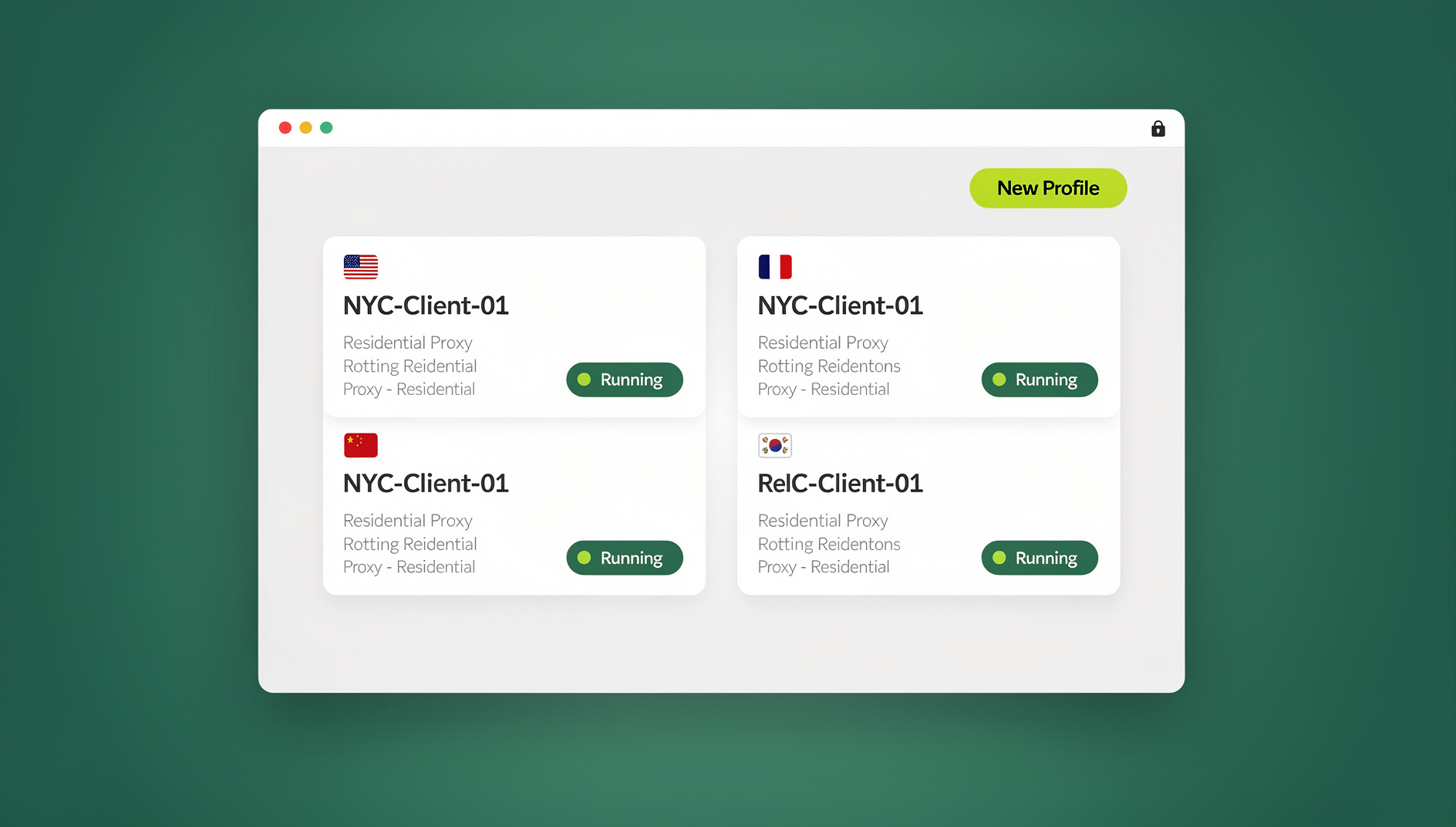
What Is a Zero Trust Browser?
A zero trust browser extends the broader Zero Trust Architecture (ZTA) framework — built on the idea that no user, device, or connection should be trusted by default — into the one place where most modern work actually happens: the browser tab. Instead of granting blanket trust once someone is “inside” a network or logged into a VPN, the browser itself becomes the enforcement point. Every page load, form submission, download, and script execution is evaluated on its own merits, in real time.
This matters because the browser has quietly become the primary operating environment for knowledge work. CRMs, HR systems, finance dashboards, design tools, and communication platforms have all moved to the web. Estimates suggest well over 75% of daily work now happens inside a browser tab, which means a browser that blindly trusts whatever loads is effectively an open door into the rest of the business.
Why the Traditional Perimeter Model Fails
The Old Assumptions No Longer Hold
Classic network security was built on a simple, and now outdated, set of assumptions:
- Traffic “inside” the corporate network is trusted by default
- Traffic “outside” the network is treated as hostile
- A VPN connection is enough to make a remote device “inside”
None of that holds up anymore. Remote and hybrid work means employees connect from home networks, coffee shops, and personal devices. BYOD policies put unmanaged laptops and phones on the same footing as corporate hardware. SaaS applications live entirely outside any perimeter a firewall could enforce. Phishing links arrive through channels — email, Slack, SMS — that are implicitly trusted. And once an attacker gets a foothold, lateral movement inside a “trusted” network is often trivially easy.
The Browser Is the New Perimeter
Look at what actually happens inside a browser during a typical workday: employees log into CRM, ERP, HR, and financial systems; they handle customer records and payment data; they download attachments from external senders; they click links shared in chat and email; they flip between personal and work accounts in the same window; and they install extensions that quietly request broad permissions. Every one of these is a plausible breach vector, and almost none of them are visible to a traditional firewall or antivirus scanner. The browser — not the network edge — is where the real perimeter now sits.
Core Principles of Zero Trust Browsing
1. Never Trust, Always Verify
No site is assumed safe by default, including ones that look internal or familiar. Every request gets authenticated and authorized, verification continues throughout the session rather than only at login, and access decisions weigh context like device posture, location, and behavior.
2. Least Privilege Access
Users receive only the permissions their role actually requires. Browser capabilities — downloads, clipboard access, copy-paste — get restricted based on the application in use, and extension permissions are scoped down to what’s strictly necessary rather than whatever the extension asks for.
3. Assume Breach
A zero trust browser is designed for containment, not just prevention. Sessions are isolated so a compromise in one tab can’t spread laterally, activity is logged for later investigation, and response playbooks assume something will eventually slip through.
4. Micro-Segmentation
Each tab, application, or account effectively runs in its own security context, so data can’t casually flow between segments that shouldn’t touch each other. This is also where session isolation becomes important: work and personal browsing, or multiple client accounts, stay cleanly separated instead of sharing cookies, cache, or fingerprint data in one browser profile.
How Zero Trust Browsers Actually Work
Browser Isolation Methods
Isolation is the technical foundation that makes zero trust browsing possible. There are a few distinct approaches, and they are not interchangeable in terms of protection:
| Method | How It Works | Security Level |
|---|---|---|
| Remote Browser Isolation (RBI) | Browser executes on a cloud server; only pixels or a safe rendering stream reach the device | Highest — no page code ever touches the endpoint |
| Local Browser Isolation | Browser runs inside a local container or sandbox on the device | Medium — malware is contained, but still executes locally |
| DOM Mirroring | A stripped-down, reconstructed DOM is sent to the user’s browser | Medium — removes active content but changes page behavior |
| Cloud Browser Sessions | Full browser instance runs entirely in the cloud, with a distinct identity per session/profile | High — isolation plus fingerprint and account separation |
Remote browser isolation is generally considered the gold standard because the actual code never reaches the endpoint — but it also tends to be the most expensive and enterprise-oriented option, which is why cloud browser sessions have become the practical middle ground for smaller teams and individuals who want similar isolation without a six-figure deployment.
Continuous Authentication
Zero trust doesn’t stop verifying once you’ve logged in. Session monitoring checks identity throughout a browsing session rather than only at the door, behavioral analysis flags unusual patterns (a login from a new country, an unusual download volume), step-up authentication kicks in for sensitive actions like wire transfers or admin changes, device posture checks confirm the endpoint is patched and healthy, and location awareness adjusts what’s permitted based on where the request originates.
Content Inspection
Every page and file gets evaluated in real time: URLs are categorized and risk-scored before the page fully loads, downloaded files are scanned before they reach the device, JavaScript is analyzed for malicious behavior patterns, encrypted traffic is inspected where policy requires it, and login forms are checked against known phishing patterns to catch credential-theft attempts as they happen.
Data Loss Prevention (DLP)
Isolation only solves half the problem — the other half is stopping data from leaving in the first place. Clipboard controls block copy-paste of sensitive fields, download restrictions apply per-application policy, upload monitoring flags data heading to unauthorized destinations, screen-capture prevention blocks screenshots inside sensitive apps, and watermarking helps trace leaks back to their source when something does get out.
Top Zero Trust Browser Solutions Compared
Enterprise-Grade Platforms
| Solution | Type | Best For | Key Feature |
|---|---|---|---|
| Island | Enterprise browser | Large enterprises | Full browser replacement with built-in DLP |
| Zscaler Browser Isolation | RBI-as-a-service | Existing Zscaler customers | Integrated with the Zscaler Zero Trust Exchange |
| Palo Alto Prisma Access | SASE + browser security | Palo Alto-centric environments | Browser security acquired via Talon |
| Menlo Security | Cloud RBI | High-security environments | Isolation-first architecture |
| Cloudflare Browser Isolation | Edge RBI | Cloudflare customers | Runs on Cloudflare’s edge network for lower latency |
Cloud and Privacy-Focused Options
| Solution | Type | Best For | Key Feature |
|---|---|---|---|
| Send.win | Native desktop app + cloud browser sessions | Privacy, multi-account work, agencies | Isolated profiles with unique fingerprints, local-first with encrypted cloud sync |
| Tor Browser | Anonymity browser | Maximum anonymity | Onion routing with a standardized fingerprint |
| Brave | Privacy browser | Individual, everyday privacy | Built-in ad and tracker blocking |
| Mullvad Browser | Privacy browser | Anti-fingerprinting | Tor-based fingerprint standardization |
Notice the gap between the two tables: the enterprise-grade row is built for large IT departments with dedicated security budgets and rollout timelines measured in quarters. The cloud browser category exists precisely to close that gap — it gives individuals, freelancers, and small teams a comparable degree of session isolation and fingerprint separation without needing a security team to configure it.
How to Implement Zero Trust Browsing
For Organizations
- Assess: Audit current browser usage, the SaaS applications in play, and the realistic threat landscape.
- Design policy: Define access rules per application category and per user role rather than one blanket policy.
- Pilot: Roll out first to IT and security teams, where feedback loops are fastest.
- Expand in phases: Move to higher-risk departments next, then the rest of the organization.
- Monitor and iterate: Review logs continuously, tune policies, and build an incident response plan around what the browser data actually shows.
For Individuals and Small Teams
- Use a cloud browser: A tool like Send.win gives you isolation from your own device by design, rather than as an add-on.
- Separate profiles by purpose: Keep client accounts, personal browsing, and work logins in distinct sessions instead of one shared profile.
- Verify before you click: Hover and check the actual destination URL before trusting a link from email or chat.
- Limit extensions: Only install browser extensions from developers you actually trust, and review what permissions they request.
- Turn on MFA everywhere: Two-factor authentication remains one of the cheapest, highest-impact controls available.
Zero Trust Browser vs. Traditional Security Layers
| Approach | Protection Level | User Experience | Relative Cost |
|---|---|---|---|
| Antivirus only | Low — reactive, signature-based | Transparent | $ |
| VPN + firewall | Medium — perimeter-level only | Some added friction | $$ |
| Secure Web Gateway | Medium — network-level filtering | Latency added | $$ |
| Enterprise zero trust browser / RBI | High — full browser-level isolation | Native feel once deployed | $$$ |
| Cloud browser sessions | High — full isolation, per-session identity | Simple, no install required | $$ |
A secure web gateway still inspects traffic at the network level, which helps with policy enforcement but does nothing to isolate a compromised page from the device rendering it. That’s the core distinction worth remembering: gateways filter traffic, zero trust browsers isolate execution.
Threats a Zero Trust Browser Actually Blocks
Phishing
Credential-harvesting pages get flagged in real time using analysis of page content, URL structure, and form behavior. Even spear-phishing pages crafted to slip past email filters get caught at the point where a user would actually type a password.
Drive-By Downloads
Sites that try to silently push malware onto a visitor’s machine are contained inside the isolated environment — the payload executes somewhere that isn’t the user’s actual device.
Watering Hole Attacks
When a legitimate, frequently visited site gets compromised to serve malware to its normal visitors, isolation neutralizes the payload before it reaches anything worth attacking.
Man-in-the-Browser
Malicious extensions or injected scripts that alter what a page displays — a classic tactic against banking sessions — are blocked through tighter extension controls and content-integrity checks.
Data Exfiltration
DLP controls stop unauthorized data from leaving through clipboard, uploads, downloads, or screenshots, catching both deliberate exfiltration attempts and honest employee mistakes.
Where Zero Trust Browsing Is Headed
- AI-native detection: Models trained to recognize intent and anomalies, not just known-bad signatures
- GenAI-aware controls: Policies that catch sensitive data being pasted into tools like ChatGPT before it leaves the organization
- Passwordless authentication: Passkeys and biometrics replacing passwords as the default
- Edge-based isolation: Isolation running closer to the user for lower latency
- Browser as the whole workspace: Zero trust principles extending beyond the browser to the entire remote desktop experience
Send.win as a Practical Zero Trust Cloud Browser
Send.win applies the zero trust idea in two concrete, very different modes, and it’s worth understanding both before choosing one. The first is Sendwin Browser, a native desktop application you download and install on Windows, macOS, or Linux. It’s local-first — your sessions live on your machine — with encrypted cloud sync keeping profiles backed up and available across devices. The second mode is cloud browser sessions: the browser runs entirely on Send.win’s infrastructure with zero local installation, and usage is metered by cloud browsing time rather than by seat.
Either mode gives each session or profile its own isolated fingerprint and cookie jar, so accounts, clients, or departments never bleed into one another the way tabs in a single shared browser can. For teams running QA or scripted workflows, Send.win has no automation interface — no API, SDK, headless mode, or Selenium, Puppeteer, or Playwright support — so testing and automation need to run on a separate managed setup rather than inside the same isolated, zero trust environment.
There is no free trial; the only free option is the cloud demo at https://send.win/demo-browser/, a 3-minute preview without signup (10 minutes a day with a free account). The Pro plan runs $19/month or $83.88/year with 150 profiles and 5GB of proxy bandwidth. The Team plan is $49/month or $251.88/year with 500 profiles, 20GB of bandwidth, and 16 seats — a fraction of what enterprise RBI platforms typically cost for comparable isolation. The first card purchase is covered by a 7-day money-back guarantee.
🏆 Send.win Verdict
Enterprise RBI platforms remain the right call for large organizations that need centralized policy enforcement across thousands of employees. But if you’re an individual, freelancer, or small team that wants genuine session isolation, fingerprint separation, and zero trust-style containment without a security team to run it, Send.win’s native desktop app and cloud browser sessions deliver most of the same protection at a fraction of the cost and complexity.
Try the Send.win cloud demo — a 3-minute preview without signup, 10 minutes a day with a free account.
Frequently Asked Questions
Does a zero trust browser slow down browsing?
Modern implementations add minimal overhead. Cloud-based options typically add 10-30ms of latency, which is imperceptible for most everyday tasks. Local isolation approaches, like a native desktop app, add essentially none since nothing is being streamed from a remote server.
Can individuals use zero trust browsing, or is it only for enterprises?
Individuals absolutely can, and increasingly do. While enterprise RBI platforms target large organizations with dedicated budgets, individuals get similar protection from cloud browser sessions, privacy-focused browsers, or a native app with strong profile isolation.
Is zero trust browsing the same as using a VPN?
No. A VPN encrypts your connection and masks your IP address, but it does nothing to inspect or isolate the content of the pages you visit. Zero trust browsing verifies, isolates, and inspects every interaction — a fundamentally deeper layer of protection than routing traffic through an encrypted tunnel.
Do I still need antivirus if I use a zero trust browser?
Yes, for defense in depth. A zero trust browser protects against web-based threats specifically. Antivirus still matters for threats that never touch a browser at all — infected USB drives, local file execution, or malicious attachments opened outside the browser entirely.
What’s the difference between remote browser isolation and a cloud browser like Send.win?
Remote browser isolation typically streams a rendered version of a page (often as pixels or video) from a remote server, purely for security containment. A cloud browser session runs a full, interactive browser in the cloud with its own persistent identity and fingerprint — built as much for account and session management as for isolation, though it delivers similar containment benefits.
How much does a zero trust browser setup actually cost?
It ranges enormously. Enterprise RBI and enterprise browser platforms are typically priced per seat with custom enterprise contracts. Individual-focused cloud browsers are far cheaper — Send.win’s Pro plan, for example, starts at $19/month ($6.99/month billed annually — 63% savings), which is a different order of magnitude from enterprise deployments.
Can a zero trust browser stop zero-day exploits?
Isolation significantly reduces the impact even when it can’t predict a specific zero-day. Because malicious code executes inside a contained environment rather than directly on the device, an exploit that would otherwise compromise the endpoint gets neutralized inside the isolated session instead.
How does zero trust browsing affect my privacy?
Enterprise zero trust deployments typically monitor activity for security purposes, which is a trade-off organizations accept deliberately. For personal use, cloud browsers like Send.win provide isolation and fingerprint protection without corporate-style activity monitoring, so your browsing stays private while still being contained from threats.
Conclusion
The zero trust browser represents the logical next step in web security: as the browser becomes the primary workspace for employees and individuals alike, building security directly into that layer beats bolting it onto the network edge. Large organizations should look at a full enterprise browser or RBI platform built for centralized policy control. Individuals and small teams get comparable isolation far more simply from an option like Send.win — native app or cloud session, isolated profiles, and none of the deployment overhead that enterprise zero trust normally demands.