A secure web gateway (SWG) is a network security tool that sits between users and the internet, inspecting every web request for malware, enforcing URL and content policy, and stopping sensitive data from leaving the organization. It combines URL filtering, SSL/TLS inspection, threat detection, and data loss prevention into a single checkpoint that all outbound traffic must pass through.
What Is a Secure Web Gateway?
Think of a secure web gateway as a sophisticated checkpoint that every web request passes through before it reaches its destination. It examines URLs, file downloads, scripts, and encrypted sessions, then allows, blocks, or flags them according to policy. Because most cyberattacks now arrive through a browser — phishing links, drive-by downloads, malicious ads — the SWG has become one of the core building blocks of enterprise network security, alongside firewalls, endpoint protection, and identity access management.
Unlike a traditional firewall, which inspects traffic at the network or port level, a SWG understands web-specific context: it knows the difference between a benign SaaS login page and a credential-harvesting clone, and it can strip malicious scripts out of an otherwise legitimate page rather than blocking the whole site.
How Secure Web Gateways Work
Traffic Flow Architecture
- Request interception: the user’s web request is routed through the SWG, either via an on-device agent, a PAC file, or a network-level redirect.
- URL filtering: the destination URL is checked against category and reputation databases in real time.
- TLS/SSL inspection: encrypted traffic is decrypted so its content can actually be analyzed, not just its metadata.
- Content scanning: malware, exploits, and malicious scripts are detected using signatures, heuristics, and sandboxing.
- Data loss prevention: outbound content is scanned for sensitive data such as card numbers, SSNs, or source code.
- Policy enforcement: the request is allowed, blocked, or shown a warning page based on organizational rules.
- Logging: a full audit trail is recorded for incident response and compliance reporting.
Core Components
- URL filtering engine: categorizes and filters access to millions of websites.
- Anti-malware engine: scans downloads and page content for known and emerging threats.
- SSL/TLS inspection: decrypts encrypted traffic long enough to analyze it, then re-encrypts it.
- Application control: governs which web and SaaS applications users can reach.
- DLP engine: prevents unauthorized data from leaving the network through the browser.
- Sandboxing: detonates suspicious files in an isolated environment before they reach the endpoint.
- CASB integration: extends policy control into sanctioned cloud applications.
Key Features of a Modern Secure Web Gateway
URL Filtering
URL filtering is still the foundation of gateway security:
- Category-based blocking: filter by category (gambling, malware, adult content, and so on).
- Reputation scoring: dynamic risk assessment based on a domain’s history and behavior.
- Custom policies: organization-specific allow and deny lists.
- Real-time categorization: newly registered or previously unseen domains are analyzed on the fly.
- Time-based controls: different rules for working hours versus breaks.
Threat Protection
- Malware detection: signature-based and behavioral analysis working together.
- Zero-day protection: machine learning models flag novel, previously unseen threats.
- Phishing prevention: identifies and blocks credential-harvesting pages before submission.
- Drive-by download protection: blocks malicious files that try to install without user action.
- Cryptojacking prevention: stops unauthorized cryptocurrency-mining scripts from running in the browser.
SSL/TLS Inspection
This is critical for modern security, since the vast majority of web traffic is now encrypted:
- Man-in-the-middle decryption: the SWG terminates and re-encrypts TLS connections to inspect content.
- Certificate management: trusted root certificates are deployed to endpoints so inspection doesn’t trigger browser warnings.
- Selective inspection: banking and healthcare categories are often exempted for privacy reasons.
- Performance optimization: hardware acceleration reduces the latency cost of decryption.
Data Loss Prevention (DLP)
- Content inspection: scans uploads and form submissions for card numbers, SSNs, and intellectual property.
- File type control: blocks specific file types from being uploaded to unsanctioned destinations.
- Policy templates: pre-built rule sets for HIPAA, PCI-DSS, and GDPR.
- Incident reporting: automated alerts whenever a policy violation is detected.
Cloud Application Security
- Shadow IT detection: discovers unauthorized SaaS and cloud apps in use across the org.
- Cloud app control: fine-grained, per-app access policies.
- CASB functionality: cloud access security broker capabilities built directly into the gateway.
- API integration: connects with major cloud platforms for deeper visibility.
Deployment Models
On-Premises SWG
Hardware or virtual appliances installed in your own data centers:
- Full control: complete ownership of hardware and configuration.
- Low latency: traffic never leaves your network for inspection.
- Compliance: data stays inside your infrastructure.
- Limitation: doesn’t protect remote workers unless they’re tunneled back over VPN.
Cloud-Based SWG
Security delivered as a service from a provider’s global points of presence:
- Remote worker protection: secures users regardless of where they connect from.
- Scalability: no hardware to size, patch, or replace.
- Global presence: points of presence worldwide keep latency low.
- Always current: threat intelligence updates continuously without maintenance windows.
Hybrid Deployment
- On-premises appliances handle headquarters traffic.
- Cloud delivery covers remote offices and traveling staff.
- Unified policy management spans both environments.
- Combines the strengths of each approach.
Leading Secure Web Gateway Solutions
Zscaler Internet Access
- Cloud-native architecture spanning 150+ data centers.
- Inline TLS inspection at scale.
- AI-assisted threat detection.
- Sold as part of the Zscaler Zero Trust Exchange.
Cisco Umbrella
- Combines DNS-layer security with full SWG inspection.
- Cloud-delivered with tight Cisco ecosystem integration.
- Threat intelligence sourced from Cisco Talos.
- Fast to deploy via DNS configuration alone.
Palo Alto Prisma Access
- SASE platform with SWG built in.
- Advanced threat prevention engine.
- Consistent policy for every user, everywhere.
- Integrates with the broader Palo Alto NGFW ecosystem.
Netskope Security Cloud
- Cloud-native with inline CASB functionality.
- Granular, app-by-app cloud controls.
- Real-time data and threat protection.
- Strong DLP feature set.
Broadcom (Symantec) Web Security Service
- Long-established threat intelligence network.
- Comprehensive URL categorization database.
- Integrates with Symantec endpoint products.
- Available in cloud and on-premises deployments.
Secure Web Gateway vs. Other Security Solutions
SWG vs. Next-Gen Firewall
| Feature | Secure Web Gateway | Next-Gen Firewall |
|---|---|---|
| Focus | Web traffic (HTTP/HTTPS) | All network traffic |
| URL filtering | Advanced, category-based | Basic |
| SSL inspection | Deep content analysis | Available, but shallower |
| Cloud app visibility | Detailed, per-app control | Limited |
| Remote users | Cloud SWG covers them natively | Usually requires VPN backhaul |
SWG vs. Proxy Server
- Proxy server: routes traffic through an intermediary with basic filtering.
- SWG: full security inspection — threat detection, DLP, SSL inspection — layered on top.
- Modern SWGs evolved out of proxy servers but add vastly more security depth.
SWG vs. Browser Isolation
- SWG: inspects and filters traffic at the network edge, then allows or blocks it.
- Browser isolation: renders web content in an isolated environment so nothing risky ever touches the endpoint directly.
- Some SWG platforms now bundle a form of browser isolation as an add-on feature.
- Send.win takes a different, browser-first approach: instead of inspecting traffic in transit, its cloud browser sessions run the entire browsing session in the cloud, away from the local device, with zero local install and usage metered by cloud browsing time.
Secure Web Gateways in the SASE Framework
Secure Access Service Edge (SASE) combines networking and security into a single cloud-delivered service. The SWG is one of its core pillars:
- SWG: web traffic inspection and filtering.
- CASB: cloud application security.
- ZTNA: zero trust network access.
- FWaaS: firewall as a service.
- SD-WAN: software-defined networking.
Leading SASE vendors — Zscaler, Netskope, Palo Alto — fold SWG functionality into a single unified platform rather than selling it as a standalone box.
Implementing a Secure Web Gateway
Planning Phase
- Assess requirements: number of users, locations, and compliance obligations.
- Define policies: which categories to block, DLP rules, and exceptions.
- Choose a deployment model: cloud, on-premises, or hybrid.
- Plan SSL inspection scope: decide which traffic categories to exempt.
- Set up reporting: define dashboards and alert thresholds up front.
Deployment Best Practices
- Start permissive: monitor before blocking so you understand real traffic patterns.
- Phase the rollout: deploy to a pilot group before the whole organization.
- Communicate early: tell users what’s being filtered and why.
- Test exceptions: verify business-critical apps still work under SSL inspection.
- Review regularly: adjust policy based on incident data and user feedback.
Challenges With Secure Web Gateways
SSL Inspection Controversy
- Privacy concerns around decrypting employees’ personal traffic.
- Certificate pinning in some apps can break inspection entirely.
- Performance overhead from constant encryption and decryption.
- Many organizations exempt sensitive categories like banking and healthcare.
Remote Worker Coverage
- On-premises SWGs don’t protect remote workers unless traffic is tunneled back over VPN.
- Cloud SWGs need an agent or PAC file configured on every device.
- Split-tunnel VPN configurations can accidentally bypass SWG inspection entirely.
Encrypted and Evasive Threats
- More malware now hides inside encrypted channels by default.
- SSL inspection adds real, measurable latency.
- Some threats are specifically designed to slip past inspection during the TLS handshake.
Where Send.win Fits Alongside a Secure Web Gateway
A SWG protects the network path. It does not fully solve the separate problem many security and operations teams actually run into day to day: needing dozens of isolated browser identities — one per client account, one per social profile, one per test environment — without any of them leaking cookies, fingerprints, or session data into each other. That’s a browser-level problem, and it’s the one Send.win is built to solve.
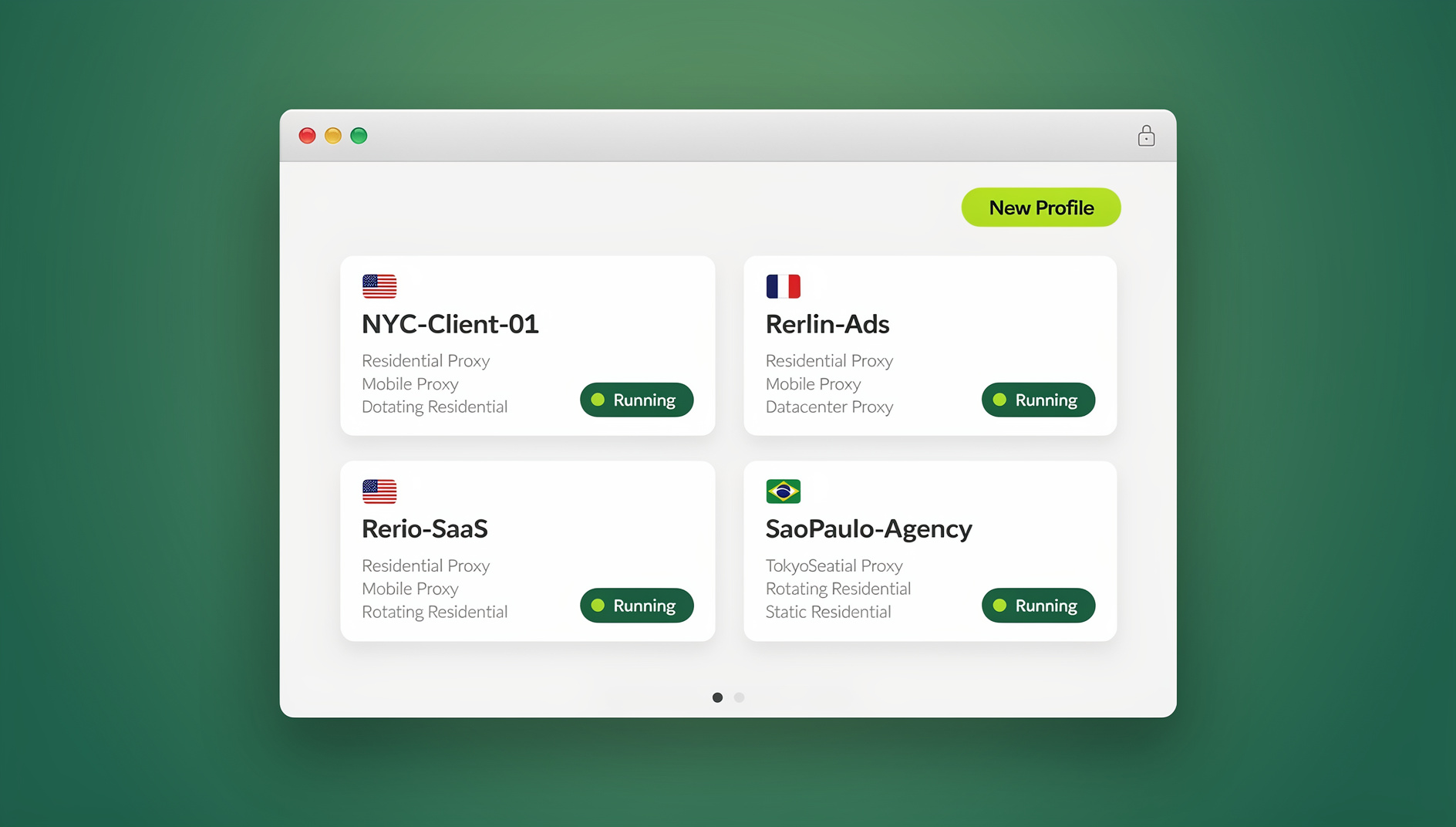
Send.win ships in two modes. The first is Sendwin Browser, a native, downloadable desktop application for Windows, macOS, and Linux. It’s local-first, meaning your profiles and sessions live on your machine by default, with encrypted cloud sync so you can pick up the same isolated sessions on another device. The second mode is cloud browser sessions, which run entirely on Send.win’s infrastructure with zero local install — nothing to download, nothing running on your endpoint — and usage is metered by cloud browsing time rather than a flat seat price.
That second mode overlaps conceptually with the remote browser isolation techniques some SWG vendors bolt on as an add-on: the browsing session itself never touches the local device, so anything malicious a site tries to do stays contained in the cloud instance. Teams that already run a SWG for network-level filtering often add Send.win specifically for this reason — to get isolated, disposable browsing environments for higher-risk research, ad account management, or QA testing, without waiting on IT to provision a new appliance rule.
For teams building repeatable workflows on top of isolated sessions, Send.win’s desktop app gives each profile its own cookies, storage and fingerprint settings, so profiles stay separate from one another. Send.win has no automation interface — no API, SDK, headless mode or Selenium/Puppeteer/Playwright support on any plan — so scripted workflows aren’t part of the product. The Pro plan is $19/month or $83.88/year, and the Team plan is $49/month or $251.88/year, which matters for smaller teams that want isolated profiles without buying a Team seat they don’t need.
This browser-level isolation is a natural complement to the broader browser isolation technology stack that security teams already lean on, and it pairs especially well with an enterprise browser deployment where policy consistency matters as much as raw traffic filtering. None of this replaces a SWG’s job of inspecting traffic and enforcing DLP at the network edge — the two operate at different layers, and mature security architectures use both.
Sendwin Browser vs. Cloud Browser Sessions
| Aspect | Sendwin Browser (desktop app) | Cloud Browser Sessions |
|---|---|---|
| Installation | Native download for Windows, macOS, Linux | None — runs entirely in the cloud |
| Data storage | Local-first, with encrypted cloud sync | Stored and rendered on Send.win’s servers |
| Billing basis | Included in plan seat/profile limits | Metered by cloud browsing time |
| Automation support | No | Not the primary automation target |
| Best for | Daily multi-account work, persistent profiles, isolated browser identities | Zero-footprint, disposable sessions and higher-risk browsing |
Send.win Pricing at a Glance
Send.win has no free trial; the first card purchase is covered by a 7-day money-back guarantee, and the only free option is the cloud demo at send.win/demo-browser — a 3-minute preview without signup, or 10 minutes a day with a free account. The Pro plan runs $19/month, or $83.88/year, and the Team plan runs $49/month, or $251.88/year. Compared to enterprise SASE bundles that charge per-user, per-month fees running into the tens of dollars just for the SWG component, Send.win’s browser-layer isolation is priced for teams that need it as a complement, not a full network security replacement.
🏆 Send.win Verdict
A secure web gateway is still the right tool for network-wide URL filtering, SSL inspection, and DLP — nothing about that changes. But if your actual daily pain is juggling isolated browser identities, running risky research without contaminating your main profile, or keeping repetitive account work organised, that’s a browser-layer problem a SWG was never designed to solve. Send.win handles that layer directly, through a native Sendwin Browser desktop app or zero-install cloud sessions, with separate cookies, storage and fingerprint settings per profile.
Try the Send.win cloud demo — a 3-minute preview without signup, 10 minutes a day with a free account.
Frequently Asked Questions
Do I need a secure web gateway if I already have a firewall?
Yes. Firewalls provide network-level protection but lack the deep web content inspection, URL categorization, and cloud app controls a SWG provides. The two are complementary layers, not substitutes for each other.
Can a secure web gateway inspect encrypted traffic?
Yes, through SSL/TLS inspection. The SWG terminates the encrypted connection, inspects the decrypted content, then re-encrypts and forwards it. This requires a trusted certificate to be deployed on every endpoint.
How does a cloud SWG protect remote workers?
Cloud SWGs use a lightweight endpoint agent or a PAC file to route web traffic through the security cloud regardless of where the user connects from, without requiring a traditional VPN.
What’s the performance impact of running a secure web gateway?
Cloud SWGs typically add somewhere between 5 and 20 milliseconds of latency; SSL inspection can add more on top of that. Most users never notice it. Choosing a vendor with points of presence close to your users keeps the impact minimal.
Can employees bypass a secure web gateway?
With proper deployment — an agent-based rollout with tamper protection — bypassing is difficult. Determined users might still fall back to a personal device or a mobile hotspot, so policy enforcement should always be paired with user education.
Does Send.win replace a secure web gateway?
No. Send.win operates at the browser layer, giving you isolated profiles and cloud browser sessions for multi-account work and testing. A SWG operates at the network layer, filtering and inspecting traffic for the whole organization. Most mature security setups run both.
Is Send.win’s automation available on every plan?
Send.win has no automation interface: there is no API, SDK, headless mode or Selenium/Puppeteer/Playwright support on any plan, so repetitive workflows aren’t scripted through Send.win.
What’s the difference between Sendwin Browser and Send.win’s cloud sessions?
Sendwin Browser is a native app you download for Windows, macOS, or Linux, with your data stored locally and synced to the cloud in encrypted form. Cloud browser sessions instead run entirely on Send.win’s servers with no local install at all, and are billed by cloud browsing time rather than as part of your seat allowance.
Conclusion
A secure web gateway remains an essential layer of modern network security. With most threats arriving through the browser and most traffic now encrypted by default, organizations need deep web inspection that goes well beyond what a traditional firewall provides.
A few things worth keeping in mind when you evaluate one:
- Cloud-first architecture: cloud SWGs protect users everywhere without the complexity of VPN backhaul.
- SSL inspection is non-negotiable: without it, you’re blind to threats hiding inside encrypted sessions.
- SASE integration: a SWG works best as one component of a broader, unified security platform.
- Complement it at the browser layer: tools like zero trust browser isolation and Send.win’s native app or cloud sessions handle the multi-account and testing use cases a network-level gateway was never built for.
Whether you’re protecting a five-person startup or a global enterprise, a properly deployed secure web gateway — paired with browser-level isolation where you actually need it — gives you the visibility and control to keep web-based threats out.