Remote browser isolation (RBI) is a security architecture that executes all web browsing activity on a remote server or in an isolated cloud container instead of on the user’s device, streaming only safe, rendered output back to the endpoint. Because no website code ever runs locally, phishing pages, drive-by malware, and zero-day browser exploits never reach the device. Enterprises use RBI for network-wide threat protection, while individuals and small teams increasingly use lighter cloud-browser tools built on the same isolation principle to manage multiple accounts and sessions safely.
How Remote Browser Isolation Works
RBI separates the browsing environment from the endpoint entirely. Instead of your laptop or phone downloading and executing a webpage’s HTML, JavaScript, and plugins, a remote container does that work and sends back only the parts that are safe to view.
- Request: The user clicks a link or types a URL.
- Remote execution: The request routes to the RBI service, which fetches and renders the page in a disposable container.
- Content transformation: Active content (JavaScript, plugins, embedded scripts) executes remotely, never on the endpoint.
- Safe streaming: Only rendered pixels or sanitized HTML/DOM data reach the user’s device.
- Session termination: The container is destroyed when the session ends, taking any malware with it.
RBI Architectures
Pixel streaming (full isolation): The remote browser sends a video-like stream of the rendered page. All code execution happens in the cloud, and the endpoint only ever displays pixels. This is the most secure approach but uses the most bandwidth and can introduce visible latency.
DOM reconstruction: The RBI system parses the page, strips dangerous elements, and forwards a reconstructed, safer version of the DOM to the client. It uses less bandwidth than pixel streaming but keeps some native code on the endpoint, which is a smaller but non-zero trade-off in security.
Read-only / document rendering: Pages are converted to static images or PDFs. This is extremely secure but breaks forms, logins, and any interactive element, so it’s mostly used for one-off document previews rather than everyday browsing.
Deployment Models
Cloud-based RBI is hosted entirely by the vendor. It deploys fastest, scales automatically, and is the right fit for most organizations and individuals — this is also how cloud browser sessions from consumer-facing tools typically work, with zero local install and usage metered by time spent browsing in the cloud.
On-premises RBI runs inside the organization’s own data center, giving maximum control over where data physically travels at the cost of higher setup and maintenance overhead.
Hybrid deployment isolates only the riskiest sites (webmail, unknown links, uncategorized domains) through a remote service while routing trusted, high-bandwidth traffic normally, balancing security against cost and latency.
Why Organizations Need Remote Browser Isolation
The browser is the single most attacked piece of software in most companies. Over 90% of successful breaches start with a phishing email or a malicious link, and browser zero-days are routinely weaponized before patches ship. Drive-by downloads, fileless malware that lives only in browser memory, and malicious ad networks all rely on the browser executing code on the endpoint — which is exactly what RBI prevents by design.
Traditional controls fall short in specific ways:
- URL filtering only blocks sites already known to be bad. A freshly compromised or newly registered domain sails through until someone categorizes it.
- Sandboxed analysis delays delivery while scanning content, and sophisticated malware is built to detect sandboxes and stay dormant until it’s released.
- Endpoint protection reacts after malicious code has already reached the device — useful for cleanup, useless for prevention of zero-days.
RBI sidesteps all three limitations by treating every website as untrusted by default. There’s no categorization lag, no reliance on threat intelligence feeds, and no code execution on the endpoint regardless of how new or convincing the attack is.
Key Benefits of Remote Browser Isolation
1. Zero-Trust Web Security
No website is implicitly trusted. Every page renders in isolation, which is the same logic behind broader zero-trust browser security models — access and rendering are verified continuously rather than assumed safe after the first check.
2. Phishing Protection
Credential-harvesting pages render remotely, so keystrokes typed into a fake login form never reach the actual malicious backend the way they would on an unprotected endpoint. Read-only modes for uncategorized sites can block form submission entirely until a site is verified safe.
3. Ransomware Prevention
Malicious downloads execute inside a disposable container that has no access to enterprise files or the corporate network. When the session ends, the container — and anything malicious inside it — is destroyed.
4. Safe Access to Risky-but-Necessary Sites
Organizations can permit access to personal webmail, social media, or uncategorized sites that employees legitimately need without exposing the corporate network to whatever those sites might be running.
5. Data Loss Prevention
Because content is rendered remotely, RBI platforms can enforce copy/paste restrictions, block downloads to local devices, control uploads, and even mask sensitive fields on screen — all without installing anything on the endpoint.
Top Remote Browser Isolation Solutions Compared
Enterprise RBI and consumer/team-focused cloud browsing solve related but different problems: one is built for network-wide threat interception, the other for safe multi-account browsing and session management. Here’s how the major options stack up.
| Solution | Best for | Architecture | Notable strength |
|---|---|---|---|
| Zscaler Browser Isolation | Enterprises already on Zscaler’s Zero Trust Exchange | Pixel streaming | Unified policy management across a full secure web gateway |
| Cloudflare Browser Isolation | Performance-sensitive global teams | DOM/vector rendering | Low latency via Cloudflare’s edge network |
| Menlo Security | Enterprises needing document + email isolation | Pixel/DOM hybrid | Isolation Core™ covers Office files and email attachments too |
| Ericom Shield | Organizations wanting flexible deployment | Linux container-based | Both cloud and on-prem options |
| Send.win | Freelancers, agencies, and teams managing many accounts | Native desktop app or fully cloud sessions | Per-profile isolation with fingerprint separation, proxy support, and session sharing |
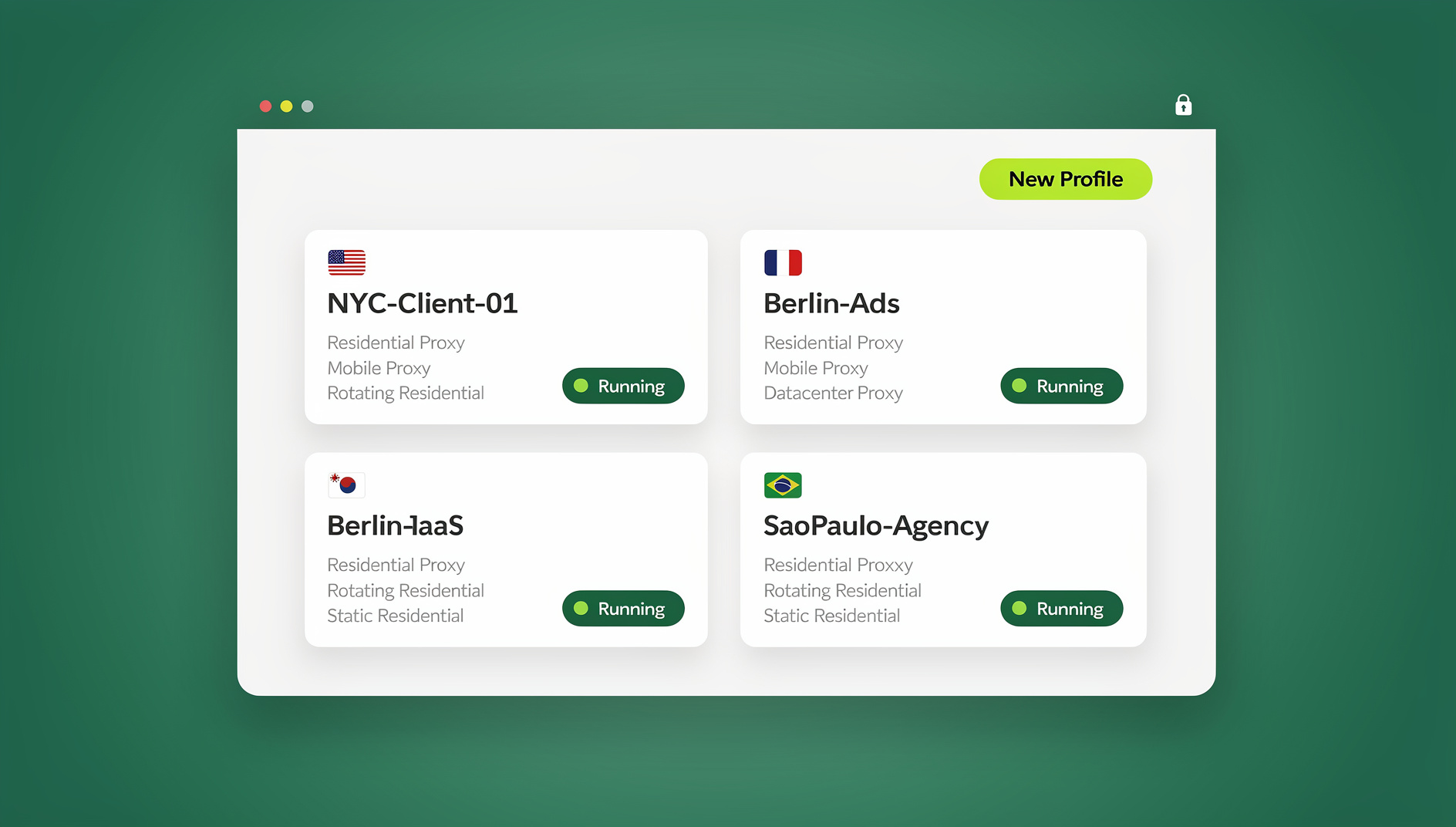
Send.win isn’t positioned as a network-perimeter security product for a Fortune 500 SOC — it solves a narrower, very common problem: keeping browser sessions, cookies, and fingerprints cleanly separated so one person or team can run dozens of accounts without cross-contamination or bans. It ships in two forms: Sendwin Browser, a native desktop app for Windows, macOS, and Linux that’s local-first with encrypted cloud sync, and fully cloud browser sessions that run entirely on remote infrastructure with zero local install, metered by cloud browsing time. Both modes give each profile its own isolated environment, which is the same underlying concept enterprise RBI vendors sell at a much larger scale and price point.
Remote Browser Isolation Use Cases
Enterprise Security
Large organizations deploy RBI to block phishing and web-based malware, safely enable personal web use policies, secure contractor and third-party access, and protect against supply-chain attacks delivered through compromised websites.
Financial Services
Banks isolate trading desktops from general web threats, allow research browsing while preventing data exfiltration, and use RBI to help satisfy regulatory isolation requirements.
Healthcare
Hospitals and clinics use RBI for HIPAA-aligned web access, protecting clinical workstations, and reducing the odds of ransomware reaching systems tied to patient care.
Government
Agencies isolate classified and sensitive systems, enable open-source intelligence research without exposing analyst machines, and secure remote work across distributed teams.
Digital Marketing, Agencies, and E-Commerce
This is where lighter cloud-browser tools shine. Marketers and sellers managing dozens of ad, social, or marketplace accounts need each one isolated with its own cookies, fingerprint, and (often) proxy — both to avoid platform bans from cross-account detection and to run competitive research without exposing their own identity. Agencies handling client accounts get the added benefit of a multi-session cloud browser for agencies setup, where each client’s session stays cleanly separated and can be shared with teammates without ever handing over a password.
Implementing Remote Browser Isolation
Step 1: Define Your Use Cases
Decide whether you need full isolation for all browsing, selective isolation for uncategorized or personal sites, or a narrow focus on high-risk activities like webmail and unknown links.
Step 2: Evaluate Solutions
Weigh architecture (pixel streaming vs. DOM reconstruction), deployment model (cloud, on-prem, hybrid), integration with your existing security stack, latency impact, and global coverage for a distributed workforce.
Step 3: Run a Pilot
Start with a representative user group and selective isolation policies, then gather feedback on performance and usability while monitoring how many threats actually get blocked.
Step 4: Set Policies
Document which sites require full isolation, download/upload restrictions, copy/paste controls, session timeouts, and exceptions for trusted internal applications.
Step 5: Train Users
Explain the security rationale, set realistic performance expectations, provide troubleshooting steps, and give users an easy way to report friction.
Challenges and How to Manage Them
| Challenge | Why it happens | How to mitigate it |
|---|---|---|
| Performance impact | Pixel streaming adds rendering and network latency | Pick vendors with edge presence near users; use DOM-based approaches for latency-sensitive workflows; apply selective isolation |
| Application compatibility | Some web apps behave oddly through a remote render | Test critical apps during the pilot; carve out exceptions for trusted, necessary applications |
| Cost | Enterprise RBI typically runs $5–$20 per user/month | Compare against breach costs and existing security spend; scope isolation selectively rather than isolating everything |
| User acceptance | Browsing feels different when it’s remote | Communicate the “why,” keep latency low, and start with high-risk activities where the benefit is obvious |
Remote Browser Isolation vs. VDI vs. VPN
These three get confused constantly, but they solve different problems. VDI (Virtual Desktop Infrastructure) gives you an entire virtual computer — OS, apps, files — accessed remotely; it’s heavier and pricier than RBI because it isolates far more than just the browser. A VPN encrypts and reroutes your traffic but does nothing to stop malicious code from executing once a page loads in your local browser — it protects the network path, not the render. RBI sits in between: it isolates only the browsing activity itself, which is lighter than VDI and addresses a threat model VPNs were never built for. For everyday session isolation across multiple accounts — rather than perimeter defense against zero-days — a cloud browser or profile-isolated desktop app is usually the more practical and affordable choice than either VDI or a full RBI deployment.
🏆 Send.win Verdict
Enterprise RBI platforms like Zscaler, Cloudflare, and Menlo are built to stop phishing and zero-days across an entire corporate network, and they’re worth every dollar at that scale. But if what you actually need is clean, isolated browser sessions for running many accounts — ad platforms, marketplaces, social profiles, client logins — without cross-contamination or password sharing, Send.win gives you that isolation without a security-team budget. Choose the native Sendwin Browser desktop app for local-first control with encrypted cloud sync, or spin up fully cloud-based sessions with zero install.
Try Send.win today — plans start at $19/mo, and your first card purchase is covered by a 7-day money-back guarantee.
Frequently Asked Questions
Does remote browser isolation slow down browsing?
There’s some inherent latency in remote rendering, but modern implementations minimize it. DOM-based approaches feel close to native speed, while pixel streaming can add roughly 50–100ms depending on how close you are to the vendor’s servers. Choosing a provider with edge locations near your users matters more than any other single factor.
Can RBI stop every web-based threat?
No. RBI is very effective against malware execution and phishing-driven credential theft, but it can’t stop social engineering that convinces a user to voluntarily hand over information. It should be one layer in a broader strategy that also includes user training and endpoint protection.
How does RBI handle file downloads?
Most platforms offer a choice: block all downloads, sanitize files by stripping active content, scan before release, or allow with logging. Some integrate directly with cloud storage so files never actually touch the local endpoint.
Is remote browser isolation the same as a VDI?
No. VDI provisions an entire virtual desktop, while RBI isolates only the browser. RBI is more targeted and usually cheaper, though VDI offers broader application isolation when that’s genuinely what you need.
Can employees or users bypass RBI?
Proper deployment routes all web traffic through the isolation service and blocks direct internet access at the network level. Determined users on personal devices or mobile hotspots can still route around corporate controls, which is why policy and monitoring remain part of the picture.
Does Send.win provide enterprise-grade remote browser isolation?
Send.win isn’t a network security gateway for large enterprises — it’s built for individuals, freelancers, and teams who need isolated, disposable browser profiles to manage multiple accounts safely. It runs as a native desktop app (Sendwin Browser) for Windows, macOS, and Linux, or entirely in the cloud with no local install, and each session keeps its own fingerprint, cookies, and optional proxy separate from every other session.
What does Send.win cost compared to enterprise RBI tools?
Send.win has no free trial; the Pro plan is $19/month or $83.88/year, and the Team plan is $49/month or $251.88/year. The first card purchase is covered by a 7-day money-back guarantee, and the only free option is the cloud demo at https://send.win/demo-browser/ — a fraction of the $5–$20 per user/month that enterprise RBI vendors typically charge.
Do I need coding skills to automate sessions in Send.win?
No, day-to-day use requires no code at all. Send.win has no automation interface — no API, SDK, headless mode, or Selenium/Puppeteer/Playwright support on any plan.
Conclusion
Remote browser isolation represents a shift in security philosophy — from trying to identify every threat in advance to assuming all web content is potentially harmful and isolating it by default. For enterprises facing phishing, zero-days, and ransomware, that shift closes gaps that URL filtering and endpoint tools can’t. For individuals, freelancers, and teams whose real problem is running many accounts without bans, cross-contamination, or password sharing, the same isolation principle shows up in a lighter, more affordable form through tools like Send.win. Whichever scale you’re operating at, treating the browser as the perimeter — not an afterthought — is where web security is headed.