In the debate over virtual browser vs local browser security, the virtual (cloud) browser wins for one simple reason: risky website code never touches your device. A local browser executes every script, ad, and plugin directly on your laptop, while a virtual browser like Send.win renders pages remotely and streams back only a safe, interactive view — so malware, exploits, and drive-by downloads have nothing to land on.
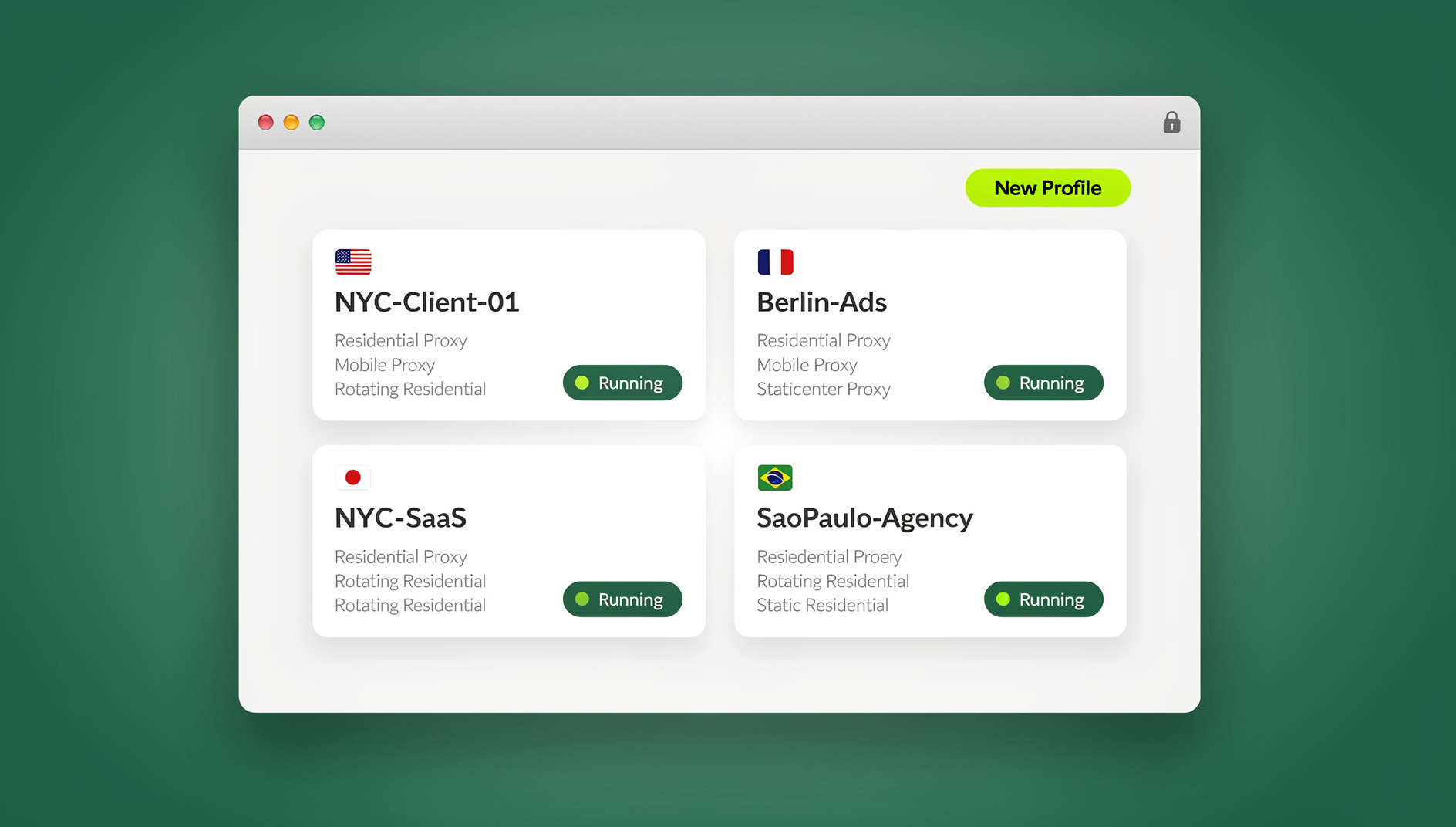
This guide breaks down what actually changes when you move browsing off the endpoint and into the cloud, why that shift fits neatly into a Zero Trust security model, and how Send.win lets you keep the productivity of multi-login browsing without accepting the risk of running untrusted code locally. You will get a side-by-side comparison, real pricing, and a plain-English rollout plan.
Why the Browser Is Your Riskiest Surface
The browser is where everyday work collides with untrusted content: links in emails, ad platforms, competitor research, vendor dashboards, staging environments — you name it. Attackers target the browser because it is universal, powerful, and always open. Even with disciplined patching, major browsers regularly ship emergency fixes for actively exploited flaws, and counting on every laptop in a fleet to update within hours of a zero-day is a losing bet.
Cloud isolation changes the equation. Instead of asking every device to defend itself perfectly, you remove local execution from the picture entirely. People still visit the same sites and use the same tools, but the dangerous part — the actual rendering and script execution — happens on infrastructure built to contain it, not on the machine that holds your files and credentials.
Virtual Browser vs Local Browser: What Actually Changes
Local Browser (the Traditional Model)
- Web pages, scripts, and plugins execute directly on the user’s device.
- Safety depends on OS patching, endpoint protection, browser hardening, and careful user behavior — all at once, all the time.
- It is fast and familiar, but if any one of those defenses lags, risky content runs natively with full access to the device.
Virtual (Cloud) Browser: Remote Isolation
- Pages execute remotely inside a locked-down environment; the user receives a safe, interactive stream instead of raw code.
- No website code ever runs on the local laptop, which removes an entire category of infection and data-residue risk.
- Policies, updates, and provisioning are centralized, and access is typically zero-install for anyone with a link.
This is exactly the model that a Zero Trust browser approach describes: never implicitly trust website code, verify continuously, and limit blast radius by keeping untrusted activity off the endpoints that hold your real data.
How Remote Rendering Reduces Risk Without Slowing Anyone Down
1. Malware and Exploit Containment
In a virtual browser, the risky parts of a page — scripts, embedded media, ads, third-party iframes — run in the cloud. Your device never touches the raw code or executable payloads. Even a booby-trapped site has nothing local to detonate, which is the core promise of remote browser isolation: security teams can allow broader web access without expanding endpoint risk.
2. Phishing and Payload Controls
Because content never executes locally, drive-by downloads and malicious scripts have nowhere to land. Pair cloud isolation with strong identity hygiene — MFA and SSO — and you break the two most common early steps in phishing and session-hijacking attacks.
3. Zero-Install Access for Employees, Contractors, and Guests
Onboarding should not require tickets, installers, and exceptions. A cloud browser session is agentless: provision a workspace, send a link, and let people work in a managed, time-boxed session you can revoke at any point. That is a natural fit for BYOD and third-party supplier access.
4. Centralized Policy and Faster Patching
Security posture, update cadence, and web controls live in one place instead of on a thousand laptops. When a browser vendor rushes out a fix for an active exploit, you apply it once at the service level rather than chasing every device in the fleet.
Can’t You Just Sandbox Locally Instead?
Local isolation still has a role. Hardened browsers, OS-level sandboxes, and local micro-VMs can contain risky tasks per tab or app, and they work fine offline or for device-bound software. But they still run code on the endpoint, which means:
- You are managing compatibility, drivers, and tuning on every single device.
- One misconfiguration or a lagging patch can leave a real gap.
- Investigations and cleanup still involve the physical laptop.
Most security-conscious teams land on a hybrid: cloud-first isolation for routine untrusted browsing, with local isolation as a second layer of defense-in-depth rather than the primary control.
Virtual Browser vs Local Browser: A Side-by-Side Comparison
| Capability | Virtual (Cloud) Browser | Local Browser / Local Isolation |
|---|---|---|
| Code execution | Remote, on provider infrastructure | Local device (OS/app sandbox or micro-VM) |
| Malware / drive-by risk | Greatly reduced — nothing executes locally | Reduced but not eliminated |
| Phishing payloads | Contained inside the remote session | Can still land locally via user action |
| Patching | Centralized, instant across the fleet | Depends on endpoint fleet agility |
| Provisioning | Zero-install; contractor/guest friendly | Agents, extensions, or OS features |
| Performance | Near-native with modern streaming | Native |
| Local automation (Selenium/Puppeteer/Playwright) | Requires the desktop app, not the pure cloud session | Fully supported against the local install |
| Best for | Untrusted browsing, multi-login, external users, fast scale | Offline work, device-bound apps, extra insurance |
Send.win: Two Ways to Get the Cloud Advantage
Send.win gives you two legitimate ways to run browsing off the risky local default, and which one you pick depends on the job. The first is Sendwin Browser, a native, downloadable desktop app for Windows, macOS, and Linux. It is local-first, so it feels like your regular browser, but every profile syncs through encrypted cloud sync, which means your sessions, bookmarks, and saved logins move with you between machines without ever being stored in plain text. The second is a pure cloud browser session — no install at all. The entire browser runs in the cloud and streams back to whatever device you are on, metered by cloud browsing time, so a contractor or reviewer can get to work from a link with nothing to download and nothing left behind when the session ends.
Security That Travels With Every Session
- Per-profile isolation: each session keeps its own cookies, storage, and identity, so accounts and clients never cross-contaminate.
- No shared storage between sessions: one profile cannot inspect or influence another.
- Encrypted cloud sync: your Sendwin Browser profiles stay available across devices without exposing raw credentials.
- Disposable sessions: spin up and tear down a clean environment in seconds whenever you need a fresh slate.
Productivity Features That Replace Profile-Juggling
- Unlimited multi-login: run dozens of accounts on the same platform side by side, with no incognito tricks.
- One-click account switching: move between identities without re-login loops.
- Bring-your-own proxy: assign a proxy per profile for consistent IP and location signals.
- Blur and block sensitive pages: hide billing or account settings before you hand a session to someone else.
- Session sharing without credentials: instead of handing over a password, you can share accounts without passwords — grant time-boxed, revocable access so a teammate or client can work as if logged in themselves.
- Session timers: cap access at 30 minutes, an hour, or a day for reviewers and guests.
When Local Automation Still Matters
Not every workflow belongs in a pure cloud session. Teams running scraping, QA, or repetitive jobs with Selenium, Puppeteer, or Playwright need a real local browser process to attach to. Send.win does not offer an automation interface, so those workflows require a different tool. What Send.win does provide is a desktop app for Windows, macOS and Linux where each profile keeps its own cookies, storage, sessions, fingerprint settings and proxy, so you can keep the profile isolation and proxy assignments you configured in the dashboard. You are not forced to choose between isolation and organisation; the desktop app gives you both at once.
Who Actually Uses This Model
- Marketers and advertisers: run multiple ad accounts in parallel, test creatives from different regions, and hand a reviewer a session link instead of credentials.
- E-commerce sellers: operate several storefronts without cross-contamination and isolate checkout, payouts, and billing.
- SEO professionals: check rankings from region-accurate sessions, paired with proxies for clean location signals.
- Developers and QA teams: reproduce bugs, compare environments side by side, and pass a time-boxed session to a stakeholder.
- Agencies and remote teams: onboard contractors instantly with zero-install access — a big reason teams weighing a cloud browser vs extensions approach for multi-login end up preferring the cloud model once they scale past a handful of seats.
Does Cloud Rendering Actually Feel Slow?
Older remote-desktop tools earned browsing-in-the-cloud a reputation for lag. Modern streaming is a different story. With region-aware endpoints and GPU-accelerated rendering, day-to-day browsing feels close to native, and most teams are surprised by how little they notice the difference once they stop juggling local profiles and devices.
Send.win Pricing at a Glance
Send.win has no free trial. The first card purchase is covered by a 7-day money-back guarantee, and the only free option is the cloud demo at send.win/demo-browser — a 3-minute preview without signup, 10 minutes a day with a free account. Plans:
| Plan | Monthly | Billed Annually | Profiles | Proxy Bandwidth | Seats | |
|---|---|---|---|---|---|---|
| Pro | $19/mo | $6.99/mo | 150 | 5GB | Included | 1 |
| Team | $49/mo | $20.99/mo | 500 | 20GB | Included | 16 |
Both plans run the desktop app on Windows, macOS and Linux, so solo operators and small teams can use isolated browser profiles from day one — Send.win does not offer an automation interface, so Selenium, Puppeteer and Playwright workflows are not supported.
Getting Started in a Few Minutes
- Try the free cloud demo: visit send.win/demo-browser — a 3-minute preview without signup, 10 minutes a day with a free account.
- Pick your mode: download Sendwin Browser if you want a local-first app with encrypted cloud sync, or launch a cloud browser session if you want zero install and nothing left on the device afterward.
- Set up your first profiles: create isolated sessions for each account, attach proxies where needed, and share access without passwords when a teammate needs in.
🏆 Send.win Verdict
In the virtual browser vs local browser debate, cloud rendering wins for anything involving untrusted content, multiple accounts, or shared access — it removes local execution risk entirely while centralizing patching and policy. Send.win lets you get that advantage either through the native Sendwin Browser desktop app with encrypted cloud sync, or through zero-install cloud browser sessions, and each profile keeps its own cookies, storage, sessions, fingerprint settings and proxy.
Try the Send.win cloud demo — a 3-minute preview without signup, 10 minutes a day with a free account.
Frequently Asked Questions
Is a virtual browser actually safer than my local browser?
For untrusted content, yes. Because website code never executes on your device, you sharply cut the risk of malware infection, exploit chains, and leftover data on endpoints. You should still keep good identity controls like SSO and MFA in place, but isolation removes a huge category of endpoint risk on its own.
Will cloud browsing feel slower than my normal browser?
Modern cloud rendering feels close to native for everyday work, especially when you pick a nearby region. Most teams notice the difference far less than they expect, and often make the time back by no longer juggling separate local profiles.
What is the difference between Sendwin Browser and a cloud browser session?
Sendwin Browser is a native desktop app you install on Windows, macOS, or Linux — it is local-first with encrypted cloud sync, so it behaves like your normal browser but keeps profiles portable across machines. A cloud browser session runs entirely on Send.win’s infrastructure with zero local install, metered by cloud browsing time. Use the desktop app for daily local work and automation, and cloud sessions for quick, disposable, or guest access.
Can I still automate tasks with Selenium or Puppeteer if I use Send.win?
No. Send.win has no automation interface: there is no API, SDK, headless mode or Selenium/Puppeteer/Playwright support on any plan, so scripts cannot be run against the Sendwin Browser desktop app. What Send.win does provide is profile and proxy isolation, with each profile keeping its own cookies, storage, sessions and fingerprint settings.
Why not just harden locally and skip cloud isolation altogether?
You can do both. Keep your OS and browsers patched and consider local isolation for defense-in-depth. But local tools still run code on the laptop and add management overhead across every device. Cloud isolation takes the riskiest work off the laptop entirely, which is a stronger default for untrusted browsing.
How does this fit into a Zero Trust security model?
Zero Trust means never implicitly trusting code, always verifying, and minimizing blast radius. Browser isolation applies that directly to the web: untrusted site code never runs on a trusted device. Send.win adds least-privilege collaboration on top, letting you share a session instead of a password, cap it with a timer, and blur sensitive pages before handing it off.
What does Send.win cost, and is there a free trial?
Send.win has no free trial. The first card purchase is covered by a 7-day money-back guarantee. Pro is $19 per month or $83.88 per year with 150 profiles and 5GB of proxy bandwidth, while Team is $49 per month or $251.88 per year with 500 profiles, 20GB of bandwidth, and 16 seats. No plan includes an automation interface.
Is Send.win only useful for security teams, or does it help everyday multi-account work too?
Both. Security teams like it because untrusted browsing never touches the endpoint, while marketers, e-commerce sellers, SEO professionals, and remote teams use the same isolation to run dozens of accounts side by side, share access without passwords, and switch identities with one click instead of logging in and out all day.