The fastest way to cut your to-do list in half is to swap willpower for the right productivity tools: one secure multi-account browser to kill login friction, one automation layer that routes busywork for you, one planning hub that keeps tasks and context together, and a few focused apps for scheduling, writing, and meetings. This guide ranks 15 sites that do exactly that, led by Send.win for secure multi-login access and session sharing.
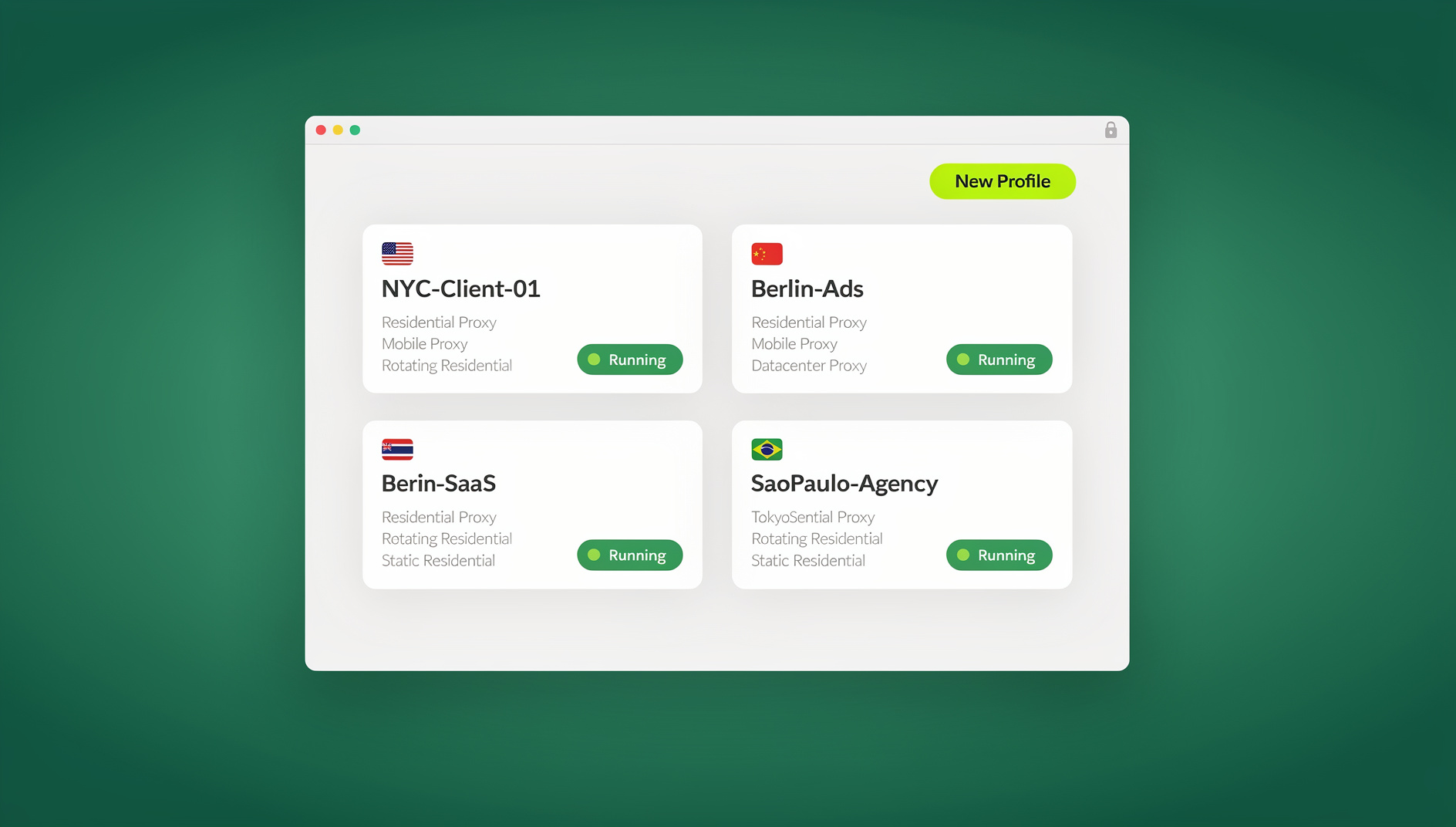
Why This Stack Works
Most modern work leaks time in three places:
- Access and multi-login friction: switching accounts, managing profiles, and sharing credentials is clunky and risky.
- Task routing between apps: work shows up in one place (forms, email, meetings) but needs doing in another (your task tool).
- Coordination overhead: endless scheduling back-and-forth, scattered notes, and too many places to check.
The 15 sites below tackle those pain points directly:
- Access and multi-login: isolated sessions with secure sharing and proxy support (Send.win).
- Automation glue: connect your apps so tasks create themselves (Zapier, IFTTT).
- Planning and execution: keep work in one place with nimble task views and docs (Notion, ClickUp, Asana, Trello, Todoist, Airtable).
- Coordination and comms: auto-schedule, capture meetings, lighten email, and write faster (Calendly, SaneBox, Otter.ai, Grammarly, TextExpander, Clockwise).
| # | Tool | Category | Best For | Typical Starting Price |
|---|---|---|---|---|
| 1 | Send.win | Multi-login access & session sharing | Anyone juggling multiple accounts or sharing logins with a team | From $19/mo (7-day money-back guarantee); free cloud demo available |
| 2 | Zapier | Automation | Connecting apps without code | Free tier, paid plans from ~$19.99/mo |
| 3 | IFTTT | Automation | Simple personal automations | Free tier, Pro from ~$2.50/mo |
| 4 | Notion | Docs & planning | Notes, tasks, and wikis in one place | Free tier, Plus from ~$10/mo per seat |
| 5 | Todoist | Task management | Fast personal task lists | Free tier, Pro from ~$4/mo |
| 6 | Trello | Visual boards | Kanban-style project flow | Free tier, Standard from ~$5/mo |
| 7 | Asana | Project management | Teams needing rules and reporting | Free tier, Starter from ~$10.99/mo per seat |
| 8 | ClickUp | All-in-one work app | Teams wanting tasks, docs, and automation together | Free tier, Unlimited from ~$7/mo per seat |
| 9 | Airtable | Database/spreadsheet hybrid | Structured data with automation | Free tier, Team from ~$20/mo per seat |
| 10 | Calendly | Scheduling | Eliminating back-and-forth booking | Free tier, Standard from ~$10/mo per seat |
| 11 | Clockwise | Calendar optimization | Protecting focus time automatically | Free tier, paid team plans vary |
| 12 | Grammarly | Writing assistant | Faster, cleaner writing everywhere | Free tier, Premium from ~$12/mo |
| 13 | TextExpander | Text snippets | Eliminating repetitive typing | From ~$3.33/mo per user |
| 14 | Otter.ai | Meeting transcription | Auto-generated meeting notes | Free tier, Pro from ~$8.33/mo |
| 15 | SaneBox | Email triage | Automated inbox cleanup | From ~$7/mo |
Prices for third-party tools shift often, so treat the table as a starting point and confirm current rates on each vendor’s site before you buy.
Site #1: Send.win — Secure Access for Every Account You Manage
Send.win is built around a single idea: the login layer is where most people bleed time and risk, so it should be the easiest part of your day, not the hardest. It works in two ways. The Sendwin Browser is a native, downloadable desktop app for Windows, macOS, and Linux that keeps your sessions local-first with encrypted cloud sync, so your profiles travel with you across machines. Alongside it, cloud browser sessions run entirely in the cloud with zero local install, which is ideal when you need a disposable session fast or you’re working from a machine you don’t fully trust. Marketers, e-commerce sellers, SEO professionals, developers, testers, remote teams, and everyday power users who juggle more than a handful of logins are the clearest fit.
How Send.win Cuts Your To-Do List
- Multiple logins made easy: switch between accounts in one window instead of hunting for the right profile or browser.
- Session isolation on every tab: stop cookie bleed and cross-account contamination while testing, posting, or checking client accounts side-by-side.
- Assign proxies per session: pin sessions to specific regions to test geo-targeted campaigns or keep a consistent IP per storefront, with proxy bandwidth bundled into your plan (5GB on Pro, 20GB on Team).
- Share a session, not a password: hand a teammate or contractor a live, pre-authenticated session and revoke it whenever you want.
- Blur or block sensitive pages: keep billing screens and other private pages out of view when you share access.
- Encrypted, local-first storage: the desktop app keeps session data on your machine with encrypted cloud sync, so you’re never locked into one computer.
- No install needed for quick jobs: spin up a cloud browser session straight from your dashboard when you just need a clean, disposable environment.
Who Benefits the Most
- Marketers and advertisers: open each ad account in its own session without cross-contamination, and share accounts without sharing passwords for client reviews.
- E-commerce sellers: run multiple storefronts safely and assign a consistent proxy per shop to reduce ban risk.
- SEO professionals: compare results from different regions in parallel while keeping client logins and tools cleanly separated with proper session isolation.
- Developers and testers: reproduce authenticated bugs and run local automation scripts against the desktop app without juggling manual logins.
- Everyday power users: keep personal and work accounts separated with a proper multi-login browser instead of a pile of ad-hoc profiles.
Send.win Plans and Money-Back Guarantee
Send.win offers a 7-day money-back guarantee on your first card purchase, so you can test multi-login workflows and session sharing on real projects before committing. There’s also a free cloud demo you can try without signing up.
| Plan | Monthly | Billed Annually | Profiles | Proxy Bandwidth | Seats | |
|---|---|---|---|---|---|---|
| Pro | $19/mo | $6.99/mo | 150 | 5GB | Included | Individual |
| Team | $49/mo | $20.99/mo | 500 | 20GB | Included | 16 seats |
See current pricing at send.win/pricing.
Getting Started in 3 Steps
- Sign up: visit the Send.win dashboard and create your account.
- Pick your mode: download the native Sendwin Browser for local-first sessions with cloud sync, or launch a cloud browser session for zero-install access from any machine.
- Start browsing: open your first session, assign a proxy if you need one, and add teammates with time-boxed, revocable access instead of shared passwords.
Site #2: Zapier — Your Automation Backbone
What it is: a no-code automation platform that connects thousands of apps, plus AI features, to move information where it needs to go and trigger actions automatically.
Time-savers: auto-create tasks from forms, route leads into your CRM, send follow-ups, and post meeting summaries to chat, all without manual copy-paste.
Pro tip: start with one high-impact “intake to task” Zap, such as form submission to project tool. You’ll remove an entire class of tedious admin work in one shot.
Site #3: IFTTT — Lightweight Triggers for Everyday Tasks
What it is: simple “if this, then that” applets with filters, delays, and multi-action chains. Great for personal workflows that bridge home and work.
Time-savers: turn starred emails into to-dos, sync calendar events to reminders, or trigger focus-friendly settings when a deep-work block starts, without building a complex automation.
Site #4: Notion — Your All-in-One Workspace
What it is: notes, docs, tasks, and databases in one flexible space, with AI for search and writing.
Time-savers: keep project specs, tasks, and meeting notes together so nothing gets lost across a dozen different apps. Build a single database and present it as a table, kanban, or timeline, whatever suits the moment.
Site #5: Todoist — Personal Tasks Done Right
What it is: a fast, focused task manager with powerful labels and filters for instant clarity when your list gets long.
Time-savers: use filters like “today & @work” or “overdue & p1” to cut through noise. Recurring tasks handle the weekly repeats so you don’t have to.
Site #6: Trello — Visual Boards for Clear Flow
What it is: boards, lists, and cards in a drag-and-drop flow that works well for content calendars, sprint checklists, and simple team projects.
Time-savers: use card templates and reusable checklists to avoid reinventing the wheel. Power-ups add automation that moves cards as their status changes.
Site #7: Asana — Work Tracking with Built-In Automation
What it is: full-featured project management and reporting with rules, forms, and AI-powered flows to offload routine work.
Time-savers: auto-assign tasks as they enter a stage, tag them for reporting, and trigger reminders. Dashboards roll up progress so you don’t spend Fridays building status updates by hand.
Site #8: ClickUp — Tasks, Docs, Goals, and Automations
What it is: an all-in-one work app with automation to update statuses, notify assignees, and create recurring tasks.
Time-savers: start with automation templates like “when status = Review, assign to QA.” Expand into multi-step flows as your process matures.
Site #9: Airtable — Databases Without the Headache
What it is: a flexible relational database that still feels like a spreadsheet, with triggers and integrations for automation.
Time-savers: consolidate scattered spreadsheets into one base. Add automations like “new record, send update” or “status changed, create a task in your PM tool.”
Site #10: Calendly — Scheduling Without Back-and-Forth
What it is: share a link, let people pick a time that fits your calendar, and auto-attach the right video meeting.
Time-savers: embed availability in emails and on your site. Add buffers, reminders, and workflows so every meeting is set up before you arrive.
Site #11: Clockwise — AI That Creates Focus Time
What it is: a calendar assistant that intelligently reshuffles flexible meetings and protects deep-work blocks for you and your team.
Time-savers: turn on Focus Time protection and let Clockwise handle the puzzle. Less calendar tetris, more actual work.
Site #12: Grammarly — Write It Once, Write It Right
What it is: an AI writing assistant for brainstorming, drafting, rewriting, tone, grammar, and clarity across your apps.
Time-savers: use full-sentence rewrites and tone adjustments to nail the message in fewer passes. Integrations help you write well wherever you type.
Site #13: TextExpander — Stop Re-Typing the Same Stuff
What it is: save snippets for emails, replies, links, and forms, then expand them anywhere with short abbreviations.
Time-savers: build a library for sales, support, or recruiting. Use fill-ins and date or time macros to personalize on the fly without slowing down.
Site #14: Otter.ai — Meetings That Summarize Themselves
What it is: real-time transcription and summaries with action items and a meeting agent that integrates with your stack.
Time-savers: auto-join meetings, capture highlights, and push follow-ups to your task manager so you never manually type notes again.
Site #15: SaneBox — Inbox Triage on Autopilot
What it is: an AI email assistant that moves low-importance messages out of your inbox and gives you a clean daily digest.
Time-savers: train it once by moving messages between folders. It learns your priorities and keeps the noise out week after week.
How to Combine These Tools for Maximum Impact
1) Make Send.win Your Multi-Account Control Center
Open each brand, client, or account in its own isolated session, whether that’s a Sendwin Browser profile on your desktop or a disposable cloud session. Attach the right proxy per session and share time-boxed access with a contractor instead of emailing passwords. The result: faster execution, fewer security risks, and no more “which profile was I in?” confusion.
2) Route New Work Automatically
Use Zapier or IFTTT to convert inputs (forms, emails, meetings) into tasks in your project tool. Example: “new lead creates a ClickUp task and sends a Slack notification.” Set it once and retire the manual copy-paste.
3) Keep Plans and Docs in One Place
Whether you choose Notion, Asana, or ClickUp, put docs and tasks together so status always lives with context. Add rules and automations to move work forward on its own.
4) Protect Your Focus Time
Let Clockwise and Calendly cut the scheduling back-and-forth. Grammarly and TextExpander compress the time you spend writing. Now your deep-work blocks actually stay deep.
5) Close the Loop From Meeting to Action
Record and summarize with Otter.ai, then push action items straight to your task system. Triage the resulting emails with SaneBox so nothing derails your momentum.
Why Choose Send.win as the Hub?
All the tools in this list are strong, but Send.win solves a bottleneck the others don’t touch: access. If you constantly switch accounts, share credentials, or test across regions, Send.win’s isolated sessions make everything smoother and safer:
- Each session stays isolated from the others, so cookies and site data never bleed across accounts.
- Choose the native Sendwin Browser for local-first work with encrypted cloud sync, or a cloud session when you need zero install.
- Share sessions instead of passwords, and blur or block sensitive pages before you hand off access.
- Assign proxies per session to pin work to the right region, with bandwidth allowances built into your plan.
When the access layer stops being friction, automation, planning, and collaboration all compound. The result is fewer micro-tasks and more shipped work.
Quick Setup Recipes
A) Agency Running Multiple Ad Accounts
- Open one session per client in Send.win and attach the correct proxy per session.
- Create a reusable checklist card in Trello for campaign launches.
- Use Zapier to pipe lead forms into ClickUp tasks and ping Slack for visibility.
- Share a time-boxed Send.win session with blurred budget figures for reviewer approvals.
B) E-Commerce Operator With Multiple Storefronts
- Open each shop in an isolated Send.win session and pin the right region per session.
- Track inventory and operations in Airtable, with an automation that alerts chat when stock is low.
- Use a Calendly link for supplier calls and turn on Clockwise to protect a couple of deep-work blocks daily.
C) SEO Team Coordinating Sprints
- Compare results across regions in parallel using Send.win sessions.
- Keep briefs and tasks in Notion or Asana, with rules that move work through stages automatically.
- Let Otter.ai turn stand-ups into action items and SaneBox keep your inbox focused on what matters.
🏆 Send.win Verdict
Of the 15 tools in this stack, Send.win is the one that removes a problem you didn’t realize was eating your day: the login layer itself. A native desktop app for local-first work plus zero-install cloud sessions means you’re never stuck choosing between convenience and control, and a 7-day money-back guarantee on your first card purchase lets you prove it on your own accounts before you commit.
Try Send.win today — start a paid plan with a 7-day money-back guarantee and cut the login friction out of your to-do list.
FAQs
Is Send.win actually safer than browser profiles or incognito mode?
Yes. Each session is isolated from the others, so cookies, cache, and local storage never leak between accounts the way they can with browser profiles. Choosing a disposable cloud session for a one-off task keeps that activity completely separate from your main setup.
Do I need to install anything to use Send.win?
Not necessarily. You can download the native Sendwin Browser for Windows, macOS, or Linux if you want local-first sessions with encrypted cloud sync, or launch a cloud browser session straight from your dashboard with zero install when you just need quick, disposable access.
Can I keep my location private or test from different regions?
Yes. Assign a proxy to any session to anchor it to a specific region, with proxy bandwidth included in your plan (5GB on Pro, 20GB on Team).
What if I need to share access with a contractor right now?
Share a live session instead of a password. Blur or block sensitive pages first, and the contractor completes the task without ever seeing your credentials.
Can developers automate tasks with Send.win?
How does this stack actually reduce my to-do list?
Automations (Zapier, IFTTT) create tasks for you, planning tools (Notion, ClickUp, Asana, Trello, Todoist, Airtable) keep context attached to work, coordination tools (Calendly, Clockwise, SaneBox) cut scheduling and email noise, and writing or meeting helpers (Grammarly, TextExpander, Otter.ai) shorten the time you spend producing content and notes. Pair that with Send.win’s friction-free access layer and you remove dozens of micro-tasks every day.
Is there a free trial for Send.win?
Yes. Send.win offers a 7-day money-back guarantee on your first card purchase, so you can test multi-login workflows and session sharing before committing. There’s also a free cloud demo you can try without signing up.
Which plan should I start with?
Most individuals and freelancers do well on the Pro plan ($19/mo, or $83.88/yr), which includes 150 profiles and 5GB of proxy bandwidth. Agencies or teams that need more seats, profiles, and bandwidth should look at the Team plan ($49/mo, or $251.88/yr) with 500 profiles, 20GB of bandwidth, and 16 seats.
The Bottom Line
If your day is a maze of logins, copy-paste chores, and calendar wrangling, don’t push harder, simplify. Make Send.win your secure foundation for multi-account work, whether that’s the native Sendwin Browser or a quick cloud session. Add Zapier or IFTTT to route tasks automatically. Choose a planning hub (Notion, ClickUp, Asana, Trello, Todoist, or Airtable) to keep context with execution. Layer on Calendly, Clockwise, SaneBox, Otter.ai, Grammarly, and TextExpander to remove the coordination tax.
You’ll spend less time on work about work and more time shipping the work that actually matters.