Quick answer: The best Firefox Multi-Account Containers alternative for Chrome, Edge, Safari, Brave, or Arc is pairing your browser’s built-in profiles with a session-isolation tool like Sendwin, which lets you sign into multiple accounts on the same site at once from a native desktop app or an install-free cloud browser session — no Firefox required.
Why People Look Beyond Firefox Containers
Firefox Multi-Account Containers (MAC) is genuinely great at separating cookies, logins, and trackers into color-coded tabs, so you never have to sign out just to check a second account. The catch is that it only works inside Firefox. If your company standardizes on Chrome or Edge, or you live in Safari on macOS and iOS, you need a cross-browser way to get the same “one window, many accounts” workflow without abandoning the browser you already use every day.
This guide walks through practical, cross-browser alternatives to Firefox Containers — what each one is good at, where it falls short, and how to build a setup that balances real session isolation with the convenience of staying in your normal browser.
What “Container-Style” Isolation Actually Means
At its core, session isolation means each workspace — a container, a profile, or a tab-bound session — keeps its own cookie jar. That is why you can stay logged into two Gmail inboxes or two Slack workspaces at the same time without one login bumping the other.
Beyond convenience, isolation protects your focus. Every sign-out, every private window, every profile hop just to peek at a different account costs you a few seconds of momentum — and those seconds add up across a busy day. Pile tab overload on top of that and you get a browser that feels sluggish and a brain that feels scattered. Proper isolation fixes both problems at once:
- It reduces accidental cross-logins and the mental friction of “wait, which account am I in right now?”
- It contains clutter by role — work tabs live with work, client tabs live with that client, and personal browsing stays far away from your payroll dashboard.
Separating sessions by role reduces mistakes and makes your browser feel calmer and faster, especially when you are juggling several accounts on the same platform every day.
Top Firefox Containers Alternatives at a Glance
- Sendwin (native desktop app + cloud browser sessions) — multiple accounts on the same site at once, fast to set up, and available on Windows, macOS, and Linux, or entirely in the cloud with zero install. Ideal for social teams, support, sales, QA, and agencies.
- Native browser profiles (Chrome, Edge, Safari, Brave, Arc) — built in, free, and perfect for the big “work vs. personal” split; pair with a session tool for true parallel logins on the same site.
- Ghost Browser (desktop) — a dedicated multi-session browser that uses “identities” to isolate sites into separate sessions.
- SessionBox (Chrome/Edge extension) — a multi-session tool that creates parallel logins, useful for solo operators and small teams.
- Anti-detect browsers (GoLogin, Kameleo) — specialized tools that add fingerprint isolation on top of session isolation. Powerful, but overkill for most everyday users; review the terms of the sites you access before relying on them.
What To Look For In A Cross-Browser Containers Alternative
1. True session isolation
Can you sign into two accounts on the same domain at once, in one window, with no incognito side trips and no second browser? Tools built specifically for this — like Sendwin — handle it natively rather than as an afterthought.
2. Cross-browser coverage
Your tool should work where you actually work. Profiles exist in Chrome, Edge, Safari, Arc, and Brave, separating bookmarks, history, saved logins, and extensions per profile. That covers the big-picture separation (work vs. personal) even before you add a dedicated session tool on top.
3. Ease of use for teams
Will teammates follow the workflow without a manual? Can you standardize a simple process for social managers, support reps, or new contractors? Some tools focus on sharing and admin controls; others are built purely for individual speed. Know which one you actually need.
4. Privacy posture
Firefox Containers isolate at the tab level. Browser profiles isolate at the profile level. Session tools like Sendwin isolate at the tab/session level. If you also need protection against fingerprinting or device-level tracking, that’s a different category of tool — anti-detect browsers — and one that requires more governance.
5. Admin and device reach
Do you need coverage across macOS, iOS, and Windows, possibly with central management? Chrome and Edge profiles are easy to manage in a corporate environment, and Safari Profiles sync across Mac, iPhone, and iPad to keep work and personal cleanly separated on every device.
Option A: Sendwin — Firefox Containers-Style Isolation On Any Browser
Who it’s for: marketers, sales and support reps, founders, and QA testers — basically anyone who flips between multiple accounts on the same platform (Gmail, Facebook, X, Shopify, AWS, Stripe, Jira, Notion, and more).
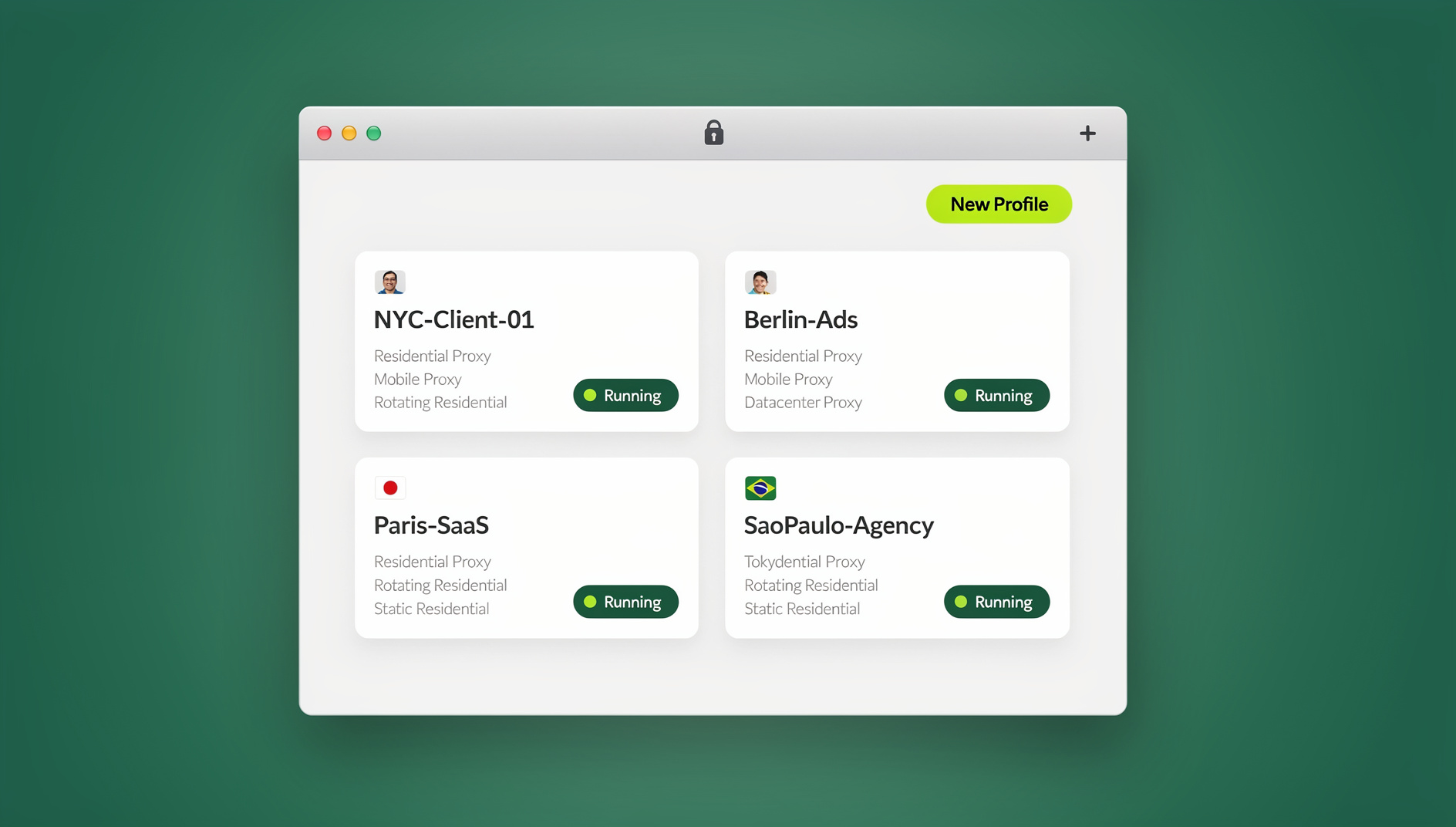
How it works: Sendwin gives you two ways to get container-style isolation outside of Firefox. The first is the Sendwin Browser, a native desktop app for Windows, macOS, and Linux that is local-first with encrypted cloud sync, so your sessions stay with you across devices. The second is a cloud browser session that runs entirely online with zero local install, metered by cloud browsing time — handy when you’re on a locked-down machine or just want to test something quickly. Either way, you open a fresh session, log in with account #2 (or #20), and keep every account running in parallel. It feels a lot like popping open a new Firefox container tab, just in a browser built specifically for that job.
Why teams like it:
- Speed: no profile-hopping — new session, log in, done.
- Scale: generous profile limits make it practical for agencies and high-volume operators (the Pro plan includes 150 profiles and 5GB of proxy bandwidth; Team steps up to 500 profiles, 20GB, and 16 seats).
- Anywhere access: the native app covers Windows, macOS, and Linux, or you can skip the download entirely and start a cloud browsing session from any device.
- Automation, when you need it: starting on the Pro plan, Sendwin’s Automation API lets you drive the desktop app with your existing Selenium, Puppeteer, or Playwright scripts — useful for QA teams that need to script repetitive logins across many isolated sessions rather than clicking through them by hand.
- Try before you commit: a 30-day free trial with no credit card required is long enough to migrate a real workflow off Firefox Containers and see whether it sticks.
Real-world example: A social media strategist manages twenty client pages. With Sendwin, they open twenty isolated sessions side by side, each logged into a different client account. Morning status reviews stop being a sign-in circus, and mistakes like “posted from the wrong account” quietly disappear. A 45-minute daily check-in shrinks toward 20 minutes because the switching friction is gone.
How to map “Containers” onto Sendwin sessions:
- Download Sendwin Browser for your OS — or skip the download entirely and start a free cloud browsing session at send.win.
- Open the site you need (say, Gmail or Facebook).
- Create a new Sendwin session and log in with account #2.
- Repeat as needed — each session keeps its own cookie jar, just like a Firefox container tab.
When Sendwin is your best pick: you need several accounts on the same site open at once, you want Firefox Containers-style parallelism without switching browsers, or you’re a power user or agency whose account list keeps growing.
Option B: Native Browser Profiles (Free, Built In)
Every major browser supports profiles. They’re ideal for the big separation — work vs. personal — and they cost nothing. Many teams combine profiles for the “macro” wall with a session tool for the “micro” separation inside each profile, which is exactly how Sendwin and Chrome profiles are meant to work together rather than compete.
Chrome Profiles
Profiles keep bookmarks, history, passwords, and extensions separate per profile — the easiest way to cordon off work from personal or keep different roles cleanly divided.
Microsoft Edge Profiles
Edge mirrors Chrome’s profile model and plays nicely with enterprise policies and Microsoft accounts, which is useful on managed Windows devices.
Safari Profiles (macOS, iOS, iPadOS)
Safari’s Profiles split history, cookies, website data, extensions, Tab Groups, and favorites by context. If you’re deep in Apple’s ecosystem, this is the cleanest built-in way to separate work from personal life on every device you own.
Arc Browser Profiles and Spaces
Arc scopes logins, cookies, and history to a Profile, then lets you organize work into Spaces (Client A, Client B, Personal). It maps neatly onto a project-based mental model.
Pro tip: let profiles build the big walls, and let a session tool like Sendwin add the room dividers inside those walls.
Option C: Ghost Browser (Dedicated Multi-Session Browser)
Ghost Browser is a desktop browser built specifically for multi-session work. It uses “identities” to isolate logins so you can keep multiple accounts open side by side. If you want a single-purpose app devoted to this workflow, Ghost is a solid choice. If you’d rather keep things lightweight, a purpose-built tool like Sendwin — available as a native desktop browser or an instant, install-free cloud session — is usually more seamless day to day.
Option D: SessionBox (Multi-Session Extension)
SessionBox creates multiple sessions per site inside Chrome and Edge, letting you run parallel logins. It’s straightforward for solo workflows and small teams. If you’re weighing it against other options, this SessionBox alternative comparison breaks down where each tool holds up and where it doesn’t, including how session-sharing features line up with your security policy.
Option E: Anti-Detect Browsers (GoLogin, Kameleo) — Specialist Tools
Anti-detect browsers go beyond cookie isolation and manage browser fingerprinting, device characteristics, and other identifying signals. They’re powerful but sit in a different category from “Firefox Containers-style” tools. If you’re considering one, loop in legal and compliance and review the terms of the sites you access. For most knowledge-work use cases, profiles plus a straightforward session tool will cover everything you need.
Comparing Your Options
Note: features evolve — always check the latest details on the vendor’s pages before making a final call.
| Capability | Sendwin (Desktop app + Cloud) | Browser Profiles (Chrome/Edge/Safari/Arc/Brave) | Ghost Browser | SessionBox | Anti-detect browsers (GoLogin/Kameleo) |
|---|---|---|---|---|---|
| Multiple logins on the same site at once | Yes (per session) | Not natively (requires separate windows/profiles) | Yes (identities) | Yes | Yes (per profile) |
| Cross-browser support | Native app on Windows, macOS, Linux; cloud sessions work from any browser, no install | Chrome, Edge, Safari, Arc, Brave | Desktop app (Chromium-based) | Chrome, Edge | Desktop apps (varies) |
| Automation support | Automation API from the Pro plan (Selenium/Puppeteer/Playwright against the desktop app) | None built in | Limited | Limited | Varies by vendor |
| Ideal for | Agencies, support teams, growth teams | Company-wide work/personal splits | Power users who want a dedicated app | Solo users needing quick multi-login | Fingerprint-sensitive, specialized operations |
| Learning curve | Low | Low | Moderate | Low–moderate | High |
| Free trial / entry cost | 30-day free trial, no credit card | Free | Free tier with paid upgrades | Free tier with paid upgrades | Usually paid only |
“Best Fit” Scenarios
“I just want a Firefox Containers alternative in Chrome.”
Use Sendwin Browser (or spin up a quick cloud session) alongside your everyday Chrome tabs. You get per-session isolation that feels like container tabs, without the incognito-window shuffle.
“We’re a Mac and iPhone shop and want built-in separation.”
Use Safari Profiles for work/personal and iCloud sync. If you also need two logins on the same site in a single window, do that specific task with Sendwin.
“I’m a marketer with 30+ client accounts open daily.”
Use Sendwin — its native desktop app or an instant cloud session — for rapid multi-login. If you’re evaluating alternatives, this rundown of the best browser for multiple accounts compares the realistic contenders side by side.
“We’re standardizing work/personal separation company-wide.”
Roll out Chrome or Edge Profiles for everyone. For power users in support, social, and QA, add Sendwin as a standard tool to replace clunky incognito-window juggling.
Reproducing “Containers” On Any Browser: Step By Step
Chrome or Edge: profiles for the big split, Sendwin for parallel logins
- Create two profiles: Work and Personal. This keeps bookmarks, passwords, and extensions separate.
- When you need a second login for the same site, open Sendwin Browser — or start an instant, install-free cloud session — and sign in there. No extra Chrome or Edge windows required.
- Use tab groups and pinning to keep your regular workspace tidy, and label sessions clearly (Client-A Gmail, Client-B Ads Manager).
Safari: native profiles for separation
- Make sure you’re on a version of Safari that supports Profiles.
- Create Work and Personal profiles. Safari keeps cookies, history, website data, extensions, and Tab Groups separate by profile.
- Need true parallel logins on one site? Open Sendwin Browser (or a quick cloud session) for that task, then return to Safari for daily browsing.
Arc: Profiles plus Spaces for project-based browsing
- Create Profiles for Work and Personal.
- Organize projects into Spaces within your Work profile (Client A, Product, Operations, and so on).
- Each Profile scopes logins, cookies, and history, so your Spaces inherit clean separation automatically.
What About Firefox Itself?
If you’re happy in Firefox, there’s no reason to leave. Multi-Account Containers, explained in detail in this Firefox Containers guide, remains a superb way to isolate sessions inside a single browser window, and Firefox Profiles add broader separation on top. That combination — tab-level isolation plus browser-level separation — is genuinely hard to beat if Firefox is already your daily driver.
Mini Case Study: Support Team, Two CRMs, One Browser
Problem: An L2 support engineer has to stay logged into two Salesforce orgs and two Zendesk accounts, plus a personal Microsoft 365 account.
Old way: Chrome plus incognito plus constant re-authentication equals interruptions and cookie collisions.
New way: One Chrome “Work” profile for everyday tasks, plus Sendwin running alongside it with a dedicated session for each account (SFDC-1, SFDC-2, ZD-1, ZD-2). Parallel, isolated sessions, zero collisions.
Result: far fewer context switches and “wrong tenant” mistakes — the saved minutes really add up over a full shift.
Mini Case Study: Mac-First Startup, Fully In The Apple Ecosystem
Problem: The founding team lives in Safari across Mac, iPhone, and iPad. They want strict work/personal separation and occasionally need two Slack or Google accounts side by side.
Solution: Safari Profiles for Work and Personal, syncing through iCloud. When they need true parallel logins on one site, they briefly open Sendwin Browser (or a quick, install-free cloud session) just for that task, then return to Safari.
Result: clean separation across every device, with just-in-time session isolation only when it’s actually needed.
Security and Governance Tips
Should I share passwords inside a session manager?
No. Use a proper password manager and standard user provisioning instead. If a tool supports session sharing without exposing the underlying password, make sure it aligns with your security policies and audit requirements, and keep logs so you can revoke access when roles change.
Is running multiple sessions allowed by websites?
Usually, yes — but it’s your responsibility to follow each site’s terms of service. Session isolation is not the same thing as automation or scraping, and if you move into fingerprint spoofing territory, loop in legal before you rely on it for anything business-critical.
Do browser profiles replace container tabs?
Not exactly. Profiles are the big silos for everything — bookmarks, history, extensions. Container-style or session tools are fine-grained, letting you run two logins on the same site at once. Using both together gives you the best mix of control and convenience.
🏆 Send.win Verdict
If you want the closest match to Firefox Multi-Account Containers’ “one window, many logins” workflow while staying in Chrome, Edge, Safari, Brave, or Arc, Sendwin is the most direct replacement. Run it as a native desktop app on Windows, macOS, or Linux, or skip the install entirely with a cloud browser session — either way, you get real parallel logins on the same site, and Pro-plan users can even automate repetitive session work with their existing Selenium, Puppeteer, or Playwright scripts. Pair it with your browser’s native profiles for the big work/personal split, and you’ve effectively rebuilt Firefox Containers anywhere.
Try Send.win free today — start your 30-day free trial, no credit card required.
Frequently Asked Questions
What is the best Firefox Containers alternative for Chrome?
Sendwin delivers session isolation that closely mirrors Firefox Containers’ “multiple logins per site” behavior, available as a native desktop app or an install-free cloud session. Pair it with Chrome Profiles for a clean work/personal split.
Do multi-account containers exist in Chrome?
Not natively. Tools like Sendwin — a native desktop browser plus cloud sessions — or extensions like SessionBox recreate the behavior by creating separate sessions so you can sign into multiple accounts on the same domain at the same time.
Are browser profiles good for productivity?
Yes. Profiles cut down on context switching and reduce errors by keeping work and personal worlds apart, which means less friction, fewer mishaps, and more focus during the day.
What’s the difference between session isolation and profiles?
Profiles are whole-browser silos covering data, extensions, and history. Session isolation is finer-grained — per tab or per session — letting you run two logins on the same site side by side. Combined, they cover almost every multi-account scenario.
Does Sendwin work without installing anything?
Yes. Alongside the native Sendwin Browser for Windows, macOS, and Linux, Sendwin offers cloud browser sessions that run entirely online and are metered by cloud browsing time, so you can start a session from any device with no download at all.
Can I automate logins across Sendwin sessions?
Yes, starting on the Pro plan. Sendwin’s Automation API lets you drive the desktop app with standard Selenium, Puppeteer, or Playwright scripts, which is useful for QA teams and agencies that need to repeat the same steps across dozens of isolated sessions.
Does Firefox still support Multi-Account Containers?
Yes. Firefox Multi-Account Containers is alive and well, and Firefox Profiles add broader separation on top. If you’re already in Firefox and happy there, you’ve got a great combination without changing anything.
What’s the fastest way to move a Firefox Containers workflow to Chrome or Edge?
Set up a Chrome or Edge profile for your everyday browsing, then run Sendwin alongside it for any site where you need more than one account open at the same time. You’ll get near-identical “open a fresh session, log in again” behavior without leaving your normal setup.