Managing multiple social media accounts without losing your mind comes down to one habit: giving every login its own isolated browser session instead of logging in and out of the same one all day. After a year of juggling nine client and personal accounts through incognito windows, cache-clearing, and a password manager that never felt like enough, switching to Send.win’s isolated profiles cut my daily admin time by more than half and ended the accidental cross-posting for good.
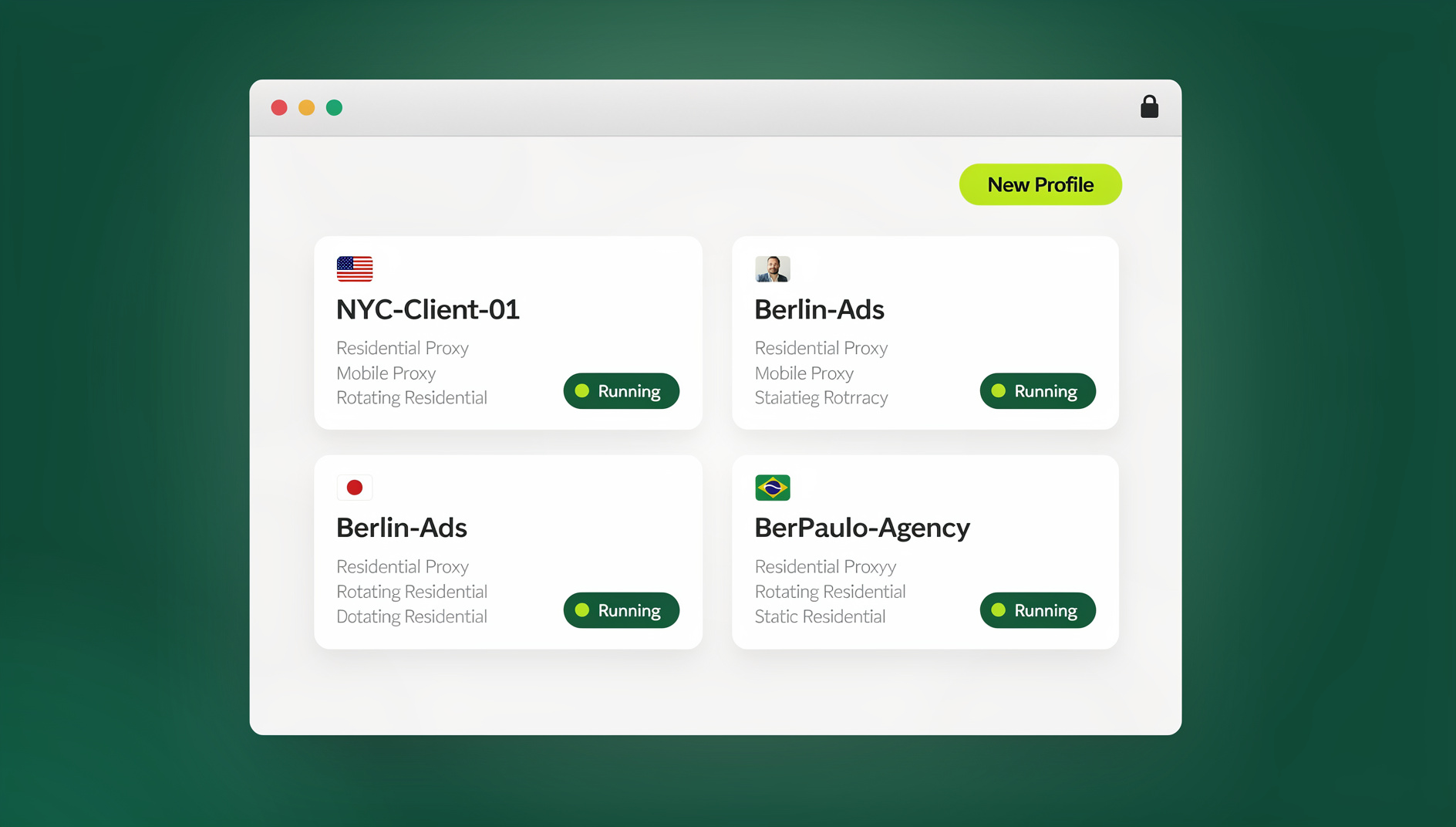
If that sentence sounds like it was written specifically for the version of me typing this at 2 a.m. last spring, elbow-deep in a content calendar for three clients, having just liked a competitor’s post from the wrong account — it was, sort of. I’m a freelance social media manager. By mid-2026 I was running nine accounts across five platforms: client Instagram and LinkedIn pages, a couple of X profiles, a Facebook group, and my own personal accounts for networking and doom-scrolling. This post is the story of how that stopped being a nightmare, what actually changed technically, and the workflow I use now to keep it from becoming one again.
Why Managing 10+ Social Media Accounts Breaks a Normal Browser
A standard browser window is built around one identity at a time. Cookies, local storage, and session tokens for a given site all live in the same shared bucket, so logging into a second Instagram or X account inside that same browser either kicks out the first account or forces you into a clumsy dance of logging out, clearing cache, and logging back in. Multiply that by nine, ten, or fifteen accounts across different clients and platforms, and the “admin” part of the job quietly eats hours that should be going toward actual content and strategy.
The failure modes are familiar to anyone managing more than a couple of profiles: replying to a DM from the wrong handle, posting a personal joke to a client’s corporate page, or spending ten minutes just figuring out which tab is logged into which account. None of this is a discipline problem — it’s an architecture problem. A single browser session was never designed to hold nine separate identities cleanly, no matter how organized you try to be.
I tried the usual workarounds before finding a real fix. Multiple Chrome profiles helped a little but still meant juggling several full browser windows, each one slow to load and easy to mix up. Incognito windows reset everything on close, which is fine for a one-off lookup but useless for accounts you need to stay logged into daily. Password managers solved the “which password was that” problem but did nothing for the actual session isolation — I still had one browser fingerprint and one shared environment underneath all those saved logins. What actually needed to change was the browsing environment itself, not just how I stored credentials.
The Real Fix: Give Every Account Its Own Isolated Session
The workflow that finally stuck was built around Send.win, a tool designed specifically around the idea that each account you manage should get its own clean, isolated browsing environment — separate cookies, separate cache, separate local storage, and a separate browser fingerprint — inside a single piece of software rather than a pile of separate browser windows.
Send.win works in one of two ways, and neither requires bolting anything onto your existing Chrome or Firefox setup. The first is the Sendwin Browser, a native desktop app you download for Windows, macOS, or Linux. It’s local-first, meaning your profiles and sessions live on your own machine, with encrypted cloud sync layered on top so the same setup follows you to a second laptop or a client’s computer without you re-entering every password. The second option is a cloud browser session: the entire browsing environment runs remotely, with zero local install, and usage is metered by cloud browsing time rather than a flat number of profiles. If you’re deciding between that and the browser profile switching you’re probably already doing, it’s worth comparing the tradeoffs of isolated sessions versus native browser profiles before committing to either approach long-term.
Either way, each account gets a session that behaves like its own separate device to the platform on the other end — no shared cookies, no fingerprint bleed, no accidental cross-posting because two accounts happened to share a tab.
Setting Up a Multi-Account Workflow in Send.win
Here’s the setup process I actually use, start to finish:
- Start the free trial. Send.win offers a 30-day free trial with no credit card required, which is enough time to migrate every account you manage and see whether the workflow sticks.
- Pick desktop or cloud. Download the Sendwin Browser app if you want your profiles stored locally with encrypted sync, or launch a cloud browsing session if you’d rather skip installing anything.
- Create one session per account. Name each one something you’ll actually recognize at a glance — “IG_ClientA,” “LinkedIn_Personal,” “X_CryptoClient” — rather than generic labels you’ll forget by Friday.
- Attach a proxy where it matters. For accounts where IP consistency matters (ad accounts, geo-targeted client work), assign a dedicated proxy to that specific session so it stays distinct from your others.
- Log in once, then bookmark it. Sign into the platform inside that session and save it as a bookmarked session — from then on, switching is a single click, with the login already intact.
- Repeat per account, then switch freely. Once every account has its own session, moving between nine or fifteen profiles is just clicking a different bookmark, not a login ritual.
I had my first three accounts fully set up in under ten minutes, with no tutorial required — though Send.win’s help documentation is worth a look if you’re setting up proxies for the first time.
Features That Actually Matter Once You’re Past Five Accounts
Session Isolation and Fingerprint Separation
This is the core of the whole thing. Each session behaves like a separate, consistent device: its own cookies, its own cache, its own fingerprint. Platforms can’t connect the dots between “the account posting from Session 3” and “the account posting from Session 7,” which is exactly what stops the cross-contamination that causes accidental wrong-account posts and login flags in the first place.
One-Click Switching, Hotkeys, and Bookmarked Sessions
Once a session is bookmarked, getting back into it is one click — no re-typing credentials, no “which tab was that” guessing game. I keep hotkeys mapped to my three busiest client accounts so I can jump straight to them without touching the mouse. For anyone managing double-digit accounts, this single feature is probably worth more than anything else on this list purely in time saved per day.
Proxy Assignment Per Session
Attaching a distinct proxy to a session means that account’s traffic looks like it’s coming from a consistent, separate location rather than sharing an IP with nine other logins on the same machine. I route accounts for different regions through matching proxy locations so engagement patterns look authentic rather than like nine accounts all logging in from the same home office.
Sharing Sessions With a VA or Team, Without Handing Over Passwords
This is the feature that let me actually delegate instead of just doing everything myself. Send.win lets you generate secure access to a specific session for a collaborator — a virtual assistant, an editor, a junior team member — without that person ever seeing the underlying password. My part-time editor posts to a client’s Pinterest boards through a shared session and has never once needed the login credentials, which matters both for security and for the awkward conversation you’d otherwise have to have about trust. The process for sharing sessions with a team without exposing passwords takes about two minutes to set up per collaborator.
Automation API for Repetitive Tasks
For anyone whose workflow includes scripted, repetitive actions — scheduled checks, bulk data pulls, QA passes across accounts — Send.win’s Automation API lets you run local automation tools like Selenium, Puppeteer, or Playwright against the desktop app, the same way you’d script against any local Chromium install. It’s available starting on the Pro plan, so it’s not locked behind an enterprise-only tier, and it plugs into whatever automation stack you’re already using rather than forcing a proprietary scripting language on you.
The Time Math: What Actually Changed
Before switching over, a fairly typical workday looked like this, based on my own time-tracking logs:
| Time Block | Activity | Time Spent |
|---|---|---|
| 9:00–10:00 AM | Logins, cache clearing, and profile setup | 45 min |
| 10:00 AM–12:00 PM | Content creation | 90 min |
| 12:00–1:00 PM | Switching accounts and engagement | 60 min |
| 1:00–3:00 PM | Analytics and reporting | 90 min |
| 3:00–5:00 PM | More switching and admin | 120 min |
That’s roughly 30% of a working day spent purely on the mechanics of getting into and out of accounts, not on anything a client is actually paying for. After moving every account into its own bookmarked session, the same day looks closer to this:
| Time Block | Activity | Change |
|---|---|---|
| 9:00–9:30 AM | Launch dashboard, click through sessions | -30 min |
| 9:30 AM–12:00 PM | Creation plus real-time engagement | +45 min of usable time |
| 12:00–1:00 PM | Unified monitoring across sessions | -30 min |
| 1:00–3:00 PM | Deeper analytics work | +30 min of usable time |
| 3:00–4:00 PM | Wrap-up and next-day planning | -60 min |
The net effect wasn’t just “less time logging in” — it was that the hours freed up went toward actual strategy and content, which is the part of the job that’s supposed to pay the bills. In practical terms, that reclaimed time let me take on two additional clients without hiring help, which is the real return on switching tools rather than just a “productivity” talking point.
Habits That Keep 10+ Profiles Manageable Long-Term
A tool solves the access problem, but it doesn’t solve the workflow problem on its own. A few habits that made the biggest difference alongside the isolated-session setup:
Template your content instead of starting from scratch each time
Repeatable formats save real hours. I keep a simple template library — “carousel: hook, three tips, CTA,” or “thread: hook, three points, closer” — so building a week of content is assembly, not invention every single time.
Batch by task, not by account
Instead of doing everything for Account A, then everything for Account B, I batch by activity: all content creation for the week on Monday, all engagement replies across every account on a fixed block each afternoon, all reporting on Fridays. Logging into every session at the start of a batch, doing the same task across all of them, and moving on is dramatically faster than context-switching between “creation mode” and “engagement mode” nine separate times a day.
Rank platforms by actual return, not by habit
Not every account deserves equal daily attention. I audit quarterly: which platforms are actually driving client results versus which ones I’m maintaining out of momentum. For most of my clients, that means two platforms get the bulk of the effort and the rest get a lighter, scheduled touch — a distinction that matters even more once you’re managing profiles across newer platforms like Threads and Bluesky alongside X, where audience expectations and posting cadence differ from the more established networks.
Keep engagement human, automate the mechanical parts
Schedulers handle the posting queue; isolated sessions handle clean access; but replies and real engagement still need to come from an actual person paying attention in the moment. The combination is what actually boosts productivity when managing multiple social profiles rather than just moving the busywork somewhere else.
Send.win Pricing: What You’re Actually Paying For
Send.win offers a 30-day free trial with no credit card required, which is long enough to migrate a real client roster and judge the workflow honestly before paying anything.
| Plan | Price | Profiles | Proxy Bandwidth | Automation API | Seats |
|---|---|---|---|---|---|
| Pro | $19/mo ($6.99/mo billed annually — 63% off) | 150 | 5GB | Included | 1 |
| Team | $49/mo ($20.99/mo billed annually — 57% off) | 500 | 20GB | Included | 16 |
For a solo freelancer running under 150 accounts, Pro covers it comfortably and includes the Automation API from day one — it isn’t locked behind the higher tier. Agencies or in-house teams managing accounts across several people benefit more from Team’s higher profile ceiling, larger bandwidth allowance, and 16 seats for shared access without everyone working off one login.
Send.win vs Other Ways to Manage Multiple Accounts
| Method | Setup Effort | Cost | True Session Isolation | Realistic Scale |
|---|---|---|---|---|
| Multiple browser profiles | Low | Free | Partial (cookies only, shared fingerprint) | 2–4 accounts |
| Incognito / private windows | Low | Free | None persistent | 1–2 accounts, no saved logins |
| Password manager alone | Low | Free–Low | None (solves credentials, not isolation) | Any number, but no session separation |
| General antidetect/multi-login browsers | Medium | Often higher, per-seat pricing | High | 10+ accounts |
| Send.win | Low | From $19/mo | High — per-session fingerprint, proxy, and cloud sync | 150–500+ profiles depending on plan |
🏆 Send.win Verdict
If you’re running two or three social accounts, free browser profiles are genuinely fine and there’s no reason to change anything. Once you’re past five accounts — especially across multiple clients, platforms, or teammates — the math stops working in your favor without real session isolation. Send.win’s bookmarked, isolated sessions, whether through the native Sendwin Browser desktop app or a zero-install cloud session, are what actually turned my nine-account juggling act into a workflow instead of a daily crisis.
Try Send.win free today — start the 30-day trial, no credit card required, and set up your first isolated session in minutes.
Frequently Asked Questions
How many social media accounts can one person realistically manage?
It depends far more on your tools than on willpower. With manual logins and browser profiles, most people top out around four or five before things start slipping. With isolated sessions and templated workflows, ten to fifteen accounts is manageable for one person, and agencies running Send.win’s Team plan comfortably support far more across a small group.
Is it against platform rules to manage multiple social media accounts in one browser?
Managing multiple accounts on behalf of different clients or for your own separate purposes isn’t against the rules on any major platform. The risk platforms actually watch for is automated, spam-like behavior or accounts designed to evade a ban — not the simple fact of one person legitimately operating several accounts.
What’s the difference between browser profiles and Send.win’s isolated sessions?
Browser profiles separate cookies and saved logins but still share the same underlying browser fingerprint and device signature. Send.win’s sessions separate the fingerprint as well, so each account looks like a genuinely distinct browsing environment, not just a different set of saved cookies inside the same browser.
Do I need to install anything to use Send.win?
No, not necessarily. You can download the native Sendwin Browser desktop app for Windows, macOS, or Linux if you want local-first storage with encrypted cloud sync, or you can run a cloud browser session with zero local install, metered by cloud browsing time instead.
Can I share access to an account with a virtual assistant without giving them my password?
Yes. Send.win lets you share a specific session with a collaborator so they can work inside it without ever seeing the underlying login credentials, which is useful for VAs, editors, or junior team members who need access but not the password itself.
Do I need proxies for every account I manage?
Not for casual personal use, but for client work, ad accounts, or anything geo-sensitive, a distinct proxy per session keeps that account’s traffic looking consistent and separate from your other logins rather than all originating from the same IP.
Can I automate posting or reporting tasks across my accounts?
Send.win itself isn’t a scheduler, but its Automation API, available from the Pro plan, lets you run local automation tools like Selenium, Puppeteer, or Playwright against the desktop app for scripted tasks such as data pulls or QA checks. Actual scheduled posting is best handled by a dedicated scheduling tool working alongside your isolated sessions.
Is there a free trial before I have to pay for Send.win?
Yes — a 30-day free trial with no credit card required, which is enough time to migrate your accounts and see whether the workflow actually saves you time before committing to either the Pro or Team plan.