What Is a Multi-Login Browser Extension (and Why Do You Need One)?
A multi-login browser extension is a browser add-on that lets you sign into more than one account on the same website at the same time, inside the same browser, without constantly logging out and back in. Instead of juggling Chrome Incognito windows, a second browser, or a separate laptop just to run two Gmail accounts or three Facebook Business Manager logins side by side, a multi-login extension creates separate “identities” or session containers that each keep their own cookies, cache, and login state.
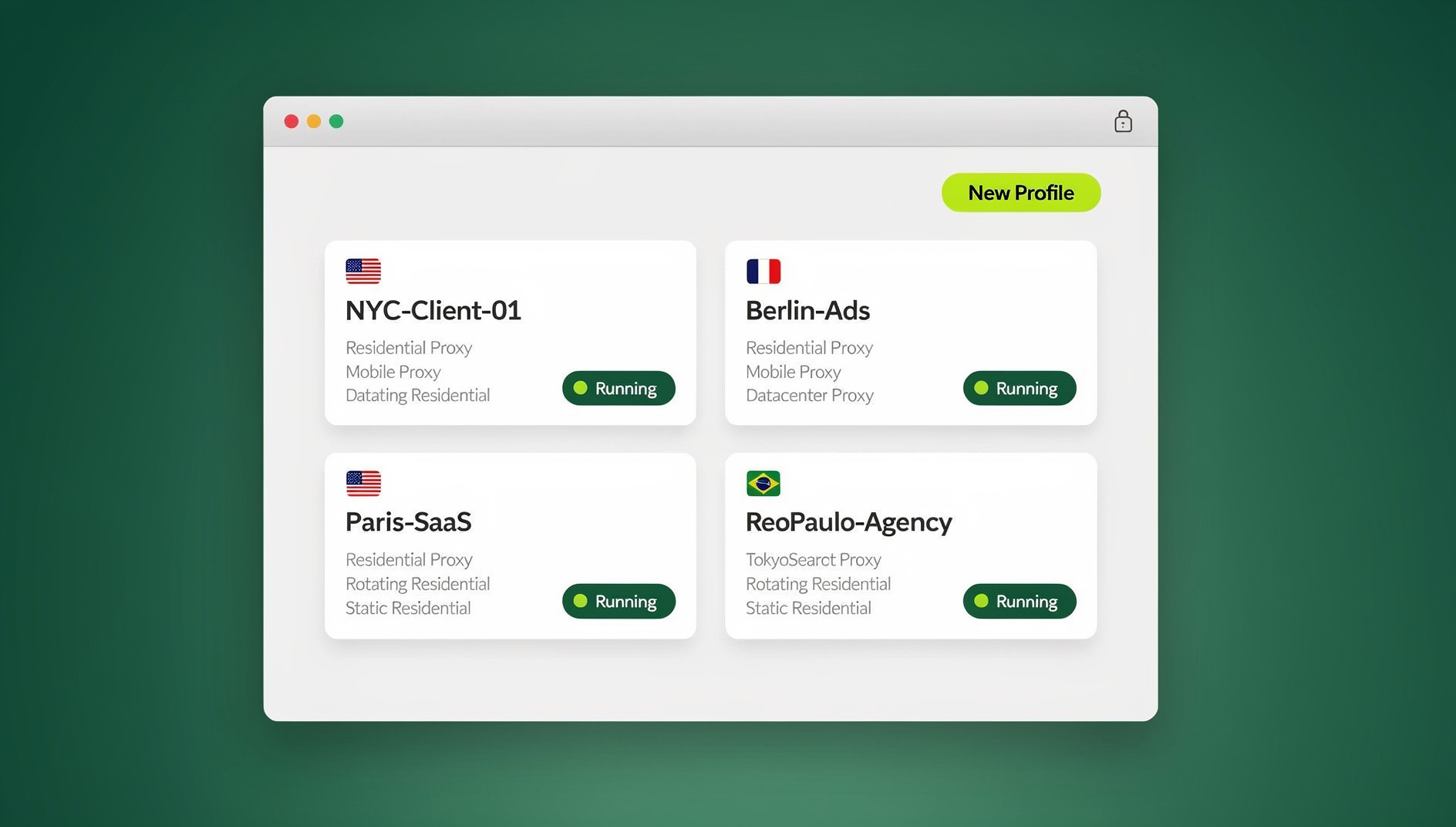
Back in 2022, this category was mostly about convenience. Freelancers wanted to avoid re-typing passwords. Marketers wanted to check a client’s dashboard without logging out of their own. That’s still true, but the stakes have gone up. Platforms like Amazon, eBay, TikTok, and Meta now actively fingerprint browsers to detect “linked” accounts, and a basic session-switching extension that only clears cookies does nothing to stop that. In 2026, the best multi-login browser extensions don’t just separate your logins — they separate your browser’s fingerprint, IP address, timezone, and hardware signals too, so each account genuinely looks like it belongs to a different person.
How Multi-Login Extensions Actually Work
Browser Profiles, Containers, and Fingerprint Isolation Are Not the Same Thing
Most people assume all “multi-account” tools work the same way. They don’t. There are three distinct approaches, and the difference matters a lot once you’re managing more than a handful of accounts:
- Native browser profiles (Chrome, Edge) — separate cookie jars, but the underlying browser fingerprint (canvas, WebGL, fonts, screen resolution) is usually identical across all profiles on the same machine.
- Container extensions (like Firefox’s Multi-Account Containers) — colored tabs that isolate cookies within a single browser window, great for personal organization, but not built to mask fingerprint data or rotate IPs.
- Fingerprint-isolated profiles — each session gets its own unique, consistent browser fingerprint (not just cookies), often paired with a dedicated proxy, so the site sees what looks like a genuinely separate device and location.
If you’re managing two email inboxes for yourself, option one or two is fine. If you’re running multiple seller accounts, ad accounts, or social profiles on platforms that actively police “multi-accounting,” only the third approach holds up.
The Detection Problem: Why Some “Multi-Login” Tools Get Accounts Banned
This is the part most 2022-era roundups of multi-login extensions never mentioned, because platform fingerprinting was far less aggressive back then. Today, a simple cookie-clearing extension can actually make things worse: if five of your “separate” accounts all share the exact same canvas hash, WebGL renderer string, and IP address, a platform’s trust-and-safety system can link them in seconds — regardless of how careful you were with passwords and usernames. This is why the tools that survive scrutiny in 2026 combine session isolation with real fingerprint randomization and IP diversity, not just tab-level cookie separation.
What to Look For in a Multi-Login Browser Extension in 2026
Before comparing specific tools, it helps to know which features actually matter versus which are just marketing. Here’s the checklist we use when evaluating any multi-login tool:
- Real fingerprint isolation — not just cookie/cache separation, but unique canvas, WebGL, audio, and font fingerprints per profile.
- Built-in or easily attached proxies — so each profile can also carry its own IP address and geolocation, not just a different login.
- Unlimited or scalable profile limits — a tool that caps you at 3-5 free profiles won’t scale past a hobby use case.
- Team sharing without password sharing — the ability to hand a teammate access to a profile without ever revealing the underlying credentials.
- Cross-platform availability — a browser extension alone limits you to one browser on one device; a real desktop app extends that to Windows, macOS, and Linux.
- Automation support — for agencies and QA teams, the ability to drive profiles with Selenium, Puppeteer, or Playwright instead of clicking through everything manually.
- Transparent, predictable pricing — many “free” multi-login extensions monetize by limiting bandwidth, profile count, or proxy quality until you hit a paywall mid-task.
The Best Multi-Login Browser Extensions and Tools, Compared
Here’s how the most commonly recommended multi-login tools stack up against each other on the criteria above. If you want a narrower list focused purely on lightweight, browser-only options first, our roundup of Chrome extensions for managing multiple login sessions is a good starting point before you decide whether you need to graduate to a full platform.
| Tool | Fingerprint Isolation | Built-In Proxies | Desktop App | Automation API | Team Sharing |
|---|---|---|---|---|---|
| Send.win | Yes, per-profile | Yes | Yes (Win/Mac/Linux) | Yes (Team plan) | Yes |
| SessionBox | Limited | No (BYO proxy) | No | No | Limited |
| Multilogin | Yes, per-profile | No (BYO proxy) | Yes | Yes | Yes |
| GoLogin | Yes, per-profile | Add-on cost | Yes | Yes | Yes |
| Incogniton | Yes, per-profile | No (BYO proxy) | Yes | Limited | Yes |
| Firefox Multi-Account Containers | No | No | No | No | No |
| Chrome native profiles | No | No | N/A | No | No |
Send.win
Send.win goes well beyond a typical browser extension: it’s a native desktop browser for Windows, macOS, and Linux — plus an optional cloud browsing mode that runs sessions entirely in the cloud with zero local install — where every profile is a genuinely isolated environment with its own fingerprint, cookies, and (optionally) its own proxy, all managed from one dashboard. It’s the option built specifically for people who outgrew basic cookie-container extensions but don’t want the complexity or price tag of enterprise antidetect software.
SessionBox
One of the original session-switching extensions, SessionBox is still popular for lightweight, personal use — think checking two email accounts. It’s fast to set up but its fingerprint protection is minimal and it doesn’t include proxies, so accounts on platforms that actively fingerprint (Amazon, TikTok, Meta Ads) remain linkable. If you’ve outgrown it, our SessionBox alternative comparison breaks down exactly where it falls short for business use.
Multilogin, GoLogin, and Incogniton
These three are the closest “full antidetect browser” competitors to Send.win. All three isolate fingerprints per profile and offer desktop apps, which makes them a real step up from browser-only extensions. Where they tend to differ is proxy bundling (most require you to buy proxies separately, adding cost and setup time) and pricing structure at scale — worth comparing directly against your expected profile count before committing to an annual plan.
Firefox Multi-Account Containers and Chrome Native Profiles
These are the free, built-in options, and they’re genuinely useful for personal organization — separating “work Gmail” from “personal Gmail” tabs, for example. But neither randomizes your browser fingerprint, neither includes proxy support, and neither is designed to survive scrutiny from a platform actively hunting for linked accounts. For a deeper look at how far you can (and can’t) push the containers approach, see our guide to Firefox Multi-Account Containers.
Extension vs. Full Antidetect Browser: Why the Distinction Matters in 2026
A pure browser extension — no matter how well built — lives inside your existing browser, running on your existing operating system fingerprint, your existing IP address (unless you attach a VPN separately), and your existing hardware signals. That ceiling is the core limitation of the “extension” category as a whole, and it’s why most serious multi-account workflows in 2026 have moved to dedicated multi-login applications instead of relying on an extension alone. If you’re deciding between the two approaches for your specific use case, our breakdown of the best browser for multiple accounts compares extension-based and application-based tools side by side.
This is also where Send.win diverges from the “extension” category entirely. It ships as a native desktop application for Windows, macOS, and Linux (Sendwin Browser), with an optional cloud browsing mode that lets you run a session entirely in the cloud with no local install at all. That distinction matters because a desktop app can isolate more than cookies; it can give each profile its own consistent device fingerprint, its own proxy connection, and its own persistent environment that survives browser updates and cache clears, none of which a sandboxed browser extension can fully guarantee.
Why Send.win Is the Multi-Login Tool Most Teams Switch To
Fingerprint Isolation That Goes Beyond the Browser Tab
Every profile in Send.win gets a unique, consistent fingerprint — canvas, WebGL, fonts, timezone, and screen data — so accounts don’t just look logged-out-and-back-in, they look like they belong to genuinely different devices, which is exactly the depth of isolation a cookie-only extension can’t replicate.
Built-In Proxies, No Third-Party Shopping Required
Unlike most extension-based tools that expect you to bring your own residential or datacenter proxy, Send.win includes proxy bandwidth directly in every paid plan, so a profile’s IP, its fingerprint, and its login session all stay consistent without stitching together three separate subscriptions.
Native Desktop App for Windows, macOS, and Linux
Because Send.win runs as a real desktop application rather than a browser-only extension, profiles persist independently of whatever browser update or cache-clearing event might otherwise reset a lighter-weight tool. You install once, and every profile you create lives inside that app across all three major operating systems.
Team Sharing Without Sharing Passwords
Agencies and marketing teams can hand a profile to a teammate or contractor without ever revealing the underlying login credentials — access can be granted and revoked centrally, which is a meaningful upgrade from emailing shared passwords around, the default workflow most extension-only tools still assume.
Where Send.win Fits
This is the feature that separates Send.win from almost every extension in this category: the Team plan includes isolated browser profiles with their own cookies, storage, sessions, fingerprint settings and proxy, so QA teams running repetitive cross-account tests, or agencies handling routine account maintenance, can work in the exact same fingerprint-isolated, proxy-backed profiles they’d otherwise click through by hand — something a simple cookie-switching extension has no path to supporting at all.
Setting Up Your First Multi-Login Profile (Step by Step)
- Sign up for a paid plan (Send.win has no free trial; the first card purchase is covered by a 7-day money-back guarantee, and there’s a free cloud demo at https://send.win/demo-browser/) and download the desktop app for your operating system.
- Create your first profile and give it a clear label — for example, “Client A – Facebook Ads” — so you can find it instantly once you have a dozen running.
- Attach a proxy to the profile if you need the account’s location to match a specific region (built-in proxy bandwidth is included on paid plans).
- Log into the account inside that isolated profile exactly as you normally would — the fingerprint and cookie isolation happen automatically in the background.
- Repeat for each additional account, keeping naming conventions consistent so profiles stay organized as your list grows.
- Share access with teammates (if needed) directly from the dashboard, without ever sending the password itself.
- Connect the Automation API (Team plan) if you plan to script repetitive tasks across profiles with Selenium, Puppeteer, or Playwright.
Common Use Cases for Multi-Login Browser Extensions
- Social media management — running multiple client accounts across Instagram, TikTok, Facebook, and X from a single machine without cross-contamination.
- E-commerce and marketplace selling — operating multiple Amazon, eBay, Etsy, or Shopify storefronts under separate seller identities.
- Paid advertising — managing multiple Meta Ads or Google Ads accounts for different clients without triggering “linked account” flags.
- Affiliate and performance marketing — testing campaigns and landing pages from clean, unlinked profiles by geography.
- QA and cross-browser testing — reproducing bugs or testing login flows across many simulated user sessions at once.
- Agency and freelance client work — logging into a client’s dashboards and tools without ever touching your own personal sessions.
Multi-Login Extension Pricing in 2026
Pricing across this category varies widely depending on whether proxies, automation, and team seats are bundled in or sold separately. Here’s what to expect from Send.win specifically:
| Plan | Price | Profiles | Proxy Bandwidth | Automation API |
|---|---|---|---|---|
| Free Trial | $0 (30 days, no card) | Limited | Included | No |
| Pro | $19/mo ($6.99/mo billed annually — 63% off) | 150 | 5GB | No |
| Team | $49/mo ($20.99/mo billed annually — 57% off) | 500 | 20GB | Yes, 16 seats |
Add-ons are available for teams that outgrow the base allotment: extra proxy bandwidth runs $6/GB and additional profiles are $0.05 each, so scaling up doesn’t require jumping to a whole new tier.
Common Mistakes When Using Multi-Login Tools
- Reusing the same proxy across multiple profiles — this defeats the purpose of isolation, since two “different” accounts sharing one IP is one of the easiest signals for a platform to link.
- Assuming cookie separation is enough — without fingerprint randomization, cleared cookies don’t stop canvas or WebGL-based tracking.
- Mixing personal and business accounts in the same profile “for convenience” — this reintroduces exactly the cross-contamination risk multi-login tools exist to prevent.
- Skipping timezone and locale matching — a profile with a US proxy but a browser reporting a different timezone is an easy mismatch for detection systems to catch.
- Not testing before scaling — run a handful of profiles for a week before rolling out fifty; catching a proxy or fingerprint issue early is far cheaper than after a batch of bans.
- Sharing raw passwords with teammates instead of using profile-level access sharing, which creates unnecessary security risk and no audit trail.
🏆 Send.win Verdict
If you’re still relying on a basic cookie-switching extension to manage multiple accounts, you’re almost certainly leaving yourself exposed to fingerprint-based detection that a simple session-switcher was never built to handle. Send.win replaces the old “extension” category entirely with a native desktop app, per-profile fingerprint isolation, built-in proxies, and password-free team sharing — everything a serious multi-account workflow needs in one place, without stitching together three separate tools.
Try Send.win today — start with a paid plan covered by a 7-day money-back guarantee, or preview it free in the cloud demo, and see the difference real fingerprint isolation makes.
Frequently Asked Questions
What is a multi-login browser extension used for?
A multi-login browser extension lets you sign into and manage multiple accounts on the same website simultaneously, without logging out or switching to a separate browser or device. It’s commonly used by social media managers, e-commerce sellers, marketers, and freelancers who need to keep client or business accounts separate from personal ones.
Is it safe to use a multi-login extension for social media or ad accounts?
It depends heavily on which tool you use. Basic extensions that only separate cookies do little to prevent platforms from linking accounts through browser fingerprinting. Tools that also isolate canvas, WebGL, and device fingerprint data — and pair each profile with its own proxy — are significantly safer for accounts on platforms that actively police multi-accounting.
What’s the difference between a multi-login extension and an antidetect browser?
An extension typically runs inside your existing browser and inherits its underlying fingerprint and IP address unless paired with additional tools. A browser profile manager (or a desktop app like Send.win) creates fully isolated environments per profile, each with its own fingerprint and optionally its own proxy, which is a meaningfully stronger form of separation.
Do I need a separate proxy for each profile?
For anything beyond casual personal use, yes. Sharing one IP address across several “separate” accounts is one of the easiest patterns for platforms to detect. Tools with built-in proxy bandwidth, like Send.win’s Pro and Team plans, remove the need to source and manage proxies from a third party separately.
Can I use a multi-login tool with automation scripts like Selenium or Playwright?
Some can, some can’t. This is one of the biggest gaps in basic browser extensions, which are generally built for manual clicking only. Send.win has no automation interface — no API, SDK, headless mode or Selenium/Puppeteer/Playwright support on any plan — so scripting across fingerprint-isolated profiles isn’t an option there.
Is Send.win a browser extension, or a separate browser?
No — Send.win is not a browser extension. It’s a native desktop application (Sendwin Browser) for Windows, macOS, and Linux, and it also offers cloud browser sessions that run entirely in the cloud with no local install required.
How much does Send.win cost compared to other multi-login tools?
Send.win has no free trial; the first card purchase is covered by a 7-day money-back guarantee, and the only free option is the cloud demo at https://send.win/demo-browser/. Pro is $19/mo or $83.88/yr, and Team is $49/mo or $251.88/yr.
Can I share a multi-login profile with a teammate without giving them the password?
Yes — this is one of the core advantages of a dedicated multi-login platform over a personal-use extension. Send.win lets you grant and revoke teammate access to specific profiles directly from the dashboard, so credentials are never exposed or emailed around.