7 Instagram Multi-Account Apps Worth Paying For
The best apps to manage multiple Instagram accounts in 2026 fall into three categories: scheduling platforms such as Buffer and Later for automated publishing, browser profile managers such as Sendwin Browser for full interactive access with isolated sessions, and Instagram-specific growth tools such as Combin for analytics and hashtag research. Which one you need depends on whether you’re mainly posting content or actively managing DMs, ads, and engagement across accounts.
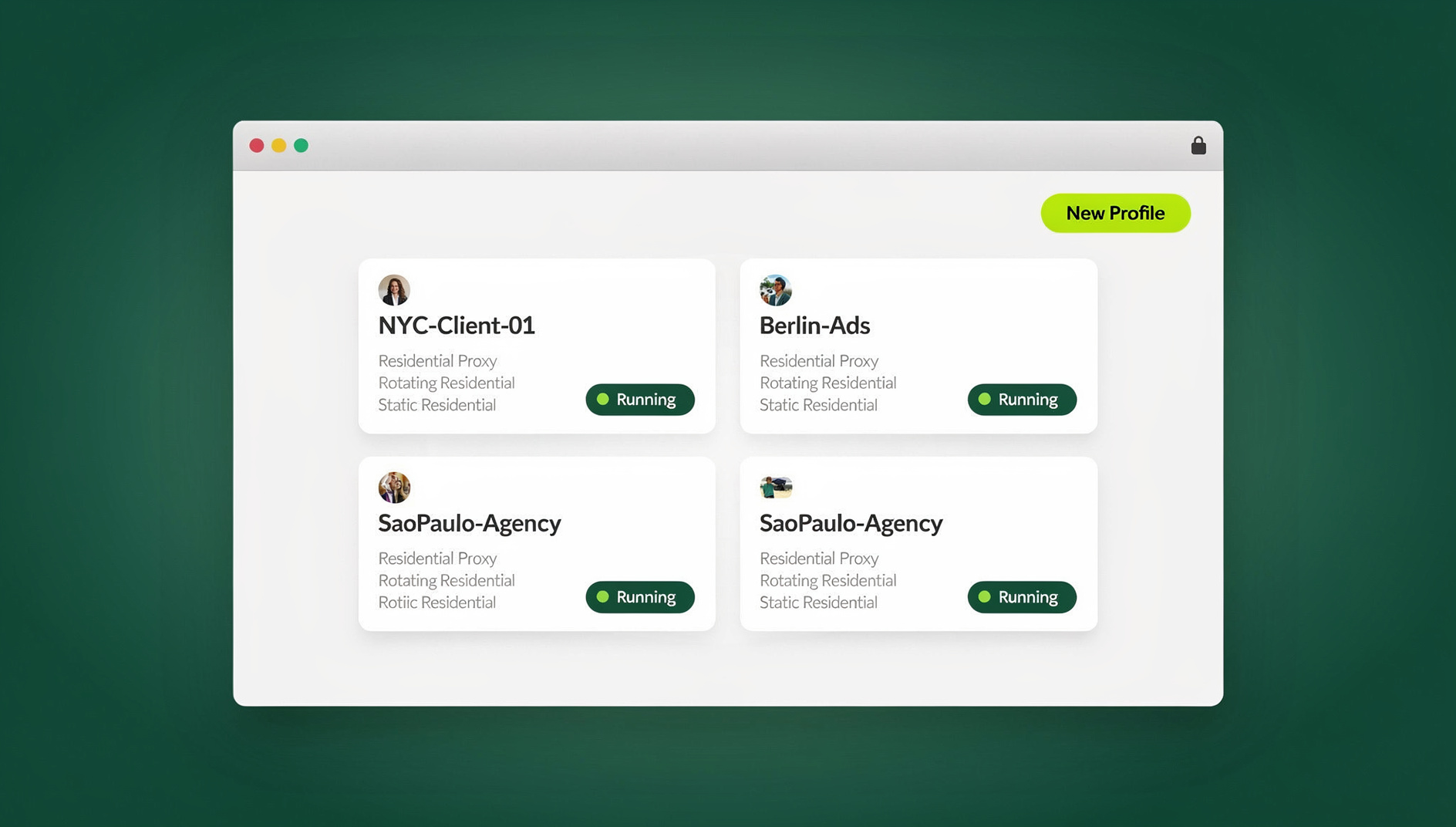
Whether you’re a social media manager juggling client profiles, an e-commerce seller running niche storefronts, or a creator separating a personal account from a business one, Instagram’s built-in account switcher stops being enough the moment you pass three or four profiles. Below, we break down every category of tool worth considering in 2026, with honest pros and cons for each so you can match the app to your actual workflow instead of picking whatever ranks first on Google.
Why a Single App Rarely Covers Everything
Instagram’s native multi-account switcher caps out at five profiles, and even below that limit, jumping between accounts inside the app is slow and can occasionally sign you out of one session mid-task. That friction only gets worse as your account count grows — a social media manager running eight client Instagram profiles from one phone can easily lose ten or fifteen minutes a day just to switching, re-logging in, and double-checking which account they’re currently posting from. Dedicated apps solve a handful of distinct problems, and it’s worth being clear about which one you actually have before choosing a tool:
- Scale past the 5-account limit — manage 10, 50, or 100+ profiles from one place.
- Schedule content ahead of time — queue posts, Stories, and Reels days or weeks out.
- Keep sessions separate — stop Instagram from quietly linking accounts through shared device signals.
- Let a team log in without sharing passwords — hand off access, not credentials.
- See performance across accounts — one dashboard instead of five separate apps.
1. Scheduling Apps: Buffer, Later, and Hootsuite
These social media management tools connect to Instagram’s official API and let you queue content across accounts from a single calendar view. They’re the right starting point if publishing — not engagement — is your main bottleneck.
| App | IG Accounts | Post Types | Analytics | Price From |
|---|---|---|---|---|
| Later | 30 | Posts, Stories, Reels | Included | $25/mo |
| Buffer | Unlimited (paid tier) | Posts, Stories, Reels | Basic | $6/mo |
| Hootsuite | 35 | Posts, Stories | Included | $99/mo |
| Sprout Social | 25 | Posts, Stories, Reels | Advanced | $249/mo |
| Planoly | 10 | Posts, Stories | Included | $13/mo |
Best for: content-first workflows, especially agencies that need shareable client reports. Most of these platforms also support approval workflows, which matter the moment more than one person is publishing under the same account. Limitation: the official API doesn’t expose DMs, Explore, ads, or full account settings — and none of these tools isolate sessions, so the accounts remain visibly linked on Instagram’s backend regardless of how you schedule posts.
2. Multi-Login Browsers for Full Interactive Access
If your work involves anything beyond posting — replying to DMs, running ads, browsing Explore, adjusting settings — you need an actual logged-in session per account, not an API connection. That’s the job of a multi-login browser, and it’s where session isolation becomes the deciding factor rather than a nice-to-have.
Send.win runs each Instagram account inside its own isolated profile, either through Sendwin Browser — the native desktop app most users run locally — or through a cloud browser session that opens the same isolated profile from any device with no install at all. Each profile keeps its own cookies and fingerprint, so Instagram sees separate devices rather than one operator hopping between five logins.
| Browser | Profiles | Session Isolation | Cloud Sessions (No Install) | Price From |
|---|---|---|---|---|
| Send.win | 150+ (Pro) | Full | Included on paid plans | $6.99/mo (Pro, billed annually) |
| GoLogin | 100+ | Full | Limited | ~$49/mo |
| Multilogin | 100+ | Full | Limited | ~$99/mo |
| AdsPower | 100+ | Full | Not offered | ~$9/mo |
Best for: power users who need DMs, ads, Explore, and shopping to actually work per account — the standard requirement for affiliate marketers and multi-store e-commerce sellers who can’t risk one flagged account taking down the rest.
Why Send.win Stands Out Here
Send.win pairs the desktop Sendwin Browser with cloud sessions at a fraction of GoLogin’s or Multilogin’s monthly cost — Pro runs $19/month or $83.88/year. There’s no free trial, but the first card purchase is covered by a 7-day money-back guarantee, and you can preview it with the free cloud demo at https://send.win/demo-browser/ before committing to anything.
3. Instagram-Specific Growth Apps
A third category skips general scheduling and multi-login entirely, focusing instead on Instagram-native growth mechanics: hashtag research, best-time-to-post data, and content recycling.
| App | Key Feature | Accounts | Platform | Price |
|---|---|---|---|---|
| Combin | Growth + scheduling | 15 | Desktop | Free–$30/mo |
| Iconosquare | Deep analytics | 10 | Web | $49/mo |
| SocialBee | Content recycling | 25 | Web | $29/mo |
| Tailwind | Visual planning | 5 | Web + Mobile | $20/mo |
Best for: accounts where growth mechanics — not account volume — are the bottleneck. Several of these tools double as a lightweight inbox for DMs and comments, which can replace a spreadsheet for smaller teams. They rarely scale past 10-25 accounts and don’t replace session isolation for accounts you’re logging into by hand every day.
4. Automation and Bot Tools — Use with Caution
Automation tools handle repetitive tasks like following, liking, and commenting across accounts. Instagram actively detects bot-like behavior, and the penalty for getting it wrong is an action block or a ban — so treat this category as high-risk by default.
| Action | Risk Level | Recommendation |
|---|---|---|
| Scheduled posting via official API | Low | Safe — this is what it’s built for |
| Auto-liking | Medium | Use sparingly with human-like delays |
| Auto-follow/unfollow | High | Avoid — a common trigger for action blocks |
| Auto-commenting | High | Avoid — easily flagged as spam |
| Auto-DM | Very High | Almost guaranteed to trigger a ban |
If you use automation at all, pair it with session isolation so a ban on one account can’t cascade into the rest of your portfolio. Even platforms that tolerate a certain amount of automation today tend to tighten enforcement over time, so treat any bot-based workflow as temporary rather than something to build a business around.
Choosing the Right App for Your Workflow
- Mostly scheduling content? Start with Buffer or Later.
- Need DMs, ads, or Explore to work per account? Use a multi-login browser like Send.win.
- Need Instagram-specific growth data? Layer in Iconosquare or Combin.
- Managing 10+ accounts? Isolation stops being optional.
- Tight budget? Send.win’s free cloud demo plus Buffer’s free tier covers a lot of ground before you spend anything.
The Combo Most Pros Actually Run
In practice, most professionals run two tools side by side: a scheduler handles the automated publishing, while a multi-login browser handles the interactive work. Schedule everything through Later, then open each account in its own Sendwin Browser profile to answer DMs, engage with followers, and check on ad performance — all without one session leaking into another.
Setting Up a 10-Account Instagram Workflow
- Pick your stack — Sendwin Browser (or a cloud session) for isolation, Later for scheduling.
- Create one profile per account — each gets its own cookies and fingerprint from the start.
- Assign a proxy per profile where you can — unique IPs reduce the chance of accounts being linked.
- Connect each account to your scheduler via Instagram’s official API. For the manual side, our guide on how to log in to multiple Instagram accounts in your browser covers the click-by-click setup.
- Build a shared content calendar so nobody double-books a posting slot.
- Batch-schedule weekly — one focused session covering every account’s posts for the week.
- Log in daily for 15-20 minutes per account to handle comments and DMs.
- Review analytics weekly and adjust the plan for underperforming accounts.
Common Mistakes That Get Accounts Flagged
- Logging into every account back-to-back from the same IP. Rapid switching between five or more accounts within minutes is one of the more reliable ways to trigger an action block, even on legitimate accounts.
- Reusing the exact same caption or hashtag set across accounts. Identical content posted from sessions that already look related reads as spam behavior to Instagram’s systems, regardless of intent.
- Skipping the warm-up period on new accounts. An account that immediately posts, follows, and comments at the same volume as an established one gets reviewed far more often.
- Sharing login credentials instead of sessions. Handing out a password to a virtual assistant or teammate removes any ability to revoke access without changing the password for everyone else too.
- Assuming a scheduling app alone is “safe enough.” Scheduling tools protect your publishing workflow, not your account’s standing — they do nothing to isolate the sessions you log into by hand for engagement.
Security Practices for Multi-Account Instagram Use
- Unique passwords per account, managed with a password manager.
- 2FA via an authenticator app, not SMS, on every account.
- Never hand over credentials — use session sharing instead so teammates get access without the password.
- Stagger activity — avoid firing the same action across every account at the same moment.
- Warm up new accounts slowly — go easy on activity for the first two weeks.
- Watch for action-block warnings and pull back immediately if one appears.
🏆 Send.win Verdict
For scheduling alone, Buffer or Later will serve you fine. But the moment DMs, ads, or Explore need to actually work across more than a handful of Instagram accounts, session isolation stops being optional — and Send.win delivers it through Sendwin Browser or cloud sessions at $19/month (Pro), well under what GoLogin or Multilogin charge for the same core capability.
Try Send.win today — the first card purchase is covered by a 7-day money-back guarantee.
Frequently Asked Questions
What’s the best free app to manage multiple Instagram accounts?
Instagram’s own switcher handles up to five accounts at no cost. Buffer’s free plan adds basic scheduling for three accounts. For session isolation specifically, Send.win offers a free cloud demo at https://send.win/demo-browser/ so you can test it across a handful of accounts before deciding.
Can Instagram tell that I’m using a management app?
Apps that connect through Instagram’s official API — schedulers like Buffer and Later — are fully authorized and carry no risk on their own. Multi-login browsers aren’t detectable when each profile has its own fingerprint and, ideally, its own proxy. Automation bots that mimic clicking and typing are a different story — those are actively monitored and penalized.
How many Instagram accounts can Send.win manage at once?
Send.win’s Pro plan supports 150+ isolated profiles, each with its own cookies, fingerprint, and optional proxy — so every account looks like it’s coming from a different device, whether you access it through Sendwin Browser on desktop or a cloud session with no install.
Do I need proxies to run multiple Instagram accounts?
For three to five accounts, you can often get by without one. Past 10 accounts, a unique residential proxy per profile is worth the cost — it removes shared-IP linking as a risk factor entirely.
What happens if one managed account gets restricted?
With real session isolation, a restriction on one profile has no effect on the others. Without it, Instagram can flag every account that shares the same device fingerprint or IP address.
Does Send.win offer an automation interface for managing accounts?
No — Send.win has no automation interface: no API, SDK, headless mode or Selenium/Puppeteer/Playwright support on any plan. It focuses on isolated browser profiles, each with its own cookies, storage, sessions, fingerprint settings and proxy.
Should I use one app or combine several?
Combining is standard practice: a scheduler for publishing, a multi-login browser for anything interactive, and an analytics tool if you need deeper Instagram-specific reporting. Very few single apps cover all three well.
Can I switch from Instagram’s native account switcher to a dedicated app without losing followers?
Yes — switching tools doesn’t touch your follower count, posts, or account history at all. You’re only changing how you log in and manage the account, not the account itself, so there’s no migration risk beyond re-entering your login details in the new app.
None of this needs to be complicated. Pick a scheduler for publishing, add a multi-login browser once you’re past a handful of accounts, and layer in growth analytics only if you actually need the extra data. The apps above cover every stage of that path.