Choosing the right social media management tools in 2026 is harder than it used to be. It’s not just about queuing up posts anymore — teams need scheduling, analytics, customer engagement, and a way to safely log into dozens of accounts across platforms that don’t even offer public APIs. This guide breaks down the top social media management tools for 2026, compares their pricing and standout features side by side, and covers the login-and-account-safety layer most “best of” lists skip entirely — the part where you actually have to sign into every one of those accounts without tripping a platform’s fraud detection.
Social media has become non-negotiable for businesses of every size, from solo creators juggling a personal brand to agencies running dozens of client accounts across Instagram, TikTok, LinkedIn, Pinterest, Threads, and X. To keep up, you need tools that handle content calendars, analytics, and team workflows — but you also need a reliable way to manage the accounts themselves, especially if you’re logging into the same platform from multiple browsers, devices, or team members.
What Makes a Social Media Management Tool Worth Paying For in 2026
Before comparing specific products, it helps to know what actually separates a good tool from a bloated one. The best platforms in 2026 share a few traits:
- Cross-network publishing: One dashboard to draft, preview, and schedule content across Instagram, Facebook, LinkedIn, X, TikTok, Pinterest, and increasingly Threads and Bluesky.
- Real analytics, not vanity metrics: Engagement-rate trends, best-time-to-post data, and content-type breakdowns that actually inform strategy.
- Team collaboration: Approval workflows, shared calendars, and role-based permissions so a content manager and a client can work in the same tool without stepping on each other.
- Account and session safety: A way to keep each client’s or brand’s accounts isolated so one flagged login doesn’t put every other account at risk.
- Fair, predictable pricing: Per-account or per-seat pricing that doesn’t explode the moment you add a fifth client.
That last point — account and session safety — is where most “top 5” roundups fall short. Scheduling tools solve the content problem. They don’t solve the problem of safely being logged into ten Instagram accounts, six Pinterest boards, and a dozen client LinkedIn profiles without your IP, device fingerprint, or cookies bleeding across accounts and triggering a suspension.
The Top Social Media Management Tools for 2026 (Compared at a Glance)
Here’s how the leading options stack up before we go deeper on each one:
| Tool | Best For | Starting Price | Standout Feature | Watch-Out |
|---|---|---|---|---|
| Hootsuite | Enterprises managing many networks at once | ~$99/mo | Deep analytics and social listening | Steep learning curve, pricier tiers gate key features |
| Sprout Social | Customer engagement and team workflows | ~$199/mo | Unified inbox with CRM-style contact history | Expensive for solo creators or small teams |
| SocialPilot | Agencies on a budget | ~$30/mo | Affordable per-account pricing for agencies | Analytics less robust than Sprout/Hootsuite |
| Buffer | Solopreneurs and small teams | Free tier; paid from ~$6/mo per channel | Simple, clean interface with a genuinely usable free plan | Fewer advanced analytics and listening features |
| Send.win | Safely logging into and managing every account behind your scheduler | Pro $19/mo or $83.88/yr; 7-day money-back guarantee on first card purchase | Isolated browser profiles, built-in proxies, and cloud access for every account you manage | Not a content scheduler — it’s the account-safety layer underneath one |
Hootsuite — Enterprise-Grade Scheduling and Analytics
Hootsuite remains one of the most recognized names in social media management. It supports scheduling across nearly every major network, offers detailed reporting dashboards, and includes social listening so you can track brand mentions and industry conversations in real time.
- Centralized publishing across 10+ networks from one calendar
- Built-in analytics and custom report builder
- Social listening streams for monitoring brand and competitor mentions
- Approval workflows for larger marketing teams
Where Hootsuite struggles is cost predictability — the entry tier is limited, and features like advanced analytics or additional social sets are gated behind higher-priced plans, which adds up fast for agencies managing many client accounts.
Sprout Social — Best for Customer Engagement and Team Workflows
Sprout Social is built around the unified inbox — every DM, comment, and mention across every connected network lands in one place, tagged with customer history so your team never responds blind. Task assignment and internal notes make it a strong pick for teams that treat social as a support channel, not just a broadcast channel.
- Unified smart inbox with contact-level history
- Team task assignment and internal collaboration notes
- Cross-network performance reporting
- Strong customer-service-oriented features (sentiment tagging, response time tracking)
The tradeoff is price — Sprout Social’s per-seat cost puts it out of reach for solo creators and very small teams, and its strengths (engagement, support) matter less if your priority is pure scheduling volume.
SocialPilot — Budget-Friendly Scheduling for Agencies
SocialPilot targets agencies that need to manage a lot of client accounts without paying enterprise prices. Its drag-and-drop content calendar, bulk scheduling via CSV, and white-label client reports make it a practical mid-market choice.
- Bulk scheduling and CSV import for high-volume posting
- White-label reports for client-facing agencies
- Competitor analysis via keyword and hashtag tracking
- Per-account pricing that scales more predictably than enterprise tools
Analytics depth is the main compromise — SocialPilot’s reporting is functional but not as granular as Hootsuite or Sprout Social for teams that need deep performance breakdowns.
Buffer — Simple, Clean Scheduling for Small Teams and Solopreneurs
Buffer has stayed popular for a reason: it does less than the enterprise tools, and does it cleanly. The interface is fast to learn, the free tier is genuinely usable for a single creator managing a handful of channels, and paid tiers scale per-channel rather than forcing a large team seat commitment.
- Clean, minimal scheduling interface with a real free tier
- Per-channel pricing that’s approachable for solo creators
- Built-in link-in-bio and basic analytics
- Browser extension and mobile app for on-the-go posting
Buffer’s simplicity is also its limit — it lacks the deep listening and CRM-style engagement tools that Sprout Social and Hootsuite offer, so it fits best when your priority is consistent publishing rather than deep analytics or support workflows.
Send.win — The Layer That Makes Managing Every Account Possible in the First Place
Every tool above assumes you can already safely log into every account you need to schedule for. That assumption breaks down fast once you’re managing more than a couple of clients, or once you need to be active on networks that don’t have great API support for scheduling tools — Pinterest, Threads, Bluesky, TikTok, Reddit, or personal LinkedIn profiles, where a lot of real engagement still has to happen through the actual browser.
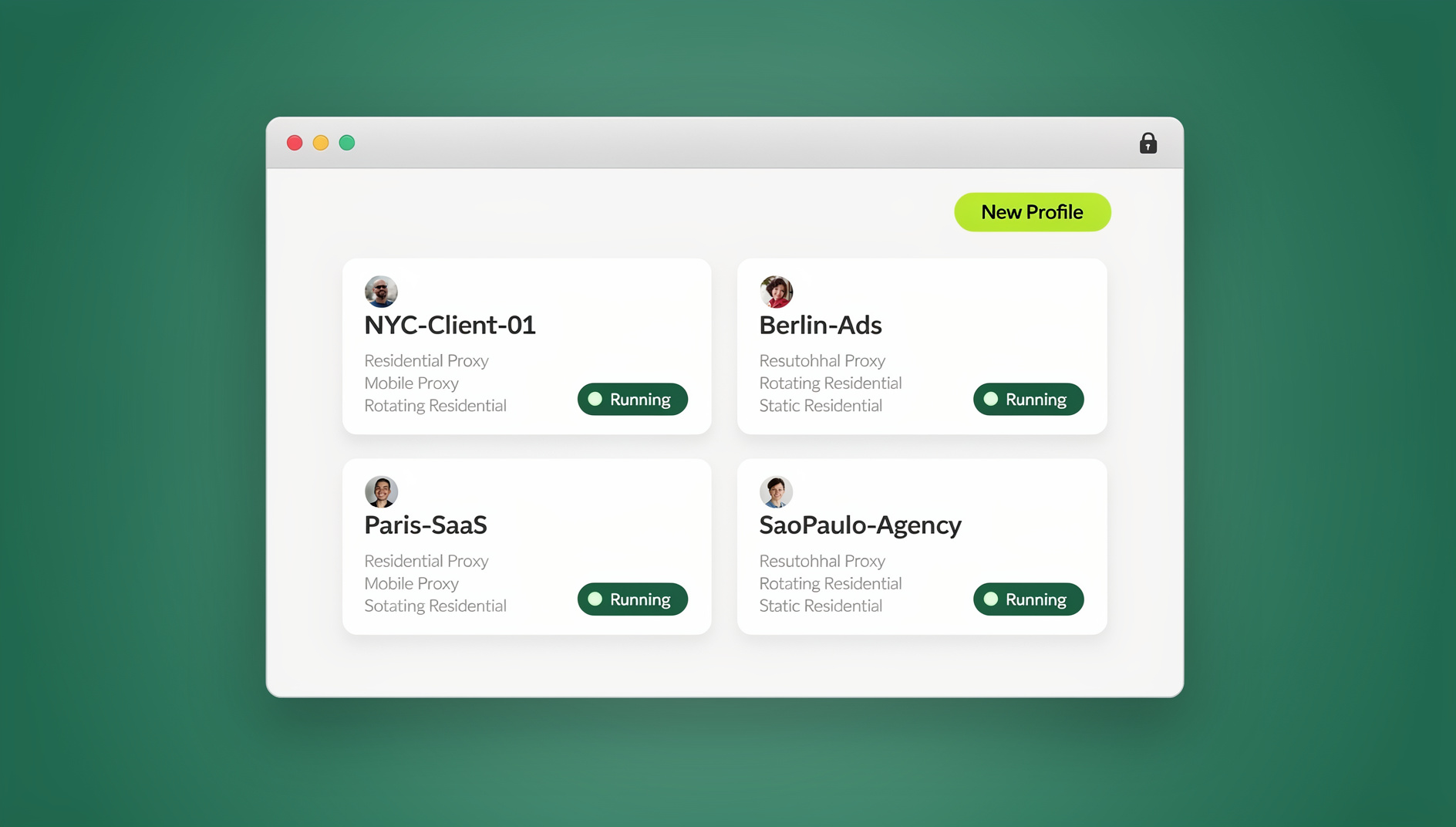
Send.win is a browser profile manager built for exactly this problem. Instead of scheduling posts, it gives every account — yours or a client’s — its own isolated browser profile with its own cookies, storage, sessions, fingerprint settings and proxy. That means you (or your whole team, via multi-login browser profile sharing) can be logged into ten Instagram accounts, six Pinterest boards, and a dozen client LinkedIn profiles at once, in the same physical computer, with each account kept separate and organised.
- A dedicated browser profile per account, each with its own fingerprint, cookies, and cache
- Built-in residential proxies so each profile’s IP and geolocation stay consistent
- Team sharing — hand a client’s profile to a VA or teammate without ever sharing the password
- Works underneath whatever scheduler you already use — Send.win handles the login, your scheduler handles the calendar
Why Scheduling Tools Alone Aren’t Enough: The Login Problem
Hootsuite, Sprout Social, SocialPilot, and Buffer all connect to networks through official publishing APIs, which is great when the API is generous — Facebook Pages, LinkedIn Company Pages, and X all have decent scheduling API support. But plenty of real social media management work happens outside what those APIs allow: replying to DMs on Instagram as a specific account, browsing and pinning on Pinterest, engaging natively on Threads or Bluesky, running a personal LinkedIn profile (not a Company Page), or managing multiple TikTok creator accounts.
All of that requires an actual browser login. And if you or your team are doing that from the same browser, same device, and same IP for every account, you’re building exactly the pattern that platform fraud systems are trained to catch: shared fingerprints, shared cookies, shared login patterns across “unrelated” accounts. That’s how legitimate agencies and creators end up with accounts flagged or suspended — not because they did anything against the platform’s actual rules, but because their login behavior looked identical to a bot farm’s.
This is exactly the gap our guide on managing 10 social media accounts without losing your mind walks through in more detail — and it’s the reason scheduling tools and browser isolation tools solve two different, complementary problems.
How Send.win Fits Into Your Social Media Management Stack
Send.win isn’t one thing — it’s three distinct ways to run isolated browser profiles, and picking the right one depends on how your team actually works.
The Desktop App — Your Daily Driver for Local Profile Management
For most solo social media managers and small teams, the native Desktop app (Windows, macOS, and Linux) is the default. You install it once, create a profile per account or per client, and every profile opens as its own isolated browser window with its own fingerprint, cookies, and proxy — running locally on your machine. It’s the fastest option day-to-day since there’s no cloud latency, and it’s the natural fit if you’re the one person handling logins, replies, and native engagement across every account you manage.
Cloud Browser Sessions — Manage Accounts From Any Device, No Install Needed
Agencies and remote teams run into a different problem: not everyone who needs access to a client’s Pinterest or Instagram profile is sitting at a company-managed laptop with the Desktop app installed. That’s what Cloud browser sessions solve — Send.win’s paid plans include cloud browsing time so a profile can run entirely in the cloud, accessible from any device with a browser, with no local install required. A freelance VA can log into a client’s TikTok account from their own laptop, in the same isolated profile with the same fingerprint and proxy, without ever installing anything or receiving a password. This is metered by monthly cloud browsing time (similar to how proxy bandwidth is metered) and comes bundled with cloud sync, profile sharing, and team seats on paid plans — genuinely useful for the “manage from anywhere” scenario a lot of social teams actually live in.
Managing Repetitive Social Tasks at Scale
Step-by-Step: Setting Up Send.win Alongside Your Scheduling Tool
- Pick a paid plan. Choose Send.win’s Pro or Team plan (the first card purchase is covered by a 7-day money-back guarantee), or try the free cloud demo at send.win/demo-browser, and pick the Desktop app or Cloud browser depending on how your team works.
- Create one profile per account or client. Each profile gets its own fingerprint, cookies, and local storage from the moment you create it — don’t reuse one profile for multiple accounts.
- Assign a matching proxy. Use Send.win’s built-in residential proxies to keep each profile’s IP consistent with the account’s expected location — critical if a client’s Instagram account is meant to look like it’s run from Austin, not wherever your office actually is.
- Log into the networks your scheduler can’t reach. Use the isolated profile to natively log into Pinterest, Threads, Bluesky, TikTok, or personal LinkedIn — the accounts your Hootsuite, Buffer, or SocialPilot subscription can’t fully cover.
- Share access with your team, not your passwords. Use profile sharing to hand a client’s account to a VA or teammate directly — no password ever changes hands, and you can revoke access instantly if someone leaves the project.
- Let your scheduler handle the calendar. Keep using Hootsuite, Sprout Social, SocialPilot, or Buffer for what they’re built for — drafting, scheduling, and analytics — while Send.win keeps every login behind the scenes safe and isolated.
Teams already doing this report it changes how sustainable multi-account work feels — our piece on saving hours every week using social media management tools covers several of these workflow wins in more depth, and the common mistakes to avoid when scheduling across networks is worth a read before you scale past a handful of accounts.
Pricing Comparison
| Tool | Free Option | Entry Paid Tier | Notes |
|---|---|---|---|
| Hootsuite | Limited trial | ~$99/mo | Pricier tiers unlock analytics and social sets |
| Sprout Social | Trial only | ~$199/mo | Per-seat pricing, best for larger teams |
| SocialPilot | Trial only | ~$30/mo | Per-account pricing scales for agencies |
| Buffer | Yes, real free tier | ~$6/mo per channel | Best value for solo creators |
| Send.win | Free cloud demo at send.win/demo-browser (3-minute preview without signup; 10 minutes a day with a free account) | Pro $19/mo or $83.88/yr | Team plan $49/mo or $251.88/yr adds 16 seats |
🏆 Send.win Verdict
Hootsuite, Sprout Social, SocialPilot, and Buffer are all solid choices for drafting and scheduling content — pick whichever fits your team’s size and budget from the comparison above. But none of them solve the problem of safely logging into every account behind that content calendar. Send.win is the missing layer: isolated browser profiles with their own cookies, storage, sessions, fingerprint settings and proxy per account, a Desktop app for daily solo work, and Cloud browser sessions for teams and VAs who need access from anywhere with no install.
Try Send.win today — pick a paid plan (first card purchase covered by a 7-day money-back guarantee) or start with the free cloud demo, and keep every account you manage isolated and organised.
Frequently Asked Questions
What is the best social media management tool for 2026?
There isn’t a single best tool for everyone — it depends on team size and needs. Hootsuite suits enterprises managing many networks, Sprout Social suits teams focused on customer engagement, SocialPilot suits budget-conscious agencies, and Buffer suits solo creators. Send.win isn’t a scheduler at all — it’s the account-safety layer that lets you actually log into and manage every account behind whichever scheduler you choose.
Do I need both a scheduling tool and Send.win?
Most agencies and multi-account managers benefit from both. Your scheduler (Hootsuite, Buffer, SocialPilot, or Sprout Social) handles drafting, publishing, and analytics. Send.win handles the part schedulers can’t: keeping each account’s browser fingerprint, cookies, and IP isolated so managing many accounts doesn’t get any of them flagged.
Can Send.win replace Hootsuite or Buffer entirely?
No — Send.win doesn’t schedule posts or provide content analytics. It’s a browser profile manager for accessing accounts, not a publishing calendar. Think of it as the foundation your scheduling tool sits on top of, especially for networks with weak API support like Pinterest, TikTok, Threads, and Bluesky.
What’s the difference between Send.win’s Desktop app and Cloud browser sessions?
The Desktop app is a native client you install on Windows, macOS, or Linux, and profiles run locally on your machine — ideal for a solo manager working from one computer. Cloud browser sessions run the same isolated profiles entirely in the cloud, accessible from any device’s browser with no install required, metered by monthly cloud browsing time. Cloud sessions are the better fit for distributed teams, VAs, or anyone who needs access to a profile from a device that isn’t their own.
Does Send.win offer an Automation API?
No. Send.win has no automation interface — no API, SDK, headless mode or Selenium/Puppeteer/Playwright support on any plan. The Desktop app and Cloud browser sessions cover day-to-day needs for managing isolated browser profiles.
How much does Send.win cost compared to social media schedulers?
Send.win is available on paid plans: the Pro plan is $19/mo or $83.88/yr, and the Team plan is $49/mo or $251.88/yr. The first card purchase is covered by a 7-day money-back guarantee, and the only free option is the cloud demo at send.win/demo-browser. That’s often less than a single seat of Sprout Social or Hootsuite, and it solves a completely different problem than either.
Will using multiple browser profiles get my accounts banned?
It’s actually the opposite pattern that gets accounts flagged — logging into many unrelated accounts from the same fingerprint, cookies, and IP. Isolating each account in its own profile with a matched proxy, which is exactly what browser isolation tools like Send.win are built for, is the standard way agencies and multi-account managers avoid tripping platform fraud detection.
Which social networks benefit most from using Send.win alongside a scheduler?
Networks with limited or no third-party scheduling API access benefit the most — Pinterest, TikTok, Threads, Bluesky, Reddit, and personal LinkedIn profiles all require real browser logins for a lot of genuine engagement. Facebook Pages, Company Pages on LinkedIn, and X are better covered by scheduler APIs directly, though isolating those logins is still good practice once you’re managing more than a couple of accounts.
Can my whole team use one Send.win account?
Yes — Team and Pro plans support profile sharing, so you can hand a specific client’s profile to a teammate or VA without ever sharing the underlying password, and revoke that access instantly if they leave the project. This is one of the same reasons teams also look at a multi-login browser instead of juggling shared logins in spreadsheets.
The social media management landscape in 2026 isn’t just about who has the prettiest content calendar. The tools that actually save time are the ones that combine solid scheduling and analytics with a safe, isolated way to log into every account behind the scenes — and that’s precisely the gap Send.win was built to close.