Choosing the right multi-login browser is no longer a nice-to-have decision — it’s the difference between a workflow that scales cleanly and one that gets flagged, banned, or bogged down in constant sign-in/sign-out friction. Marketers running dozens of ad accounts, e-commerce sellers juggling multiple storefronts, agencies managing client logins, and remote teams sharing access all hit the same wall: a normal browser was never built to keep sessions apart. This guide compares two well-known options — Send.win and SessionBox — across session isolation, fingerprinting, security, pricing, and team features, so you can pick the tool that actually fits how you work in 2026.
What Is a Multi-Login Browser, and Why Does It Matter?
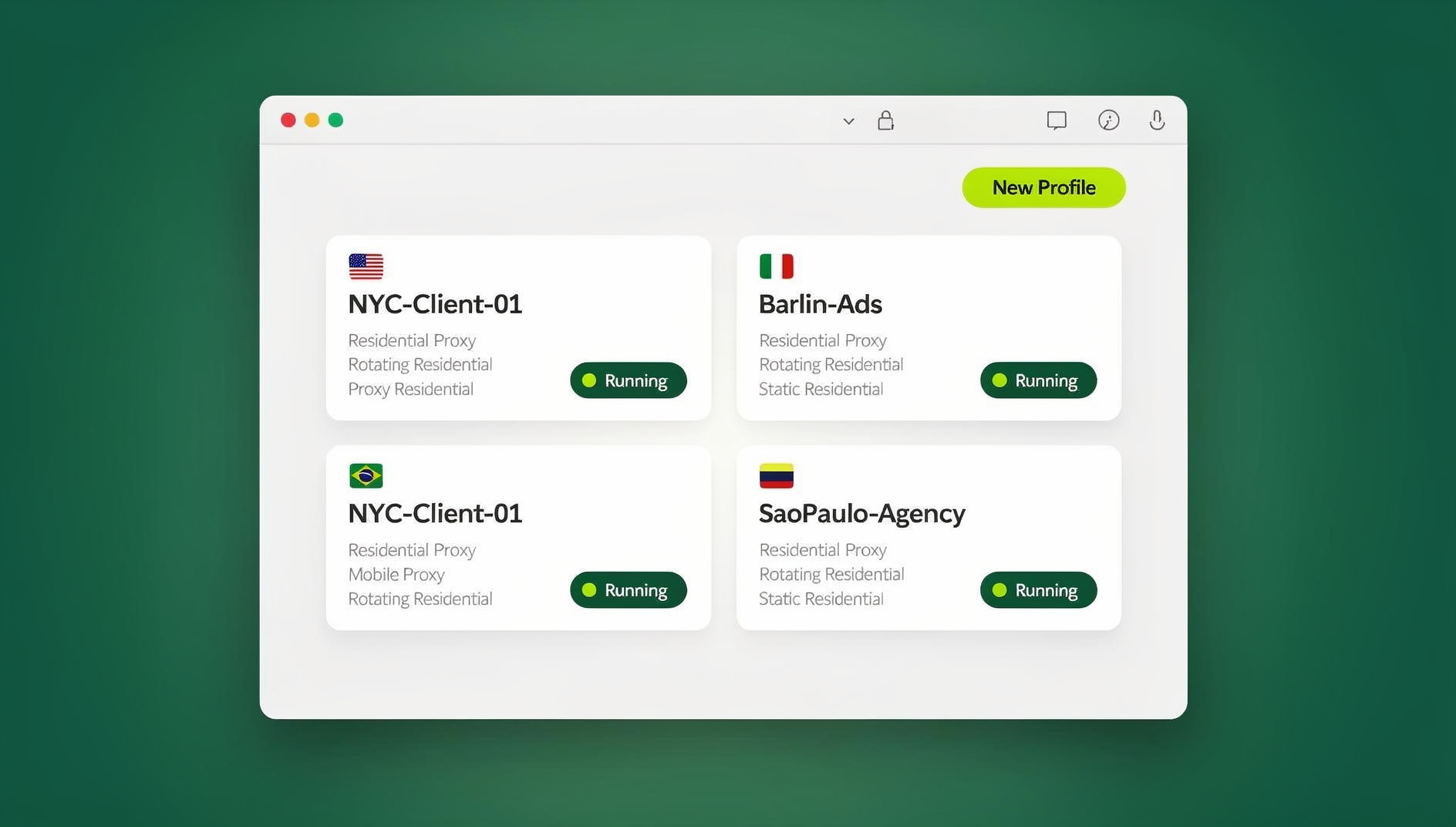
A multi-login browser is a specialized browser or browser-based platform that lets you run multiple independent, isolated sessions — each with its own cookies, cache, local storage, and browser fingerprint — instead of one shared profile. Every “session” behaves like a completely separate device to the websites you visit, which is exactly what you want when you’re logged into five Instagram accounts, ten client ad accounts, or twenty Amazon seller profiles at once.
Without this kind of isolation, a regular browser (even with multiple tabs or windows) leaks session data between accounts. Platforms use that leakage — shared cookies, matching device fingerprints, overlapping IP addresses — to link accounts together, which is how “unrelated” profiles end up flagged or suspended in a single sweep.
Why Teams and Marketers Need One
- Faster account switching — no manual logout/login cycle between accounts
- Fewer platform bans — each profile gets its own fingerprint and, ideally, its own IP
- Cleaner collaboration — teammates can access shared accounts without trading passwords
- Reliable testing — QA and marketing teams can preview geo-targeted campaigns or automation flows without cross-contaminating sessions
Whether you’re comparing tools for the first time or actively migrating away from an extension-based option, the core question is the same: does the platform give you real isolation, real security, and the right delivery model (desktop, cloud, or both) for your team?
SessionBox at a Glance
SessionBox is a browser extension built for basic session management inside Chrome and Firefox. It creates separate “sessions” within the same browser window, each with its own cookies and local storage, without requiring a second physical browser or virtual machine.
Key Features of SessionBox
- Containerized tabs — each session keeps its own cookies, cache, and local storage
- Unlimited profiles on paid plans — color-coded and labeled for quick recognition
- Session groups — organize related profiles into workspaces
- Basic proxy routing — attach a proxy you already own to a specific session
- Profile sharing links — available on paid tiers
- Fingerprint obfuscation — reduces (but doesn’t eliminate) detectable browser attributes
Pros and Cons of SessionBox
| Pros | Cons |
|---|---|
| Quick to install as a browser extension | Runs on your local browser, so it inherits your device’s underlying fingerprint risks |
| Familiar, low learning curve | Encryption in transit depends on whatever proxy/VPN you bring — nothing is built in by default |
| Unlimited profile creation on paid plans | No native desktop app, cloud browser mode, or automation API for scripted control |
| Works inside your existing Chrome/Firefox setup | Team sharing and access controls are more limited than dedicated multi-login platforms |
SessionBox’s paid tiers have historically ranged from a low-cost “Hobby” plan with a handful of cloud-synced profiles up to a “Professional” tier (roughly $20+/month) that adds fingerprint protection and proxy assignment, with custom Team/Enterprise pricing above that. Because pricing pages change, always confirm current numbers directly with SessionBox before budgeting.
Send.win at a Glance
Send.win takes a different approach: unlike SessionBox’s single extension, it’s a full multi-login platform built around two distinct ways to run isolated profiles — a native desktop app and cloud browser sessions that need no local install at all. Understanding which mode applies to your situation is the key to getting real value out of the comparison.
1. The Desktop App (Windows, macOS, Linux)
For most individual users and small teams, the Send.win desktop app is the primary way to run profiles. It installs natively on Windows, macOS, or Linux and gives each profile its own isolated browser isolation environment — separate cookies, cache, storage, and a unique fingerprint per profile — running locally on your machine. This is the closest analog to how SessionBox works, except Send.win’s isolation runs at the application level on your machine, rather than as a browser extension bolted onto Chrome the way SessionBox’s does.
2. Cloud Browser Sessions
For teams that need to access shared profiles from any device, Send.win’s cloud browser sessions run on Send.win’s servers in the EU and need no local install. This lets teams open isolated Send.win profiles from anywhere — useful for collaboration across devices or working away from a primary machine. SessionBox offered a comparable cloud sync feature on its Professional tier, but Send.win bundles cloud browser sessions directly into its plans alongside the rest of its collaboration features.
3. Cloud Browser Sessions (No Install Required)
This is the mode most often confused with the desktop app, and it’s worth being precise about it: Send.win’s cloud browser sessions run entirely in the cloud, with no desktop install needed at all. You access a profile through a thin client from any device — a Chromebook, a locked-down work laptop, a tablet — and the actual browser runs on Send.win’s infrastructure. Cloud browsing time is metered monthly (similar to how proxy bandwidth is metered), and it’s included on paid plans alongside cloud sync, profile sharing, and team seats. If your use case is genuinely “access from anywhere without installing anything,” cloud browser sessions — not the desktop app — are the correct feature to point to.
Core Features Across All Three Modes
- Unique fingerprints per profile — canvas, WebGL, timezone, and other fingerprint surfaces are randomized and kept consistent per profile
- Built-in proxies — attach residential, datacenter, or mobile proxies per profile without juggling a separate proxy manager
- Team sharing — invite teammates to specific profiles without ever exposing the underlying password
- Browser isolation — every profile is sandboxed so activity in one never bleeds into another
Pros and Cons of Send.win
| Pros | Cons |
|---|---|
| Two real delivery modes (desktop app and cloud browser) instead of a single extension-based tool | More capability means a slightly longer setup than a plug-and-play extension |
| Built-in proxy support and unique fingerprints per profile out of the box | Cloud browser sessions are metered by monthly browsing time, so heavy cloud-only usage needs plan-fit checking |
| Team plan for shared profiles and collaboration | No automation tooling on any plan |
| Team seats, cloud sync, and profile sharing bundled into paid plans | Free trial requires eventual conversion to a paid plan to keep larger profile counts |
Send.win Pricing in 2026
Send.win offers a straightforward, transparent pricing structure:
- Paid plans — Pro $19/mo or $83.88/yr, Team $49/mo or $251.88/yr; first card purchase covered by a 7-day money-back guarantee. Free cloud demo available at send.win/demo-browser/
- Pro plan — $19/month, built for individuals and small teams running up to 150 profiles with 5GB of proxy bandwidth
- Team plan — $49/month, built for larger operations with up to 500 profiles, 20GB of bandwidth, and 16 seats
- Add-ons — extra bandwidth and profile capacity are available for teams that outgrow their base plan
Compare that to the SessionBox tiers above, and the difference is less about raw price and more about what you’re actually buying: an extension with add-on proxy support versus a platform with a desktop app, an automation layer, and a genuine cloud mode.
Session-Isolation Features Compared
| Feature | SessionBox | Send.win |
|---|---|---|
| Delivery model | Browser extension only | Desktop app + cloud browser sessions |
| Unique fingerprint per profile | Basic obfuscation | Full randomization, consistent per profile |
| Built-in proxy support | Manual, bring-your-own | Built in, per-profile assignment |
| No-install cloud access | Not available | Yes, via cloud browser sessions |
| Automation/scripting support | No | No |
| Team profile sharing | Limited, paid tiers only | Included with cloud sync and team seats |
Security and Data-Handling Comparison
| Aspect | SessionBox | Send.win |
|---|---|---|
| Local footprint | Session data lives in the extension/local browser | Desktop app keeps data local; cloud sessions keep it off your device entirely |
| Encryption in transit | Dependent on user-supplied proxy/VPN | Encrypted proxy and session traffic by design |
| Credential exposure when sharing | Limited native controls | Team members access shared profiles without ever seeing the password |
| Isolation model | Extension-level container | Application-level (desktop) or infrastructure-level (cloud) isolation |
Use Cases: Who Should Choose Which
- Solo marketer testing the waters — SessionBox’s low-cost entry tier can work fine for a handful of personal profiles with light isolation needs.
- Agencies managing client ad accounts — the combination of built-in proxies, unique fingerprints, and application-level isolation in Send.win reduces the risk of cross-account linking across clients.
- E-commerce sellers running multiple storefronts — dedicated proxies per profile plus the desktop app’s local performance make Send.win a better fit for day-to-day store management.
- QA and dev teams — the desktop app and cloud browser sessions let you run dozens of isolated profiles for testing without juggling multiple machines.
- Distributed or remote teams on locked-down devices — cloud browser sessions let teammates access shared profiles from any device without installing anything locally.
The common thread across every use case above is session isolation done properly — without it, none of the proxy or fingerprint work matters, because leaked cookies or storage will re-link accounts regardless of what IP they’re on. And if you’re still shopping around rather than choosing between just these two tools, it’s worth seeing how Send.win stacks up against the wider field of multi-login browsers before committing to one platform.
How to Migrate from SessionBox to Send.win
If you’ve outgrown an extension-based tool, moving over doesn’t require starting from zero. Here’s a practical migration path:
- Try the free cloud demo. Preview Send.win’s cloud browser at https://send.win/demo-browser/ — a 3-minute preview without signup, or 10 minutes a day with a free account — before committing to a paid plan.
- Install the desktop app (or skip it for cloud-only use). Download the native app for Windows, macOS, or Linux if you want local profile performance, or jump straight into a cloud browser session if you want zero local footprint.
- Recreate your highest-priority profiles first. Start with the accounts that carry the most risk if flagged — ad accounts, seller accounts, or client logins — and assign each a unique fingerprint and a dedicated proxy.
- Attach proxies per profile. Use Send.win’s built-in proxy support instead of manually pairing a third-party proxy service to each session, as you likely had to with SessionBox.
- Invite teammates to shared profiles. Add team seats and share specific profiles without ever handing over the underlying password.
- Choose your delivery mode. If your workflow depends on running profiles locally, use the desktop app; if you need access from any device, use cloud browser sessions.
- Retire the old extension once everything is verified. Confirm sessions are stable for a few days before fully decommissioning your SessionBox profiles.
Practical Tips for Selecting the Right Multi-Login Browser
- Assess your isolation needs honestly. If you’re managing more than a handful of accounts on platforms known for aggressive ban sweeps, extension-level isolation alone is probably not enough.
- Match the delivery model to your hardware. Heavy local usage favors a desktop app; shared or locked-down devices favor cloud browser sessions.
- Check whether you actually need automation. Send.win has no automation interface, so if you plan to script your workflows with Selenium/Puppeteer/Playwright, you will need a different tool.
- Factor in team size and sharing. Solo users can often start smaller; agencies and remote teams benefit from bundled cloud sync, profile sharing, and multiple seats.
- Compare built-in versus bring-your-own proxies. Built-in proxy support saves setup time and reduces the chance of misconfiguration per profile.
- Try before you commit. Use SessionBox’s free tier and Send.win’s free cloud demo side by side on real workflows before making a final call.
If neither of these two tools feels like a perfect fit once you’ve trialed them, it’s worth widening the search — this multi-login tools compared breakdown covers pricing and ease-of-use across a broader set of platforms, not just Send.win and SessionBox.
🏆 Send.win Verdict
SessionBox is a fine starting point for a handful of lightly-isolated personal profiles, but it stops at being an extension — no desktop app, no genuine cloud mode. Send.win covers both: a native desktop app for day-to-day profile management and cloud browser sessions for teams that need to access shared profiles from any device with zero local install. If you’re managing more than a few accounts, or you need your team to collaborate without trading passwords, Send.win’s combination of built-in proxies, unique per-profile fingerprints, and flexible delivery modes is the more future-proof choice.
Try Send.win today — plans start at $19/month for Pro or $49/month for Team, with a 7-day money-back guarantee on your first card purchase, so you can see which delivery mode fits your workflow.
Frequently Asked Questions
What is a multi-login browser?
A multi-login browser is a browser, app, or platform that lets you run multiple independent, isolated sessions at once — each with its own cookies, cache, storage, and fingerprint — so you can manage several accounts without them interfering with or exposing each other.
How do Send.win and SessionBox differ?
SessionBox is a browser extension that isolates sessions locally inside Chrome or Firefox. Send.win is a broader platform offering a native desktop app and cloud browser sessions that run entirely off your device — two distinct modes instead of one extension-based approach.
Do I need to install anything to use Send.win?
It depends on the mode. The desktop app does require installing native software for Windows, macOS, or Linux. Cloud browser sessions require no local install at all — you access profiles through a thin client from any device, with monthly cloud browsing time included on paid plans.
Does Send.win have an Automation API?
No. Send.win has no automation interface — no API, SDK, headless mode or Selenium/Puppeteer/Playwright support on any plan. The Automation API was retired.
Which solution is more secure?
Send.win’s built-in proxy support, per-profile unique fingerprints, and password-free team sharing give it a stronger default security posture. SessionBox’s security largely depends on whatever proxy or VPN you bring yourself, since encryption isn’t built into the extension by default.
Can I share accounts with teammates without exposing passwords?
Yes, with Send.win. Team members can be invited to specific shared profiles, so they can log in and work without ever seeing the underlying credentials — useful for agencies and remote teams managing client or shared accounts.
How much does each platform cost?
Send.win has no free trial. Paid plans are $19/month for Pro (or $83.88/year) and $49/month for Team (or $251.88/year), with a 7-day money-back guarantee on your first card purchase. The only free option is the cloud demo at https://send.win/demo-browser/ — a 3-minute preview without signup, 10 minutes a day with a free account. SessionBox’s tiers have historically started around $4-5/month for basic cloud sync, rising to $20+/month for its Professional tier with fingerprint protection and automation — confirm current pricing directly with SessionBox, as extension pricing pages change.
Can I try both before switching my whole team over?
Yes — that’s the recommended approach. Run SessionBox’s free tier alongside Send.win’s free cloud demo on the same real-world accounts, then compare stability and team workflow before fully migrating.
Conclusion
Choosing the right multi-login browser comes down to matching the tool’s delivery model to how your team actually works. SessionBox remains a lightweight option for individuals managing a small number of accounts with basic isolation needs. For teams managing more accounts or more people, Send.win’s combination of a native desktop app and genuinely install-free cloud browser sessions covers far more ground — backed by built-in proxies, unique fingerprints per profile, and team sharing that never exposes a password. Try both, test them against your real accounts, and pick the platform that fits how you work.