The best GoLogin alternatives in 2026 combine stronger fingerprint protection, transparent pricing, and a real automation API without forcing you into a shaky install. Send.win is a strong pick among GoLogin alternatives because it gives you a choice between a native desktop app with encrypted cloud sync and fully cloud-hosted browser sessions, backed by paid plans starting at $19/month with a 7-day money-back guarantee on your first card purchase.
What Is GoLogin and Why People Look for Alternatives
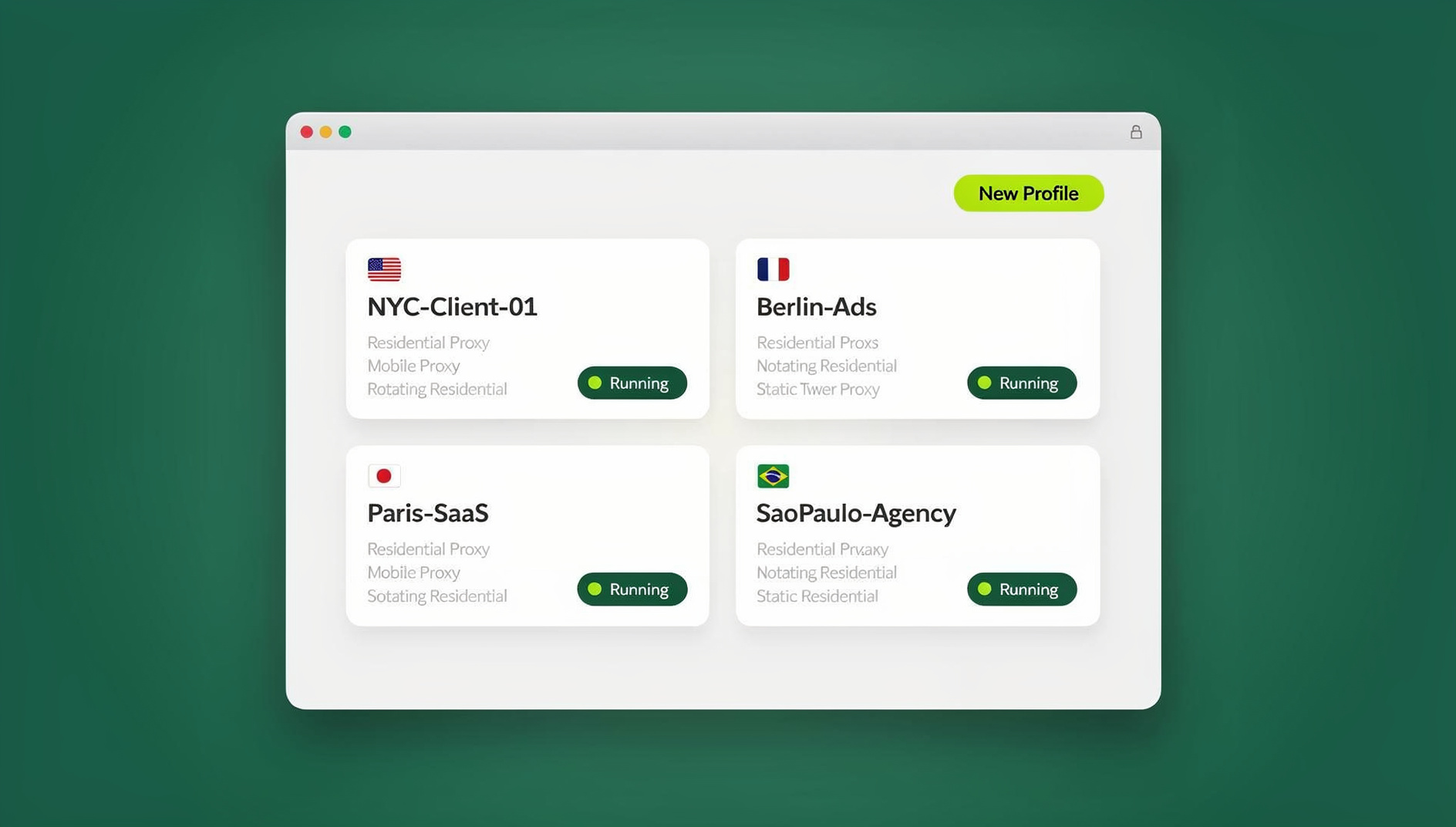
GoLogin is an anti-detect browser built around browser profiles: each one carries its own browser fingerprint, so a site sees what looks like a distinct device and user rather than the same person logging in fifty times. That matters for social media management, e-commerce, affiliate work, and any situation where mixing accounts on one identity gets you flagged or banned.
GoLogin has been a reasonable default for a long time, but a growing number of marketers, agencies, and solo operators are actively searching for GoLogin alternatives in 2026 – usually because of pricing creep, profile limits that don’t scale, or fingerprint spoofing that no longer holds up on stricter platforms.
What GoLogin Does Well
To be fair, GoLogin earns its reputation in a few areas. It lets you adjust a wide range of fingerprint parameters – user agent, screen resolution, WebGL and canvas signals, timezone – so each profile looks like it belongs to a different machine. Proxy integration is built in, so you can pair a profile with a residential or datacenter IP in the region you need. Team accounts support shared profiles, and an API lets more technical users script logins and repetitive tasks with tools like Selenium.
For a marketer running geo-targeted ad tests, that combination is genuinely useful: one profile browsing from what looks like New York, another from Tokyo, each with its own cookies and cache. For agencies, profile sharing cuts down on the back-and-forth of handing out login credentials to every team member.
Where GoLogin Falls Short
The complaints tend to cluster around the same handful of issues. The free tier is thin – a small number of profiles and none of the advanced fingerprint controls – so anyone serious about multi-account management is pushed into a paid plan fairly quickly. Pricing then climbs as you add profiles or seats, and the interface has a real learning curve; it is not the tool you hand to someone who has never touched browser fingerprinting before.
More concerning for privacy-focused users: even with fingerprint spoofing turned on, some profiles still get flagged on tightly monitored platforms once volume increases past 40-50 accounts. Streaming performance inside profiles can lag, and setting up automation from scratch is not always straightforward if you are not already comfortable with scripting. None of this makes GoLogin unusable, but it is exactly the set of frustrations that sends people looking for a GoLogin alternative that fixes the pricing-to-features ratio.
What to Look for in a GoLogin Alternative in 2026
Before comparing specific tools, it helps to be clear on what actually matters. Based on how GoLogin users describe their pain points, here is the checklist worth running any alternative through:
- Fingerprint depth: Does it randomize fonts, canvas, WebGL, and audio context convincingly, or just swap the user agent string?
- Profile and session limits: How many profiles does the entry-level paid plan actually include, and what does it cost to scale past that?
- Proxy and IP management: Can you attach and rotate proxies per profile without extra tooling?
- Deployment model: Do you need to install a desktop app, or can you run sessions entirely in the cloud with nothing local to maintain?
- Automation API access: Is scripting with Selenium, Puppeteer, or Playwright available on an entry plan, or locked behind an expensive enterprise tier?
- Ease of use: Can a non-technical team member create and use a profile without a tutorial?
- Security: Is data encrypted at rest and in transit, and is sync handled safely across devices?
- Pricing transparency: Is there a free trial, and are the limits (profiles, bandwidth, seats) clearly stated rather than buried in fine print?
Weigh these against your actual workload. A solo freelancer juggling five client accounts has very different needs than an agency running 300 ad profiles across a team – and the right GoLogin alternative for one is often the wrong choice for the other.
Top GoLogin Alternatives to Consider in 2026
Here is how the main contenders stack up, based on publicly available plan details and how each tool is generally used.
Multilogin: The Veteran for Deep Fingerprint Control
Multilogin has been in this space the longest and it shows in how granular its fingerprint controls are – down to WebGL renderer strings and audio context noise. It supports Selenium-based automation and team profile sharing, which makes it popular with agencies that need precise control over every parameter.
The tradeoff is cost and complexity: plans start around $99/month, the free tier is minimal, and the interface assumes you already know what a canvas fingerprint is. For advanced users who want to fine-tune everything, it is a strong choice; for everyone else, it is more tool than necessary.
Incogniton: Budget-Friendly and Beginner-Approachable
Incogniton is a Chromium-based option that keeps the interface close to a normal browser, which shortens the learning curve considerably. Paid plans remove the profile cap, cookie import/export makes migrating existing logins fast, and pricing starts around $49/month.
Streaming performance and automation are lighter than some competitors, but for a solo user or small team handling 10-20 accounts without needing heavy scripting, it is a reasonable, low-friction pick.
AdsPower: Built for Ad Teams and Marketers
AdsPower leans into batch profile creation and built-in proxy management, which suits agencies running high volumes of ad accounts. Premium plans remove session limits, and entry pricing starts near $9/month, making it one of the cheaper options on this list.
The interface can feel cluttered if advertising isn’t your day job, and costs rise quickly once you add more team seats. But for its specific niche – scaling ad account management – it performs well.
Dolphin Anty: Purpose-Built for Affiliate Workflows
Dolphin Anty targets affiliate marketers specifically, with strong cookie isolation between profiles and script-based automation for repetitive tasks. Plans start around $89/month. The learning curve is real and free features are minimal, but for high-volume affiliate work it holds up well under sustained use.
Octo Browser: A Generalist Option
Octo Browser covers multi-device use and solid encryption, with fingerprint adjustments applied on the fly and cloud backups for profile recovery. It starts around $29/month. There is no generous free tier, and sync between devices can lag occasionally, but for general-purpose use beyond just ad management or affiliate work, it is a dependable middle-of-the-road choice.
Send.win: Native Desktop App or Cloud Sessions, Your Choice
Send.win takes a different approach from the rest of this list by not forcing a single deployment model. You get two ways to run it: Sendwin Browser, a native, downloadable desktop app for Windows, macOS, and Linux that is local-first with encrypted cloud sync, or fully cloud-hosted browser sessions that run entirely on Send.win’s servers with zero local install, metered by cloud browsing time.
That flexibility matters in practice. If you want profiles running on your own machine with the option to sync encrypted state to the cloud, the desktop app fits. If you want to spin up a disposable session from a Chromebook, a work laptop with no admin rights, or a shared machine, the cloud browser mode handles that without touching local storage at all.
On pricing, the Pro plan runs $19/month or $83.88/year and includes 150 profiles, 5GB of proxy bandwidth, and access to the cloud browser. The Team plan is $49/month or $251.88/year with 500 profiles, 20GB of bandwidth, the same cloud browser, and 16 seats for collaborators. Both plans are covered by a 7-day money-back guarantee on your first card purchase, and you can preview the cloud browser for free at the demo before committing.
Notably, Send.win has no automation interface on any plan – no API, SDK, headless mode or scripting support – a meaningful difference from tools that reserve scripting access for their most expensive plans.
Comparing the Top GoLogin Alternatives
The table below summarizes how each option compares on the factors that matter most when you are choosing a GoLogin alternative.
| Tool | Fingerprint Protection | Profiles (entry paid plan) | Automation API | Starting Price | Best For |
|---|---|---|---|---|---|
| GoLogin | Strong | Limited on lower tiers | Yes, paid plans | ~$49/mo | General multi-accounting |
| Multilogin | Excellent | Custom per plan | Yes (Selenium) | ~$99/mo | Advanced/enterprise users |
| Incogniton | Good | Unlimited on paid | Limited | ~$49/mo | Beginners |
| AdsPower | Strong | Unlimited on paid | Yes | ~$9/mo | Marketers and ad teams |
| Dolphin Anty | Excellent | Unlimited on paid | Yes (scripts) | ~$89/mo | Affiliate marketers |
| Octo Browser | Strong | Tiered | Limited | ~$29/mo | General/versatile use |
| Send.win | Strong (native + cloud modes) | 150 (Pro) / 500 (Team) | Yes, from Pro plan | $19/mo ($6.99 annually) | Teams wanting desktop or cloud flexibility |
A few things stand out from this comparison. Send.win and AdsPower are the cheapest entry points, but Send.win pairs that price with a choice of desktop app or cloud session from its first paid tier – something Multilogin and Dolphin Anty only offer at a much higher cost. If deployment flexibility (desktop app vs. cloud session) matters to your workflow, Send.win is the only option on this list that offers both natively.
Automation: Send.win Has No Selenium, Puppeteer, or Playwright Support
If part of your reason for evaluating GoLogin alternatives is automation, it is worth understanding how this actually works across these tools. GoLogin, Multilogin, and Dolphin Anty all expose some form of API that lets you point standard automation frameworks – Selenium, Puppeteer, or Playwright – at a specific browser profile instead of a fresh, unfingerprinted instance.
Send.win takes a different approach: each profile keeps its own consistent browser fingerprint, cookies, and proxy configuration, so profiles do not share one browser identity rather than starting from a blank slate. This is particularly relevant if you are already dealing with Selenium browser fingerprint detection issues in your current stack – keeping each profile’s fingerprint, cookies and proxy consistent is usually the fix, not rewriting your stack.
Because Send.win has no automation API, SDK, headless mode, or Selenium/Puppeteer/Playwright support on any plan, teams that want scripted logins, scheduled data pulls, or repetitive QA testing won’t find that capability here.
Switching from GoLogin to Send.win: What to Expect
If you decide to move, the process is straightforward:
- Start with the free cloud demo – no signup is needed for a 3-minute preview, and a free account extends it to 10 minutes a day, so you can test both deployment modes before deciding.
- Choose your mode: download the native Sendwin Browser app if you want local-first storage with encrypted cloud sync, or launch a cloud browser session if you’d rather avoid any local install.
- Recreate or import your existing profiles, attaching proxies per profile as needed.
- If you rely on scripted logins, note that Send.win has no automation interface, so Selenium, Puppeteer, or Playwright cannot connect to its desktop app profiles on any plan.
- Invite teammates on the Team plan if you need shared access across 16 seats rather than juggling shared credentials.
Most of the friction in switching away from any Multilogin alternative or GoLogin alternative comes from re-establishing proxy assignments and cookie state per profile – budget an afternoon for a mid-sized migration rather than expecting it to be instant.
Real-World Scenarios
A few situations illustrate where the choice between GoLogin and its alternatives actually matters in practice.
A freelance marketer managing 15-20 client social accounts typically hits GoLogin’s pricing ceiling faster than expected, since each new client often means a new profile. Moving to a plan with a higher profile allowance at a lower monthly cost – without sacrificing fingerprint quality – tends to be the deciding factor here.
An agency running parallel ad campaigns across Facebook, Instagram, and Google Ads cares less about raw profile count and more about whether a browser profile manager holds up under sustained, high-frequency use without triggering platform reviews. This is where fingerprint depth and proxy stability matter more than price.
A QA or data team running repetitive checks across many logins cares primarily about whether the browser profiles are affordable and reliable – not buried behind a five-figure annual contract meant for enterprise sales teams.
🏆 Send.win Verdict
Send.win earns its place among the top GoLogin alternatives in 2026 by solving the two biggest complaints GoLogin users have: pricing that scales fairly and a clear choice of deployment. Whether you want a native desktop app with encrypted cloud sync or a fully cloud-hosted session with zero local install, Send.win gives you the choice – starting at $19/month, with the first card purchase covered by a 7-day money-back guarantee, and a free cloud demo at https://send.win/demo-browser/ to test it risk-free.
Try Send.win today – paid plans start at $19/mo, with the first card purchase covered by a 7-day money-back guarantee.
FAQ: Common Questions About GoLogin Alternatives
What are the best GoLogin alternatives in 2026?
Multilogin for deep fingerprint customization, Incogniton for beginners on a budget, AdsPower for ad-heavy marketing teams, Dolphin Anty for affiliate workflows, Octo Browser for general versatility, and Send.win for teams that want a choice between a native desktop app and cloud-hosted sessions at an affordable price.
Is Send.win cloud-based or does it require installation?
Both are options. Send.win offers Sendwin Browser, a native desktop app for Windows, macOS, and Linux with encrypted cloud sync, as well as cloud browser sessions that run entirely on Send.win’s infrastructure with no local install at all, metered by cloud browsing time.
Does Send.win support automation with Selenium, Puppeteer, or Playwright?
Yes. Send.win gives each profile its own consistent browser fingerprint, cookies, storage and proxy configuration, so profiles do not share one browser identity.
How much does Send.win cost compared to GoLogin?
Send.win’s Pro plan is $19/month or $83.88/year with 150 profiles and 5GB of proxy bandwidth. The Team plan is $49/month or $251.88/year with 500 profiles, 20GB of bandwidth, and 16 seats. The first card purchase is covered by a 7-day money-back guarantee. GoLogin’s comparable paid tiers generally start higher.
Can I try Send.win before paying?
Yes. Send.win offers a free cloud demo – a 3-minute preview without signup, extended to 10 minutes a day with a free account – long enough to test both the desktop app and cloud session modes against your actual workflow before subscribing.
How many browser profiles can I create with Send.win?
The Pro plan includes 150 profiles and the Team plan includes 500. Which one you need depends on how many distinct accounts, clients, or campaigns you’re managing at once.
Is Send.win better than GoLogin for team collaboration?
The Team plan supports 16 seats with shared profile access, which suits agencies and small teams that need to divide work across multiple people without passing around individual credentials. Whether it’s “better” depends on your team size and the profile and bandwidth limits you need.
Is my data encrypted when using Send.win?
The native Sendwin Browser app is local-first, with cloud sync encrypted so profile data stays protected in transit and at rest as it moves between your device and Send.win’s servers.
Wrapping Up
GoLogin remains a capable anti-detect browser, but its pricing curve and profile limits are exactly what push privacy-conscious users toward alternatives. Multilogin, Incogniton, AdsPower, Dolphin Anty, and Octo Browser each solve a piece of that puzzle. Send.win solves more of it at once – the choice between a native desktop app and cloud sessions, separate cookies, storage and fingerprint per profile, and a 7-day money-back guarantee on the first card purchase, plus a free cloud demo at https://send.win/demo-browser/ to test it against your real workload before you commit.