The best Incogniton alternatives in 2026 are Send.win, GoLogin, AdsPower, Multilogin, and Octo Browser — each built to manage multiple browser profiles, but they differ sharply on pricing, automation, and how much you have to install locally. Send.win leads for most users because it pairs a native desktop app with encrypted cloud sync and a lower cost per profile than Incogniton’s stepped pricing tiers.
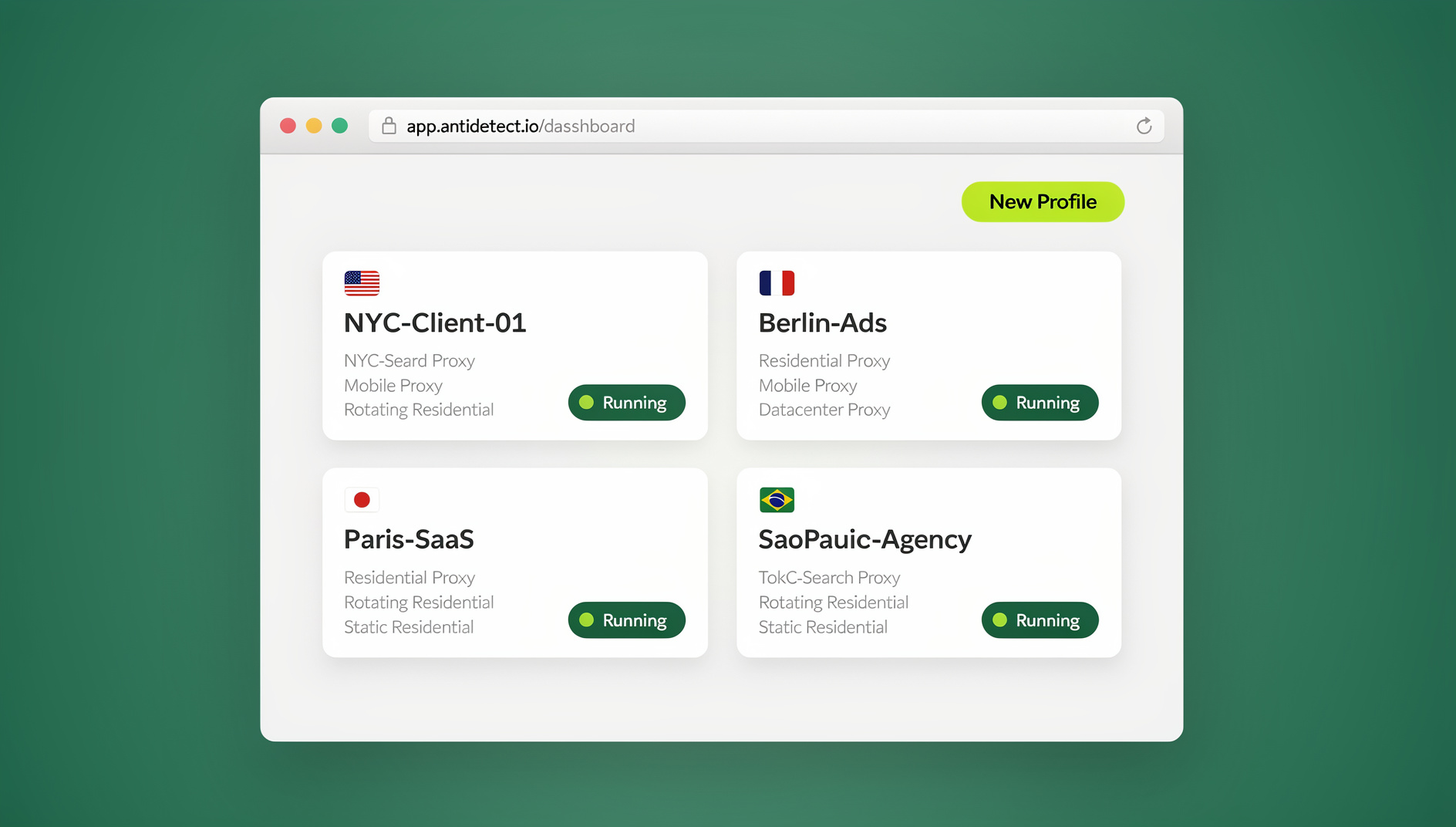
Managing multiple online accounts is now routine work for marketers running parallel campaigns, freelancers juggling client logins, and e-commerce sellers operating several storefronts. Anti-detect browsers like Incogniton made this possible by giving each account its own isolated browser fingerprint, but 2026 has raised the bar. Detection algorithms are sharper, per-profile pricing adds up fast, and teams increasingly want automation and cross-device access baked in rather than bolted on. This guide breaks down where Incogniton still holds up, where it falls short, and which alternatives actually solve those gaps.
Understanding Incogniton: What It Offers and Where It Falls Short
Incogniton is an anti-detect browser built around isolated profiles. Each profile behaves like a separate device, which is what lets you run several accounts on the same platform without the accounts getting linked and flagged together.
Key Features of Incogniton
Incogniton’s core strength is fingerprint spoofing — it lets you adjust dozens of parameters, including canvas rendering, WebGL output, font lists, and hardware details, so each profile looks distinct to the sites you visit. It supports proxy integration, though proxies have to be sourced and configured separately since none are bundled in. Team accounts can share profiles with permission controls, and automation-minded users can hook in Selenium for scripted workflows. Profiles can also be seeded from real device templates, which is useful for affiliate marketing, agency social media work, and multi-store e-commerce management.
On pricing, Incogniton scales with profile count: a free plan gives 10 profiles for the first two months before dropping to 3, and paid tiers run from roughly $20/month for 10 profiles up to $150+/month for unlimited profiles at the top end. That structure works fine for someone testing the waters, but the cost climbs quickly once you’re managing dozens of accounts.
Where Users Report Problems
The interface is generally praised as approachable, and the free trial lets people test it before paying. But the recurring complaints are consistent: no built-in proxies means extra setup time and expense, occasional detections on strict platforms like Facebook or Google, a free tier that feels thin once your needs grow, and automation that leans on coding skills rather than a simple no-code path. These pain points are exactly what’s pushing people toward Incogniton alternatives that solve for cost, detection resilience, and ease of automation in one package.
Why Look for Incogniton Alternatives in 2026?
Incogniton isn’t going anywhere, but the multi-account management category has moved fast. Platforms have gotten better at correlating accounts, and users want tools that keep pace without adding complexity or cost.
Evolving Detection Challenges
Sites are increasingly good at spotting when several accounts trace back to one operator, even behind a spoofed fingerprint. That’s pushed demand toward tools with stronger encryption, cleaner session isolation, and privacy-first defaults — the kind of setup where logging into several accounts side by side doesn’t risk cookie or cache cross-contamination between them.
Cost and Scalability
Profile-based pricing sounds simple until you’re paying for every account you add. A team running 100+ profiles on Incogniton’s top plans can easily clear $100+ a month, and that number only grows. Alternatives that bundle a generous profile allowance into a flat, predictable subscription — rather than charging per profile — make scaling a lot less painful for agencies and growing freelance operations.
The Need for Real Automation and Cross-Device Access
Teams increasingly want a tool that works the same whether they’re at a desktop or picking up a session from another machine, and that keeps each profile’s cookies, storage and fingerprint separate rather than requiring a custom scripting setup from scratch. This is where consistent per-profile isolation starts to matter, especially for anyone managing ad accounts, marketplace listings, or scraping tasks at volume.
How We Evaluated These Incogniton Alternatives
To keep this comparison useful rather than a marketing exercise, each alternative was scored against the same criteria:
- Privacy and fingerprint isolation: How effectively the tool isolates sessions, keeps each profile’s fingerprint consistent, and integrates proxies for separate browser identities.
- Ease of use: How quickly someone with no technical background can get set up and start managing accounts.
- Scalability: How the pricing and performance hold up as profile count grows into the dozens or hundreds.
- Pricing transparency: Whether the free trial, plan tiers, and any hidden limits (bandwidth, seats, automation access) are clearly stated.
- Automation and integrations: Whether the tool supports real automation frameworks like Selenium, Puppeteer, or Playwright, and at what plan tier.
- Platform coverage: Whether it runs as a native desktop app, purely in the cloud, or both — and what that means for device flexibility.
Top 5 Incogniton Alternatives in 2026
Here’s how the five leading options stack up before we dig into each one individually.
| Tool | Starting Price | Profile Allowance | Automation | Best For |
|---|---|---|---|---|
| Send.win | $19/mo ($83.88/yr) | 150 (Pro), 500 (Team) | No | Balanced cost, native app + cloud sessions |
| Incogniton | ~$20/mo | 10 (entry paid tier) | Selenium (coding required) | Desktop-only fingerprint depth |
| GoLogin | ~$24/mo | 100 | Selenium | Deep fingerprint customization |
| AdsPower | Free trial + paid tiers | Varies by plan | Built-in RPA | Marketers automating repetitive tasks |
| Multilogin | ~$99/mo | Varies by plan | Full API | Enterprise scraping and QA |
| Octo Browser | Custom, profile-based | Custom | Limited | Team stability and uptime |
1. Send.win: The Best Overall Incogniton Alternative
Send.win takes a different approach than most browser profile managers on this list. Instead of a single desktop app, it gives you two ways to work: the Sendwin Browser, a native, downloadable desktop app for Windows, macOS, and Linux that’s local-first with encrypted cloud sync, or fully cloud-hosted browser sessions that run with zero local install and are metered by cloud browsing time. That flexibility means you can keep everything on your own machine when you want maximum control, or spin up a session in the cloud from any device when you’re away from your usual setup.
Core Features
Each profile in Send.win is isolated at the session level, so cookies, cache, and local storage never leak between accounts. Profiles are protected with strong encryption, and sessions can be shared with a teammate or client via a link rather than handing over a password — useful for agencies that need to hand off access without exposing credentials. If you’re weighing this against dedicated browser profile managers, it’s worth comparing it directly to the best browser profile manager options currently on the market to see how the isolation model differs.
Pricing
Send.win has no free trial. Paid plans are straightforward: Pro runs $19/month ($83.88/year) for 150 profiles, and Team runs $49/month ($251.88/year) for 500 profiles and 16 seats — built for agencies managing client accounts across a small team. The first card purchase is covered by a 7-day money-back guarantee, and the only free option is the cloud demo at send.win/demo-browser.
Why It Leads Over Incogniton
The comparison comes down to flexibility and cost per profile. Incogniton locks you into a desktop app with profile counts that shrink fast once the free plan trial period ends, and its higher tiers get expensive quickly. Send.win’s combination of a native app plus optional cloud sessions, paired with 150-500 profiles built into its two paid plans, gives most freelancers and small teams more room to grow before they need to upgrade at all.
2. GoLogin: Deep Fingerprint Customization
GoLogin is the pick for anyone who wants granular control over fingerprint parameters. It lets you adjust more than 50 fingerprint variables and ships with built-in proxies from over 100 countries, which saves setup time compared to sourcing your own. Team sharing includes permission controls, there’s an Android companion app, and Selenium integration covers automation needs.
A 7-day free trial with some proxy access is available to test the waters, and paid plans start around $24/month for 100 profiles — competitive for the depth of customization on offer. The tradeoff is a steeper learning curve than a more streamlined tool; GoLogin rewards users comfortable digging into fingerprint settings rather than wanting a fast, hands-off setup. If deep customization is your priority, it’s worth reading a fuller breakdown of GoLogin alternatives to see how it compares beyond this summary.
3. AdsPower: Built for Automation-Heavy Workflows
AdsPower stands out for its dual browser engine support (Chrome and Firefox based) and built-in RPA for scripting repetitive tasks without writing automation from scratch. You can customize around 20 fingerprint parameters, data is stored locally for added privacy, and team features include two-factor authentication and action logs.
A free trial with a couple of profiles is available to start, with paid tiers priced reasonably for the automation depth on offer. Like Incogniton, it doesn’t bundle proxies, so you’ll need to source those separately. It’s a strong fit for affiliate marketers or e-commerce sellers who want to automate logins and routine data entry across many stores.
4. Multilogin: The Enterprise Veteran
Multilogin has been in the anti-detect space longer than most competitors, and it shows in its enterprise-grade stability and support. It offers multiple browser engines (including Mimic and Stealthfox), masks audio fingerprints and WebRTC leaks, and provides a full API for custom automation builds.
Pricing starts around $99/month, positioning it well above the other tools here. It’s built for serious scraping and QA operations rather than casual multi-account management, and newcomers may find the learning curve steep relative to the payoff for lighter use cases. For a side-by-side on where it fits against lower-cost options, see this comparison of Multilogin alternatives.
5. Octo Browser: Stability-First for Teams
Octo Browser prioritizes uptime and reliability above flashy features. It supports unlimited devices per account, straightforward profile transfers between team members, and Android fingerprint emulation for mobile-style sessions. Team management includes activity logs and permission controls.
Plans are profile-based and customizable, and it’s well-regarded for agency and team-based operations where consistency matters more than deep customization. One quirk to watch for: profiles can be auto-deleted after a period of inactivity, which can catch teams off guard if they’re not checking in regularly.
Send.win vs Incogniton: A Direct Comparison
Putting the two head-to-head makes the differences concrete. On profile allowance, Send.win’s Pro and Team plans include 150 and 500 profiles respectively at a flat monthly rate, while Incogniton’s pricing steps up per profile tier, meaning the cost per account rises as you scale. On platform flexibility, Send.win offers both a native desktop app and cloud-hosted sessions, so you’re not tied to one machine; Incogniton is desktop-only. On session sharing, Send.win’s link-based sharing avoids handing over passwords entirely, which is a meaningful security upgrade for agencies bringing on clients or contractors.
Which Should You Choose?
If you want predictable pricing and a native app with optional cloud sessions, Send.win is the stronger fit for most freelancers, marketers, and small agencies. Incogniton still makes sense if you specifically want deep, granular fingerprint control on a desktop-only setup and don’t mind the per-profile cost curve. For a broader look at how these tools stack up against each other beyond just Incogniton, this rundown of the browser for multiple accounts category is a useful next read.
Real-World Use Cases
Freelance Client Management
A freelance social media manager handling 15-20 client accounts runs into the same problem repeatedly on profile-limited plans: every new client means either upgrading a tier or juggling logins manually. Switching to a plan with a larger built-in profile allowance and link-based session sharing removes both headaches — clients get access without ever seeing a password, and adding accounts doesn’t force an immediate upgrade.
Agency Ad Account Management
Agencies running paid campaigns across multiple client ad accounts on Facebook, Google, and TikTok need strict session isolation to avoid cross-contaminating pixel data or triggering platform reviews. A native app with encrypted local storage plus the option to spin up cloud sessions for remote team members covers both the security and flexibility requirements without adding separate VPN or remote-desktop tooling.
E-Commerce Multi-Store Operations
Sellers running several storefronts on Amazon, eBay, or Etsy need each store’s session kept completely separate. Send.win has no automation interface, so repetitive listing updates or inventory checks across stores must be handled manually in each isolated profile.
🏆 Send.win Verdict
Of the five Incogniton alternatives compared here, Send.win offers the best balance of price and flexibility. The Sendwin Browser native app covers Windows, macOS, and Linux with encrypted cloud sync, and cloud browser sessions handle anything you need without a local install. There is no free trial, but the first card purchase is covered by a 7-day money-back guarantee, and you can preview it with the free cloud demo at send.win/demo-browser before committing.
Try Send.win free today — set up your first profiles in minutes and see the difference for yourself.
FAQ: Common Questions About Incogniton Alternatives
What are the best Incogniton alternatives in 2026?
The top options are Send.win for balanced pricing and isolated browser profiles, GoLogin for deep fingerprint customization, AdsPower for built-in automation, Multilogin for enterprise-grade scraping, and Octo Browser for team stability.
Do I need to install anything to start using Send.win?
Not necessarily. You can run fully cloud-hosted browser sessions with zero local install, metered by cloud browsing time, or download the Sendwin Browser — a native, local-first desktop app for Windows, macOS, and Linux with encrypted cloud sync — if you’d rather keep everything on your own machine. Both options are available from the same account.
How does Send.win compare to Incogniton on price?
Send.win’s Pro plan is $19/month ($6.99/month billed annually — 63% savings) for 150 profiles, and Team is $49/month ($20.99/month billed annually — 57% savings) for 500 profiles. Incogniton’s paid tiers start around $20/month for just 10 profiles and climb steeply from there, so Send.win generally works out cheaper per profile as you scale.
Does Send.win support automation like Selenium or Puppeteer?
No. Send.win has no automation interface — no API, SDK, headless mode or Selenium/Puppeteer/Playwright support on any plan.
Can Incogniton alternatives prevent account bans?
They significantly reduce the risk by isolating sessions and fingerprints so accounts can’t easily be linked together, but no tool can guarantee zero bans — platform detection methods keep evolving, and how you use the accounts still matters.
Is there a free trial for Send.win?
No. Send.win has no free trial. The only free option is the cloud demo at send.win/demo-browser, and the first card purchase is covered by a 7-day money-back guarantee.
Which alternative is best for teams and agencies?
Send.win’s Team plan (500 profiles, 16 seats, 20GB bandwidth) suits most agencies well, while Multilogin and Octo Browser are worth considering for larger enterprise-scale operations with bigger budgets.
What’s the difference between a native app and a cloud browser session?
A native app like the Sendwin Browser installs locally and syncs encrypted data to the cloud, giving you full control over your machine’s resources. A cloud browser session runs entirely on remote infrastructure with no local install, which is handy for lightweight devices or quick access from anywhere, and is billed based on cloud browsing time rather than a flat profile fee.
Choosing between these Incogniton alternatives ultimately comes down to how you weigh cost, workflow needs, and how much you want tied to a single desktop setup. For most freelancers, marketers, and small agencies managing dozens to a few hundred accounts, Send.win’s combination of a native app and optional cloud sessions makes it the most practical upgrade from Incogniton in 2026.