Running Multiple Instagram Accounts Without Losing Any of Them
You can manage multiple Instagram accounts safely by separating scheduled content from live engagement: use an official API scheduler for posting, and an isolated browser profile — with its own fingerprint, proxy, and persistent login — for native activity like DMs and comments. Mixing everything into one browser or the mobile app’s built-in account switcher is what triggers Action Blocks, forced re-verification, and accidental cross-posting once you pass 3-4 client accounts.
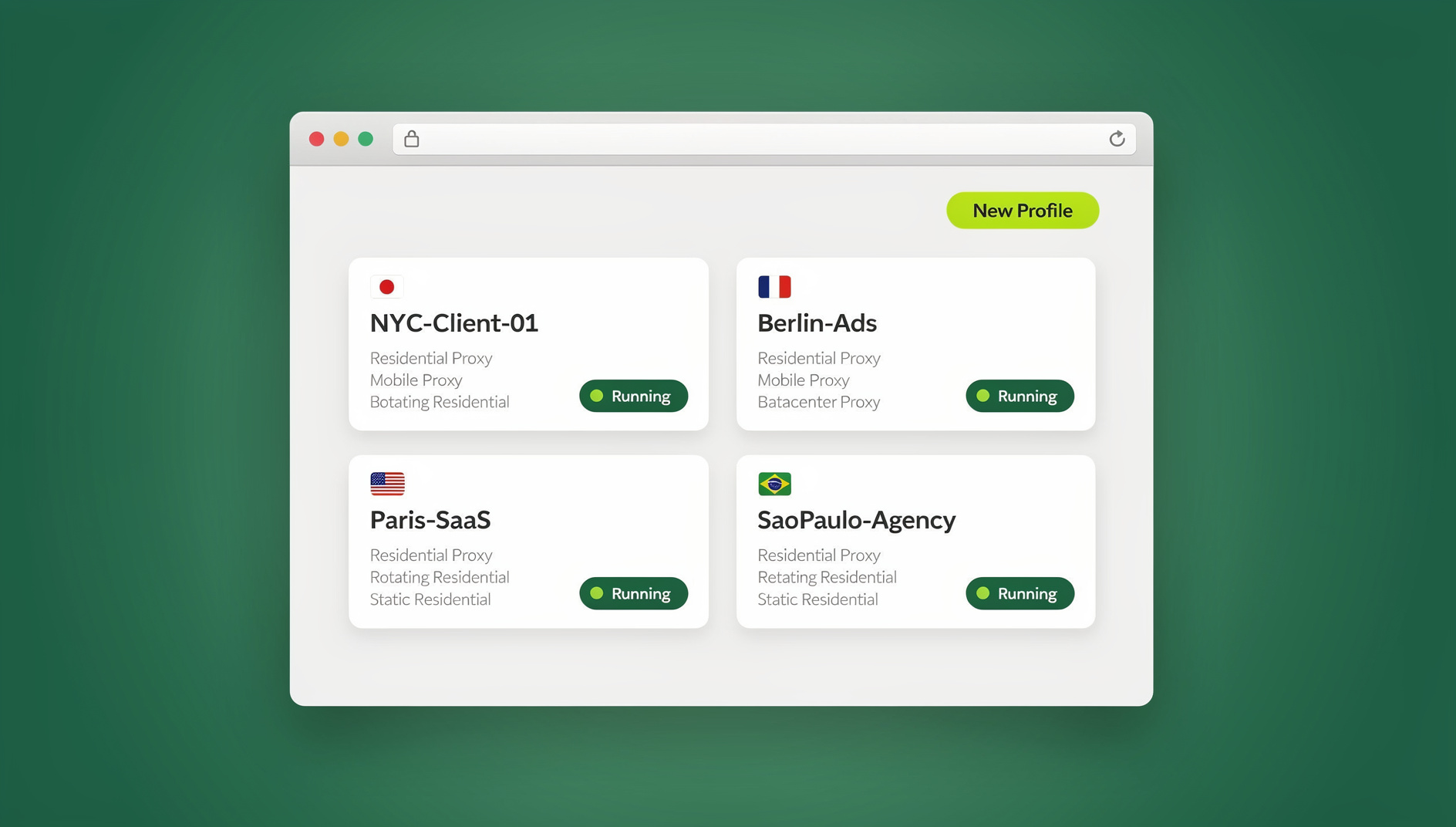
Why Instagram Flags People Who Manage Multiple Accounts
Instagram’s anti-spam systems are tuned to catch bot farms, not legitimate agencies — but from the platform’s point of view, the two often look identical. If you run a main brand account, a support handle, three regional pages, and a handful of influencer partnerships from the same laptop, Instagram sees a cluster of accounts sharing the same signals and reacts accordingly.
Shared IP Address
Fifteen accounts logging in from one home or office Wi-Fi connection is exactly the pattern a bot farm produces. Instagram doesn’t need proof of wrongdoing to restrict you — a suspicious cluster of signals is often enough to trigger an Action Block that pauses likes, comments, and follows for hours or days.
Browser Fingerprint Matching
Every browser exposes a fingerprint made up of canvas rendering, WebGL output, installed fonts, screen resolution, and dozens of smaller signals. When 10 different Instagram accounts open from tabs that all share the exact same browser fingerprint, the platform can link them together even if you never log in from the same IP twice.
Verification Loops
The most disruptive pattern is the “Suspicious Login Attempt” flag. A client’s account sends a 6-digit code to their personal phone the moment you log in from an unfamiliar device or location — and if the client is asleep, in a meeting, or simply slow to respond, you’re locked out of doing your job for hours.
7 Rules for Running Multiple Instagram Accounts Safely
Once you understand what Instagram is actually watching for, the fix is mostly about workflow discipline rather than any single tool. These seven rules cover the setup professionals use to manage a dozen or more accounts without triggering restrictions.
Rule 1: Separate Broadcasting from Engagement
Split your workload into two categories. Content Broadcasting — grid planning, caption writing, scheduled Reels and feed posts — belongs in an official API partner tool such as Later, Metricool, or Meta Business Suite. These push content directly to Instagram’s servers without a native login, so bulk scheduling never touches the flagged signals above. Community Engagement — replying to DMs, commenting, watching Stories, checking analytics that aren’t exposed via API — has to happen through a real, logged-in session, which is where the other six rules matter.
Rule 2: Isolate Each Account’s Browser Fingerprint
For native engagement, every client account needs its own isolated browser profile rather than a shared Chrome window or standard tabs. Isolation means each profile presents a distinct canvas hash, WebGL signature, and font list, so Instagram has no technical basis for linking “Client A” and “Client B” together, even though you’re the one operating both.
Rule 3: Use Dedicated Residential Proxies per Profile
Pair each isolated profile with its own residential proxy so the IP address matches the account’s expected location. A client based in Sydney should appear to log in from an Australian residential IP, not your home office connection in another country. Datacenter IPs and free VPNs are already flagged across most social platforms — understanding residential proxies vs VPNs matters here, since only genuine residential or mobile proxies assigned one-to-one with each profile hold up to platform scrutiny.
Rule 4: Keep Sessions Persistent, Not Re-Authenticated
Every time you have to re-enter a password and wait for a 2FA code, you generate exactly the kind of “new device” signal that triggers a verification loop. A properly isolated profile keeps you logged in indefinitely inside its own encrypted container, so opening “Client A – Instagram” tomorrow drops you straight into the account with zero re-authentication and zero fresh suspicious-login flags.
Rule 5: Delegate Access Without Sharing Passwords
If an intern or a virtual assistant needs to moderate comments, handing over the password is both a security risk and a rules violation for most client contracts. Instead, share sessions without sharing passwords — the assistant opens the same isolated profile over the same proxy and fingerprint through a secure link, and you revoke access instantly the moment their shift ends.
Rule 6: Choose the Right Account Type
Make sure every client profile is converted from a personal account to the correct professional type before you start scaling. Business accounts unlock the Graph API for scheduling and advertising; Creator accounts keep access to the full commercial audio library, which matters for influencer clients who lean on trending sounds. Getting this wrong later means migrating followers and losing analytics history.
Rule 7: Warm Up New Accounts Gradually
When you take over a brand-new client account, resist the urge to log in from a new setup and immediately blast out fifty comments and follows. Ease into the new profile over several days — a handful of natural actions per day — before running it at full agency pace. Accounts that go from zero activity to bot-like volume overnight get flagged regardless of how clean your isolation setup is.
Native App, Shared Browser, or Isolated Profiles: How the Options Compare
The table below breaks down the three realistic ways agencies manage several Instagram accounts, and why isolated profiles are the only option built for scale.
| Method | Max practical accounts | Fingerprint isolation | Persistent login | Best for |
|---|---|---|---|---|
| Instagram’s native account switcher | ~5 | None | Yes, per device | Personal use, one or two brands |
| Standard browser tabs / logging in and out | Unlimited in theory, high risk in practice | None — shared fingerprint and cookies | No — re-auth every switch | Not recommended for agencies |
| Isolated profiles (Send.win) | Dozens to hundreds | Per-profile | Yes, indefinitely | Agencies, brand managers, e-commerce teams |
Setting Up an Isolated Instagram Workflow
Putting the rules above into practice takes a few concrete steps inside a browser profile manager like Send.win.
Step 1: Create One Profile per Account
Inside the Sendwin Browser desktop app, create a new profile named for the client and platform — “Client A – IG,” “Client B – IG Support,” and so on. Each profile is a self-contained environment with its own cookies, storage, and spoofed fingerprint.
Step 2: Log In Once and Assign a Proxy
Log into the account inside its dedicated profile, entering the 2FA code the client provides that one time. Attach a residential proxy matching the client’s real-world location so future logins never look like a location jump.
Step 3: Return to a Persistent Session Daily
From then on, opening that profile drops you straight back into the logged-in account. No repeated verification codes, no re-typed passwords, no risk of the wrong account receiving today’s comment.
Step 4: Share Access Selectively
When a teammate needs temporary access, generate a shareable session link for that specific profile instead of handing over credentials, and revoke it the moment the work is done.
Common Mistakes That Still Get Multi-Account Managers Restricted
Even agencies that already use isolated profiles occasionally trip a restriction because of a handful of avoidable habits. These four mistakes show up again and again in post-mortems of Action Blocks.
Mistake 1: Reusing the Same Proxy Across Clients
Buying one residential proxy and routing five different client profiles through it defeats the purpose of isolation. Instagram can still cluster those five accounts by IP, even though their browser fingerprints look distinct. Budget for one dedicated proxy per active client profile, not one proxy shared across your whole roster.
Mistake 2: Ignoring Time-Zone Consistency
If a profile’s proxy places the account in Sydney but its browser reports a US time zone and English (United States) locale, that mismatch is itself a signal. Match the profile’s proxy location, system time zone, and language settings so the whole fingerprint tells one consistent story.
Mistake 3: Running Bulk Actions Manually Inside a Session
Isolation stops Instagram from linking your accounts to each other, but it doesn’t make rapid mass-following or mass-commenting inside a single account look any less automated. Rate-limit your own manual activity the same way a careful social media manager would on a single account — isolation is not a license to spam.
Mistake 4: Forgetting to Revoke Access After Offboarding
When a contractor or intern leaves, revoke their shared session immediately. A stale shared link left active for months is both a security gap and an audit-trail problem if a client ever asks who accessed their account and when.
Scaling Your Setup as Your Client List Grows
The right tooling looks different depending on how many accounts you’re actually responsible for, and it’s worth matching your setup to your current scale rather than over-engineering from day one.
Solo Freelancer (1-5 Accounts)
At this scale, a handful of isolated profiles inside the Sendwin Browser desktop app plus one scheduler subscription covers almost everything. You likely don’t need a dedicated proxy per account yet if your clients share a rough geographic region, though it’s still good practice to start the habit early.
Small Agency (5-20 Accounts)
This is where reused proxies and inconsistent naming conventions start causing real problems. Standardize a naming scheme for profiles (“ClientName-Platform-Purpose”), assign one proxy per client, and start using session sharing instead of distributing passwords to junior team members.
Larger Agency (20+ Accounts)
At this scale, plan cloud browser sessions for team members who need occasional access without installing the desktop app locally, keep a simple internal log of which proxy and profile belongs to which client, and build the account warm-up period into every new client’s onboarding checklist rather than skipping it under deadline pressure.
🏆 Send.win Verdict
If you’re already using a scheduler for grids and Reels but still logging into client Instagram accounts from the same browser to handle DMs and comments, isolated profiles are the missing piece. Send.win gives every account its own fingerprint, its own proxy, and a session that stays logged in — the exact setup this guide walks through, minus the manual proxy shopping and profile juggling.
Try Send.win today — plans start at $19/mo, and your first card purchase is covered by a 7-day money-back guarantee. You can also preview it free in the cloud demo.
Frequently Asked Questions
How many Instagram accounts can I manage from one device?
Instagram’s native app allows up to five logged-in accounts at once. Beyond that, you need isolated browser profiles rather than the app switcher, since the app itself has no way to separate fingerprints or proxies between accounts.
Is it against Instagram’s rules to manage multiple accounts?
No — Instagram explicitly allows businesses and individuals to operate multiple accounts, including through third-party tools, as long as they don’t engage in spam, fake engagement, or coordinated inauthentic behavior. The restrictions agencies hit are usually automated anti-bot flags, not manual policy violations.
What’s the difference between an Action Block and a suspension?
An Action Block is temporary — it pauses specific actions like commenting or following for a set period, usually because of a suspicious activity pattern. A suspension is a full account lockout and is far more serious, typically reserved for confirmed policy violations rather than automated pattern-matching.
Can scheduling tools replace native login entirely?
Not fully. API-based schedulers handle grid planning and caption publishing well, but they can’t reply to DMs, comment authentically, view Stories from other accounts, or access every in-app feature — those still require a native, logged-in session.
Do I need a different proxy for every single account?
Ideally yes, especially for accounts based in different regions. Sharing one proxy across many accounts recreates the same clustering problem you’re trying to avoid, just at the IP level instead of the fingerprint level.
What happens if I mix a client’s Instagram login into my personal Chrome profile?
You risk cross-contaminating both accounts. If your personal account ever gets restricted, the shared fingerprint and cookies can drag the client account into the same review, and vice versa — a serious risk for any paid agency relationship.
Should influencers use Business or Creator accounts?
Creator accounts typically suit influencers better because they retain full access to trending commercial audio, which is restricted on Business accounts for copyright reasons. Business accounts make more sense when advertising and API scheduling matter more than audio trends.
How long should I warm up a newly taken-over client account?
A few days of light, natural-looking activity is generally enough before scaling up to full posting and engagement volume. Jumping straight to agency-level activity on day one is one of the most common triggers for an immediate restriction.
The Bottom Line
Managing multiple Instagram accounts safely isn’t about finding one clever trick — it’s a workflow: schedulers for bulk content, isolated profiles for native engagement, dedicated proxies per account, and controlled, revocable access for your team. Get those four pieces right and you can run a dozen client accounts, or fifty, without spending your week fighting verification codes.