Browser fingerprint isolation means giving every login session its own storage, network identity, and execution environment so that platforms can’t correlate two accounts as “the same device” — even when both are open at once. Clearing cookies or opening a private window doesn’t achieve this, because your screen size, fonts, GPU signature, and time zone still leak through. Send.win solves this by running each session in its own isolated container, either as a local desktop app or a fully cloud-hosted browser, so nothing bleeds between accounts.
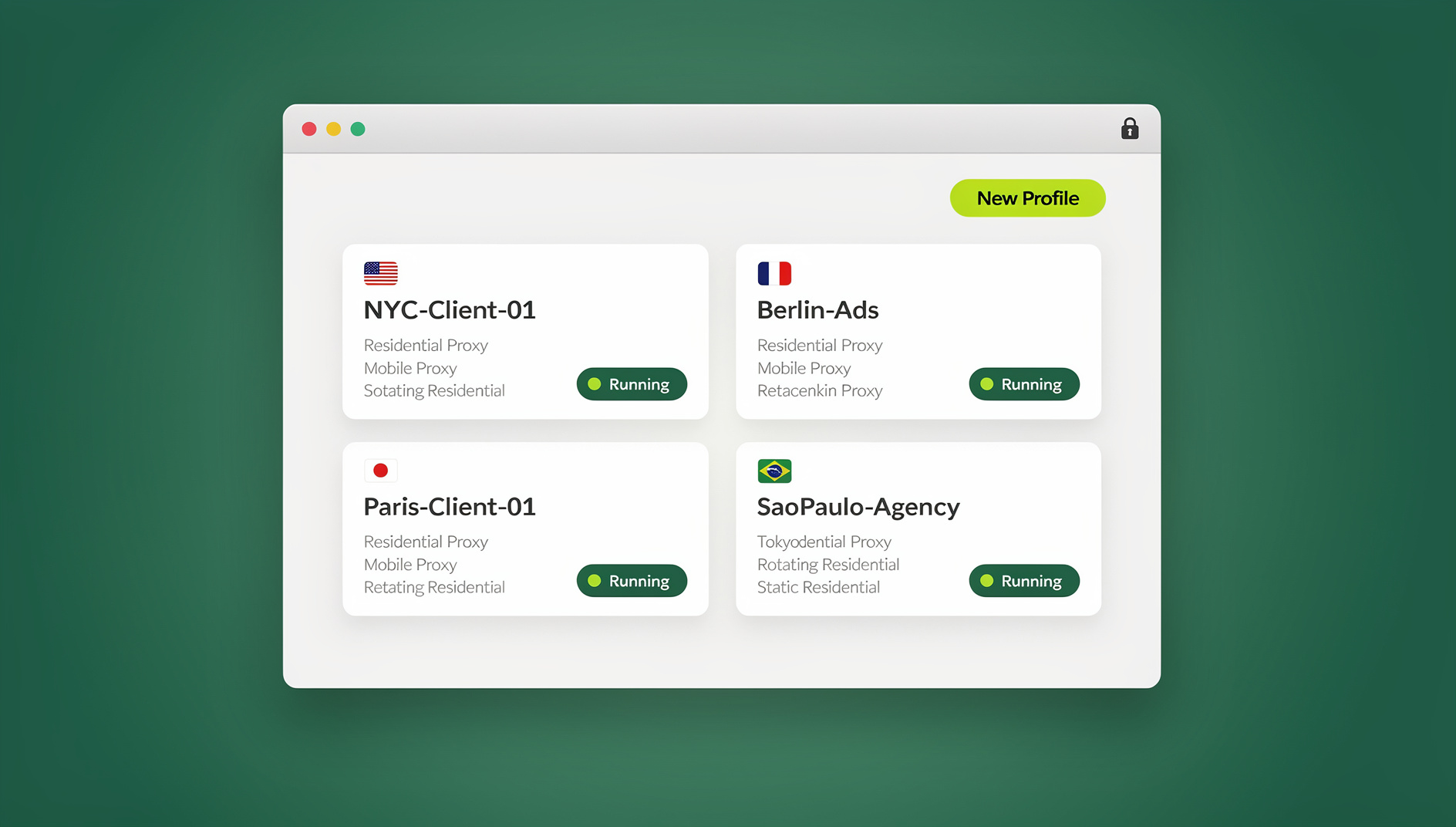
What a Browser Fingerprint Actually Is
A browser fingerprint is not a single value you can toggle off — it’s a composite of dozens of small signals your browser exposes automatically: screen resolution and pixel density, installed fonts, timezone and language, audio stack behavior, GPU rendering output, and more. Individually, none of these give you away. Combined, they form a profile that’s often unique enough to re-identify a device across sessions, even after cookies are wiped.
This matters most for people who legitimately manage several accounts on the same platform: media buyers running client ad accounts, sellers operating multiple storefronts, SEO teams checking geo-specific results, and QA engineers testing logged-in states. When platforms see two “accounts” sharing an identical fingerprint, they assume a connection — sometimes correctly, sometimes not — and that assumption can trigger extra verification or account restrictions. The fix isn’t disguising your fingerprint value by value; it’s making sure sessions genuinely don’t share an environment.
Two of the most persistent signals are canvas fingerprinting, which reads subtle differences in how your GPU and drivers render a hidden image, and audio-context fingerprinting, which measures tiny variations in how your sound stack processes a test signal. Both run silently in the background and don’t require any permission prompt, which is why simply denying location or camera access does nothing to reduce your fingerprint’s uniqueness.
Why a VPN Doesn’t Solve Fingerprinting
A VPN changes one input: your IP address. Everything else — your GPU signature, installed fonts, WebGL fingerprinting data, canvas rendering, time zone, and audio context — stays exactly the same across every tab you open. Sites that fingerprint don’t rely on IP alone; they weigh dozens of signals together, so swapping only the network address leaves the rest of the profile intact and still linkable.
A VPN also applies one location to your entire browser at once. If you need session A to look like it’s browsing from New York while session B looks like London, a single VPN tunnel can’t do that — you’d need to disconnect and reconnect, which is slow and error-prone for real multi-account work. True isolation requires separating storage and network identity per session, not per device.
Two Ways Send.win Delivers Fingerprint Isolation
Send.win gives you two ways to run isolated sessions, depending on how much control you want over the underlying machine.
The Sendwin Browser (Native Desktop App)
The Sendwin Browser is a native, downloadable application for Windows, macOS, and Linux. It’s local-first, meaning each profile runs on your own hardware with its own storage and configuration, while your session data, bookmarks, and settings sync to the cloud in encrypted form. This is the right mode when you want local performance, offline access to your machine’s resources, or when you plan to drive sessions with automated scripts.
Cloud Browser Sessions
Cloud sessions run entirely on Send.win’s infrastructure and stream to your device — nothing executes locally. There’s nothing to install, your laptop’s specs stop mattering, and you can jump between sessions from any device with a browser. Cloud sessions are metered by cloud browsing time, so they’re ideal for occasional multi-login work, shared team access, or opening an unfamiliar link without exposing your own machine.
| Consideration | Sendwin Browser (Desktop App) | Cloud Browser Sessions |
|---|---|---|
| Where it runs | Locally, on your machine | Entirely in the cloud, streamed to you |
| Install required | Yes — one-time desktop install | No install at all |
| Data sync | Encrypted cloud sync of profiles/settings | Native to the cloud session |
| Billing basis | Included in plan profile limits | Metered cloud browsing time |
| Best for | Daily multi-account work, offline speed | Occasional access, shared team logins, risky links |
How Fingerprint Isolation Actually Works Inside Send.win
Whichever mode you pick, the isolation mechanics are the same:
- Per-profile storage separation — cookies, cache, and local storage never cross between profiles, so nothing links your accounts through shared state.
- Per-session proxy assignment — bring your own proxy and attach a distinct IP, region, and ISP to each profile instead of routing everything through one tunnel.
- Encrypted sync and storage — profile data moving to and from the cloud is encrypted in transit and at rest, so your isolated environments stay private even when synced across your own devices.
- Disposable sessions — spin up a cloud session for a one-off task, use it, and close it without leaving artifacts on your own machine.
- Controlled sharing — hand a teammate access to a live, logged-in session instead of a password, and revoke it the moment the task is done.
None of this relies on spoofing individual fingerprint parameters like canvas noise or a randomized user-agent string. Faking values one at a time is brittle — it tends to break rendering, trip anti-bot heuristics, or produce a fingerprint that’s inconsistent in ways detection scripts specifically look for. Session isolation sidesteps that arms race entirely by making sure there’s simply nothing shared to correlate.
Who Actually Needs This
Marketers and media buyers manage several ad accounts across clients without funneling everyone through one browser profile. Each client gets its own storage and, if needed, its own proxy region — useful for verifying how a campaign renders in a specific market.
E-commerce sellers running multiple storefronts keep staff logins, checkout tests, and regional storefront variants from cross-contaminating. A support rep can be handed access to exactly one storefront’s session without ever seeing the password.
SEO professionals run geo-specific rank checks and SERP audits from several regions at once, each in its own isolated profile with a matching proxy, so results aren’t skewed by shared cookies or lingering personalization.
Developers and QA teams reproduce bugs in clean, disposable environments and test authenticated flows without polluting their personal browser state. Each profile keeps its own cookies, storage and fingerprint, so test environments stay separate from your personal browser state.
Remote teams share access to a specific tool or account for a set window of time, then revoke it, keeping collaboration auditable without a shared password floating around in chat.
Agencies managing dozens of client accounts across ad platforms, storefronts, and social profiles benefit the most from scale: instead of a shared spreadsheet of passwords, each client gets a dedicated profile, and staff turnover no longer means resetting credentials everywhere. Team plans with 16 seats and 500 profiles are built specifically for this kind of client load.
Isolation vs. Heavy Spoofing: The Real Trade-Off
Some tools promise to make you fully “undetectable” by randomizing canvas output, injecting fake WebGL renderer strings, or rotating user-agents on every request. That approach can work briefly, but it has a structural weakness: heavy spoofing often creates fingerprints that are internally inconsistent, and inconsistency is exactly what modern detection systems flag. It can also break site functionality outright.
| Approach | How it works | Main risk |
|---|---|---|
| Heavy fingerprint spoofing | Fakes dozens of individual signals per request | Inconsistent values trip detection; sites can break |
| Send.win’s isolation model | Keeps storage, proxy, and execution genuinely separate per session | Requires a session per account, but nothing to detect as “faked” |
For most legitimate multi-account workflows, isolation is the more durable strategy — it doesn’t rely on winning an escalating detection arms race, and it doesn’t require constant tuning as detection scripts evolve. If you’re comparing options in this space, it’s worth reading a broader rundown of the best antidetect browser tools before settling on one approach.
Testing on Send.win
If your workflow needs scripted control rather than manual clicks — regression testing, scheduled checks, or bulk account operations — Send.win does not offer an automation interface: there is no API, SDK, headless mode or Selenium/Puppeteer/Playwright support on any plan. What Send.win does provide is per-profile isolation, so each profile keeps its own cookies, storage and fingerprint separate from the others. This matters for QA teams especially, since automated browsers have their own detectable quirks — see this deep dive on browser automation fingerprinting if you’re building test suites that need to behave like a real user session.
Send.win Pricing
Send.win has no free trial. Paid plans start at Pro for $19/mo or $83.88/yr, and your first card purchase is covered by a 7-day money-back guarantee. If you want to see it first, there’s a free cloud demo at send.win/demo-browser.
| Plan | Monthly | Billed Annually | Profiles | Proxy Bandwidth | Seats | |
|---|---|---|---|---|---|---|
| Pro | $19/mo | $6.99/mo | 150 | 5GB | Included | 1 |
| Team | $49/mo | $20.99/mo | 500 | 20GB | Included | 16 |
Send.win has no automation interface on any plan — no API, SDK, headless mode or Selenium/Puppeteer/Playwright support — so scripted testing and account management aren’t available. Teams juggling more than a handful of client accounts will generally outgrow Pro’s 150 profiles faster than its bandwidth, so check your session count before committing to annual billing.
Getting Started in Three Steps
- Try the free cloud demo. Visit send.win/demo-browser — a 3-minute preview without signup, or 10 minutes a day with a free account.
- Pick your mode. Download the Sendwin Browser for daily local work, or launch a cloud session for zero-install, on-demand access.
- Create your first isolated profiles. Set up separate profiles per account, attach proxies where you need regional accuracy, and start working without cross-session bleed.
Best-Practice Checklist for Clean Multi-Account Work
- Isolate instead of spoof — keep storage and network identity separate per profile rather than faking individual signals.
- Match proxies to context — assign region-appropriate proxies per session instead of one shared VPN tunnel.
- Time-box shared access — when handing a session to a teammate or contractor, set an expiry and revoke it once the task is done.
- Keep automation scoped — run scripted tests against their own profiles so automated sessions never share state with manual ones.
- Respect platform terms of service — isolation is for keeping legitimate accounts cleanly separated, not for evading rules you’ve agreed to.
🏆 Send.win Verdict
If your goal is genuine browser fingerprint isolation rather than a fragile spoofing hack, Send.win’s dual model — a native desktop app for daily multi-account work and metered cloud sessions for zero-install access — covers both ends of the workflow. Per-profile storage and per-session proxies make it a practical fit for marketers, sellers, SEO teams, and QA engineers alike.
Try the Send.win cloud demo — a 3-minute preview without signup, 10 minutes a day with a free account.
Frequently Asked Questions
Is Send.win a browser profile manager?
Send.win is a browser profile manager. It gives each profile its own cookies, storage, sessions, fingerprint settings and proxy, so profiles don’t share one browser identity — a more durable approach than faking individual signals.
Do I still need a VPN alongside Send.win?
You might keep a VPN for general network privacy, but for per-account isolation it isn’t necessary. Send.win lets you attach a distinct proxy to each profile individually, which a single VPN tunnel can’t replicate across multiple simultaneous sessions.
What’s the difference between the Sendwin Browser and cloud sessions?
The Sendwin Browser is a native desktop app for Windows, macOS, and Linux that runs locally with encrypted cloud sync. Cloud browser sessions run entirely on Send.win’s servers and stream to your device, with no install required, metered by cloud browsing time.
Can I automate sessions with Selenium, Puppeteer, or Playwright?
No. Send.win has no automation interface — no API, SDK, headless mode or Selenium/Puppeteer/Playwright support on any plan. Each profile does keep its own separate cookies, storage and fingerprint.
How many profiles do I get on each plan?
Pro includes 150 profiles with 5GB of proxy bandwidth; Team includes 500 profiles with 20GB of bandwidth and 16 seats. Neither tier includes an automation interface.
Can I share an account with a teammate without giving them the password?
Yes. Grant access to a specific session rather than sharing credentials, and revoke that access once the task is finished — the password itself is never exposed.
Is there a free trial?
No — there is no free trial. Paid plans start at Pro for $19/mo or $83.88/yr, with a 7-day money-back guarantee on your first card purchase. The only free option is the cloud demo at send.win/demo-browser.
Will running isolated sessions slow down my computer?
Cloud sessions offload the work entirely to Send.win’s servers, so your device stays light. The Sendwin Browser runs locally, so performance depends on your own machine, similar to running any other desktop browser.