Is Send.win a Chrome Extension? No — And That’s the Point
If you searched for sendwin chrome extension, you won’t find one — because Send.win isn’t a browser extension and never has been. Send.win is a full antidetect browser that comes in two modes: Sendwin Browser (a native desktop app for Windows, macOS, and Linux) and cloud browser sessions (no install needed). This distinction isn’t a limitation; it’s the reason Send.win can offer complete fingerprint isolation, per-profile proxies, and real session separation — things Chrome extensions physically cannot do.
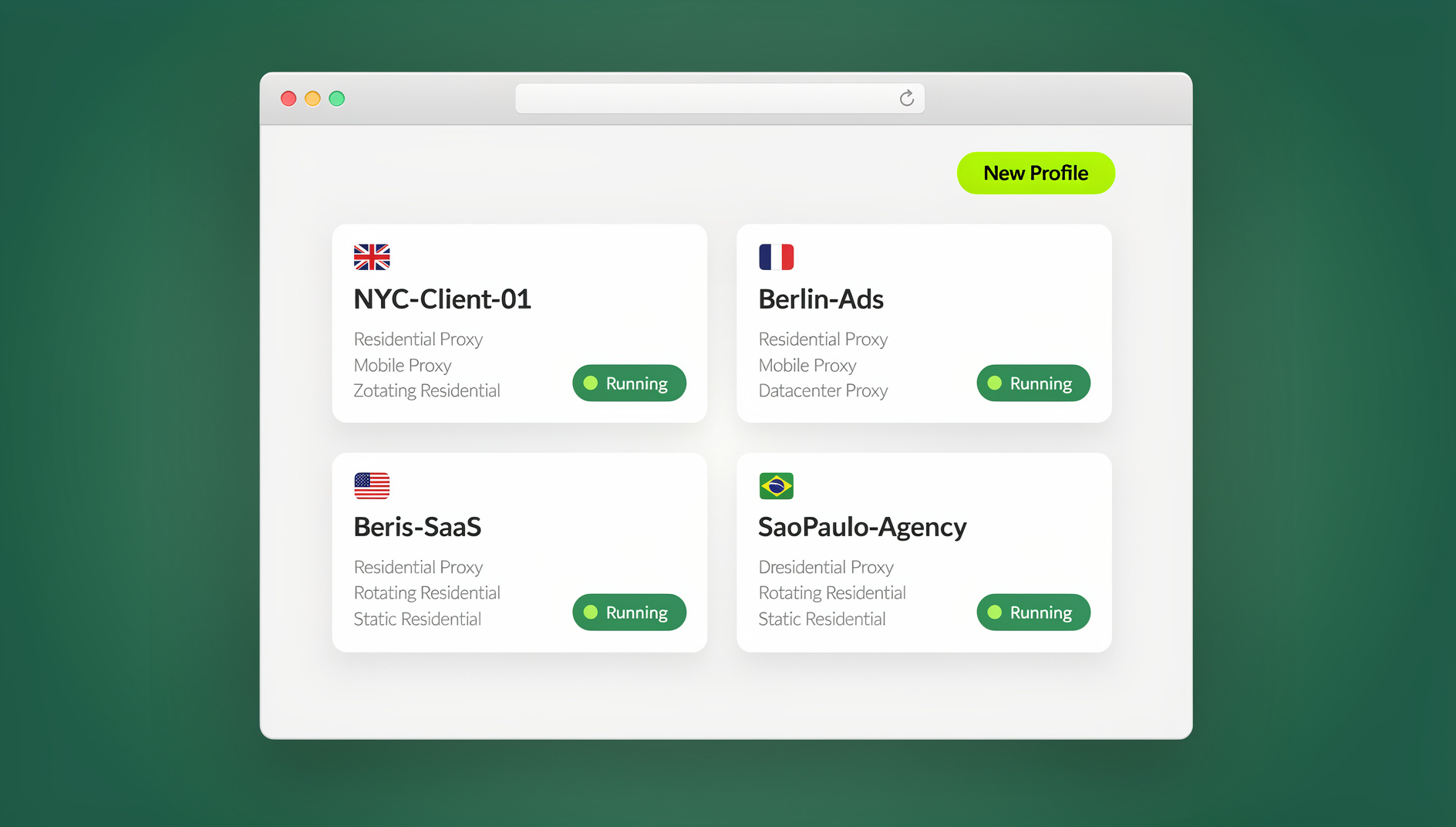
Why People Expect a Chrome Extension
The confusion makes sense. The browser extension ecosystem is massive — the Chrome Web Store has over 250,000 extensions, and many privacy and productivity tools start as extensions. When you hear about a tool that manages multiple browser sessions, your first instinct is to search for it in the Chrome Web Store.
But there’s a fundamental architectural reason why serious multi-account management tools don’t ship as Chrome extensions. Understanding this gap is key to understanding why Send.win takes a different approach entirely.
What Chrome Extensions Can Do
Chrome extensions operate within the Chrome browser’s sandbox. They can:
- Modify web page content (inject scripts, alter DOM elements)
- Intercept and modify network requests
- Manage cookies within Chrome’s cookie store
- Create basic tab grouping and session management
- Change proxy settings at the browser level (one proxy for all tabs)
- Block or modify certain HTTP headers
What Chrome Extensions Cannot Do
Here’s where extensions hit a hard wall — these are technical limitations of the Chrome Extension API, not things that developers chose not to build:
- Cannot create truly isolated browser profiles: Extensions share the same browser instance. Cookies, local storage, IndexedDB, and cache can leak between tabs even with extension-managed containers. True isolation requires separate browser processes with distinct data directories.
- Cannot spoof hardware-level fingerprints reliably: Canvas fingerprinting, WebGL renderer strings, audio context, and hardware concurrency are read from your actual hardware at a level below where extensions operate. Extensions can inject JavaScript to intercept API calls, but sophisticated detection systems check for inconsistencies between the intercepted values and the real hardware signals — inconsistencies that dedicated antidetect browsers don’t produce because they control the entire browser stack.
- Cannot assign different proxies per tab: Chrome’s proxy API allows one proxy configuration for the entire browser. You cannot route Tab A through a US residential proxy and Tab B through a UK datacenter proxy simultaneously. Extensions like FoxyProxy switch the global proxy, but every tab uses the same one.
- Cannot prevent cross-session fingerprint correlation: Even with container-like cookie isolation, browser-level characteristics like installed fonts, screen resolution, GPU info, and timezone remain identical across all tabs — because they’re all reading from the same operating system and hardware.
- Cannot control the browser engine: Extensions sit on top of Chrome; they can’t modify how Chrome reports its user agent at the engine level, how it renders WebGL, or how it generates canvas fingerprints. They can only intercept JavaScript API calls after the fact, which creates detectable inconsistencies.
These aren’t edge cases. If you’re managing multiple accounts on platforms with even basic detection — Facebook, Amazon, Google Ads, eBay — these extension limitations will eventually get your accounts flagged. For more on how real session isolation works versus extension-based workarounds, see our session isolation guide.
How Send.win Works Instead
Send.win takes a fundamentally different architectural approach. Instead of bolting onto Chrome as an extension, it provides two complete browsing environments:
Mode 1: Sendwin Browser (Desktop App)
Sendwin Browser is a native desktop application available for Windows, macOS, and Linux. When you create a profile in Sendwin Browser, it spins up a fully isolated browser environment with:
- Separate browser data directory: Each profile gets its own cookies, local storage, IndexedDB, cache, and session storage. There’s zero data leakage between profiles because they’re running in distinct sandboxes, not tabs in the same browser.
- Hardware-level fingerprint customization: Canvas hash, WebGL renderer, audio context, navigator properties (platform, language, hardware concurrency), screen resolution, timezone, and installed fonts — all configurable per profile. Because Sendwin Browser controls the browser engine, these values are reported consistently at every level (JavaScript API, HTTP headers, WebGL queries), eliminating the detectable inconsistencies that extension-based spoofing creates.
- Per-profile proxy assignment: Every profile can have its own proxy — residential, datacenter, mobile, or SOCKS5. When you launch Profile A, it routes all traffic through Proxy A. Profile B uses Proxy B. They never share IP addresses, and the proxy is bound to the profile, not the browser globally.
- Native performance: Since profiles run locally on your hardware, you get the full speed of your CPU and RAM. There’s no latency from cloud rendering or extension overhead.
Mode 2: Cloud Browser Sessions
Cloud browser sessions let you run profiles entirely in the cloud — no Sendwin Browser installation required. You access your profiles through a web interface from any device with a browser. This is ideal for:
- Working from shared or restricted computers where you can’t install software
- Accessing profiles on the go from a tablet, Chromebook, or any device
- Team members who need occasional access without setting up the desktop app
- Quick checks and lightweight tasks that don’t justify a full desktop session
Cloud browser sessions maintain the same fingerprint isolation and proxy assignment as Sendwin Browser — the difference is where the processing happens (cloud servers instead of your local machine). They’re metered by monthly cloud browsing time, included on paid plans alongside proxy bandwidth.
Extension-Based Tools vs Send.win — Side by Side
Let’s compare what you get from a typical Chrome extension approach versus Send.win’s dedicated platform:
| Capability | Chrome Extension Approach | Send.win Approach |
|---|---|---|
| Session Isolation | Cookie containers only — shared browser engine, cache, and fingerprint | Fully isolated browser processes with separate data directories |
| Fingerprint Spoofing | JavaScript-level interception — detectable inconsistencies with real hardware | Engine-level fingerprint control — consistent across all detection layers |
| Proxy Per Profile | ❌ One proxy for entire browser | ✅ Unique proxy per profile (residential, datacenter, mobile, SOCKS5) |
| Simultaneous Profiles | Tabs in same browser — risk of cross-contamination | Independent browser windows — zero data leakage |
| Platform Detection Risk | High — fingerprint inconsistencies and shared browser signals | Low — consistent fingerprints, isolated sessions, unique IPs |
| Automation API | Limited to extension APIs and content scripts | Full Selenium, Puppeteer, and Playwright support |
| Cloud Access | ❌ Tied to local Chrome installation | ✅ Cloud browser sessions from any device |
| Team Collaboration | No built-in sharing — manual export/import of settings | Profile sharing, role-based access, cloud sync across 16 seats |
If you’re evaluating container-style extensions specifically, our Chrome container extension guide explains the exact technical boundaries of what containers can and can’t do.
Real-World Scenarios Where Extensions Fail
Scenario 1: Managing Multiple Facebook Ad Accounts
You’re an agency running ads for 10 clients, each with their own Facebook Business Manager. With a Chrome extension, all 10 sessions share the same canvas fingerprint, WebGL hash, and browser characteristics. Facebook’s detection system sees 10 accounts with identical device fingerprints and starts flagging them as related. Even if you use different login credentials and cookies, the hardware-level signals connect them.
With Send.win, each client gets a dedicated profile with a unique fingerprint, a unique residential proxy, and completely isolated session data. Facebook sees 10 unrelated devices in 10 different locations.
Scenario 2: Running Multiple Amazon Seller Accounts
Amazon’s detection is notoriously aggressive. They check not just cookies and IP addresses but also browser fingerprints, screen resolution, timezone consistency with IP location, and even behavioral patterns. A Chrome extension can’t change your screen resolution or ensure your timezone matches your proxy’s location at the OS level.
Sendwin Browser lets you set a consistent identity per profile: a US residential proxy paired with US timezone, English language, matching screen resolution, and a unique canvas/WebGL fingerprint. Every signal aligns, which is what Amazon’s systems expect from a legitimate separate user.
Scenario 3: Social Media Management at Scale
You manage Instagram, TikTok, Twitter, and LinkedIn accounts for 20 clients. You need to switch between accounts rapidly, sometimes accessing multiple accounts simultaneously. Chrome extensions force you to switch contexts one at a time in the same browser window, and every tab shares your real device fingerprint.
Send.win lets you open 20 profiles simultaneously, each in its own window with its own fingerprint and proxy. You can work on client A’s Instagram in one window and client B’s LinkedIn in another without any risk of cross-contamination. The multi-login browser architecture keeps every session completely independent.
The Technical Architecture Difference
To understand why this matters at a deeper level, consider how each approach handles a simple privacy check — like when a website reads your canvas fingerprint:
Extension Approach
- Website calls
canvas.toDataURL()to generate a fingerprint - Chrome’s rendering engine generates the real fingerprint from your GPU
- The extension intercepts the JavaScript call via a content script
- The extension replaces the real fingerprint with a spoofed value
- Problem: The website can also check the fingerprint through WebGL rendering, which produces a result consistent with your real GPU — but now inconsistent with the spoofed canvas value. This mismatch is a red flag for detection systems.
Send.win Approach
- Website calls
canvas.toDataURL()to generate a fingerprint - Sendwin Browser’s engine generates a fingerprint using the profile’s configured canvas parameters
- The same parameters influence WebGL rendering, audio context, and all other fingerprint surfaces
- Result: Every fingerprint API returns values that are internally consistent — because the browser engine itself is producing them, not a JavaScript override intercepting them after the fact.
This is the same reason why tools like Multilogin and GoLogin are standalone applications, not Chrome extensions. The level of control required for reliable fingerprint isolation simply isn’t available through the extension API.
What About Privacy Extensions Like uBlock Origin or Privacy Badger?
Privacy extensions like uBlock Origin, Privacy Badger, and even Firefox’s Multi-Account Containers serve a different purpose. They’re excellent for blocking trackers and ads on your personal browsing, but they don’t create the kind of isolated, fingerprint-distinct sessions needed for multi-account management.
Multi-Account Containers in Firefox, for example, isolate cookies per container — which is useful for keeping your personal Gmail separate from your work Gmail. But all containers share the same fingerprint, the same IP address, and the same browser characteristics. If a platform checks beyond cookies (and most do), containers don’t provide enough separation. For a detailed look at how containers work and where they fall short, see our best browser for multiple accounts comparison.
Send.win solves a fundamentally different problem: making each browser profile appear as a completely separate device, from a completely separate location, with no technical connection to your other profiles.
Getting Started with Send.win
Since Send.win isn’t a Chrome extension, the setup process is slightly different from what you might expect — but it’s straightforward:
Option A: Install Sendwin Browser (Desktop App)
- Visit send.win and sign up for the 30-day free trial (no credit card required)
- Download Sendwin Browser for your operating system (Windows, macOS, or Linux)
- Install and launch the app
- Create your first browser profile — configure fingerprint settings, assign a proxy, and set your preferred timezone/language
- Launch the profile and start browsing in a fully isolated environment
Option B: Use Cloud Browser Sessions (No Install)
- Sign up at send.win with the 30-day free trial
- Log into your Send.win dashboard from any browser on any device
- Create a browser profile and launch it as a cloud session
- The profile runs on Send.win’s cloud servers — you interact with it through your browser
- No software installation needed on your device
Connecting Automation
If you need to automate tasks across profiles, Send.win’s Automation API (available on the Pro plan at $19/month, or $6.99/month annual) lets you connect Selenium, Puppeteer, or Playwright to any profile’s local automation endpoint. This gives you programmatic control over profile creation, browser actions, and data extraction — far beyond what any Chrome extension API could offer.
Send.win Pricing (Quick Reference)
| Plan | Monthly | Annual (per month) | Profiles | Proxy Bandwidth | Key Features |
|---|---|---|---|---|---|
| Free Trial | 30 days, no credit card | Full access | Included | All features unlocked | |
| Pro | $19 | $6.99 | 150 | 5 GB | Automation API, cloud sessions |
| Team | $49 | $20.99 | 500 | 20 GB | 16 seats, profile sharing, Automation API |
Additional proxy bandwidth: $6/GB. Additional profiles: $0.05 each.
🏆 Send.win Verdict
Send.win is not a Chrome extension — and that’s exactly why it works for serious multi-account management. By operating as a native desktop app (Sendwin Browser) and offering cloud browser sessions, Send.win delivers engine-level fingerprint control, per-profile proxy isolation, and full Selenium/Puppeteer/Playwright automation that no browser extension can match. At $6.99/month (annual), it’s also the most affordable professional antidetect browser on the market.
Try Send.win free today — 30-day trial, no credit card. See why a dedicated antidetect browser beats any Chrome extension.
Frequently Asked Questions
Is there a Send.win Chrome extension I can install?
No. Send.win does not have a Chrome extension, Firefox add-on, or any browser extension. It’s a dedicated antidetect browser platform with two modes: Sendwin Browser (a native desktop app you install on Windows, macOS, or Linux) and cloud browser sessions (accessible from any browser without installation). This architecture gives Send.win capabilities that extensions cannot provide, including full fingerprint isolation and per-profile proxy assignment.
Why doesn’t Send.win offer a browser extension?
Because Chrome’s Extension API doesn’t support the level of control needed for reliable multi-account management. Extensions can’t create truly isolated browser profiles, can’t assign different proxies per tab, and can’t spoof hardware-level fingerprints consistently. Send.win needs to control the browser engine itself — which requires a standalone application, not an add-on to Chrome.
Can I use Send.win without installing anything?
Yes — that’s exactly what cloud browser sessions are for. You sign into your Send.win account from any browser on any device, create or select a profile, and launch it as a cloud session. The profile runs on Send.win’s servers and you interact with it through your existing browser. No desktop app installation is required for cloud sessions.
How is Send.win different from Chrome’s Multi-Account Containers?
Chrome doesn’t have multi-account containers (that’s Firefox), but the principle applies. Firefox’s Multi-Account Containers isolate cookies per container, but all containers share the same fingerprint, IP address, and browser characteristics. Send.win creates fully separate browser environments where every profile has its own fingerprint, its own proxy, its own cookies, and its own session data. Platforms can’t correlate profiles because there are no shared signals.
Can Send.win profiles be detected as related to each other?
Each Send.win profile has a unique browser fingerprint, unique session data, and can be assigned a unique proxy IP. There are no shared hardware signals, cookies, or browser characteristics between profiles. This makes it extremely difficult for platforms to correlate profiles — each one appears as a completely separate device from a separate location.
Does Send.win work with Selenium, Puppeteer, or Playwright?
Yes. Send.win’s Automation API (available on the Pro plan at $19/month, or $6.99/month with annual billing) supports all three major browser automation frameworks. You can connect to any profile’s local automation endpoint and script tasks across multiple profiles. This is a level of automation that Chrome extensions simply cannot provide, since they’re limited to the extension API.
What does Send.win cost compared to Chrome privacy extensions?
Most Chrome privacy extensions are free but provide basic cookie/tracker blocking — not multi-account management. Send.win starts at $19/month ($6.99/month annual — 63% savings) for the Pro plan with 150 browser profiles, 5 GB of proxy bandwidth, and full automation support. The 30-day free trial requires no credit card, so you can test whether the dedicated antidetect approach is worth it compared to free extensions before committing.
Can I import my Chrome profiles or data into Send.win?
Send.win creates fresh, clean browser profiles with customizable fingerprints — which is the point. Importing your existing Chrome profile would bring along the fingerprint and tracking data you’re trying to isolate from. Instead, create new profiles in Send.win, configure each one with the identity and proxy you need, and log into your accounts from those clean profiles. This ensures each profile starts with a completely fresh, untainted session.
How Send.win Helps With Sendwin Chrome Extension
Send.win is an antidetect browser built for exactly this kind of work — every profile is a clean, isolated identity:
- Isolated profiles – unique fingerprint, separate cookies and storage per profile
- Stealth engine – canvas, WebGL, fonts, and audio spoofed at the engine level
- Desktop app + cloud sessions – native app for Windows, macOS, and Linux, or run profiles in the cloud with no install
- Built-in residential proxies – with automatic timezone, locale, and WebRTC matching
- Team features – share logged-in profiles with teammates without sharing passwords
Try the instant cloud browser demo — no install, no signup — or download the desktop app. The 30-day free trial needs no credit card, and paid plans start at $6.99/month billed annually (see pricing).