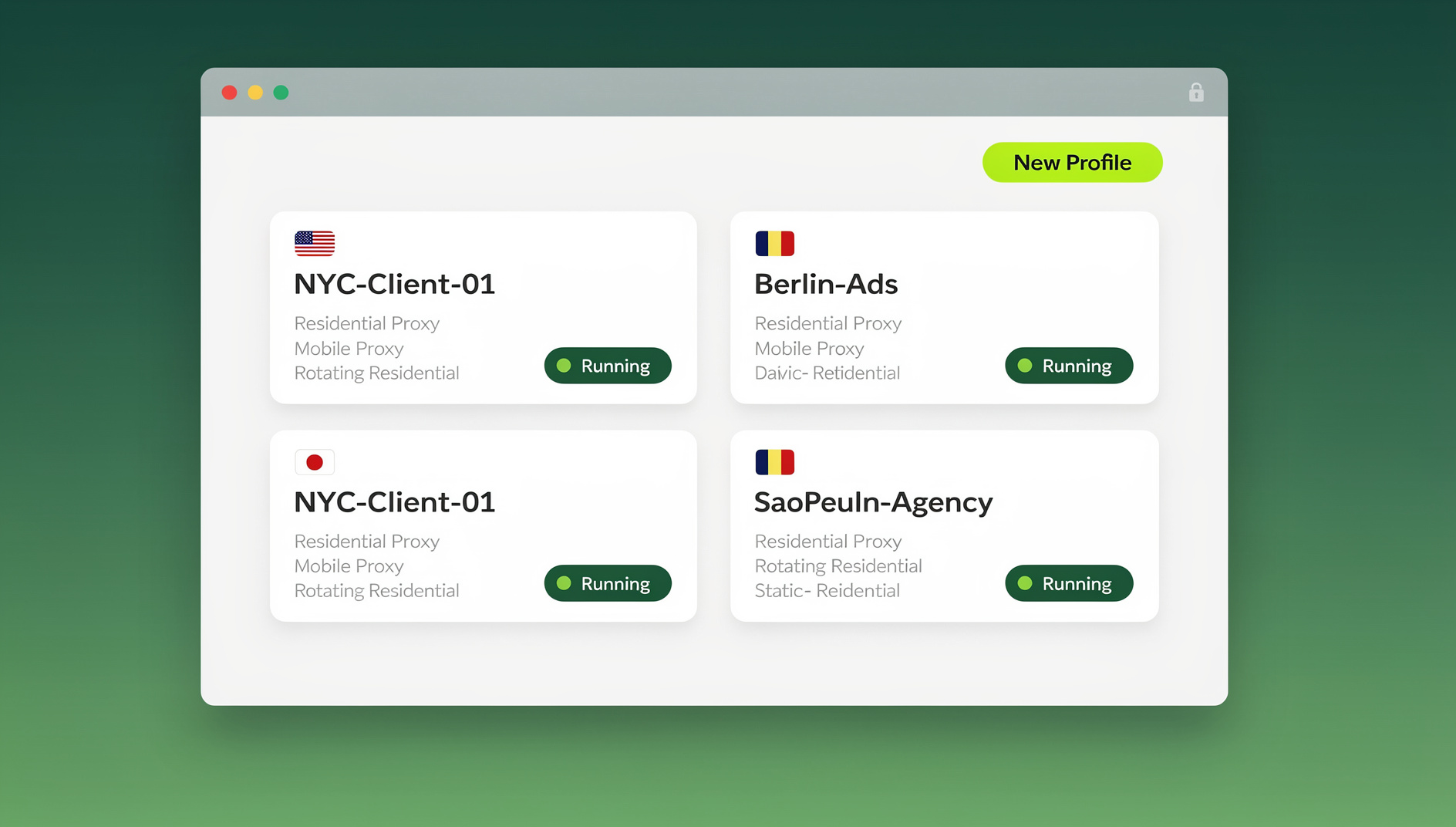
Isolated browsing means running each web session — personal, work, client, or research — inside its own sandboxed environment so cookies, fingerprints, and login state never cross over between them. Instead of one browser identity leaking across every tab you open, isolated browsing gives each account or task its own container, and ideally its own IP and device fingerprint, closing the exact gap that trackers, ad networks, and platform anti-fraud systems rely on to link your activity together.
What Is Isolated Browsing?
Isolated browsing is the practice of separating your web activity into independent, compartmentalized sessions where no data, cookies, fingerprints, or identity markers are shared between them. Each session operates in its own “bubble” — what happens in one isolated session cannot leak information to, or be influenced by, another.
This matters for two distinct reasons. The first is privacy: preventing advertisers and data brokers from stitching together a complete profile of everywhere you go online. The second is security: preventing a compromised tab, a risky download, or a flagged account from contaminating your other logins and data. In a world of cross-site tracking, supercookies, and browser fingerprinting, isolated browsing is how you take that control back — and it’s also the reason multi-account operators, agencies, and remote teams increasingly build their workflows around a dedicated isolation tool rather than trusting a single browser window to keep everything separate.
Why Regular Browsing Isn’t Isolated
How Tracking Works in a Normal Browser
In a standard browser setup, everything you do is interconnected by default, whether you intend it or not:
| Tracking Method | How It Works | Persistence |
|---|---|---|
| Third-party cookies | Advertisers share cookies across sites you visit | Until cleared |
| Browser fingerprint | A unique combination of browser and device properties identifies you | Effectively permanent — nothing to clear |
| localStorage / IndexedDB | Persistent storage tied to each domain | Until cleared manually |
| Supercookies (HSTS, ETags) | Tracking data hidden in browser cache metadata | Survives normal cookie clearing |
| Login state | Staying signed into Google or Facebook lets those platforms track you site-to-site | Until explicit logout |
| IP address | Your ISP-assigned address identifies your connection | Changes with network |
| DNS queries | Your ISP (and often your employer) sees every domain you resolve | Logs retained per policy |
The net effect: your morning news reading, afternoon shopping, evening social media, and work email all get tied back to the same identity — even across websites that have never directly shared data with each other.
The Levels of Browsing Isolation
Not all isolation is equal. Each tier below closes more gaps than the last, but also asks more of you in setup time, cost, or resources.
Level 1: Incognito / Private Mode
- Cookies and history clear when the window closes
- Kept separate from your main browsing session locally
- Same browser fingerprint as your normal window — no change there
- Same IP address as your normal window
- Your ISP and network admin can still see everything you do
- Websites can still fingerprint and track you within a single incognito session
Level 2: Separate Browser Profiles or Containers
- Separate cookies and storage per profile (Chrome profiles, Firefox Multi-Account Containers)
- Can run different extensions per profile
- Same browser fingerprint across every profile
- Same IP address for all profiles unless you add a proxy per profile
- Profiles can still be correlated through fingerprinting alone
Level 3: Dedicated Privacy Browser
Tor Browser, Brave with shields up, and Mullvad Browser standardize your fingerprint so you blend in with other users of the same browser, and Tor additionally routes traffic through multiple relays. The tradeoffs are real, though: pages load slower — often noticeably slower on Tor — some sites block Tor exit nodes outright, and using a locked-down privacy browser for every single browsing task simply isn’t practical for daily logins and account work.
Level 4: Cloud Browser Isolation
Here each session runs in its own cloud environment rather than on your local machine: a unique fingerprint per session or profile, a different IP per profile via proxy, complete cookie and storage isolation, and nothing sensitive stored on your local device at all. Sessions can be shared with teammates and accessed from any device with a browser. This is the model used by multi login browsers to give every profile a genuinely separate identity instead of just a separate cookie jar.
Level 5: Local Virtual-Profile Isolation
A newer middle ground sits between cloud isolation and a plain local browser: a native, downloadable desktop application that manages many isolated browser profiles on your own machine, with data encrypted and synced to the cloud so profiles follow you between devices. This is how Send.win works in its default mode through Sendwin Browser — a real desktop app for Windows, macOS, and Linux, not a hosted remote session — so browsing is as fast as local Chrome, while profile data, cookies, and fingerprint configuration stay synced and encrypted. For anyone who wants isolation without ongoing cloud-session metering, this local-first-with-sync approach is often the practical sweet spot.
Level 6: Virtual Machine Isolation
- Hardware-level isolation — the strongest form available
- Different OS-level fingerprint per VM
- Genuine malware containment, since threats can’t escape the VM boundary
- Very resource-intensive: expect 4-8 GB of RAM committed per VM
- Impractical to run more than 3-5 simultaneous sessions this way
Isolated Browsing Use Cases
Privacy-Focused Daily Browsing
Compartmentalizing everyday activity keeps one context from leaking into another:
- Personal: social media, personal email, messaging — isolated from work
- Work: professional tools, internal apps — isolated from personal accounts
- Shopping: e-commerce and price comparison — isolated to reduce price-based personalization
- Finance: banking and investments — maximum isolation from every other activity
- Sensitive research: kept fully disconnected from your everyday identity
Multi-Account Management
Every account you operate needs its own isolated environment so one flag or ban doesn’t cascade into the others:
- Social media managers running dozens of client accounts side by side
- E-commerce sellers operating storefronts across multiple marketplaces
- Digital marketers running ad accounts across several ad platforms at once
- Teams where several people need access to one account — handled by letting a teammate share a session without sharing the password itself
Security-Sensitive Activities
- Visiting unfamiliar or potentially malicious links
- Opening and inspecting suspicious downloaded files
- Security research and controlled penetration testing
- Signing into accounts from a shared or public computer
Automated Testing and Scraping
QA teams and growth engineers frequently need isolated, disposable, and repeatable browser sessions to drive automated scripts rather than a human. Send.win does not offer an automation interface, so teams looking to point Selenium, Puppeteer, or Playwright scripts at isolated profiles will need a different tool — but Send.win’s desktop app still gives each manual session a clean, isolated identity with no cross-contamination between accounts.
Isolated Browsing Tools Compared
| Tool | Isolation Level | Fingerprint | IP Isolation | Best For |
|---|---|---|---|---|
| Chrome Incognito | Cookie only | Same | No | Quick private sessions |
| Firefox Containers | Cookie + storage | Same | No | Compartmentalizing personal identities |
| Tor Browser | High | Standardized | Yes (Tor network) | Anonymous research |
| Brave Browser | Moderate | Randomized | No (unless paired with a VPN) | Privacy-focused daily use |
| Windows Sandbox | VM-level | Different | No | One-off risky browsing |
| Send.win (desktop app) | Full profile isolation, local-first | Unique per profile | Yes (per-profile proxy) | Daily multi-account work |
| Send.win (cloud session) | Full cloud isolation | Unique per session | Yes (per-session proxy) | Zero-install access, shared team sessions |
How to Set Up Isolated Browsing
Basic Setup: Firefox Multi-Account Containers
- Install the Firefox Multi-Account Containers add-on
- Create containers for Personal, Work, Shopping, and Banking
- Assign domains to containers (for example, facebook.com to Personal)
- Each container keeps separate cookies and storage
- Limitation: your fingerprint and IP stay identical across every container
Intermediate Setup: Separate Browsers Plus a VPN
- Use different browsers for different activities — Chrome for work, Firefox for personal, say
- Add a VPN to change your IP address between contexts
- Layer on extensions like uBlock Origin and Privacy Badger
- Clear cookies deliberately whenever you switch context
- Limitation: the VPN changes your IP, but your fingerprint still links the sessions together
Advanced Setup: Send.win Profiles
- Download Sendwin Browser, the Send.win desktop app for Windows, macOS, or Linux, or open a cloud browser session directly with no install at all
- Create a separate profile for each use case — one per client, platform, or account
- Assign a different proxy to each profile so IP and fingerprint both change together
- Sessions and cookies persist between visits, so you stay signed in without re-authenticating
- Share specific profiles with teammates when several people need the same account
- Benefit: real isolation with no manual fingerprint spoofing, VM juggling, or proxy bookkeeping
Isolated Browsing vs. Antidetect Browsers
The two categories overlap but aren’t identical. Isolated browsing is about preventing cross-session leakage — the goal is that nothing from Session A ever touches Session B. An antidetect browser goes a step further and actively manages what each session’s fingerprint looks like to the outside world, so that platforms see plausible, distinct device signatures rather than an obviously spoofed one. In practice, the tools that do isolation well — Send.win included — also handle fingerprint management, because true isolation without a believable fingerprint just produces sessions that are separate but still easy to link back together.
Isolated Browsing and Anti-Tracking
What Isolation Stops
- Cross-site cookie tracking
- Cross-session fingerprint correlation
- Login-based tracking through Google or Facebook pixels
- localStorage-based tracking tokens
- Account linking through shared browser state
What Isolation Alone Doesn’t Stop
- IP-based tracking — you still need a proxy per session
- Server-side analytics collected within a single session
- Content you voluntarily submit, like forms or posts
- DNS-level tracking by your ISP — you’ll need encrypted DNS for that
For genuinely complete privacy, pair isolated browsing with per-session proxies, encrypted DNS (DoH/DoT), and careful habits about what you share. Cloud and desktop tools with built-in session isolation handle most of the heavy lifting automatically, so you’re not stitching together five separate tools by hand.
🏆 Send.win Verdict
For isolated browsing that actually holds up under scrutiny, Send.win covers both ends of the spectrum: a native desktop app for Windows, macOS, and Linux that keeps browsing fast and local while syncing encrypted profile data to the cloud, plus fully cloud-hosted browser sessions for when you want zero local install and pay only for the cloud browsing time you use. Every profile gets its own cookies, storage, and fingerprint, proxies can be assigned per profile, and teams can share specific sessions without ever handing over a password. Send.win does not offer an automation interface, so QA and scraping workflows rely on manual browsing with the same isolation. Plans start at $19/month or $83.88/year for Pro, scaling to $49/month or $251.88/year for Team, with the first card purchase covered by a 7-day money-back guarantee.
Try Send.win today — plans start at $19/mo, and your first card purchase is covered by a 7-day money-back guarantee.
Frequently Asked Questions
Is incognito mode the same as isolated browsing?
No. Incognito mode only clears cookies and local history when the window closes — it doesn’t touch your browser fingerprint, your IP address, or most other identifying properties, which stay identical to your regular session. It stops someone else on your computer from seeing your history, but it does nothing against website-level tracking or fingerprinting.
Can I use isolated browsing for all of my daily activity?
Yes, with the right tooling. Firefox Multi-Account Containers handle basic compartmentalization well for personal use. If you need genuinely different fingerprints and IPs per context — which most privacy-conscious or multi-account users eventually do — a dedicated profile-based tool like Send.win is the more practical daily driver than juggling containers, VPNs, and manual cookie clearing.
Does isolated browsing slow down page loading?
Local isolation methods — incognito, containers, separate browser profiles — add no meaningful speed penalty. A local-first desktop app like Send.win’s runs at native browser speed since pages render on your own machine. Fully cloud-hosted sessions add a small amount of latency, typically in the tens of milliseconds. Tor Browser is the outlier, since routing through multiple relays can make it noticeably slower than any of the above.
How many isolated browsing contexts do I actually need?
That depends on your threat model and how many accounts you juggle. Most people benefit from at least three or four: personal, work, shopping/finance, and a disposable context for anything risky. Power users managing multiple client accounts, ad accounts, or marketplace stores typically want one isolated profile per account or platform.
Can websites detect that I’m using isolated browsing?
With basic tools like incognito or containers, yes — the underlying fingerprint is unchanged, so a website can still link your sessions together if it tries. With profile-based isolation that assigns a genuinely unique fingerprint per session, such as Send.win’s profiles, there’s nothing consistent left to detect — each session simply looks like a different device to the site.
What’s the real difference between isolated browsing and an antidetect browser?
Isolated browsing is the broader goal — no data leaking between sessions. An antidetect browser is one way to achieve that goal more convincingly, by actively shaping what each session’s fingerprint looks like rather than just separating cookies. Most serious isolation tools, including Send.win, do both at once.
Can I automate isolated browser sessions for testing or scraping?
No. Send.win does not offer an automation interface — there is no API, SDK, headless mode, or Selenium/Puppeteer/Playwright support on any plan. Each profile still keeps its own isolated cookies, storage, and fingerprint, so manual work in one profile stays separate from the others.
Is isolated browsing legal?
Yes. Separating your own sessions, using proxies, or running multiple accounts you’re entitled to operate is legal in virtually every jurisdiction. What matters is how you use it — isolated browsing is a privacy and security practice, not a way to violate a specific platform’s terms of service, so always check the rules of any site or service you’re managing multiple accounts on.
Conclusion
Isolated browsing is the foundational practice behind both online privacy and safe multi-account management. By separating your activity into independent compartments — each with its own cookies, storage, and fingerprint, and ideally its own IP — you keep sessions from sharing state. From basic Firefox containers up through VM-level isolation, the tier you choose depends on your threat model, your budget, and how much manual upkeep you’re willing to do. For anyone who wants real per-session isolation without juggling VMs and proxies separately, a purpose-built tool like Send.win — available as a native desktop app or as a zero-install cloud session — gets you there with far less friction.