What Is a Proxy Browser Online and How Does It Protect You?
A proxy browser online is a browser that sends its traffic through a proxy server, so the site you visit sees the proxy’s IP address instead of your own and no page is re-wrapped inside someone else’s website. That is a different tool from a web proxy site (a page on another domain that fetches and rewrites the site for you), a VPN (which routes all of a device’s traffic through an encrypted tunnel) and a browser profile manager (which gives each profile its own cookies, storage, fingerprint settings and proxy). Most people searching for a proxy browser online want one of those four, and picking the wrong one is why buttons stop working and logins fail.
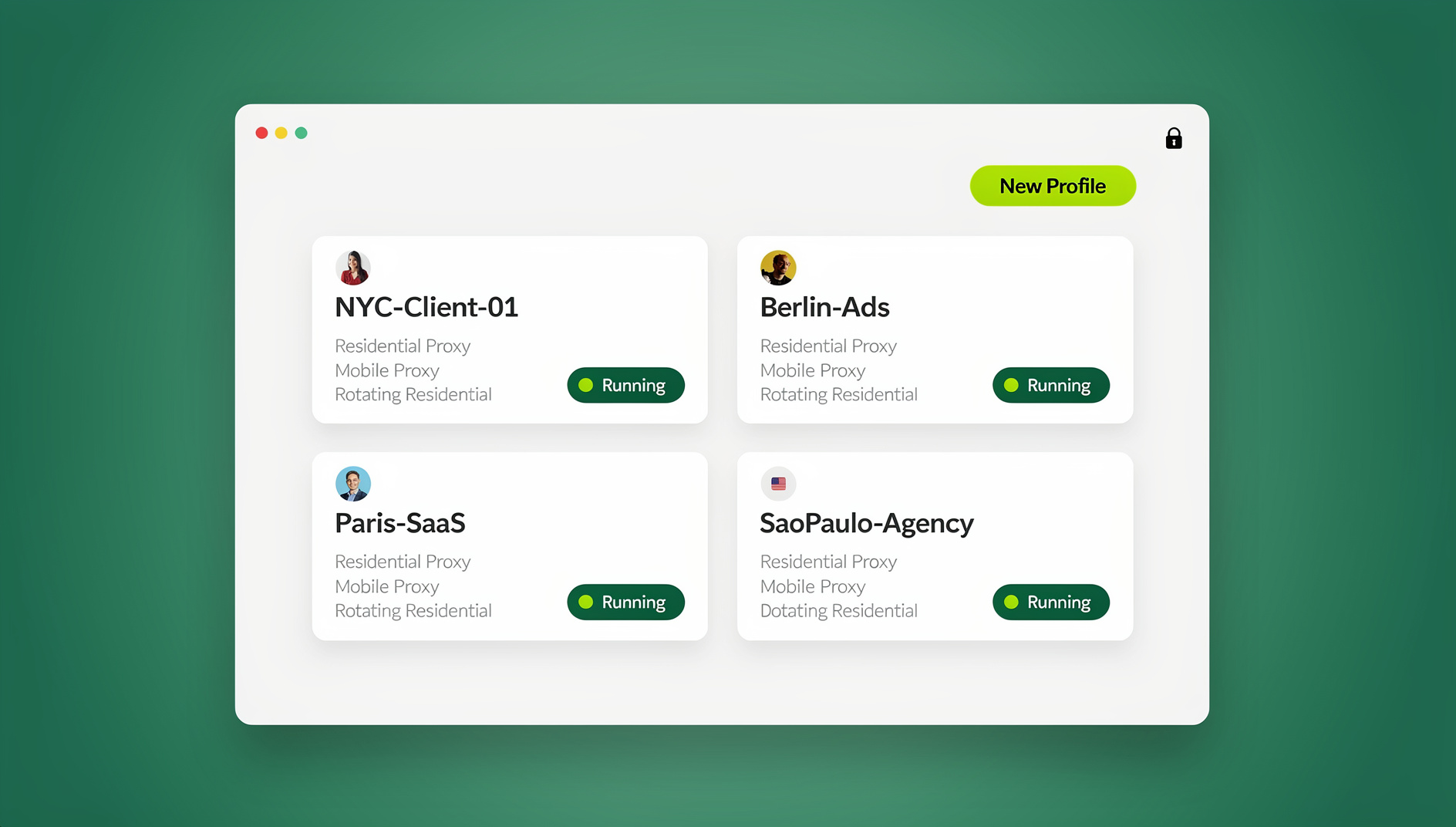
In 2026, reaching pages that won’t load on your local network, or keeping work browsing separate from a shared connection, is a daily need for researchers, digital marketers and privacy-conscious users. When an office firewall, a school filter or a geo-restricted media library gets in the way, pasting the URL into a proxy site is the usual first move. That move runs out of road quickly: the tab proxies that dominate search results still rewrite JavaScript-heavy pages, and they do nothing about the fingerprint your browser reports.
Rather than leaning on URL-rewriting services that cost you speed and functionality, it helps to know how the options differ: tab proxies, configured HTTP(S) or SOCKS5 proxies, VPNs and remote browser environments. Each answers a different question, and the rest of this guide covers the mechanics, the failure modes, and the setup that keeps your accounts, your client work and your local machine intact.
How Online Proxy Browsers Route Your Traffic
The routing process of an online proxy browser is designed to keep your personal IP address hidden from target websites. When you browse using one of these tools, your request follows a distinct pathway:
- Access the Proxy Portal: You open a web browser and navigate to the proxy provider’s portal.
- Enter Target URL: You enter the website destination you wish to visit into the portal’s address bar.
- Server Fetching: The proxy server receives your instruction and executes the request. It fetches the HTML, CSS, and media assets using the proxy’s IP.
- Visual Relaying: The proxy server processes the assets and sends them back to your browser window, presenting the website under the proxy’s domain.
To set up a proxy properly, read our proxy browser setup instructions, which detail the technical parameters required to establish secure remote connections.
While this process hides your local IP from the target website, the data is still parsed and handled by the proxy provider. This creates a single point of failure: if the proxy server is unencrypted or the operator is malicious, they can intercept all data passing through the session, including usernames, passwords, and sensitive search queries. Standard web proxies also leak hardware parameters, making them poor tools for complete anonymity.
Different Technologies Behind Web Proxies
Not all online proxy services use the same technology. The underlying mechanism determines how compatible the service is with modern web applications:
| Technology Type | How It Processes Data | Compatibility | Security Level |
|---|---|---|---|
| URL-Rewriting Proxies | Rewrites all links on a page to route back through the proxy domain. | Low (breaks modern JavaScript and CSS layouts) | Low (exposes original fingerprint details) |
| CGI Proxy Scripts | Uses server-side scripts (PHP/Perl) to process and fetch web requests. | Medium (works for static pages, fails on dynamic apps) | Low (vulnerable to script exploits) |
| Cloud Virtual Browsers | Runs a full browser container on a secure remote server and streams the UI. | High (a real browser engine handles JavaScript, logins and media) | High (the session runs on the provider’s machine, not yours) |
| SSH Tunneling Proxies | Routes local browser traffic through an encrypted SSH tunnel to a remote server. | High (functions as a standard proxy connection) | Medium (secure, but requires local configuration) |
This relies on advanced browser isolation technology where rendering happens entirely on remote servers. This shields your physical hardware from potential web threats, making it an excellent choice for security teams. By shifting the execution of web code off your local computer, you neutralize zero-day browser exploits, malicious downloads, and tracking scripts before they can touch your internal network. A remote server executes the untrusted code, rendering it inside a sandboxed instance and sending a sanitized stream of visual images back to your screen. For teams that want to open a risky page inside a throwaway container, a docker browser gives you that sandbox without risking a work machine.
CGI proxies (such as PHProxy or Glype) were highly popular in the early 2000s. They work by parsing the target page’s HTML on the server and using regular expressions to rewrite absolute URLs to point back to the proxy’s server scripts. However, modern single-page applications (SPAs) dynamically fetch resources using asynchronous JavaScript (AJAX) and WebSockets. Regular expressions cannot easily parse or intercept these dynamic queries, causing complex websites like Gmail or Facebook to break immediately when accessed through a CGI proxy.
The Technical Limitation of Standard Web Proxies
The primary reason web-based proxies fail on modern sites is that they rebuild the page instead of loading it. When you visit YouTube, Netflix or a retailer, the server sends a thin HTML shell plus a pile of JavaScript that assembles the rest — navigation, video player, cart and checkout. A URL-rewriting proxy has to parse and rewrite every link and asset in that stream, and anything it misses (a redirect, a call to an API endpoint, a WebSocket) simply never resolves. You get a blank pane, dead buttons, or a layout with no styling.
Logins are where it breaks most visibly. A rewritten sign-in page posts your credentials to the proxy’s domain, not the site’s own origin, and the session cookie it sets belongs to that proxy domain rather than the site you asked for. The next request comes back without a valid session, so you land in a redirect loop or get pushed back to the form with an error. Video adds a second failure: DRM handshakes check the origin and the integrity of the player, and a rewritten page usually fails that check, so the player reports an error instead of streaming.
Cookies and session state are unreliable through a rewriting proxy for the same reason. Each request is handled fresh on the proxy’s own domain, so anything that depends on staying signed in — a dashboard, a storefront backend, an ad account, a social profile — behaves unpredictably or not at all. For a static forum thread or a news article that is fine. For work you have to log into, it isn’t, which is why the choice between a tab proxy and a configured HTTP(S) or SOCKS5 proxy comes down to one question: does this page need to remember who I am?
The Security Risks of Basic Online Web Proxies
Using free, unverified online web proxies exposes your personal data and local network to several security threats. Before entering any sensitive information, consider these major risks:
1. Man-in-the-Middle (MitM) Attacks
Because all web traffic passes directly through the proxy provider’s servers, the operator has the ability to view, record, and alter your communications. If the proxy connection is not fully encrypted, third parties on the same network can intercept your session data, leading to credential theft and account hijackings.
2. Browser Fingerprint Exposure
A proxy server masks your IP address, but it does not hide your browser’s internal characteristics. Target websites can still query your browser for its screen resolution, font list, WebGL capabilities, and operating system details. This unique fingerprint allows tracking networks to identify and link your activities across different sessions, bypassing the IP block entirely.
3. DNS Leakage
Many basic online proxies only redirect HTTP traffic, leaving DNS requests to route through your local ISP. When you type a domain name, your local network queries your default DNS server to resolve the address. This leaks your real location and browsing history to your internet service provider, rendering the proxy ineffective for privacy.
4. Malware and Ad Injection
To monetize their free operations, many proxy sites inject aggressive third-party ads and trackers into the pages you view. These scripts can slow down your connection, trigger phishing pop-ups, or attempt to execute malicious code on your local system, posing a direct threat to your device security.
Adopting application isolation secures local assets from web-based exploits by executing all active web scripts in a remote sandbox, ensuring no code ever runs directly on your local system.
Which Browser Has a Proxy Built In — and Where It Stops
Opera’s desktop browser is the usual answer to “which browser has a built-in proxy”: the feature covers browser activity only, so every other app on your machine keeps using your normal connection. Tor Browser goes further, routing traffic through a chain of relays, at the cost of speed — and some sites challenge or limit Tor traffic. Brave is a different case entirely: Shields block trackers and ads, but they do not send your traffic through another network, so they will not get you to a page that is blocked by network or region.
Free tab proxies such as Proxyium and Steganos Web Proxy behave like any proxy site. You paste a URL, the service fetches and rewrites the page, and nothing is installed. Steganos states that its free proxy covers a single tab, that the connection is not encrypted, and that it lists servers in 4 countries — against 45 for its own VPN. Proxyium says it caches pages to cut latency on repeat visits to the same page. Both are workable for a one-off read; neither gives you a session you would log into.
Firefox and LibreWolf accept manual HTTP proxy settings, but those settings are per browser, not per profile, so every window shares one exit until you change them. That is fine for a single work identity and awkward the moment you need two — which is why teams running several client accounts end up with a profile manager instead. If that is the direction you are heading, our free proxy browser guide walks through the trade-offs.
Streaming is the quickest test of any of them. Netflix and other DRM-protected players check the origin and integrity of the player, so a rewritten page usually fails and shows an error instead of the video. Shared free proxy IPs add a second problem: thousands of people use the same address, so many sites block it before the page even loads, often with a bare 403. The practical rule, and the one Rebrowser gives, is to keep no-install web proxies for low-sensitivity, one-off pages and never use them for passwords, payments or private accounts.
Why Send.win is the Ultimate Cloud Browser Solution
If a tab proxy has stopped being enough, Send.win is a browser profile manager: each profile keeps its own cookies, storage, sessions, fingerprint settings and proxy, and profiles run either in the desktop app or in the cloud browser. It is not a proxy page that rewrites what you load — pages render in a real Chromium-based browser, so script-heavy sites such as Google, Facebook and Amazon behave the way they do in a normal window.
Send.win runs profiles two ways, and the distinction matters. The Sendwin Browser is a native desktop app for Windows 10/11 (64-bit), macOS 12+ and Linux (AppImage or .deb), installed locally. The cloud browser runs profiles on Send.win’s server in Helsinki, Finland, from any device with nothing to install. Pro includes 20 saved cloud sessions (3 open at once, 1 GB storage); Team includes 100 (9 at once, 15 GB). Both plans let you keep up to 50 profiles open at once.
Fingerprint protection works per profile: canvas, WebGL, audio, fonts and hardware details stay consistent inside each profile, so profiles do not share one browser identity. Residential proxies are included on both plans — 20 proxies and 5 GB/month of bandwidth on Pro, 20 GB/month on Team — and you can bring your own HTTP or SOCKS5 proxy instead. Timezone, locale, WebRTC and geolocation follow the proxy’s exit IP automatically.
Paid plans start at $19/mo, and your first card purchase is covered by a 7-day money-back guarantee (crypto payments are not covered). If you want to see how the cloud side feels first, the free cloud demo needs nothing installed: a 3-minute preview with no signup, or 10 minutes a day with a free account.
- Pro — $19/mo, or $83.88/yr ($6.99/mo): 150 saved profiles, 5 GB/month of proxy bandwidth, 6 seats.
- Team — $49/mo, or $251.88/yr ($20.99/mo): 500 saved profiles, 20 GB/month, 16 seats, plus blocking or redirecting pages in shared sessions.
Sharing is built for how teams actually work: share a profile with a paid teammate and it opens already signed in, with no password handed over. Extra capacity is an add-on rather than a plan change — $6 per additional GB of proxy bandwidth, $0.05 per additional profile. As with any profile manager, the accounts inside belong to you or to clients who have authorised you to manage them.
How to Set Up Your First Secure Cloud Session
Here is the path from account to a working cloud profile:
- Create an account: Register at send.win and pick Pro or Team. Your first card purchase is covered by a 7-day money-back guarantee. If you only want a look first, the cloud demo gives you a 3-minute preview without signing up, or 10 minutes a day with a free account.
- Open the console: Log in from any browser to reach the control panel — nothing to install on the device you are using.
- Create a profile: Name it after the client or account it will hold, so two identities never get mixed later.
- Enter proxy details: In the network settings, bring your own HTTP or SOCKS5 proxy (host, port, credentials) or use one of the residential proxies included with the plan.
- Check the fingerprint settings: The profile keeps its own canvas, WebGL, audio, font and hardware values, and timezone, locale, WebRTC and geolocation follow the proxy’s exit IP automatically, so you do not set them by hand.
- Launch the session: Start it and the browser window opens in your tab, running on Send.win’s server in Helsinki.
The whole setup takes a couple of minutes, and the separation is the point: cookies, storage and fingerprint stay inside that profile instead of mixing with your everyday browsing or another client’s account, and a paid teammate you share it with opens it already signed in.
How to Choose the Right Online Proxy Browser
Choosing depends on the task and the scale of it. For a single look at a geo-restricted news page, a free tab proxy is enough, provided you do not type a password into it. For anything you log into more than once, you want a browser that connects to an HTTP(S) or SOCKS5 endpoint and keeps its own cookies, because that is what lets a session survive a redirect and a sign-in.
When the work is a set of client accounts you are authorised to manage, the question shifts to per-profile control: which proxy, which timezone, which fingerprint, and who on the team may open it. That is where cloud sessions earn their place — the profile runs and stores its data on the provider’s servers, so a laptop, a tablet or a borrowed machine can open the same session, and the load does not stack up on your local hardware the way a dozen open windows does.
🏆 Send.win Verdict
Traditional web proxies are slow, break modern sites and can read everything you type into them. Send.win is a browser profile manager that gives each profile its own cookies, storage, fingerprint and proxy — in the desktop app or in the cloud browser, which needs nothing installed on the device you are using.
Try Send.win today — Paid plans start at $19/mo, and your first card purchase is covered by a 7-day money-back guarantee. You can also preview the cloud browser free at the demo.
Frequently Asked Questions
Is a proxy browser online safer than a VPN?
No, a basic tab proxy is less secure than a VPN. It covers one browser session rather than all device traffic, and the operator has to read every page it rebuilds for you, so anything you submit passes through their server. A VPN encrypts your whole connection but gives you a single identity. A browser profile manager like Send.win does a different job: each profile keeps its own cookies, storage, fingerprint settings and proxy, which is what you need when the task is keeping several accounts you manage apart.
Can I access social media sites using an online proxy browser?
Most free tab proxies break on script-heavy social sites; a full browser that renders the page properly does not. Send.win runs a Chromium-based browser in the cloud, so Instagram, LinkedIn or Facebook load the way they do locally. Whether you may hold several accounts on one platform is a separate question, settled by that platform’s rules — agencies working on Meta, for example, are expected to use Business Manager roles rather than separate logins.
Does Send.win offer an add-on or tool of that nature?
No. Send.win is not a browser extension and has no add-on version. It runs either as the Sendwin Browser, a native desktop app for Windows, macOS and Linux, or as cloud browser sessions on Send.win’s servers that need nothing installed on the device you are using.
Is using an online proxy browser legal?
Proxy browsers are ordinary tools that researchers, support teams and agencies use every day. What matters is what you point them at: Send.win’s acceptable use policy limits use to accounts you own or are authorised to manage, and each platform’s terms still apply. Where a platform restricts multiple accounts, take its official route — Amazon’s approval process for an additional seller account, or Business Manager roles for agencies on Meta — instead of working around it.
What is the benefit of cloud browser sessions over local browsers?
Cloud sessions run and store the profile on Send.win’s servers, in encrypted cloud storage (1 GB on Pro, 15 GB on Team), so the machine you drive them from does not need the profile on its disk and a low-powered tablet or a borrowed laptop can open the same session. Web code also executes on the server rather than on your device. Local profiles in the desktop app stay on your machine, which suits work you would rather keep there.
Can I automate my browsing sessions in Send.win?
No, Send.win does not support automation. There is no API, SDK, headless mode or Selenium/Puppeteer/Playwright support on any plan.
How does Send.win protect my digital fingerprint?
Each profile keeps its own canvas, WebGL, audio, font and hardware values, handled inside the browser engine, so profiles do not share one browser identity — the same idea as the fingerprinting protection in Firefox or Brave, applied per profile. Sites see a stable, coherent set of values for that profile rather than a different mix on every visit.
Can I use custom proxies in Send.win?
Yes. You can attach your own HTTP or SOCKS5 proxy to any individual profile, and that profile sends its traffic through it. Timezone, locale, WebRTC and geolocation follow the proxy’s exit IP automatically, so there is nothing to set by hand. Residential proxies are included with Pro and Team as well, if you would rather not supply your own.