Why Managing Multiple Facebook Accounts Gets You Banned
The safest way to manage multiple Facebook accounts is to isolate each one inside its own browser profile — with a unique fingerprint, a dedicated IP address, and separate cookies — rather than relying on Incognito windows or basic Chrome profiles, which Meta can still link together. Agencies, media buyers, and affiliate marketers who skip this step risk a single flagged account triggering a cascading ban across every profile connected to it, which is why isolated profiles combined with a properly configured Meta Business Manager are the only setup that scales safely past two or three accounts.
Meta runs one of the most aggressive anti-fraud systems on the internet, and it is built around a simple assumption: one real person should operate one real account. Anyone who deviates from that pattern — running ten client pages, overseeing a dozen ad accounts, or juggling a personal and a business profile from the same laptop — looks suspicious to the algorithm by default, regardless of intent.
How Meta Detects That Your Accounts Are Linked
Before you can protect a portfolio of Facebook accounts, it helps to understand exactly what Meta is measuring. The restriction system does not rely on a single signal; it cross-references several data points and looks for overlap.
- Browser fingerprinting: A standard Chrome tab exposes hundreds of hardware-level data points — canvas hash, WebGL renderer, installed fonts, screen resolution, timezone, and more. If two accounts share an identical fingerprint, Meta treats them as the same operator.
- IP address overlap: Logging into five client accounts from the same office or coffee-shop IP is a strong signal of centralized control, even if each account behaves normally on its own.
- Cookie and local storage tracking: Meta drops persistent identifiers on your device. Switching accounts without clearing or isolating these values quietly stitches your entire account portfolio together behind the scenes.
- Behavioral patterns: Identical posting schedules, similar ad copy, or login sequences that always happen in the same order across “unrelated” accounts add further weight to a linkage flag.
Once Meta links a group of accounts, the risk compounds. If one client’s page violates an ad policy or gets flagged for unusual login activity, the system can disable every linked account in the same sweep — a “cascading ban” that can wipe out an agency’s entire client roster in one afternoon.
The Wrong Way: Incognito Mode and Chrome Profiles
Most people’s first instinct is to open an Incognito window or create a second Chrome user profile for each account. Both feel like a fix, and neither actually is.
Incognito mode clears cookies once you close the window, but it does not spoof your hardware fingerprint or hide your IP address — Meta still sees the same canvas hash, the same fonts, and the same network origin every time. Chrome Profiles keep cookies separated between logins, which is slightly better for session persistence, but the underlying fingerprint and IP remain identical across every profile on that machine. Meta’s detection systems don’t care which browser tab or profile you used; they care whether the hardware and network signature repeats.
Both approaches buy a little short-term convenience and a long-term liability. Sooner or later, the overlap gets flagged, and the accounts sharing that machine go down together.
The Right Way: True Browser Isolation
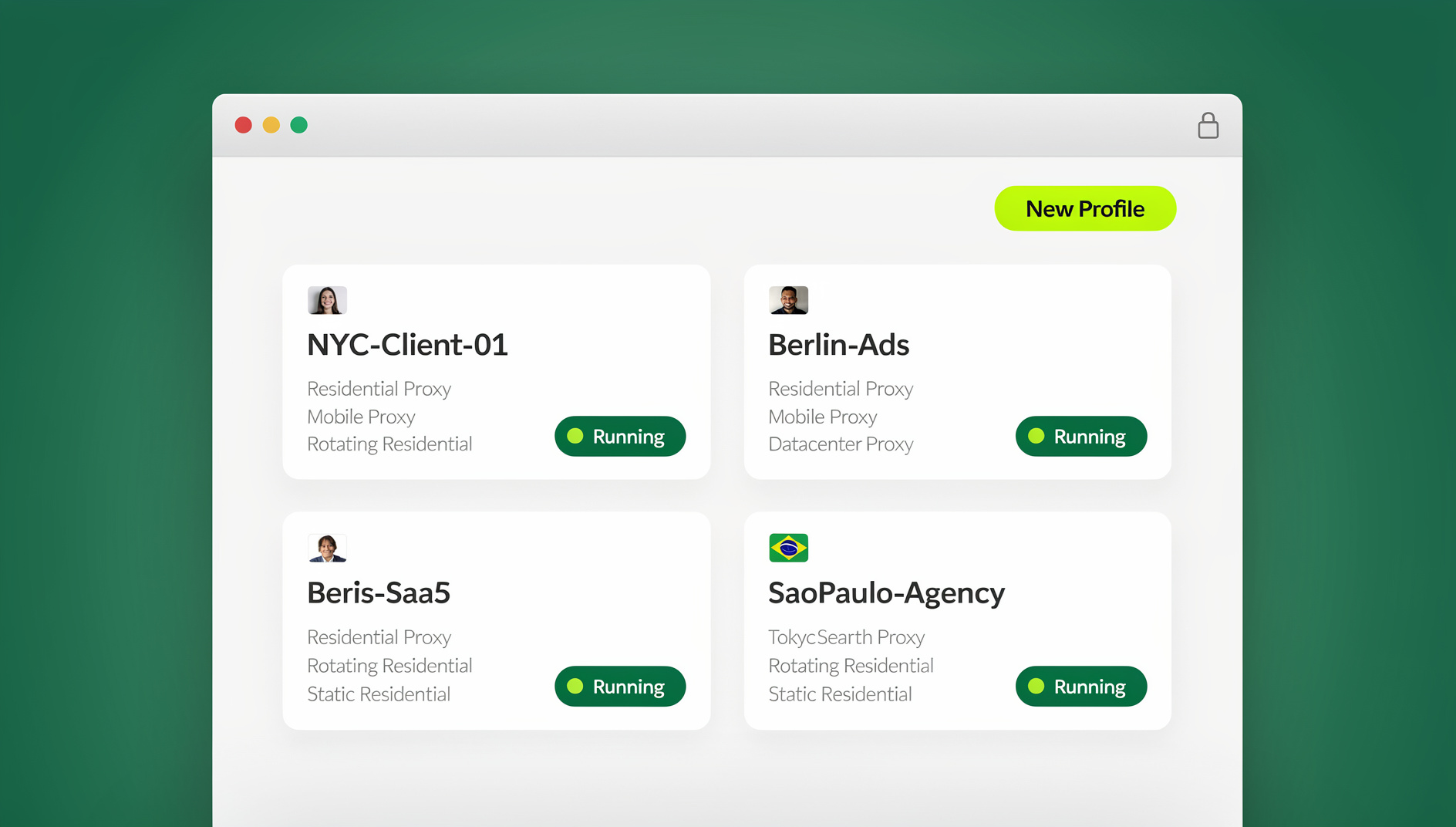
Professional media buyers who need to manage multiple Facebook accounts without linking them rely on isolated browser profiles rather than tabs or Incognito windows. Send.win is built specifically for this — every profile you create runs as its own environment with its own fingerprint, its own assigned proxy, and its own storage.
- Unique fingerprints per profile: Each profile in Send.win generates a distinct, authentic-looking browser identity, so Meta sees what looks like ten different computers instead of one agency laptop running ten tabs.
- Dedicated proxy per profile: You assign a separate residential proxy to each profile — Client A logs in through a New York IP, Client B through a London IP — so no two accounts share a network origin.
- Isolated cookies and cache: Local storage, cache, and cookies stay fully separated between profiles, so nothing from one account’s session leaks into another’s.
Most agencies run these isolated profiles through Sendwin Browser, the native desktop app for Windows, macOS, and Linux — it’s the primary way to keep client accounts running day to day. When a profile needs to be handed to a remote team member or accessed from a machine without the app installed, Send.win’s cloud browser sessions cover that instead, running the same isolated profile in the cloud with no local install required. The two modes serve different needs, but both preserve the same fingerprint, proxy, and cookie isolation.
Isolation Methods Compared
| Method | Fingerprint Isolation | IP Isolation | Cookie Isolation | Cascading Ban Risk |
|---|---|---|---|---|
| Incognito Mode | None | None | Temporary only | High |
| Chrome Profiles | None | None | Partial | High |
| VPN + Chrome Profile | None | Partial | Partial | Medium |
| Send.win Isolated Profiles | Full, per profile | Full, per profile (dedicated proxy) | Full, per profile | Low |
Using Meta Business Manager Correctly
Browser isolation solves the technical side of the problem, but it doesn’t replace the platform-sanctioned way to manage client assets. You should never ask a client for their personal Facebook password, and you should never log into a client’s personal profile to reach their business assets — that’s exactly the pattern Meta’s fraud systems are tuned to catch.
The correct workflow runs through Meta Business Manager. Your agency needs its own Business Manager, and the client needs their own. From there, the client adds your agency’s Business ID as a Partner and grants access to specific assets — their Page, their ad account, their pixel — without ever sharing a login.
The Catch With Personal Profiles
Here’s the part agencies often overlook: even when Business Manager is set up correctly, you’re still authenticating with your own personal Facebook profile to reach it. If that personal profile gets restricted for any reason, you instantly lose access to every client Business Manager attached to it — Business Manager doesn’t protect you from a personal-profile-level ban, it just protects the client’s assets from a shared password.
Building Redundancy With Backup Profiles
Because Meta’s restrictions are frequently automated and occasionally illogical, experienced agencies treat a single personal profile as a single point of failure — not a foundation to build $100,000 in monthly ad spend on top of. The fix is redundancy, not caution alone.
- Create an isolated Send.win profile for “Manager 1,” with its own fingerprint and a stable residential proxy.
- Create a second isolated profile for “Manager 2,” using a different proxy and a separate trusted team member’s login.
- Grant both Manager 1 and Manager 2 admin access to the central agency Business Manager.
If Manager 1 suddenly hits an identity verification wall and gets locked out, Manager 2 — operating from a completely separate, unlinked profile — keeps every client campaign running without a gap. This is the same layered approach agencies use when they manage multiple ad accounts safely across Meta, Google, and TikTok at once.
Delegating Access Without Sharing Passwords
Hiring a media buyer in another country introduces its own risk: having them log into your primary Facebook credentials from a foreign IP address is one of the fastest ways to trigger an immediate lockout. Handing out the password isn’t a solution either — it just moves the risk to a different person’s device.
Instead, authenticate the Facebook account inside a Send.win profile with an appropriate proxy already assigned, then generate a secure session-sharing link and send it to the remote worker. They open the link and land directly inside the live, already-logged-in session — they can build campaigns and post to pages natively without ever seeing the password. Because the underlying session isolation keeps their access contained to that one profile, revoking it later is a single click, and it doesn’t touch any other account in your portfolio.
This same setup is what lets agencies run Facebook and Instagram ads in parallel without one platform’s login habits bleeding into another’s fingerprint — each platform gets its own isolated profile, proxy, and session.
Choosing the Right Browser Setup for Ad Operations
Not every team needs the same setup. A solo freelancer managing three client pages has different requirements than an agency running fifty ad accounts across six time zones. Before scaling past a handful of profiles, it’s worth mapping out proxy coverage, team seat counts, and how sessions get handed off between people — the same considerations that come up in any broader browser for ads management setup, not just Facebook specifically.
| Team Size | Recommended Setup | Key Priority |
|---|---|---|
| 1-3 accounts (freelancer) | Send.win Pro, isolated profiles per client | Fingerprint + proxy isolation |
| 4-15 accounts (small agency) | Send.win Pro or Team, backup manager profiles | Redundancy against lockouts |
| 15+ accounts (growing agency) | Send.win Team, shared sessions for staff | Delegation without password sharing |
Conclusion
Attempting to manage multiple Facebook accounts without a serious isolation strategy is a countdown to a business interruption, not a matter of if but when. Meta’s detection systems are too advanced to be fooled by Incognito windows, basic Chrome profiles, or a VPN bolted onto either. By combining Meta Business Manager for asset delegation with Send.win’s isolated fingerprints, dedicated proxies, and separated cookies, you protect every client’s account, keep campaigns running through individual lockouts, and build an operation that can scale without living in fear of the next restriction email.
🏆 Send.win Verdict
If you manage more than one Facebook account for clients, teams, or campaigns, isolated browser profiles aren’t optional — they’re the difference between a stable operation and a cascading ban that takes every linked account down at once. Send.win gives each profile its own fingerprint, its own proxy, and its own cookie storage, whether you’re running it through the native Sendwin Browser desktop app or handing a session to a remote teammate through a cloud browser session.
Try Send.win free today — start a 30-day free trial, no credit card required.
Frequently Asked Questions
Can Facebook detect if I manage multiple accounts from one device?
Yes. Meta cross-references browser fingerprints, IP addresses, and cookies across logins. If the same hardware fingerprint and IP appear on several accounts, its systems treat them as linked, regardless of whether you intended to connect them.
How many Facebook accounts can I safely manage at once?
There’s no fixed number set by Meta. What matters is isolation quality: with a dedicated fingerprint, proxy, and cookie set per account, agencies routinely manage dozens of client accounts. Without isolation, even two or three accounts sharing a browser can trigger a link.
Does Meta Business Manager stop cascading bans?
Business Manager protects client assets from password sharing, but it doesn’t protect against a ban on the personal profile used to log into it. If that personal profile is restricted, access to every Business Manager attached to it is lost until it’s resolved.
Is using multiple Chrome profiles safe for Facebook accounts?
Chrome Profiles separate cookies but not your browser fingerprint or IP address. Meta still sees the identical hardware signature across every profile on that machine, so the underlying linkage risk remains.
What’s the difference between a proxy and browser fingerprint isolation?
A proxy changes the IP address your traffic appears to come from. Fingerprint isolation changes the hardware-level signature (canvas, WebGL, fonts, screen data) your browser exposes. Meta checks both, so you need both — a proxy alone still leaves an identical fingerprint across accounts.
Can I let a virtual assistant manage a Facebook account without giving them the password?
Yes. Authenticate the account inside an isolated profile, then generate a secure sharing link for that specific session. The assistant works inside the live session without ever seeing the credentials, and access can be revoked instantly if needed.
What does Send.win cost for managing multiple Facebook accounts?
Send.win offers a 30-day free trial with no credit card required. After that, the Pro plan starts at $6.99/month billed annually, and the Team plan starts at $20.99/month billed annually for larger teams needing more seats and shared profiles.
Do I need a residential proxy for every Facebook account?
For any account tied to real ad spend or client revenue, yes — a dedicated residential proxy per profile is what prevents IP overlap between accounts, which is one of the three main signals Meta uses to link them together.