How to Manage Multiple OnlyFans Accounts Safely
Managing multiple OnlyFans accounts safely comes down to one requirement: each account needs its own browser fingerprint, cookies, and IP address so the platform can’t link them together. Creators use a dedicated browser profile per account, paired with a residential proxy and separate banking details, so a policy issue on one account never cascades to the others. This guide covers OnlyFans’ actual account rules, how the platform links accounts behind the scenes, and the operational workflow agencies use to run 10-50+ creator accounts without triggering a mass suspension.
Why Creators and Agencies Run Multiple OnlyFans Accounts
OnlyFans paid out more than $6 billion to creators in 2024, and a growing share of that revenue flows through professional operators managing several accounts at once rather than a single creator running one page. Common reasons include:
- Niche segmentation: separate accounts for different content categories, each with its own pricing and audience.
- Free-to-paid funnels: a free promotional account drives traffic to a premium paid account, requiring both to stay logged in and active at once.
- Agency operations: management agencies run 10-50+ creator accounts, handling scheduling, DMs, and marketing on the creators’ behalf.
- Geographic or language targeting: separate accounts for different regional audiences with localized pricing and content.
- Brand partnerships: a personal account alongside a collaborative or co-branded account.
OnlyFans Account Policies You Need to Know
Unlike most social platforms, OnlyFans enforces identity and financial rules that directly affect how you can run more than one account:
- Mandatory ID verification: every creator account requires government ID verification — anonymous accounts aren’t possible, and each one is tied to a verified identity.
- One account per identity, officially: OnlyFans’ terms describe one creator account per person. In practice, agencies operate accounts on behalf of separately verified creators, and businesses can register accounts under a verified entity.
- Separate banking per account: each account needs its own payout details and generates its own tax documentation (a 1099 in the US).
- Active link-detection: OnlyFans monitors for accounts that share an IP address, browser fingerprint, or payment method, and can restrict all of them if it finds a match.
How OnlyFans Links Accounts Behind the Scenes
Like most modern platforms, OnlyFans uses browser fingerprinting to identify the device and environment behind every login. When two or more accounts share a browser, the platform can connect them through several signals at once:
- Canvas fingerprint: a near-unique hash generated by how your browser renders graphics — read our canvas fingerprinting guide for how this actually works under the hood.
- WebGL data: GPU rendering characteristics that expose the underlying hardware.
- Cookies and localStorage: persistent identifiers that survive across sessions unless each profile is fully isolated.
- IP address: multiple creator accounts logging in from the same IP is one of the fastest ways to get flagged.
- Timezone and language metadata: small signals that, combined, narrow down a unique device profile.
Setting Up Isolated Profiles for Each Account
The professional fix is to give each account its own browser environment instead of trying to clear cookies between logins — clearing cookies doesn’t touch canvas or WebGL fingerprints, and it does nothing about a shared IP. A dedicated multi-login browser setup solves all four signals at once by generating a distinct fingerprint, cookie jar, and proxy per profile. With Send.win, that looks like this:
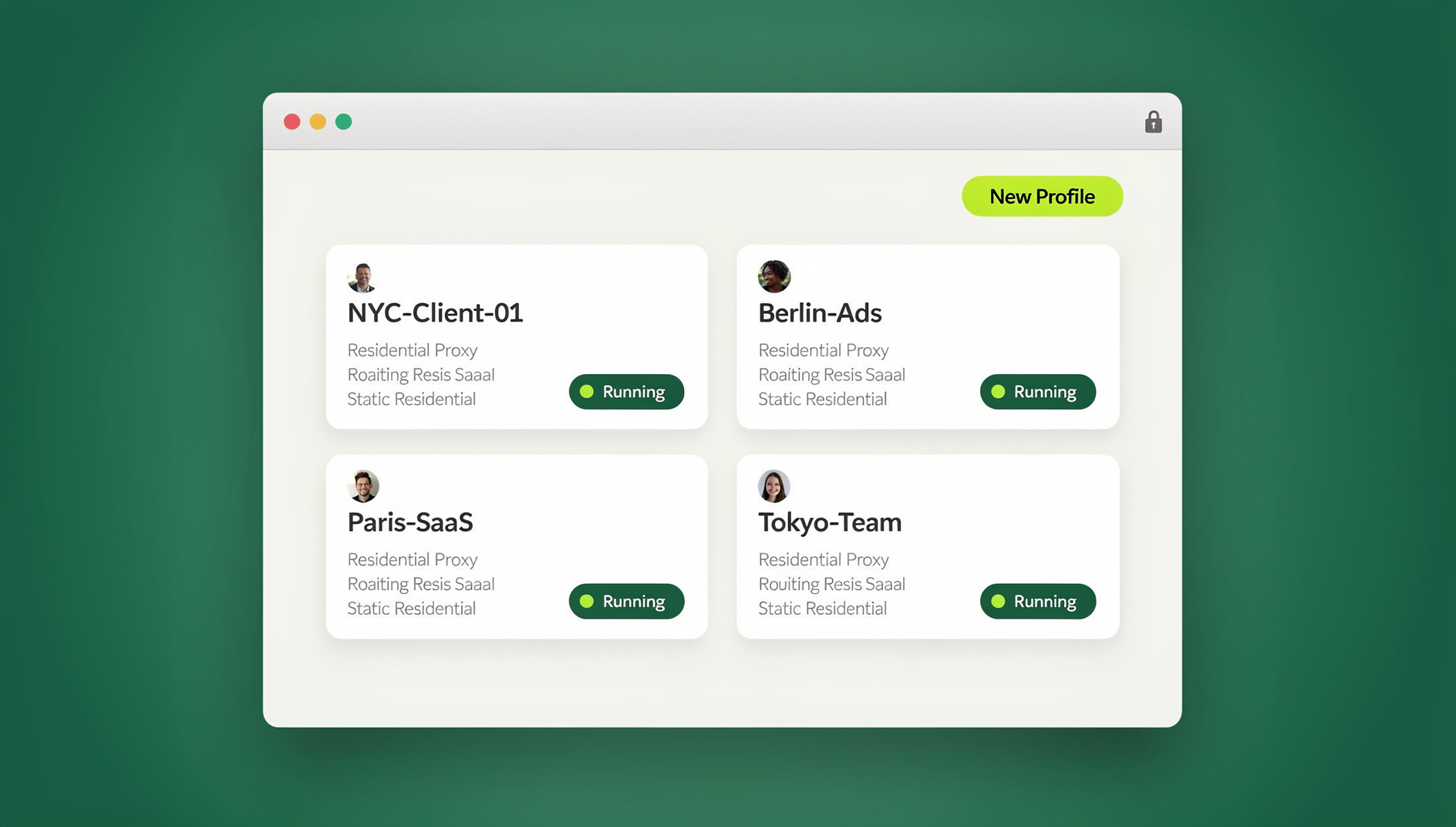
- Create a profile per account: “Creator A – OnlyFans” gets its own browser fingerprint, cookie container, and a dedicated residential proxy, run either through the Sendwin Browser desktop app or a cloud browser session if you’d rather not install anything.
- Log in once: complete identity verification and authentication — the session persists, so you’re not re-verifying every day.
- Manage natively: upload content, respond to DMs, adjust pricing, and review analytics inside that isolated environment.
- Switch accounts cleanly: open “Creator B – OnlyFans” in a separate profile with a different fingerprint, cookie set, and proxy — no shared state with Creator A at all.
- Delegate without handing out passwords: team members can access an authenticated profile through session sharing, so an agency can run the account without ever seeing the creator’s actual login credentials.
Send.win has no free trial, but the first card purchase is covered by a 7-day money-back guarantee, which is enough time to migrate a handful of accounts and confirm the isolation holds before committing long term.
Agency Operations: A Daily Schedule for a 20-Account Roster
| Time Block | Activity | Accounts Covered |
|---|---|---|
| 8:00-10:00 AM | DM responses and engagement | All active accounts |
| 10:00 AM-12:00 PM | Content uploads and scheduling | Accounts with new content ready |
| 12:00-1:00 PM | Analytics review and strategy | Underperforming accounts |
| 1:00-3:00 PM | Cross-platform marketing (Reddit, X) | Accounts needing growth |
| 3:00-5:00 PM | Second DM pass and live sessions | High-engagement accounts |
DM Management at Scale
Locked pay-per-view messages routinely account for 40-60% of a creator’s total earnings, which makes DM workflow the highest-leverage part of the job:
- Response templates: pre-written replies for common messages, customized to each creator’s voice.
- Priority sorting: top spenders and new subscribers get answered first.
- PPV timing: scheduled mass messages sent Thursday through Saturday evenings, when engagement peaks.
- Personalization: using a subscriber’s name and referencing past conversations — generic mass messages convert noticeably worse.
Content Strategy Across Multiple Accounts
Content Calendar
- Feed posts: 1-3 per day per account.
- Stories: 3-5 per day to keep the account visible.
- PPV messages: 2-3 per week, timed around payday and weekends.
- Live sessions: 1-2 per week for accounts with strong engagement.
Content Uniqueness Rules
- Never reuse content between accounts — each creator profile needs completely unique material.
- Watermark differently per account so overlapping content can’t be visually traced back to a single source.
- Strip EXIF metadata before uploading — photos retain camera model, GPS coordinates, and timestamps that can cross-link accounts through file analysis.
Financial Management and Tax Separation
- Separate bank accounts: each creator account should pay out to its own distinct bank account or payment method.
- Per-account tax records: every account generates its own 1099 form in the US, so accounting software with multi-entity support pays for itself quickly.
- Agency commission structures: typically 30-50% of gross revenue, tracked and reported per creator account.
Promotion Across Other Platforms
OnlyFans itself has almost no internal discovery, so growth depends entirely on outside promotion:
- X (Twitter): the primary promotional channel for most creators — each one needs a dedicated account, and managing multiple Twitter accounts in isolated profiles keeps a suspension on one from touching the rest.
- Reddit: niche subreddit promotion drives highly targeted traffic, and needs its own separate account per creator.
- Instagram: SFW promotional content that funnels traffic to OnlyFans, within Instagram’s content guidelines.
- TikTok: SFW teaser clips with a link in bio — TikTok actively removes accounts that promote adult content, so isolation here is not optional.
Security, Privacy, and the Agency-Creator Trust Framework
Protecting Creator Identity
- Dedicated email per account: never reuse a creator’s personal email across accounts.
- Proxy discipline: always access an OnlyFans account through its assigned residential proxy, never a personal home network.
- Two-factor authentication: enabled on every OnlyFans account and every linked social account.
Agency-Creator Trust
- Written agreements: a clear contract defining exactly what the agency can and can’t do with the account.
- Password-free access: agencies should be able to share access without passwords, managing the account through an authenticated session rather than the creator’s actual login.
- Revenue transparency: creators retain direct access to their own analytics and payout history at all times.
Sendwin Browser vs. Cloud Browser Sessions for OnlyFans Work
Send.win offers two ways to run an isolated profile, and it’s worth picking deliberately rather than defaulting to whichever you tried first:
- Sendwin Browser (native desktop app): the primary way most solo creators and small agencies run profiles. It installs on Windows, macOS, or Linux, and each profile behaves like its own dedicated browser with a persistent fingerprint, cookie jar, and proxy — well suited to a manager who works from the same one or two machines every day.
- Cloud browser sessions: profiles run remotely with no local install at all, which matters for agencies with contractors on shared or unmanaged computers, or teams that need to hand a subscriber-facing account to someone in another country without shipping them a laptop. Cloud sessions are metered by monthly cloud-browsing time on paid plans, alongside cloud sync and profile sharing.
Pricing starts with a Pro plan at $19/month or $83.88/year, or a Team plan at $49/month or $251.88/year for agencies running a full creator roster. The first card purchase is covered by a 7-day money-back guarantee, and the only free option is the cloud demo at https://send.win/demo-browser/. Send.win has no automation interface, so most OnlyFans workflows lean on manual browsing and DM work.
Common Mistakes That Get Multiple OnlyFans Accounts Linked
Most account-linking incidents trace back to a handful of avoidable habits rather than bad luck:
- Logging in from a personal phone or home Wi-Fi “just this once.” A single login outside the assigned proxy is enough to log an IP overlap between two supposedly separate accounts.
- Reusing a phone number for verification across accounts. OnlyFans, like most platforms requiring phone verification, permanently links any accounts that share a verified number.
- Copy-pasting captions or bios between accounts. Identical text across “unrelated” accounts is a simple, high-confidence signal for automated review systems.
- Letting a browser extension sync data across profiles. Password managers, ad blockers, and note-taking extensions that sync accounts in the background can quietly bridge two isolated profiles without anyone noticing.
- Skipping the trial period before migrating everything. Test isolation on one or two lower-stakes accounts first, confirm nothing bleeds between profiles, then move the rest of the roster over.
Isolation Methods Compared
| Method | Unique Fingerprint? | Unique IP? | Cross-Account Risk |
|---|---|---|---|
| One browser, multiple logins | No | No | High — all accounts share one fingerprint and IP |
| Incognito / private windows | No | No | High — clears cookies, not canvas/WebGL fingerprints |
| Separate physical devices | Yes | Depends on network | Medium — expensive and doesn’t scale past a few accounts |
| Isolated cloud browser profiles (Send.win) | Yes | Yes, dedicated proxy per profile | Low — each profile is a fully separate environment |
🏆 Send.win Verdict
For creators and agencies managing multiple OnlyFans accounts, the risk was never the content — it’s account linking. Send.win gives every account its own fingerprint, cookies, and residential proxy through the Sendwin Browser desktop app, or through a cloud browser session if you’d rather skip the install. Session sharing lets an agency run the account day-to-day without the creator ever handing over a password.
Try the Send.win cloud demo — no signup needed for a 3-minute preview, and isolate your first few creator profiles today.
Frequently Asked Questions
Can I have two OnlyFans creator accounts?
OnlyFans’ terms generally describe one creator account per verified identity. In practice, creators can operate accounts under separate verified identities, and agencies routinely manage multiple creator accounts on behalf of their clients.
Will OnlyFans ban me for running multiple accounts?
OnlyFans restricts accounts it can prove are linked through a shared fingerprint, IP address, or payment method. Proper browser isolation, with a separate fingerprint and proxy per account, prevents those links from forming in the first place.
Do I need a separate bank account for every OnlyFans account?
Yes — each account should pay out to its own bank account or payment method, both for OnlyFans’ compliance checks and for clean tax reporting, since each account generates its own 1099.
What’s the best time to post on OnlyFans?
Thursday through Sunday evenings, roughly 7-11 PM in the subscriber’s timezone, typically see the highest engagement. The 1st and 15th of each month (payday) are strong windows for PPV messages and subscription promotions.
Can an agency manage an OnlyFans account without knowing the creator’s password?
Yes. Session-sharing tools let a creator authenticate once and grant team members access to that live session, so the agency operates the account without the password ever changing hands.
How many OnlyFans accounts can one browser safely manage?
A single unmanaged browser can safely run exactly one account. Beyond that, each additional account needs its own isolated profile — fingerprint, cookies, and proxy — to stay genuinely separate rather than just visually separate.
Does OnlyFans check IP addresses across accounts?
Yes. IP clustering is one of the fastest ways multiple accounts get linked, which is why each isolated profile should route through its own dedicated residential proxy rather than a shared office or home connection.
What happens if OnlyFans links two of my accounts?
Linked accounts are typically reviewed together, and a policy violation or suspension on one can trigger restrictions on the others. This cascade effect is exactly what proper isolation is designed to prevent.
Conclusion
Managing multiple OnlyFans accounts professionally means treating browser isolation as infrastructure, not an afterthought — paired with disciplined content and DM workflows, strict financial separation, and coordinated promotion across other platforms. Send.win provides the isolated browser profiles, whether through the native Sendwin Browser app or cloud sessions, that agencies and multi-account creators need to operate at scale without risking a cascade suspension across their whole roster.