The Safe Way to Run Multiple Twitter Accounts
Managing multiple Twitter accounts (the platform now called X) safely means giving each one its own browser fingerprint, cookies, and IP address, since X actively cross-references device signals to catch coordinated activity. Agencies running 10-30 client accounts, multi-brand companies, and creators splitting a personal account from niche pages all hit the same wall: log in from one shared browser and X can tell every account belongs to the same operator. Below are the seven rules that keep accounts genuinely separate, plus the scheduling tools, posting cadence, and Spaces workflow that make multi-account X management actually manageable at scale.
Why Professionals Run Multiple Twitter Accounts
X’s real-time nature makes it uniquely demanding to manage compared to slower-moving platforms — you cannot schedule your way out of a breaking news moment or an angry customer reply. That immediacy is exactly why so many teams end up juggling several accounts at once:
- Agencies: managing 10-30 client accounts, each with a distinct brand voice, audience, and posting cadence.
- Multi-brand companies: a parent company running separate presences for each product line, region, or subsidiary.
- Content creators: a personal brand account alongside niche-specific accounts for different content verticals.
- Customer support teams: a dedicated support handle (@BrandHelp) running alongside the main brand account.
- Political and advocacy organizations: candidate accounts, PAC accounts, and issue-specific campaign accounts operating in parallel.
Rule 1: Understand How X Detects Linked Accounts
X’s detection systems watch for coordinated activity across several signals simultaneously:
- IP clustering: multiple accounts tweeting from the same IP, especially when they engage with the same posts, get flagged for coordinated inauthentic behavior.
- Device fingerprinting: X reads browser fingerprints to identify the physical device behind a session — the same fingerprint across 15 accounts reads as automation or coordination, not coincidence.
- Phone number reuse: X requires phone verification for most accounts, and reusing a number across accounts permanently links them in its systems.
- Behavioral patterns: accounts that consistently retweet each other, post at identical intervals, or follow the same accounts in the same order get algorithmically grouped together.
- Shared API tokens: third-party apps connected to multiple accounts through the same developer token create a visible, traceable link.
Rule 2: Know the Limits of X’s Native Multi-Account Support
X’s mobile app allows up to five accounts logged in simultaneously, and the desktop account switcher in the sidebar menu supports adding more.
Adding Accounts Natively
- Click the three-dot menu (⋯) next to your profile name in the sidebar.
- Select “Add an existing account.”
- Log in with the additional account’s credentials.
- Switch between accounts using the account switcher.
Where Native Multi-Account Falls Short
- Every added account shares the same browser session, cookies, and IP address.
- X can see that every account logged into that browser belongs to one person.
- A suspension on one account can trigger a review of every account linked to it.
- Accidental tweets from the wrong account happen constantly — a brand tweet posted from a personal login (or the reverse) can turn into a PR problem fast.
Rule 3: Use Scheduling Tools for Bulk Publishing, Not Live Engagement
API-based scheduling tools handle the repetitive publishing workload well, but they can’t replace a real, logged-in browser session:
| Tool | Tweets | Threads | Analytics | DM Management | Price |
|---|---|---|---|---|---|
| Buffer | Yes | Yes | Yes | No | $6/channel |
| Hootsuite | Yes | Yes | Yes | Yes | $99/mo |
| Sprout Social | Yes | Yes | Yes | Yes | $249/mo |
| TweetDeck (X Pro) | Yes | Yes | Basic | No | $8/mo (X Premium) |
| Typefully | Yes | Yes | Yes | No | $12.50/mo |
The gap: these tools publish through X’s API, but none of them can join a Twitter Space, vote in a poll, browse trending topics for real-time engagement, or hold a nuanced DM conversation. Those all require a genuine, logged-in browser session per account.
Rule 4: Isolate Each Account’s Browser Session
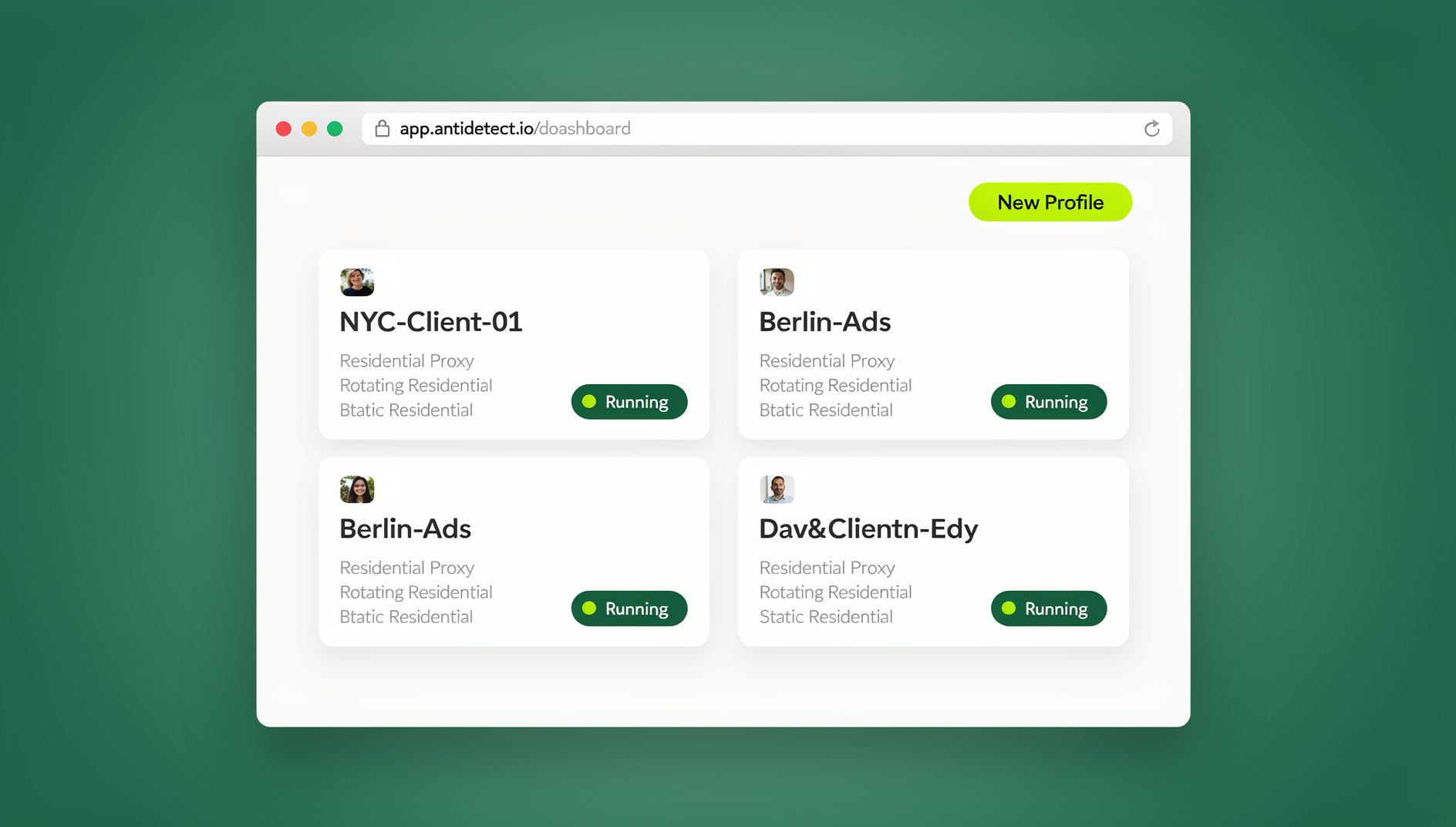
For agencies where native engagement actually matters, browser session isolation is the standard fix. Using a dedicated multi-login browser setup, each client’s Twitter account gets its own environment instead of sharing one with every other account you manage:
- Create a profile per account: “Client A – Twitter” gets a unique browser fingerprint, cookie container, and a dedicated residential proxy.
- Authenticate once: log in, complete any verification, and the session persists — no re-logging-in every shift.
- Engage natively: browse the timeline, join Spaces, reply in real time, and manage DMs, all without any connection to your other client accounts.
- Delegate without sharing passwords: team members access the authenticated session through session sharing, so an agency can staff an account without ever handing over the login.
Run these profiles through the Sendwin Browser desktop app if your team works from consistent machines, or through cloud browser sessions with no local install when handing accounts to remote or rotating staff. Both are available on paid plans — Pro at $19/month or $83.88/year, or Team at $49/month or $251.88/year — with the first card purchase covered by a 7-day money-back guarantee. You can also preview the cloud browser for free at the Send.win demo.
Rule 5: Build a Content Pillar Framework Per Account
Each account should have 3-5 content pillars defining what it does and doesn’t tweet about:
- Pillar 1 — Industry news and commentary: roughly 30% of tweets.
- Pillar 2 — Original insights and thought leadership: roughly 25%.
- Pillar 3 — Community engagement and conversation: roughly 25%.
- Pillar 4 — Product or service promotion: roughly 10%.
- Pillar 5 — Behind-the-scenes and culture content: roughly 10%.
Thread Strategy
- Draft threads in a dedicated writing tool (Typefully, Notion) before publishing.
- Hook the reader in the first tweet — for most readers, it’s the only one they’ll see.
- Keep every tweet in the thread self-contained, since readers frequently screenshot individual tweets out of context.
- End with a clear call-to-action: follow, retweet, or visit a link.
Rule 6: Post on a Schedule That Matches Each Account’s Audience
X’s algorithmic timeline rewards recency and early engagement velocity — posts that pick up traction in the first 30 minutes get amplified far more than posts with slow initial pickup.
- B2B accounts: Tuesday through Thursday, 9-11 AM and 1-3 PM in the audience’s timezone.
- B2C accounts: every day, with peaks around 12-1 PM and 7-9 PM.
- News and media accounts: throughout the day, prioritized around breaking-news timing.
- Frequency: 3-5 tweets per day per account is the sweet spot — fewer than 3 loses visibility, more than 8 risks fatiguing followers.
Twitter Spaces for Multi-Account Teams
Spaces (live audio) is a strong engagement tool that no scheduling API can touch — hosting or joining one requires native browser access. For agencies, each client’s Spaces participation should run through that client’s isolated browser profile, so the account consistently appears to operate from one device in one location.
Rule 7: Avoid the Triggers That Get Accounts Flagged
Rate Limit Awareness
- Tweets: 2,400/day hard limit — stay realistically under 50.
- Follows: 400/day maximum — stay under 50 for safe growth.
- Likes: 1,000/day limit — stay under 100.
- DMs: 500/day limit, though aggressive cold outreach triggers spam flags well before that ceiling.
Content Duplication
Never post identical content across managed accounts. X’s spam detection flags duplicate tweets posted within a similar timeframe, and even unrelated accounts posting the same text reads as coordinated behavior.
Hashtag Discipline
X penalizes hashtag stuffing more aggressively than Instagram does. Use 1-2 relevant hashtags per tweet at most, and avoid jumping on trending hashtags unless the tweet genuinely relates to the trend — hijacking trends is a fast route to a restriction.
Analytics and Reporting Across Accounts
Every managed account needs its own baseline and reporting cadence:
- Weekly: impressions, profile visits, follower growth rate, engagement rate per tweet.
- Monthly: top-performing tweets, audience demographic shifts, mention sentiment.
- Quarterly: follower growth trajectory, content pillar performance, ROI from X-driven conversions.
Tools like Sprout Social and Hootsuite aggregate analytics across accounts into one dashboard for client reporting. For deep, native analytics, log into each account’s isolated profile directly rather than relying solely on third-party estimates — this also keeps the account from tripping flags for using multiple accounts through unmonitored API access.
Delegating Access Without Handing Out Passwords
Agencies managing dozens of client accounts run into the same trust problem repeatedly: a client wants their account managed, but doesn’t want to hand a password to a contractor they’ve never met. The fix is to share access without passwords — the client authenticates the profile once, and team members work inside that live session without ever seeing the login credentials. If a contractor relationship ends, revoking their session access takes seconds and doesn’t require rotating the account’s actual password.
Structuring a Team Around Multiple Twitter Accounts
Past 5-10 managed accounts, informal “whoever’s online handles it” coverage breaks down. A more durable structure splits the work by function rather than by account:
- Account leads: one person owns the voice and strategy for 3-5 accounts, approving anything that deviates from the content pillars.
- Real-time responders: a rotating shift covers DMs and mentions across all active accounts during business hours, working inside each account’s isolated profile rather than a shared inbox tool.
- Content producers: writers and designers draft threads and visual assets in a shared calendar, handing off finished posts to the account lead for scheduling.
- Analytics owner: one person compiles the weekly/monthly/quarterly metrics across every account into a single client-facing report.
Handoffs between shifts are where account-linking mistakes usually happen — a night-shift responder logging into “just check one thing” from their personal laptop, outside the assigned profile. Session sharing removes the temptation entirely: the account lead grants the responder access to the live, isolated session for their shift, and revokes it afterward, so nobody ever needs the actual password or a personal login to cover a few hours of DMs.
🏆 Send.win Verdict
Scheduling tools solve the publishing half of managing multiple Twitter accounts; they don’t solve the identity half. Send.win closes that gap with a dedicated fingerprint, cookie jar, and residential proxy per account — through the native Sendwin Browser app or a no-install cloud browser session — plus session sharing so agencies can staff client accounts without ever touching a password.
Try the free Send.win cloud demo — no signup needed for a 3-minute preview, and isolate your first client accounts today.
Frequently Asked Questions
How many Twitter accounts can one person have?
X does not explicitly cap how many accounts one person can create. However, every account tied to the same phone number, email, or device is linked in X’s systems, and running more than 5-10 accounts without proper isolation will eventually trigger coordinated-behavior flags.
Can I use TweetDeck for multiple accounts?
TweetDeck (now X Pro, bundled with X Premium) supports multiple accounts in a columnar layout, but every account inside it shares the same browser session and is visibly linked in X’s systems.
What happens if one of my managed accounts gets suspended?
If accounts are properly isolated — separate fingerprints, proxies, and sessions — a suspension on one has zero impact on the others. Without isolation, X can review and restrict every account tied to the same device or IP.
Is it against X’s rules to manage multiple accounts for clients?
No — agencies managing client accounts is common and permitted. What X restricts is coordinated inauthentic behavior: accounts that appear to be the same operator artificially amplifying each other rather than genuinely separate presences.
Do I need a different phone number for every account?
Yes, if you want the accounts to stay unlinked. Reusing a verification number across accounts creates a permanent connection in X’s records regardless of how well the browser sessions are isolated.
Can scheduling tools replace a real browser session entirely?
No. Scheduling tools cover publishing and basic analytics, but Spaces, polls, trending-topic browsing, and nuanced DM replies all require native, logged-in browser access per account.
How do I safely hand a client account to a new contractor?
Through session sharing rather than the account password — grant the new contractor access to the authenticated profile, and revoke the previous contractor’s access separately, without ever changing the client’s actual login.
What’s the safest posting frequency per account?
3-5 tweets per day per account balances visibility against follower fatigue for most account types — B2B and news accounts can lean toward the higher end during active news cycles.
Conclusion
Managing multiple Twitter accounts effectively means combining scheduling tools for content distribution with genuinely isolated browser environments for native engagement — Spaces, DMs, and real-time replies that no API can fake. Send.win provides the session isolation, persistent authentication, and password-free delegation that agencies need to run 10-50+ client accounts without one suspension cascading into the rest of the roster.