Why Marketers Run Multiple Pinterest Accounts
Managing multiple Pinterest accounts lets agencies, niche publishers, and e-commerce brands run one tightly-focused profile per client or vertical instead of a single feed with a diluted audience. Pinterest is a visual search engine, not a social network — 93% of active users say they use it to plan purchases — so a narrow, consistent account outperforms a broad one on the metric that actually matters: outbound clicks to your site.
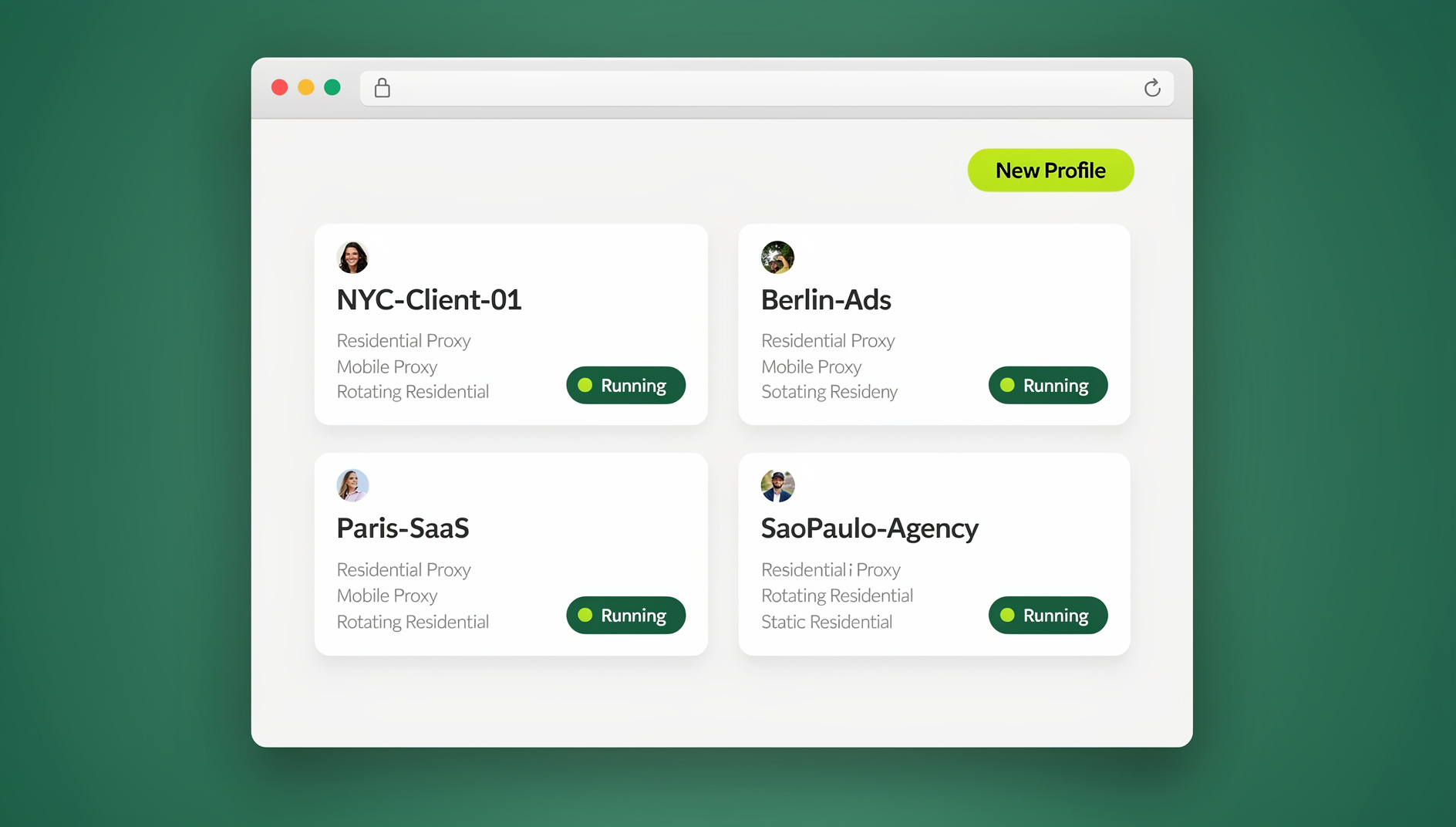
The most common reasons teams end up running several Pinterest accounts at once:
- Agencies managing 10-30 client Business accounts, each needing its own pin strategy, board structure, and audience targeting.
- Niche publishers running separate sites (recipes, DIY, fashion) that each need a dedicated Pinterest presence driving traffic back to that specific site.
- Multi-brand e-commerce companies keeping a distinct Pinterest identity for every product line.
- Affiliate marketers operating niche accounts that funnel traffic into different verticals without cross-contaminating audiences.
Pinterest Account Types and Policy Limits
Personal vs. Business Accounts
- Personal accounts: limited analytics, no ad access, no Rich Pins, no API access.
- Business accounts: full Pinterest Analytics, Ads Manager access, Rich Pins, API access for scheduling tools, and the ability to claim a website.
For any multi-account setup, use Business accounts only. The analytics and scheduling-tool integration aren’t optional extras once you’re managing this as a real channel.
What Pinterest’s Policy Actually Allows
- Pinterest permits one personal account and one Business account per email address; using additional email addresses lets you register additional Business accounts.
- Personal accounts can be converted to Business accounts at any time without losing followers or pins.
- Pinterest’s spam-detection systems flag excessive pinning, repetitive content, and coordinated activity that looks like it’s coming from one operator.
- Accounts sharing the same browser fingerprint and IP address are the easiest signal for Pinterest to link together internally — even when the login credentials and content never overlap.
Pinterest Scheduling Tools Compared
| Feature | Tailwind | Hootsuite | Later |
|---|---|---|---|
| Pinterest Marketing Partner | ✅ Official | ❌ No | ❌ No |
| AI-optimized send times | ✅ SmartSchedule | Basic | Basic |
| Group content sharing | ✅ Tailwind Communities | ❌ No | ❌ No |
| Built-in pin design templates | ✅ Yes | Limited | ✅ Yes (visual grid planner) |
| Multi-account dashboard | ✅ Yes | ✅ Yes | ✅ Yes |
| Pricing | Free (limited) → $19.99/mo → $39.99/mo | Starts ~$99/mo (multi-platform) | Free (limited) → $25/mo+ |
| Best for | Pinterest-focused marketers and bloggers | Agencies running Pinterest as one of many channels | Visual planners running Instagram + Pinterest together |
Why Tailwind dominates Pinterest specifically: it’s the only tool on this list with an official Pinterest Marketing Partner integration and native API depth. SmartSchedule studies your specific audience’s engagement patterns to pick posting times, and Tailwind Communities (formerly Tribes) get your pins reshared by other creators in your niche — something no generic scheduler replicates. Hootsuite earns its place when Pinterest is just one of six channels an agency dashboard needs to cover; Later wins when a team is planning Instagram and Pinterest visually side by side.
Building a Pinning Strategy Across Accounts
Board Architecture
Each Pinterest account needs a deliberate board structure, not a dumping ground:
- 10-20 niche-specific boards: tightly themed around your target keywords. “Easy Weeknight Dinners” consistently outperforms a generic “Food” board.
- 1-2 brand boards: reserved exclusively for your own products or content.
- Section organization: use board sections for sub-categories — “Home Decor” splitting into “Living Room,” “Bedroom,” and “Kitchen” sections.
Pin Volume and Mix
- Per account: 15-25 pins per day is the range that supports reach and growth without tripping spam filters.
- Original vs. repins: aim for roughly 80% original pins to 20% curated repins.
- Formats: standard image pins, multi-page Idea Pins, and video — Pinterest’s algorithm currently favors the latter two.
SEO-First Pin Design
Pinterest ranks pins the way Google ranks pages, so every pin needs to be built for discovery:
- Title: work the target keyword in naturally — “15 Easy Meal Prep Ideas for Busy Parents” beats “Great Food Ideas.”
- Description: 200-300 characters, 2-3 relevant keywords, written for a human reader rather than stuffed.
- Alt text: describe the image accurately for accessibility and additional SEO signal.
- Image format: 2:3 aspect ratio (1000x1500px) — tall pins dominate the feed and consistently out-engage square ones.
- Text overlay: clear, legible text that communicates the value proposition instantly.
Why Account Isolation Matters for Pinterest Safety
When you’re managing multiple Pinterest accounts, the biggest operational risk isn’t the scheduling tool — it’s what happens when you log into every account natively from the same browser. Pinterest’s spam systems specifically watch for accounts that share a fingerprint, IP address, or behavioral pattern, because that combination is exactly what a single operator running many accounts looks like from the outside. A multi-login browser solves this by giving each Pinterest account its own isolated profile — separate cookies, separate cache, and a distinct fingerprint per account — so logging into ten client accounts back-to-back doesn’t read as ten accounts controlled by one person.
This matters because browser fingerprinting is passive — Pinterest doesn’t need your IP to overlap for two accounts to look linked. Canvas rendering, installed fonts, screen resolution, and dozens of other signals combine into a fingerprint that’s often more identifying than an IP address alone. Native tasks that scheduling tools can’t touch — browsing the Pinterest feed for content ideas, creating Idea Pins in the app, replying to comments, and managing ad campaigns — still need to happen through a real, logged-in browser session, and that’s exactly where fingerprint overlap causes accounts to get flagged together.
Send.win runs each Pinterest account through the Sendwin Browser (its native desktop app) or a cloud browser session, giving every profile its own fingerprint and proxy so accounts stay operationally separate even when the same person is logging into all of them from the same machine every day.
Tracking Performance Across Accounts
Key Metrics to Track
| Metric | What It Tells You | Healthy Target |
|---|---|---|
| Impressions | How many times your pins appeared in feeds and search | Growing month-over-month |
| Outbound clicks | Traffic actually driven to your website | Your primary revenue metric |
| Save rate | How often users save a pin to their own boards | 2-5% |
| Engagement rate | (Clicks + saves) ÷ impressions | 1-3% |
| Top pins | Which specific pins drive the most action | Double down on winners with variants |
Cross-Account Reporting
Agencies managing several client accounts should lean on Tailwind’s or Hootsuite’s reporting layer to build cross-account comparisons — which clients are growing fastest, which pin strategies are actually converting, and where to reallocate creative time. Reviewing this weekly, not monthly, catches a stalling account before a full month of budget gets spent on the wrong board strategy.
Delegating Pinterest Work to a Team
Pinterest Business accounts do support native team-member roles, but for an agency juggling many accounts across many clients, native permissions alone get unwieldy fast. Instead, grant team members access without sharing credentials — a designer or VA gets a working, logged-in session for exactly the client accounts they’re assigned to, without ever seeing the actual Pinterest password. If they leave the team or move to a different client, you revoke that one session instead of resetting a shared password across every account it touched.
Assign one content creator to no more than 5-10 Pinterest accounts to maintain consistent pin quality, and centralize your pin templates while still allowing account-specific customization — the same base template rebranded per client is far faster than designing from scratch each time. This same discipline is worth applying broadly whenever you’re managing multiple social media accounts at once, not just Pinterest specifically — the account-isolation and delegation problems are identical across platforms.
🏆 Send.win Verdict
Pinterest-specific scheduling (Tailwind, ideally) handles the publishing side of managing multiple Pinterest accounts, but scheduling tools can’t replace the native browser session you need for Idea Pins, feed browsing, and ad management. Send.win gives each Pinterest account its own isolated Sendwin Browser profile or cloud browser session — separate fingerprint, separate proxy — so your accounts stay operationally distinct instead of getting linked by Pinterest’s spam-detection systems.
Try Send.win today — plans start at $19/month, and your first card purchase is covered by a 7-day money-back guarantee.
Common Mistakes That Get Multiple Pinterest Accounts Flagged
Most multi-account Pinterest suspensions trace back to a handful of avoidable patterns rather than Pinterest arbitrarily targeting operators:
- Identical pin batches published within seconds of each other across accounts: even with different fingerprints, publishing the exact same pin design to five accounts in the same minute is a behavioral pattern Pinterest’s systems flag on its own.
- Reused board names and descriptions word-for-word: copy-pasting board structure across every client account without any customization reads as templated spam rather than genuine curation.
- Sudden volume spikes: an account pinning 5 times a day for a month, then jumping to 50 pins in a single day, triggers review far more often than steady, gradual growth.
- Cross-account following and repinning loops: having your own managed accounts follow and repin each other in a closed loop is one of the clearest coordinated-network signals Pinterest looks for.
- Ignoring warning emails: Pinterest often sends a policy warning before a suspension. Treat the first warning as a hard stop signal to audit that account’s recent activity, not something to dismiss.
None of these are solved by browser isolation alone — isolation prevents Pinterest from linking accounts through fingerprint or IP overlap, but it doesn’t excuse behavior that looks coordinated on its own. Treat each account like it’s run by a genuinely separate person: different posting times, different board language, and no cross-account interaction.
Frequently Asked Questions
How many Pinterest accounts can I have?
Pinterest allows one personal and one Business account per email address. Using separate emails, you can create additional Business accounts. There’s no hard platform-wide cap, but each account needs consistent, genuine content to stay healthy — spreading yourself across accounts you can’t maintain does more harm than good.
How often should I pin per account per day?
15-25 pins per day per account is the range Pinterest’s own creators and Tailwind’s data both point to. Spread pins throughout the day using a scheduling tool rather than batch-publishing everything at once, which is one of the clearest signals that triggers spam review.
Can Pinterest detect multiple accounts run by the same person?
Yes. Pinterest tracks browser fingerprints, IP addresses, and behavioral patterns across accounts, and can link accounts internally when those signals overlap. Running each account through an isolated browser profile with its own fingerprint and proxy breaks that link.
Do I need a Business account for every Pinterest profile?
Yes, for anything beyond casual personal use. Business accounts unlock the analytics, Rich Pins, and API access that scheduling tools and performance tracking depend on — Personal accounts are missing all three.
What’s the best Pinterest-specific scheduling tool?
Tailwind, because it’s an official Pinterest Marketing Partner with deeper API access than general-purpose social schedulers. Hootsuite is a reasonable choice only if Pinterest is a minor channel inside a much bigger multi-platform workflow.
How many boards should each Pinterest account have?
10-20 tightly niched boards plus 1-2 dedicated brand boards is the structure that performs best. Overly broad boards (“Food,” “Home”) dilute keyword relevance compared to specific ones (“Easy Weeknight Dinners,” “Small Bedroom Storage Ideas”).
Can I let a virtual assistant manage a client’s Pinterest account without giving them the password?
Yes — session-sharing tools let you grant a working, authenticated session to a specific account without ever exposing the underlying login credentials, and you can revoke that access instantly if the working relationship ends.
Is it against Pinterest’s terms to run several Business accounts?
No, provided each account represents genuinely distinct content or a distinct client/brand and isn’t just duplicate spam. Pinterest’s policies target coordinated spam behavior, not multi-account management itself.
Conclusion
Managing multiple Pinterest accounts well comes down to three things: a Pinterest-specific scheduling tool (Tailwind leads for a reason), an SEO-first pinning strategy with consistent daily volume, and isolated browser sessions so accounts stay operationally separate from each other. Pinterest’s high purchase-intent audience and growing e-commerce features make it one of the best-ROI channels for multi-account marketers — it rewards the operators who invest in proper tooling and workflow discipline over the ones treating every account the same way.