Multiple Airbnb Accounts? Here’s What Airbnb Allows
Managing multiple Airbnb accounts is only a policy problem if you’re duplicating one person’s personal account — Airbnb’s Terms of Service allow just one account per individual, and duplicates get both accounts permanently suspended. What’s fully legitimate is managing several accounts that belong to different owners or entities: co-hosting other owners’ listings, running separate LLC-registered accounts for liability separation, or operating a property management business across dozens of owner accounts through a PMS. This guide covers the official mechanisms for each legitimate scenario and how to access them without accidentally linking accounts that need to stay separate.
Airbnb’s Official Multi-Account Solutions
1. Co-Hosting (the Primary Mechanism)
Co-hosting is Airbnb’s built-in feature for managing listings across accounts that belong to different owners:
- What it does: a property owner invites a co-host (often a professional manager) to manage their listing. The co-host works through their own Airbnb account, not the owner’s.
- Permission levels: co-hosts can be granted calendar, pricing, guest messaging, and check-in-instruction access.
- Revenue split: owners set a flat fee or percentage paid to the co-host automatically per booking.
- Listing visibility: the co-host’s profile can appear alongside the owner’s, building the co-host’s own reputation over time.
Setting Up Co-Hosting
- The property owner logs into their own Airbnb account.
- They navigate to the listing’s Co-hosts section.
- They invite the co-host by email or Airbnb profile link.
- Permissions and revenue share are configured.
- The co-host accepts the invitation from their own separate account.
2. Airbnb’s Professional Hosting Tools
For managers handling five or more listings, Airbnb layers on additional features:
- Multi-listing dashboard: every co-hosted and owned listing in one interface.
- Teams: role-based access for staff (messaging-only, calendar-only, full access).
- Professional reporting: revenue, occupancy, and performance analytics across the whole portfolio.
- API access: connects to third-party property management software.
Property Management Software (PMS) as the Central Layer
Professional hosts managing listings across several owner accounts typically run everything through a PMS rather than switching between Airbnb logins directly:
| PMS | Channel Support | Key Features | Price |
|---|---|---|---|
| Hostaway | Airbnb, Booking.com, Vrbo, 200+ channels | Unified inbox, automation, accounting | From $100/mo |
| Guesty | Airbnb, Booking.com, Vrbo, Expedia | Enterprise PMS, team management, revenue optimization | From $37/listing/mo |
| Lodgify | Airbnb, Booking.com, Vrbo + direct booking site | Website builder, payment processing | From $17/mo |
| Hospitable | Airbnb, Booking.com, Vrbo | Automated messaging, scheduling | From $29/mo |
| OwnerRez | Airbnb, Booking.com, Vrbo + 20 channels | Owner statements, revenue management | From $25/listing/mo |
How a PMS Resolves the Multi-Account Problem
- Connect each property owner’s Airbnb account to the PMS via API.
- Every listing from every connected account surfaces in one dashboard.
- Manage calendars, pricing, guest messaging, and check-in across all accounts from that single dashboard.
- Generate owner-specific revenue reports per property owner.
- Sync availability across Airbnb, Booking.com, and Vrbo to prevent double bookings.
Legitimate Multi-Entity Structures
Separate LLCs for Separate Properties
Many professional hosts structure their portfolio with a separate LLC per property or property group for liability protection:
- Each LLC can register its own Airbnb account under the entity’s business profile.
- This is a legitimate business structure — not a duplicate personal account.
- Each entity account should have its own email, business details, and tax ID.
- Managing several entity accounts in parallel means maintaining several distinct, simultaneous login sessions.
Isolated Browser Profiles for Multi-Entity Access
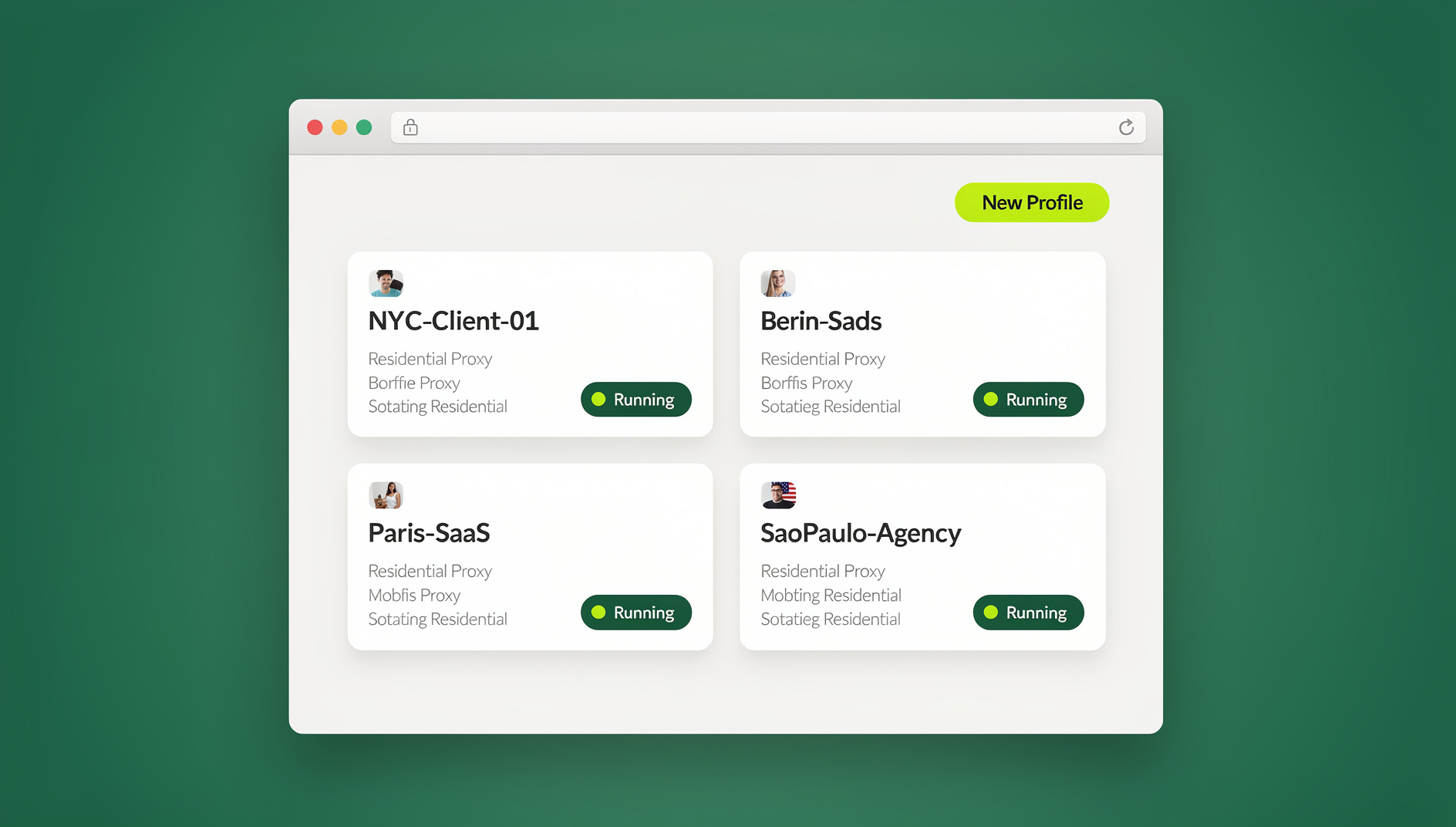
The practical friction with multi-entity accounts is technical, not legal: opening “LLC-A’s Airbnb” and “LLC-B’s Airbnb” in the same browser session means both share the same browser fingerprint, cookies, and IP — the exact pattern platforms use to link accounts that are supposed to be independent. Send.win solves this by giving each entity its own isolated profile, run either through the Sendwin Browser desktop app or as a cloud browser session with no local install:
- “LLC-A Airbnb” gets its own fingerprint, cookie container, and optional residential proxy.
- “LLC-B Airbnb” runs in a completely separate browser environment.
- Sessions persist, so there’s no re-authenticating each entity account every day.
- Zero fingerprint overlap keeps Airbnb from cross-linking accounts that legitimately need to stay distinct — the same session isolation principle used across other multi-account platforms.
Teams managing several entity accounts and staff logins together benefit from the same multi-login browser approach used for e-commerce and social accounts — one profile per account, none of them sharing a fingerprint.
Guest Communication at Scale
Standardized Messaging Templates
Across multiple accounts, standardize guest communication so quality doesn’t depend on who’s logged in that day:
| Phase | Message | Timing |
|---|---|---|
| Booking confirmation | Thank you + what to expect + house rules | Within 1 hour of booking |
| Pre-arrival | Check-in instructions + WiFi + parking | 24 hours before check-in |
| Check-in welcome | Welcome + local recommendations + emergency contacts | Day of check-in |
| Mid-stay check | How’s everything going? Anything you need? | Day 2 for stays of 3+ nights |
| Pre-checkout | Checkout instructions + review request | Morning of checkout |
| Post-stay | Thank you + review request + rebooking discount | 1 day after checkout |
PMS tools like Hospitable and Hostaway automate these messages across every connected account, sending the right note at the right time regardless of which Airbnb account owns the listing.
Pricing Management Across Accounts
Dynamic Pricing Tools
- PriceLabs: adjusts nightly rates based on demand, seasonality, events, and competitor pricing — connects to multiple Airbnb accounts through a PMS.
- Beyond Pricing: automated dynamic pricing with a revenue dashboard spanning every listing across every connected account.
- Wheelhouse: customizable pricing strategy with market data, supporting multi-account setups through integrations.
Pricing Strategy by Portfolio Type
- Urban apartments: aggressive dynamic pricing keyed to weekday vs. weekend and local event demand.
- Vacation homes: seasonal pricing with peak-period premiums and minimum-stay requirements.
- Luxury properties: value-based pricing with lighter discounting to protect brand positioning.
Compliance and Tax Considerations
Tax Reporting Across Entities
- Each Airbnb account (entity) receives its own 1099-K once earnings clear the reporting threshold.
- Keep accounting separate per entity — revenue, expenses, and depreciation must be tracked independently.
- Use accounting software (QuickBooks, Xero) with distinct entities or classes per property/LLC.
Local Regulations
- Many cities require a short-term rental permit per property — track renewal dates centrally across the portfolio.
- Occupancy tax collection varies by jurisdiction; Airbnb remits it automatically in some markets but not all.
- Some cities cap the number of nights per year a property can be listed — monitor this across every listing and every account.
Self-Managing vs. Bringing in a Co-Host
Before building out a whole multi-account structure, it’s worth asking whether you need one at all. A single owner with two or three properties in the same city can usually self-manage from one Airbnb account without any of the co-hosting, PMS, or entity-separation machinery described above. Multi-account structures start earning their complexity when at least one of these is true:
- You’re managing properties that belong to other people, not just yourself — co-hosting is the correct mechanism here, not a shared login.
- You have properties in different legal entities for liability reasons, and each entity needs its own accounting, tax reporting, and Airbnb account to match.
- Your listing count has grown past what one person can respond to in real time — this is when a PMS and possibly hired staff make sense.
- You’re operating across multiple markets or regulatory jurisdictions, where permit tracking and tax remittance genuinely differ property by property.
If none of those apply yet, adding co-hosts, a PMS subscription, or isolated browser profiles is premature overhead. If more than one does, the setups above are what keeps the added complexity from turning into duplicate-account risk or a compliance mess down the line.
Common Mistakes to Avoid
1. Creating a Second Personal Account
Never open a second Airbnb account under your own name to bypass a hosting limit or a suspension. Airbnb detects duplicates through email, phone number, government ID, payment method, and device fingerprint — both accounts end up permanently suspended.
2. Neglecting Account-Specific Reputation
Every Airbnb account carries its own review history and Superhost status. When you manage several accounts through co-hosting, remember that response time and review quality are tracked independently per account, not pooled across your portfolio.
3. Cross-Posting the Same Listing on Two Accounts
Listing one property on two different Airbnb accounts is a policy violation — each property belongs on exactly one Airbnb account. Cross-platform listing (Airbnb plus Booking.com plus Vrbo) is completely fine and common practice.
Choosing the Right Setup for Your Portfolio Size
The right approach to managing multiple Airbnb accounts depends on how many owner or entity accounts you’re actually touching, not just how many listings you have:
| Situation | Recommended Setup | Why |
|---|---|---|
| 1 owner, several listings | Single account, native Airbnb dashboard | Everything lives under one account already — no multi-account problem to solve. |
| Co-hosting for 1-3 owners | Airbnb’s native co-hosting feature | Built-in, policy-sanctioned, and simplest to set up for a small number of owner relationships. |
| Co-hosting for 5+ owners | PMS (Hostaway, Guesty, OwnerRez) | A unified dashboard beats logging into each owner’s account separately every day. |
| Multiple LLC-owned entity accounts | Isolated browser profiles per entity | Keeps entities technically distinct on top of being legally distinct — important for liability separation to actually hold up. |
| Full-service property management, many entities | PMS + isolated profiles combined | PMS for day-to-day operations, isolated profiles for the direct-portal tasks a PMS API doesn’t cover. |
Security Practices for Multi-Account Hosts
Regardless of which structure fits your portfolio, a few habits reduce risk across every account you touch:
- A unique password per Airbnb account, kept in a password manager rather than reused across entities.
- 2FA enabled on every account, particularly ones handling guest payment information or high-value listings.
- Separate recovery email and phone number per entity where possible — a single shared inbox tied to every account is a single point of failure if it’s ever compromised.
- Documented offboarding for staff or co-hosts who lose access — revoke co-host permissions and rotate any shared session credentials immediately.
- Periodic review of connected apps and PMS integrations per account, since API tokens that outlive their usefulness are a common overlooked access point.
None of this replaces the legal separation a proper LLC structure provides, but it’s what keeps that separation from breaking down at the browser-session level, where an accidental shared login can undo the isolation you set out to build.
🏆 Send.win Verdict
Co-hosting and a PMS solve the business side of managing multiple Airbnb accounts — but neither stops the accounts from sharing a browser fingerprint if you’re logging into several owner or entity accounts from the same computer. Send.win gives each Airbnb account its own fingerprint, cookies, and proxy, through either the Sendwin Browser desktop app or a no-install cloud browser session, so legitimately separate entities never look linked while your login sessions stay persistent.
Try the free Send.win cloud demo — no signup required, with Pro plans from $19/mo or $83.88/yr.
Frequently Asked Questions
Can I have two Airbnb host accounts?
Not as one personal user — Airbnb’s Terms of Service allow one account per person. You can, however, manage listings across multiple accounts through co-hosting, and separate business entities (LLCs) may each register their own account.
What’s the difference between co-hosting and property management?
Co-hosting is Airbnb’s built-in feature for sharing listing management between an owner and a manager. Property management typically means a professional company running everything through a PMS, often across several booking channels beyond just Airbnb.
How do I manage 20+ Airbnb listings efficiently?
Run a PMS (Hostaway, Guesty, or OwnerRez) as the central layer, connect dynamic pricing (PriceLabs or similar), automate guest messaging (Hospitable), and use isolated browser profiles for any direct Airbnb portal access across owner or entity accounts.
Will Airbnb suspend my account for using co-hosting?
No — co-hosting is an official, sanctioned Airbnb feature. Suspensions come from policy violations like duplicate personal accounts or cross-listing the same property, not from legitimate co-hosting arrangements.
Do I need a separate Airbnb account for each LLC?
If each LLC is a distinct legal entity managing its own properties, yes — registering a separate account per entity with its own email and tax ID is the correct, policy-compliant structure.
How does Airbnb detect duplicate personal accounts?
Through overlapping signals: email address, phone number, government ID, payment method, and device/browser fingerprint. Any one of these matching across two accounts can trigger a review.
Can a co-host and the property owner be logged in from the same computer?
They can, but doing so links their accounts by IP and fingerprint the same way any shared-browser login does — isolated profiles avoid that if the co-host relationship needs to stay clearly separate for reputation or compliance reasons.
Is browser isolation only useful for large portfolios?
It becomes worth setting up once you’re juggling more than two or three separate owner or entity accounts regularly — below that, the daily re-login friction of native switching is usually still manageable.