Getting a social media account flagged for using multiple accounts is one of the most avoidable — and most common — ways businesses, agencies, and creators lose months of work overnight. Platforms like Meta, X, TikTok, and LinkedIn actively hunt for signals that two or more accounts belong to the same person or device, and when they find a match, the penalty usually isn’t a warning. It’s a suspension, sometimes across every account tied to that signal, including the one you actually cared about.
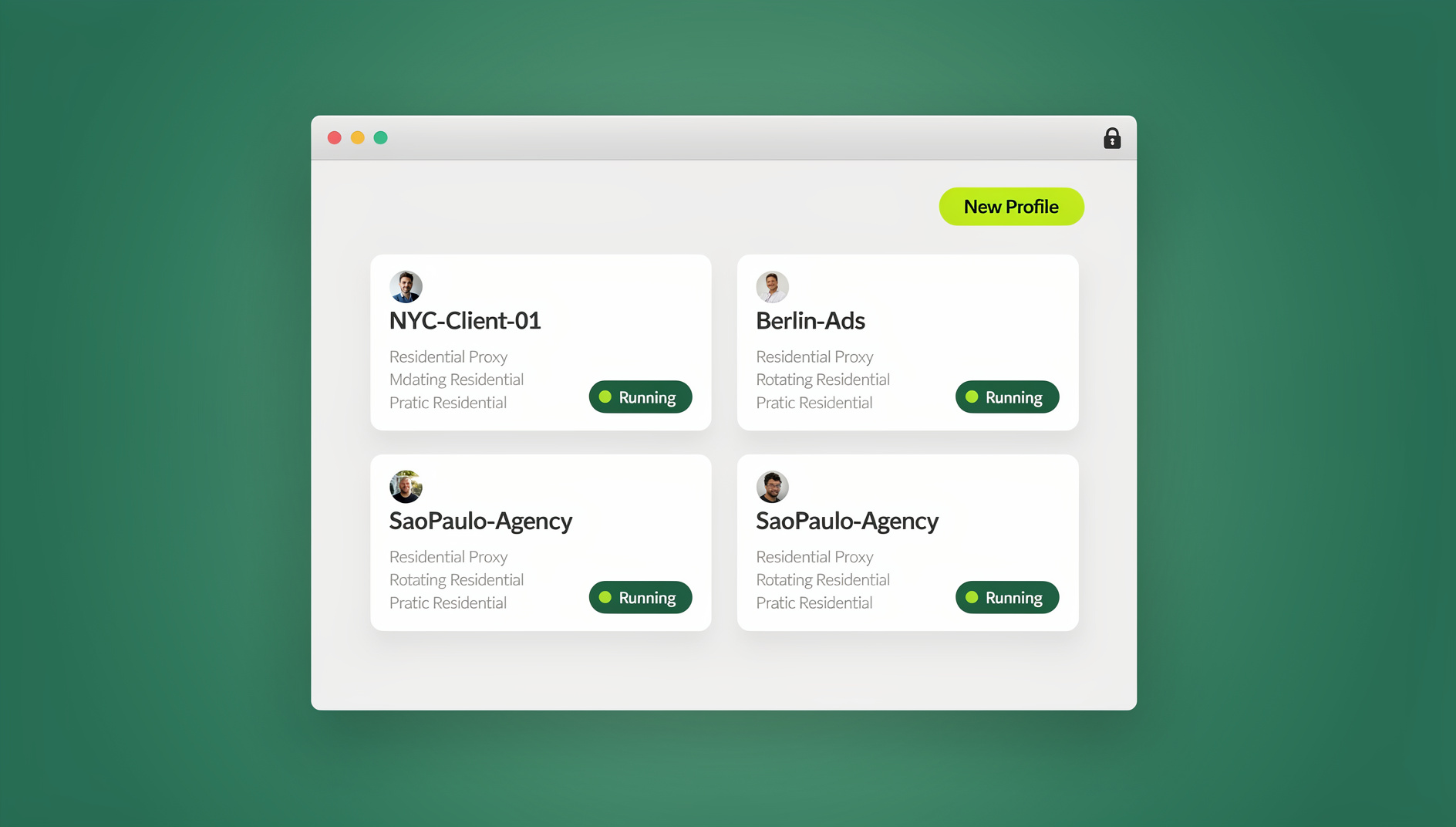
This guide explains exactly how platforms detect duplicate and multi-account activity, why the old “just use a different browser” advice doesn’t work anymore, and the specific technical steps — including browser isolation and unique per-profile fingerprints — that keep legitimate multi-account use safe in 2026.
Why Platforms Flag Multiple Accounts in the First Place
Most major platforms don’t ban multi-accounting because they hate it philosophically — they ban it because it’s statistically correlated with spam, fake engagement, ad fraud, and coordinated inauthentic behavior. A trust & safety team can’t tell the difference between a legitimate social media manager running five client accounts and a bad actor running fifty bot accounts unless they build detection systems that flag the pattern itself, not the intent behind it.
That means innocent, business-critical multi-accounting gets caught in the same net as abuse. A marketing agency logging into eight client Instagram accounts from one office IP address looks — to an automated detection model — almost identical to a spam ring. The platform doesn’t ask why; it just applies the policy.
How Platforms Actually Detect Multiple Accounts
Understanding the detection stack is the first step to avoiding it. Modern platforms layer several signals together, and any single one can be enough to trigger a review.
1. IP Address Correlation
If ten “different” accounts all log in from the same home or office IP address, that’s an immediate red flag — especially if the accounts were created close together in time. Shared residential IPs, corporate NAT ranges, and even mobile hotspots all get clustered by platform fraud engines.
2. Device and Browser Fingerprinting
Even behind different IPs, your browser broadcasts a surprisingly unique signature: canvas rendering output, WebGL renderer strings, installed fonts, screen resolution, timezone, audio stack, and dozens of smaller data points combine into a fingerprint that’s often unique enough to identify a single device. Log into “unrelated” accounts from the same physical browser and platforms can link them even if you cleared cookies in between.
3. Cookie, Session, and Local Storage Leakage
Simply opening a private/incognito window doesn’t erase everything. Some platforms use techniques that persist identifiers across sessions on the same browser install, and switching accounts within the same browser profile leaves shared cache artifacts that correlate sessions.
4. Behavioral Pattern Matching
Typing cadence, click timing, scroll behavior, posting schedules, and even the order you visit pages in can be fingerprinted. Accounts that behave identically — posting at the same second, following the same sequence of actions — read as automated or linked, regardless of who’s actually behind the keyboard.
5. Recovery Info and Contact Overlap
Shared phone numbers, recovery emails, payment methods, or even similar profile photos across accounts give platforms an easy, low-effort link to draw.
6. User Reports and Manual Review
Competitors, disgruntled followers, or automated report-brigading can trigger a manual review that then surfaces the technical signals above.
| Detection Method | What It Looks For | How Easy to Avoid |
|---|---|---|
| IP correlation | Multiple accounts sharing one IP | Moderate — needs dedicated proxies per profile |
| Browser fingerprinting | Canvas, WebGL, fonts, timezone matching across sessions | Hard — needs true fingerprint isolation, not just a new tab |
| Cookie/session leakage | Shared cache or storage artifacts between logins | Hard — regular browsers leak between profiles more than people expect |
| Behavioral matching | Identical timing, posting cadence, click patterns | Moderate — vary schedules and avoid bulk automation without safeguards |
| Recovery info overlap | Shared phone/email/payment details | Easy — use unique recovery details per account where policy allows |
Platform-by-Platform: How Aggressively Each One Enforces This
Policies vary a lot by platform, and knowing where the actual risk sits matters more than treating every network the same way.
| Platform | Multi-Account Policy | Typical Enforcement Trigger |
|---|---|---|
| Facebook / Instagram (Meta) | Personal accounts limited; business use requires Business Manager structure | Shared IP + device fingerprint + similar names/photos |
| X (Twitter) | Multiple accounts allowed if not used for spam or ban evasion | Coordinated posting behavior, shared fingerprint after a suspension |
| TikTok | Multiple accounts allowed but closely watched for coordinated behavior | Device ID + fingerprint clustering across “creator” accounts |
| One account per person, strictly enforced | Duplicate profile detection, shared device signals | |
| Multiple accounts allowed; ban evasion and vote manipulation are not | IP + fingerprint overlap during flagged activity (voting, posting) | |
| Business + personal accounts allowed if not used to manipulate reach | Session and cookie correlation across “separate” logins |
Even where a platform’s written policy technically allows multiple accounts, the enforcement systems still key off the same underlying signals — IP, fingerprint, and behavior. A policy that “allows” multi-accounting in theory can still suspend you in practice if your setup looks identical to abuse.
The Real Cost of Getting Flagged
The consequences go well beyond losing one account:
- Linked-account cascades — platforms increasingly suspend every account tied to a flagged device or IP, not just the offending one.
- Lost ad spend and pixel data — a banned Business Manager or ad account can wipe out historical conversion data and pixel warm-up.
- Client relationship damage — agencies managing client accounts risk the client’s entire social presence, not just their own.
- Recovery friction — appeals can take days to weeks, during which scheduled content, campaigns, and community engagement stall completely.
- Reputational risk — a sudden account disappearance looks unprofessional to followers and customers, even when it’s a false positive.
Common Mistakes That Get Legitimate Multi-Account Users Banned
- Using one browser profile and just logging out/in between accounts. This leaves shared cookies, cache, and fingerprint data intact.
- Relying only on private/incognito mode. It clears cookies on close but does nothing about the underlying device fingerprint.
- Sharing one home or office IP across every account. This is the single most common trigger for correlation.
- Creating all accounts in a short burst of time. Rapid account creation from the same signals reads as a bot farm, not a real rollout.
- Reusing the same recovery phone number or email everywhere. This is a free, low-effort link for any trust & safety system.
- Skipping the “warm-up” period. New accounts that immediately post at scale or follow/unfollow aggressively get flagged for velocity, independent of fingerprinting.
- Sharing login credentials with teammates over Slack or spreadsheets. Beyond the security risk, it multiplies the number of devices/IPs touching one account, which itself can look suspicious.
How to Prevent Your Social Media Account From Being Flagged: Step by Step
Step 1 — Give Every Account Its Own Isolated Browser Fingerprint
The single highest-leverage fix is ensuring each account runs inside its own isolated browser environment with a unique fingerprint — canvas, WebGL, fonts, timezone, and screen data that don’t overlap with your other profiles. This is exactly what a dedicated multi-login browser is built for, as opposed to juggling Chrome profiles or incognito windows that were never designed to defeat fingerprinting. If you’re comparing options, this rundown of the best browser for multiple accounts breaks down what to look for beyond just “supports profiles.”
Step 2 — Assign a Dedicated, Consistent Proxy to Each Profile
Pair each isolated profile with its own residential or mobile IP and keep it consistent over time — don’t rotate a fresh IP on every login, since inconsistent geolocation is itself a red flag. Built-in proxy management (rather than manually configuring a separate proxy tool per account) removes a huge source of human error here.
Step 3 — Warm Up New Accounts Like a Human Would
Spend the first 1–2 weeks on a new account doing normal, low-volume activity: browsing, following a handful of accounts, occasional posts. Avoid bulk actions, scripted posting, or aggressive follow/unfollow cycles until the account has an established history.
Step 4 — Never Cross-Contaminate Sessions
Don’t log into Account B “just to check something” from the browser tab you use for Account A. Understanding session isolation — keeping cookies, local storage, and cache fully separated per profile — is what actually prevents the leakage that links accounts behind the scenes, not just clearing your browser history afterward.
Step 5 — Vary Behavior Naturally Across Accounts
If you’re managing several accounts, avoid posting at identical times, using identical caption templates, or following the same third-party links in the same order. Small human variance is what separates a legitimate multi-account workflow from a bot cluster in the eyes of a detection model.
Step 6 — Keep Recovery and Billing Info Unique Where Policy Allows
Use separate recovery emails and, where feasible, separate phone numbers per account. For ad accounts specifically, keep billing details distinct per client or brand rather than reusing one card across a portfolio.
Step 7 — Share Access, Not Passwords, With Your Team
When multiple team members need to touch the same accounts, password sharing multiplies the number of devices and locations hitting that login — a pattern platforms specifically watch for. Sharing an isolated session instead of a raw password keeps the account’s fingerprint and access history consistent no matter who’s operating it.
Why a Purpose-Built Antidetect Browser Beats DIY Workarounds
Most “solutions” people try first — multiple Chrome profiles, incognito windows, a VPN, or a second physical laptop — solve one piece of the puzzle while leaving the others exposed. Here’s how they actually compare:
| Approach | IP Isolation | Fingerprint Isolation | Session Isolation | Team-Shareable |
|---|---|---|---|---|
| Chrome profiles | No (shared IP) | No | Partial | No |
| Incognito/private mode | No | No | Partial (clears on close) | No |
| VPN alone | Partial | No | No | No |
| Second physical device | Only if on different network | Yes, but expensive/unscalable | Yes | No |
| Browser profile manager (Send.win) | Yes — built-in proxies per profile | Yes — unique fingerprint per profile | Yes — fully isolated sessions | Yes — share profiles without passwords |
This is where a tool built specifically for browser isolation earns its keep: Send.win gives every profile its own fingerprint, its own built-in proxy, and its own fully isolated session — all from one interface, instead of stitching together three separate tools and hoping nothing leaks between them.
Browser Isolation and Unique Fingerprints, Per Profile
Each Send.win profile gets an independent canvas, WebGL, font, and timezone signature, so accounts don’t share the technical signals that platforms cluster on. This is the same category of protection covered in depth in our browser fingerprint guide, applied automatically to every new profile you create rather than something you have to configure by hand.
Built-In Proxies
Instead of subscribing to a separate proxy provider and manually pasting credentials into each browser profile, Send.win lets you attach a proxy directly to a profile from inside the app, keeping IP and fingerprint bound together consistently over time.
Team Sharing Without Password Sharing
Agencies and in-house teams can share a profile with a teammate without ever handing over the underlying password — useful when several people legitimately need access to the same client account without multiplying the device/location footprint platforms scrutinize.
Native Desktop App
Send.win runs as a native desktop application for Windows, macOS, and Linux — it isn’t a browser extension bolted onto Chrome, which matters because extension-based tools still run inside a shared Chrome fingerprint underneath. The desktop app needs to be installed to get full functionality, and once it is, switching between profiles is a native, local experience rather than a web dashboard.
Desktop and Cloud Profiles
Best Practices Checklist Before You Open Account #2
- Isolated browser profile with a unique fingerprint for the new account
- Dedicated, consistent proxy assigned to that profile
- Unique recovery email (and phone number, where policy allows)
- No credential sharing across teammates — share the profile/session instead
- A 1–2 week manual warm-up period before any bulk activity
- Posting schedule and behavior that varies naturally from your other accounts
- Separate billing details for ad accounts tied to different clients or brands
If you’re rolling this out across several platforms at once, it’s worth reading how other teams approach running multiple social media campaigns without getting banned — the underlying discipline (isolation, warm-up, natural behavior) applies whether you’re managing two accounts or twenty.
🏆 Send.win Verdict
Getting flagged for multi-accounting almost always comes down to the same root cause: your “different” accounts share an IP, a browser fingerprint, or a session — even when you thought they didn’t. Send.win addresses that at the source by giving every profile its own isolated fingerprint, its own built-in proxy, and its own session, all managed from one native desktop app.
Try the free Send.win cloud demo — a 3-minute preview without signup, or 10 minutes a day with a free account, and stop losing accounts to avoidable fingerprinting mistakes.
Frequently Asked Questions
Can I legally have more than one social media account?
Yes, in most cases. Legality isn’t the issue — platform terms of service are. Most platforms permit multiple accounts for legitimate purposes (business + personal, multiple client accounts, multiple brands) as long as they aren’t used for spam, ban evasion, or manipulating engagement.
How do platforms know two accounts are linked if I use different emails and usernames?
Different login details don’t hide the underlying technical signals. Shared IP addresses, matching browser fingerprints (canvas, WebGL, fonts, timezone), and overlapping session/cookie data can link accounts even when every visible detail looks unrelated.
Does using a VPN alone stop my accounts from being flagged?
No. A VPN changes your IP address but does nothing about your browser fingerprint or session data, both of which are equally strong (often stronger) correlation signals. Full isolation requires unique fingerprints and sessions per account, not just a different IP.
Is incognito/private browsing enough to keep accounts separate?
Not reliably. Private mode clears cookies when you close the window, but it doesn’t change your device’s canvas, WebGL, font list, or other fingerprint data, and it doesn’t help at all if you’re still using the same IP for every account.
How long should I wait before an account is considered “safe” from flagging?
There’s no fixed timeline platforms publish, but a gradual warm-up period of one to two weeks with normal, low-volume activity significantly reduces velocity-based flags. Ongoing safety then depends on maintaining consistent fingerprint and IP isolation, not just the first two weeks.
Can an antidetect browser guarantee my account will never get flagged?
No tool can offer a 100% guarantee, since platforms also weigh behavioral and content signals outside of fingerprinting. What a tool like Send.win does is remove the technical correlation risk — shared IPs, fingerprints, and sessions — that causes the majority of avoidable flags.
What’s the difference between browser isolation and just using multiple browsers (Chrome, Firefox, Edge)?
Different browser applications still run on the same operating system and hardware, which leaves plenty of overlapping fingerprint data (fonts, hardware concurrency, screen resolution, timezone). True browser isolation creates independent, spoofed fingerprints per profile regardless of which underlying browser engine is used.
Does Send.win support automated account management with scripts?
No. Send.win does not offer an automation interface — there is no API, SDK, headless mode or Selenium/Puppeteer/Playwright support on any plan. Teams instead manage isolated, fingerprint-unique profiles manually from the desktop app.
Conclusion
The businesses and creators who avoid getting flagged for multi-accounting aren’t the ones who got lucky — they’re the ones who treated fingerprint, IP, and session isolation as a system rather than an afterthought. Chrome profiles, incognito windows, and a lone VPN each solve a fraction of the problem while leaving the rest exposed. A dedicated multi-account management workflow built on real browser isolation — unique fingerprints, dedicated proxies, isolated sessions, and password-free team sharing — closes the gaps that actually get accounts flagged, whether you’re running two profiles or two hundred.