What It Actually Takes to Run Multiple Social Media Campaigns Without Getting Banned
Running multiple social media campaigns without getting banned comes down to four things: isolating every account’s browser fingerprint so platforms can’t link them together, assigning each profile its own geo-matched proxy instead of sharing one IP across accounts, pacing your actions to look human rather than scripted, and giving teammates access without ever handing out real passwords. Tools like Send.win handle the fingerprint isolation and proxy assignment automatically, which is why agencies managing 20+ client accounts rely on a multi-login browser instead of juggling Chrome profiles or incognito windows.
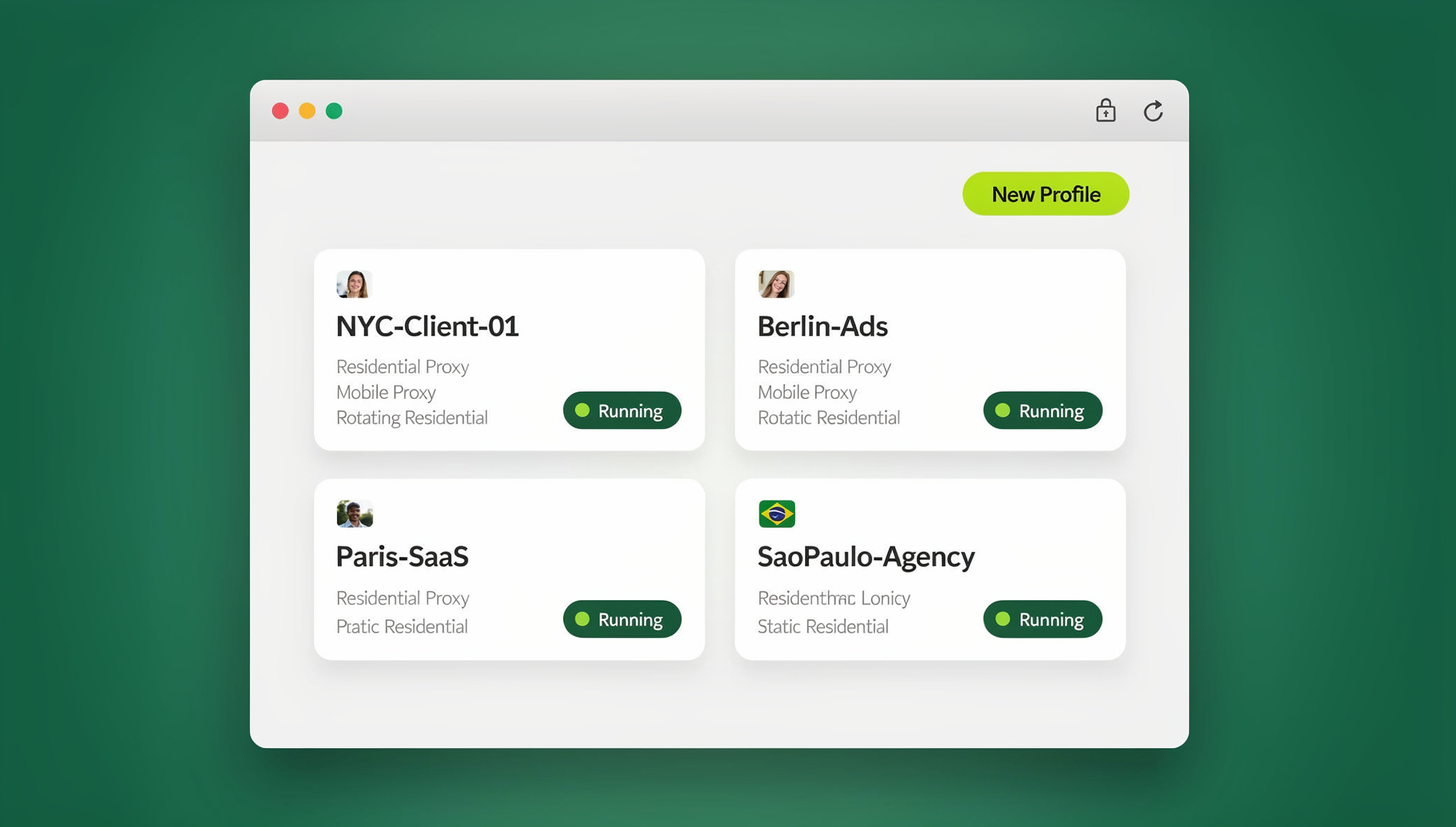
If you’ve ever had a Facebook Business Manager flagged for “suspicious login activity” after switching between client accounts, or watched a batch of Instagram accounts get shadowbanned within days of each other, you already know the problem isn’t the number of accounts — it’s how obviously connected they look to the platform’s detection systems. This guide walks through exactly why that happens and how to build a workflow that scales past 5, 20, or 100 campaigns without tripping the wires.
Why Multi-Account Marketing Gets Flagged in the First Place
Every major platform — Facebook, Instagram, TikTok, LinkedIn, X, and Reddit — has some form of automated detection built to catch coordinated or duplicate account activity. Understanding the actual mechanism matters more than following vague “safety tips,” because it tells you which fixes are cosmetic and which ones actually work.
Browser Fingerprinting Links Your “Separate” Accounts
Even in different browser windows or incognito tabs, your device leaves a fingerprint: canvas rendering signature, WebGL output, installed fonts, screen resolution, timezone, and dozens of smaller signals. If ten “separate” Instagram accounts all share the identical fingerprint, the platform’s trust-and-safety systems can cluster them in seconds — regardless of what email or phone number each one used to register.
Shared IPs and Datacenter Proxies Are a Red Flag
Logging into multiple accounts from the same home or office IP is a common trigger, but the fix many marketers reach for — cheap datacenter proxies — is often worse. Platforms maintain blocklists of known datacenter IP ranges, so an account that logs in from a datacenter proxy can get flagged faster than one using no proxy at all. Residential or mobile proxies that match the account’s claimed location are the only proxies that actually reduce risk.
Identical Behavior Patterns Look Like Bots
Posting at the exact same second across ten accounts, using identical captions with only the brand name swapped, or following the exact same sequence of actions (login → post → like 20 posts → logout) reads as scripted behavior to anomaly-detection models, even if a human is technically clicking every button.
Platform Policies Differ More Than You Think
Not every platform treats multiple accounts the same way. Knowing the official stance changes how aggressive you can be with each one.
| Platform | Official Stance on Multiple Accounts | Typical Ban Trigger |
|---|---|---|
| Facebook / Instagram (Meta) | Personal profiles: one per person. Business pages/ad accounts: unlimited, if properly structured in Business Manager | Shared fingerprint/IP across unrelated Business Manager accounts |
| TikTok | Multiple accounts allowed, but rapid parallel creation from one device is flagged | Identical device signals + near-simultaneous account creation |
| One account per real identity, strictly enforced | Duplicate profile details, shared login fingerprint | |
| X (Twitter) | Multiple accounts allowed for legitimate use (brand, personal, backup) | Coordinated posting/engagement across accounts flagged as “platform manipulation” |
| Multiple accounts allowed, but vote manipulation across accounts is banned | Shared IP/fingerprint voting or commenting on the same threads |
The Four Pillars of Safe Multi-Campaign Management
Once you understand the detection mechanisms, the fixes are straightforward. These four pillars cover almost every ban-prevention tactic worth using.
1. Isolate Every Profile at the Browser Level
Each social account needs its own isolated browser environment — separate cookies, separate cache, and critically, a separate browser fingerprint. This is what a proper browser isolation setup provides: every profile looks like a genuinely distinct device to the platform, not a copy-pasted session.
2. Assign Dedicated, Geo-Matched Proxies
Pair each isolated profile with its own residential or mobile proxy, matched to the account’s claimed location. An account claiming to be run from Austin, Texas should never log in through a São Paulo residential IP — that mismatch alone is enough to trigger a security challenge.
3. Pace Actions Like a Human, Not a Script
Stagger posting times, vary caption wording, randomize the order of engagement actions, and take breaks. Platforms aren’t looking for “too much activity” — they’re looking for activity that’s too uniform.
4. Share Access Without Sharing Passwords
The moment client passwords get shared over Slack or email, you’ve created a second attack surface and a compliance headache. Session-sharing tools that hand a teammate working access to a profile — without ever revealing the underlying credentials — close that gap.
How Send.win Supports Multi-Account Social Campaigns
Send.win is a multi-login browser built around exactly these four pillars, packaged into three distinct ways of working depending on how your team operates.
Unique Fingerprints Per Profile
Every profile you create in Send.win gets its own generated browser fingerprint — canvas, WebGL, fonts, timezone, and hardware signals are all varied per profile, so ten client accounts genuinely look like ten different devices rather than ten tabs in the same Chrome instance.
Built-In Proxy Management
Instead of buying and configuring proxies through a third-party service and manually pasting credentials into each profile, Send.win lets you attach a residential, datacenter, or mobile proxy directly to a profile and keep it locked to that profile permanently — solving the “which proxy goes with which account” spreadsheet problem agencies usually end up with.
Desktop App for Daily Campaign Work
For day-to-day management, most teams run Send.win’s native Desktop app on Windows, macOS, or Linux. It’s the primary way to open, switch between, and manage dozens of isolated profiles locally, with full control over each profile’s fingerprint and proxy settings.
Cloud Browser Sessions for Remote Teams and VAs
Not every teammate needs — or should have — the desktop app installed on their machine. Send.win’s cloud browser sessions run a profile entirely in the cloud, so a virtual assistant, freelance social media manager, or traveling team lead can open and work a specific client’s account straight from a browser tab, with zero local install. Cloud browsing time is metered monthly and included on paid plans alongside cloud sync, profile sharing, and team seats — it’s a genuinely separate mode from the desktop app, not a marketing rebrand of it, and it’s the right answer whenever “access from anywhere without installing anything” is the actual requirement.
Manual QA and Scaled Operations
Agencies running large volumes of profiles sometimes need to check routine maintenance — verifying that proxies are still live, checking that cookies/sessions haven’t expired, or running scheduled health checks across 50+ profiles before a campaign launch. Send.win has no automation interface — no API, SDK, headless mode or Selenium/Puppeteer/Playwright support on any plan — so these checks are done manually inside each profile. Posting behavior on a social platform should still be paced like human activity per the pillars above.
Team Sharing and Permissions
Send.win lets you share a session or a whole group of profiles with a teammate directly — they get working access to log in and operate the account, without ever seeing the plaintext password. Combined with cloud sync, an entire team can stay on the same set of profiles regardless of which device or location each person is working from.
Step-by-Step: Setting Up a Ban-Resistant Multi-Campaign Workflow
- Audit your account list. Write down every social account per client or brand, and which platform policies apply to each (see the table above).
- Create one isolated profile per account in Send.win, naming each profile clearly (e.g., “ClientX – Instagram – US”).
- Attach a geo-matched proxy to each profile that corresponds to the account’s claimed location — residential or mobile, never a shared datacenter IP.
- Group profiles by client or campaign so your team can find and filter accounts quickly as the list grows.
- Log in once per profile and let the session persist — repeated logout/login cycles across many accounts in a short window is itself a risk signal.
- Assign teammates via session sharing instead of distributing passwords, and use cloud browser sessions for anyone who shouldn’t install the desktop app.
- Build a posting/engagement calendar with staggered timing and varied copy per account — never a single script firing identical actions across every profile simultaneously.
- Run periodic health checks (manually, inside each profile) to catch expired proxies or dead sessions before they cause a login failure that looks suspicious.
Platform-by-Platform Guardrails
| Platform | Safe Daily Guidance | Notes |
|---|---|---|
| Space out follows/likes; avoid identical captions across accounts | New accounts should ramp activity gradually over 2-3 weeks | |
| Facebook Ads | Keep each ad account under its own Business Manager where possible | Cross-linked Business Managers via shared fingerprint is the #1 flag cause |
| TikTok | Stagger account creation by hours or days, not minutes | Bulk-creating accounts back-to-back from one device is the fastest way to get a wave banned |
| One real identity per account; avoid duplicate job titles/photos across “separate” profiles | Strictest single-identity enforcement of the major platforms | |
| X (Twitter) | Vary posting times and phrasing across accounts | Coordinated identical posts across accounts reads as manipulation, even with legitimate multiple accounts |
Common Mistakes That Get Multi-Account Marketers Banned
- Reusing the same proxy across multiple client accounts to save money — this single shortcut undoes every other precaution.
- Copy-pasting the same caption with only the brand name changed across a dozen accounts.
- Creating many new accounts in a short burst from the same device and IP.
- Sharing plaintext passwords with contractors or VAs over email/Slack.
- Ignoring platform-specific rules — treating LinkedIn’s strict single-identity policy the same as X’s more permissive multi-account stance.
- Running automation scripts directly against the live posting/engagement flow instead of using automation only for backend QA and health checks.
Scaling From 5 Accounts to 50: Tips for Agencies and Teams
The workflow above holds up whether you’re managing five client accounts or fifty, but a few things change as volume grows. First, naming conventions and grouping become non-negotiable — an agency with 200 profiles and no organizational structure will waste hours just finding the right account. Send.win’s grouping and tagging make this manageable, similar to the workflow described in our productivity hacks for managing multiple social channels guide.
Second, cross-team access needs a real permission structure rather than one shared login. Agencies running paid campaigns for multiple clients in parallel — running Facebook, Instagram, and Google Ads in parallel — need account managers to have access only to their assigned clients, which session sharing handles without exposing every password to every team member.
Third, as the account count climbs, so does the value of dedicated, per-profile proxy assignment at scale — it’s the difference between an agency that occasionally loses an account to a ban and one that doesn’t.
Finally, if you’re an affiliate or performance marketer running many campaign variants rather than client accounts, the same isolation principles apply directly to scaling affiliate campaigns securely — separate fingerprints and proxies per offer/geo prevent one flagged campaign from taking down the rest of your account portfolio.
Send.win Pricing for Multi-Campaign Teams
Send.win has no free trial, but the first card purchase is covered by a 7-day money-back guarantee, so you can test the fingerprint isolation and proxy setup on a handful of real accounts before committing. You can also preview it for free in the cloud demo at https://send.win/demo-browser/.
| Plan | Price | Best For |
|---|---|---|
| Pro | $19/mo ($6.99/mo billed annually — 63% off) — 150 profiles, 5GB proxy bandwidth | Solo marketers or small agencies managing a handful of clients |
| Team | $49/mo ($251.88/yr) — 500 profiles, 20GB bandwidth, 16 seats | Agencies and marketing teams scaling past 20+ accounts with shared access |
Extra profiles and bandwidth are available as add-ons ($0.05/extra profile, $6/GB) if a campaign season temporarily pushes you past your plan’s limits.
🏆 Send.win Verdict
If your ban risk comes from running multiple social accounts that look too similar to each other, Send.win addresses the root cause directly: unique fingerprints and dedicated proxies per profile, a desktop app for daily driving your campaigns, cloud browser sessions for teammates who shouldn’t install anything locally, and session sharing that keeps passwords out of Slack. It’s the practical middle ground between manually juggling browser profiles and building custom infrastructure you don’t have time to maintain.
Try Send.win today — plans start at $19/mo, with the first card purchase covered by a 7-day money-back guarantee, and isolate your first ten accounts before your next campaign launch.
Frequently Asked Questions
Is it against the rules to run multiple social media accounts?
It depends on the platform. Meta, TikTok, and X generally permit multiple accounts for legitimate business or personal use, while LinkedIn strictly enforces one account per real identity. The risk isn’t the number of accounts — it’s whether the platform’s fingerprinting and IP-detection systems can link them as coordinated activity.
What actually gets multi-account marketers banned?
Most bans trace back to three things: a shared browser fingerprint across “separate” accounts, a shared or flagged IP address (especially datacenter proxies), and identical, scripted-looking behavior patterns like simultaneous posting or copy-pasted captions.
Do I need a proxy for every social media account?
Yes, if the accounts are meant to appear as separate, unrelated entities. A dedicated residential or mobile proxy, geo-matched to the account’s claimed location, prevents the IP-clustering that flags coordinated accounts.
Can I just use Chrome profiles or incognito mode instead of a multi-login browser?
Chrome profiles and incognito windows separate cookies but not the underlying browser fingerprint — canvas, WebGL, fonts, and hardware signals stay identical across them, so platforms can still link the accounts. A dedicated multi-login browser generates a genuinely distinct fingerprint per profile.
Does Send.win require installing software on every teammate’s computer?
Not necessarily. The native desktop app is the primary way most users run profiles locally on Windows, macOS, or Linux, but Send.win’s cloud browser sessions let teammates work a profile entirely in the cloud with no local install — useful for VAs, contractors, or anyone accessing accounts from a device you don’t control.
Is automating my social media posting safe?
Automating the backend — session health checks, proxy verification, QA testing — is a separate concern from the posting itself. Automating the actual posting or engagement behavior on a platform is riskier and should still be paced to look human; most platforms’ detection systems specifically target scripted posting patterns.
How many social media accounts can one person safely manage?
There’s no universal number — it depends on the platform’s policy and how well each account is isolated. Agencies running Send.win’s Team plan commonly manage hundreds of profiles across a shared team, because each one is isolated at the fingerprint and proxy level rather than relying on account volume alone as the risk factor.
What’s the difference between Send.win’s Pro and Team plans for a marketing team?
Pro ($19/mo, $83.88/yr) covers 150 profiles and 5GB of proxy bandwidth — enough for a solo marketer or small client roster. Team ($49/mo, $251.88/yr) adds 500 profiles, 20GB bandwidth, and 16 seats, which is the plan most agencies need once they’re sharing access across a team.