The fastest way to manage multiple Pinterest accounts from one browser is to give each account its own isolated profile — separate cookies, cache, and, ideally, its own IP address — instead of logging in and out of a single tab. Native multi-profile tools like Send.win let marketers, agencies, and creators run several Pinterest accounts side by side, switching between them instantly without tripping Pinterest’s suspicious-login checks.
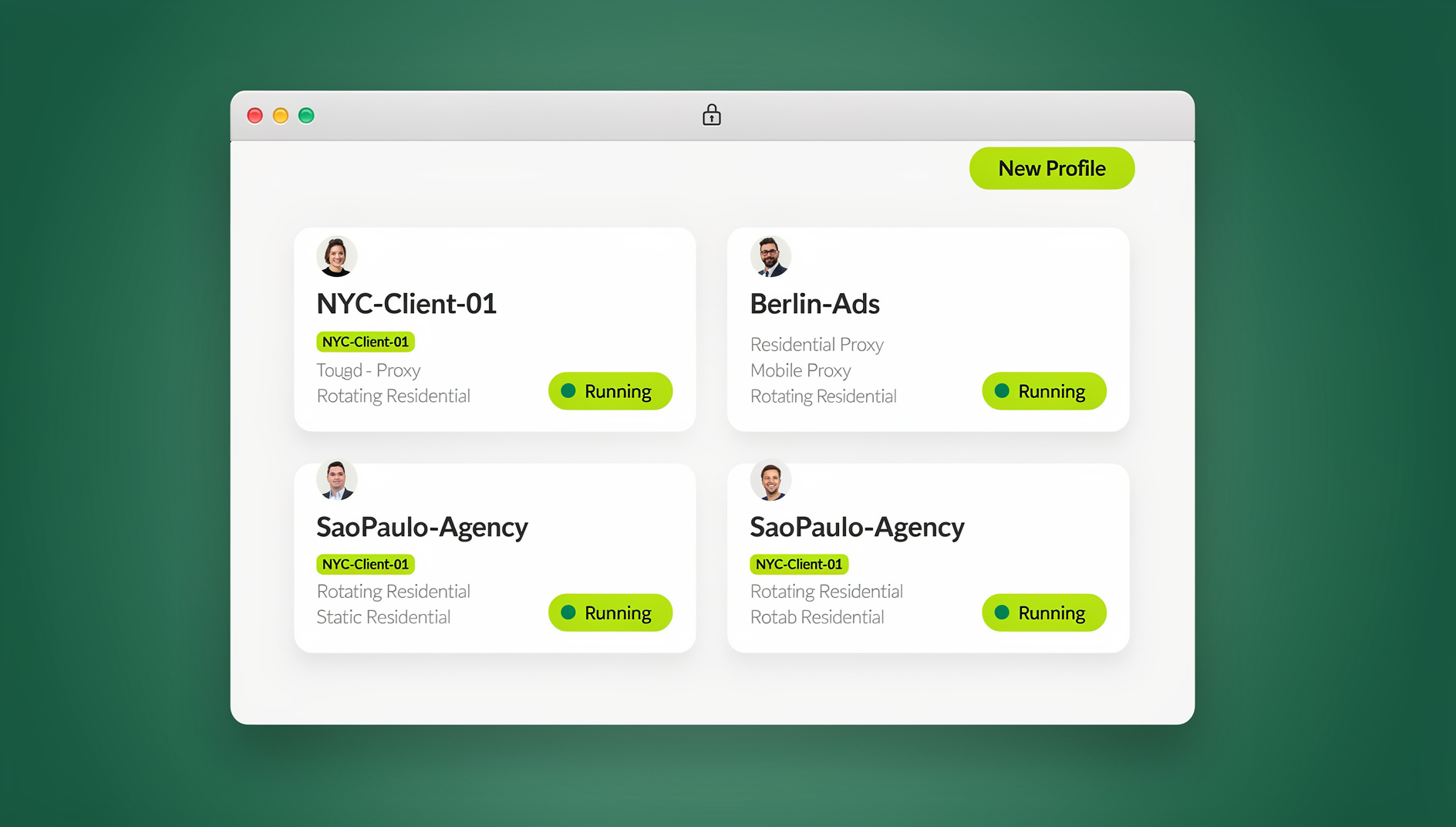
Whether you’re a marketer running boards for five client brands, a blogger keeping a food account separate from a travel one, or an agency juggling a dozen e-commerce clients, doing this by hand in a single browser tab is a productivity killer. This guide covers why multi-account Pinterest management matters in 2026, where free browser profiles fall short, and how a dedicated tool like Send.win keeps every account isolated, organized, and safe from accidental bans.
Why Manage Multiple Pinterest Accounts in 2026?
Pinterest has grown far beyond mood boards and recipe pins — it’s a serious discovery engine for e-commerce, publishers, and creators. Running more than one account is rarely about vanity; it’s about keeping audiences, brands, and workflows cleanly separated.
The Benefits of Pinterest Multi-Account Management
If you manage several product lines, client brands, or content niches, a single Pinterest account quickly becomes a mess of unrelated boards. Splitting them out lets you tailor content, boards, and even posting cadence to each specific audience — a home décor brand shouldn’t share a feed with its budget sub-line, and a travel blogger’s personal inspiration board shouldn’t sit next to a monetized niche account.
Separation also protects your main account. If one Pinterest profile gets rate-limited or flagged for unusual activity, the others keep pinning and driving traffic uninterrupted. Agencies handling several client accounts see the same benefit: each client’s Pinterest presence stays contained, so one client’s aggressive pinning schedule never puts another client’s account at risk.
Common Reasons Marketers and Agencies Go Multi-Account
The most common drivers are audience segmentation (speaking differently to different buyer personas), testing (comparing pin styles, board structures, or posting times across accounts), and simple account hygiene — keeping a personal account personal and a business account strictly professional. Agencies add a fourth reason: contractual separation, since most client agreements require dedicated logins that never touch another client’s data.
The Real Challenges of Running Multiple Pinterest Accounts
None of this is as simple as it sounds without the right setup. Managing multiple Pinterest accounts in a single, unmodified browser creates three recurring headaches.
The Login/Logout Cookie Problem
Pinterest ties your session to browser cookies. Log into a second account in the same tab and the first one gets logged out — so every switch means re-entering credentials, waiting for two-factor codes, and losing your place on whatever board you were curating. Multiply that by five or ten accounts and you’ve lost a meaningful chunk of your workday to logins alone.
Risk of Cross-Account Contamination and Bans
Constant logging in and out increases the odds of pinning to, commenting from, or messaging on the wrong account. Pinterest’s automated systems also watch for accounts that behave identically or share obvious technical fingerprints — same browser, same cookies cleared at the same time, same IP — and can throttle or suspend accounts that look linked when they shouldn’t be.
Device and IP Limitations
Running every account from the same browser on the same network means they all share one IP address and one browser fingerprint by default. For casual personal use that’s rarely a problem, but for agencies and marketers managing many accounts, it raises the chance that Pinterest treats separate brands as a single suspicious cluster.
The good news: these are solvable problems, and the fix ranges from a free built-in browser feature to a purpose-built multi-account browser management tool like Send.win.
Traditional Methods for Switching Pinterest Accounts
Before reaching for a paid tool, it’s worth understanding what free options can and can’t do.
Built-In Browser Profiles
Chrome, Firefox, and Edge all support separate user profiles, each with its own cookies, extensions, and history. Creating one profile per Pinterest account and switching through the browser’s profile menu is free and simple, and it solves the login/logout problem completely.
The catch is that every profile still shares your computer’s real IP address and, on most systems, similar hardware and font fingerprints. That’s fine if you only run two or three personal accounts from a home connection, but it won’t hide the fact that several accounts originate from the same device — a pattern Pinterest’s anti-abuse systems are built to notice at scale.
Browser Extensions and Session Managers
Third-party extensions that save and restore tabs, or manage multiple logged-in sessions within one browser window, can make switching feel faster than juggling separate profiles. They’re a reasonable stopgap for very light use — a couple of accounts, low volume, no proxy needs.
Where they fall short is isolation depth and scale. Most session-tab extensions still run inside the same browser engine, sharing the same underlying fingerprint, and none of them route traffic through different IP addresses. For a handful of personal accounts, that’s an acceptable tradeoff. For agencies managing many client accounts — the same use case covered in our guide to managing multiple Instagram accounts from one browser — it isn’t enough.
| Method | Cost | Cookie isolation | Unique IP per account | Best for |
|---|---|---|---|---|
| Same browser, manual logout | Free | None | No | One account only |
| Built-in browser profiles | Free | Full | No | 2-3 personal accounts |
| Session-tab extensions | Free-$ | Partial | No | Light, low-volume use |
| Send.win (desktop app or cloud session) | From $19/mo | Full, per profile | Yes, with proxy | Agencies, marketers, teams |
How Send.win Solves Pinterest Multi-Account Management
Send.win is built specifically around running many isolated browser identities without the constant login/logout cycle. It works in two ways: as the Sendwin Browser, a native desktop app for Windows, macOS, and Linux that runs profiles locally with encrypted cloud sync, or as a fully cloud-hosted browser session that requires no local install at all and is metered by cloud browsing time. Either way, each Pinterest account gets its own profile — its own cookies, storage, and fingerprint — so you can hold several accounts logged in simultaneously and jump between them in a click.
Setting Up Pinterest Profiles in Send.win
Getting started takes a few minutes:
- Get started with Send.win’s paid plans — Pro from $19/mo — with a 7-day money-back guarantee on your first card purchase, or try the free cloud demo.
- Choose to run locally with the downloadable Sendwin Browser desktop app, or launch a cloud browser session straight from the dashboard.
- Create a new profile and give it a clear name, such as “Pinterest — Client A” or “Pinterest — Personal.”
- Attach a proxy to the profile if you want each account to appear from a distinct location or IP, following the same process covered in our tutorial on adding a proxy to any session.
- Open the profile and log into that Pinterest account normally.
- Repeat steps 3-5 for every additional Pinterest account you manage.
From then on, every profile stays signed in independently. Need to check on five client accounts back to back? Open five profiles as tabs or windows and switch freely — no logout, no re-authentication, no risk of pinning to the wrong board. Our step-by-step walkthrough on creating sessions in Send.win’s cloud browser covers the cloud-session version of this same workflow if you’d rather skip any local install.
Automating Repetitive Pinterest Work
For agencies pinning at real scale, Send.win keeps each Pinterest session running inside its own isolated, cookie-separated profile, so activity on one account never bleeds into another. Send.win has no automation interface — no API, SDK, headless mode or Selenium/Puppeteer/Playwright support on any plan.
Send.win Pricing for Pinterest Account Management
Send.win offers paid plans — Pro from $19/mo — with a 7-day money-back guarantee on your first card purchase, so you can test multi-account Pinterest workflows before committing to a plan.
| Plan | Price | Profiles | Proxy bandwidth | Seats | |
|---|---|---|---|---|---|
| Pro | $19/mo ($6.99/mo billed annually — 63% off) | 150 | 5GB | Included | 1 |
| Team | $49/mo ($20.99/mo billed annually — 57% off) | 500 | 20GB | Included | 16 |
For most solo marketers or small agencies running a handful of Pinterest brand accounts, Pro comfortably covers the profile count and proxy bandwidth needed. Larger agencies managing dozens of client accounts across a whole team will want Team, which adds seats so multiple staff members can work inside the same shared profile library.
Best Practices for Managing Multiple Pinterest Accounts Safely
- Name every profile clearly (client name, brand, or purpose) so switching stays fast even with a dozen-plus accounts open.
- Attach a dedicated proxy to each profile when accounts represent genuinely separate brands, clients, or regions.
- Never copy the same pin, board description, or bio text across accounts word-for-word — Pinterest’s spam detection flags duplicate content patterns.
- Stick to Pinterest’s own posting and scheduling limits per account rather than trying to compensate with volume.
- Check analytics per account individually rather than assuming performance on one account reflects another.
- Keep pinning activity reasonably paced to mirror natural behavior.
Who Actually Needs This Setup
A hobbyist running one personal and one side-project account can usually get by with a free browser profile. The calculus changes once you’re managing client work: a social media agency running Pinterest for six e-commerce clients needs every account demonstrably separate, both for account safety and for client confidentiality. A dropshipping or print-on-demand seller testing multiple storefront brands on Pinterest faces the same need — one flagged account shouldn’t put the others at risk. In both cases, isolated profiles with independent IPs turn “hoping Pinterest doesn’t notice” into a workflow built for scale.
🏆 Send.win Verdict
If you’re managing more than two or three Pinterest accounts, built-in browser profiles will get you partway there but won’t isolate your IP or fingerprint. Send.win — whether run as the native Sendwin Browser desktop app or as a zero-install cloud browser session — gives each Pinterest account its own cookies, storage, and optional proxy, so you can keep every profile logged in and switch between them instantly without the login/logout cycle or the cross-account risk.
Try the Send.win cloud demo — a 3-minute preview without signup, or 10 minutes a day with a free account. Paid plans start at $19/mo, and your first card purchase is covered by a 7-day money-back guarantee.
Frequently Asked Questions
Can I have multiple Pinterest accounts on one browser?
Yes. Pinterest allows users to hold multiple accounts, but running them from the same unmodified browser session means constant logging in and out. Isolated profiles — through built-in browser profiles or a dedicated tool like Send.win — let you keep every account signed in at once.
How do I switch between Pinterest accounts without logging out?
Give each account its own browser profile or session. In Send.win, that means creating a separate profile per Pinterest account (via the desktop app or a cloud session); each one keeps its own cookies, so opening a different profile is the only “switch” required.
Is it safe to use proxies with multiple Pinterest accounts?
Yes, when the proxies come from a reputable provider and are assigned consistently per account. Pairing one stable proxy with one Pinterest profile — rather than rotating IPs constantly — looks far more natural to Pinterest’s systems than several accounts sharing one IP.
What’s the difference between the Send.win desktop app and cloud browser sessions?
The Sendwin Browser is a native app you install on Windows, macOS, or Linux; it runs profiles locally on your machine with encrypted cloud sync, so your session data stays backed up but the browsing itself happens on your device. Cloud browser sessions run entirely on Send.win’s servers with no local install, and usage is metered by cloud browsing time instead.
Can I automate pinning across multiple Pinterest accounts?
Send.win has no automation interface: no API, SDK, headless mode or Selenium/Puppeteer/Playwright support on any plan. Each profile simply keeps its own cookies, storage and fingerprint.
How many Pinterest accounts can I manage with Send.win?
The Pro plan supports up to 150 profiles and the Team plan up to 500, so most individual marketers and even large agencies have plenty of headroom without upgrading further.
Will Pinterest ban me for using multiple accounts?
Simply having multiple accounts isn’t against Pinterest’s terms. Bans and throttling typically happen when accounts behave identically, share obvious technical fingerprints, or pin at spam-like volume — all of which proper profile isolation and reasonable posting habits help avoid.
What’s the best tool for managing multiple Pinterest accounts in 2026?
For anyone past the two-or-three-account stage, Send.win stands out for combining full cookie/fingerprint isolation, optional per-profile proxies, and paid plans — Pro from $19/mo — with a 7-day money-back guarantee on your first card purchase, making it easy to test before committing.
Conclusion
Managing multiple Pinterest accounts from one browser comes down to isolation: separate cookies, separate fingerprints, and ideally separate IPs for every account that matters. Built-in browser profiles are a fine free starting point for two or three personal accounts, but agencies and serious marketers outgrow them fast. Send.win — available as a native desktop app or as a zero-install cloud browser session — closes that gap with dedicated, proxy-ready profiles and paid plans starting at $19/mo, with a 7-day money-back guarantee on your first card purchase.