Send.win vs Browserling: Which Should You Choose?
Send.win vs Browserling comes down to what “cloud browser” means for your work: Browserling gives developers ephemeral, cross-browser test sessions in Chrome, Firefox, Safari, Edge, and even old IE builds, while Send.win gives teams persistent, fingerprint-isolated profiles for managing multiple accounts and sharing access without passwords. Both run a browser in the cloud, but they were built for different jobs. Below is a feature-by-feature comparison, pricing, and a decision matrix so you can pick the right one — or use both.
What Is Browserling?
Browserling is a cloud-based cross-browser testing tool launched in 2011. Its primary purpose is letting developers test websites in different browsers — Chrome, Firefox, Opera, Internet Explorer, Edge, Safari — without needing those browsers installed locally. You visit the Browserling site, pick a browser and OS combination, enter a URL, and get a live interactive session streamed to your screen.
Browserling Key Facts
- Founded: 2011
- Primary use: Cross-browser compatibility testing
- Architecture: Browser streamed from a remote server
- Session persistence: Ephemeral — sessions don’t persist
- Free tier: Yes — 3-minute sessions in Chrome
- Pricing: Starts at $19/month (individual plan)
What Is Send.win?
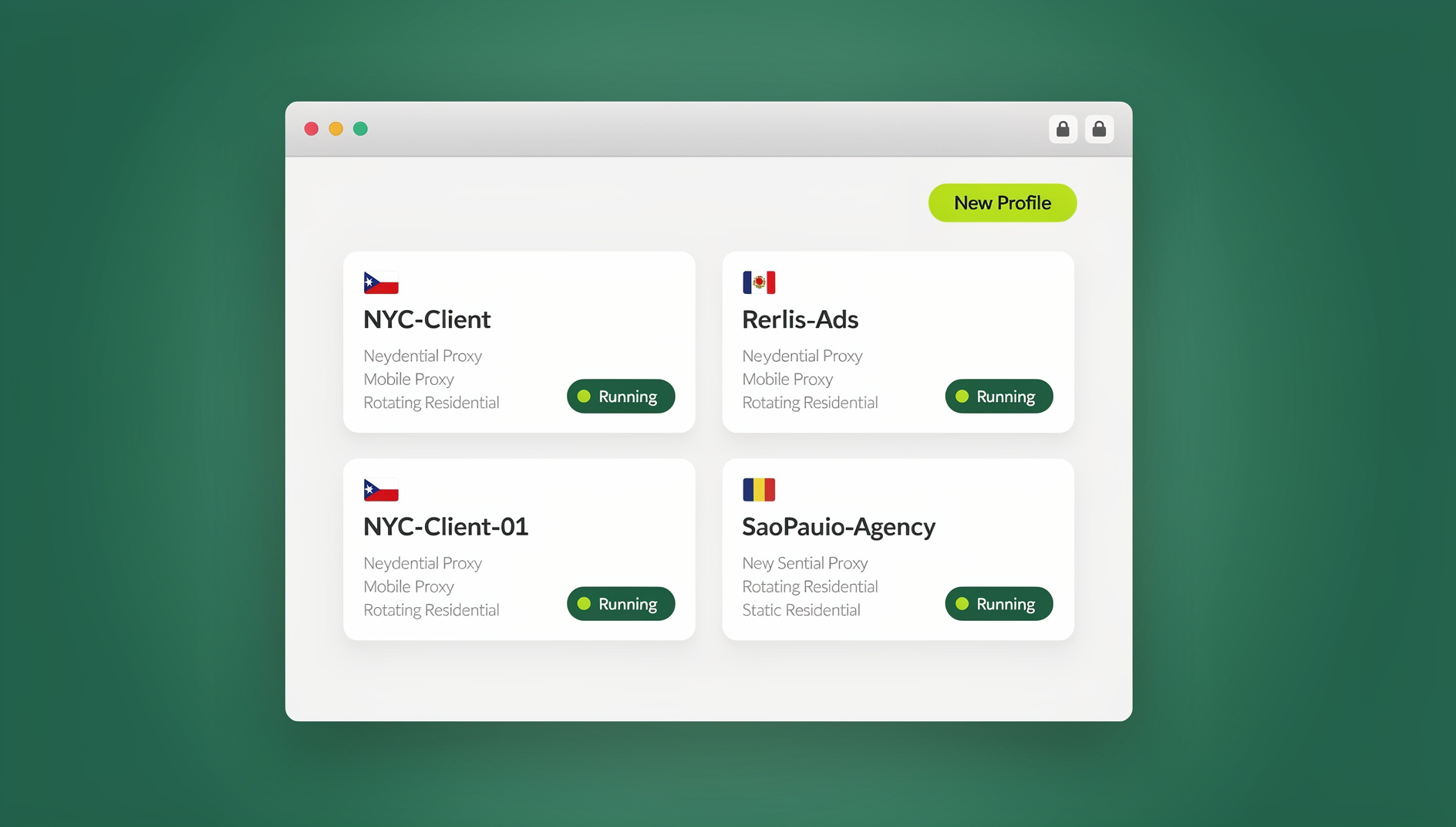
Send.win is a cloud browser platform built for multi-account management, session isolation, and team collaboration. Each user gets isolated browser profiles — unique fingerprint, separate cookies and storage, configurable proxy — that persist between sessions. Profiles run either as cloud browser sessions with no local install, or through the native Sendwin Browser desktop app when you want them running on your own machine. The focus isn’t testing different browsers; it’s running isolated, persistent browser environments for real business workflows.
Send.win Key Facts
- Primary use: Multi-account management, session isolation, team browser sharing
- Architecture: Persistent cloud browser profiles, plus a native desktop app
- Session persistence: Yes — sessions saved between logins
- Pricing: No free trial; paid plans start at $19/mo (Pro) or $49/mo (Team), with a 7-day money-back guarantee on your first card purchase. A free cloud demo is available at send.win/demo-browser.
- Unique fingerprint per profile: Yes
- Team sharing: Yes — share logged-in sessions without sharing passwords
Feature-by-Feature Comparison
| Feature | Send.win | Browserling |
|---|---|---|
| Primary purpose | Multi-account, session isolation, team sharing | Cross-browser compatibility testing |
| Session persistence | ✅ Persistent — cookies, logins saved | ❌ Ephemeral — resets each session |
| Unique per-profile fingerprint | ✅ Yes — each profile isolated | ❌ No — same fingerprint for all sessions |
| Multiple profiles | ✅ Yes — profiles scale with your plan | ❌ No profile management |
| Team session sharing | ✅ One-click, no password sharing | ❌ Not available |
| Proxy support per profile | ✅ Yes — configure per profile | ❌ No custom proxy support |
| Browser choice | Chrome-based | Chrome, Firefox, Opera, IE, Edge, Safari |
| OS combinations | Managed cloud environment | Windows, Linux, macOS |
| Cross-browser testing | ⚠️ Not primary use case | ✅ Core feature |
| Automation API | ❌ Not available | ✅ REST API for testing |
| Screenshot capture | Browser built-in | ✅ Built-in screenshot tool |
| Free access | ❌ No free trial (free cloud demo available) | ✅ Yes (3-min sessions) |
| Starting price | $6.99/mo (Pro, billed annually) | $19/month |
Browserling: Where It Excels
Cross-Browser Testing
Browserling’s primary strength is its browser matrix. If you need to verify how a website looks in Internet Explorer 11, Safari 15, or Firefox 78, Browserling delivers live interactive sessions in those specific browser/OS combinations — something most developers can’t easily replicate locally.
One-Off Testing Sessions
For quick, no-setup testing — “does this CSS work in Firefox on Windows?” — Browserling is fast. No account is required for the free tier; just enter the URL and a browser session starts within seconds.
Developer Workflow Integration
Browserling offers an API that integrates with testing frameworks, CI/CD pipelines, and issue trackers. Screenshot capture and session recording help document browser-specific bugs. If your team runs automated visual regression checks on every deploy, this API-first design is a meaningful advantage over a purely manual testing workflow.
Automation Support on Both Platforms
Developers evaluating either tool for automated workflows should note that Browserling’s API is built around firing off one-off cross-browser test sessions from a script or pipeline. Send.win does not offer an automation interface — no API, SDK, headless mode or Selenium/Puppeteer/Playwright support on any plan. Instead, Send.win is built around persistent, isolated browser profiles: each profile keeps its own cookies, storage, sessions, fingerprint settings and proxy, so you can manage logins and repetitive account tasks inside a specific isolated profile rather than spinning up a fresh disposable browser each time.
When to Choose Browserling
- You’re a developer testing website compatibility across browsers and operating systems
- You need a quick, ephemeral browser session with no setup
- Cross-browser QA is your primary workflow
- You need specific browser versions (older Firefox, Internet Explorer)
Send.win: Where It Excels
Persistent Multi-Account Management
Send.win’s sessions persist. Log into a client’s Facebook account in profile A, and it’s still logged in next week when you open profile A again. Browserling, by contrast, starts fresh each session — you’d have to log in every single time, which makes it unsuitable for ongoing account work.
Complete Session Isolation
Each Send.win profile has its own browser fingerprint, cookies, localStorage, and IP assignment. Multiple profiles can be active simultaneously — each looks like a completely different device and user to websites. Understanding the risks of running multiple accounts on one platform is exactly why this level of isolation matters for agencies and sellers alike.
Team Sharing Without Password Exposure
Share a pre-authenticated browser session with a team member in one click. They get access to the logged-in account without ever seeing the password. Revoke access just as easily — a core use case for agencies managing client accounts.
Unlimited Isolated Profiles for Any Site
Beyond ad accounts and social logins, teams use unlimited virtual profiles to keep research sessions, client logins, and internal tools cleanly separated — something Browserling’s single shared session simply isn’t designed for.
When to Choose Send.win
- You manage multiple accounts on the same platform (social media, e-commerce, ad networks)
- You need persistent sessions — staying logged in between work sessions
- You’re sharing account access within a team without sharing credentials
- You need unique browser fingerprints per account to prevent linking
- You want a cloud browser accessible from any device, or a native desktop app for local use
Pricing Comparison
| Plan | Send.win | Browserling |
|---|---|---|
| Free | No free trial; free cloud demo at send.win/demo-browser | 3-minute sessions in Chrome |
| Individual / Pro | $19/month or $83.88/year (Pro) | $19/month (Personal) |
| Team | $20.99/month billed annually (Team, more seats and bandwidth) | $59/month (Freelancer, 5 browsers parallel) |
| Business | Custom enterprise options available | $139/month (Startup), $249/month (Business) |
Use Case Decision Matrix
| Use Case | Better Choice | Why |
|---|---|---|
| Cross-browser CSS testing | Browserling | Multiple browser/OS combinations |
| Multiple social media accounts | Send.win | Persistent sessions, unique fingerprints |
| Team sharing ad accounts | Send.win | Session sharing without password sharing |
| Quick ephemeral browser session | Browserling | No setup, instant session |
| Affiliate multi-ad-account management | Send.win | Isolated fingerprints, persistent logins |
| IE/Safari compatibility testing | Browserling | Only option with real IE/Safari access |
| Accessing accounts from multiple devices | Send.win | Cloud profiles accessible anywhere |
| E-commerce multi-store management | Send.win | Multi-account management for e-commerce sellers needs persistent, isolated logins |
Setting Up Your First Session
Getting Started with Browserling
Browserling requires no account for its free tier: open the site, pick a browser/OS pair from the dropdown menus, type in the URL you want to test, and the remote session loads in your browser window within a few seconds. Paid plans add longer session lengths, more concurrent browsers, and the REST API for CI/CD integration. There’s no profile to configure and nothing to remember between sessions — every load starts from a clean slate.
Getting Started with Send.win
Send.win’s onboarding is profile-first rather than session-first: you create your first isolated profile, optionally attach a proxy for the region you need, and log into the account you want to manage. That profile — fingerprint, cookies, proxy, and login state — is saved and comes back exactly as you left it the next time you open it, whether that’s through the cloud session or the native Sendwin Browser desktop app. Adding a second, third, or tenth profile follows the same pattern, which is what makes the platform scale to dozens of accounts without extra tooling.
Security and Compliance Considerations
Because Browserling sessions are ephemeral and never store credentials, there’s effectively nothing to leak between test runs — a real advantage if you’re loading unfamiliar or potentially unsafe URLs for QA purposes. Send.win takes the opposite but equally deliberate approach: sessions persist by design, so the security model centers on isolating each profile’s fingerprint, cookies, and IP from every other profile, and on letting teams share account access without ever exposing the underlying password. Neither approach is “more secure” in the abstract — they’re solving different problems, and the right pick depends on whether you need a session to disappear after use or to reliably persist between logins.
Can You Use Both?
Yes — they’re complementary, not competing, for many teams. A web development agency might use Browserling for QA testing during development, and Send.win for managing client social media and ad accounts. If Browserling isn’t quite the right fit for your testing needs either, it’s worth comparing it against other Browserling alternatives before committing to a testing subscription.
🏆 Send.win Verdict
If cross-browser testing is your goal, Browserling’s browser matrix wins outright. But for persistent multi-account management — logging into the same client accounts week after week without re-authenticating, and sharing access with teammates without handing out passwords — Send.win’s isolated cloud browser profiles and native Sendwin Browser app are built for exactly that job, with Pro plans from $19/month or $83.88/year and a 7-day money-back guarantee on your first card purchase.
Try the free Send.win cloud demo — spin up your first isolated profile in minutes, no signup required.
Frequently Asked Questions
Does Browserling save your browsing sessions?
No. Browserling sessions are ephemeral — when you close the session, everything is erased. There’s no persistent cookie storage, login state, or session history. This makes it ideal for testing but unsuitable for ongoing account management.
Can I use Browserling for multi-account management?
Not effectively. Browserling doesn’t persist sessions, doesn’t support multiple isolated profiles, and doesn’t provide unique browser fingerprints per session. For multi-account management, you need a platform like Send.win that provides persistent, isolated profiles.
Does Send.win support cross-browser testing?
Send.win is focused on Chrome-based browser profiles rather than cross-browser compatibility testing. If your primary need is verifying how a site renders in Firefox, Safari, or Internet Explorer, Browserling is the better fit.
Which is better for a social media agency?
Send.win. Agencies managing multiple client accounts need persistent logins (so you don’t re-authenticate every session), unique fingerprints (so platforms don’t link client accounts), and team-shareable browser profiles (so multiple team members can access the same account). None of these needs are met by Browserling.
Is Browserling’s free tier enough for regular use?
Browserling’s free tier offers 3-minute sessions in Chrome only, without the ability to test other browsers. For occasional, quick checks it can suffice — for a regular cross-browser testing workflow, you’d need a paid plan starting at $19/month.
Does Send.win have a free plan like Browserling’s free tier?
Send.win has no free trial; paid plans are Pro at $19/mo or $83.88/yr and Team at $49/mo or $251.88/yr, with the first card purchase covered by a 7-day money-back guarantee. You can also preview it free in the cloud demo before deciding whether to move to a paid Pro or Team plan.
Can I run Send.win through a browser extension like some competitors?
No — Send.win doesn’t offer a browser extension. Profiles run either as cloud browser sessions with no local install, or through the native Sendwin Browser desktop app. Browserling is also not extension-based; both products deliver their browser sessions through the browser window itself or a dedicated app, not an add-on.
What happens to my Send.win profiles if I cancel my plan?
Profile data tied to a paid plan’s limits (extra proxy bandwidth, additional seats) stops renewing at the end of the billing period, the same as most SaaS subscriptions. Since Send.win profiles are cloud-based, exporting cookies or reconfiguring logins beforehand is worth doing if you’re downgrading — Browserling has no equivalent consideration since it never stores session data to begin with.
Conclusion
The Send.win vs Browserling comparison reveals two tools with fundamentally different purposes. Browserling excels at cross-browser compatibility testing — giving developers instant access to obscure browser/OS combinations without local installation. Send.win excels at persistent, isolated cloud browser sessions for multi-account management and team collaboration.
Choose Browserling if you’re a developer testing browser compatibility. Choose Send.win if you’re managing multiple accounts, sharing access with a team, or need persistent isolated browser sessions that remember your logins from session to session.