Why Send.win Is Still the Best Multi-Login Tool in 2026
If you manage more than one account on the same website — a second Gmail inbox, three Amazon seller stores, a dozen client social profiles, or a fleet of ad accounts — you already know the pain of constant logouts, mixed-up cookies, and platforms flagging you for “suspicious activity” the moment two accounts touch the same browser fingerprint. That’s the exact problem Send.win was built to solve, and it’s the reason it consistently ranks as the best multi-login tool for freelancers, agencies, e-commerce sellers, and remote teams heading into 2026.
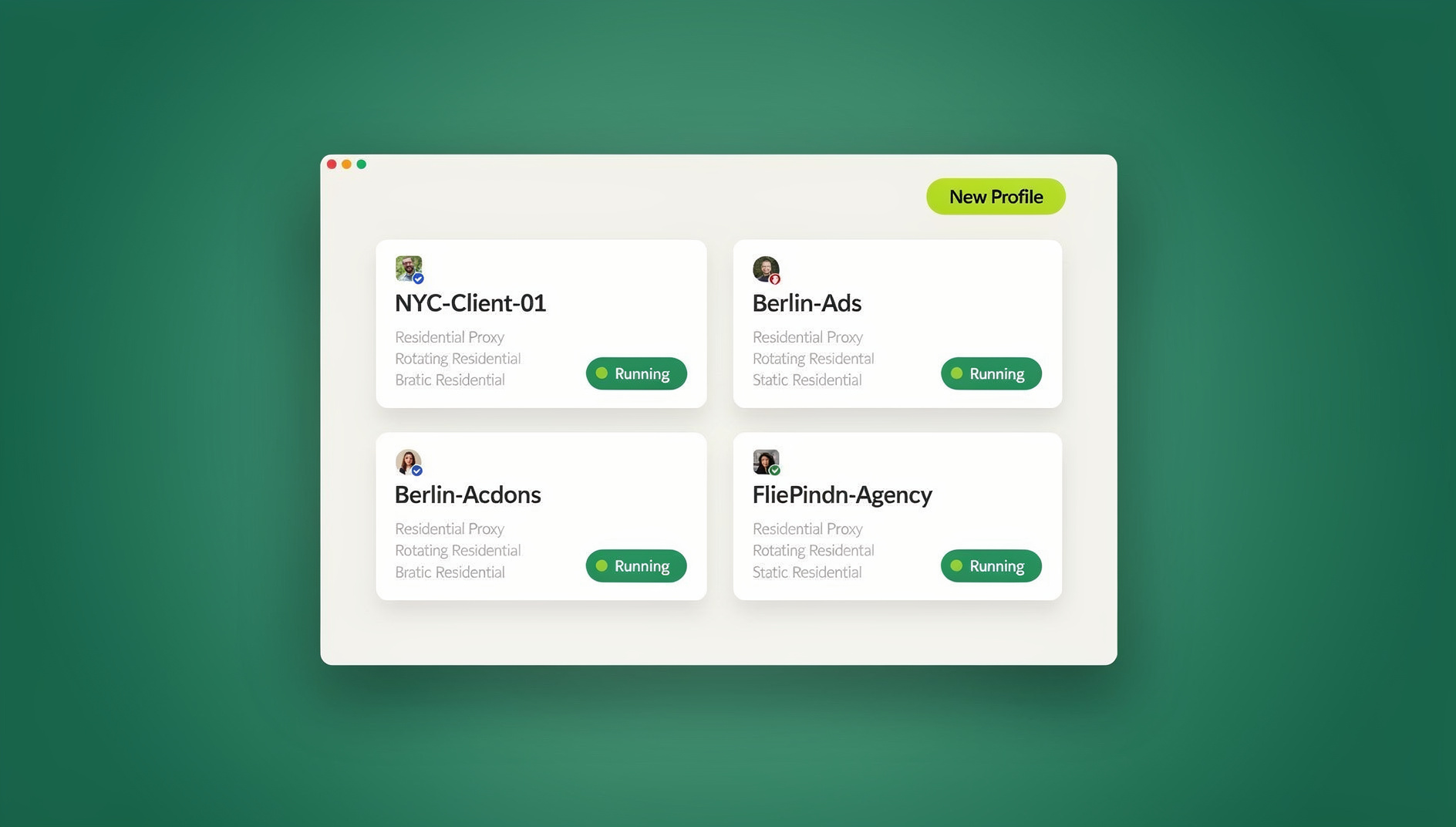
This is a complete update of our original “Top 5 Reasons” post. A lot has changed since 2022 — Send.win now ships a native desktop app for Windows, macOS, and Linux, cloud browser sessions you can spin up with zero local install, built-in proxy management, and team collaboration features built for serious scale. Below, we break down exactly why Send.win still earns the top spot, how it compares to alternatives, and how to get started.
What Is a Multi-Login Tool (And Why You Actually Need One)
A multi-login tool — sometimes called a browser profile manager — lets you run several independent browser sessions at once, each with its own cookies, local storage, cache, and browser fingerprint. Unlike opening a normal browser profile or an incognito tab, each session is isolated at a much deeper level: canvas rendering, WebGL output, fonts, screen resolution, timezone, and other fingerprinting signals are unique per profile, so each session keeps its own separate browser identity.
Without this kind of isolation, most platforms rely on browser fingerprint matching to link accounts together. If two “different” accounts share the same fingerprint, IP, and cookie history, that’s a textbook signal for a ban or a suspension — even if you’re doing nothing against the rules, just running a business that happens to need multiple accounts.
The Top Reasons to Use Send.win as Your Multi-Login Tool
1. Real Browser Fingerprint Isolation, Not Just Tab Switching
Plenty of “multi-account” solutions are really just container tabs or separate browser windows — they don’t touch the underlying fingerprint. Send.win generates a unique, consistent fingerprint profile for every session: canvas noise, WebGL renderer, audio context, fonts, hardware concurrency, and more are all randomized per profile and kept stable across sessions so platforms don’t see suspicious drift. This is the foundation that everything else on this list builds on.
2. A Native Desktop App for Windows, macOS, and Linux
This is the biggest addition since our original 2022 post. Send.win now ships a dedicated desktop application — the Sendwin Browser — for Windows, macOS, and Linux. The desktop app gives you a full, standalone browser profile manager: local-first profile storage with encrypted cloud sync, deeper fingerprint control, and better performance for running dozens of profiles at once. If you’d rather not install anything locally, Send.win also lets you run entire sessions as cloud browser sessions, spinning up a fingerprint-isolated profile straight from the cloud with no download required.
3. Built-In Residential and Datacenter Proxies
Fingerprint isolation only works if your IP address matches the story. Send.win includes built-in proxy support so every profile can run behind its own residential or datacenter IP, matched to the right geography and timezone. You don’t need to buy proxies from a third-party provider and manually configure them profile by profile — bandwidth is bundled directly into your plan (5GB on Pro, 20GB on Team), with pay-as-you-go add-ons if you need more.
4. Team Sharing Without Sharing Passwords
If you run an agency or manage a team, the old way of sharing accounts — handing out shared logins in a spreadsheet — is a security nightmare waiting to happen. Send.win lets you share entire browser profiles or sessions with teammates without ever exposing the underlying password. You control who has access, revoke it instantly when someone leaves, and keep a clean audit trail of who touched what. This is a genuinely different experience from juggling a password manager and hoping nobody forwards a login to the wrong person.
5. Where Send.win Fits
For teams running QA testing, scraping, or bulk account operations, Send.win’s cloud browser is a standout feature that the 2022 version of this tool didn’t have. It runs on Send.win’s servers in the EU, so you can work with real, fingerprint-isolated sessions without a local install. This turns Send.win from a manual point-and-click tool into a flexible workspace for teams that need many separate profiles.
6. Transparent, Affordable Pricing
Send.win has no free trial, but your first card purchase is covered by a 7-day money-back guarantee, so you can test fingerprint isolation, proxy performance, and team sharing before committing. The Pro plan is $19/mo (or $83.88/yr) with 150 profiles and 5GB of proxy bandwidth — plenty for solo operators and small sellers. The Team plan is $49/mo ($251.88/yr) with 500 profiles, 20GB bandwidth, 16 seats. Compare that to legacy multi-login tools that charge $99+/month for similar profile counts with none of the collaboration tooling, and the value gap is significant.
7. Reliability at Scale
A multi-login tool is only useful if it stays up when you need it — mid-campaign, mid-sale, or mid-client-deadline. Send.win’s cloud infrastructure and desktop client are built to handle hundreds of concurrent profiles without the lag or crashes that plague browser-extension-only competitors, which tend to choke once you cross 20-30 open sessions.
Send.win vs. Other Multi-Login Tools
Here’s how Send.win stacks up against the two most common categories of alternatives: legacy antidetect browsers (like Multilogin or GoLogin) and lightweight session managers (like SessionBox-style extensions). For a deeper side-by-side, see our full Sendwin vs SessionBox comparison.
| Feature | Send.win | Legacy Antidetect Browsers | Basic Session/Tab Managers |
|---|---|---|---|
| Native desktop app | Yes (Windows/macOS/Linux) | Usually yes | No, extension only |
| Deep fingerprint isolation | Yes | Yes | No — cookies only |
| Built-in proxies | Yes, bundled bandwidth | Sometimes, often extra cost | Rarely |
| Team profile sharing without passwords | Yes | Limited on lower tiers | Rarely |
| Automation API (Selenium/Puppeteer/Playwright) | No | Sometimes, enterprise-only | No |
| Free trial, no card required | No; 7-day money-back guarantee on first card purchase, plus a free cloud demo | Rarely, or limited profiles | Often free but very limited |
| Starting price | $19/mo | $99+/mo | Free–$10/mo |
Who Actually Needs a Multi-Login Tool
Not everyone needs profile-level fingerprint isolation — but if you fall into any of these categories, a tool like Send.win pays for itself quickly:
- E-commerce sellers running multiple Amazon, eBay, or Shopify stores who need each store to look like a separate, legitimate operator.
- Social media managers and agencies juggling client accounts across Instagram, Facebook, TikTok, and X without cross-contaminating logins.
- Performance marketers running parallel ad accounts on Meta or Google Ads where one flagged account shouldn’t sink the rest.
- Affiliate marketers testing offers and landing pages across multiple identities and geographies.
- QA and dev teams that need to script logins and test flows across dozens of account states without breaking a shared testing environment.
- Freelancers and consultants who manage several clients’ logins and want a clean way to hand off or share access temporarily.
If any of those describe your workflow, our best browser profile manager review digs into the fingerprinting side in more technical detail and helps you weigh Send.win against the rest of the market.
How to Get Started With Send.win
- Start with the free cloud demo. It’s a 3-minute preview without signup, or 10 minutes a day with a free account, so you can test real workflows before paying anything.
- Download the desktop app for your OS (Windows, macOS, or Linux) to get the full browser profile manager experience, or start with the browser-based option if you just need a quick test.
- Create your first profile and assign it a proxy matched to the geography you need — residential for social platforms, datacenter for less fingerprint-sensitive tasks.
- Log into your accounts one profile at a time and let Send.win keep each session’s cookies, cache, and fingerprint isolated going forward.
- Invite teammates if you’re on the Team plan, and share specific profiles instead of raw passwords.
- Try the free cloud demo at send.win/demo-browser/ if you want a quick preview of isolated profiles without signing up.
Common Mistakes to Avoid When Choosing a Multi-Login Tool
Even with the right tool, a few habits can undo the benefit of fingerprint isolation:
- Reusing the same proxy across profiles. Two “isolated” accounts sharing one IP still look linked to most platforms.
- Ignoring timezone and locale matching. A proxy in Germany paired with a browser set to US English and Eastern time is an easy red flag.
- Logging into personal accounts from a business profile (or vice versa), which bridges identities that should stay separate.
- Skipping the demo. Test proxy speed, profile limits, and the desktop app on your actual workload before committing to an annual plan.
- Underestimating how many profiles you’ll actually need — it’s cheaper to size your plan correctly upfront than to pay per-profile add-on fees every month.
🏆 Send.win Verdict
Four years after our original review, Send.win has grown into a full browser profile manager — a native desktop app, cloud browser sessions with zero install, built-in proxies, a separate fingerprint per profile, team-based profile sharing, and a free cloud demo. If you’re managing multiple accounts on any platform and you’re tired of logouts and shared-password chaos, it remains a strong multi-login tool for the price.
Try Send.win today — your first card purchase is covered by a 7-day money-back guarantee, and you can preview it free in the cloud demo.
Frequently Asked Questions
Is Send.win still free to use?
Send.win has no free trial; the only free option is the cloud demo. Paid plans start at $19/mo (Pro) or $49/mo (Team), both cheaper than most legacy browser profile managers, and the first card purchase is covered by a 7-day money-back guarantee.
Do I need to install anything, or can I use Send.win entirely in the browser?
Send.win offers a native desktop app for Windows, macOS, and Linux for the full browser profile management experience, including deeper fingerprint control and better performance with many open profiles. Some lighter functionality is available without it, but the desktop app is required to unlock the full feature set.
How many accounts can I manage with Send.win?
The Pro plan supports up to 150 profiles, and the Team plan supports up to 500 profiles across 16 seats. Additional profiles beyond your plan limit can be added for a small per-profile fee.
Does Send.win include proxies, or do I need to buy my own?
Proxies are built in. Pro includes 5GB of proxy bandwidth per month and Team includes 20GB, with pay-as-you-go add-ons ($6/GB) if you need more. You can also bring your own proxies if you prefer specific providers.
Can my team share accounts through Send.win without sharing passwords?
Yes. Team plan users can share individual profiles or sessions with teammates directly through Send.win, so nobody needs to see the underlying password. Access can be revoked instantly.
Does Send.win have an automation interface?
Send.win does not offer an automation interface: there is no API, SDK, headless mode, or Selenium/Puppeteer/Playwright support on any plan. Teams that need many separate profiles manage them through the desktop app and cloud browser instead.
Will using a multi-login tool get my accounts banned?
Used correctly — one proxy per profile, matching geography and timezone, and not bridging personal and business identities — a multi-login tool like Send.win reduces ban risk compared to running multiple accounts from a single unmasked browser. It doesn’t override each platform’s own terms of service, so always review the rules of the specific site you’re using.
How is Send.win different from just using Chrome profiles or incognito mode?
Chrome profiles and incognito windows still expose the same underlying canvas, WebGL, and hardware fingerprint to websites, even with separate cookies. Send.win randomizes and isolates that fingerprint per profile, which is the layer that actually determines whether a platform sees two sessions as “the same device.”