Every time you open a browser tab, your device hands over a small piece of information that most people never think about: your IP address. It quietly tells websites, advertisers, your internet provider, and sometimes strangers on the same public Wi-Fi network roughly where you are, who your ISP is, and what you have been doing online. As tracking technology has gotten more sophisticated and data breaches more common, learning how to hide your IP address has gone from a niche privacy hobby to a basic piece of digital hygiene — especially if you manage multiple accounts, run ads, do market research, or simply don’t want your browsing habits packaged up and sold. This guide breaks down exactly what an IP address exposes, the real reasons you should mask it, and the practical tools — from VPNs to proxies to antidetect browsers — that actually get the job done in 2026.
What Is an IP Address, and What Can It Reveal About You?
An IP address (Internet Protocol address) is a unique numerical label assigned to your device whenever it connects to a network. It exists so data can find its way back to you — think of it as a return address stamped on every request your browser sends. Without it, the internet as we know it couldn’t function. The problem is that this “return address” carries more information than most people realize.
Depending on the context, your IP address can reveal:
- Approximate physical location — often accurate down to the city or even the neighborhood.
- Your internet service provider (ISP) — and by extension, whether you’re on a home, mobile, or corporate network.
- Your timezone and likely working hours, inferred from activity patterns tied to that location.
- A persistent identifier that, combined with cookies and browser fingerprinting, can link separate browsing sessions back to the same person or household.
- Whether you’re using a known VPN, proxy, or hosting provider — which many sites use to flag and restrict “suspicious” traffic.
None of this makes you personally identifiable on its own, but it’s almost never used on its own. Advertisers, data brokers, and even basic analytics scripts combine your IP with cookies, device fingerprints, and account logins to build a surprisingly complete profile of who you are and what you do online.
8 Reasons You Should Hide Your IP Address in 2026
1. Protect Your Online Privacy from Trackers and Advertisers
Your IP address is one of the first data points collected the instant you land on a page. Ad networks and data brokers use it, alongside cookies and fingerprinting scripts, to build cross-site profiles that follow you from a news article to a shopping cart to a forum thread. Masking your IP breaks one of the easiest links in that chain, making it meaningfully harder for third parties to stitch your activity into a single profile. If you care about anonymous browsing that actually holds up against modern tracking, hiding your IP is the foundation everything else builds on.
2. Prevent Price Discrimination and Geo-Targeted Pricing
Airlines, hotel booking sites, and e-commerce stores routinely adjust prices based on your detected location, device, and browsing history. Someone browsing from a wealthier zip code or a “high-intent” IP range can be shown higher prices for the exact same flight or hotel room than someone browsing from elsewhere. Rotating or masking your IP address removes this signal, so you’re more likely to see standard pricing rather than a rate quietly inflated for your profile.
3. Access Geo-Restricted Content and Streaming Libraries
Streaming platforms, news sites, and regional services license content differently by country. A show available in one region might be completely unavailable in another, and some government portals or research databases restrict access entirely outside their home country. By routing your traffic through an IP address in a different location, you can access the same content your IP address would normally block — a use case that’s especially common for travelers and remote researchers.
4. Avoid Government Censorship and Network-Level Blocks
In many countries, ISPs are required to block access to specific news outlets, social platforms, or messaging apps at the network level, filtering traffic based on the destination and your originating IP. Journalists, researchers, and everyday users in restrictive regions rely on IP-masking tools to reach information and communication services that would otherwise be inaccessible from their home network.
5. Stop ISP Throttling and Bandwidth Shaping
Some internet providers throttle bandwidth for specific types of traffic — streaming, gaming, or large downloads — once they identify the pattern tied to your IP address. Masking your IP with an encrypted tunnel makes it harder for your ISP to selectively slow down specific activities, since it can no longer easily inspect and categorize the traffic associated with your connection.
6. Reduce Exposure to Hackers, DDoS, and Doxxing
If your real IP address is exposed — through a poorly secured game server, a forum post, or a leaked chat log — it can be used to launch denial-of-service attacks, pinpoint your general location, or feed into a doxxing attempt. This is a real and common risk for streamers, competitive gamers, and anyone active in communities where disputes escalate quickly. Hiding your IP address removes a direct line between an online argument and your home network.
7. Manage Multiple Accounts Without Cross-Contamination Bans
Platforms like Amazon, eBay, and most social and advertising networks flag and often suspend accounts that appear to share the same IP address, device fingerprint, or cookies — treating it as evidence of policy evasion or fraud. Sellers running multiple storefronts, agencies managing client ad accounts, and freelancers juggling several client logins all need each account to look like it’s coming from a genuinely separate device and network, not just a different browser tab.
8. Protect Yourself from Location Tracking
Smartphones and browsers are constantly asked to share location data, and your IP address is a fallback source even when GPS is disabled. Apps, websites, and ad networks use it to infer where you live, work, and travel. Hiding your IP address closes off one of the quieter channels through which your physical movements get logged and monetized without your explicit awareness.
How to Hide Your IP Address: 5 Methods Compared
Not every IP-masking method solves the same problem. A consumer VPN is great for general privacy on one device; it does almost nothing if you need to run twenty distinct, non-linkable browser identities for account management or research. Here’s how the main options stack up.
| Method | How It Works | Best For | Fingerprint Protection | Multi-Account Friendly? |
|---|---|---|---|---|
| Consumer VPN | Routes all device traffic through an encrypted tunnel to a VPN server | General privacy, streaming, public Wi-Fi | None — browser fingerprint stays identical | No — single identity per connection |
| Standalone Proxy | Reroutes traffic through a proxy IP without full-device encryption | Lightweight IP swaps, scraping, geo-testing | None on its own | Partially, with manual browser setup |
| Tor Browser | Bounces traffic through multiple volunteer-run relay nodes | Maximum anonymity, whistleblowing, censorship evasion | Some, but often flagged/blocked by sites | No — slow and easily detected |
| Browser Profile Manager (Send.win) | Isolated browser profiles, each with its own IP, proxy, and unique fingerprint | Multi-account management, agencies, teams | Full — each profile keeps its own consistent fingerprint | Yes — built for exactly this |
| Mobile Data / Hotspot Switching | Manually swaps your device’s network connection | Occasional, low-volume IP changes | None | No — impractical at scale |
If you only need to browse privately on one device, a VPN or the best proxy browsers available today will cover you well. But the moment you need multiple genuinely separate identities — each with its own IP, cookies, and browser fingerprint that don’t leak into each other — a dedicated antidetect or multi-login browser is the only category built to solve that specific problem.
Step-by-Step: Hiding Your IP and Browser Fingerprint with Send.win
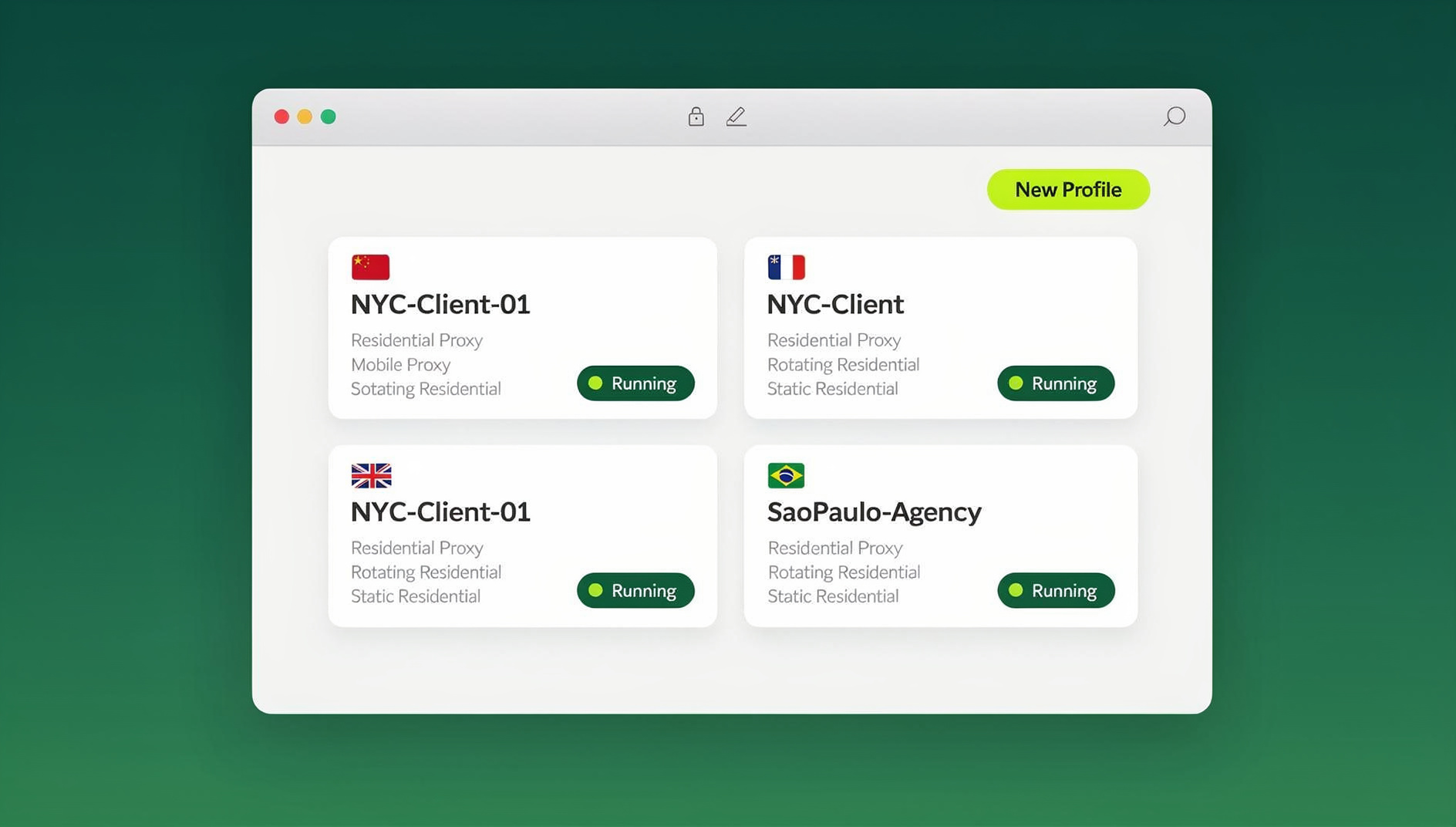
Send.win is built specifically for people who need more than a single masked IP — teams and individuals managing many accounts, running ad campaigns, or organizing browser tasks who want each profile to keep its own separate cookies, storage and fingerprint. Here’s how to get set up:
- Create your account. Sign up for a paid plan (Pro at $19/month or Team at $49/month, with a 7-day money-back guarantee on your first card purchase) at send.win.
- Create a new browser profile. Each profile gets its own isolated cookie jar, local storage, and a unique fingerprint — canvas, WebGL, fonts, screen resolution, and timezone are all generated to look like a distinct, real device.
- Attach a proxy or use a built-in one. Assign a residential, datacenter, or mobile proxy to the profile so its IP address matches the location and network type you need — Send.win includes proxy bandwidth on paid plans, so you don’t need to source your own for most use cases.
- Launch the profile. Open it through the native Desktop app for Windows, macOS, or Linux for the fastest local performance, or spin it up as a cloud browser session if you’re on a shared or locked-down machine and don’t want to install anything.
- Share access without sharing passwords. If you work with a team, invite teammates directly to specific profiles with role-based permissions instead of handing out raw account credentials.
The result is an IP-masking setup that goes well past “my traffic is encrypted” — every profile looks like a separate, consistent, real user to any site that checks.
VPN vs Proxy vs Antidetect Browser vs Tor: Which Should You Use?
People often ask whether they need a VPN or a proxy, assuming the two are interchangeable. They’re not, and the distinction matters more than most comparisons let on — our deeper breakdown of proxy vs VPN differences covers the technical nuance, but the short version is this:
| Tool | Encrypts Traffic? | Typical Speed | Good Fit |
|---|---|---|---|
| VPN | Yes, full device | Fast to moderate | Everyday privacy, one identity |
| Proxy | Usually not | Fast | Quick IP swaps, per-app routing |
| Tor | Yes, multi-hop | Slow | Maximum anonymity, low bandwidth needs |
| Antidetect browser | Via attached proxy | Fast | Multiple isolated identities, teams, automation |
If your goal is simply “don’t let this one website see my real location,” a VPN or proxy is enough. If your goal is “run 15 accounts that must never appear connected to each other,” you need per-profile fingerprint isolation, which only an antidetect browser provides.
Common Mistakes That Still Leak Your Real IP Address
Turning on a VPN or proxy isn’t automatically airtight. These are the most common ways your real IP slips through anyway:
- WebRTC leaks. Browsers use WebRTC for video calls and real-time features, and it can reveal your actual IP address even while a VPN is active. Our WebRTC leak protection guide walks through how to test for and close this specific gap.
- DNS leaks. If your DNS requests bypass the VPN tunnel and go straight to your ISP’s default resolver, your browsing destinations are visible even if your IP looks masked.
- Browser fingerprinting. Canvas, WebGL, font lists, and screen size together create a fingerprint that can re-identify you across sessions even with a new IP address every time.
- Logging into personal accounts. Signing into Gmail, Facebook, or any account tied to your real identity instantly reconnects the masked session back to you, regardless of the IP.
- IPv6 leaks. Many VPN and proxy configurations only route IPv4 traffic, leaving a device’s IPv6 address exposed on networks that support it.
Each of these is fixable, but it takes deliberate configuration — which is exactly why purpose-built tools that manage IP, DNS, and fingerprint together as one package tend to be more reliable than stacking a VPN on top of manual browser tweaks.
Is Hiding Your IP Address Legal?
In the vast majority of countries, hiding your IP address is completely legal. VPNs, proxies, and antidetect browsers are legitimate tools used by businesses, journalists, security researchers, and everyday privacy-conscious users every day. What matters is what you do once your IP is masked: using these tools to commit fraud, bypass a platform’s terms of service in ways that cause harm, or engage in illegal activity is still illegal, IP-masking or not. A small number of countries restrict or ban VPN use outright, so it’s worth checking local regulations if you’re traveling somewhere with strict internet controls. For the overwhelming majority of users — protecting privacy, managing legitimate business accounts, or accessing content you’re entitled to — hiding your IP address is simply good digital hygiene, not a legal gray area.
🏆 Send.win Verdict
A VPN hides your IP address on one device with one identity. Send.win goes further: every browser profile gets its own IP, its own proxy, and its own unique fingerprint, so your accounts, research, and campaigns stay genuinely isolated instead of just encrypted. Run profiles locally with the native Desktop app for Windows, macOS, and Linux, launch them as cloud browser sessions with zero install, and share access with your team without ever handing out passwords.
Try Send.win today — start a paid plan covered by a 7-day money-back guarantee on your first card purchase, or preview it free in the cloud demo, and see how much more private and organized browsing can be.
Frequently Asked Questions
Does hiding my IP address make me completely anonymous online?
No. Hiding your IP address removes one important tracking signal, but sites can still identify you through browser fingerprinting, cookies, and account logins. For meaningful anonymity, you need to combine IP masking with fingerprint protection and careful account hygiene — which is exactly what antidetect browsers are designed to do.
What’s the difference between a VPN and a proxy for hiding my IP?
A VPN encrypts all traffic leaving your device and routes it through a remote server, changing your visible IP address for every app on your device. A proxy typically reroutes traffic for a specific app or browser without full encryption, and is often faster but less secure. Neither one, by itself, changes your browser fingerprint.
Can websites still track me if I use a VPN?
Yes. Cookies, browser fingerprinting, and login sessions can all track you independently of your IP address. A VPN masks where your traffic is coming from, but it doesn’t stop a site from recognizing your browser or account once you’re on the page.
Is a free VPN safe enough to hide my IP address?
Many free VPNs log and sell user data, inject ads, or route traffic through poorly secured servers — the opposite of what you’re trying to achieve. If privacy is the goal, a reputable paid VPN or a purpose-built tool with a transparent business model is a safer bet than a free option with no clear revenue source.
Why do multiple accounts get banned even when I use different IP addresses?
Platforms don’t just check IP address — they also look at browser fingerprint, cookies, and behavioral patterns. If two accounts share the same canvas fingerprint, font list, or device signature, a platform can link them even with completely different IP addresses, which is why fingerprint isolation matters as much as IP rotation.
Do I need a Desktop app to hide my IP address, or can I do it in the cloud?
Both work. A Desktop app (available for Windows, macOS, and Linux with Send.win) gives you the fastest local performance for daily use. Cloud browser sessions run entirely on remote infrastructure, so you don’t need to install anything — useful on shared, locked-down, or low-spec machines.
Can I automate IP-masked browsing for testing or scraping?
No. Send.win has no automation interface — no API, SDK, headless mode or Selenium/Puppeteer/Playwright support on any plan. You work with isolated profiles, each with its own cookies, storage, sessions, fingerprint settings and proxy, directly in the app instead of scripting them.
How much does it cost to properly hide your IP address with proxy and fingerprint protection?
Pricing varies by provider, but as a reference point, Send.win offers a Pro plan at $19/month or $83.88/year for individuals, and a Team plan at $49/month or $251.88/year for teams, with a 7-day money-back guarantee on your first card purchase. The only free option is the cloud demo.