Best proxy server services are the backbone of almost every serious online workflow in 2026 — from ad verification and price monitoring to running multiple business accounts without triggering a ban. But “proxy” is no longer a one-size-fits-all product. Residential, datacenter, ISP, and mobile proxy pools each solve a different problem, and picking the wrong type wastes money and still gets your accounts flagged. This guide breaks down what a proxy server actually does, the five proxy providers worth your budget in 2026, and — just as important — why a raw IP address is only half the fingerprint picture, and what to pair your proxies with so they actually work.
What Is a Proxy Server, and Why Does It Still Matter in 2026?
A proxy server sits between your device and the websites you visit. Instead of connecting directly, your traffic routes through the proxy’s IP address first, so the destination site sees the proxy’s location and identity — not yours. That single redirect solves several problems at once:
- Anonymity: Your real IP address, ISP, and rough geographic location stay hidden from every site you touch.
- Access to geo-restricted content: A proxy in the right country lets you view region-locked pricing, catalogs, or streaming libraries.
- Ban and rate-limit avoidance: Rotating through a large IP pool prevents a single address from getting flagged for high request volume.
- Data collection at scale: Web scraping, SEO rank tracking, and ad verification all depend on making requests that look like they come from many different, ordinary users.
- Business account management: Running multiple seller, ad, or social accounts from one office IP is a fast track to a suspension — proxies (paired with proper fingerprint separation) fix that.
The catch is that a proxy only changes where your traffic appears to come from. It does nothing to change what your browser looks like once you connect — and in 2026, fingerprinting has caught up with plain IP rotation. More on that below.
The 4 Types of Proxy Servers, Compared
Not all proxies are created equal. Providers classify their IPs by source, and each type has a different trust score with the sites you’re trying to access.
| Proxy Type | IP Source | Trust Level | Best For | Typical Cost |
|---|---|---|---|---|
| Residential | Real ISP-assigned home IPs | Highest — looks like a genuine user | Ad verification, e-commerce, sneaker copping, social media | $$$ (per GB) |
| Datacenter | Cloud/hosting provider IPs | Lower — easily flagged by strict sites | Fast scraping of low-security targets, SEO tools | $ (cheapest per IP) |
| ISP (Static Residential) | Datacenter-hosted but ISP-registered | High — combines speed and trust | Account management needing a stable IP over time | $$ (per IP) |
| Mobile | Real 3G/4G/5G carrier IPs | Very high — hardest to blacklist | Social media automation, mobile app testing | $$$$ (per GB) |
As a rule of thumb: the more a site has to lose from bots (banking, ad platforms, marketplaces), the more it invests in fingerprinting and IP-reputation checks — which means you need residential, ISP, or mobile IPs, not datacenter ones, to stay under the radar.
The 5 Best Proxy Server Services in 2026
We evaluated proxy providers on IP pool size, geographic coverage, pricing transparency, and how well they hold up against anti-bot systems. Here are the five worth shortlisting.
| Provider | IP Pool | Proxy Types | Standout Feature | Best For |
|---|---|---|---|---|
| Bright Data | 150M+ residential | Residential, Datacenter, ISP, Mobile | Largest global coverage, enterprise-grade compliance tooling | Large-scale enterprise scraping |
| Oxylabs | 100M+ residential | Residential, Datacenter, ISP | AI-driven request patterns that mimic real users | Teams that need a dedicated account manager |
| Smartproxy (Decodo) | 65M+ residential | Residential, Datacenter, Mobile | Unlimited concurrent threads, flexible short-term plans | Small businesses and solo operators |
| IPRoyal | 32M+ residential | Residential, Datacenter, Sneaker, ISP | Pay-as-you-go pricing with no subscription lock-in | Budget-conscious, occasional use |
| Soax | 190M+ mixed | Residential, Mobile, ISP | Sub-city geo-targeting down to the ZIP code level | Hyper-local ad verification and testing |
Bright Data
Bright Data remains the industry heavyweight in 2026, with the deepest IP pool and coverage in virtually every country and major city. It offers all four proxy types plus a scraping-browser product, making it the go-to choice for enterprises running high-volume, compliance-sensitive data collection. The downside is cost and a steeper learning curve for smaller teams — the dashboard and API were built for developers managing thousands of concurrent sessions, not solo marketers who just need to check a few geo-prices.
Oxylabs
Oxylabs pairs a massive residential pool with machine-learning-driven request patterns designed to blend into normal browsing traffic and get past captchas and bot walls. Every plan comes with a dedicated account manager, which is genuinely useful if your team is new to proxy management. It’s a premium product at a premium price, so it suits businesses with recurring, large-scale needs more than casual users.
Smartproxy (now Decodo)
Smartproxy — rebranded as Decodo — offers a strong balance of price and features: unlimited concurrent threads, flexible short-term plans, and simple filtering by country or city. It’s a practical pick for freelancers, small agencies, and anyone who wants residential-grade IPs without an enterprise contract.
IPRoyal
IPRoyal’s biggest selling point is flexibility — pay-as-you-go pricing means you’re not locked into a monthly subscription if your proxy needs are sporadic. Its sneaker proxy niche also makes it popular with resale and limited-drop shoppers, alongside general-purpose residential and datacenter pools.
Soax
Soax stands out for granular geo-targeting — you can often target down to a specific city or even ZIP code, which matters enormously for local ad verification, local SEO rank tracking, and testing region-specific pricing pages. Its mixed pool of residential, mobile, and ISP IPs gives it flexibility most competitors don’t match at this price point.
Proxy Server vs. VPN: Which One Do You Actually Need?
People often use “proxy” and “VPN” interchangeably, but they solve different problems. A VPN encrypts your entire device’s traffic through one tunnel and is built for personal privacy on a single connection. A proxy server is built for scale — routing specific traffic (often per-browser or per-account) through many different IPs at once, which is exactly what’s needed when you’re managing dozens of accounts or scraping thousands of pages. If you’re weighing the two for business use, our breakdown of proxy vs VPN for marketers goes deeper into which one fits which job.
There’s also a protocol-level decision inside “proxy” itself: IPv4 addresses are scarcer and pricier but universally accepted by every site, while IPv6 pools are cheaper and larger but still get blocked by some legacy platforms. If bandwidth cost is a factor in your provider choice, it’s worth reading up on IPv6 proxy vs IPv4 proxy before you commit to a plan.
Why a Proxy Alone Isn’t Enough Anymore
Here’s the part most “best proxy” roundups skip: buying a great residential IP pool solves only one half of the detection equation. Modern anti-fraud and anti-bot systems don’t just check your IP reputation — they fingerprint your browser. Canvas rendering, WebGL output, fonts, screen resolution, timezone, installed plugins, and dozens of other signals get hashed into a profile that’s often more identifying than your IP address. Rotate your proxy all day, and if every session still shares the same browser fingerprint, cookies, or WebRTC-leaked local IP, platforms can still link your accounts together and ban them as a group.
That’s why proxies and fingerprint isolation need to work together, not in isolation. If you’ve never audited your setup for this, our guide on proxy browser setup and browser isolation walks through the gap between “I have a proxy” and “I’m actually undetectable.”
How Send.win Fits Into a Modern Proxy Strategy
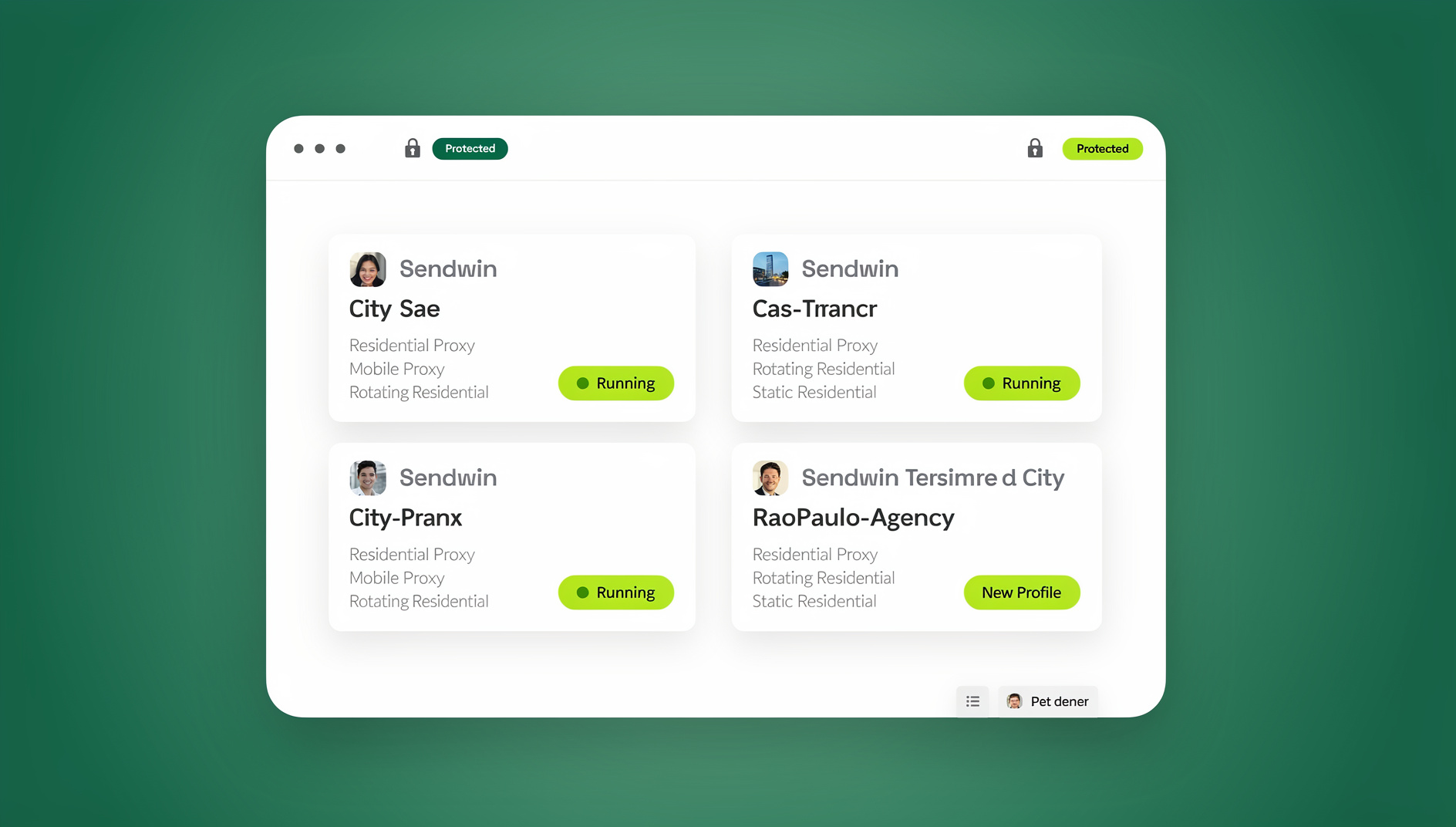
This is where Send.win comes in as a complement to — not a replacement for — a good proxy provider. Send.win is a browser profile manager built for people juggling multiple accounts, ad campaigns, or client sessions. Instead of just changing your IP, it gives every browser profile its own isolated cookies, storage, sessions and fingerprint settings (canvas, WebGL, fonts, timezone, screen size, and more), so accounts stay cleanly separated.
Send.win also has built-in proxy support baked into every profile, so you can attach your Bright Data, Oxylabs, Smartproxy, IPRoyal, or Soax IPs directly to a session and match the profile’s fingerprint (language, timezone, geolocation) to the proxy’s location automatically — closing the mismatch gap that gets accounts flagged even when the IP itself is clean. For teams, profiles and their proxy configurations can be shared securely without ever exposing passwords or raw credentials.
Beyond the browser itself, Send.win ships a native Desktop app for Windows, macOS, and Linux, so your isolated profiles run as a real local application rather than a browser tab you have to keep open. There is also a cloud browser that runs on Send.win’s server in the EU.
Setting Up a Proxy Inside Send.win
- Create a new profile in your Send.win dashboard or desktop app.
- Open the Proxy tab and paste in your proxy provider’s credentials (host, port, username, password) — or use one of Send.win’s built-in proxies if you don’t have your own.
- Match the profile’s timezone, language, and geolocation to the proxy’s location — Send.win can auto-detect and apply this for you.
- Save and launch the profile. Every subsequent session on that profile keeps the same proxy and fingerprint pairing.
- Repeat per account — each profile gets its own isolated cookies, cache, and fingerprint, so nothing leaks between sessions.
🏆 Send.win Verdict
A great proxy service gets you a clean IP — but IP reputation is only one signal platforms check. Pairing your proxy provider of choice with Send.win’s per-profile fingerprint isolation, geo-matching, and team-safe session sharing closes the gap that IP rotation alone leaves open, whether you’re running one account or five hundred.
Try the Send.win cloud demo — a 3-minute preview without signup, or 10 minutes a day with a free account.
How to Choose the Right Proxy Service for Your Use Case
There’s no single “best” proxy provider — only the best fit for what you’re doing. Use this checklist before you subscribe:
- Define your use case first. Ad verification and e-commerce need residential or mobile IPs; bulk scraping of low-security sites can often get by on cheaper datacenter IPs.
- Check geographic coverage. If you need hyper-local targeting (city or ZIP-level), confirm the provider actually supports that granularity before you buy.
- Compare pricing models. Bandwidth-based (per GB) pricing suits heavy, ongoing use; pay-as-you-go suits occasional or seasonal needs.
- Test the success rate. Most reputable providers offer a trial or small starter plan — run it against your actual target sites before committing to a bigger plan.
- Verify rotation and session control. Some workflows need a proxy that stays sticky for hours (account management); others need a new IP every request (scraping).
- Pair it with fingerprint isolation. A clean proxy connected to a browser sharing cookies and fingerprints with nine other accounts will still get flagged — plan for both from day one.
Frequently Asked Questions
What is the best proxy server service in 2026?
There isn’t one universal answer — Bright Data leads on scale and coverage, Oxylabs on AI-assisted request patterns and support, Smartproxy on price-to-feature balance, IPRoyal on flexible pay-as-you-go billing, and Soax on granular local targeting. The right pick depends on your budget, volume, and how strict the sites you’re accessing are about bot detection.
Is it legal to use a proxy server?
Yes, using a proxy server is legal in the vast majority of countries and is a standard business practice for security, testing, and market research. What matters is how you use it — violating a specific platform’s terms of service (for example, creating unauthorized duplicate accounts) can still get those accounts banned even though the proxy itself is legal.
What’s the difference between residential and datacenter proxies?
Residential proxies use real IP addresses assigned by ISPs to home internet connections, so they look like ordinary users and are much harder to detect. Datacenter proxies come from cloud hosting infrastructure — they’re faster and cheaper but far easier for strict platforms to identify and block.
Do I need a proxy if I already use a VPN?
They serve different purposes. A VPN is built to encrypt and anonymize a single device’s overall traffic. A proxy is built for scale and control — routing specific browser sessions or accounts through different IPs, which is what most account management, scraping, and ad-verification workflows actually require.
Can a proxy alone prevent my accounts from getting banned?
No. A proxy hides your IP address, but platforms also fingerprint your browser (canvas, WebGL, fonts, screen size, timezone, and more). Accounts sharing the same fingerprint can still be linked and banned together even with different IPs. You need IP rotation and fingerprint isolation working together, which is exactly the gap tools like Send.win are built to close.
How much does a good proxy service cost?
Costs vary widely by type and volume: datacenter IPs can start under $1/GB, while premium residential or mobile proxies from top providers often run $5–$15+ per GB, with enterprise plans priced separately. Pay-as-you-go providers like IPRoyal suit lighter, occasional use; heavy continuous use is usually cheaper on a subscription plan.
Does Send.win include its own proxies?
Yes — Send.win includes built-in proxy bandwidth on its paid plans, and you can also connect your own proxies from any provider (Bright Data, Oxylabs, Smartproxy, IPRoyal, Soax, and others) to individual browser profiles, with automatic timezone and geolocation matching.
What’s the difference between Send.win’s Pro and Team plans for proxy and automation use?
The Pro plan ($19/mo or $83.88/yr) covers up to 150 profiles and 5GB of proxy bandwidth, suited to individuals and small operations. The Team plan ($49/mo or $251.88/yr) scales to 500 profiles, 20GB of bandwidth, and 16 seats — built for teams that need to work across many proxy-backed profiles at once. There is no free trial; the first card purchase is covered by a 7-day money-back guarantee, and the only free option is the cloud demo at https://send.win/demo-browser/.