IPv6 proxy vs IPv4 proxy comes down to a simple tradeoff: IPv6 wins on cost and scale, while IPv4 wins on universal compatibility — the two are not interchangeable, and picking the wrong one causes bans, timeouts, or wasted budget. In 2026, IPv4 is still the safer default for logins, checkouts, and legacy APIs, while IPv6 is the cheaper engine for high-volume scraping, SEO sampling, and ad QA. Most serious operations run both at once, routed through a tool like Send.win that lets you assign a different proxy to every isolated session and fail over automatically when one path breaks.
What Are IPv4 and IPv6 Proxies, and Why Does the Difference Matter?
An IPv4 proxy routes your traffic through an address drawn from the older 32-bit addressing system that has run the internet since the 1980s — roughly 4.3 billion possible addresses, most of which are already allocated. Because that pool is scarce, most residential and mobile connections now share a single public IPv4 address across many devices via CGNAT (Carrier-Grade NAT). That sharing keeps IPv4 alive, but it also means your proxy’s reputation can be affected by strangers on the same shared address.
An IPv6 proxy uses the newer 128-bit addressing system, which supplies an effectively unlimited number of unique addresses. There’s no need for CGNAT-style sharing, so each IPv6 proxy behaves more like a truly dedicated address. The tradeoff: a meaningful slice of websites, APIs, and security appliances still don’t fully support IPv6, so an IPv6-only setup will occasionally fail where an IPv4 one would have succeeded.
IPv6 vs IPv4 Adoption in 2026: The Real Numbers
Adoption is lopsided in an important way. On the user side, IPv6 traffic to major platforms has climbed steadily and now accounts for a large minority-to-near-majority share of requests in many markets. On the website side, however, only a minority of all domains actually advertise IPv6 endpoints — adoption is noticeably higher among top-ranked, well-resourced sites than among the long tail of smaller domains, APIs, and internal business systems.
That mismatch is exactly why scrapers, QA teams, and automation scripts sometimes see an IPv6 request fail while the identical request over IPv4 succeeds against the same target. If your workflow touches a broad mix of destinations — some modern, some legacy — assume you’ll need both address families rather than betting everything on one.
IPv6 vs IPv4 Proxies: Key Differences at a Glance
The table below summarizes the practical differences that actually change outcomes for scraping, automation, ad verification, and multi-account work.
| Factor | IPv4 Proxy | IPv6 Proxy |
|---|---|---|
| Reachability | Near-universal; works with almost every site, API, and payment flow | Good but incomplete; some CDNs, filters, and legacy systems reject or mishandle it |
| Cost per IP | Higher and rising due to scarcity; leasing runs cents per IP per month | Substantially cheaper for datacenter pools thanks to an abundant address space |
| Address sharing | Often shared via CGNAT, which can taint reputation through “neighbor” behavior | Rarely shared; each address behaves closer to a dedicated IP |
| Residential availability | Wide residential and ISP options available | Genuine residential IPv6 remains comparatively rare |
| Rate-limiting exposure | Simple per-IP throttling is common and well understood | Vast address space makes naive per-IP rules easy to route around, so sites increasingly add session- or behavior-based defenses instead |
| Best use case | Checkout flows, account logins, fraud-sensitive actions, legacy APIs | Bulk scraping, SERP sampling, ad-creative QA, parallel automation at scale |
Performance is deliberately left off that table because there’s no universal winner there — routing, peering, and CDN policy decide, and “IPv6 is always faster” is a myth worth retiring. Measure latency per target rather than assuming either protocol wins by default.
Why IPv6 Proxies Are Cheaper at Scale
Buying IPv4 space outright costs real money, and leasing it recurs monthly, with pricing that moves alongside reputation and region. Those costs scale linearly with concurrency: the more parallel sessions you run, the more IPv4 addresses you’re renting. IPv6’s address space is, for practical purposes, not scarce, so datacenter IPv6 proxies are typically priced far below their IPv4 equivalents — which is exactly why teams doing large-scale scraping or QA lean on IPv6 pools for volume while reserving a smaller, higher-quality IPv4 pool for anything sensitive.
A practical budgeting rule: size your IPv4 allocation for “must-succeed” flows — logins, checkouts, fraud-sensitive actions — and size your IPv6 allocation for parallelizable volume like catalog scraping, rank tracking, or screenshot QA. Revisit the split quarterly, since IPv4 lease pricing and IPv6 support both shift over time.
Best Use Cases for Each Proxy Type
Data and Price Scraping
IPv6 is well suited to massive rotation at low cost for public product listings and static content. Keep an IPv4 fallback ready for targets that reject IPv6 outright or that serve different content over each protocol.
SEO and Rank Tracking
IPv6 handles high-volume, low-risk sampling across regions efficiently. IPv4 becomes necessary when you hit IPv6-blind ranking endpoints or need a footprint that looks like a residential ISP connection.
Ad Verification and Social Monitoring
Ad platforms and payment-adjacent flows still tend to behave best over IPv4, so reserve it for anything touching checkout or account creation. IPv6 works well for creative QA and monitoring at scale, with automatic fallback to IPv4 when a placement won’t render.
QA, Automation, and Testing
IPv6 is a good match for parallel test runs and synthetic monitoring where cost per session matters. IPv4 remains your safety net for older internal APIs and corporate portals that were never updated for dual-stack access.
Across all four use cases, the operational question is rarely “which protocol is better” — it’s “which sessions need which protocol, and how do I keep them isolated so a mistake in one doesn’t bleed into another.” That’s a session-management problem as much as a networking one, and it’s where a proper multi-session tool like Send.win, or a dedicated look at the best proxy browsers available in 2026, pays off.
Building a Dual-Stack Proxy Strategy: A 6-Step Plan
- Map your targets. List the domains and APIs you rely on and label each IPv4-only, dual-stack, or IPv6-friendly using quick connectivity tests.
- Split your pool. Allocate IPv4 to must-succeed flows and IPv6 to parallelizable, high-volume work.
- Automate fallback. If a request fails over IPv6 for network reasons, retry over IPv4 before marking the job a failure.
- Respect modern rate limits. Rotate cookies, sessions, and device fingerprints — not just IP addresses — since IP-only throttling is no longer the only control you’ll face.
- Monitor adoption. Track how much of your traffic and your targets are IPv6-capable so you know when to shift more volume that way.
- Review costs quarterly. IPv4 lease pricing moves with scarcity and reputation; rebalance your pool as the economics change.
Running Proxies Through Send.win: Desktop App and Cloud Sessions
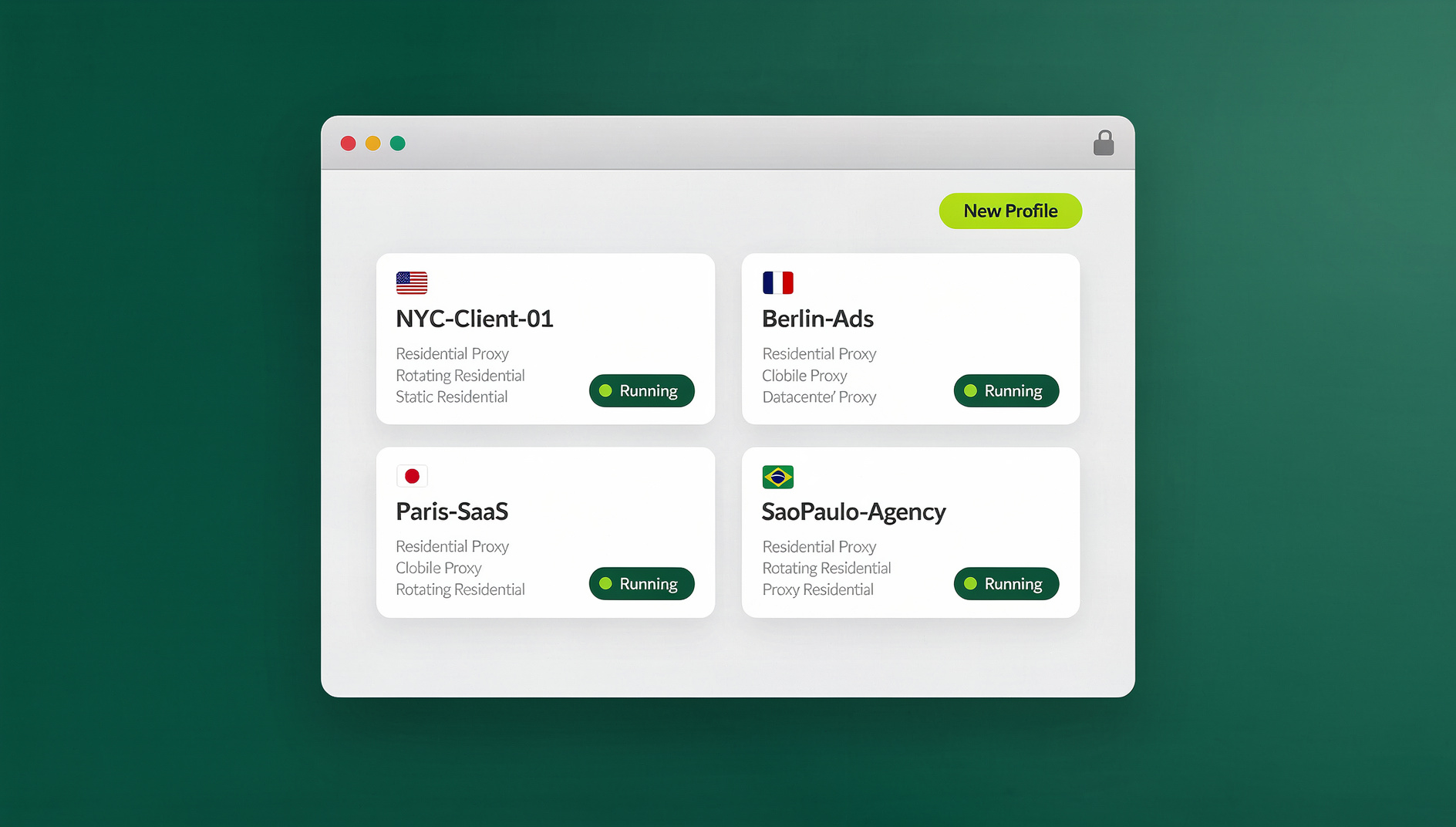
Send.win gives you two ways to put a proxy behind a browsing session, and the choice depends on how much local control you want. The Sendwin Browser is a native, downloadable desktop app for Windows, macOS, and Linux that’s local-first with encrypted cloud sync — install it once, and you can bind a distinct IPv4 or IPv6 proxy to each isolated profile, keeping scraping jobs, client accounts, or QA runs from ever touching each other’s fingerprints or cookies. If you’d rather skip any local install, Send.win’s cloud browser sessions run entirely on Send.win’s infrastructure and are metered by cloud browsing time, which is handy for spinning up a disposable session with a fresh proxy without provisioning anything on your own machine.
Either way, setup is the same few clicks — you can see the exact flow in the walkthrough on how to add a proxy to a session. Every session, whether local or cloud, gets its own storage and identity, so an IPv6 pool used for bulk scraping never contaminates the IPv4 session you’re using for a client’s ad account.
For teams doing automated scraping or QA rather than manual browsing, Send.win is a browser profile manager: each profile keeps its own cookies, storage, sessions, fingerprint settings and proxy, so proxy-bound work runs in isolated profiles instead of a single shared browser instance. That matters because proxy quality alone doesn’t determine how a site treats a session; sites also look at browser fingerprinting signals, and running each proxy through its own isolated, fingerprint-consistent profile keeps that work organised and separate.
Send.win has no free trial. Paid plans are Pro at $19/month or $83.88/year, and Team at $49/month or $251.88/year; the first card purchase is covered by a 7-day money-back guarantee. Pro includes 150 profiles and 5GB of proxy bandwidth. Team includes 500 profiles, 20GB of proxy bandwidth, and 16 seats — built for agencies running IPv4 and IPv6 pools across many client accounts at once. Neither plan requires deciding between IPv4 and IPv6 upfront; you assign whichever proxy fits each session as you go. The only free option is the cloud demo at https://send.win/demo-browser/.
NAT64, DNS64, and 464XLAT: Do You Need Them?
If part of your infrastructure is IPv6-only — common on some mobile carriers and newer datacenter designs — you’ll eventually run into NAT64/DNS64 or 464XLAT, the transition technologies that let IPv6-only networks reach IPv4-only destinations. They’re proven and widely deployed by major carriers, but they add moving parts and another place for requests to silently fail. For most proxy buyers, plain dual-stack access with automatic fallback is simpler, more predictable, and easier to debug than layering translation technologies on top of your proxy pool.
Common Mistakes That Sink Proxy Campaigns
A few recurring errors show up across scraping, QA, and multi-account teams. One of the most common is conflating a proxy with a VPN and buying the wrong tool for the job — they solve different problems, so if you’re unsure which one your workflow actually needs, this comparison of proxy vs VPN options is worth reading before you commit to either. Beyond that mix-up, watch for these:
- Assuming IPv6 is always faster or always cheaper. It’s usually cheaper for datacenter use, but speed depends entirely on routing and target CDN policy.
- Relying on IPv6 extension headers. They’re frequently stripped by middleboxes on the public internet, so don’t build critical logic around them.
- Ignoring CGNAT’s “shared fate” problem on IPv4. If a neighbor on your shared address misbehaves, your requests can inherit their reputation — a good reason to pair IPv4 with session isolation rather than raw IP rotation alone.
- Skipping session isolation. Rotating IPs while reusing the same cookies, cache, or browser fingerprint across accounts defeats much of the point of a good proxy strategy.
🏆 Send.win Verdict
Neither IPv6 nor IPv4 wins outright — the winning move in 2026 is a dual-stack pool with automatic fallback, paired with a browser that keeps every proxy-bound session properly isolated. Send.win covers both ends of that equation: the native Sendwin Browser desktop app for local, encrypted-sync control over per-profile proxies, plus zero-install cloud sessions when you just need a disposable environment fast. Send.win has no automation interface, so scripting with Selenium, Puppeteer, or Playwright is not supported on any plan.
Try the Send.win cloud demo — a 3-minute preview without signup, or 10 minutes a day with a free account, and assign your first IPv4 or IPv6 proxy to an isolated session in minutes.
Frequently Asked Questions
Is an IPv6 proxy always cheaper than an IPv4 proxy?
For datacenter proxies, yes — IPv6’s abundant address space makes it noticeably cheaper to acquire and rotate at scale. Residential IPv6 is still limited, so residential or ISP-grade IPv4 remains the go-to when you need a specific consumer-network footprint.
Will IPv6 replace IPv4 proxies in 2026?
No. Adoption keeps climbing, but a meaningful share of websites, APIs, and internal systems are still IPv4-only or IPv4-first. Plan for both protocols to coexist for years and build fallback logic accordingly.
Is an IPv6 proxy actually faster than IPv4?
Sometimes, but not reliably enough to plan around. Routing paths and CDN configuration matter far more than the protocol itself — measure latency against your specific targets rather than assuming either one wins by default.
How different is IPv6 adoption between users and websites?
User-side IPv6 traffic is substantial and growing in most markets, but a smaller share of websites and APIs actually advertise IPv6 endpoints. That mismatch is the main reason dual-stack setups outperform IPv6-only or IPv4-only ones.
Do IPv6 proxies get rate-limited differently than IPv4?
Often, yes. Simple per-IP throttling made sense when IPv4’s address space was small and scarce; IPv6’s much larger space makes naive per-IP rules easier to route around, so many sites lean more heavily on session- and behavior-based rate limits for IPv6 traffic instead.
Can I use both IPv4 and IPv6 proxies in the same tool?
Yes — Send.win lets you assign either address family to individual isolated sessions, whether you’re running the native desktop app or a cloud browser session, so you don’t have to standardize on one protocol across your whole operation.
Does automation software work the same over IPv6 and IPv4 proxies?
Functionally yes — Selenium, Puppeteer, and Playwright don’t care which address family a proxy uses. What changes is reachability and rate-limit behavior on the target site, so automated jobs still need the same IPv4 fallback logic as manual browsing.
What’s the safest proxy choice for account logins and checkouts?
IPv4, generally with a residential or ISP-grade source. These flows are the most sensitive to compatibility issues and reputation problems, so the wider reach and maturity of IPv4 infrastructure outweighs any cost savings IPv6 might offer there.