A stealth eBay account is a seller account built to hide the operator’s real identity, usually to dodge a suspension or selling limit — and in 2026 it’s both against eBay’s Multiple Accounts policy and easier than ever for eBay to detect and link back to you. This guide explains what eBay actually permits (running several accounts for legitimate business reasons), why disguised “stealth” accounts get flagged and banned together, and how to scale a multi-account eBay operation the compliant way using session isolation tools like Send.win instead of identity concealment.
“Stealth Account” vs. What eBay Actually Allows
Search for “stealth eBay account” and you’ll find guides promising a way to open a fresh account that eBay can’t trace back to a suspended one. The problem: eBay’s Multiple Accounts policy explicitly permits members to hold more than one account for legitimate reasons — separating product lines, splitting buying from selling, or running distinct regional storefronts — but it just as explicitly prohibits opening new accounts to evade restrictions, sidestep selling limits, or avoid the consequences of a policy violation. If eBay determines an account was created to circumvent enforcement on another account, it can restrict or suspend both, along with any account it later links to the same operator.
eBay’s Account Restrictions & Suspensions help documentation also lays out the usual triggers: unpaid seller fees, unresolved buyer disputes, unverifiable registration information, or suspected unauthorized third-party access. None of these are solved by opening a new account under a different name — they’re solved by fixing the underlying issue and, where necessary, going through eBay’s reinstatement process.
The practical takeaway: this guide does not show you how to bypass eBay’s enforcement systems. Instead, it walks through how to legitimately run multiple eBay accounts — with real business justification, accurate registration data, and clean operational practices — so you never need a “stealth” workaround in the first place.
What eBay Permits for Multi-Account Sellers in 2026
- Multiple accounts are allowed. eBay recognizes valid reasons to separate accounts — different brands, product categories, or a buyer account kept apart from a seller account. Every account still has to meet eBay’s buyer and seller performance standards independently.
- Legitimate business segmentation. You can run separate storefronts for distinct product lines (electronics vs. apparel, wholesale vs. retail, regional catalogs), as long as you’re not duplicating identical listings across them purely to occupy more search real estate.
- Policy awareness matters. eBay’s User Agreement and seller policies are updated periodically through the year, so sellers running more than one storefront should re-read the Multiple Accounts and Duplicate Listings sections whenever they scale.
Why Concealment Backfires: How eBay Links Accounts
eBay doesn’t publish its full detection methodology, but its own policy language is a clear enough warning: if one account is suspended for a policy violation, other accounts eBay associates with the same person or business can be restricted too. Historically, this kind of account-linking relies on signals like shared payment details, shared shipping addresses, device and browser fingerprints, overlapping IP ranges, and behavioral patterns in how listings are created and managed. A “stealth” account built purely to look unrelated on the surface doesn’t remove any of these underlying signals — it just adds a false identity on top of them, which is itself a policy violation if discovered.
- No evasion via new accounts. Opening an account specifically to get around a suspension, selling limit, or unpaid balance is what eBay’s policy is written to catch — and it treats the new account as an extension of the restricted one.
- Duplicate listing abuse. eBay does not allow more than one active fixed-price listing of an identical item from the same seller at the same time, because it distorts fair search ranking for other sellers. Violations can trigger listing removal, search suppression, or account-level penalties.
- Root-cause issues go unresolved. Most restrictions trace back to something fixable — unpaid fees, missing tracking numbers, unresolved buyer claims, or unverifiable business information. A new account doesn’t fix any of that; it just delays the same problem resurfacing.
Stealth Tactics vs. a Compliant Multi-Account Strategy
The table below makes the trade-off concrete. Every row on the left is a common “stealth” tactic; every row on the right is the compliant equivalent that achieves a similar operational goal without violating eBay’s terms.
| Goal | Stealth Tactic (Risky) | Compliant Approach (Recommended) |
|---|---|---|
| Run more than one storefront | Register a new account under a fake name/address to dodge a ban | Register with real business details under eBay’s Multiple Accounts allowance |
| Separate sessions for each account | Rotate VPNs and spoof fingerprints to hide the connection between accounts | Use isolated browser profiles or sessions (e.g. Send.win) purely for workflow separation and security, not identity concealment |
| List more inventory | Mirror identical fixed-price listings across accounts | Build a genuinely differentiated catalog per storefront |
| Recover from a suspension | Abandon the account and open a fresh one | Follow eBay’s official reinstatement process and fix the root cause |
| Share access with a team | Hand out the account password to multiple people | Share session access without exposing the underlying credentials |
A Compliance-First Plan for Launching an Additional eBay Account
If you have a genuine business reason for a second (or third) storefront, here’s a practical sequence that keeps you inside eBay’s rules while still letting you scale.
Step 1: Write down the business rationale before you register
Pick a reason eBay actually recognizes as legitimate segmentation — a distinct brand, a different product category, or a separate region — and document how the new account’s catalog, policies, and branding differ from your existing store. This documentation matters if eBay ever asks you to justify the second account.
Step 2: Prepare accurate legal, tax, and payment information
Use real, verifiable business registration details, tax IDs, and payment accounts. Consistent, truthful data is what gets an account through verification cleanly and what protects you if eBay requests additional documentation later.
Step 3: Register with real information and enable two-factor authentication
Set up 2FA immediately and store credentials securely. If eBay ever asks for further identity verification, you want to be able to respond quickly with legitimate proof rather than scrambling.
Step 4: Build a genuinely distinct store identity
Write a different store name, logo, and policy set — shipping times, return windows, handling procedures — rather than copy-pasting your first store’s setup. Differentiation supports the legitimate-business case and reduces buyer confusion.
Step 5: Build a catalog that doesn’t duplicate your other account
Don’t relist identical items across accounts to occupy more search space — that’s precisely what the Duplicate Listings policy prohibits for fixed-price listings from the same seller.
Step 6: Separate inventory, fulfillment, and customer messaging
Where practical, use separate SKUs, warehouse processes, and support channels per account. This keeps operations clean and reinforces that each storefront is a genuinely distinct business unit.
Step 7: Start conservatively and prioritize seller metrics
Launch with a modest listing count and focus on on-time shipping, valid tracking uploads, and fast response times. Strong seller standards from day one reduce the odds of an early hold.
Step 8: Avoid the common compliance tripwires
- Don’t copy titles and descriptions verbatim across accounts for identical items.
- Don’t sell restricted or prohibited categories to test the account’s limits.
- Don’t create new accounts specifically to inflate selling limits or dodge a prior restriction.
Step 9: Review account health weekly
Set a recurring weekly check: defect rate, late shipments, cancellations, buyer messages, fee reconciliation, and any Seller Hub policy alerts. Catching a small issue early is far cheaper than fighting a restriction later.
Step 10: Expand regionally the right way
If you’re opening accounts for different eBay marketplaces (AU, UK, US, etc.), tailor shipping, tax handling, and local compliance to each region rather than copying one account’s setup wholesale — and never list the identical fixed-price product in a way that trips the duplicate listing rule across regions.
Running Multiple Storefronts Securely: Where Send.win Fits
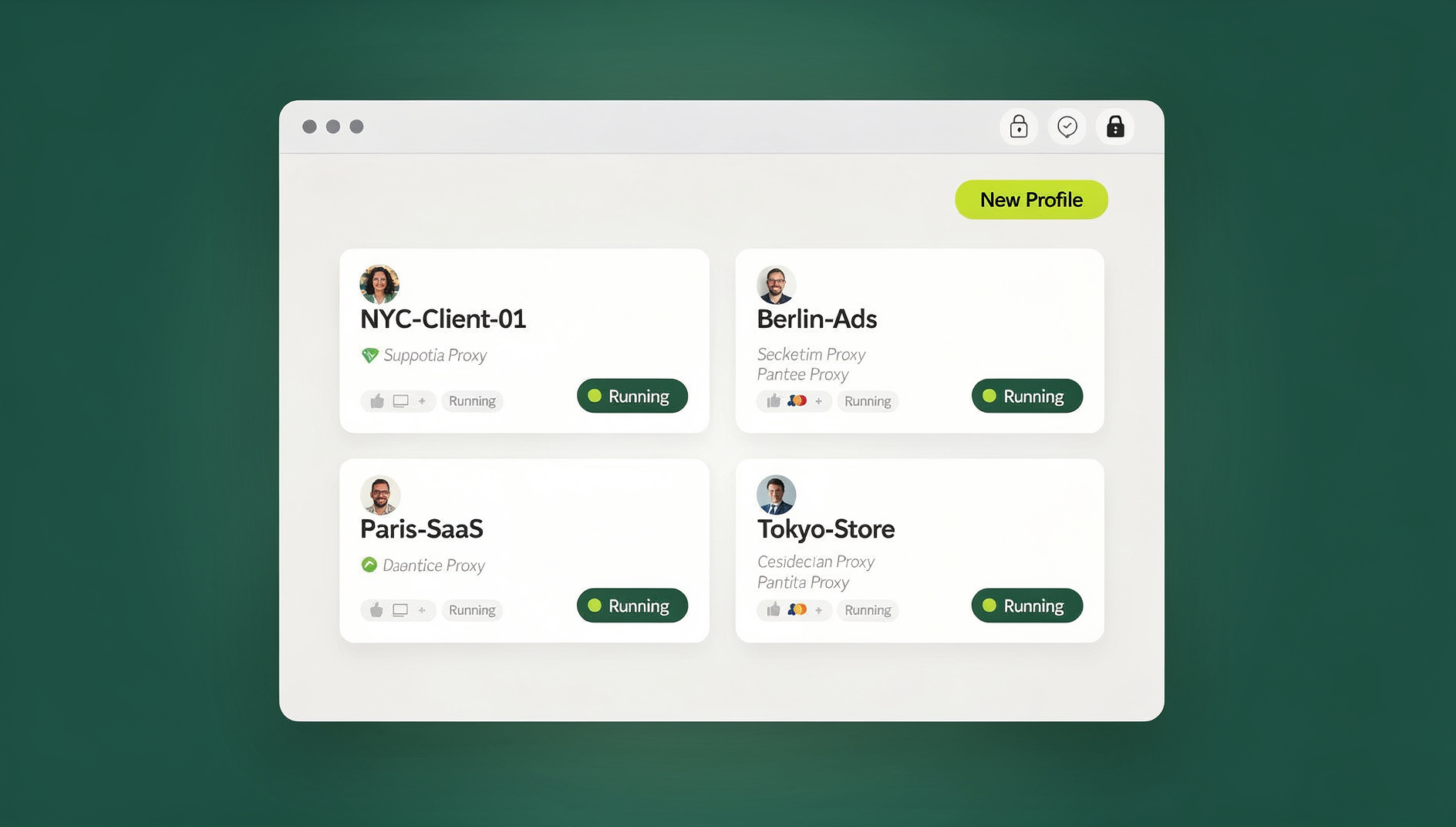
The operational challenge with legitimate multi-account selling isn’t eBay’s policy — it’s keeping each account’s sessions, cookies, and login state cleanly separated so nothing bleeds between storefronts, while still letting a team collaborate without everyone sharing the same password. This is the same problem sellers run into managing multiple Amazon seller accounts or running several Etsy stores side by side, and it’s exactly what Send.win is built to solve.
Send.win gives you two ways to work, each built around keeping your profiles separate:
- Sendwin Browser (native desktop app). A downloadable application for Windows, macOS, and Linux that runs locally on your machine, with each eBay account kept in its own isolated profile — separate cookies, separate login state, separate local storage. It’s local-first, with encrypted cloud sync so your saved sessions and settings follow you between devices.
- Cloud browser sessions. If you’d rather not install anything, you can run isolated eBay sessions entirely in the cloud, streamed to whatever device you’re on, with zero local footprint. This mode is metered by cloud browsing time rather than a flat seat price.
Both modes give teams a way to log in to different eBay accounts in parallel without juggling multiple physical devices or private-browsing windows, and to share session access with a teammate or virtual assistant without ever handing over the underlying eBay password. That’s a meaningful difference from “sharing a password” — you can revoke a shared session instantly, and the person you shared it with never sees the credentials. If you’re already coordinating multiple Shopify stores alongside eBay, the same session-isolation model carries over cleanly.
None of this is a workaround for eBay enforcement — it’s session hygiene and access control for teams legitimately running more than one storefront. If an account still ends up restricted, the fix is the same: work through eBay’s official reinstatement steps, not a fresh identity.
Where Send.win Fits
Send.win Pricing for Multi-Account Sellers
Send.win has no free trial; plans start at $19/mo, and the first card purchase is covered by a 7-day money-back guarantee.
| Plan | Price | Profiles | Proxy Bandwidth | Automation API | Seats |
|---|---|---|---|---|---|
| Pro | $19/mo ($6.99/mo billed annually — 63% off) | 150 | 5 GB | Included | Individual |
| Team | $49/mo ($20.99/mo billed annually — 57% off) | 500 | 20 GB | Included | 16 |
For a seller running two or three additional eBay storefronts with a small team, Pro is usually enough — 150 profiles is far more than most multi-account operations need. Larger agencies managing storefronts for multiple clients tend to outgrow Pro’s bandwidth and seat count and move to Team. Full details are on the Send.win pricing page.
Common Triggers for eBay Restrictions — and How to Avoid Them
| Trigger | Prevention |
|---|---|
| Unpaid eBay fees or refunds owed | Reconcile statements weekly; keep a backup payment method on file |
| Unresolved buyer issues or missing tracking | Publish realistic handling times, ship on schedule, and upload valid tracking on every order |
| Policy violations (prohibited items, duplicate listings, off-eBay sales) | Run listing QA against current policy and retrain staff quarterly |
| Verification mismatches (business info doesn’t match registration) | Keep documentation current and respond to eBay requests promptly |
| Suspected third-party or unauthorized access | Enforce 2FA and use isolated sessions instead of shared logins so access can be revoked per person |
If a restriction does land, work through eBay’s official Holds, Restrictions & Suspensions guidance rather than abandoning the account. Our Amazon account suspension recovery playbook covers a similar reinstatement process that applies conceptually across most marketplaces: identify the root cause, document your fix, and appeal with evidence rather than silence.
Duplicate Listing Rules You Must Know
eBay’s Duplicate Listings policy exists to keep search results fair across sellers. The core rule: only one fixed-price listing of an identical item may be active at a time from the same seller. Violations can lead to listing removal, search suppression, or account-level penalties for repeat offenders.
- Don’t mirror the exact same fixed-price product across multiple accounts to occupy more search space.
- Differentiate products meaningfully — real bundles and variations, not token changes designed to dodge the policy.
- Auction-format listings are treated differently than fixed-price ones, but using them to game search still invites scrutiny.
🏆 Send.win Verdict
There’s no such thing as a safe “stealth” eBay account — eBay’s own policy treats concealment as grounds for linking and restricting every account tied to you. What actually works is running legitimate, well-documented multi-account operations with clean session separation. Send.win’s native Sendwin Browser and cloud sessions give teams isolated logins per storefront, secure session sharing without exposing passwords, and separate cookies, storage and fingerprint per profile — all in service of compliant growth, not identity evasion.
Try Send.win today — plans start at $19/mo with a 7-day money-back guarantee on your first card purchase, and manage your eBay storefronts the compliant way.
Frequently Asked Questions
Is it legal to have multiple eBay accounts in 2026?
Yes. eBay’s Multiple Accounts policy allows more than one account for valid reasons — separating brands, product categories, or buying from selling. Every account still has to independently meet eBay’s buyer and seller standards.
What exactly is a “stealth” eBay account?
Informally, it’s an account created specifically to conceal the operator’s identity, usually to get around a suspension or selling limit on another account. eBay’s policy explicitly prohibits opening accounts for this purpose, and it can restrict every account it links to the same person.
How does eBay figure out that accounts are linked?
eBay doesn’t publish its detection methods, but shared payment details, shipping addresses, device signals, and overlapping registration data are the kinds of signals that typically connect accounts. The safer path is simply not creating new accounts to dodge policy consequences in the first place.
My account was restricted — should I just open a new one?
No. Start with eBay’s official Holds, Restrictions & Suspensions guidance, resolve whatever triggered the restriction, and work toward reinstatement. A new account created to replace a restricted one is exactly the pattern eBay’s policy targets.
Can I list the same product across multiple eBay accounts?
Not as identical, simultaneous fixed-price listings — that violates eBay’s Duplicate Listings policy and risks removal or suspension. Build a genuinely differentiated catalog by brand, channel, or region instead.
Are tools like antidetect browsers or session managers against eBay’s rules?
eBay’s policies don’t call out specific software — what matters is intent. Using any tool to actively evade enforcement is against policy and risky. Using a session-isolation tool like Send.win to keep legitimate accounts organized, secure, and separately accessible by a team is a normal, compliant workflow.
Do I need to share my eBay password to let a teammate help manage the account?
No. Send.win lets you share access to an isolated eBay session with a teammate or virtual assistant without ever handing over your actual eBay login credentials. You can revoke that shared access at any time, whether you are working from the native Sendwin Browser desktop app or a cloud browser session, so multiple people can help run a storefront without anyone but you knowing the real password.
What’s the fastest way to get started managing more than one eBay account compliantly?
Document your business rationale for the extra account, register with accurate information, set up 2FA, and use isolated sessions — via Send.win’s desktop app or cloud sessions — to keep each storefront’s logins separate. Start with a paid plan (from $19/mo, first card purchase covered by a 7-day money-back guarantee) to test the workflow before committing long-term.