Is Running Multiple Etsy Accounts Allowed?
Yes — Etsy permits sellers to open more than one shop, and thousands of makers, resellers, and print-on-demand sellers run multiple stores today to segment products, test niches, or protect their main shop’s rating while experimenting. What Etsy does not allow is using multiple accounts to evade a suspension, dodge fees, manipulate reviews, or run coordinated policy violations across shops. As long as each shop is a genuine, independently operated business (or a deliberate brand split of your own catalog), running multiple Etsy accounts is squarely within the rules.
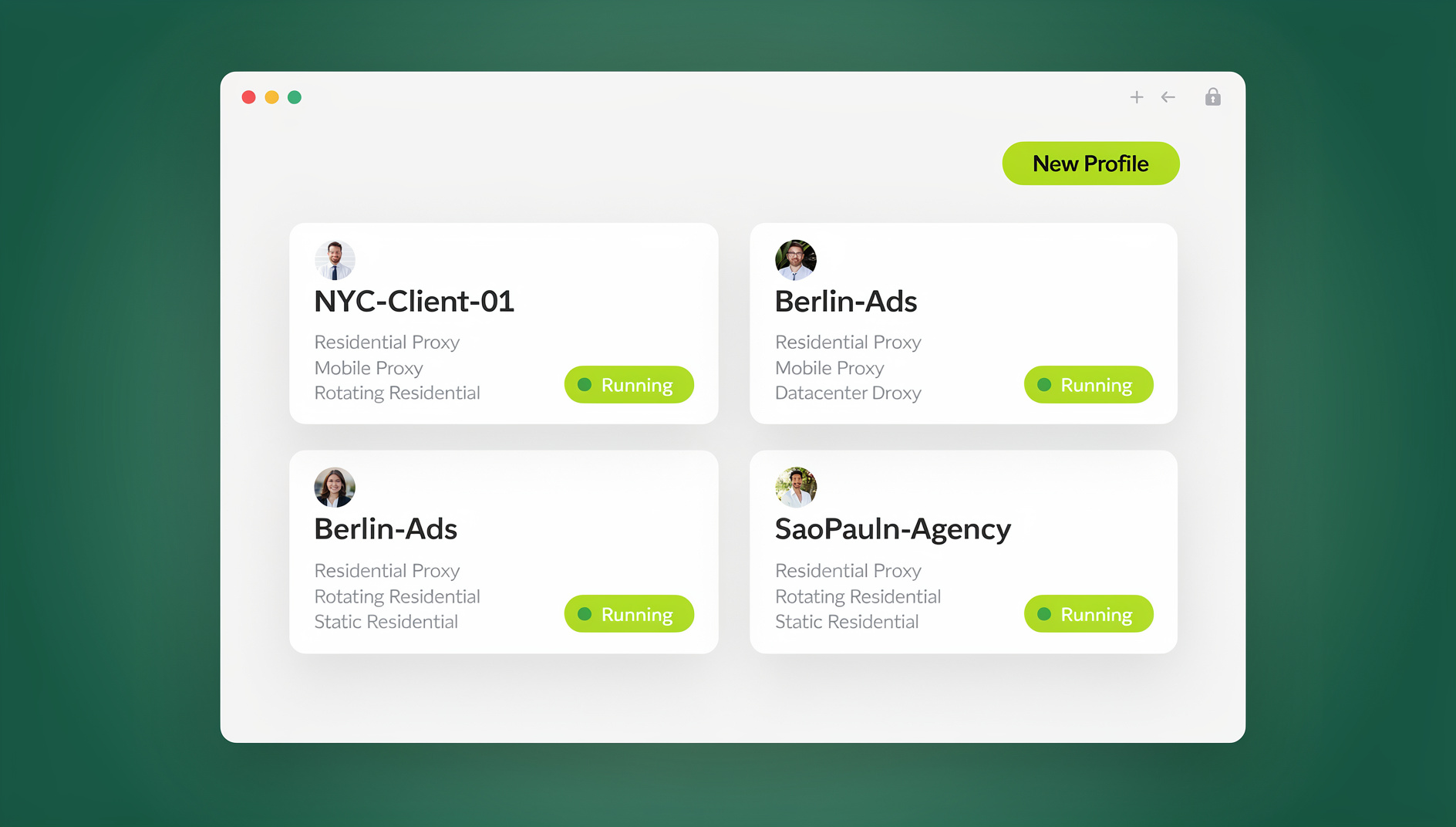
The catch is practical, not legal: Etsy’s platform — like most marketplaces — assumes one seller equals one browser session. Etsy will log you out of Account A the moment you sign into Account B in the same browser tab, which is exactly why so many multi-shop sellers end up juggling multiple browsers, incognito windows, or separate devices just to keep their stores open at the same time.
Why Sellers Run Multiple Etsy Shops (When It Makes Sense)
Before you set up a second or third shop, it’s worth confirming the business case. The most common, legitimate reasons sellers cite are:
- Product line separation — jewelry in one shop, home decor in another, so search relevance and shop branding stay tight for each niche.
- Wholesale vs. retail split — one storefront for direct-to-consumer sales, another for bulk/wholesale buyers with different pricing tiers.
- Geographic or currency targeting — separate shops tuned to different shipping zones, languages, or seasonal demand.
- Testing new niches — launching an experimental product category without risking your established shop’s search ranking if it underperforms.
- Partnership or family businesses — co-owners who each need clean, attributable access without sharing one login.
- Agency/VA management — sellers who outsource listing creation, photo editing, or customer service to virtual assistants across several client shops.
If your reason maps to one of these, multi-shop operation is a sound growth strategy — you just need the right workflow to run it without daily login friction.
Step-by-Step Setup: Launching Your Second (or Third) Etsy Shop
- Confirm your business structure. Decide whether each shop will have its own bank account, tax ID, and branding, or whether they’ll roll up under one legal entity with shared bookkeeping.
- Register with a distinct identity where required. Etsy allows one seller to legitimately operate multiple shops, but each shop needs its own name, banner, and listings — don’t just clone your existing shop’s copy verbatim.
- Set up separate email addresses. Use a dedicated inbox per shop for order notifications, buyer messages, and Etsy policy alerts so nothing gets lost across stores.
- Build an isolated browsing environment. This is the step most guides skip — and the one that causes the most day-to-day pain. Without it, you’ll be constantly logging in and out, or juggling multiple physical devices.
- Configure shop policies individually. Shipping profiles, return windows, and production times should reflect each shop’s actual catalog, not be copy-pasted from Shop A.
- Set up separate analytics tracking. Use Etsy Shop Manager stats per shop, plus your own spreadsheet or dashboard to compare performance side-by-side.
- Establish a content calendar per shop. New listings, restocks, and sales should be scheduled independently so shops don’t cannibalize each other’s traffic during the same promotional windows.
The Multi-Login Problem (and How to Actually Fix It)
Etsy, like most marketplaces, ties a session to a single browser cookie jar. Sign into Shop B and Shop A logs out. Sellers typically work around this with one of three approaches: multiple physical devices, separate browser profiles/incognito windows, or a dedicated multi-account browser. The first two get unwieldy fast once you’re past two shops or working with a team; the third is purpose-built for exactly this problem.
Cloud Browser Sessions: Every Shop Open at Once, No Install Required
This is where Send.win’s cloud browser sessions earn their keep. Instead of installing anything locally, you spin up an isolated browser profile in the cloud for each Etsy shop — its own cookies, local storage, and fingerprint — and access it straight from a browser tab. Because the session lives in the cloud rather than on your hard drive, you can open Shop A on your laptop, switch to Shop B on a shared office machine, and pick up exactly where you left off, with every tab logged in simultaneously. This is the correct feature for sellers who want true “access from anywhere, nothing to install” multi-shop management — it’s metered by monthly cloud browsing time on paid plans, alongside cloud profile sync and team sharing, not a separate paid product.
For sellers who manage Etsy alongside multiple Shopify stores, the same cloud sessions carry over — one dashboard, every marketplace profile isolated and ready.
Desktop App: For Sellers Who Prefer a Local Daily Workspace
If you’d rather keep your Etsy profiles running on your own machine — say, you’re at a fixed desk all day and want the snappiest possible local performance — Send.win’s native Desktop app (Windows, macOS, and Linux) gives you the same isolated-profile structure installed locally. Each Etsy shop gets its own persistent browser fingerprint and cookie jar, launched from one dashboard, without you needing cloud browsing time at all. Many multi-shop sellers use the Desktop app for their two or three “daily driver” shops and fall back to cloud sessions when they need to hop on from a different computer.
Team Sharing: Managing Multiple Shops with VAs and Agencies
Sellers running five, ten, or dozens of shops on behalf of clients (a common setup for Etsy management agencies) often outgrow manual clicking entirely. Send.win’s Team plan includes password-free team sharing — each isolated profile can be shared with VAs and teammates without sharing passwords — so a team can manage listing uploads, price updates, or inventory syncs across every managed shop instead of doing it by hand shop-by-shop. This is the right tool specifically for organised, collaborative multi-shop management; it’s not meant to replace the Desktop app or cloud sessions for day-to-day manual browsing, but it’s the correct answer when the workflow is “keep 40 shops updated every morning.”
Whichever mode you use, the underlying benefit is the same one covered in our session isolation guide: each shop’s cookies, cache, and fingerprint stay fully separate, so Etsy never sees a reason to flag your accounts as connected.
Separate Branding for Each Etsy Store (and Why It Matters)
Etsy shoppers respond to cohesive branding — banner, shop icon, About section, and listing photography style should all feel like one intentional store, not a copy-paste job. Beyond the aesthetic argument, distinct branding also matters for risk management: shops that look and read identically to each other are far easier for Etsy’s Trust & Safety systems (and competitors filing IP complaints) to link together. Give each shop:
- A unique shop name and logo (not a near-duplicate of your other shop’s name)
- Its own tone of voice in the About section and listing descriptions
- Distinct product photography styling — different backdrops, props, or filters
- Separate social media handles that match each shop’s brand, not one shared account
Inventory & Order Management Across Multiple Shops
Once you’re past two shops, spreadsheets alone start to strain. A workable system usually includes:
| Task | Single-Shop Approach | Multi-Shop Approach |
|---|---|---|
| Stock tracking | Etsy Shop Manager only | Centralized inventory tool or shared spreadsheet with per-shop tabs |
| Order fulfillment | Check Etsy app daily | Consolidated order dashboard or third-party fulfillment app pulling from all shops |
| Customer messages | Etsy inbox | Dedicated inbox per shop, checked on a fixed schedule to avoid missed messages |
| Financial reconciliation | Etsy Payments dashboard | Separate bookkeeping entity per shop, or consolidated accounting software with shop tags |
Decide upfront whether shops share a single supplier/production line or run independently — shared inventory across shops is a common source of overselling if it isn’t tracked in one place.
Etsy SEO Best Practices for Multi-Shop Sellers
- Don’t duplicate listing titles or tags verbatim across shops selling similar products — Etsy search can suppress near-duplicate listings, and it looks templated to shoppers.
- Research keywords per shop’s niche, not once for your whole catalog — a home decor shop and a jewelry shop have entirely different buyer search language.
- Check regional search results for each shop’s target market. Testing how listings appear from different locations/IPs is easier with a proxy attached to an isolated browser profile than by relying on incognito mode, which doesn’t actually change your apparent location.
- Stagger new listing publication times across shops so you’re not competing with yourself in the same search result window during peak browsing hours.
Proxies, Geo-Matching & Regional Research
If your shops target buyers in different countries, you’ll want to check how your listings actually render for a shopper in that region — search ranking, currency display, and even recommended-shipping estimates can shift by location. Send.win’s built-in proxy support lets you attach a residential or datacenter proxy to a specific shop’s isolated profile, matching the shop’s declared shipping origin or target market, so your research reflects what a real buyer in that region sees. Our proxy browser comparison covers how proxy-matched browsing differs from a plain VPN for this kind of shop-level research.
Ads, Coupons & Cross-Promotion Without Cannibalizing Yourself
Running Etsy Ads or offline promotions across multiple shops in the same category can quietly compete against your own budget. Keep campaigns segmented:
- Set separate Etsy Ads budgets per shop rather than one blended budget you’re guessing the split on.
- Avoid running identical coupon codes across shops during the same week — track redemption per shop so you can see which offer actually converts.
- If shops share an audience (e.g., an email list that overlaps), stagger promotional emails by a few days rather than blasting all shops at once.
Policies, Returns & Compliance Across All Your Shops
Each shop needs its own written return policy, processing time, and shipping profile — don’t assume Etsy will apply one shop’s settings to another. Review Etsy’s seller policies periodically, since terms around multiple-shop ownership, prohibited items, and IP complaints get updated; what’s compliant today can change, so re-check the official Etsy Seller Handbook each quarter rather than relying on a policy summary from a year-old blog post (including this one).
Team Access: Sharing Shops With VAs Without Sharing Passwords
Handing a virtual assistant your Etsy password is a common but risky shortcut — you lose visibility into what changed, and revoking access means a full password reset across every tool tied to that login. A cleaner model: grant your VA or photographer access to just the isolated browser session for the shop they manage, not your master credentials. They get full working access to that one shop; you keep a clean audit trail and can revoke access instantly without touching passwords at all. This is especially useful for agencies managing multi-account management for e-commerce sellers across several marketplaces, not just Etsy.
Comparing Your Options: Manual Browsers vs. Extensions vs. Send.win
| Approach | Simultaneous Logins | Fingerprint Isolation | Team Sharing | Setup Effort |
|---|---|---|---|---|
| Multiple physical devices | Yes | Yes (naturally) | No | High cost, low flexibility |
| Incognito / separate browser profiles | Partial | Weak — same device fingerprint | No | Low, but breaks down past 2-3 shops |
| Browser extensions/profile switchers | Yes | Basic | Limited | Medium |
| Send.win (Cloud or Desktop) | Yes, unlimited tabs | Strong, per-profile | Yes, built-in | Low — one dashboard for every shop |
Your 30-Day Multi-Shop Action Plan
- Week 1: Finalize branding and policy documents for each shop; set up isolated browser sessions in Send.win’s cloud browser for every account.
- Week 2: Publish initial listings per shop, staggered by a day or two to avoid self-competition in search results.
- Week 3: Launch Etsy Ads with separate budgets, and begin tracking performance in a consolidated spreadsheet or dashboard.
- Week 4: Review analytics per shop, adjust pricing/listings that underperform, and decide whether a VA needs shared session access for ongoing operations.
🏆 Send.win Verdict
Running multiple Etsy shops is legitimate business strategy, but Etsy’s one-login-at-a-time design punishes you the moment you try to do it manually. Send.win removes that friction with isolated profiles for every shop — cloud browser sessions if you want zero-install access from any device, the Desktop app if you prefer a local daily workspace, and password-free team sharing on the Team plan if you’re an agency coordinating updates across dozens of client shops. Add built-in proxies for regional research and password-free team sharing for VAs, and multi-shop Etsy selling stops feeling like a juggling act.
Try Send.win today — plans start at $19/month, and your first card purchase is covered by a 7-day money-back guarantee, so you can have every Etsy shop open and logged in at once.
Frequently Asked Questions
Is it legal to run multiple Etsy shops?
Yes. Etsy’s seller policies allow one person or business to operate more than one shop, as long as each shop is genuinely independent and not used to evade a suspension, manipulate reviews, or dodge fees. Always check the current Etsy Seller Handbook, since specific rules are updated periodically.
Will Etsy suspend me for having multiple accounts?
Not simply for having multiple accounts. Suspensions typically happen when shops are used to bypass a previous ban, when listings violate IP or prohibited-item policies, or when Etsy’s systems detect coordinated policy violations across linked shops. Keeping each shop’s branding, policies, and operations genuinely distinct reduces this risk significantly.
How do I stay logged into two Etsy shops at the same time?
Standard browsers log you out of one Etsy account the moment you sign into another in the same session. The fix is an isolated browsing environment — separate cookie storage and fingerprint per shop — which is exactly what a multi-login cloud browser like Send.win provides, letting every shop stay logged in across separate tabs simultaneously.
Do I need a different email for each Etsy shop?
It’s strongly recommended. A dedicated email per shop keeps order notifications, buyer messages, and policy alerts organized, and makes it far easier to prove each shop is independently operated if Etsy ever asks about shop relationships.
What’s the difference between Send.win’s Desktop app and Cloud browser sessions?
The Desktop app is a native application installed on Windows, macOS, or Linux that runs isolated browser profiles locally on your machine — best for a fixed daily workstation. Cloud browser sessions run the same isolated profiles remotely, accessible from any device with no local install, metered by monthly cloud browsing time on paid plans. Both use the same fingerprint-isolation technology; the choice is about where you want the session to actually run.
Can a virtual assistant manage one of my Etsy shops without knowing my password?
Yes. Send.win lets you share access to a specific isolated browser session rather than your login credentials, so a VA can work inside that one shop’s profile fully while you retain the ability to revoke access instantly without a password reset.
How much does Send.win cost for managing multiple Etsy shops?
Send.win has no free trial. The Pro plan is $19/month (150 profiles, 5GB proxy bandwidth), and the Team plan is $49/month (500 profiles, 20GB bandwidth, and 16 seats) — suitable for agencies managing many client shops at once. Your first card purchase is covered by a 7-day money-back guarantee, and the only free option is the cloud demo at https://send.win/demo-browser/.
Can I automate bulk listing updates across many Etsy shops?
Yes, if you’re on Send.win’s Team plan. Its password-free team sharing lets a team manage listing uploads, price changes, or inventory syncs across each isolated shop profile together instead of updating shops one by one by hand.