Why Multi-Account Management Makes or Breaks E-commerce Growth
Multi-account management for e-commerce sellers is no longer a niche workflow — it is how modern sellers scale. Running parallel storefronts on Amazon, eBay, Etsy, Shopify, and Walmart, testing regional pricing, operating wholesale and retail brands side by side, or simply giving a virtual assistant access to a store without handing over the master password — all of it depends on managing more than one account safely. Done well, it multiplies revenue. Done carelessly, in a single browser with shared cookies and a shared IP, it gets accounts linked, flagged, and suspended.
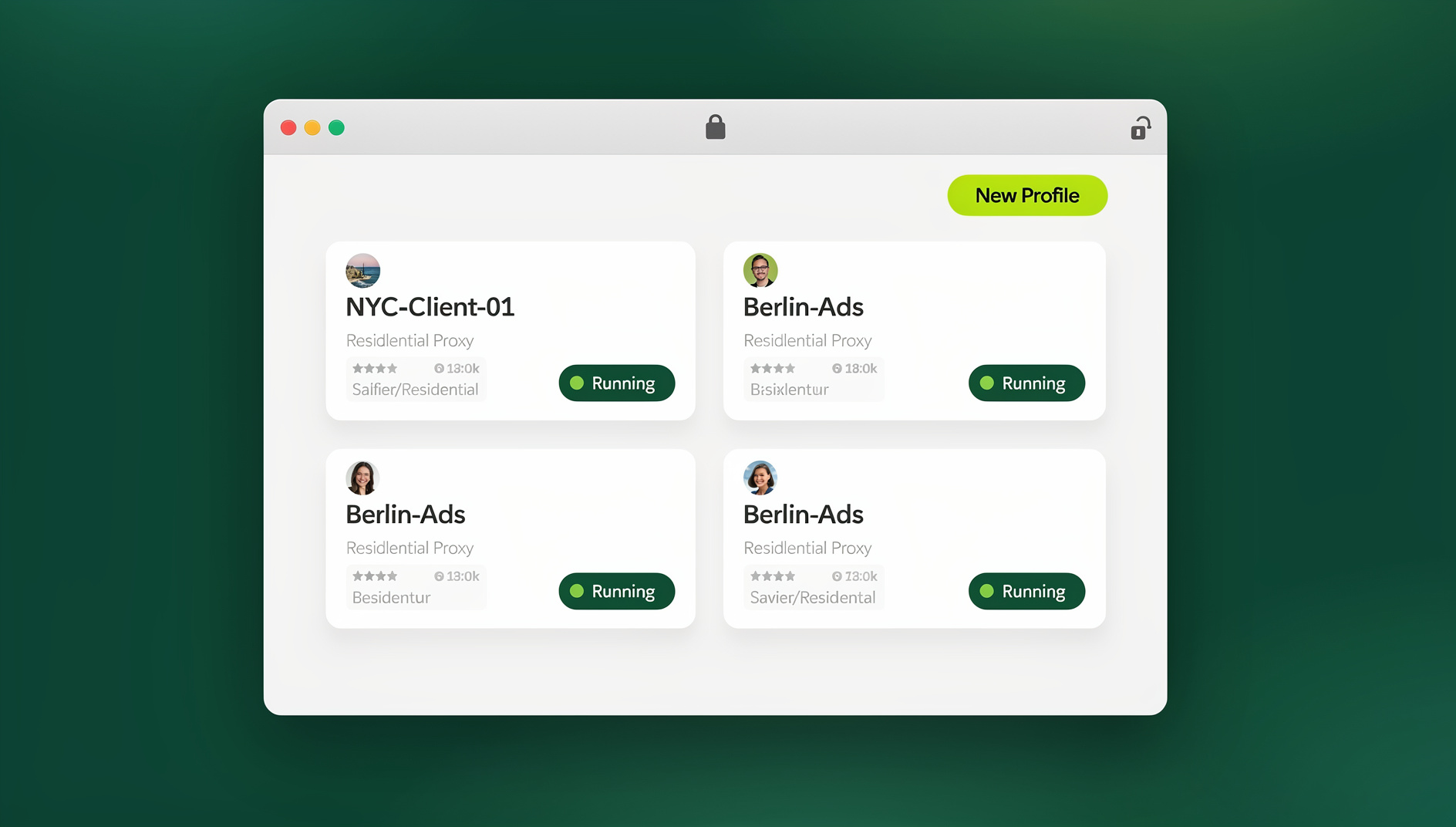
This guide covers why marketplaces ban sellers for “multi-accounting,” how browser fingerprinting actually works behind the scenes, and the exact setup — including where a purpose-built tool like Send.win fits — that lets sellers run dozens of storefronts without tripping the systems designed to catch them.
Why E-commerce Marketplaces Ban Multi-Account Sellers
How Amazon, eBay, Etsy, and Shopify Detect Linked Accounts
Marketplaces treat undisclosed multiple accounts as a trust-and-safety problem, not just a policy footnote. Amazon’s Seller Code of Conduct explicitly prohibits operating a second selling account without prior approval. eBay flags “duplicate account” activity when device and network signals overlap. Etsy and Walmart Marketplace apply similar logic. The detection signals are rarely just an IP address — platforms correlate:
- Browser fingerprint — canvas rendering, WebGL output, fonts, screen resolution, and installed plugins, which together form a near-unique signature even behind a VPN
- Cookies and local storage — session tokens and cached identifiers that persist across logins in the same browser profile
- Login timing and IP overlap — two “different” sellers logging in from the same network within minutes of each other
- Payment and shipping metadata — shared bank details, addresses, or return labels across supposedly unrelated stores
When several of these signals line up, an automated risk system — not a human — usually issues the suspension. That is why sellers who “did nothing wrong” beyond opening a second tab in the same Chrome profile still get banned.
The Real Cost of a Suspended Seller Account
An account ban is not a slap on the wrist — it is a revenue-stopping event. Listings disappear from search, pending orders freeze, and funds already in the pipeline can be held for 90 days or longer during an appeal. Sellers typically face:
- Immediate loss of active listings and search ranking built up over months or years
- Frozen payouts while the marketplace reviews the appeal
- Reputational damage with wholesale suppliers who see the suspension
- Weeks of support-ticket back-and-forth with no guaranteed reinstatement
Preventing a ban is dramatically cheaper — in time, stress, and lost sales — than trying to recover from one. If you want to see how bad the recovery process can get, our breakdown of what happens after an Amazon account suspended notice arrives is a useful preview of the exact appeal gauntlet sellers face.
The Root Cause: Browser Fingerprinting, Not Just IP Addresses
What Marketplaces Actually Track
Most sellers assume a proxy or VPN alone solves the problem. It doesn’t. Changing your IP address masks location, but the browser underneath still leaks a consistent fingerprint — the same canvas hash, the same WebGL renderer string, the same font list — across every “different” account opened in that browser. Marketplace risk engines are specifically built to catch exactly this pattern: different login, identical machine signature.
Why VPNs and Incognito Mode Alone Don’t Work
Incognito mode clears cookies on close, but it does nothing about the underlying device fingerprint. A VPN changes your IP, but two accounts opened in the same VPN session from the same physical browser still share every other identifying trait. Sellers who rely on “VPN + incognito” as their entire multi-account strategy are treating a fingerprinting problem with an IP-only fix — and marketplaces have caught up to that gap years ago.
Session Isolation: The Technical Fix for Safe Multi-Account Selling
What Is Session Isolation?
Session isolation runs each login inside its own sandboxed browser environment. Cookies, cache, local storage, and — critically — the browser fingerprint itself are generated independently per profile. Each session behaves like a completely separate physical device browsing from its own location, rather than a second tab piggybacking on the same machine identity.
How Isolated Profiles Prevent Bans
With true session isolation in place, each storefront profile:
- Generates its own unique, consistent browser fingerprint
- Keeps its own cookie jar and cache that never leaks into other profiles
- Routes through its own dedicated proxy, matching the storefront’s target region
- Appears to the marketplace as an entirely independent seller, not a linked duplicate
This is the same underlying technique used across our multiple Etsy accounts guide and our deep dive on eBay stealth selling without bans — the platform changes, but the fingerprinting problem and the isolation fix stay identical.
Three Ways Send.win Powers Multi-Account E-commerce Management
Send.win is built around three distinct, complementary ways to run isolated browser profiles — and knowing which one fits your workflow matters, because they solve different problems.
1. Desktop App — Daily Storefront Management
The Send.win Desktop app installs natively on Windows, macOS, or Linux and is the primary way most solo sellers and small teams manage day-to-day storefront work. Each seller account gets its own isolated profile with a persistent, unique fingerprint, its own proxy assignment, and its own cookie jar — all running locally on your machine, side by side, in separate windows you can switch between instantly.
2. Cloud Browser Sessions — Manage From Anywhere, No Install Needed
For sellers who need to check on a storefront from a laptop that isn’t their own, hand off account access to a remote VA, or manage listings from a phone browser without installing anything, Send.win’s cloud browser sessions run the entire isolated profile in the cloud. There is no desktop client to install — you open a link and the session streams to you, fully isolated, with the same unique fingerprint and proxy routing as a local profile. Cloud sessions are metered by monthly cloud browsing time and included on paid plans alongside cloud sync, profile sharing, and team seats, making them the right fit whenever the framing is “access from anywhere” rather than “run this on my desktop.”
3. Cloud Browser Sessions — Managing Storefronts from Anywhere
Sellers running dozens or hundreds of storefronts eventually need to manage repricing, listing updates, or inventory syncs across many accounts rather than clicking through each account by hand. Send.win’s cloud browser runs on Send.win’s servers in the EU, so you can open any profile from anywhere without installing the Desktop app, and each profile keeps its own isolated cookies, storage and fingerprint. This is a good fit for agencies and high-volume sellers who need remote access to many storefronts — not a replacement for the Desktop app, but the layer on top of it for working away from your main machine.
All three modes share the same underlying isolation engine — session-level fingerprint separation, dedicated proxy routing, and encrypted profile storage — plus browser isolation, built-in proxy support, and team sharing so an entire operations team can collaborate without ever exchanging plaintext passwords.
Step-by-Step: Setting Up a Safe Multi-Account Workflow
- Audit every account you currently run — list each storefront, its platform, and which device/browser currently accesses it.
- Create one isolated profile per storefront in Send.win, giving each its own name, notes, and target region.
- Assign a dedicated proxy per profile, matching the storefront’s registered business location — mixing regions on one profile is a common trigger for flags.
- Log in to each marketplace account inside its own profile only, never reusing a profile across two different storefronts.
- Set session timers on shared or higher-risk profiles (e.g. 30 minutes or 1 hour) so access automatically expires.
- Share access with VAs or teammates via secure session links instead of passwords, so credentials never leave your control.
- Blur or lock sensitive pages (billing, payout settings) inside shared profiles before handing sessions to collaborators.
- Review the audit log monthly to confirm no profile has been accessed from an unexpected location or device.
Comparison: Manual Multi-Accounting vs Antidetect Browser vs Send.win
| Approach | Fingerprint Isolation | Proxy Per Profile | Team Sharing | Ban Risk |
|---|---|---|---|---|
| Manual (multiple regular browser profiles/incognito) | None — shared fingerprint | Manual, error-prone | Requires sharing passwords | High |
| Generic antidetect browser (desktop-only) | Yes, per profile | Bring-your-own, manual setup | Limited or none | Low |
| Send.win (Desktop + Cloud) | Yes, per profile, consistent across desktop and cloud | Built-in, assignable per profile | Password-free session links, team seats | Low |
Best Practices for Compliance and Sales Optimization Across Accounts
Maintain Consistent Storefront Performance
Marketplaces penalize sellers whose metrics swing wildly between accounts. Keep response times, shipping speed, and return handling consistent across every storefront you operate — inconsistency itself can read as suspicious to automated monitoring.
Leverage Marketplace Analytics
Pull performance data from each platform’s native seller analytics (Amazon Seller Central, eBay Seller Hub, Shopify Analytics) on a fixed schedule, rather than logging into every account ad-hoc from whatever browser is open — another reason isolated, dedicated profiles per store matter.
Automate Routine Tasks Without Triggering Flags
Repricing, inventory sync, and order confirmation are safe to automate, but throttle request rates and stagger timing across accounts so scripted actions don’t create the identical, simultaneous-login pattern that risk engines are tuned to catch.
Enforce Compliance Checklists
Before onboarding a new storefront, confirm: unique business registration where required, no duplicate listings across accounts, dedicated proxy assigned, and a documented reason the account is separate (different brand, region, or marketplace program) in case a platform ever asks.
Platform-by-Platform Considerations
Every marketplace enforces multi-accounting rules slightly differently. Amazon requires prior written approval for a second selling account and is the strictest about linked-account detection. eBay is notoriously aggressive about “duplicate account” bans, with fingerprint-level isolation as the main defense. Etsy is more lenient about multiple shops per seller but still checks for policy violations across linked accounts. Shopify, by contrast, is built around multiple independent stores by design, though sellers running several Shopify brands still benefit from isolated browser sessions for security — our managing multiple Shopify stores guide walks through that setup end to end.
Common Multi-Account Mistakes E-commerce Sellers Make
- Reusing one browser profile for two storefronts “just to check something quickly” — a single cross-login is often enough to link accounts permanently.
- Sharing plaintext passwords with VAs or contractors instead of scoped, revocable session access.
- Skipping proxy assignment and letting every profile exit through the same home or office IP.
- Ignoring session timers, leaving shared accounts logged in indefinitely after a contractor’s engagement ends.
- Treating a VPN as a complete fix without addressing the underlying browser fingerprint.
🏆 Send.win Verdict
For e-commerce sellers juggling multiple storefronts across Amazon, eBay, Etsy, and Shopify, the risk isn’t the number of accounts — it’s running them all through one browser fingerprint. Send.win solves that at the source: isolated profiles with their own cookies, storage, fingerprint settings and dedicated proxies on the Desktop app, plus cloud browser sessions for managing stores from anywhere without installing anything. Password-free team sharing means VAs get exactly the access they need, nothing more.
Try Send.win today — plans start at $19/mo, and your first card purchase is covered by a 7-day money-back guarantee. You can also preview the cloud browser for free at the demo, and start isolating every storefront before your next ban warning arrives.
Frequently Asked Questions
What is multi-account management for e-commerce sellers?
It’s the practice of running several marketplace or platform accounts — often across Amazon, eBay, Etsy, Shopify, or Walmart — in a way that keeps each account’s browser fingerprint, cookies, and network identity separate, so marketplaces don’t flag them as linked or duplicate accounts.
Why do marketplaces ban sellers for multi-accounting?
Marketplaces treat undisclosed duplicate accounts as a trust-and-safety risk tied to fraud, price manipulation, and fake reviews. Their risk systems detect overlapping browser fingerprints, shared cookies, and correlated login timing, then suspend the accounts automatically, often without human review first.
Does a VPN alone stop marketplaces from linking my accounts?
No. A VPN changes your IP address but does nothing to change your browser’s canvas, WebGL, font, and plugin fingerprint. Two accounts opened in the same physical browser still share that fingerprint even behind different IPs, which is exactly the pattern marketplace risk engines are built to catch.
What is session isolation and how does it prevent bans?
Session isolation runs each account login inside its own sandboxed profile with an independently generated fingerprint, cookie jar, and cache. Each session appears to the marketplace as a genuinely separate device and browser, removing the overlapping signals that trigger linked-account bans.
Should I use the Send.win Desktop app or Cloud browser sessions?
Use the Desktop app for day-to-day storefront management on your own Windows, macOS, or Linux machine. Use Cloud browser sessions when you need to access a store from a device without installing anything, hand off temporary access to a remote VA, or manage listings from a browser on the go — cloud sessions need no local install at all.
Can I share store access with a virtual assistant without giving them my password?
Yes. Send.win generates secure, time-limited session links that grant a VA or teammate access to a specific isolated profile without ever exposing the underlying account password, and you can revoke or expire that access at any time.
Is the cloud browser useful for remote teams?
It’s most valuable for sellers or agencies running high volumes of repricing, listing updates, or inventory syncs across many stores, since scripting through Selenium, Puppeteer, or Playwright saves manual clicking. Smaller sellers running a handful of stores generally get more immediate value from the Desktop app or Cloud sessions first.
How much does Send.win cost for e-commerce sellers?
Send.win has no free trial; the only free option is the cloud demo. The Pro plan is $19/mo or $83.88/yr, suited to sellers running several isolated storefronts. The Team plan is $49/mo or $251.88/yr and includes additional seats and expanded cloud browsing time for agencies managing accounts at scale.
Conclusion
Multi-account management for e-commerce sellers is not about how many storefronts you run — it’s about how cleanly you isolate them. Marketplaces don’t ban sellers for having multiple accounts; they ban sellers whose accounts share a fingerprint, a cookie jar, or a login pattern that looks automated. Fixing that at the browser layer, with dedicated proxies, isolated profiles, and password-free team access, is what separates sellers who scale safely from sellers who spend months appealing a suspension. Whether you need local Desktop profiles for daily work or Cloud browser sessions for remote access, the right multi-account setup pays for itself the first time it prevents a ban.