Amazon account suspended — those three words can stop a business cold. If you woke up to a suspension email today, the good news is this: Amazon’s enforcement system is strict, but it is also predictable. Almost every suspension traces back to a specific, documented policy or performance metric, which means almost every suspension has a specific, documented path back to reinstatement. This playbook walks through the exact 2026 triggers Amazon enforces, how to diagnose which one hit you, a copy-paste Plan of Action (POA) template that reviewers actually approve, realistic recovery timelines, and a prevention checklist you can drop straight into your SOP.
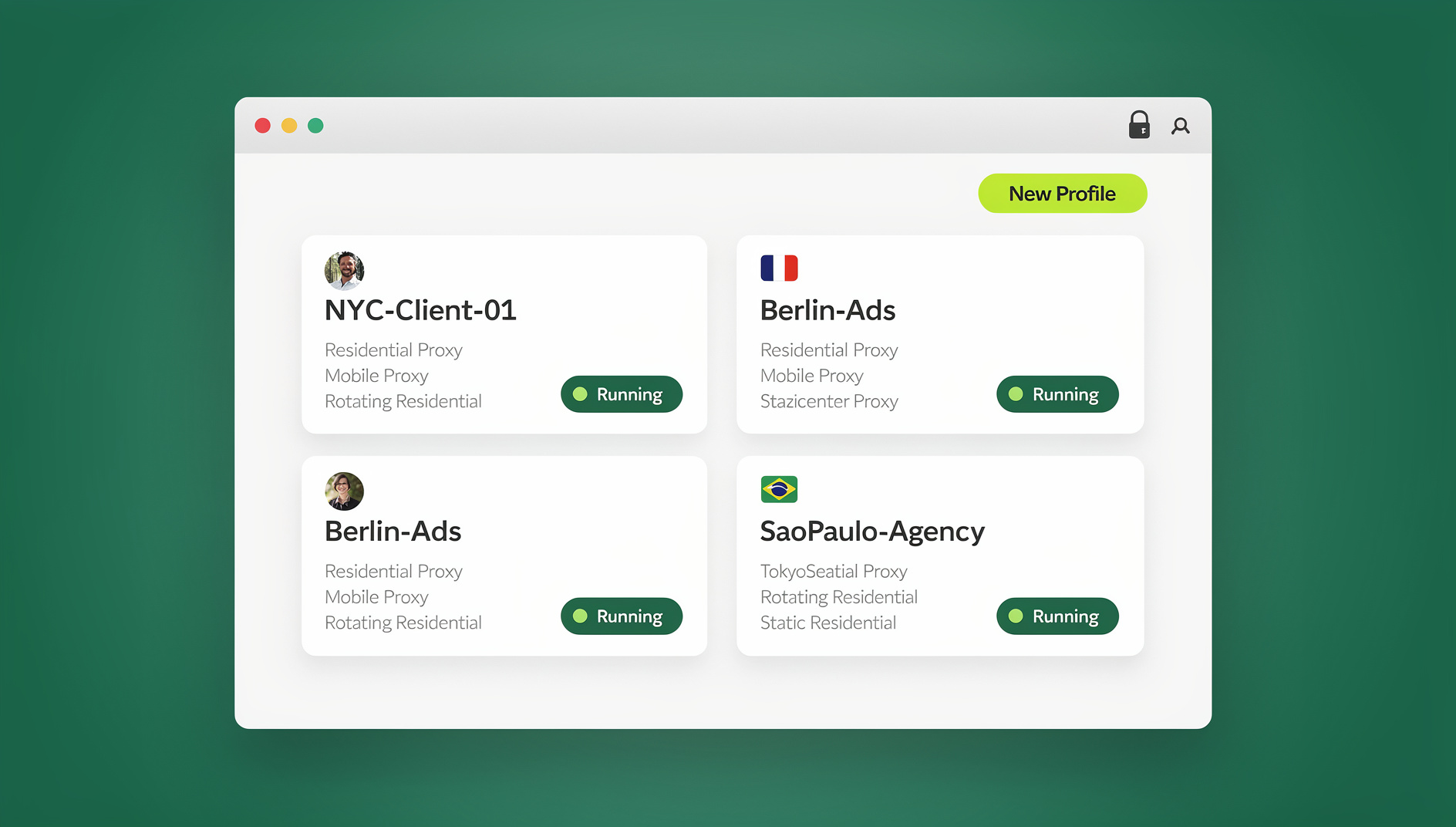
We’ll also cover a topic Amazon takes very seriously and that trips up otherwise-compliant sellers: multi-login and multi-account workflows. Many suspensions labeled “linked account” or “related account” issues aren’t fraud at all — they’re the accidental result of messy browser sessions, shared devices, or overlapping cookies between legitimate accounts. Later in this guide we’ll show how a tool like Send.win, a browser profile manager, helps sellers keep separate accounts, marketplaces, and team logins properly isolated — without ever suggesting you evade Amazon’s actual one-account-per-region rule.
Quick Answer: What to Do in the First 30 Minutes
- Open Account Health immediately. The top banner and Performance Notifications tab name the exact violation or metric threshold you tripped — this is your diagnosis.
- Freeze the damage. Unlist the flagged ASIN(s), stop the offending behavior (a pricing pattern, a third-party dropship route, an off-policy message), and respond to any open buyer messages within 24 hours.
- Collect evidence before you write anything. Supplier invoices, letters of authorization, safety data sheets (SDS), shipping logs, message logs, and screenshots proving the fix is already live.
- Draft a three-part Plan of Action — root cause, corrective actions, preventive measures — and submit it through the violation card in Account Health.
- For IP complaints specifically, request a retraction from the rights owner and/or email [email protected] with your evidence; Amazon also provides a formal online retraction form.
The Top 2026 Amazon Suspension Triggers
Amazon suspensions cluster around eight recurring categories. Knowing which bucket you’re in changes everything about how you write your appeal.
1. Customer Experience Metrics (Performance Thresholds)
Amazon polices three rolling metrics closely, and each has a hard numeric line:
| Metric | Amazon’s Threshold | What Happens if You Breach It |
|---|---|---|
| Order Defect Rate (ODR) | Must stay under 1% | Aggregates negative feedback, unresolved A-to-z claims, and chargebacks over a rolling 60-day window; sustained breach risks restriction or deactivation |
| Late Shipment Rate (LSR) | Must stay under 4% | Applies to seller-fulfilled orders; sustained breaches draw enforcement action |
| Valid Tracking Rate (VTR) | Must stay at or above 95% | Falling below the line can remove shipping privileges or trigger a suspension |
Your real-time Account Health Rating (AHR) runs on a 0–1,000 scale, and Amazon generally considers 200+ “healthy.” Sellers who consistently maintain a strong AHR and respond within 72 hours of a flagged issue may qualify for Account Health Assurance (AHA), which can keep an account active while a problem is being resolved rather than deactivating it outright.
2. Dropshipping Policy Violations
Fulfilling Amazon orders by buying from another retailer and shipping directly from them is against policy — unless the buyer experience clearly makes you the seller of record. Third-party invoices or packing slips showing up in a customer’s box, and an inability to process your own returns, are the classic red flags that trigger swift deactivation.
3. Intellectual Property and Inauthentic Complaints
IP complaints (trademark, copyright, design patent) can suspend a single ASIN or the whole account. Two paths to recovery exist: a rights-owner retraction, or persuasive non-infringement evidence submitted directly to Amazon. Retractions route through [email protected] or Amazon’s online retraction form. Inauthentic/counterfeit claims require real supplier invoices and, where relevant, a letter of authorization (LOA) proving your supply chain traces back to the brand owner.
4. Restricted or Prohibited Products / Safety Compliance
Listing restricted or prohibited items, or missing required safety documentation (a Safety Data Sheet for hazmat-adjacent SKUs, for example), leads to suppressed offers or full deactivation. FBA hazmat review frequently requests SDS or exemption sheets before a listing goes live.
5. Review Manipulation and Communication Violations
Incentivizing reviews, manipulating ratings, or messaging buyers outside approved channels erodes your Account Health Rating fast. Amazon only permits Buyer-Seller Messages for specific, non-promotional purposes.
6. Fair Pricing and Excessive Shipping Fees
Amazon’s Fair Pricing standards flag list prices or shipping rates that sit well outside recent market norms. Offers can be suppressed during enforcement sweeps even when nothing else about the listing has changed.
7. Linked or Multiple Accounts
Amazon’s Seller Code of Conduct permits one seller account per region unless you have a documented legitimate business need and every account is in good standing. Data overlaps — shared devices, shared payment details, overlapping browser fingerprints — are what makes otherwise-separate accounts look “related” to Amazon’s detection systems, even when no rule was intentionally broken.
8. Identity Verification and Risk Reviews (KYC)
New or fast-growing sellers are periodically asked for additional identity, address, or business verification. Missing the document deadline, or submitting blurry/expired IDs, is one of the most common — and most avoidable — causes of deactivation.
Diagnose the Exact Cause in Minutes
- Open Account Health and scan the Policy Compliance and Customer Service Performance sections — each violation card names the specific problem and links to the appeal path.
- Check your AHR score and AHA eligibility. If you’re AHA-eligible and respond within 72 hours, Amazon typically will not deactivate while you fix the issue.
- Pull evidence that maps 1:1 to the violation — invoices, SDS/test reports, shipment logs, tracking proofs, and message logs won’t help if they don’t directly address the cited problem.
- For IP complaints, contact the rights owner for a retraction and send your own non-infringement rationale to Amazon in parallel — don’t wait on one path alone.
The 2026 Plan of Action (POA) Template
Amazon is explicit about what it wants in an appeal: clear, concise, factual language focused on root cause, corrective actions, preventive measures, and supporting evidence. Avoid emotional appeals — reviewers are scanning for structure and proof, not sympathy.
POA Structure (Copy, Paste, and Customize)
- Subject: Plan of Action – [Violation Type/ASIN] – [Seller ID]
- 1) Root Cause: What exactly caused the issue, stated in one precise line, plus the evidence that confirms your diagnosis.
- 2) Corrective Actions (Completed): The immediate fix you’ve already implemented, with dates, plus documents or screenshots proving it.
- 3) Preventive Measures (Long-Term Controls): New SOPs, tools, audit cadence, and training — with proof they’re actually in place, not just promised.
- Attachments: Invoices/LOA, SDS/test reports, shipping logs, message logs, training records — only what’s directly relevant.
Sample POA Language by Violation Type
| Violation | Root Cause Example | Preventive Measure Example |
|---|---|---|
| Inauthentic item complaint (ASIN) | Accepted a distributor invoice lacking brand authorization; no traceability check performed | Two-step supplier onboarding (authorization + traceability), quarterly supplier audits, pre-listing document checklist |
| IP complaint | Listing title/images referenced protected phrasing or artwork without internal IP review | Pre-publish IP checklist, dedicated IP approver in the listing workflow, rights-owner contact log |
| Dropshipping violation | Vendor shipped directly with their own invoice/packing slip, making them the apparent seller of record | Supplier contracts forbid retail-to-retail fulfillment; warehouse SOP audits invoices before dispatch |
| ODR / LSR / VTR breach | Response times over 24 hours drove A-to-z claims and negative feedback on late deliveries | Weekly KPI reviews, automated alerts when VTR dips below 97% or LSR nears 4%, backup carrier for peak volume |
| Safety/compliance (hazmat) | Listed a battery-containing SKU without SDS or exemption documentation | Compliance gate at SKU creation requiring SDS/test report fields; monthly hazmat attribute audit |
Submitting Your Appeal and What Happens Next
- Appeal via the Appeal button on the specific violation card in Account Health.
- Keep it to one to two pages, bulleted, with only the documents that are directly relevant.
- For IP suspensions, prioritize the retraction path — many resolve fastest once the rights owner emails [email protected] or submits the retraction form.
- If AHA-eligible, engage within 72 hours; Amazon’s own guidance says it typically won’t deactivate an AHA-eligible account while remediation is underway.
Escalation Paths and Realistic Timelines
A first appeal typically gets a response within days, though queue times vary by category and volume. If it’s denied, don’t resubmit the same letter with more urgency in the tone — revise the root-cause clarity and add whatever evidence category you’re missing. Amazon reviewers are pattern-matching against what a complete POA looks like; incomplete evidence is the number one reason a second appeal fails too.
Buyer Account Suspended? What Non-Sellers Should Know
Consumer (buyer) accounts can also be restricted for risk signals, unusual activity, or policy reasons under Amazon’s Conditions of Use, which give Amazon broad latitude to limit or terminate access. If your buyer account is restricted, complete whatever verification Amazon requests promptly and keep all communication inside official channels — third-party “unlock services” are not affiliated with Amazon and can make things worse.
The 2026 Amazon Compliance Checklist
| Category | What to Do |
|---|---|
| Performance & Shipping | Keep ODR under 1%, LSR under 4%, VTR at 95%+; review weekly; keep backup labels/carriers ready for peak days |
| Listing & Product Safety | Run a restricted/prohibited check on every new ASIN; maintain a compliance pack of test reports, certificates, SDS, and labeling photos |
| Communication & Reviews | Use only approved Buyer-Seller Messages; never incentivize or manipulate reviews |
| Pricing & Shipping Fees | Monitor for high-price or high-shipping-rate flags; keep offers within regional norms |
| Accounts & Access | One seller account per region unless approved otherwise; use sub-user permissions for staff instead of creating new logins |
| Account Health Discipline | Check your AHR daily, aim well above 200, and enroll in AHA if eligible |
Why “Linked Account” Suspensions Happen to Honest Sellers — And What’s Actually Allowed
Amazon’s detection systems don’t just look for people intentionally running duplicate accounts — they flag device fingerprints, IP overlap, cookies, and browser signatures shared across logins. That means a seller legitimately operating multiple Amazon accounts across different regions or business entities can get flagged for “relatedness” purely because their team logged in from the same laptop, the same office Wi-Fi, or the same browser profile with shared cookies.
This is the single biggest reason sellers running safe multi-store Amazon operations invest in proper session separation rather than just opening a new incognito tab. The goal isn’t to hide anything from Amazon — it’s the opposite: to keep every legitimately-approved account cleanly separated so Amazon’s own systems can verify they’re distinct, well-run businesses rather than accidentally-overlapping ones.
Practical separation matters just as much for the surrounding tools sellers rely on — brand analytics dashboards, ad platforms, vendor and supplier portals, competitor research, and QA environments for testing listing changes before they go live. Handling all of that safely, without creating the exact device/cookie overlap that triggers a “linked account” review, is what a proper session isolation workflow is built for. Sellers focused on avoiding account bans while scaling tend to standardize on one tool for this rather than juggling multiple browser profiles by hand.
How Send.win Supports a Compliant, Efficient Amazon Workflow
Important policy note first: Amazon allows only one seller account per region unless you have a documented legitimate business need and every account is in good standing. No tool — Send.win included — should be used to evade that rule, spoof identity, or create unapproved duplicate accounts. What Send.win is genuinely useful for is keeping your approved accounts, marketplaces, and team logins cleanly and provably separated, and running the surrounding e-commerce tooling (ad consoles, analytics, supplier portals, QA testing) without cross-contaminating sessions.
Send.win gives sellers three distinct ways to run isolated profiles, and the right one depends on how your team actually works:
| Capability | What It Does | Best For |
|---|---|---|
| Desktop app | Native client for Windows, macOS, and Linux — profiles run locally on your machine with a unique fingerprint per profile | Sellers who want everything installed on one dedicated work laptop |
| Automation API | No | Send.win has no automation interface on any plan |
| Cloud browser sessions | Run isolated profiles entirely in the cloud — no desktop install, metered by monthly cloud browsing time, included on paid plans alongside cloud sync, profile sharing, and team seats | Distributed teams, VAs, and anyone who needs to access a session from any device without setting up software locally |
For most Amazon sellers managing several approved storefronts or a small VA/agency team, cloud browser sessions are the fastest path: log in from any device, work in a fully isolated profile with a unique fingerprint and its own built-in proxy, and hand a teammate access to that exact session without ever sharing your password. Each profile keeps its own cookies, storage, and browser fingerprint separate from every other — precisely the separation that prevents Amazon’s systems from misreading distinct, approved accounts as “linked.” When you need to share access with a contractor or virtual assistant, you can grant them a session directly rather than emailing over a shared login, and revoke it instantly when the engagement ends.
Send.win has no free trial, but the first card purchase is covered by a 7-day money-back guarantee, so you can test the isolation workflow risk-free before committing. Paid plans start at Pro for $19/mo, with Team at $49/mo for teams that need shared profile management across members.
🏆 Send.win Verdict
An Amazon suspension is almost never solved by a browser tool — it’s solved by a clean, evidence-backed POA. But the “linked account” flags that blindside otherwise-compliant sellers are frequently a browser-hygiene problem, not a fraud problem. Send.win’s cloud browser sessions give every approved account, marketplace, and team login its own isolated fingerprint and proxy, so your legitimate multi-store setup reads to Amazon as exactly what it is: several distinct, well-run businesses — not one account trying to look like several.
Try Send.win today — the first card purchase is covered by a 7-day money-back guarantee, so start separating your Amazon workflows properly before your next Account Health review.
Frequently Asked Questions
Should I open a new Amazon account while my current one is suspended?
No. Amazon allows one seller account per region unless you have a documented legitimate business need and prior approval. Opening a new account while another is suspended almost always creates a “linked account” problem on top of your original issue and significantly hurts your reinstatement odds.
I got flagged for dropshipping — can I keep doing it at all?
Yes, but only if you are clearly the seller of record. That means removing any third-party retailer branding or invoices from what customers receive, handling your own returns, and complying with all of Amazon’s other policies. Retail-to-retail fulfillment, where another store ships directly and appears as the seller, is the version that gets accounts deactivated.
What counts as a “good” Account Health Rating?
AHR runs on a 0–1,000 scale, and Amazon generally considers 200 or above healthy. Sellers who keep their score well above that line and respond to issues within 72 hours may qualify for Account Health Assurance, which can prevent deactivation while a problem is being fixed.
My price and shipping look fair to me — why was my offer suppressed?
Amazon’s Fair Pricing standards compare your list price and shipping fee against recent market norms for similar items. If either is significantly out of line — even without any other rule violation — the offer can be suppressed during an enforcement cycle. Review your pricing templates and regional shipping rates.
What documents typically resolve a hazmat or safety compliance suspension?
Usually a Safety Data Sheet (or a documented exemption) and accurate battery/composition attributes; sometimes additional test reports or certificates are requested. These are uploaded through Amazon’s Manage Dangerous Goods Classification tool.
Can a multi-login browser tool actually get me reinstated faster?
Not directly — reinstatement is decided by the strength of your Plan of Action and evidence, not by which browser you use. What a tool like Send.win does is prevent the specific “linked account” trigger that comes from device and cookie overlap between your legitimately separate accounts, reducing the odds you get flagged again after reinstatement.
How long does an Amazon suspension appeal usually take?
A first response typically arrives within a matter of days, though this varies by violation type and current review-queue volume. IP-related suspensions often resolve fastest through a rights-owner retraction rather than waiting on Amazon’s internal review alone.
What if my identity verification (KYC) keeps failing?
Check your Performance Notifications for the exact document Amazon is requesting, and resubmit sharp, well-lit, unedited photos of valid government identification. Repeated failures are usually caused by image quality or expired documents rather than an actual eligibility problem.
Is my buyer (non-seller) account handled the same way as a seller suspension?
No. Buyer accounts fall under Amazon’s Conditions of Use rather than Seller Central policy, and restrictions there are typically tied to risk signals or unusual activity. Complete any verification Amazon requests directly through official channels — avoid third-party “account unlock” services, which are not affiliated with Amazon.
The Bottom Line
Reinstatement isn’t about pleading your case — it’s about proving it. Diagnose the precise cause through Account Health, gather documentation that maps 1:1 to that specific violation, and submit a clean POA that connects root cause to corrective action to preventive control. For the day-to-day operations around your Amazon business — running multiple approved storefronts, managing a distributed team, or testing listing changes safely — keeping every session properly isolated removes one of the most common, and most avoidable, suspension triggers on this list. If that’s the piece of your workflow that needs fixing, Send.win’s cloud browser sessions are built exactly for it: no desktop install required, a unique fingerprint per profile, built-in proxies, and the ability to share access with your team without ever handing over a password.