Running multiple Amazon accounts is legal only when each one is genuinely separate — a distinct business entity, a distinct browser fingerprint, a distinct IP, and no shared payment or device history. The instant Amazon’s detection systems find an overlap, every linked account can be suspended at once. This guide covers why sellers and shoppers need more than one account, exactly how Amazon spots the connections, and the isolation setup — including where a tool like Send.win fits in — that keeps accounts safely separated in 2026.
Why People Need Multiple Amazon Accounts
Amazon’s Terms of Service technically prohibit operating more than one seller account without explicit permission, and the company actively hunts for linked accounts. Despite that, there are plenty of legitimate reasons people end up needing account separation — the trick is doing it in a way Amazon can verify is genuine rather than an attempt to dodge a suspension or manipulate reviews.
E-commerce Sellers
- Brand separation: Different product lines that need their own distinct brand identity and storefront
- Risk diversification: Protecting revenue so one account’s issue doesn’t take down the whole business
- Regional expansion: Separate accounts for different Amazon marketplaces (US, UK, EU, Japan)
- Business partnerships: Joint ventures that require independently owned accounts
- Testing strategies: A/B testing pricing, imagery, or listing copy without cross-contaminating results
Household and Personal Use
- Family members: Adults sharing a home who each want their own order history and recommendations
- Business vs. personal: Keeping company purchases separate from personal shopping for expense tracking
- Gift purchases: Keeping a surprise off a shared account’s order history
- Prime sharing: Coordinating household Prime benefits without merging every login
Agencies and Business Operations
- Department separation: Different teams need independent purchasing without visibility into each other’s carts
- Client management: Agencies running storefronts or ad accounts on behalf of multiple clients
- Inventory testing: Trialing a product’s reception on a smaller account before scaling it to the main store
How Amazon Detects Linked Accounts
Amazon doesn’t rely on a single signal — it correlates dozens of data points across a session to decide whether two accounts are connected. Understanding what it actually looks at is the difference between an isolation setup that holds up and one that collapses the first time you log in.
Technical Fingerprint Signals
- Browser fingerprinting: Canvas rendering, WebGL output, installed fonts, and screen resolution combine into a signature that’s unique to a device even without cookies
- IP address tracking: The same IP showing up across two accounts is one of the strongest linking signals Amazon has
- Cookie correlation: Shared cookies or local storage between sessions reveal the relationship instantly
- Device fingerprinting: Hardware and OS configuration matching across “different” accounts
- WebRTC leaks: A misconfigured browser can expose a real IP even behind a proxy or VPN
If you want a deeper technical breakdown of exactly which values make up a fingerprint and how sites read them, this explainer on browser fingerprinting walks through each signal in detail.
Behavioral Signals
- Login patterns: Near-identical login times, session lengths, and navigation habits across accounts
- Payment methods: Shared credit cards, gift card balances, or bank accounts
- Address overlaps: Matching shipping or billing addresses
- Product similarities: Identical inventory, sourcing, or purchasing patterns
- Communication style: Suspiciously similar buyer-seller messaging phrasing
Business and Financial Signals
- Tax information: The same EIN or SSN used to register more than one account
- Business registration: Legally connected entities (same officers, same registered agent address)
- Bank account details: Shared deposit accounts for seller payouts
The Wrong Way: What Gets Accounts Suspended
Most suspensions aren’t the result of some sophisticated Amazon algorithm outsmarting a careful seller — they’re the result of small, avoidable mistakes made under the assumption that “it probably won’t notice.”
Common Mistakes
- Using the same browser for both accounts: Even in incognito or private mode, the underlying fingerprint stays identical
- Same network without a proxy: One IP address links every account that touches it
- Shared payment methods: The same card or bank account tying accounts together financially
- Cross-account communication: Messaging or reviewing between your own accounts
- Copy-pasted listings: Identical descriptions, bullet points, or images across “unrelated” stores
- Logging into the wrong account: A single accidental cross-login can undo months of careful separation
Consequences of Detection
- Immediate suspension of every account Amazon considers linked
- Frozen payouts, sometimes for 90 days or more
- Inventory stranded in fulfillment centers with no easy way to retrieve it
- Permanent bans that are extremely difficult to appeal
- Appeals that fail unless they address the actual root cause, not just the symptom
The Right Way: Proper Account Isolation
1. Browser Isolation
Each account needs a genuinely separate browser environment, not just a separate tab:
- Different fingerprint: Canvas, WebGL, fonts, and timezone should all differ between profiles
- Isolated cookies and storage: Zero data sharing between sessions
- Separate browser profiles: Not tabs, not windows — fully independent environments
- Unique user agent: Different browser/OS combinations per profile
Firefox containers and Chrome’s built-in profile switcher don’t solve this — they isolate cookies but still share the same underlying canvas and WebGL fingerprint, so Amazon can still connect the dots. That’s the gap that purpose-built isolation browsers like Send.win are designed to close.
2. Network Separation
Each account should route through its own consistent IP:
- Residential proxies: IPs from real ISPs that look like ordinary home connections
- Mobile proxies: 4G/5G IPs that rotate the way a real phone’s connection would
- ISP proxies: Static, residential-looking IPs that stay consistent over time
- Avoid datacenter proxies: These are frequently flagged and blocked outright by Amazon
Consistency matters more than most people expect — assign one proxy per account and keep it there. Random IP hopping on a single account looks more suspicious than a stable IP that never changes. If you’re setting this up for the first time, this walkthrough on proxy browser setup covers how to attach and test a proxy against a browser profile before you log in with it.
3. Business Separation
- Separate legal entities: Different LLCs or corporations, not just different trade names
- Unique EIN numbers: Each business needs its own tax ID, not a shared one
- Independent bank accounts: Separate business banking for each entity’s payouts
- Different addresses: A registered agent address per entity where applicable
4. Operational Discipline
- Different product niches: No overlapping inventory between “separate” stores
- Unique listing content: Original photography and descriptions, never copy-pasted
- Varied pricing strategies: Don’t mirror the same discount cadence across accounts
- Independent customer service: Different tone and response patterns per account
Isolation Methods Compared
Not every “solution” people reach for actually solves the fingerprinting problem. Here’s how the common options stack up:
| Method | Unique Fingerprint? | Unique IP? | Cost | Verdict |
|---|---|---|---|---|
| Incognito / private mode | No | No | Free | Doesn’t isolate anything Amazon actually checks |
| Chrome profiles / Firefox containers | No | No | Free | Separates cookies only; fingerprint stays identical |
| VPN alone | No | Yes (shared exit IPs) | $5–12/mo | Changes IP but leaves the fingerprint exposed |
| Manual antidetect setup (spoofing scripts) | Partial | Depends on proxy used | Time-intensive | Fragile; easy to leave a mismatched value that flags the profile |
| Purpose-built isolation browser (e.g. Send.win) | Yes, per profile | Yes, per profile (with proxy attached) | Plan-based, from $19/mo | Built specifically for this use case |
Where Send.win Fits Into a Multi-Account Amazon Setup
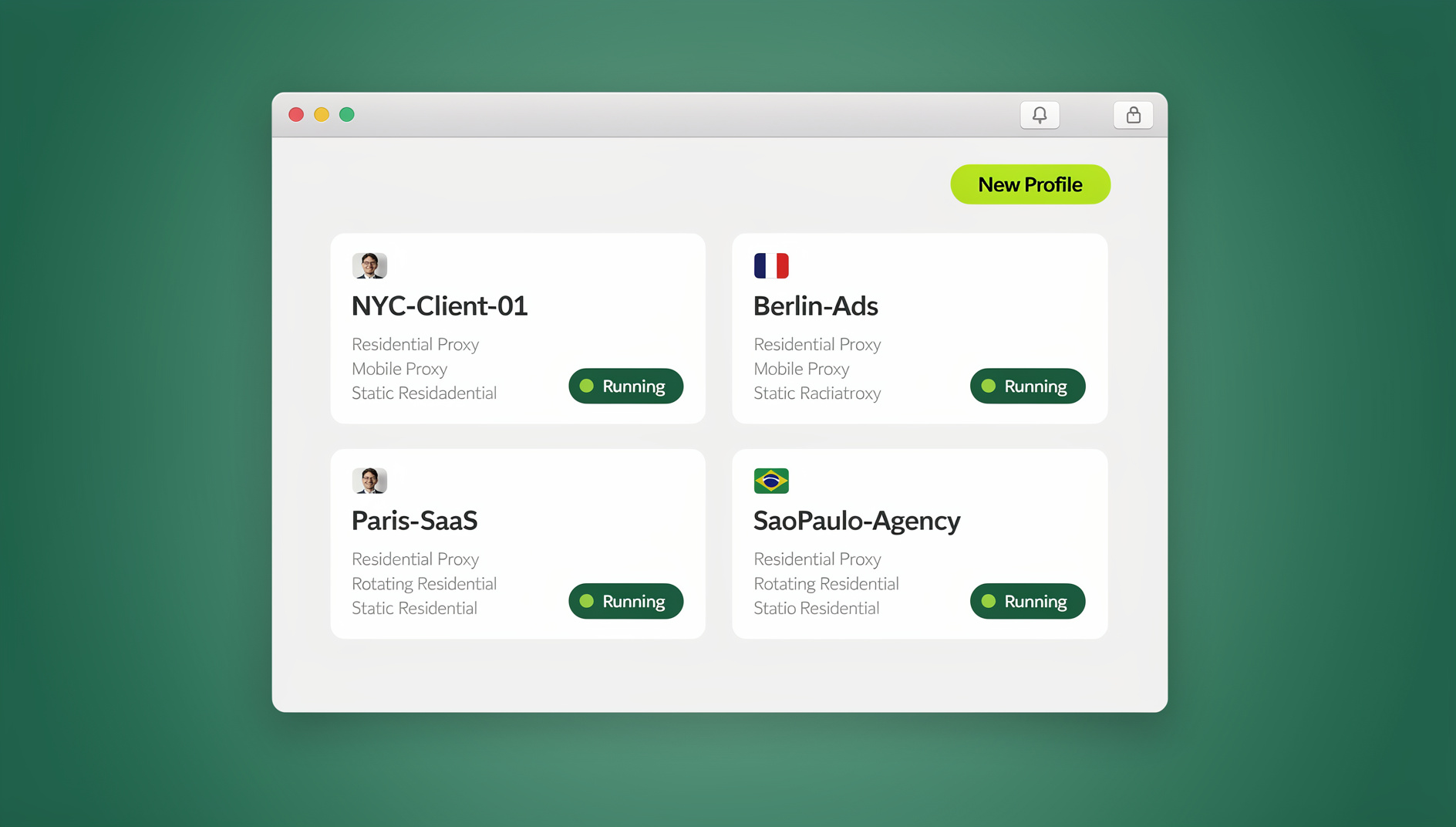
Send.win gives every account its own isolated browser profile with a distinct fingerprint, separate cookies, and its own proxy assignment, so each Amazon account looks like it’s being accessed from a genuinely different device. It comes in two forms, and which one you pick depends on how you work:
- Sendwin Browser (native desktop app): A downloadable app for Windows, macOS, and Linux. It’s local-first, meaning your profiles and session data live on your machine, with encrypted sync to the cloud so you can pick up the same profiles on another device without losing anything.
- Cloud browser sessions: Runs entirely in the cloud — nothing to install locally. You open a session from any device with a browser, and it’s metered by cloud browsing time rather than tied to one machine.
For sellers running listing checks, repricing work, or scheduled inventory syncs, Send.win’s isolated browser profiles keep each Amazon account’s cookies, storage, sessions and fingerprint settings separate, so you can work across accounts from one desktop app without sharing a single browser identity.
Send.win Plans at a Glance
| Plan | Price | Profiles | Proxy Bandwidth | Seats | |
|---|---|---|---|---|---|
| Free Trial | $0 for 30 days, no card required | Limited | Limited | — | 1 |
| Pro | $19/mo ($6.99/mo billed annually — 63% off) | 150 | 5GB | Yes | 1 |
| Team | $49/mo ($20.99/mo billed annually — 57% off) | 500 | 20GB | Yes | 16 |
For most solo sellers managing two to five storefronts, Pro covers the profile count and bandwidth comfortably. Agencies juggling client accounts, or sellers running automation across a large catalog, generally outgrow Pro’s bandwidth and move to Team for the extra seats and headroom.
Step-by-Step Setup Guide
Step 1: Create Separate Business Entities
- Form a new LLC in your state, or use a registered agent service in another state
- Obtain a separate EIN from the IRS for that entity
- Open a dedicated business bank account tied to that EIN
- Secure a unique business address (a virtual office works if you don’t have a second physical location)
Step 2: Set Up a Browser Profile
- Create a new profile — either in the Sendwin Browser desktop app or as a cloud session
- Attach a residential or mobile proxy for the region that account should appear to operate from
- Set the profile’s timezone and locale to match the proxy’s location
- Spot-check the fingerprint with a site like browserleaks.com before you ever log into Amazon with it
Step 3: Create the Amazon Account
- Only use the isolated profile you just built — never the account’s original browser
- Register with a unique business email, ideally on its own domain
- Enter that entity’s business information exactly as registered
- Link the entity’s own bank account and card
- Complete Amazon’s identity verification process
Step 4: Maintain Separation Going Forward
- Only ever access this account from this specific profile
- Never log into a different Amazon account inside this browser profile, even once
- Keep sourcing, suppliers, and day-to-day operations genuinely separate
- Use original product photography and listing copy for each store
Best Practices for Ongoing Account Safety
Daily Operations
- Double-check you’re in the correct profile before every login
- Confirm the IP matches the account’s expected location
- Never copy content between account sessions, even innocuous text
- Keep profiles backed up so a device change doesn’t force you to rebuild from scratch
Account Health
- Maintain strong metrics across every account — Amazon scrutinizes struggling accounts more closely
- Respond to customer messages promptly
- Ship on time and keep tracking numbers current
- Stay on top of policy changes so an account doesn’t drift out of compliance
Security
- Use a unique, strong password for every account
- Enable two-factor authentication everywhere it’s offered
- Keep access to your browser profiles restricted to people who need it
- Back up account credentials somewhere encrypted, not in a shared spreadsheet
If you already run more than one account and want a wider view of what triggers a suspension beyond the technical fingerprint side — policy violations, review manipulation flags, or verification mismatches — this Amazon account suspension recovery playbook is worth reading before you scale past two or three stores. And if you’re comparing tools before committing to one, this comparison of the best browsers for multiple accounts lines up the major options side by side.
🏆 Send.win Verdict
Managing multiple Amazon accounts safely comes down to one thing: making sure nothing about the technical, financial, or operational picture connects them. A VPN alone won’t do it, and Chrome profiles won’t either — you need a genuinely separate fingerprint per account, a dedicated proxy, and disciplined business separation on top. Send.win handles the browser side of that equation with isolated profiles available either as a native desktop app with encrypted cloud sync or as a fully cloud-hosted session, keeping separate cookies, storage and fingerprint per profile.
Try the Send.win cloud demo — a 3-minute preview without signup, 10 minutes a day with a free account.
Frequently Asked Questions
Is having multiple Amazon seller accounts legal?
Having more than one account isn’t illegal, but it does violate Amazon’s Terms of Service unless you have explicit approval or a legitimate documented business reason, such as separate brands or regional operations. The determining factor is usually whether you’re operating transparently or actively trying to hide the connection between accounts.
Can I use a VPN alone for account separation?
No. A VPN only changes your IP address. Amazon also reads browser fingerprints, cookies, and device characteristics, so a VPN without a matching isolated browser profile still leaves accounts linkable through the fingerprint alone.
Do Firefox containers or Chrome profiles work for this?
Not on their own. They keep cookies and local storage separate, which helps with basic session juggling, but the canvas, WebGL, and font fingerprint underneath stays identical across all of them, so Amazon can still connect the accounts.
How many Amazon accounts can I safely manage?
There’s no fixed number. More accounts mean more complexity and more chances for a mistake to link them. Many sellers manage two to five accounts effectively with proper isolation; beyond that, coordination gets harder and the odds of a slip-up rise.
What happens if my accounts get linked?
Amazon may suspend every account it considers connected at once. Appeals tend to succeed only when you can demonstrate genuine business separation — different entities, different products, a documented legitimate purpose. It’s far easier to set accounts up correctly from the start than to appeal after the fact.
Should I use the same supplier across different accounts?
Ideally not. The same supplier can mean the same product photos surfacing on multiple “separate” accounts, or Amazon noticing near-identical inventory manifests arriving at its fulfillment centers. If you must share a supplier, make sure the products themselves are genuinely different.
Does Send.win replace the need for separate business entities?
No — browser isolation solves the technical fingerprinting problem, not the legal and financial one. You still need separate LLCs, EINs, bank accounts, and addresses if you want accounts that hold up to scrutiny; Send.win handles the browser and network layer on top of that foundation.
Can I automate tasks across multiple isolated Amazon profiles?
Send.win does not offer an automation interface: there is no API, SDK, headless mode, or Selenium/Puppeteer/Playwright support on any plan. Each isolated profile is used manually, the same way you’d use a normal browser session.
Conclusion
Safely managing multiple Amazon accounts comes down to four things working together: a genuinely separate browser fingerprint per account, a consistent dedicated proxy per account, real business separation on paper, and the operational discipline to never let the accounts touch. Skip any one of these and the setup tends to unravel the first time Amazon’s detection systems get a good look. Build the foundation properly — starting with the browser isolation layer — and multiple accounts can be run for legitimate business purposes without the constant risk of a linked suspension.