You make money from WooCommerce stores by running several focused, niche-specific shops in parallel instead of piling more products onto one site — then protecting the margin with centralized inventory, shipping, and currency handling, and with admin logins that never cross-contaminate. The architecture decision (one WordPress Multisite network vs. separate installs) and the login-security decision (how you access each store’s dashboard) matter just as much as the products you sell. Send.win’s isolated, profile-based sessions solve the second half of that equation, whether you run its native desktop app or a metered cloud browser session.
Why multi-store is the real path to WooCommerce profit in 2026
A single WooCommerce store has a ceiling: one niche, one brand voice, one set of SEO rankings, one currency default. Sellers who actually scale revenue in 2026 run multiple WooCommerce stores — a flagship brand plus regional spin-offs, a wholesale storefront next to a retail one, or a portfolio of niche shops that each rank for a narrow set of keywords. The money isn’t in cramming more categories into one store; it’s in operating several lean, focused stores without multiplying your workload or your risk.
That only works if three things are true: your architecture doesn’t force duplicate work, your operations (stock, shipping, currency, translation) are centralized where it makes sense, and your admin access doesn’t become the weak link that gets a store hacked, de-indexed, or accidentally edited in the wrong environment.
WooCommerce + WordPress Multisite, in plain English
WordPress Multisite lets one WordPress installation host a network of sites, each with its own theme, plugins, content, and users, managed from a single Network Admin. Activate WooCommerce across a Multisite network and each site is still its own independent store with its own products, orders, and settings — you are not forced to share inventory or catalogs unless you add a syncing plugin or service on top.
Payment gateways are the detail sellers most often miss: each site typically needs its own payments account because store URLs and legal entities differ. Sort this out before you spin up your third or fourth store, or you’ll hit payout and compliance snags mid-launch.
Why HPOS matters when you’re running more than one store
WooCommerce’s High-Performance Order Storage (HPOS) uses dedicated order tables instead of the legacy posts/postmeta model. HPOS cuts query load and speeds up order screens and reporting — which matters a lot more once you’re multiplying order volume across several brands or regions instead of just one. If you’re migrating older stores onto HPOS, test on staging first and roll out during a low-traffic window.
Three proven architectures for scaling WooCommerce stores
There’s no single “right” way to run multiple WooCommerce stores — the right structure depends on how much isolation you need between brands and how much centralized control you want. Here’s how the three common approaches compare:
| Architecture | Best for | Main advantage | Main trade-off |
|---|---|---|---|
| One Multisite network, many stores | Brand families, country sites, franchises, multilingual operations | One core/plugin stack to patch; centralized governance | Catalog and stock sharing needs add-ons; network updates must be tested carefully |
| Separate installs, centralized ops | Teams that want hard isolation per brand or already run multiple hosting environments | Full independence per store; no shared blast radius | More infrastructure to maintain; sync tools required for stock/orders |
| API-first / headless | Complex catalogs, enterprise workflows, custom storefronts per region | Most flexible; integrates with any PIM/ERP/3PL | Requires engineering resource; HPOS effectively mandatory |
Strategy 1: One WordPress Multisite, many WooCommerce stores
Best for brand “families,” country sites, franchises, B2B/B2C splits, or multi-language operations. You get one core and plugin stack to patch, centralized governance, and an easy path to spin up new sub-stores for new markets or sub-brands. Decide early whether subsites should be subdomains, subfolders, or mapped to custom domains — this affects SEO, analytics, and payments onboarding down the line.
Strategy 2: Separate WordPress installs with centralized integrations
Best for teams that want hard isolation per brand or region, or that already maintain multiple hosting environments. You can still centralize operations across separate installs: a tool like WooMultistore mirrors products, syncs stock, and pushes updates across stores, while a shipping hub (ShipStation or similar) consolidates labels, carriers, and automations into one workstation. Add store prefixes to imported order IDs so nothing gets confused across brands.
Strategy 3: API-first / headless integrations
Use the WooCommerce REST API to connect a PIM/ERP, 3PL, or custom hub that reads and writes products, orders, coupons, customers, and shipping zones across multiple stores. This is the most flexible approach for complex catalogs and enterprise workflows — and HPOS is strongly recommended if you go this route.
How multi-store sellers actually turn this into revenue
Diversify by niche, brand, or region — not by SKU count
The sellers who make the most money from WooCommerce rarely have the single biggest store; they have several stores each dominating a narrow niche or region. A dedicated store per country lets you localize pricing, language, and promotions far more precisely than one global storefront ever could, and a dedicated store per sub-brand protects your flagship brand’s reputation if a spin-off underperforms.
Centralize inventory and fulfillment to protect margin
If one warehouse or catalog serves multiple storefronts, a multi-store inventory sync tool (WooMultistore or similar) keeps stock counts accurate everywhere and pushes product updates across stores automatically. Route every store’s orders into one shipping hub so your team isn’t logging into a dozen dashboards to print labels and process returns — set automation rules that trigger by store source, SKU, or destination to keep fulfillment fast without adding headcount.
Multi-currency and multilingual for cross-border revenue
WooPayments Multi-Currency offers a built-in path for showing prices and processing payments in different currencies — just confirm whether currencies change prices or only display formats, and align that with your accounting before rollout. For translation, WPML’s WooCommerce Multilingual & Multicurrency add-on gives you robust translation management and front-end language switchers; on a Multisite language network, MultilingualPress lets you translate products across subsites and share media between them. Whichever you choose, make sure hreflang tags and language-aware sitemaps are in place for SEO.
The access problem that quietly kills multi-store profits
Why shared browser sessions cause expensive mistakes
Standard browsers share storage between tabs. When you’re logged into several WooCommerce admins at once — or toggling between staging and production — cookies and localStorage can collide, causing cross-contamination or an edit landing in the wrong environment. That’s how a discount code meant for one region ends up live on your flagship store, or a staging price change goes out to real customers. Session isolation gives each login its own sealed container and eliminates that crossover entirely, which is exactly the discipline covered in this session isolation guide if you want the deeper technical picture.
Zero-trust browsing for admin work
Remote/zero-trust browser isolation runs website code away from your endpoint and streams a safe representation back to you. Applied to WooCommerce admin sessions, that means a compromised plugin marketplace, a phishing link in a support ticket, or malware on a shared laptop doesn’t get a path onto your actual machine. Pair that with the WordPress and WooCommerce basics — patched core and plugins, limited admin privileges, enforced 2FA, and Application Passwords instead of shared real logins for integrations — and you’ve closed most of the access risk that scales badly across a multi-store operation.
Running multiple WooCommerce stores safely with Send.win
Send.win gives every store admin, shipping dashboard, ad account, and payment console its own isolated login profile, so nothing from one session leaks into another. It works two ways, and you pick whichever suits your setup:
- Sendwin Browser (native desktop app). A downloadable application for Windows, macOS, and Linux. It’s local-first, so your sessions live on your machine, and it syncs across devices with encryption. Good fit if you want full local control and offline access to saved sessions.
- Cloud browser sessions. Run entirely in the cloud with zero local install — nothing touches your device at all. Billed by cloud browsing time, this mode is ideal for spinning up a store admin session from any computer, sharing access with a contractor without installing anything on their machine, or working from a low-spec device.
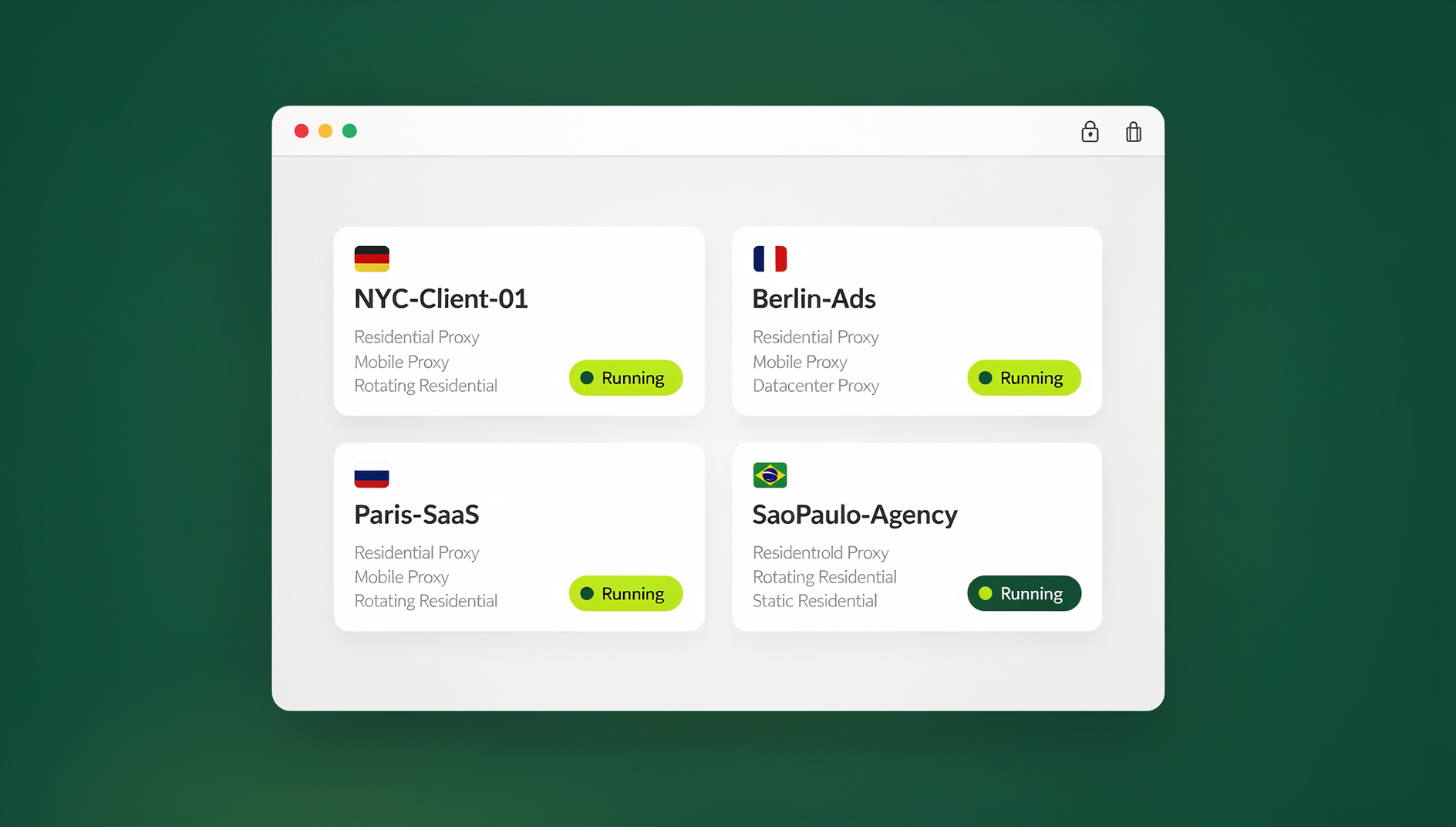
Both modes give each WooCommerce store, or each role within a store (a “Shop Manager — EU Retail” profile, for example, separate from “Admin — US Wholesale”), its own cookies, storage, and — where you need geo-testing for pricing, shipping, or tax display — its own proxy. Least-privilege habits are much easier to enforce when the tooling makes it the path of least resistance, not an extra step people skip when they’re busy.
Isolated profiles: keeping each store’s admin session separate
Send.win gives each profile its own isolated session — separate cookies, storage and fingerprint — so you can keep each store’s WooCommerce admin, shipping hub and ad dashboards in their own clean browser profile. That means no shared, insecure login across several stores: you sign in once per profile and switch between them without sessions bleeding into one another.
Setting up a multi-store workflow (about 10 minutes)
- Start with a paid plan. Send.win has no free trial; plans start at $19/mo (Pro) or $49/mo (Team), and your first card purchase is covered by a 7-day money-back guarantee. You can also preview it for free in the cloud demo at send.win/demo-browser before committing.
- Create one profile per store, and per role. Don’t just separate by store — separate “Shop Manager” from “Admin” access too, so day-to-day work never needs full admin rights.
- Attach proxies where geo-testing matters. Validate regional pricing, shipping options, and tax display the way a real customer in that market would see them.
- Share sessions, not passwords, with contractors. Hand a VA or freelancer access to exactly the store they need to work in, without ever giving up your login credentials.
- Keep the repetitive checks organised. Once you’re comfortable with the workflow, set up a dedicated profile per store and per role so recurring admin tasks always run in the right isolated session.
Security and performance checklist for scaling WooCommerce stores
- Enable HPOS on every store — pilot on staging, then roll out during low-traffic windows.
- Persistent object caching (Redis or similar) to cut database load on admin screens and “My Account” queries.
- Exclude Cart, Checkout, and My Account from page caching, and serve static assets over a CDN.
- Least-privilege roles. Use Shop Manager for daily operations; reserve full Admin for platform owners only.
- Isolated admin sessions for every store, via Send.win’s desktop app or cloud sessions, so a compromised tab in one store can’t touch another.
- 2FA and a patch cadence enforced across every store, plus Application Passwords for automations and REST integrations instead of shared credentials.
- Quarterly access reviews to remove stale users and former contractors from every store you run.
Send.win pricing for multi-store WooCommerce sellers
Send.win’s paid tiers are built around how many profiles and how much proxy bandwidth an operation actually needs — a solo seller running two or three stores has very different requirements from an agency managing dozens on behalf of clients.
| Plan | Price | Profiles | Proxy bandwidth | Seats | |
|---|---|---|---|---|---|
| Pro | $19/mo ($6.99/mo billed annually — 63% off) | 150 | 5GB | Included | 1 |
| Team | $49/mo ($20.99/mo billed annually — 57% off) | 500 | 20GB | Included | 16 |
Send.win has no free trial; the Pro plan is $19/mo or $83.88/yr and the Team plan is $49/mo or $251.88/yr, with the first card purchase covered by a 7-day money-back guarantee. You can map out your entire multi-store profile structure — one per store, one per role — and preview it for free in the cloud demo. See the current details at send.win/pricing.
WooCommerce vs. Shopify for multi-store sellers
If you’re weighing ecosystems before committing, Shopify offers Markets to sell globally from a single store and a Plus Organization Admin layer to centralize multi-store management — users, billing, and analytics across an organization. WooCommerce Multisite plus a handful of add-ons delivers a similar outcome with far more control over architecture and hosting, which is the appeal for sellers who want open-source flexibility instead of a managed platform’s constraints. If you’re actively comparing the two, this breakdown of running multiple Shopify stores is a useful side-by-side. And regardless of platform, the login-isolation problem is identical — which is why the same session-management approach that works for running multiple Etsy accounts applies just as well to a WooCommerce multi-store operation, and why multi-account management for e-commerce sellers is worth reading as a companion piece to this guide.
🏆 Send.win Verdict
Making real money from multiple WooCommerce stores comes down to picking the right architecture, centralizing the operations that don’t need to be duplicated, and never letting shared browser sessions become the reason a store gets hacked or a staging edit goes live by mistake. Send.win handles that last piece cleanly: run its native desktop app if you want local-first control with encrypted sync, or spin up metered cloud sessions when you need zero-install access from anywhere — and once you’re managing more than a couple of stores, each profile keeps its own separate cookies, storage and fingerprint so your admin sessions stay organised and apart.
Try Send.win today — plans start at $19/mo with a 7-day money-back guarantee on your first card purchase, and you can set up isolated sessions for every store before you scale further.
Frequently Asked Questions
Can I really make money running multiple WooCommerce stores?
Yes — the money comes from focus, not volume. Several niche or regional stores, each optimized for its own audience, typically outperform one bloated general store, provided you centralize inventory, shipping, and currency handling so the operational overhead doesn’t grow as fast as the store count.
Do I need WordPress Multisite to run multiple WooCommerce stores?
No. You can run separate installs and centralize inventory and fulfillment with tools like WooMultistore and a shipping hub. Multisite is about administrative convenience — cross-store data sharing still requires add-ons or integrations either way.
Can one Multisite network share a single payments account across all stores?
Usually not. Each store typically needs its own payments account tied to its own URL and legal entity, so plan for that during setup rather than discovering it at launch.
What’s the safest way to manage logins across several store admins?
Use isolated, profile-based sessions — Send.win’s desktop app or cloud browser sessions both work — so each WooCommerce admin has its own cookies, storage, and optional proxy, with no crossover between stores or environments.
How do I keep multi-store WooCommerce performance fast as I add more stores?
Enable HPOS on every store, add persistent object caching (Redis), exclude Cart/Checkout/My Account from page caching, and test everything on staging before rollout. These matter more, not less, as you multiply order volume across stores.
Should I use Send.win’s desktop app or cloud browser sessions for store admin?
Use the desktop app if you want local-first control with encrypted sync across your own devices. Use cloud sessions if you need zero-install access from any machine — useful for sharing a single store’s access with a contractor without installing anything on their computer.
Does Send.win offer a free trial?
Send.win has no free trial. Paid plans start at $19/mo (Pro) or $49/mo (Team), and your first card purchase is covered by a 7-day money-back guarantee. The only free option is the cloud demo at send.win/demo-browser, which lets you preview the session-isolation workflow before you upgrade.
Does Send.win replace my WooCommerce hosting, plugins, or inventory tools?
No. Send.win doesn’t touch your store’s hosting, plugins, or catalog — it manages how you and your team log into each store’s admin, shipping dashboard, and related tools safely. You still need HPOS, caching, and sync plugins like WooMultistore for the store-side operations themselves.