No — if you’re asking whether you can share my ChatGPT account with a team, VA, or agency partner, the answer is no. OpenAI’s terms of service explicitly prohibit sharing login credentials between multiple users, and doing so risks suspicious-activity flags, feature throttling, or outright suspension. The compliant fix for multi-person access is ChatGPT Team seats — and for the broader problem of juggling logins without handing out passwords, a tool like Send.win lets you share account access securely instead of sharing a login.
TL;DR
- Don’t share a single ChatGPT login. OpenAI’s Services Agreement forbids sharing access credentials across users, whether it’s a personal Plus subscription or a business account.
- Sharing logins creates real risk. It can trigger suspicious-activity flags, expose billing details and chat history, and lead to temporary limits or deactivation.
- Use ChatGPT Team or Enterprise for multi-user access. That’s the compliant way to add seats, not a shared password.
- Shared conversation links exist for a reason. Use them for specific threads, and review link settings periodically.
- Managing many logins? A tool built around session sharing, like Send.win, lets you hand a teammate working access without ever revealing the password.
What OpenAI’s 2026 Rules Actually Say About Account Sharing
OpenAI’s Services Agreement states that customers will not share account access credentials or individual login credentials between multiple users. That applies across personal, business, and team contexts. If you want several people using ChatGPT at once, the compliant path is provisioning seats through ChatGPT Team or Enterprise — not passing around one email and password.
OpenAI’s own Team plan documentation reinforces this: workspaces are designed for two or more members with managed roles, seat-based billing, and admin controls. The intent is one user, one login — not communal credentials shared over Slack or a shared password manager entry.
OpenAI’s help center also flags prohibited behaviors explicitly, listing account sharing alongside other misuse like automated scraping or reselling access. That language exists to protect account integrity, billing accuracy, and user privacy — not to be difficult about a “harmless” favor between coworkers.
Bottom line: for families, small teams, or agencies, the correct approach is separate seats or separate accounts, never a shared login.
What Happens When You Share a ChatGPT Login
Even with people you trust completely, a shared login introduces risks that have nothing to do with trust and everything to do with how OpenAI’s systems monitor account behavior.
| Risk | What Triggers It | Likely Consequence |
|---|---|---|
| Suspicious-activity flag | Logins from multiple IPs, devices, or countries in a short window | Temporary feature limits, forced password reset, or a manual review hold |
| Billing and privacy exposure | Password shared over chat/email reveals payment method and chat history | Financial exposure, saved conversations visible to someone else |
| Usage-cap collisions | Multiple people burning through one account’s message quota | Slower or throttled responses right when you need them most |
| Policy violation / suspension | Repeated credential sharing detected by OpenAI’s abuse systems | Account deactivation, lost custom GPTs, memory, and chat history |
| Data leakage via shared links | Overly permissive shared-conversation settings | Sensitive prompts or business data becoming discoverable |
If your account ever looks compromised — unfamiliar logins, unexpected billing changes, missing history — the safest move is to reset the password immediately, rotate any API keys tied to the account, and turn on multi-factor authentication (MFA) before doing anything else.
Safe, Compliant Ways to Collaborate on ChatGPT
Use ChatGPT Team or Enterprise for multi-user access
Team provides a shared workspace with member management, admin controls, and collaboration features built specifically for multi-person usage. It’s the correct way to give colleagues access while preserving auditability and staying inside OpenAI’s terms.
Share specific conversations, not your password
Shared Links let you send a single chat thread without handing over account access. It remains a useful feature for one-off collaboration — just be deliberate about what you share, revisit link visibility settings occasionally, and remove links you no longer need public.
Turn on multi-factor authentication
Enable MFA in your account’s security settings to cut takeover risk substantially. If you ever suspect compromise, change the password and revoke any connected API keys right away rather than waiting to investigate first.
Consider Azure OpenAI for regulated data
Enterprises with compliance requirements around sensitive workloads sometimes prefer Azure OpenAI, which offers distinct data-handling and access controls aligned with Microsoft’s enterprise stack. It’s worth evaluating if your ChatGPT usage touches regulated data.
Managing Multiple AI and Web Accounts Without the Risk
Beyond ChatGPT specifically, plenty of professionals juggle multiple AI accounts for client work, A/B testing, or parallel research streams. Doing that safely means isolating each identity rather than logging in and out of the same browser profile all day, which leaves cookies, cached tokens, and autofill data bleeding between accounts.
A major reason logins get flagged is browser fingerprinting — a combination of signals like user agent, installed fonts, timezone, screen size, and hardware details that can uniquely identify a session even without cookies. Regular private/incognito windows don’t prevent this; they only clear cookies, not the underlying fingerprint.
Some teams reach for anti-detect tools to randomize these signals. Used to keep client workspaces cleanly separated, that’s reasonable; used specifically to evade a platform’s terms of service, it can backfire badly. The golden rule is unchanged regardless of tooling: follow each platform’s terms. For ChatGPT specifically, that means no shared logins — provision proper seats instead.
The same logic extends well past ChatGPT. Whether it’s an analytics dashboard, a paid API console, or an SEO tool, sharing other SaaS accounts safely follows the same playbook: isolate the session, don’t pass around the password, and use the vendor’s own multi-seat option when one exists.
How Send.win Lets You Share Access Without Sharing Passwords
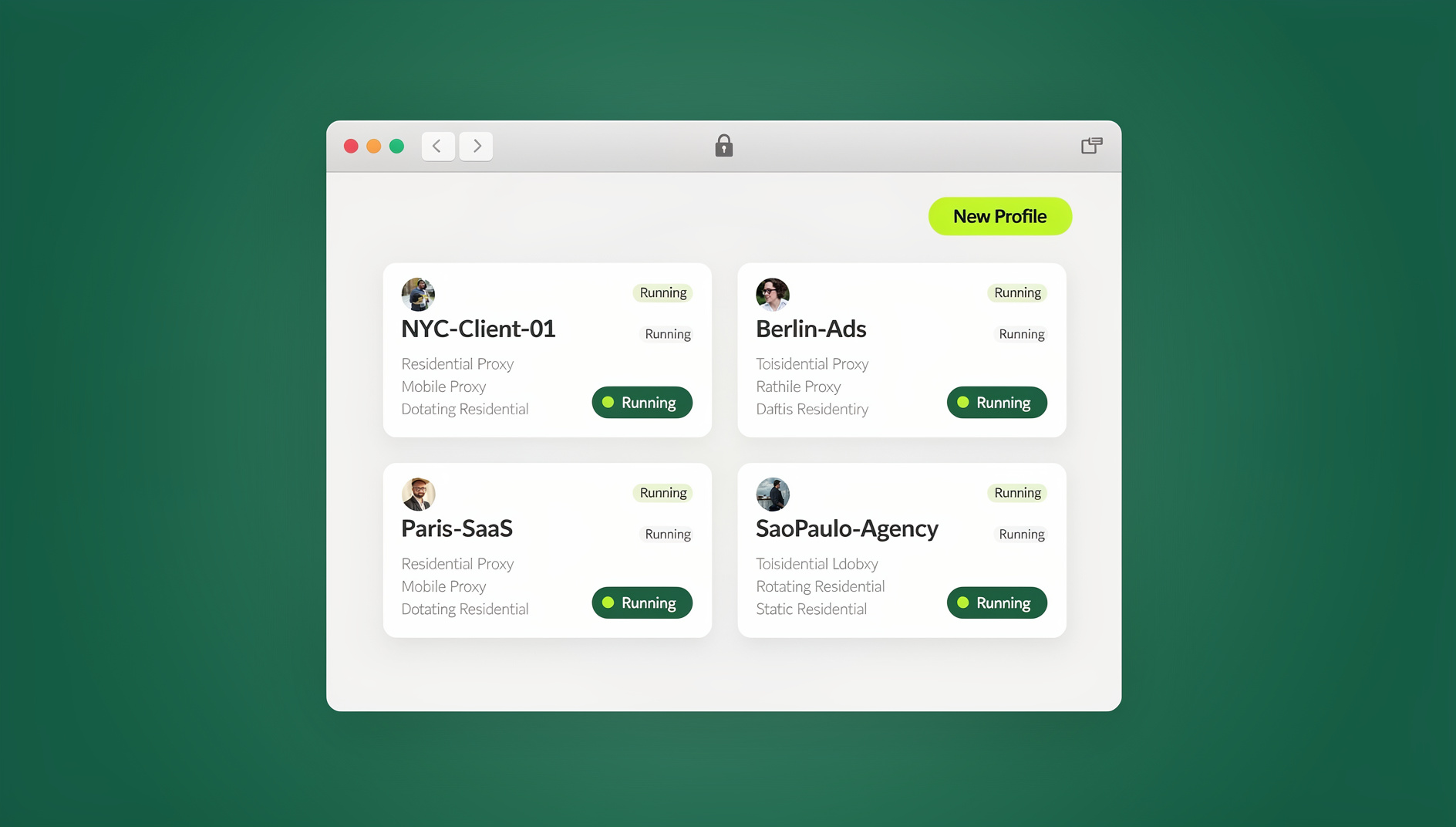
Send.win gives you two ways to work: download the native Sendwin Browser desktop app for Windows, macOS, or Linux — a local-first browser with encrypted cloud sync that keeps your profiles and sessions with you across machines — or spin up a fully hosted cloud browser session that runs entirely on remote infrastructure with zero local install, metered by cloud browsing time. Either mode solves the same underlying problem: you can hand a teammate, contractor, or client working access to an account’s session without ever typing the password into a chat message or shared document.
Instead of emailing a password around, you can share accounts without passwords by granting access to a saved session directly. Key features that make this workable for real teams:
- Session isolation on every profile. Each login runs in its own container, so cookies, storage, and fingerprints from one account never bleed into another — the same session isolation approach that keeps parallel client accounts clean.
- Share the session, not the credential. Grant a teammate access to a saved profile with revocable permissions, optional time limits, and blur/block controls over sensitive fields like billing.
- Bring-your-own-proxy (BYOP). Attach a different proxy per session for regional testing or general IP separation, rather than relying on one VPN for every account.
- Strong encryption. AES-256 for symmetric operations and RSA-2048 for asymmetric operations protect synced data, with decryption keys held on your device rather than a shared server.
- Paid plans on Pro and above. Teams running QA or repetitive workflows can use the desktop app for isolated profiles and sessions, with each profile keeping its own cookies, storage and fingerprint settings.
Compliance note: Send.win doesn’t override platform policies — it helps you compartmentalize access and collaborate without exposing passwords. For ChatGPT specifically, that still means using ChatGPT Team seats for genuine multi-user access; Send.win is for the surrounding problem of managing and sharing sessions across dozens of other accounts without risking any of them.
Who this setup fits best
- Marketers and advertisers managing multiple ad accounts and competitor research views without cross-contaminating sessions.
- E-commerce sellers operating several storefronts while keeping each brand’s login and cookies separate.
- SEO professionals testing search results from different regions in parallel, each with its own proxy.
- Developers and QA teams reproducing user environments and running automated tests in clean, disposable containers.
- Remote teams and agencies that need to collaborate with clients by handing over working access — the whole point being to share access, not credentials, so nobody ever needs the actual password.
Send.win Pricing (Paid Plans, 7-Day Money-Back Guarantee)
Send.win has no free trial; paid plans start with Pro at $19/mo or $83.88/yr, and the first card purchase is covered by a 7-day money-back guarantee. You can also preview it with the free cloud demo before committing to a plan. Two paid tiers cover most teams:
| Plan | Price | Profiles | Proxy Bandwidth | Seats | |
|---|---|---|---|---|---|
| Pro | $19/mo ($6.99/mo billed annually — 63% off) | 150 | 5GB | Included | Individual |
| Team | $49/mo ($20.99/mo billed annually — 57% off) | 500 | 20GB | Included | 16 |
Both paid tiers include isolated browser profiles, each with its own cookies, storage, sessions, fingerprint settings and proxy. Team simply adds more profiles, more proxy bandwidth, and enough seats for an agency or in-house department to share session access across the whole group.
How to Get Started (3 Steps)
- Try the free cloud demo. Preview Send.win in the browser for a few minutes without signing up, or create a free account for 10 minutes a day.
- Choose desktop or cloud. Download the Sendwin Browser app if you want local-first storage with encrypted sync, or launch a cloud session if you’d rather skip installation entirely.
- Create and share your first session. Set up an isolated profile, attach a proxy if needed, then share access with a teammate instead of the password — apply blur/block on sensitive fields first.
2026 Best-Practice Checklist
- Never share your ChatGPT username and password — add seats through ChatGPT Team or Enterprise instead.
- Turn on MFA everywhere and rotate credentials immediately if you suspect compromise.
- Use Shared Links carefully for individual threads, and prune links you no longer want public.
- Isolate identities with separate, containerized sessions so cookies, storage, and fingerprints don’t bleed between logins.
- Use per-session proxies rather than a single VPN when regional testing or IP separation matters.
- Follow each platform’s terms of service — avoid tools or behaviors designed purely to evade detection.
🏆 Send.win Verdict
You can’t safely share a single ChatGPT login — OpenAI’s terms rule it out, and the practical risks (suspended accounts, exposed billing, usage caps) are real. Use ChatGPT Team seats for genuine multi-user access. For everything else you manage alongside it — client logins, ad accounts, testing environments — Send.win lets you share working access through isolated sessions instead of passing around passwords, whether you prefer the native desktop app or a zero-install cloud session.
Try the Send.win cloud demo — preview it free and share your first session without ever sharing a password.
FAQ
Can I share my ChatGPT Plus subscription with my team?
No. ChatGPT Plus is meant for one user per login. If several people need access, use ChatGPT Team, which is built for multi-seat billing and management.
Is it safe to give a contractor my ChatGPT password temporarily?
No. It violates OpenAI’s terms and exposes billing details and chat history. Add them as a seat on Team, or share the specific conversation link they need instead.
What triggers a “suspicious activity” alert on ChatGPT?
Unusual sign-ins from new locations or devices, rapid switching between IPs, or other patterns that look risky to OpenAI’s automated abuse detection. These can restrict features temporarily until reviewed.
Can I use ChatGPT Team for a family instead of a business?
Team is designed for workspaces of two or more members with shared billing, so it works for families too, though it’s priced and built primarily for professional use. For strictly personal, single-user access, individual Plus accounts remain simpler.
What’s the difference between the Sendwin Browser app and a cloud session?
The Sendwin Browser is a native desktop app for Windows, macOS, and Linux — local-first, with encrypted cloud sync so your sessions travel with you. A cloud session runs entirely on remote infrastructure with nothing to install, metered by cloud browsing time instead. Both let you isolate and share sessions for any site you log into, ChatGPT included.
How is sharing a session through Send.win different from sharing a password?
Sharing a session grants working access to a saved, isolated profile with controls like time limits and field blurring, and it can be revoked instantly. Sharing a password hands over the actual credential, with no way to limit or later revoke what someone saw or did.
We manage dozens of client logins across different platforms. What’s the compliant setup?
Keep one login per user per platform, use isolated sessions to compartmentalize each client’s accounts, and never use tools to bypass a platform’s own rules. For ChatGPT specifically: one account per person, with Team seats for anyone who needs regular access.
Do I need a credit card to try Send.win?
No. Send.win has no free trial; paid plans start with Pro at $19/mo or $83.88/yr, and the first card purchase is covered by a 7-day money-back guarantee. You can preview it with the free cloud demo before choosing Pro or Team.
Final Thoughts
The fastest way to lose access to ChatGPT is to share a single login — OpenAI’s policies are explicit, and enforcement has only gotten more consistent in 2026. Use ChatGPT Team or Enterprise for genuine multi-user access, Shared Links for one-off collaboration, and a tool like Send.win for the much bigger problem of managing every other login your team touches without ever emailing a password around again.
{
“@context”: “https://schema.org”,
“@type”: “FAQPage”,
“mainEntity”: [
{
“@type”: “Question”,
“name”: “Can I share my ChatGPT Plus subscription with my team?”,
“acceptedAnswer”: {
“@type”: “Answer”,
“text”: “No. ChatGPT Plus is meant for one user per login. If several people need access, use ChatGPT Team, which is built for multi-seat billing and management.”
}
},
{
“@type”: “Question”,
“name”: “Is it safe to give a contractor my ChatGPT password temporarily?”,
“acceptedAnswer”: {
“@type”: “Answer”,
“text”: “No. It violates OpenAI’s terms and exposes billing details and chat history. Add them as a seat on Team, or share the specific conversation link they need instead.”
}
},
{
“@type”: “Question”,
“name”: “What triggers a \”suspicious activity\” alert on ChatGPT?”,
“acceptedAnswer”: {
“@type”: “Answer”,
“text”: “Unusual sign-ins from new locations or devices, rapid switching between IPs, or other patterns that look risky to OpenAI’s automated abuse detection. These can restrict features temporarily until reviewed.”
}
},
{
“@type”: “Question”,
“name”: “Can I use ChatGPT Team for a family instead of a business?”,
“acceptedAnswer”: {
“@type”: “Answer”,
“text”: “Team is designed for workspaces of two or more members with shared billing, so it works for families too, though it’s priced and built primarily for professional use. For strictly personal, single-user access, individual Plus accounts remain simpler.”
}
},
{
“@type”: “Question”,
“name”: “What’s the difference between the Sendwin Browser app and a cloud session?”,
“acceptedAnswer”: {
“@type”: “Answer”,
“text”: “The Sendwin Browser is a native desktop app for Windows, macOS, and Linux — local-first, with encrypted cloud sync so your sessions travel with you. A cloud session runs entirely on remote infrastructure with nothing to install, metered by cloud browsing time instead. Both let you isolate and share sessions for any site you log into, ChatGPT included.”
}
},
{
“@type”: “Question”,
“name”: “How is sharing a session through Send.win different from sharing a password?”,
“acceptedAnswer”: {
“@type”: “Answer”,
“text”: “Sharing a session grants working access to a saved, isolated profile with controls like time limits and field blurring, and it can be revoked instantly. Sharing a password hands over the actual credential, with no way to limit or later revoke what someone saw or did.”
}
},
{
“@type”: “Question”,
“name”: “We manage dozens of client logins across different platforms. What’s the compliant setup?”,
“acceptedAnswer”: {
“@type”: “Answer”,
“text”: “Keep one login per user per platform, use isolated sessions to compartmentalize each client’s accounts, and never use tools to bypass a platform’s own rules. For ChatGPT specifically: one account per person, with Team seats for anyone who needs regular access.”
}
},
{
“@type”: “Question”,
“name”: “Do I need a credit card to try Send.win?”,
“acceptedAnswer”: {
“@type”: “Answer”,
“text”: “No. Send.win has no free trial; paid plans start with Pro at $19/mo or $83.88/yr, and the first card purchase is covered by a 7-day money-back guarantee. You can preview it with the free cloud demo before choosing Pro or Team.”
}
}
]
}