AI generated tools for digital marketers have gone from a novelty to a baseline requirement in the space of two years. In 2026, the marketers pulling ahead aren’t the ones with the biggest budgets — they’re the ones who’ve built a lean stack of AI tools that write, design, and publish faster than a traditional team ever could. But there’s a second, quieter shift happening alongside that first one: as marketers pile more AI tools, more client accounts, and more ad platforms into a single browser, they’re also piling up fingerprinting risk, session conflicts, and account bans they never saw coming. This guide covers both halves of that story — the five AI-generated tools worth your time this year, and the browser infrastructure you need underneath them so growth doesn’t turn into a suspended account.
What Are AI-Generated Tools, and Why Should Digital Marketers Care in 2026?
AI-generated tools are automated applications that use machine learning and large language models to produce content, design, or decisions that used to require a human specialist — a copywriter, a video editor, a brand designer, a customer support rep. Instead of a blank page and a deadline, a marketer describes an outcome and the tool generates a first draft, a full asset, or a working prototype in seconds.
For digital marketers specifically, the appeal comes down to four measurable benefits:
- Lower production costs — fewer billable hours spent on first drafts, mockups, and variations.
- Faster time-to-publish — campaigns that used to take a week of back-and-forth now ship same-day.
- Repetitive-task automation — briefs, meta descriptions, ad variations, and naming no longer eat up a strategist’s morning.
- Deeper, real-time insight — pattern recognition across large datasets surfaces audience and performance signals a human would miss.
None of that means AI tools replace strategy — they replace the grunt work that used to stand between a strategy and a published campaign. Below are five that are genuinely earning their keep for digital marketers in 2026, followed by the account-management problem almost nobody talks about until it costs them a suspended ad account.
The 5 Best AI-Generated Tools for Digital Marketers in 2026
Each of these tackles a different bottleneck — website creation, video production, copywriting, internal knowledge, and branding — so most marketing teams will end up using more than one at the same time.
| Tool | Best For | Typical Starting Price | Standout Feature |
|---|---|---|---|
| Durable | Launching a site in minutes | Free tier, paid from ~$12/mo | Full site + copy + images generated from a single prompt |
| Fliki | Turning scripts into video ads | Free tier, paid from ~$8/mo | Natural-sounding AI voiceovers in 75+ languages |
| Rytr | High-volume ad and blog copy | Free tier, paid from ~$9/mo | Dozens of use-case templates, brand voice memory |
| Cody.ai | Team knowledge and brainstorming | Free tier, paid from ~$29/mo | Trains on your own documents and past campaigns |
| Namelix | Naming brands, products, and campaigns | Free, one-time logo purchase | Instant name + logo + domain check in one pass |
1. Durable — AI Website Builder
Durable remains one of the fastest ways to stand up a landing page or a full client site. Describe the business and it generates a structured site with copy, stock imagery, and a basic layout already in place — a task that used to take a freelance designer a week now takes under a minute as a starting point. For agencies spinning up dozens of landing pages for different campaigns or clients, this is less “final product” and more “instant first draft” that a designer refines from there.
2. Fliki — AI Video and Voiceover Generator
Video remains the highest-converting ad format across every major platform, and Fliki removes the two biggest cost centers — voice talent and editing time. Paste a script, pick a voice, and Fliki assembles a polished video with synced visuals and natural-sounding narration. For marketers running short-form ads across TikTok, Reels, and YouTube Shorts simultaneously, this is the difference between producing one video a week and producing ten.
3. Rytr — AI Copywriting Assistant
Rytr is built for volume: ad variations, product descriptions, email subject lines, and blog drafts, generated against dozens of purpose-built templates. Teams report copy production costs dropping significantly once first-draft writing is handed to Rytr and human editors focus on refinement rather than blank-page generation. It’s particularly effective for agencies running A/B tests across ad copy, since generating twenty variations takes minutes instead of an afternoon.
4. Cody.ai — AI Team Knowledge Assistant
Cody.ai is different from the other tools on this list — instead of generating public-facing content, it trains on your team’s own documents, past campaigns, and internal playbooks to answer questions and assist with strategy. For agencies onboarding new account managers or juggling dozens of client playbooks, having an assistant that already knows the brand guidelines and past campaign results saves hours of ramp-up time per new hire or new account.
5. Namelix — AI Brand Name Generator
Namelix generates brandable names with an accompanying logo concept and instant domain availability check — useful well beyond naming a company. Marketers use it for campaign names, product line names, and even sub-brand naming for client work, since it removes the usual back-and-forth of brainstorming names that turn out to already be taken.
The Overlooked Problem: Running These AI Tools Across Multiple Client or Ad Accounts
Here’s what the “best AI tools” roundups usually skip: the moment a marketer or agency uses these tools across more than one brand, client, or ad account, a second problem appears that has nothing to do with the AI tools themselves. Every browser carries a fingerprint — canvas rendering, fonts, WebGL signature, timezone, screen resolution — and platforms like Meta, Google, and TikTok use that fingerprint to link accounts together, even when logins, IPs, and cookies are all different.
Run five client ad accounts from the same Chrome profile, log into five separate Rytr or Fliki workspaces from the same browser fingerprint, or hand a teammate your login instead of a proper access grant, and you’re one flagged pattern away from a suspended account cascading into every other account sharing that fingerprint. Agencies feel this the hardest, since one banned client account can take down the trust score of every other account run from the same setup.
Why a Single Browser Profile Breaks Down
A normal browser was never built for this. Chrome profiles share underlying fingerprint signals even across “separate” profiles on the same machine, cookies leak between tabs more often than marketers realize, and there’s no clean way to hand a client or teammate access without literally giving them your password. As the volume of AI-tool accounts and ad accounts grows, that fragile setup becomes the actual bottleneck — not the content generation itself.
How Send.win Solves the Multi-Account AI Marketing Workflow
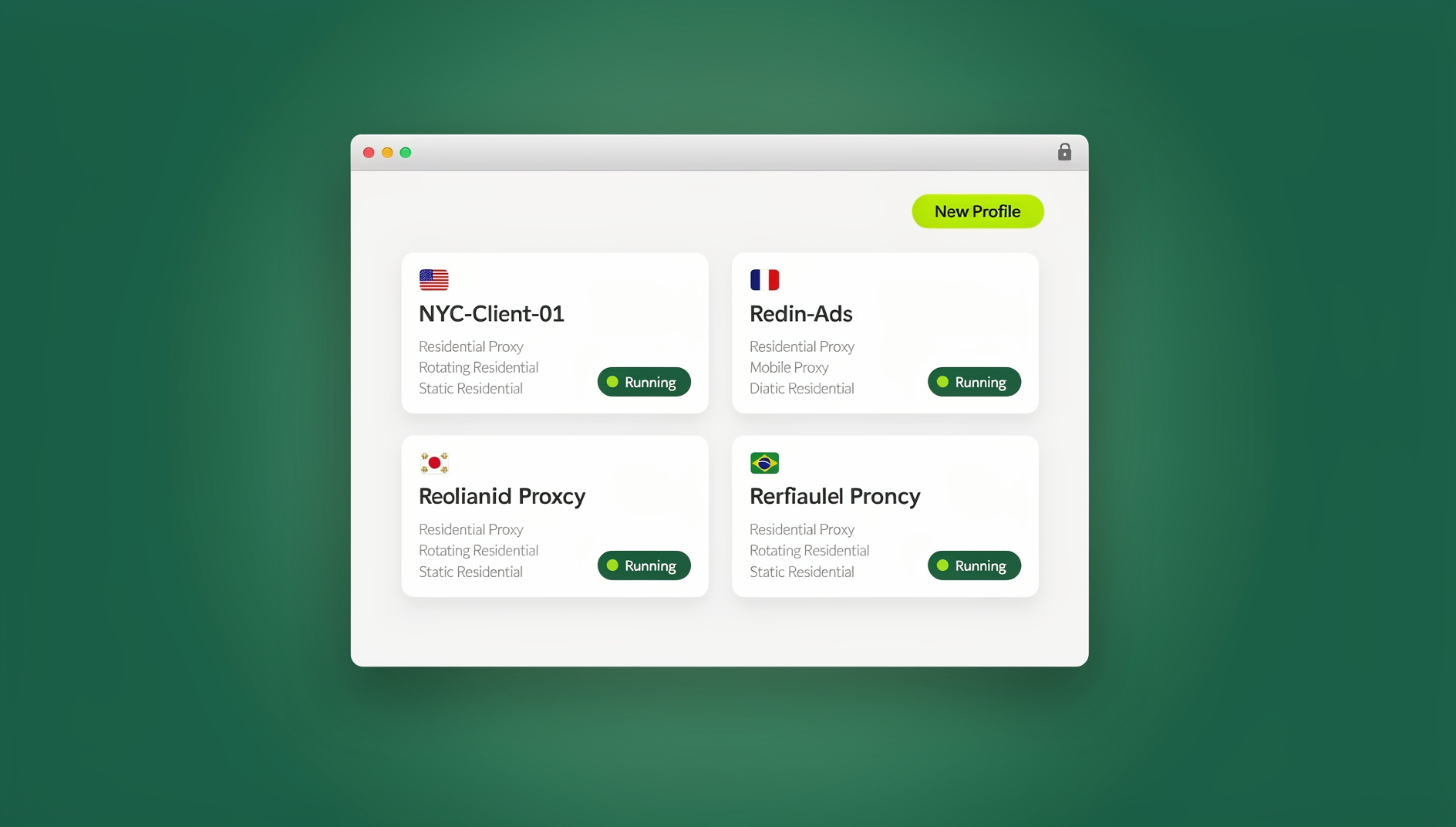
This is exactly the gap Send.win is built to close. It’s a browser profile manager built for people who need to run many accounts — client ad accounts, AI tool logins, social profiles — with each profile keeping its own cookies, storage, sessions and fingerprint settings, so they stay separate and organised.
Isolated Browser Profiles With Unique Fingerprints
Every profile in Send.win gets its own independent fingerprint — canvas, WebGL, fonts, timezone, and more — so each client’s ad account, or each AI tool workspace, keeps its own consistent browser identity. This is the same principle covered in our best antidetect browser breakdown: isolation at the browser level, not just the login level, keeps profiles separate and organised.
Built-in Proxies for Geo-Consistent Campaigns
Each profile can be paired with its own residential or datacenter proxy, so an account’s IP location stays consistent with its billing address, timezone, and target market — a detail platforms specifically watch for when a “new” account suddenly logs in from an unexpected country. This matters as much for AI-tool accounts flagged for abuse patterns as it does for ad platforms.
Team Sharing Without Password Sharing
Agencies routinely need to hand a client account, or a shared AI-tool workspace, to a teammate or contractor without handing over the actual password. Send.win’s profile-sharing lets a team member log into an isolated, permissioned copy of the session instead — the exact workflow described in how marketers use Send.win to manage multiple ad accounts safely, and it’s how agencies now run Facebook, Instagram, and Google Ads in parallel without one flagged account dragging down the rest.
Three Ways to Run Send.win, Depending on Your Workflow
Send.win isn’t a single interface — it covers three genuinely different modes, and picking the right one for how your team actually works matters more than most marketers realize.
| Mode | What It Is | Best For |
|---|---|---|
| Desktop App | A native app for Windows, macOS, and Linux where profiles run locally on your machine | Solo marketers and small teams running day-to-day campaign work from a fixed workstation |
| Automation API | No | Agencies that want to automate repetitive account tasks — bulk posting, scheduled logins, scraping campaign data — across dozens of profiles at once |
| Cloud Browser Sessions | Profiles run entirely in the cloud, metered by monthly cloud browsing time, no desktop install required | Distributed teams, remote contractors, and marketers who need to access the same client accounts from a laptop, a shared office computer, or on the road |
Desktop App — For Day-to-Day Local Work
The Desktop app is the primary way most Send.win users run profiles: install it once on Windows, macOS, or Linux, and every isolated profile — each with its own fingerprint and proxy — lives locally on that machine. This is the natural fit for a marketer or account manager who works from the same computer every day and just needs clean separation between client accounts and AI-tool logins.
Automation API — Not Offered by Send.win
Send.win does not offer an Automation API, SDK, headless mode, or Selenium, Puppeteer, or Playwright support on any plan. Instead of scripting bulk actions, agencies manage many isolated profiles through the desktop app or cloud browser sessions, each with its own cookies, storage, sessions, fingerprint settings and proxy.
Cloud Browser Sessions — For Access From Anywhere, No Install Needed
Cloud browser sessions run the profile entirely on Send.win’s infrastructure rather than your local machine — nothing to install, and the same profile is reachable from any device with a browser. This is metered as monthly cloud browsing time and comes bundled on paid plans alongside cloud sync, profile sharing, and team seats. It’s the right fit for a remote contractor who needs to jump into a client’s ad account from a borrowed laptop, or a team lead checking on a campaign from a phone browser without carrying fingerprint data around on every device they touch.
Step-by-Step: Setting Up a Safe Multi-Account Workflow for Your AI Marketing Stack
Whether you’re managing three client accounts or thirty AI-tool logins, the setup process looks the same:
- Sign up for Send.win (paid plans start at $19/mo for Pro, with a 7-day money-back guarantee on your first card purchase) and open the dashboard.
- Create a dedicated profile for each client, ad account, or AI-tool workspace you manage — never reuse one profile across accounts that should stay separate.
- Assign a proxy to each profile that matches the account’s expected location, so IP, timezone, and billing address stay consistent.
- Log into the account inside its profile — the fingerprint, cookies, and local storage for that login now stay fully isolated from every other profile.
- Share access with teammates via profile sharing instead of handing out the actual password, so you keep an activity trail and can revoke access instantly.
- For repetitive tasks, use Send.win’s isolated profiles to keep each client account’s cookies, storage and fingerprint separate while you work through them in the desktop app or cloud browser.
- For remote or on-the-go access, switch that profile to a cloud browser session so any teammate can reach it from a new device without installing anything locally.
🏆 Send.win Verdict
AI-generated tools like Durable, Fliki, Rytr, Cody.ai, and Namelix solve the content-production half of a digital marketer’s workload — but they create a second problem the moment you’re running them across multiple clients or ad accounts: fingerprint overlap and shared-account risk. Send.win closes that gap with isolated profiles, unique fingerprints, built-in proxies, and password-free team sharing, available as a local Desktop app or fully cloud-hosted sessions for remote teams. It’s the browser infrastructure your AI marketing stack actually needs underneath it.
Try Send.win today — paid plans start at $19/mo, with a 7-day money-back guarantee on your first card purchase, and keep every client account safely isolated.
Frequently Asked Questions
What are the best AI-generated tools for digital marketers in 2026?
Durable (website building), Fliki (video and voiceover), Rytr (copywriting), Cody.ai (team knowledge and strategy), and Namelix (brand and campaign naming) each solve a different production bottleneck and are widely used together rather than as standalone replacements for one another.
Are AI-generated tools actually reliable for client-facing marketing work?
They’re reliable as a first draft or production accelerant, not as a final, unreviewed output. Most agencies use AI tools to generate volume — ad variations, first-pass video, initial site copy — and keep a human editor in the loop before anything goes live on a client’s behalf.
Why do digital marketers need a multi-login or antidetect browser alongside AI tools?
Because AI tools solve content production, not account safety. The moment a marketer or agency runs multiple client ad accounts, or multiple AI-tool workspaces, from one browser fingerprint, platforms can link those accounts together and one flagged account risks the rest. A multi-login browser keeps each account isolated so that risk doesn’t compound.
What’s the difference between Send.win’s Desktop app and Cloud browser sessions?
The Desktop app runs isolated profiles locally on Windows, macOS, or Linux for day-to-day work. Cloud browser sessions run profiles entirely on Send.win’s servers, with no desktop install required, so any team member can access the same profile from any device — metered by monthly cloud browsing time.
How much does Send.win cost?
Send.win has no free trial. The Pro plan starts at $19/mo, and the Team plan starts at $49/mo. The first card purchase is covered by a 7-day money-back guarantee, and the only free option is the cloud demo at https://send.win/demo-browser/.
Can I share an ad account or AI-tool login with my team without sharing the password?
Yes. Send.win’s profile sharing lets you grant a teammate or contractor access to an isolated, permissioned copy of the session without ever revealing the underlying password, and you can revoke that access at any time.
Do I need a proxy for every profile I create?
It’s strongly recommended whenever the account’s expected location matters — which is nearly always true for ad accounts and many AI-tool accounts. Matching the profile’s proxy location to the account’s billing address and timezone avoids the location-mismatch signals platforms flag most often.
Is a cloud browser session slower than running profiles locally on the Desktop app?
Performance is generally comparable for everyday marketing tasks like logging in, posting, and reviewing campaigns, since the heavy lifting happens on Send.win’s infrastructure rather than your local machine. The main trade-off isn’t speed — it’s that cloud browsing time is metered monthly, so it’s best reserved for remote access and on-the-go use rather than as a full-time replacement for the Desktop app.