Why Chrome Extensions Still Matter for Digital Marketers in 2026
If you manage SEO, paid ads, social media, or content for even a handful of clients, your browser is your office. The right chrome extensions for digital marketers shave hours off keyword research, competitor snooping, link tracking, and proofreading every single week. The wrong stack — or too many extensions crammed into one Chrome profile — quietly slows your machine, leaks data between client accounts, and occasionally gets a client’s ad account flagged for “unusual activity” that has nothing to do with the ad itself and everything to do with cookie contamination.
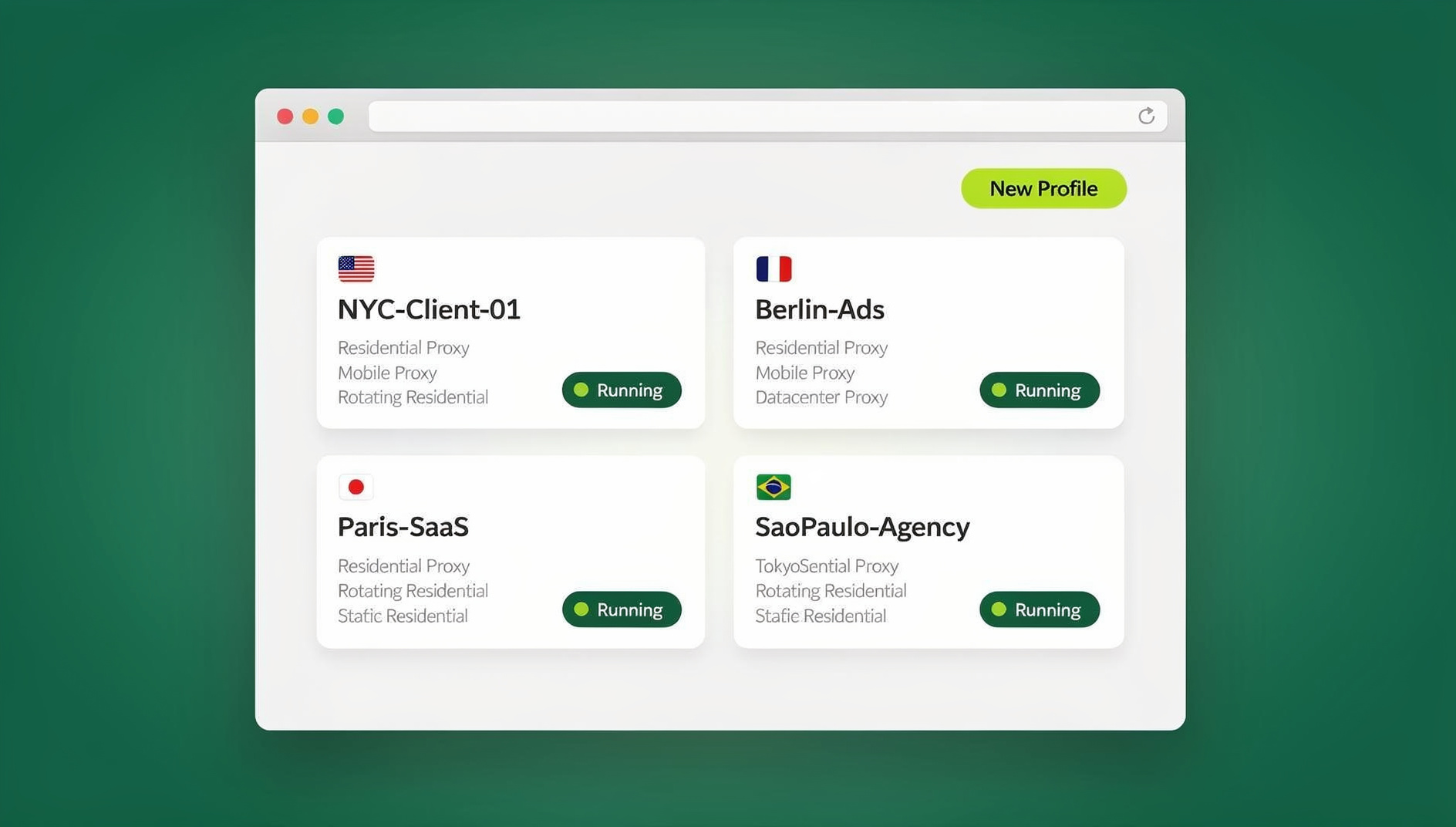
This guide updates the classic “5 must-have extensions” list for how marketers actually work in 2026: juggling multiple clients, multiple ad accounts, and multiple social logins from the same laptop. We’ll cover the extensions worth installing, the real risk of running them across shared logins, and where a dedicated multi-account browser picks up the slack that extensions alone can’t cover.
What Makes a Chrome Extension Actually “Essential” in 2026
Extension stores are flooded with abandoned, over-permissioned, or outright unsafe listings. Before you install anything, run it through this checklist:
- Permission scope — does it need to read/change data on every site you visit, or just the ones relevant to its job?
- Active maintenance — check the “last updated” date in the Chrome Web Store; anything untouched for 18+ months is a liability.
- Performance cost — extensions that inject scripts into every tab (heavy SEO toolbars, some VPN extensions) can measurably slow page loads.
- Cross-account safety — does the extension store session data in a way that could leak between the different client logins you juggle daily?
- Team portability — can a teammate replicate your setup without you screen-sharing your entire login flow?
The Essential Chrome Extensions Every Digital Marketer Should Try
Here is the current, expanded list — grouped by the job each extension actually does, not just alphabetically.
1. Keywords Everywhere — Keyword Research Everywhere You Browse
Keywords Everywhere overlays search volume, CPC, and competition data directly onto Google, YouTube, and Amazon search results. Instead of tab-switching into a separate keyword tool for every idea, you see the numbers inline as you browse. It runs on a prepaid credit system rather than a subscription, which makes it cheap for solo marketers and painless to expense for agencies.
2. MozBar — Instant On-Page and Domain Authority Metrics
MozBar overlays Domain Authority, Page Authority, and on-page SEO elements (title tags, headers, canonical tags) on any page you visit. It’s the fastest way to sanity-check a backlink prospect or a competitor’s landing page without leaving your search results.
3. Grammarly — Proofreading for Every Platform, Not Just Docs
Ad copy, LinkedIn posts, client emails, and blog drafts all get proofread in real time wherever you’re typing — Gmail, Google Docs, WordPress, LinkedIn’s post composer. For marketers writing dozens of pieces of copy a week, this alone prevents the kind of typo that undermines an otherwise strong ad.
4. Loom — Async Client Reporting Without a Meeting
Loom’s Chrome extension records your screen and voice in a couple of clicks and instantly generates a shareable link. Instead of a 30-minute recap call, you send a 4-minute walkthrough of a campaign dashboard. Clients watch on their own time, and you get your calendar back.
5. Bitly — Link Shortening With Built-In Click Tracking
Bitly’s extension shortens the page you’re on and tracks clicks without needing to open the dashboard separately. For marketers running the same offer across five channels, having click data broken out by shortened link per channel is far more useful than one blended number.
6. ColorZilla — Fast Design QA for Landing Pages
ColorZilla pulls exact hex codes and generates gradients directly from any page. When a client insists an ad creative “doesn’t match the website color,” you can prove or disprove it in ten seconds instead of opening a design file.
7. uBlock Origin — Clean Browsing for Competitive Research
A lightweight, well-maintained ad blocker keeps your competitor research sessions free of the same retargeting noise you’re trying to analyze. It’s also one of the lowest-permission, most actively maintained extensions in the entire store — a good template for what “essential” should look like.
| Extension | Category | Best For | Typical Cost |
|---|---|---|---|
| Keywords Everywhere | Keyword research | Inline search volume/CPC data | Prepaid credits, low cost |
| MozBar | SEO metrics | Quick DA/PA and on-page checks | Free tier + paid Moz Pro |
| Grammarly | Content quality | Proofreading everywhere you type | Free tier + paid Premium |
| Loom | Client communication | Async video reporting | Free tier + paid plans |
| Bitly | Link tracking | Per-channel click attribution | Free tier + paid plans |
| ColorZilla | Design QA | Landing page/brand checks | Free |
| uBlock Origin | Privacy/performance | Clean competitive research | Free |
The Hidden Risk of Stacking Extensions Across Multiple Client Accounts
Extensions solve individual tasks brilliantly, but almost every marketer running an agency, freelance, or in-house team account juggle hits the same wall: all of these extensions run inside one Chrome profile, sharing one browser fingerprint, one cookie jar, and often one set of logged-in sessions. That’s fine when you’re the only person touching one client’s accounts. It becomes a real business risk the moment you’re managing several clients’ Google Ads, Meta Business Manager, or social accounts from the same machine.
Platforms like Meta and Google increasingly flag “unusual activity” not from what you post, but from how your browser looks — the same canvas fingerprint and cookie history logging into five unrelated business accounts back to back reads as suspicious automation, even when a human is doing everything manually. A well-optimized extension stack doesn’t fix this; if anything, extensions that inject scripts into every page can make your fingerprint even more distinctive and easier to correlate across accounts.
Where Chrome Extensions Hit Their Limit — and What to Use Instead
Extensions are built to enhance one browsing identity. They were never designed to give you several genuinely separate identities at once. That’s a different problem, and it’s exactly what a dedicated multi-profile browser like Send.win is built to solve.
Send.win creates isolated browser profiles — each with its own fingerprint, cookies, local storage, and (optionally) its own residential or datacenter proxy — so that a client’s ad account, a second client’s ad account, and your own agency accounts all look like they’re being accessed from entirely separate devices, even though they’re all running on your one laptop. If your team already relies on a browser built to manage multiple ad accounts safely, this will sound familiar — it’s the same isolation principle, just applied to the whole client roster instead of one account at a time.
Crucially, this doesn’t replace your extension stack — it contains it. You can still install Keywords Everywhere, Grammarly, MozBar, and Bitly inside every single profile. The difference is that each profile’s version of those extensions only ever sees that one client’s cookies and session data, never bleeding into the next.
How Send.win Complements (Not Replaces) Your Extension Workflow
A typical agency setup looks like this: one Send.win profile per client, each with its own proxy matched to the client’s target geography, each with the marketer’s usual extension stack installed inside it. Nothing about your day-to-day research workflow changes — you still use MozBar to check DA, still use Loom to send client updates — but you’re no longer one shared cookie jar away from a cross-account ban. For teams that specifically need to run Facebook, Instagram, and Google Ads in parallel without cross-contamination, this profile-per-client model is the whole point.
Send.win isn’t just a browser tab, either — it ships as a native Desktop app for Windows, macOS, and Linux, so your isolated profiles live in a dedicated application rather than yet another set of Chrome windows competing for the same taskbar space. For agencies running dozens of client profiles, that separation alone makes context-switching noticeably less error-prone.
If your team also runs recurring QA — checking that a client’s ad still renders correctly, that a login session hasn’t expired, or that a competitor’s landing page hasn’t changed — you can run those checks manually in Send.win’s isolated profiles, each with its own cookies, storage and fingerprint.
Step-by-Step: Building a Clean, Multi-Client Marketing Workflow
- Start with a paid plan. Send.win has no free trial, but the first card purchase is covered by a 7-day money-back guarantee, so you can test the workflow against a couple of real client accounts before committing.
- Create one profile per client or ad account. Name profiles clearly (e.g., “Client A – Meta Ads,” “Client B – Google Ads”) so nothing gets mixed up during a busy week.
- Assign a matching proxy to each profile. If a client’s target audience is in a specific city or country, match the profile’s proxy location and timezone to it.
- Install your usual extensions inside each profile. Keywords Everywhere, MozBar, Grammarly, Loom, and Bitly all work exactly as they do in a normal Chrome window — just scoped to that one client.
- Share profiles with your team without sharing passwords. Teammates get session access, not raw credentials, so offboarding a contractor doesn’t mean a mass password reset.
- Run recurring checks in isolated profiles. Send.win has no automation interface, so routine QA — ad rendering checks, login-session health, competitor page monitoring — is done manually across profiles, each with its own cookies, storage and fingerprint.
Chrome Extensions vs. Send.win Profiles: What Actually Solves What
| Marketer’s Problem | Chrome Extension Fix | Send.win Fix |
|---|---|---|
| Need inline keyword/CPC data while browsing | Keywords Everywhere | N/A — extensions still handle this, inside each profile |
| Managing 5+ clients’ ad accounts from one laptop | Not solved by extensions | One isolated profile + proxy per client |
| Proofreading copy across platforms | Grammarly | N/A — runs fine inside a Send.win profile |
| Sharing account access with a new hire | Not solved by extensions | Share session access without exposing passwords |
| Recurring QA on ad creatives/landing pages | Manual checking | Manual checking in isolated profiles |
| Working from a desktop app instead of browser tabs | Not applicable | Native Windows/macOS/Linux Desktop app |
What Send.win Costs in 2026
Send.win’s pricing is straightforward, with no free trial:
- Pricing: Pro $19/mo or $83.88/yr; Team $49/mo or $251.88/yr. There is no free trial; the first card purchase is covered by a 7-day money-back guarantee, and a free cloud demo is available at send.win/demo-browser.
- Pro plan: $19/month — built for solo marketers and freelancers managing a handful of client profiles.
- Team plan: $49/month — adds team session sharing, aimed at agencies running QA and monitoring at scale.
For marketers who also need to keep tabs organized alongside client profiles, pairing this setup with a solid chrome extension for managing multiple login sessions can further reduce the friction of remembering which tab belongs to which client. And if your ad management workflow still lives mostly in the browser day-to-day, it’s worth comparing this whole approach against a purpose-built browser for ads management to see which pieces of your stack can be consolidated.
🏆 Send.win Verdict
Chrome extensions like Keywords Everywhere, MozBar, and Grammarly are still genuinely essential for day-to-day marketing work — keep using them. But once you’re managing more than one client’s ad accounts or social logins from the same laptop, extensions alone can’t keep each account’s cookies, storage and fingerprint separate. Send.win adds the missing layer: isolated profiles with their own fingerprints and proxies, a native desktop app for Windows/macOS/Linux, and team session sharing without password handoffs.
Try Send.win today — plans start at $19/month, the first card purchase is covered by a 7-day money-back guarantee, and you can keep your favorite extensions while finally isolating each client’s account properly.
Frequently Asked Questions
What are the best Chrome extensions for digital marketers in 2026?
Keywords Everywhere for inline keyword data, MozBar for quick SEO metrics, Grammarly for proofreading across every platform, Loom for async client reporting, Bitly for link tracking, ColorZilla for design QA, and uBlock Origin for clean competitive research remain the most consistently useful picks for marketers in 2026.
Are Chrome extensions safe to use across multiple client accounts?
The extensions themselves are generally safe, but running them all inside one shared Chrome profile while logging into several different clients’ ad or social accounts creates a shared cookie and fingerprint trail that platforms can flag as suspicious. The safer pattern is one isolated browser profile per client, with your extensions installed inside each.
Can I still use my favorite extensions inside Send.win?
Yes. Send.win profiles run as full, isolated Chromium-based browser environments, so extensions like Keywords Everywhere, Grammarly, and MozBar install and run exactly as they would in a normal Chrome window — just scoped to that one profile’s fingerprint and cookies.
Does Send.win replace the need for Chrome extensions?
No. Send.win solves a different problem — giving you multiple genuinely separate browser identities. Extensions solve individual workflow tasks like keyword research or proofreading. Most agencies use both together: extensions inside every Send.win profile.
What is the difference between Send.win’s Pro and Team plans?
The Pro plan ($19/month) is built for solo marketers or freelancers managing a smaller set of client profiles. The Team plan ($49/month) adds team session sharing, making it a better fit for agencies that need to share access across a team.
Does Send.win have a desktop app?
Yes. Send.win offers a native Desktop app for Windows, macOS, and Linux, so your isolated client profiles run inside a dedicated application rather than competing for space with your regular Chrome windows and tabs.
Can I automate repetitive marketing checks with Send.win?
No. Send.win has no automation interface — no API, SDK, headless mode or Selenium/Puppeteer/Playwright support on any plan. Recurring tasks like checking that an ad still renders correctly or that a login session is still active are done manually across isolated profiles.
Do I need a credit card to try Send.win?
No. Send.win has no free trial. Paid plans start at $19/month, and the first card purchase is covered by a 7-day money-back guarantee, so you can test the multi-profile workflow against real client accounts before committing. The only free option is the cloud demo at https://send.win/demo-browser/.