Freelancing in 2026 looks nothing like it did even three years ago. Clients expect faster turnarounds, more clients means more logins to juggle, and the line between “personal browser” and “work browser” has basically disappeared. The freelancers who thrive aren’t necessarily the most talented — they’re the ones who’ve built a tool stack that removes friction from client management, communication, invoicing, and account security.
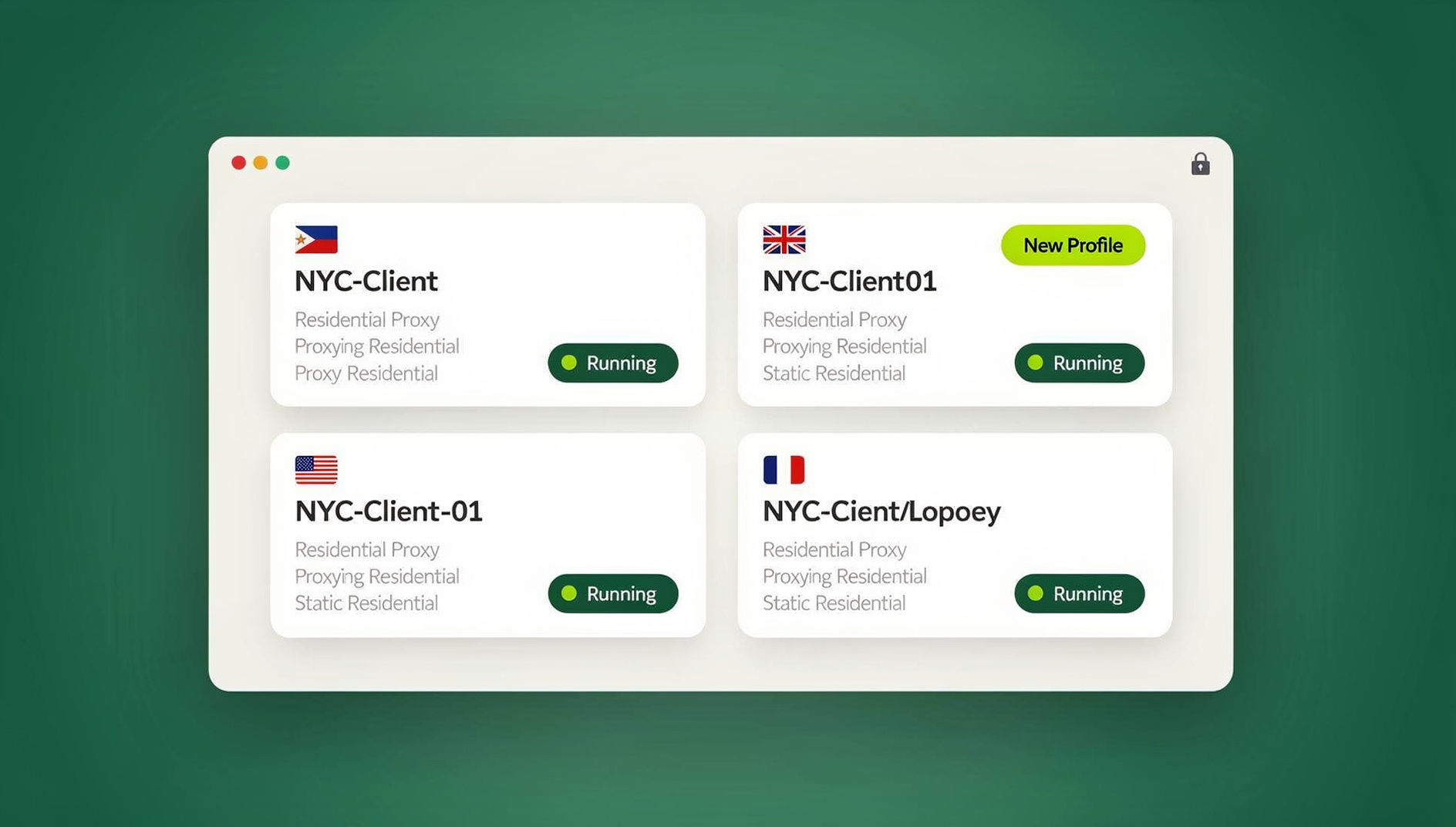
This guide updates our original list of best tools for freelancers for 2026: what’s changed, what’s still worth paying for, and — because this is the question we get asked constantly — how to stop juggling ten sets of client logins in one increasingly messy browser profile.
What Makes a Freelancer Tool Stack Work in 2026
Before jumping into the list, it helps to know what you’re actually optimizing for. Not every freelancer needs the same stack — a solo copywriter with three retainer clients has very different needs than a growth marketer running ad accounts for a dozen brands — but a few criteria apply across the board:
- Multi-client safety. If you log into different client accounts (email, social, ad platforms, CMS logins) from the same browser profile, you risk cross-contaminating cookies and fingerprints — which can trigger account flags or bans on platforms that watch for shared-device patterns.
- Genuine time savings. A tool only earns its subscription fee if it removes more admin time than it takes to learn and maintain.
- Cross-device reliability. Freelancers switch between a laptop, a second monitor setup, and sometimes a client’s shared workspace. Tools need to follow you, not lock you to one machine.
- Security you don’t have to think about. Reused passwords, shared spreadsheets of client logins, and browser extensions with excessive permissions are still the top cause of freelancer account compromises.
- Reasonable pricing at freelancer scale. Enterprise tools priced for 50-seat teams don’t make sense for a one-person business — look for per-user or flat solo pricing.
With that lens, here’s how the seven most useful categories of freelancer tools shake out in 2026.
The 7 Best Tools for Freelancers in 2026
1. Asana — Project and Client Task Management
Asana remains one of the most complete project management platforms for freelancers who juggle multiple simultaneous projects. Its board, list, and timeline views make it easy to see exactly where every client deliverable stands, and its free tier is genuinely usable for solo operators managing up to a handful of active projects. In 2026, its AI-assisted task summaries and automated status updates cut down significantly on the “just checking in” messages that used to eat up a freelancer’s afternoon.
2. Send.win — Multi-Account Browser for Client Logins
This is the category most “best tools for freelancers” lists still get wrong: freelancers don’t have one identity, they have as many as they have clients. Multi-login browser tools like Send.win solve the exact problem of needing to be logged into a client’s Facebook Business Manager, their Gmail, their CMS, and your own accounts simultaneously — without any of it bleeding together. We cover Send.win in depth in its own section below, because for freelancers managing more than two or three client accounts, it tends to be the single highest-leverage tool on this list.
3. Zoom — Client Calls and Presentations
Zoom’s breakout rooms, AI Companion meeting summaries, and noise-cancellation updates have kept it as the default choice for client calls, discovery sessions, and workshops. For freelancers running paid webinars or group coaching alongside their core service, Zoom’s webinar tier is still cheaper than most dedicated webinar platforms.
4. Trello — Lightweight Visual Workflow
Trello’s simple card-and-board system is still the fastest way to get a new client’s project visible without a learning curve. It’s less powerful than Asana for complex dependencies, but for freelancers who want a shareable, client-facing board they can hand over without a training call, Trello wins on simplicity alone.
5. FreshBooks — Invoicing and Accounting
FreshBooks continues to be one of the most freelancer-friendly accounting tools, built specifically around the billable-hour and per-project invoicing model most freelancers use. Automated late-payment reminders, mileage tracking, and client payment portals mean less time spent chasing invoices — consistently one of the top complaints freelancers report about running an independent business.
6. Slack — Client and Collaborator Communication
Slack remains the standard for freelancers who work inside a client’s existing team communication, and its Slack Connect feature makes it simple to have a dedicated channel with each client without needing to be added to their full internal workspace. AI-generated thread summaries in 2026 have made it much easier to catch up after being heads-down in deep work for a few hours.
7. Grammarly — Writing Quality and Tone
Grammarly’s tone detection and generative rewriting features have expanded well past grammar checking — it now flags when an email to a client reads as too blunt or too vague before you hit send, which matters enormously when written communication is often the only impression a client has of your professionalism.
Freelancer Tool Comparison at a Glance
| Tool | Best For | Starting Price | Standout 2026 Feature |
|---|---|---|---|
| Asana | Project & task management | Free tier; paid from ~$10.99/user/mo | AI status summaries |
| Send.win | Multi-client account & browser management | Pro $19/mo; 7-day money-back guarantee | Unique fingerprint per client profile |
| Zoom | Client calls & webinars | Free tier; paid from ~$13.33/mo | AI Companion meeting summaries |
| Trello | Simple visual workflow | Free tier; paid from ~$5/user/mo | Client-shareable boards |
| FreshBooks | Invoicing & accounting | From ~$19/mo | Automated payment reminders |
| Slack | Client & team communication | Free tier; paid from ~$7.25/user/mo | Slack Connect + AI thread recaps |
| Grammarly | Writing quality & tone | Free tier; paid from ~$12/mo | Tone detection before send |
Pricing above is approximate and changes frequently — always confirm on each vendor’s site before budgeting. Notably, Send.win is the only tool on this list that directly addresses the account-security side of freelancing rather than just the productivity side, which is exactly why it deserves its own deeper look.
Why Send.win Is the Multi-Account Engine Freelancers Are Missing
Most freelancers manage client accounts the way they’d manage their own: one browser, one set of cookies, maybe an incognito window when things get messy. That works fine until you’re running four clients’ Google Ads accounts, three clients’ social media logins, and your own accounts in the same Chrome profile — at which point platforms start seeing suspicious login patterns, shared devices trigger extra verification steps, and one client’s session data can accidentally leak into another’s.
Send.win is a browser profile manager built to solve exactly this. Every client gets its own isolated browser profile with a unique fingerprint, its own cookies, and — if you choose — its own dedicated proxy, so each client’s accounts stay separate and organized. For a deeper technical breakdown of how this isolation works under the hood, our productivity tools roundup covers where browser isolation fits alongside other workflow tools.
Core Send.win Features for Freelancers
- Unique fingerprints per profile — each client’s profile presents its own canvas, WebGL, timezone, and hardware fingerprint, so accounts never look linked to each other.
- Built-in proxies — attach a residential or datacenter proxy to any profile directly inside Send.win, without juggling a separate proxy manager.
- Team and client sharing — invite a client or a subcontractor into a specific profile without ever handing over the underlying password.
- Cloud sync — profiles, cookies, and saved logins sync across devices, so you can start work on a laptop and finish on a desktop without re-logging into anything.
- Session isolation — even within the same account, tabs stay isolated from each other, which matters if you’re testing something in a client’s account without wanting it to affect your live session.
Available Everywhere You Work: Desktop App and Cloud Sessions
Send.win runs as a native Desktop app for Windows, macOS, and Linux, which is how most freelancers actually run their day-to-day client profiles — it launches faster, handles more simultaneous profiles smoothly, and doesn’t depend on keeping a specific browser open. If you need to work from a machine without the app installed, Send.win’s cloud browser sessions let you spin up a profile in the cloud with no local install at all, which is useful for freelancers working from a client’s shared computer or a temporary setup.
For freelancers who do development, QA, or marketing work, keeping each client’s sessions separate in their own profile is a genuine differentiator. Instead of juggling logins in one browser, you can keep each client’s cookies, storage and fingerprint isolated, so repetitive account management stays organized. If part of your freelance income comes from juggling multiple clients without burning out, keeping each client’s browser profile separate is one of the highest-leverage moves available.
Getting Started with Send.win in 4 Steps
- Start with a paid plan at send.win — Pro is $19/mo, and your first card purchase is covered by a 7-day money-back guarantee.
- Create a profile per client. Name each profile clearly (e.g., “Client A — Ads,” “Client B — CMS”) so you never confuse which session belongs to whom.
- Attach a proxy to each profile if the client’s accounts are geo-sensitive (e.g., local business listings, region-locked ad accounts).
- Install the Desktop app for daily use, and invite any subcontractors or clients into specific profiles using session sharing rather than shared passwords.
From there, scaling up simply means adding another profile — the Pro plan ($19/mo) supports up to 150 profiles, and the Team plan ($49/mo) scales to 500 profiles and 16 seats, which comfortably covers a freelancer who occasionally brings on a virtual assistant or subcontractor.
A Sample Day-in-the-Life Workflow Combining These Tools
Here’s roughly what a well-organized freelancer’s morning looks like with this stack in place: Asana opens first, showing which client deliverables are due today. Slack (with Slack Connect channels per client) surfaces anything urgent that came in overnight. For any client work that requires logging into their platforms — social accounts, ad managers, a shared CMS — Send.win’s Desktop app opens the correct client profile with one click, already logged in, already isolated from every other client’s session. Grammarly checks tone on outgoing client emails before they’re sent, Trello gives a quick client-facing view of where a smaller project stands, Zoom handles the midday check-in call, and FreshBooks quietly sends a payment reminder for an invoice that’s a few days overdue — all without the freelancer needing to remember which browser tab belongs to which client.
The point isn’t to use all seven tools at once — it’s that each one removes a specific category of friction, and the multi-account layer (Send.win) is what keeps the other six from becoming a security liability as your client list grows.
Common Mistakes Freelancers Make With Their Tool Stack
Even freelancers who invest in good tools often undercut themselves with a few recurring habits:
- Using one browser profile for every client. It feels simpler short-term, but it’s the single biggest cause of account flags and awkward “why did my Facebook Ads account log out” moments.
- Sharing passwords over email or chat. Every password sent in plain text is a password that can be intercepted, forwarded, or reused elsewhere. Session sharing without password exposure solves this directly.
- Skipping invoicing automation to “save money.” The hours spent manually chasing late payments almost always cost more than a $19/month invoicing tool.
- Ignoring proxy/geo requirements. Managing a client’s local business account from the wrong region can trigger unnecessary verification checks or account holds.
- Tool sprawl without integration. Adding a new tool for every new problem, rather than choosing tools that reduce the total number of logins and dashboards you have to check daily.
If you’re managing accounts across several platforms for multiple clients, it’s also worth reviewing where you’re finding client work in the first place — our breakdown of the best freelance website in 2026 covers which platforms are actually worth your time versus which ones just add another login to track.
🏆 Send.win Verdict
Of the seven tools on this list, Send.win is the only one built specifically to solve the account-isolation problem that comes with freelancing for multiple clients. As your roster grows past two or three clients, a single shared browser profile stops being a convenience and starts being a security and account-safety risk. Send.win’s per-client fingerprints, built-in proxies, password-free session sharing, native Desktop app, and Team plan make it the one tool on this list that protects the business you’re building rather than just organizing it.
Try Send.win today — start with a paid plan, covered by a 7-day money-back guarantee on your first card purchase, and set up your first client profile in minutes.
Frequently Asked Questions
What’s the biggest difference between free and paid freelancer tools in 2026?
Free tiers of tools like Asana, Trello, and Slack are usually generous enough for a single freelancer with a small number of active clients. Paid tiers typically unlock automation (recurring tasks, AI summaries), higher usage limits (more boards, more integrations, more profiles), and priority support — worth paying for once your client load grows past what you can track manually.
Do I need a multi-login browser like Send.win if I only work with two or three clients?
It’s optional at that scale but still valuable — even two clients’ accounts mixing in one browser can cause login flags on platforms sensitive to shared-device patterns. Most freelancers find a paid plan worth using as soon as they’re logging into any client-owned account (not just collaborating in shared tools like Slack or Asana).
Is Send.win a browser extension, or is there a real desktop app?
No — Send.win is not a browser extension. It’s a native Desktop app for Windows, macOS, and Linux, which is how most users run their day-to-day client profiles, and it also offers cloud browser sessions for working from a device with no local install at all, so you’re not limited to one machine.
Can I automate repetitive client account tasks with Send.win?
No — Send.win does not offer an automation interface. There is no API, SDK, headless mode or Selenium/Puppeteer/Playwright support on any plan. Instead, each client gets an isolated browser profile with its own cookies, storage and fingerprint, so you can keep multi-account work organized without scripting.
How much should a full freelancer tool stack cost per month?
A lean stack using free tiers of Asana, Trello, and Slack, plus paid FreshBooks (~$19/mo), Grammarly (~$12/mo), and Send.win Pro ($19/mo), lands around $40-45/month — modest compared to the time and account-security risk it eliminates.
Which tool should I start with if I’m on a tight budget?
Start with whichever tool removes your single biggest weekly time cost. If it’s chasing invoices, start with FreshBooks. If it’s managing multiple client logins safely, start with Send.win’s paid plan — your first card purchase is covered by a 7-day money-back guarantee, and it takes only a few minutes to set up your first client profile.
Is it safe to share client account access using these tools?
It’s safer than the alternative of emailing or texting a password. Send.win’s session sharing lets a client or subcontractor access a specific profile without ever seeing the underlying password, and access can be revoked at any time.
Do these tools work together, or will I end up managing seven separate dashboards?
Most integrate with each other directly (Slack-Asana, FreshBooks-Zoom for invoiced calls, etc.), and Send.win sits underneath all of them as the layer that keeps each client’s logins and sessions separate — so you’re not adding a dashboard, you’re removing the risk of them colliding.
What’s the best proxy setup for freelancers managing clients in different regions?
Attach a proxy matching each client’s target region directly to that client’s Send.win profile — for example, a US residential proxy for a US-based client’s local listings, and a separate one for a client in another country. This keeps geo-sensitive accounts looking consistent and reduces unnecessary verification prompts.