The best productivity tools for 2026 pair a fast task-and-project backbone — think ClickUp, Asana, or Notion — with secure multi-account infrastructure, because login friction and account-switching chaos slow teams down more than any missing app feature. This guide ranks 25 tools worth adopting this year, led by Send.win for multi-login and session isolation, then covers project management, docs, meetings, scheduling, and time tracking so you can assemble a stack that actually fits how you work.
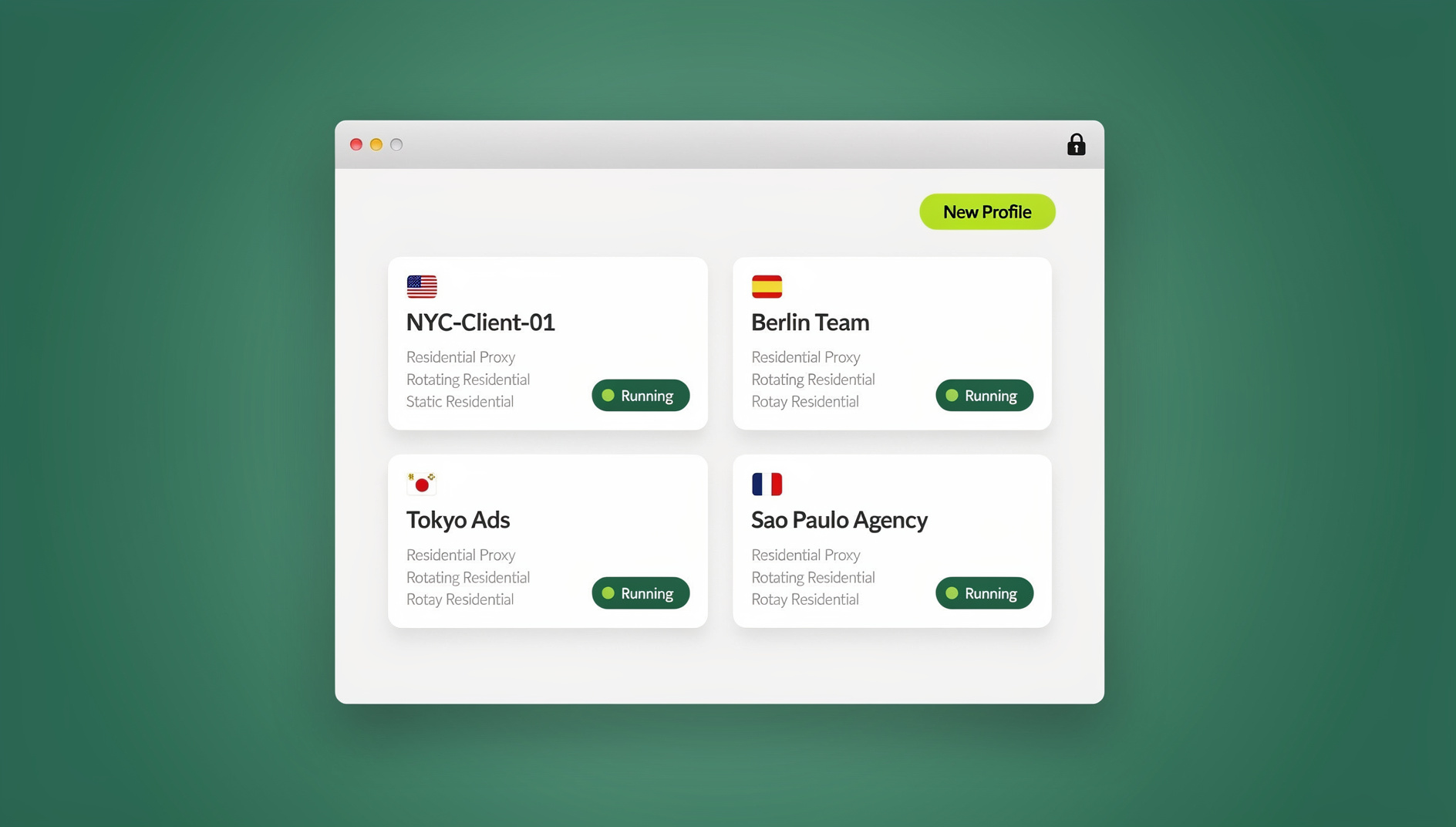
You’ll find the full lineup below: how we picked these tools, a detailed Send.win breakdown (features, use cases, pricing, and quick start), plus 24 complementary picks to round out your 2026 stack.
How We Chose These 25 Tools
Speed and friction removal. Tools that cut context switching, login hassles, and repetitive clicks made the cut over ones that just add another dashboard to check.
Security and privacy. We favored isolation-by-design, strong encryption practices, safe sharing mechanisms, and a minimal local footprint over tools that quietly accumulate risk.
Real-world fit. Every tool here earns its spot across at least one of marketing, e-commerce, SEO, engineering, ops, or founder workflows — not just in a demo.
Automation and AI. Built-in automation or straightforward integrations that save time by default outranked tools that require a consultant to configure.
Value. Fair pricing for features teams actually use, not a bloated tier structure designed to upsell you into features you’ll never touch.
#1: Send.win — Multi-Login and Session Isolation for Teams Managing Multiple Accounts
Best for: marketers and advertisers, e-commerce sellers, SEO professionals, developers and testers, remote teams, and anyone who needs to run multiple accounts without login chaos or cross-account contamination.
Website: https://send.win
What Is Send.win?
Send.win gives every account or client its own isolated browsing environment so cookies, storage, and sessions never bleed between logins. It works in two modes, and picking the right one matters: the Sendwin Browser is a native, downloadable desktop app for Windows, macOS, and Linux that runs local-first with encrypted cloud sync, ideal for daily, hands-on work. Cloud browser sessions run entirely in the cloud with zero local install — you open a session from any device with a browser and close the tab when you’re done, nothing lives on that machine, and usage is metered by cloud browsing time. Teams comparing the two approaches to a multi-login browser generally land on the desktop app for daily drivers and cloud sessions for occasional or remote access.
Why Send.win Stands Out
- Multiple logins made easy. Switch accounts in one click, with clean isolation and repeatable setups that cut down on mistakes during campaign ops.
- Session isolation on every profile. Each session is its own environment, so you can A/B test copy, run parallel ad accounts, or sign into different storefronts without cookie or storage overlap.
- Bring-your-own proxies. Assign your own proxy per session for location control and IP separation — useful for anyone comparing dedicated proxy browsers for account management.
- Protect sensitive pages. Lock down account and billing screens so they aren’t visible to anyone else viewing a shared session.
- Share the account, not the password. Give teammates or contractors access to a live session without ever handing over credentials — see our full breakdown on how to share sessions without sharing passwords.
- Session timers. Auto-expire shared access after 30 minutes, an hour, a day, or longer to cut down on standing risk.
- Blur on share. Mask sensitive parts of a page before handing a session to someone else.
- No shared storage across sessions. Nothing in one session can monitor or leak into another.
- Encrypted cloud sync. The desktop app keeps your session data synced securely across your own devices.
Use Cases and Who Benefits
- Marketers and advertisers: manage multiple ad accounts across Meta, Google, and TikTok, QA landing pages, and monitor competitors — without fingerprint or cookie overlap between clients.
- E-commerce sellers: operate several storefronts safely, lower the risk of account bans, and test carts, coupons, and payment flows in parallel.
- SEO professionals: check SERPs and on-page variations from different sessions, and verify schema and UX across multiple accounts or properties.
- Developers and testers: test auth flows, cookies, and device states in isolated sessions, or reproduce bugs without touching a personal daily-driver environment.
- Remote teams and power users: multitask across roles and clients, keep workstreams separated, and share access safely when a contractor only needs temporary entry.
Send.win Pricing and Plans
| Plan | Price | Profiles | Proxy Bandwidth | Seats | |
|---|---|---|---|---|---|
| Pro | $19/mo ($6.99/mo billed annually — 63% off) | 150 | 5GB | Yes | — |
| Team | $49/mo ($20.99/mo billed annually — 57% off) | 500 | 20GB | Yes | 16 |
Send.win is a paid tool: Pro is $19/mo or $83.88/yr, and Team is $49/mo or $251.88/yr, with the first card purchase covered by a 7-day money-back guarantee. You can also try the free cloud demo at send.win/demo-browser/. Full details, including current feature breakdowns for each tier, are on send.win/pricing.
Getting Started in 3 Steps
- Sign up at portal.send.win and choose a paid plan — Pro is $19/mo or $83.88/yr, Team is $49/mo or $251.88/yr, and your first card purchase is covered by a 7-day money-back guarantee. You can also preview it free at the cloud demo.
- Choose your mode. Install the native Sendwin Browser desktop app for Windows, macOS, or Linux if you want local-first performance with encrypted cloud sync, or launch a cloud browser session if you’d rather work with zero local install.
- Start working. Create a session per client or account, assign proxies where needed, and keep each profile’s cookies, storage and fingerprint separate.
Quick Tips to Get More from Send.win
- Create session templates per client or shop with bookmarks, proxies, and default timers already set.
- Use session timers for contractors or short-term access instead of leaving shared sessions open indefinitely.
- Blur sensitive areas — billing details, tokens, personal data — before sharing a live session.
- Rotate proxies for location-sensitive work like ad approvals, SERP checks, and geo-testing.
The Other 24 Standout Productivity Tools for 2026
These tools complement Send.win and cover tasks, docs, meetings, scheduling, and measurement. Mix and match to build a stack that fits how your team actually operates.
2) Notion — All-in-One Docs, Tasks, and Wikis
Best for: replacing separate docs, wiki, and lightweight project management tools with one flexible surface.
Why it’s great: flexible databases, inline AI assistance, and strong templates for roadmaps, PRDs, and knowledge bases.
Pairing tip: keep each client’s Notion workspace in its own Send.win session so logins stay clean and nothing cross-contaminates.
3) ClickUp — Projects With Serious Depth
Best for: cross-functional teams that need tasks, docs, goals, and dashboards in one place.
Why it’s great: granular views, dependencies, workload management, and rich automations that scale with team size.
4) Asana — Polished Project Management
Best for: marketing, ops, and product teams with complex handoffs between departments.
Why it’s great: clean UX, dependency tracking, approvals, and timeline views that keep stakeholders aligned.
5) Trello — Simple, Visual Boards
Best for: kanban purists and lightweight workflows that don’t need heavy configuration.
Why it’s great: easy drag-and-drop, Butler automations, and a large library of power-ups.
6) Todoist — Personal Tasking That Scales
Best for: individuals and small teams who want fast capture and natural-language due dates.
Why it’s great: filters, labels, and streaks that keep daily task habits sticky.
7) TickTick — Tasks Plus Habits
Best for: personal productivity with habit tracking and Pomodoro built in.
Why it’s great: a built-in calendar, smart lists, and smooth cross-device sync.
8) Microsoft To Do — Seamless With Outlook
Best for: Microsoft 365 users who want tasks tied directly to email and calendar.
Why it’s great: tight Outlook integration and shared lists for household or team use.
9) Obsidian — Local-First, Networked Notes
Best for: deep thinkers, researchers, and developers who want durable, portable notes.
Why it’s great: Markdown notes, graph view, a rich plugin ecosystem, and offline-friendly vaults.
10) Airtable — Spreadsheets That Behave Like Apps
Best for: operations, content pipelines, and lightweight CRM setups.
Why it’s great: diverse views (grid, kanban, calendar), forms, scripting, and automations in one base.
Pairing tip: open discrete bases per client in separate Send.win sessions to avoid cross-account auth issues.
11) Coda — Documents With Superpowers
Best for: teams that want docs, data, and automation on one canvas.
Why it’s great: Packs (integrations), buttons, formulas, and page-level permissions.
12) Slack — Real-Time Team Messaging
Best for: fast collaboration and quick decisions across distributed teams.
Why it’s great: channels organized by topic or client, a strong app ecosystem, and simple audio/video huddles.
Pairing tip: log into multiple Slack workspaces at once, each in its own Send.win session, without browser juggling.
13) Microsoft Teams — Chat and Meetings for M365
Best for: organizations standardized on Microsoft’s ecosystem.
Why it’s great: deep SharePoint and OneDrive ties, webinars, and live events support.
14) Google Workspace — Gmail, Docs, Meet, Drive
Best for: lean teams and small businesses that want reliable, familiar tooling.
Why it’s great: reliable email, collaborative docs, and straightforward admin controls.
15) Zoom — Meetings That Just Work
Best for: reliable video calls and webinars at any team size.
Why it’s great: HD video, breakout rooms, whiteboards, and solid recording and transcription.
16) Loom — Async Video That Saves Meetings
Best for: updates, walkthroughs, and customer explanations that don’t need a live call.
Why it’s great: record your screen and camera in seconds, share a link, and gather threaded comments.
17) Calendly — Scheduling Without the Back-and-Forth
Best for: booking sales calls, interviews, and customer sessions.
Why it’s great: multiple event types, routing rules, and pooled availability across a team.
18) Motion — AI Scheduling and Task Autopilot
Best for: individuals who want their calendar to plan the day for them.
Why it’s great: auto-schedules tasks into open slots and reshuffles by priority as the day changes.
19) Miro — Visual Collaboration Boards
Best for: workshops, brainstorms, retrospectives, and journey mapping.
Why it’s great: sticky notes, templates, and integrations built for agile rituals.
20) Zapier — No-Code Automation Leader
Best for: stitching together your entire SaaS stack without engineering help.
Why it’s great: thousands of integrations, multi-step zaps, branching logic, and webhooks.
Pairing tip: log session activity to a sheet or fire a Slack alert whenever a scripted Send.win session starts or ends.
21) Make (formerly Integromat) — Visual Automation
Best for: complex workflows and data transformations across many apps.
Why it’s great: a powerful scenario builder and cost-effective operations at scale.
22) IFTTT — Lightweight Personal Automations
Best for: simple triggers across apps and devices.
Why it’s great: “if this then that” recipes you can set up in minutes.
23) Toggl Track — Time Tracking Without the Drag
Best for: freelancers, agencies, and anyone billing hours.
Why it’s great: one-click timers, client and project tags, and clear reports.
24) Clockify — Free-First Time Tracking
Best for: teams watching budgets and utilization closely.
Why it’s great: unlimited users on the free tier, basic reporting, and on-site kiosks.
25) RescueTime — Focus and Time Awareness
Best for: understanding where your time actually goes each week.
Why it’s great: automatic categorization, focus sessions, and weekly productivity insights.
Quick Comparison Matrix
| Category | Top Picks | Why They Stand Out |
|---|---|---|
| Multi-login & isolation | Send.win | Native desktop app or cloud browser sessions, session isolation, share access without passwords, BYO proxies |
| Projects / PM | ClickUp, Asana, Trello | Depth vs. ease — pick based on dependencies and reporting needs |
| Docs / wikis | Notion, Coda | Databases plus docs; great for knowledge bases and SOPs |
| Notes (local-first) | Obsidian | Markdown vaults, offline-friendly, extensible via plugins |
| Team chat | Slack, Microsoft Teams | Familiar ecosystems that tie your other tools together |
| Meetings / async | Zoom, Loom | Live vs. async clarity and speed |
| Scheduling | Calendly, Motion | Reduce scheduling friction; auto-plan your day |
| Whiteboarding | Miro | A flexible “room” for remote collaboration |
| Automation | Zapier, Make, IFTTT | From simple triggers to complex, branching workflows |
| Time tracking | Toggl Track, Clockify, RescueTime | Measure effort, improve focus, and bill accurately |
Popular Stacks by Role (and Where Send.win Fits)
Marketers and Advertisers
- Send.win for parallel ad-account management — each client in its own isolated session, with dedicated proxies where needed.
- Asana or ClickUp for campaign projects and approvals.
- Notion for asset briefs and messaging banks.
- Slack plus Loom for async reviews.
- Miro for creative workshops.
- Zapier to move leads and performance data automatically.
Result: faster creative testing, safer account handling, and cleaner reporting.
E-Commerce Sellers
- Send.win for multiple storefronts and geo-testing checkout flows.
- Trello for product drops and promos.
- Airtable to manage inventory, SKUs, and suppliers.
- Calendly to book supplier calls.
- Zoom for vendor meetings.
- Toggl Track to keep ops time on target.
Result: fewer account bans, quicker QA, and smoother partner coordination.
SEO Professionals
- Send.win to isolate ranking checks and property-level sessions across accounts.
- Notion for keyword maps and on-page checklists.
- Coda for reusable audit playbooks.
- Slack for cross-team updates.
- Loom for annotated crawls and walkthroughs.
- Make for automated rank-tracking data flows.
Result: trustworthy snapshots and repeatable audits at scale.
Remote Developers and Testers
- Send.win for auth-flow QA and bug reproduction without touching a personal daily-driver environment, using isolated profiles with their own cookies, storage and fingerprint.
- Asana or ClickUp for sprints and bug triage.
- Obsidian for engineering notes.
- Miro for architecture diagrams.
- Clockify or RescueTime for time and focus management.
Result: cleaner test environments and fewer “works on my machine” moments.
How to Choose the Right Stack for 2026
- Map the bottlenecks. Is the biggest pain login friction, data handoffs, or decision delays?
- Start with isolation and security. If you handle multiple clients or accounts, start with Send.win. Secure isolation makes everything downstream easier.
- Add a project backbone. Pick ClickUp, Asana, or Trello based on how deep your dependencies and reporting need to go.
- Unify your knowledge. Use Notion or Coda for SOPs, briefs, and wikis.
- Automate the glue. Use Zapier or Make to cut repetitive updates and status pings.
- Measure and adapt. Use Toggl, Clockify, or RescueTime to see where time goes and adjust weekly.
Pro tip: keep the stack small but deep. A handful of well-adopted tools — plus Send.win for secure multi-login — beat a dozen apps nobody fully uses.
🏆 Send.win Verdict
If your work touches multiple accounts, clients, or storefronts, the single biggest productivity gain in this whole list comes from fixing login chaos first. Send.win does that with a native desktop app for daily, local-first work with encrypted cloud sync, or fully cloud-run sessions when you need zero local install — plus session sharing without passwords and separate cookies, storage and fingerprint per profile.
Try the Send.win cloud demo free — a 3-minute preview without signup, or 10 minutes a day with a free account — and build the rest of your 2026 stack around it.
Frequently Asked Questions
What are the best productivity tools for 2026?
The strongest 2026 stacks combine a project management backbone (ClickUp, Asana, or Trello), a docs and knowledge hub (Notion or Coda), time tracking (Toggl Track or Clockify), and — for anyone managing more than one account or client — a dedicated multi-login tool like Send.win to remove login friction and keep sessions isolated.
Do I need to install anything to use Send.win?
It depends on how you want to work. The Sendwin Browser is a native desktop app for Windows, macOS, and Linux that you install locally, with encrypted cloud sync for your sessions. If you’d rather not install anything, cloud browser sessions run entirely in the cloud and are accessible from any device with a browser — nothing is stored on that machine.
Does Send.win support automation and scripting?
No. Send.win has no automation interface — no API, SDK, headless mode or Selenium/Puppeteer/Playwright support on any plan. It focuses on isolated browser profiles, each with its own cookies, storage, sessions, fingerprint settings and proxy.
How much does Send.win cost, and is there a free trial?
Send.win has no free trial. Pro is $19/mo or $83.88/yr, and Team is $49/mo or $251.88/yr; the first card purchase is covered by a 7-day money-back guarantee. The only free option is the cloud demo at send.win/demo-browser/ — a 3-minute preview without signup, 10 minutes a day with a free account. Full details are at send.win/pricing.
Can I share account access with a contractor or client without giving them my password?
Yes. Share a live Send.win session, set a timer so access expires automatically, and blur any sensitive elements before handing it over. No passwords change hands, and access revokes itself when the timer runs out.
Which project management tool should I pick — ClickUp, Asana, or Trello?
ClickUp suits teams that want maximum depth and configurability. Asana fits marketing, ops, and product teams with complex handoffs and approvals. Trello is the right call for simple, visual kanban workflows that don’t need heavy setup.
Will these productivity tools integrate with each other?
Most of the tools on this list have native integrations or connect through Zapier, Make, or IFTTT. Pick one “source of truth” per function — projects in ClickUp or Asana, docs in Notion or Coda — and automate the connections between the rest.
Is there a free option for time tracking?
Clockify offers a genuinely usable free tier with unlimited users and basic reporting, making it a solid starting point before upgrading to Toggl Track or RescueTime for deeper insights.
The Bottom Line
If your work touches multiple accounts, regions, or clients, the biggest productivity boost comes from fixing session isolation and login friction first. That’s what Send.win delivers — a native desktop app for local-first, daily-driver work with encrypted cloud sync, or fully cloud-run sessions when you need zero local install, plus encrypted sharing without passwords and separate cookies, storage and fingerprint per profile.
Add the right project manager (ClickUp, Asana, or Trello), a docs hub (Notion or Coda), automation (Zapier or Make), and a time tracker (Toggl Track, Clockify, or RescueTime), and you’ve got a 2026 stack that’s fast, secure, and built to scale.
Start your Send.win trial today, launch your first session in minutes, and get through your day without tab chaos or login roulette: https://send.win.