An anonymous cloud browser runs your web sessions on remote, isolated infrastructure instead of your laptop, so page code never touches your device and each session stays encrypted, disposable, and hard to trace back to you — no VPN required. Send.win delivers this two ways: metered cloud browser sessions that run entirely off your machine, and a native Sendwin Browser desktop app for local-first work with encrypted cloud sync.
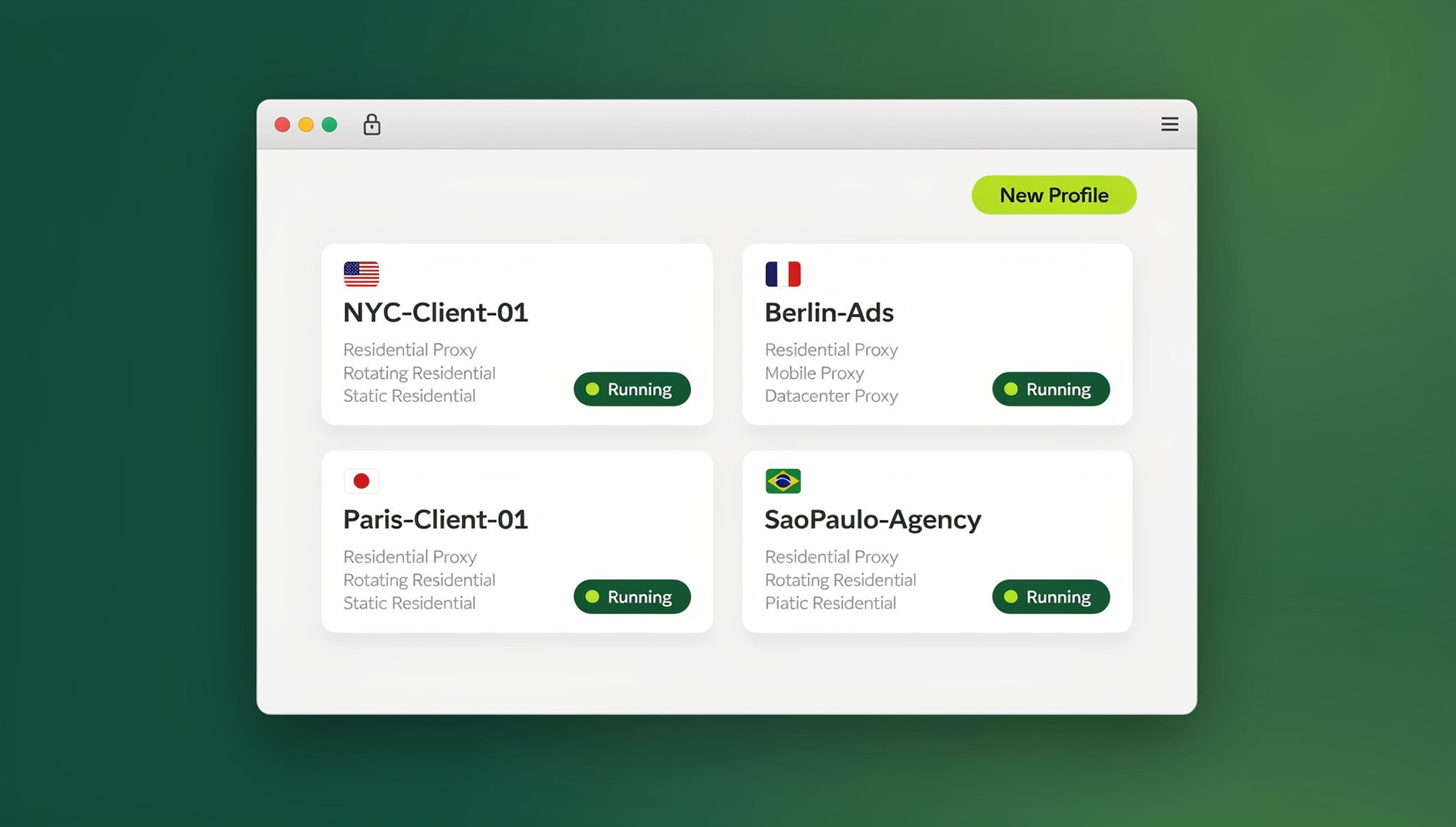
What Is an Anonymous Cloud Browser?
A cloud (or remote) browser executes web pages inside an isolated environment somewhere else and streams only the visual output to your screen, similar to a video call with a computer instead of a person. Cookies, scripts, cached files, and downloads stay contained in that remote environment rather than landing on your hard drive. Because nothing executes locally, a compromised or malicious page has almost nothing on your device to attack, and closing the session leaves behind no local history, cache, or cookies to clean up afterward.
That is a meaningfully different approach from a VPN, which only re-routes traffic from the same local browser and does nothing to change where the page’s code actually runs. An anonymous cloud browser moves the entire browsing environment off your device, which is why it pairs so well with browser isolation technology for sensitive research, multi-account work, and opening links you don’t fully trust.
How Send.win Delivers Anonymous, Encrypted Browsing
Send.win gives you two ways to browse without leaving a local footprint, and most teams end up using both depending on the task at hand.
Cloud browser sessions: zero local install
Launch a session from your Send.win dashboard and it runs entirely in the cloud, with nothing to download and nothing running on your laptop’s CPU. You pick a region, attach a proxy if you need one, and the session streams back to you like a live screen share. Usage is metered by cloud browsing time, so you pay for the minutes you actually run rather than a flat seat fee regardless of use. This mode is ideal when you want maximum separation between your device and whatever you’re browsing: competitor research, one-off logins, or opening a link you’re not fully sure about.
Sendwin Browser: the native desktop app
For daily, heavier workflows, such as juggling dozens of client logins or working somewhere with unreliable internet, Send.win also ships a native, downloadable desktop app for Windows, macOS, and Linux. It’s local-first, meaning your profiles live on your machine for speed and offline resilience, but everything syncs to the cloud with encryption so you can pick up the same sessions from another device. Each profile behaves like its own isolated browser identity, with separate cookies, storage, and cache, so nothing bleeds between accounts.
Which mode you pick depends on the job: cloud sessions for disposable, no-footprint tasks, and the desktop app for daily driving and reliable session isolation across dozens of persistent accounts.
Key Privacy and Security Architecture
Isolation by default
Both Send.win modes treat every page as untrusted by default. In cloud sessions, code runs remotely and only pixels reach your screen. In the desktop app, each profile is sandboxed from every other profile, so a flagged or compromised account can’t leak cookies or fingerprints into your other logins.
Encrypted sync and storage
Profile data, cookies, and session state are encrypted when synced to the cloud, so a stolen laptop or an intercepted connection doesn’t hand someone your accounts. You’re not relying on a browser’s native “private mode,” which still leaves traces in memory and can leak through installed extensions — Send.win’s separation is structural, built into how sessions are stored and synced, not a toggle you have to remember to flip.
No shared storage between profiles or sessions
Every profile and every cloud session gets its own cookie jar, cache, and local storage. That is what actually stops cross-account tracking and accidental linkage between logins, and it’s far more reliable than manually clearing cookies between sessions or hoping a private window did its job.
Real browsers, not emulators
Send.win runs genuine, up-to-date browser engines rather than stripped-down emulators, so sites render correctly, JavaScript-heavy dashboards behave normally, and you avoid the broken layouts and failed logins that plague stripped-down or emulated browsers.
Anonymous Cloud Browser vs. VPN vs. Extension-Based Tools
It helps to see the three common approaches side by side before deciding which fits your workflow:
| Question | Traditional Browser + VPN | Multi-Login Browser Extension | Send.win (Cloud Session or Desktop App) |
|---|---|---|---|
| Where does the page actually execute? | Locally, just through a tunneled IP | Locally, inside your existing browser | Remotely for cloud sessions; sandboxed per profile for the desktop app |
| Per-account isolation? | Limited or none | Profile-based, but shares the underlying browser | Every profile or session isolated by design |
| Local artifacts left behind? | Yes: cookies, cache, history | Yes, within the extension’s storage | None for cloud sessions; encrypted, sandboxed profiles for the desktop app |
| Sharing access without passwords? | Not built in | Not built in | Yes, via time-boxed session sharing |
| Geo or IP control? | VPN server list | Depends on add-ons | Bring-your-own proxies plus global endpoints |
| Automation support? | Manual only | Rarely native | No |
The honest tradeoff: a VPN is cheap and simple but only masks your IP, not your browsing fingerprint or local footprint. A proxy vs VPN comparison matters here because Send.win lets you attach proxies per session on top of isolation, rather than choosing one or the other. If your goal is genuine compartmentalization, disposable sessions, and safe team collaboration, an anonymous cloud browser gets you further than a VPN bolted onto your everyday browser.
Who Actually Needs an Anonymous Cloud Browser?
Send.win is built for anyone who needs more separation between accounts, devices, or people than a single local browser can provide.
Marketers and advertisers
- Run multiple ad accounts side by side without cross-contaminating pixels or cookies.
- Preview creatives from different regional IPs before launch.
- Invite a client or reviewer into a session without ever handing over a password.
E-commerce sellers
- Operate several storefronts without risking account linkage between them.
- Keep supplier and marketplace dashboards cleanly separated per profile.
- Set expiring session links so a temporary hire only has access for the time you allow.
SEO professionals
- Check SERPs and localized content from different regions using proxies and global endpoints.
- Keep competitive research sessions clean and separated from your own logged-in accounts.
- Reproduce what a real visitor from a specific country actually sees.
Developers and QA testers
- Spin up a disposable browser for a bug report, then discard it entirely.
- Open suspicious links or unpatched test builds without risking your main machine.
- Hand a reproducible environment to a teammate instead of describing it in a ticket.
Remote teams and freelancers
- Keep client work compartmentalized so nothing crosses between accounts.
- Hand off a session to a collaborator securely, then revoke it when the project ends.
- Work from a consistent, isolated environment regardless of which device you’re on.
Organizing Workflows Across Profiles
Once your sessions are set up, a lot of the repetitive work around them can be organized instead of clicked through by hand. Each Send.win profile keeps its own cookies, storage, sessions and fingerprint settings, so you can keep client accounts, QA environments and personal logins cleanly separated inside one app. This is available starting on the Pro plan, so you don’t need the top-tier plan just to keep repetitive account management or QA runs organized.
Sharing Access Without Sharing Passwords
Anonymity isn’t only about hiding from the open web; it’s also about controlling exactly who inside your team can see what. Passing around a shared login and password is one of the fastest ways to lose track of who has access to an account, and it makes revoking access after an offboarding or a finished project nearly impossible. Send.win instead lets you generate time-boxed, encrypted links that hand a teammate, contractor, or client temporary access to a specific session, without ever exposing the underlying credentials.
You can set the access window to expire automatically, revoke it early if plans change, and blur or block sensitive panels, such as billing pages or account settings, before you share a screen with anyone outside your immediate team. For agencies and marketers who compare this against a traditional multi-login browser setup, the difference is that access management becomes a feature of the browser itself rather than a spreadsheet of shared passwords someone has to remember to update.
Send.win Pricing
Send.win does not offer a free trial. Paid plans start at Pro for $19/mo or $83.88/yr, and the first card purchase is covered by a 7-day money-back guarantee. If you want to try it first, there is a free cloud demo at https://send.win/demo-browser/.
| Plan | Monthly | Billed Annually | Profiles | Proxy Bandwidth | Seats | |
|---|---|---|---|---|---|---|
| Pro | $19/mo | $6.99/mo | 150 | 5GB | Included | 1 |
| Team | $49/mo | $20.99/mo | 500 | 20GB | Included | 16 |
Both plans include the same core profile isolation and fingerprint settings, so the choice between Pro and Team mostly comes down to how many profiles, how much proxy bandwidth, and how many seats your team actually needs. Pricing and limits are updated from time to time, so check send.win/pricing for the current numbers before you buy.
Getting Started in Minutes
- Create your account. Sign up at send.win and choose a paid plan (Pro or Team); the first card purchase is covered by a 7-day money-back guarantee. You can also preview the cloud browser for free at send.win/demo-browser/.
- Choose your mode. Download the Sendwin Browser desktop app for daily, persistent work, or launch a cloud browser session for a quick, disposable task.
- Set up your first profile or session. Pick a region, attach a proxy if you need one, and open your first isolated login.
- Invite your team, if needed. Share session access with time-boxed links instead of handing out passwords, and revoke access whenever the project wraps up.
🏆 Send.win Verdict
If your goal is a genuinely private, encrypted way to browse without installing a VPN, Send.win covers both ends of the spectrum: disposable cloud sessions for zero-footprint, one-off tasks, and a native desktop app for daily multi-account work with encrypted cloud sync. Add bring-your-own proxies, per-profile isolation, and separate cookies, storage and fingerprint settings per profile, and you get more real compartmentalization than a VPN or a browser extension can offer on its own.
Try the Send.win cloud demo — a 3-minute preview without signup, 10 minutes a day with a free account.
Frequently Asked Questions
Do I still need a VPN if I use Send.win?
Not for the sessions you run through Send.win. Cloud sessions execute remotely and stream back to you, so your local device isn’t the browser of record, and you can attach your own proxies or pick a regional endpoint for location testing instead of running a separate VPN client.
What’s the difference between a cloud session and the Sendwin Browser desktop app?
A cloud session runs entirely on Send.win’s infrastructure and is billed by browsing time, with nothing installed on your device. The Sendwin Browser desktop app is a native download for Windows, macOS, or Linux that stores profiles locally for speed, then syncs them to the cloud with encryption so you can access the same accounts from another machine.
Can Send.win eliminate tracking completely?
No tool can promise that. Send.win reduces common tracking vectors by isolating profiles and sessions from each other and keeping page execution away from your local browser fingerprint, but sophisticated tracking techniques still exist across the web. Per-session proxies and isolation make correlation significantly harder, not impossible.
Is the encryption actually enforced, or is it just marketing language?
Session and profile data are encrypted both when synced between the desktop app and the cloud and while stored on Send.win’s servers, so intercepted traffic or a lost device doesn’t expose your account data in plain form.
Are these real browsers or some kind of emulator?
Real browsers. Send.win runs genuine, regularly updated browser engines rather than emulated or stripped-down stand-ins, so sites behave normally and pages render the way a real visitor would see them.
Can I automate tasks inside Send.win?
No. Send.win has no automation interface: there is no API, SDK, headless mode or Selenium/Puppeteer/Playwright support on any plan. Profiles are managed manually in the desktop app or the cloud browser.
Will I hit session timeouts in the middle of my work?
Paid plans don’t impose short countdown timers that cut you off mid-task. You work within your plan’s monthly cloud browsing time and profile limits rather than a per-session clock.
Is there a free trial, and does it require a credit card?
No. Send.win has no free trial. Paid plans are Pro at $19/mo or $83.88/yr and Team at $49/mo or $251.88/yr, and the first card purchase is covered by a 7-day money-back guarantee. The only free option is the cloud demo at send.win/demo-browser/, so you can preview the cloud browser before choosing between the Pro and Team plans.