Time-saving browser extensions are the easiest productivity upgrade nobody budgets time for. You install Chrome or Edge, accept the defaults, and then spend years re-typing passwords, digging through fifty open tabs, and manually logging in and out of the same website under three different identities. In 2026, with remote work, multiple client accounts, and AI-assisted workflows all competing for the same eight-hour day, the right set of extensions can hand you back several hours a week without changing a single habit. This guide updates the classic “best extensions” list for 2026 — what actually still works, what has been replaced, and where a dedicated multi-account browser like Send.win now fits into the stack.
Why Time-Saving Browser Extensions Matter More in 2026
The average knowledge worker now juggles more logins than ever: a personal Gmail, a work Google Workspace account, two or three client Slack workspaces, a handful of social media profiles for marketing, and a growing pile of SaaS tools that all want their own tab pinned open. Browser extensions solve this in two ways. Some automate a repetitive task inside a single tab — filling passwords, tracking time, checking grammar. Others change how the browser itself behaves, letting you isolate sessions, block distracting sites, or run multiple accounts side by side without the constant sign-out-sign-in dance.
The problem is that most “top extensions” lists haven’t been refreshed since 2022 and still recommend tools that have been abandoned, acquired, or quietly broken by Chrome’s Manifest V3 migration. This rewrite focuses on extensions and browser tools that are still actively maintained in 2026, still respect your privacy, and genuinely save time rather than just adding another icon to your toolbar.
How to Install Browser Extensions Safely
Before the list, a quick refresher on installing extensions the right way — skipping this step is how people end up with adware disguised as a “coupon finder.”
- Go to the official Chrome Web Store, Firefox Add-ons site, or Edge Add-ons store — never a third-party download page.
- Search for the extension by its exact name and verify the publisher matches the official website.
- Check the permissions requested. An extension that only checks your inbox shouldn’t need “read and change all your data on all websites.”
- Read the most recent reviews, not just the star average — recent complaints about broken functionality or ownership changes are the most useful signal.
- Click Add to Chrome (or the equivalent), then pin it to your toolbar so you actually use it.
With that out of the way, here are the extensions and browser tools worth your toolbar space in 2026.
The Best Time-Saving Browser Extensions for 2026
1. Send.win — Multi-Account Browser for Teams and Solo Operators
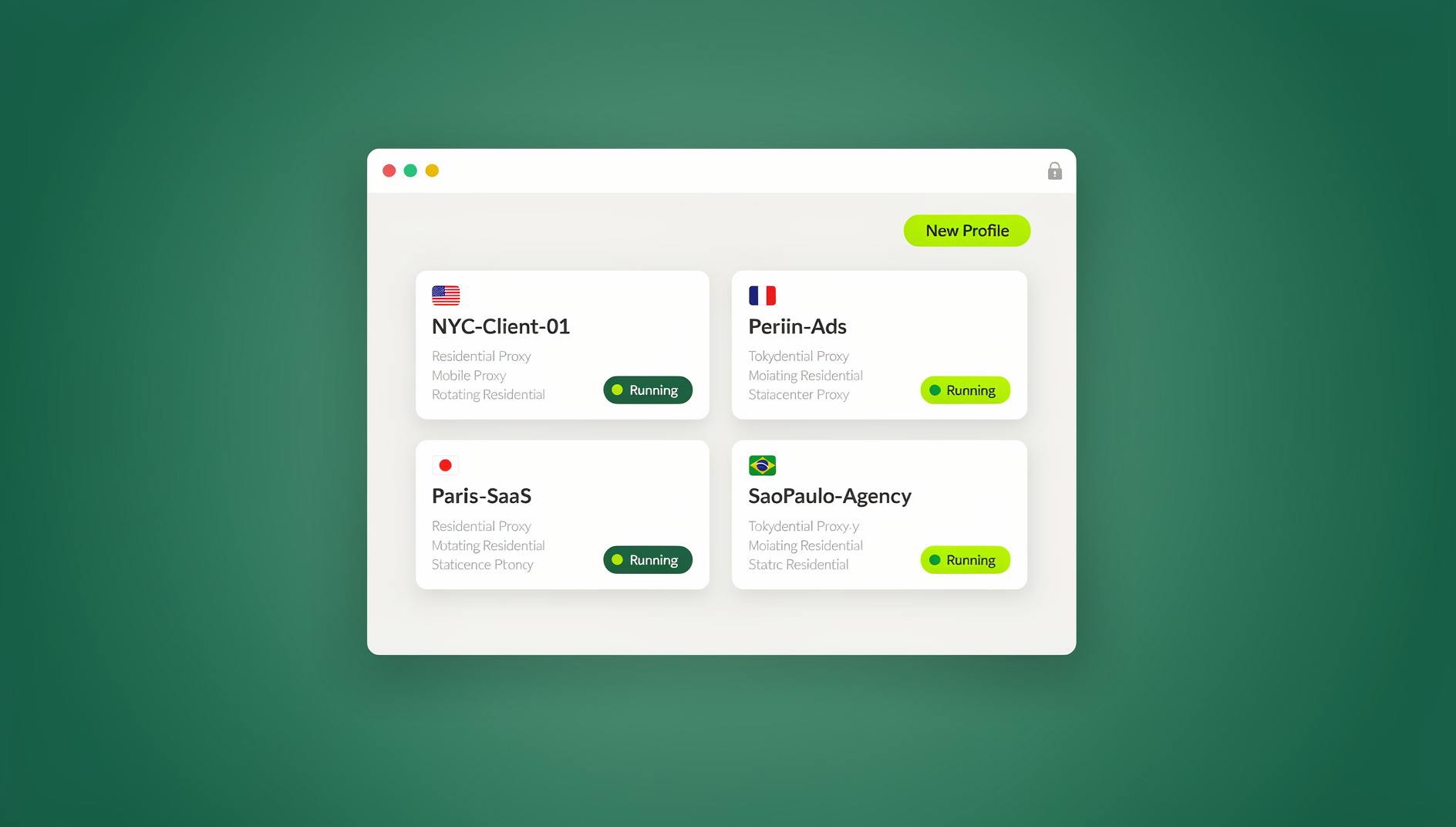
If your time-wasting problem is specifically “I have too many accounts on the same platform,” a password manager or focus timer won’t help — you need a tool built around running multiple accounts in parallel. Send.win is a browser profile manager that gives every account its own isolated profile with its own cookies, storage, sessions and fingerprint settings, so each login stays separate instead of sharing one browser identity. Instead of logging out of one Instagram, Amazon, or ad account to log into another, you open a new profile tab and you’re instantly in a different session — no cookies bleeding between accounts, no manual clearing of cache.
What separates it from a basic Chrome profile switcher is the depth of the toolset: built-in residential and datacenter proxies so each profile can also have a consistent IP and timezone, one-click session sharing so a teammate can use an account without ever seeing the password, and a native Sendwin Browser desktop app for Windows, macOS, and Linux that keeps every profile local-first with encrypted cloud sync — or, for teams that don’t want to install anything at all, a cloud browser session that runs entirely off-device and is metered by cloud browsing time instead.
Anyone who has read our breakdown of managing multiple login sessions already knows how much time gets lost to session conflicts — Send.win is the tool that removes that friction entirely rather than working around it.
2. StayFocusd — Distraction Blocking
StayFocusd is a Chrome extension that limits the amount of time you can spend on distracting sites per day, then locks you out once the timer runs down. It’s blunt by design: set a 20-minute daily allowance for social media, and once it’s gone, the site becomes genuinely inaccessible until midnight. It supports blocking entire domains, specific subdomains, or even specific page elements, and it lets you designate “allowed” sites you can still access for research even during a focus session. For anyone who opens a “quick check” of Twitter and resurfaces 40 minutes later, this is still one of the simplest time-recovery tools available.
3. RescueTime — Automatic Time Tracking
RescueTime runs quietly in the background and logs which apps and websites you actually spend time in, then produces a daily and weekly report showing how much of your day was “productive” versus “distracting” by your own definitions. Unlike manual time trackers, there’s nothing to remember to start or stop — it’s automatic, which is exactly why it’s more accurate. The 2026 version adds focus-session scheduling that can auto-block your most common distractions during blocks you mark as deep work.
4. LastPass — Password Management
Re-typing (or worse, resetting) passwords is one of the most common time sinks in a normal workday. LastPass autofills logins across every device, generates strong unique passwords so you’re not reusing the same one everywhere, and flags weak or breached credentials. For teams, its shared-vault feature lets you distribute access to shared tools without ever revealing the actual password to teammates — a lighter-weight version of the credential-sharing problem that Send.win solves at the account-profile level rather than the password level.
5. Checker Plus for Gmail — Inbox Without the Tab
Checker Plus shows new email previews, lets you read, archive, delete, and even reply to messages directly from a popup — without ever opening the Gmail tab. It supports multiple Gmail accounts simultaneously, with desktop notifications and optional read-aloud for new messages. For anyone who checks a Gmail tab forty times a day out of habit, this alone can save meaningful time by making that instinct unnecessary.
6. Grammarly — Writing Assistant
Grammarly checks grammar, tone, and clarity in real time across every text field in the browser — email, Slack, Google Docs, social posts, CRM notes. The 2026 version leans further into AI-assisted rewriting, offering full-sentence and full-paragraph suggestions rather than just flagging errors. For anyone writing outreach emails, support replies, or marketing copy across multiple accounts, it quietly removes a whole editing pass from the workflow.
7. Toggl Track — Manual Time Tracking for Freelancers
Where RescueTime is passive, Toggl Track is built for people who bill by the hour. One click starts a timer against a specific client or project, and the reporting makes invoicing painless at the end of the month. It integrates with most project management tools, so a task moved to “In Progress” in your board can automatically prompt a timer.
8. Scribe — Automatic Documentation
Scribe records your clicks and keystrokes while you complete a task, then automatically generates a step-by-step guide with screenshots — ideal for onboarding new hires, documenting a process for a client, or building an internal knowledge base without spending an afternoon writing a manual by hand.
Comparison Table: Which Extension Fits Which Problem
| Tool | Core Problem It Solves | Best For | Starting Price |
|---|---|---|---|
| Send.win | Managing multiple accounts with isolated profiles, each with its own cookies, storage and fingerprint | Agencies, e-commerce sellers, marketers, dev/QA teams | Pro $19/mo or $83.88/yr; Team $49/mo or $251.88/yr; 7-day money-back guarantee on first card purchase; free cloud demo |
| StayFocusd | Compulsive distraction browsing | Anyone who needs hard limits | Free |
| RescueTime | Not knowing where your day actually goes | Remote workers, managers | Free tier, Premium ~$12/mo |
| LastPass | Password fatigue and reuse | Individuals and small teams | Free tier, Premium ~$3/mo |
| Checker Plus | Constant Gmail tab-checking | Anyone managing multiple inboxes | Free |
| Grammarly | Slow, error-prone writing | Marketers, support teams, founders | Free tier, Premium ~$12/mo |
| Toggl Track | Inaccurate billing and project estimates | Freelancers, agencies | Free tier, paid from $9/mo |
| Scribe | Slow manual documentation | Ops, support, onboarding | Free tier, paid from $12/mo |
Multi-Account Workflows: Why Send.win Gets Its Own Category
Most of the extensions above make an existing single-account workflow faster. They don’t solve a different, increasingly common problem: needing to run several accounts on the same platform — multiple Amazon seller accounts, several client ad accounts, a stack of social profiles for different brands — without triggering bans for “suspicious multi-accounting.” Regular browser profiles or incognito windows don’t hide the underlying fingerprint that platforms use to detect this, which is exactly the gap a purpose-built multi-login browser like Send.win is designed to close.
Getting started takes about five minutes:
- Start with the free cloud demo. Try the 3-minute preview at send.win/demo-browser/ without signing up, or get 10 minutes a day with a free account.
- Download the desktop app or start a cloud session. The native Sendwin Browser desktop app for Windows, macOS, and Linux gives full local-first profile management with encrypted cloud sync; or skip the install entirely and run a profile as a cloud browser session, metered by cloud browsing time, for quick access from any device.
- Create a profile per account. Each profile gets its own isolated fingerprint, cookies, and local storage — no cross-contamination.
- Attach a proxy to each profile. Built-in residential and datacenter proxy options keep IP and timezone consistent per account.
- Invite your team. On the Team plan, share profiles with teammates without exposing passwords.
For teams already relying on tab-heavy workflows, it’s worth pairing this with the tips in our guide to Chrome extensions for productivity — the two categories (general productivity extensions and dedicated multi-account browsing) solve different problems and work well stacked together rather than as substitutes for each other.
Choosing the Right Extension Stack for Your Role
Freelancers and Solopreneurs
Start with Toggl Track for billing accuracy, Grammarly for client-facing writing, and LastPass to keep client logins organized. If you manage more than one client’s social or ad accounts, add Send.win before you hit a ban from logging into too many accounts on one fingerprint — this pairing is covered in more depth in our roundup of productivity software for solo makers.
Marketers and Agencies
Agencies running paid ads or social campaigns across multiple client accounts should treat Send.win as core infrastructure, not an optional extra — one flagged fingerprint can take down every account sharing it. Layer StayFocusd and RescueTime on top for the humans doing the work, since campaign management is inherently full of distraction-prone downtime between approvals.
Developers and QA Teams
Remote Teams
Shared tool access without shared passwords is the recurring headache for distributed teams. Send.win’s session-sharing and the Team plan’s seat allowance solve the access-control side; RescueTime and Scribe help managers understand workload and keep documentation current without extra meetings.
Common Mistakes That Waste the Time These Extensions Are Supposed to Save
- Installing too many extensions at once. Each one adds startup overhead and permission risk — audit your toolbar every few months and remove anything you haven’t opened in 30 days.
- Ignoring permission scope creep. An update that suddenly asks for broader access than the original install is a red flag, not a routine prompt to click through.
- Using one browser profile for every account. This is the single biggest cause of platform bans and lost hours spent on account recovery — isolate accounts that matter.
- Never reviewing time-tracking data. RescueTime and Toggl Track are useless if the reports are never opened; schedule five minutes weekly to actually look.
- Skipping the desktop app when it exists. Browser extensions are convenient, but a native desktop client (like Send.win’s) is usually more stable for heavy daily use and isn’t subject to the same Manifest V3 restrictions extensions face.
🏆 Send.win Verdict
Most extensions on this list save you minutes here and there inside a single account. Send.win solves the bigger time sink: the hours lost to logging in and out, clearing cookies, and juggling more than one identity on the same platform. With isolated profiles — each with its own cookies, storage and fingerprint — built-in proxies, and a native desktop app for Windows, macOS and Linux, it’s the one entry on this list that scales from a solo freelancer to a full agency without changing tools.
Try the Send.win cloud demo — a 3-minute preview without signup, and stop losing hours to account switching.
Frequently Asked Questions
What is the single best time-saving browser extension for 2026?
There isn’t one universal answer — it depends on your bottleneck. If your problem is distraction, StayFocusd wins. If it’s password fatigue, LastPass. If your real problem is managing multiple accounts on the same platform, Send.win is the purpose-built option, since general productivity extensions don’t address account isolation at all.
Are browser extensions safe to install in 2026?
Reputable extensions from official stores with active developer support and reasonable permission requests are generally safe. The risk comes from abandoned extensions that get sold to new owners who quietly add tracking or ad-injection code — check the permissions and recent reviews before installing, and remove anything you no longer actively use.
Do I need a separate app for managing multiple accounts, or can I use browser profiles?
Standard browser profiles separate cookies and history but do not change your underlying device fingerprint (canvas, WebGL, fonts, and other signals), which many platforms use to detect linked accounts regardless of which profile you’re in. A dedicated multi-login browser generates a genuinely unique fingerprint per profile, which is the difference that actually prevents bans.
Does Send.win have a desktop app, or is it a browser extension?
Send.win is not a browser extension — it’s Sendwin Browser, a native desktop app for Windows, macOS, and Linux that’s local-first with encrypted cloud sync. For teams that would rather skip any install, Send.win also offers cloud browser sessions that run entirely off-device, metered by cloud browsing time.
Can I automate logins and testing across multiple accounts?
No — Send.win has no automation interface: no API, SDK, headless mode or Selenium/Puppeteer/Playwright support on any plan. It focuses on isolated browser profiles for manual work.
How much time can these extensions realistically save per week?
Users combining a focus tool, a password manager, and automatic time tracking commonly report reclaiming 3–5 hours per week just from reduced distraction and eliminated re-authentication. Teams managing multiple accounts often save far more once they stop losing entire accounts to bans and having to rebuild them from scratch.
What’s the pricing for Send.win in 2026?
Send.win has no free trial. The Pro plan is $19/mo or $83.88/yr, and the Team plan is $49/mo or $251.88/yr; the first card purchase is covered by a 7-day money-back guarantee. The only free option is the cloud demo at send.win/demo-browser/.
Will installing a lot of extensions slow down my browser?
Yes, each active extension adds some memory and startup overhead. Keep your toolbar lean, disable extensions you’re not actively using rather than leaving them running in the background, and prefer one well-built tool over three overlapping ones that do similar jobs.
Is a paid extension always better than a free one?
Not necessarily — several tools on this list (StayFocusd, Checker Plus) are genuinely full-featured for free. Paid tiers usually unlock team features or higher usage limits, which only matter once your usage grows past individual, casual use.